MoeBot Home Assistant Integration
June 23, 2026 · View on GitHub
Provides the following:
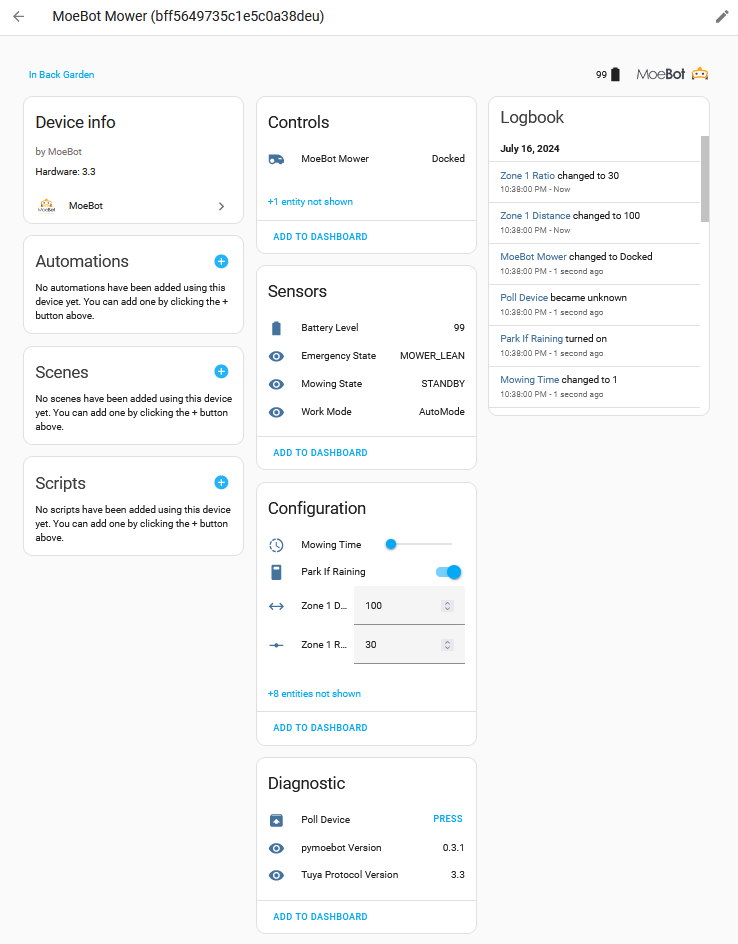
- A Lawn Mower component for control of your MoeBot.
- Further controls to manage whether the MoeBot continues to mow during rain and how long to mow for.
- Ability to alter the multi-zone configuration of the mower (these entities are disabled by default).
- Sensors to monitor the working state, errors and battery level of the MoeBot
Installation
Easiest install is via HACS

- Add the repository to your HACS install by clicking the button below:
- Restart HA
For manual installation for advanced users, copy custom_components/moebot to your custom_components folder in Home Assistant then continue from step 2 above.
Adding the Integration
Once you have installed the integration (per above)...
- Open the Home Assistant web interface.
- Navigate to "Configuration" > "Integrations".
- Click on the "+" button in the bottom right corner to add a new integration.
- Search for the "MoeBot" integration and select it from the list.
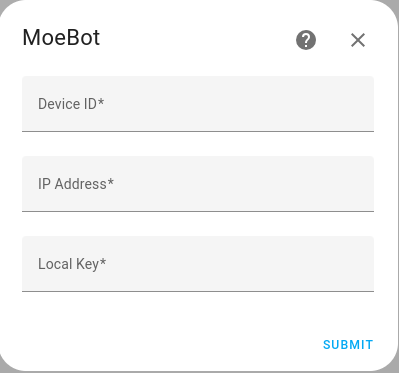
- Enter the required details; Device ID, IP address and Local Key
- Click on "Submit" to complete the integration setup.
Configuration Options
flowchart TD
    START(Start) --> USER{Menu}
    USER -->|Cloud| CLOUD[Cloud Credentials]
    USER -->|Local| LOCAL_LOOKUP[Scan Network]
    USER -->|Manual| DEVICE_DETAILS
    CLOUD -->|"{region, api_secret, api_key}"| CLOUD_LOOKUP[Pull Cloud Devices]
    CLOUD_LOOKUP --> DEVICE_SELECT[Select Found Devices]
    LOCAL_LOOKUP --> DEVICE_SELECT
    DEVICE_SELECT --> DEVICE_DETAILS[Confirm Details]
    DEVICE_DETAILS -->|"{device_id, ip_address, local_key, tuya_version}"| END(End)
Documentation
Lawn Mower States
The Lawn Mower component as provided by Home Assistant only provides 3 states:
ERROR- Device is in error state, needs assistance.PAUSED- Paused during activity.MOWING- Device is mowing.DOCKED- Device is docked.
The MoeBot however provides many more states:
STANDBY- the MoeBot is not mowing; it is either sitting idle in the mowing area or sitting in the dock fully charged.MOWING- the MoeBot is mowing.FIXED_MOWING- the MoeBot is mowing in a spiral pattern.CHARGING- the MoeBot is in the dock charging.EMERGENCY- the MoeBot is in some non-normal state, perhaps lifted off the ground.LOCKED- the MoeBot UI is asking for the PIN to be entered.PAUSED- the MoeBot is currently mowing but the job has been paused.PARK- the MoeBot is following the boundary wire to return to the dock.CHARGING_WITH_TASK_SUSPEND- the MoeBot is in the dock charging but will return to mow.ERROR- the MoeBot is in some error state, perhaps it is outside of the boundary.
The MoeBot integration maps these states per the following table:
| Lawn Mower State | MoeBot States |
|---|---|
| ERROR | EMERGENCY, ERROR, LOCKED |
| PAUSED | PAUSED |
| MOWING | MOWING, FIXED_MOWING, PARK |
| DOCKED | STANDBY, CHARGING, CHARGING_WITH_TASK_SUSPEND |
Additional documentation is provided in the pymoebot repository.
Future
Whilst my main mower is now a Luba 2 5000 and my MoeBot has been all but decommissioned, I am still interested in continuing to develop this integration.
Feel free to continue to log any issues you have, and if possible, I will try and address them.
The following is a list of features I would like to add to the MoeBot:
- Improve the current
ConfigFlowfor adding a MoeBot device; maybe attempt discovery or at least use the abilities oftinytuyato identify the Local Key. - Provide additional sensors to show Tx/Rx message counts to the mower, including error counters (this would require an accompanying update to the pymoebot library).
- Investigate the benefit of moving to a single coordinator for this integration, per the newer integration development guides.
- Add statistic sensors that show the amount of time spent mowing in 24-hour and 1-week period.