MonexJs
August 12, 2019 · View on GitHub
javascript server and mongodb admin manager. more like xampp for JS
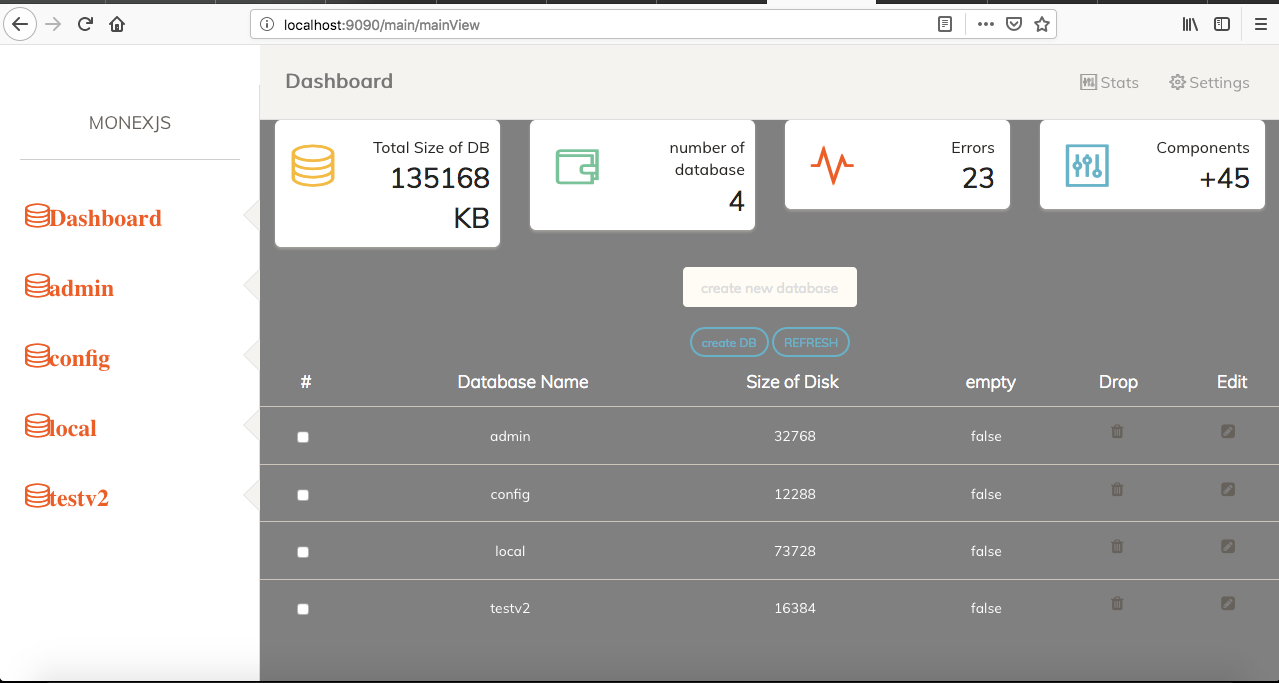
Web Browser view of your mongoDB database
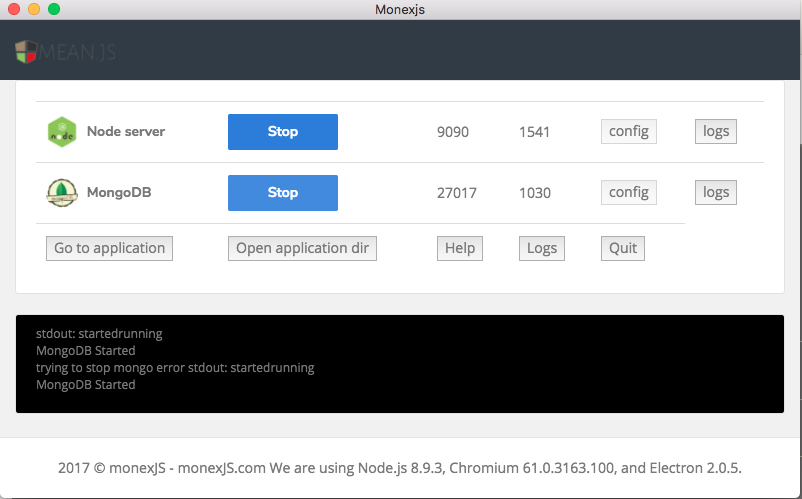
Control panel Desktop app to start and stop the node server and javascript server
Getting Started
These instructions will get you a copy of the project up and running on your local machine for development and testing purposes. See deployment for notes on how to deploy the project on a live system for test and developement.
Prerequisites
What things you need to setup the project and how to install them
-
node
- download node from https://nodejs.org/
-
electron
- install electron using
npm install electron -g
- install electron using
to verify you have node and electron installed
node -v
electron -v
Installing
-
clone using
git clone https://github.com/adeojoemmanuel/monexjs_dev.git -
after cloneing go into monexjs_dev the directory
-
then the mac directory
-
lunch your terminal and execute "node installation.js"
note would take a while
-
you should now have the project in Applications/monexjs directory
-
go to /Application/monjexjs/desktop in your terminal
-
run electron .
-
click start node
-
and start mongo
-
access the mongoadmin from localhost:9090
-
view console logs on the electron app console
Running tests
#### for the  node server

> - create a new project

> - by creating a folder in the /Application/monjexjs/myprojects directory

> - create an index html file and write a basic html code in it

> - access the project by localhost:9090/project folder name

#### for the  mongoadmin manager

> - access the mongoadmin from localhost/9090 after following the installation process

> - create new database in the admin, components etc
unit test
e.g node stoprun.js
in the monexjs root directory to stop any running script on the port 9090
coding style
- modular developement is highly encouraged so that a module could be easily reused
- make sure all node_modules on the root directory and monex/node_modules directory are ignored
e.g add directory_name/node_modules in gitignore
Deployment
the app would be compliled as released after debugging and testing
Built With
- node - JavaScript runtime Server enviroment
- electron - desktop developement
- express - server side developement
Contributing
clone->make changes->submit a pull request
Versioning
Using SemVer for versioning.
Authors
- Adeojo Emmanuel - Initial work - Adeojo Emmanuel
contributors
Oyindahl (https://github.com/oyind)
Oyetunmibi Oyinkan (https://github.com/oyin-k)
See also the list of contributors who participated in this project.
License
This project is licensed under the MIT License - see the LICENSE.md file for details
Acknowledgments
- Hat tip to anyone who's code was used
- Inspiration
- etc
TASK TO BE DONE
- redevelop userinterface for the mongo admin
- seting up a desktop installer using electron