One.nvim
April 24, 2026 · View on GitHub
All-in-one neovim configuration framework implemented with Lua. It is highly flexible to be customized and extended.
Features
- All in Lua. All configs can be overridden. Read Configuration.
- Use many Neovim features: Native LSP, Float Window, Winbar.
- Supporting plugin manager: lazy.nvim
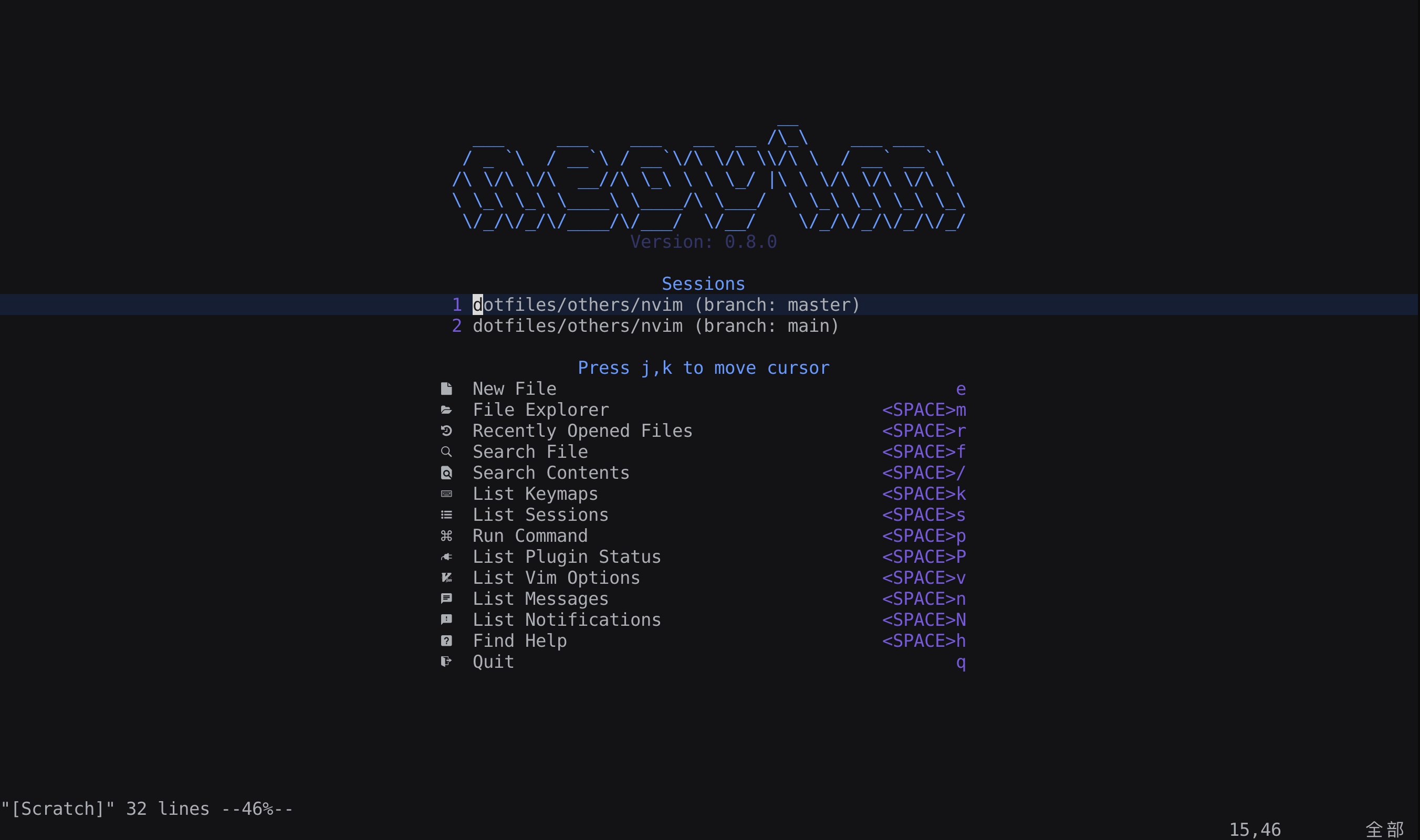
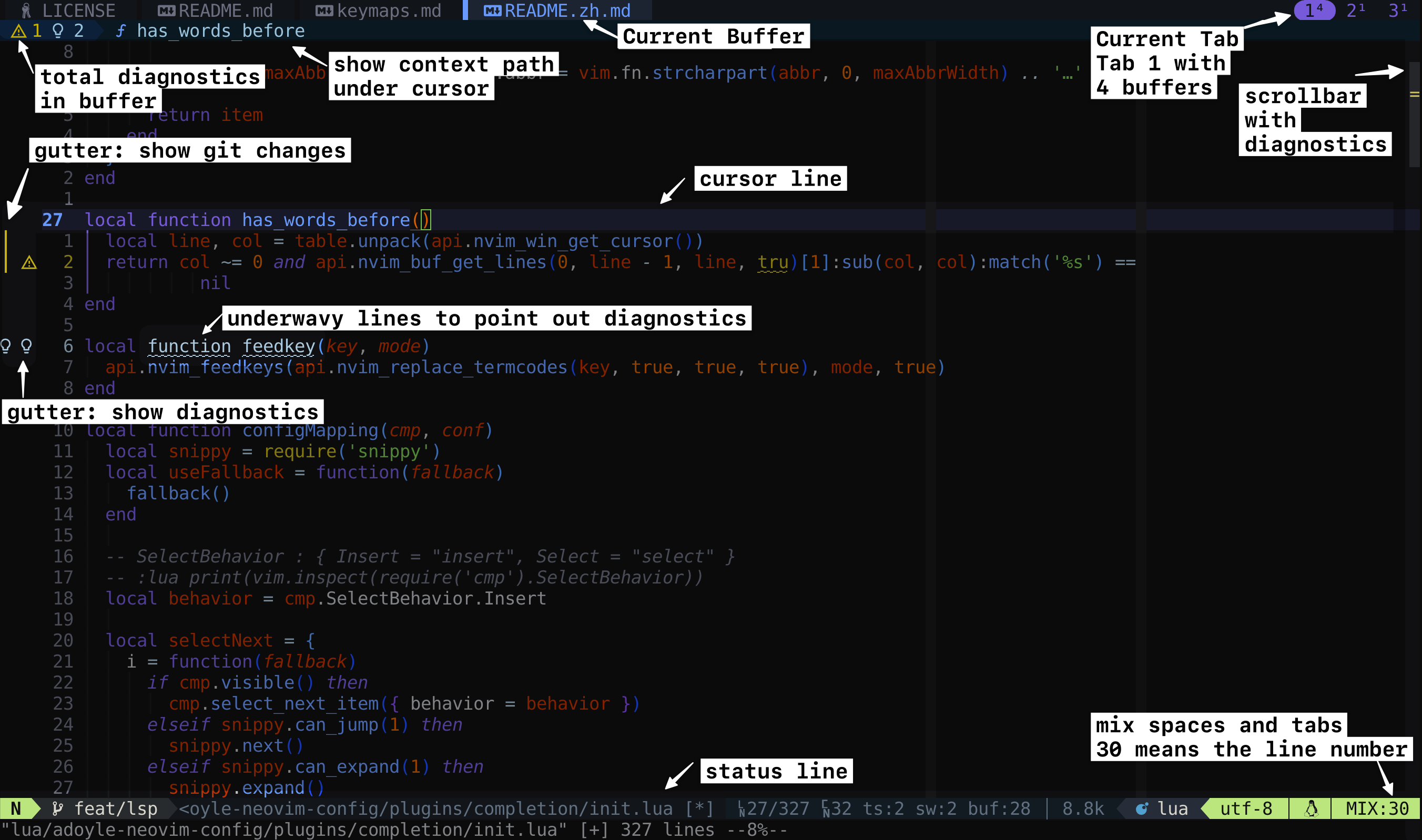
- Awesome UI and color schema. Dark Mode. Support True-Color, Smooth-Scroll, Scrollbar, Dashboard. You can change colors and highlights. Read Colors and Highlights.
- Configurable proxy for fast git download in China Mainland. Read Proxy.
- Integrated 130+ powerful Vim/Nvim plugins. Enhancing the usage experience, and fixed some shortcomings of these plugins.
Click to expend/collapse plugin list
- Plugin Manager: lazy.nvim (default)
- AI: avante.nvim and mcphub.nvim
- Vim Options: vim-options
- Utilities: plenary and Penlight and nui
- Dashboard: alpha.nvim
- Outline: aerial (default) or majutsushi/tagbar
- File Explorer: neo-tree (default) or nerdtree or nvim-tree
- Statusline: lualine (default) or airline
- Tabline: tabby
- Bufferline: barbar or bufferline (If use bufferline, you should disable tabline plugin)
- Cursorline Highlight: beacon (default) or specs.nvim
- Scrollbar: nvim-scrollbar
- Smooth-Scroll: neoscroll.nvim
- Session: persisted (default) or possession or xolox/vim-session or rmagatti/auto-session
- Fuzzy Finding: telescope and ctrlsf
- Diagnostics Window: trouble
- Undo: vim-mundo
- Syntax Highlight: treesitter and nvim-ts-rainbow
- Highlight Words: vim-interestingwords
- Code Comment: Comment.nvim (default) or nerdcommenter
- LSP: nvim-lspconfig and treesitter and none-ls and nlsp and goto-preview and lsp-toggle
- DAP: nvim-dap
- Format: conform.nvim and editorconfig-vim
- Formatter, Linter, LSP, DAP Manager: mason and mason-installer
- Completion: nvim-cmp
- Snippets: nvim-snippy
- Markdown: render-markdown.nvim and markdown-preview and vim-MarkdownTOC
- Surrounds: nvim-surround and nvim-autopairs and nvim-ts-autotag and vim-matchup
- Git: gitsigns and lazygit and diffview.nvim
- Indent Line: indent-blankline
- Cursor Move: flash.nvim and accelerated-jk or hop.nvim
- Window Picker: nvim-window-picker or vim-choosewin
- Window Resize: simeji/winresizer and windows.nvim
- Context: aerial (default) or navic and nvim-treesitter-context
- Text Align: vim-easy-align
- Bookmark: vim-bookmarks
- Mark: marks.nvim
- Calendar: mattn/calendar-vim
- Curl: rest.nvim
- Icons: devicons and icon-picker
- UI Enhancing: dressing and noice
- Escape: better-escape.nvim
- Increment: increment-activator
- Filetype: filetype.nvim
- Latex: nabla
- Notification: notify (default) or notifier
- Profiling: vim-startuptime
- Text-Objects: wildfire and nvim-treesitter-textobjects
- Table Edit: vim-table-mode
- Terminal: neoterm
- Testing: nvim-test
- TODO Comment: todo-comments
- Trailing Spaces: whitespace
- Yank: yanky
- Zen Mode: twilight and zen-mode
- Notebook: zk
- Live Command: live-command
- Color Highlighter: ccc.nvim (default) or vim-hexokinase or nvim-colorizer
- Translation: translate.nvim
- Games
- one.nvim enhanced plugin: one
Screenshots
Click to expend/collapse
Dashboard
UI
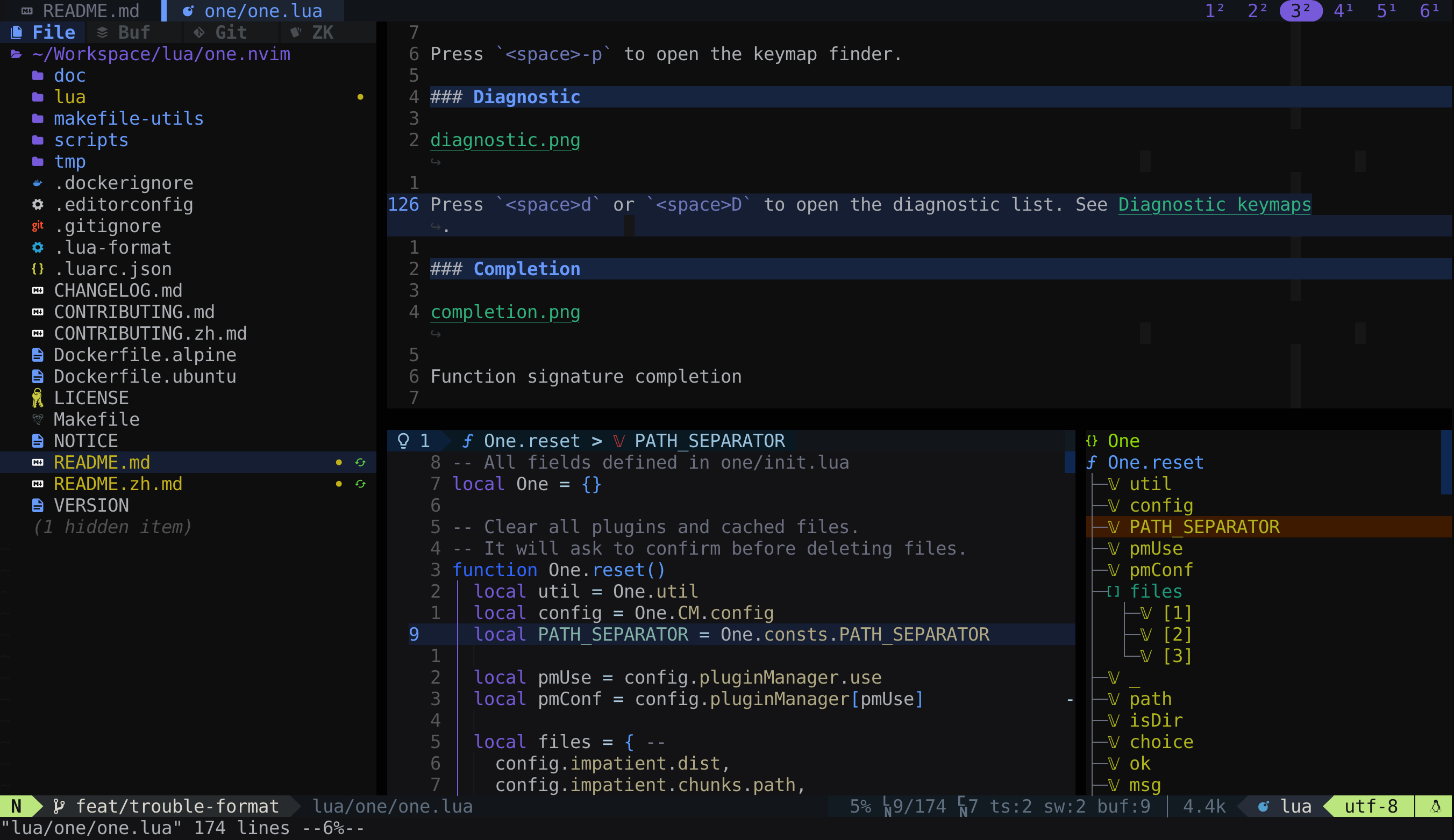
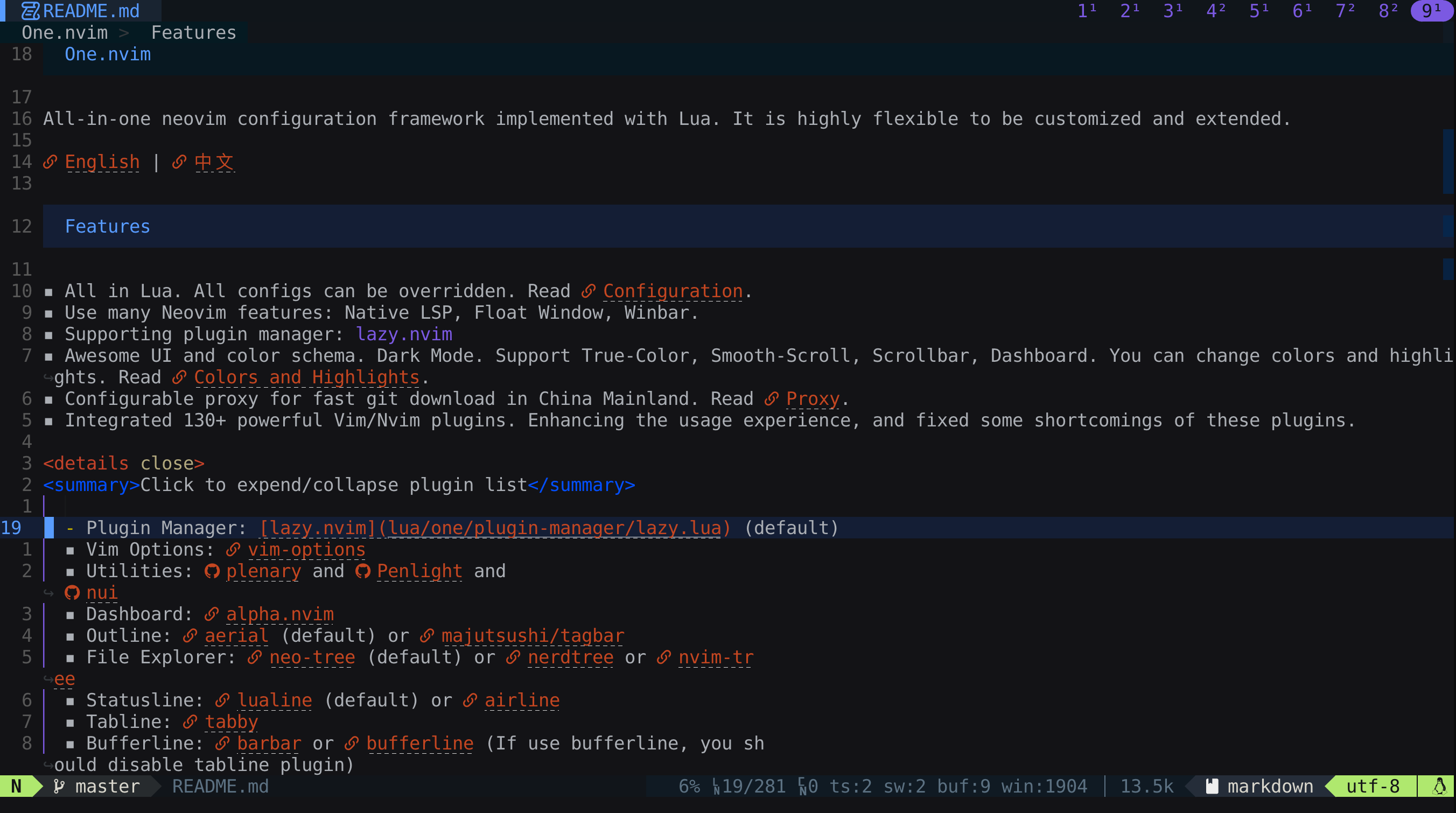
Hidden cmdline
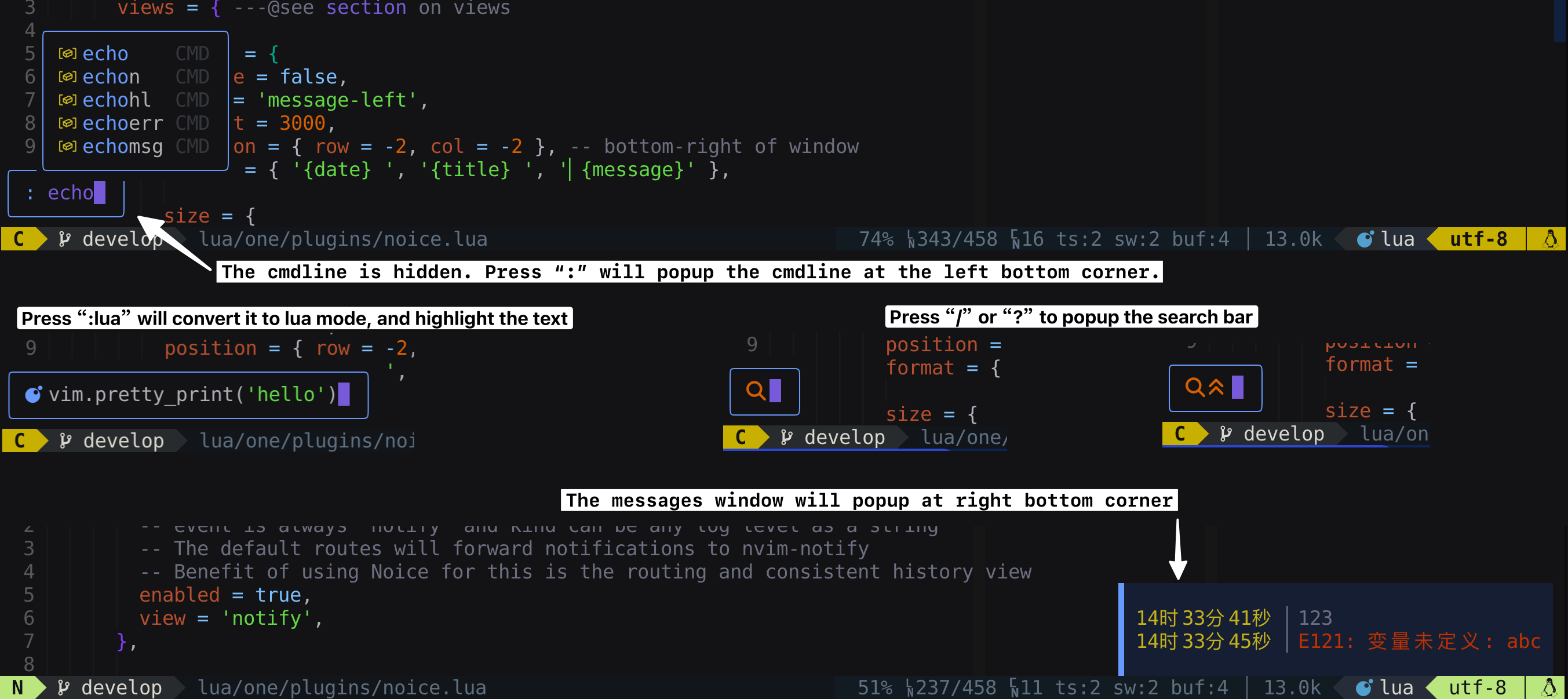
If you don't like the hidden cmdline, you can disable noice.nvim plugin to get the classic UI. Follow this config:
require('one').setup { plugins = { 'noice', disable = true } }
Outline
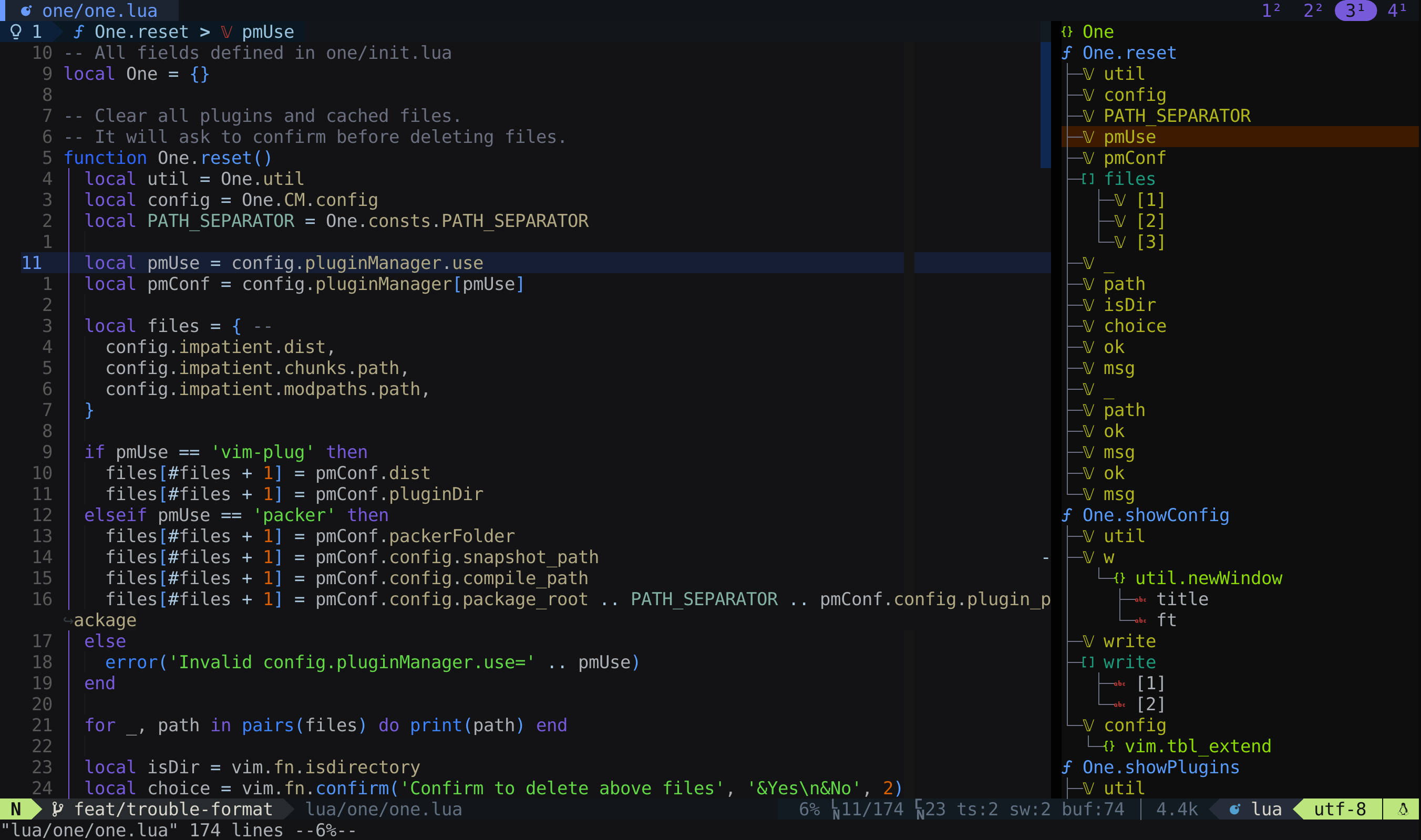
Press <space>o to open the outline.
File Finder
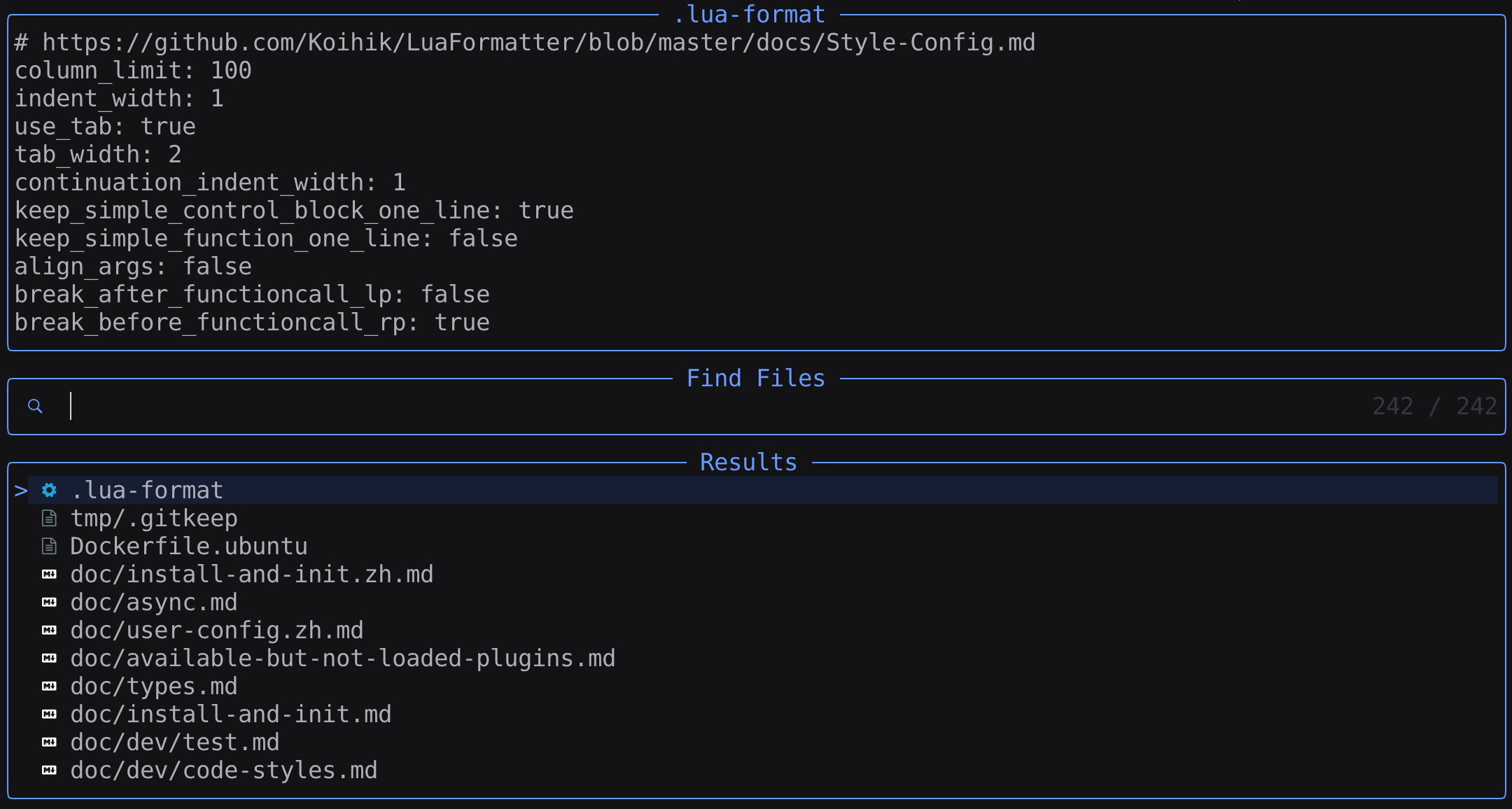
Press <space>f to open the file finder.
Keymaps
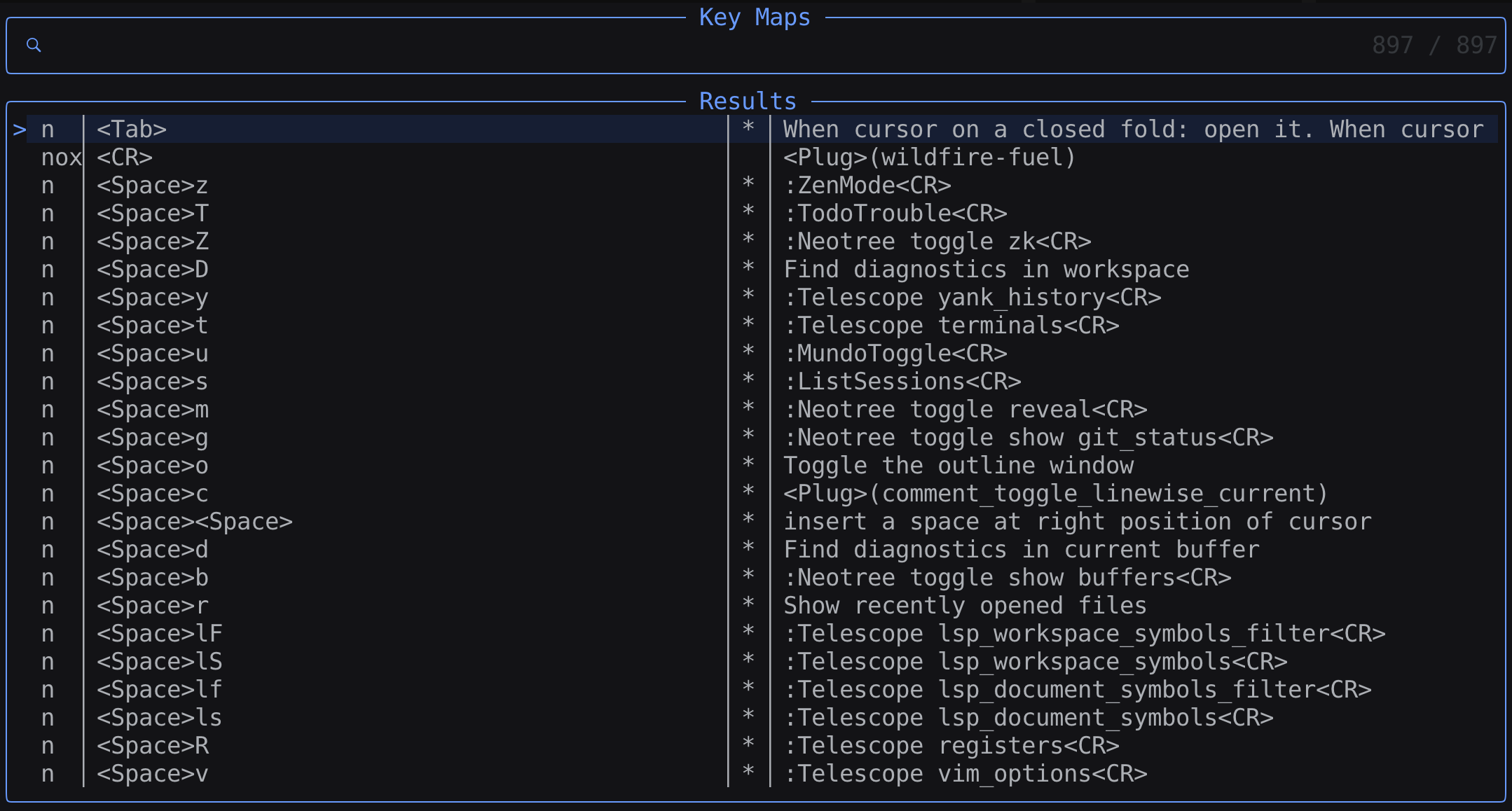
Press <space>k to open the keymap finder.
Command Finder
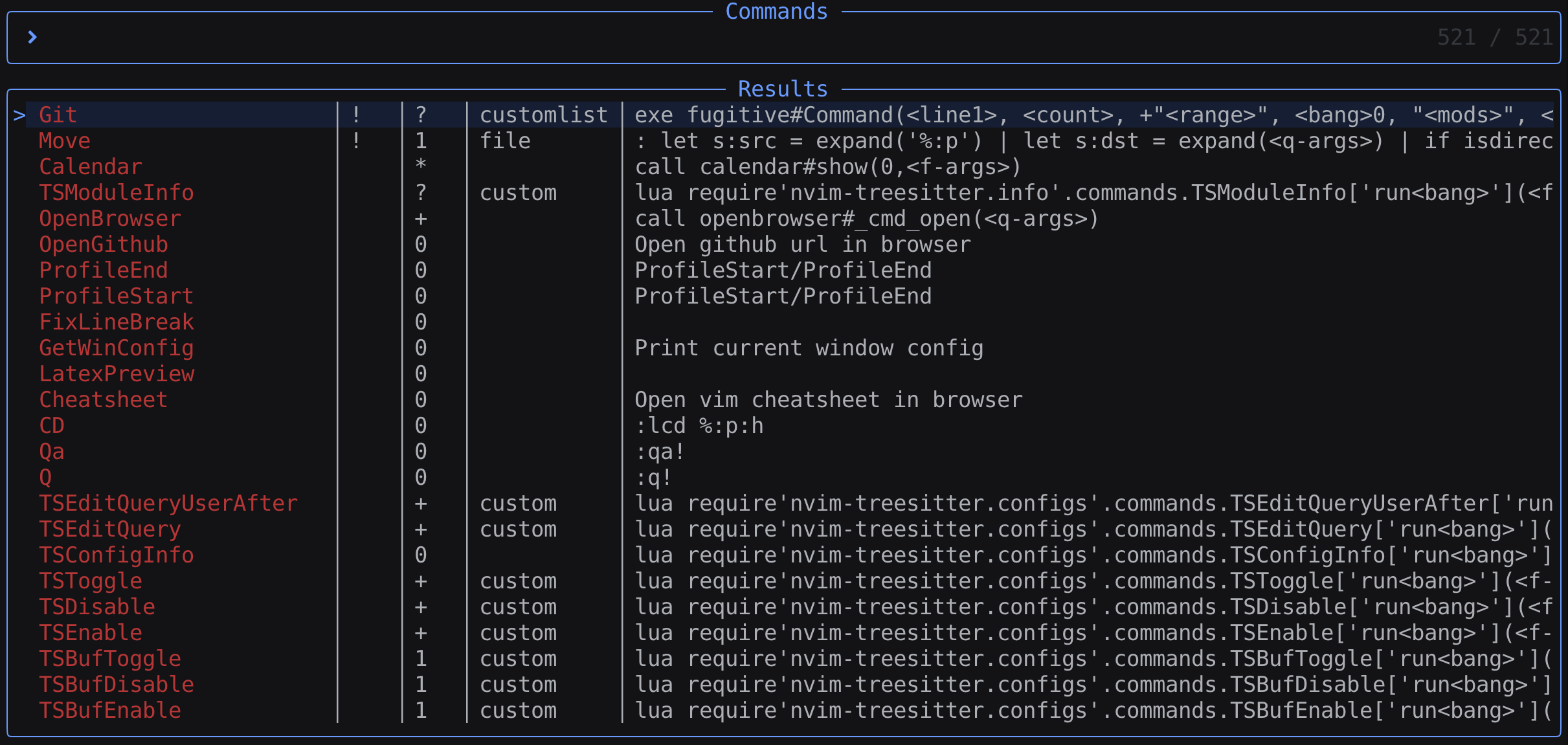
Press <space>p to open the keymap finder.
Diagnostic
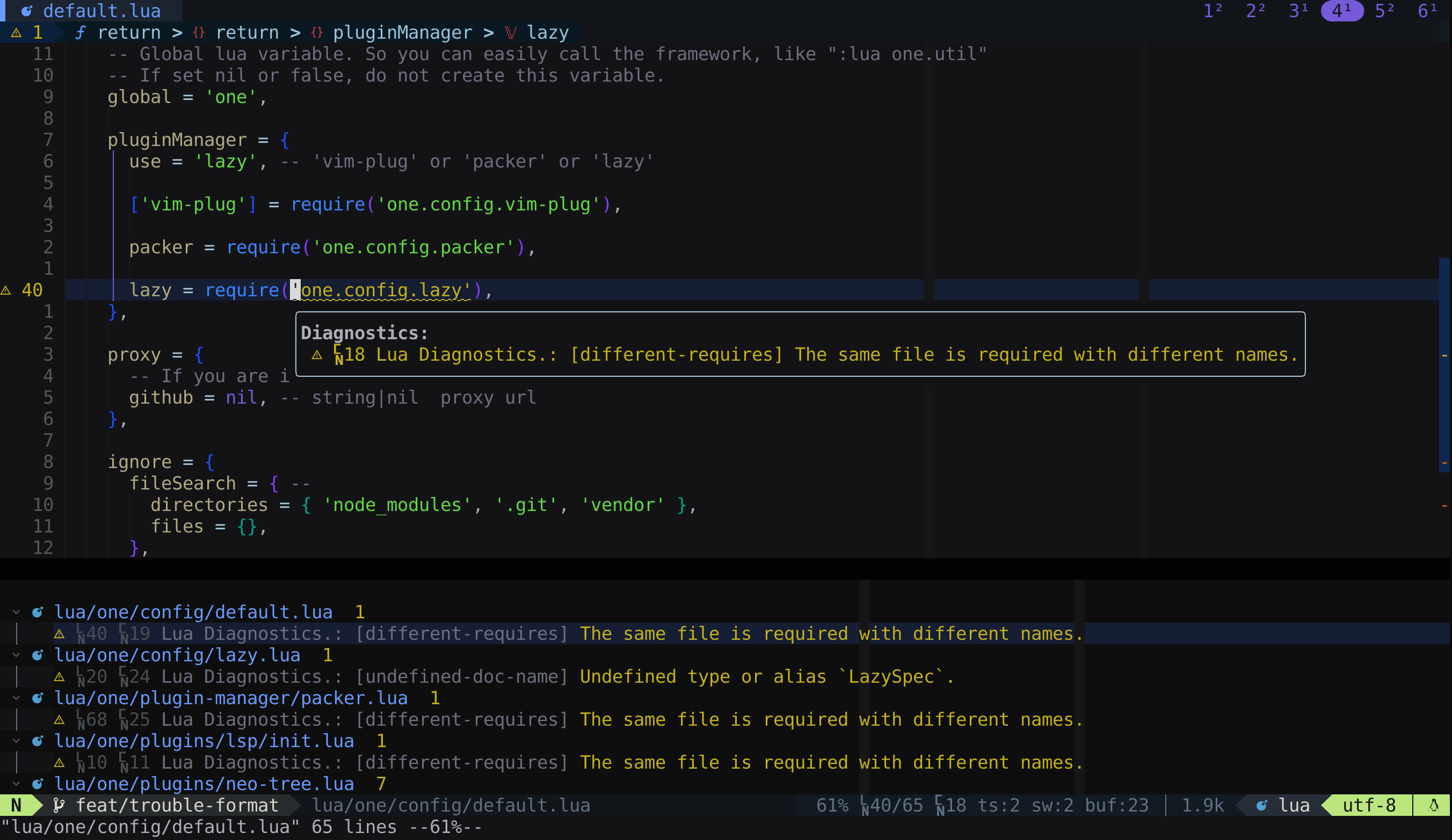
Press <space>d or <space>D to open the diagnostic list. See Diagnostic keymaps.
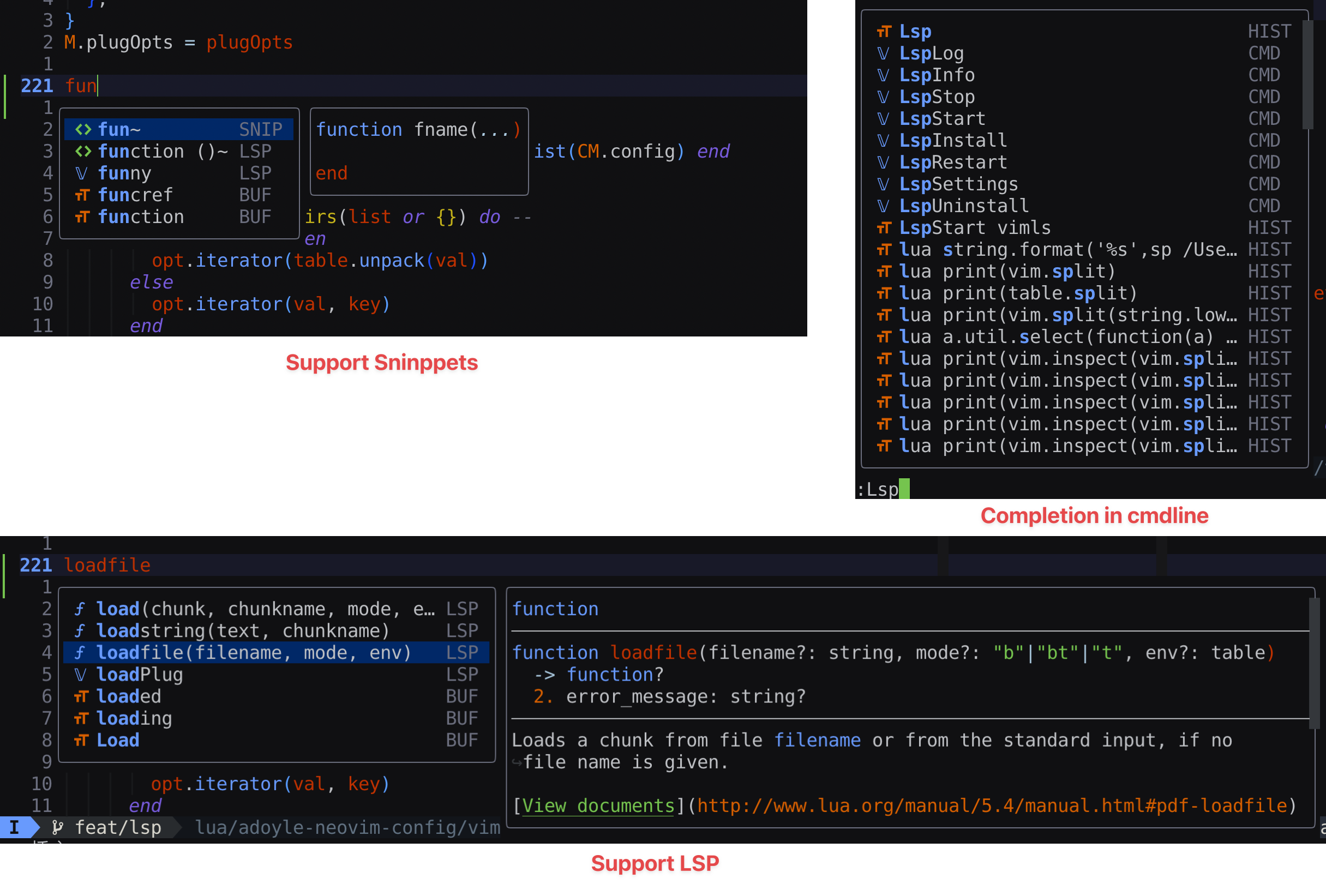
Completion
Function signature completion
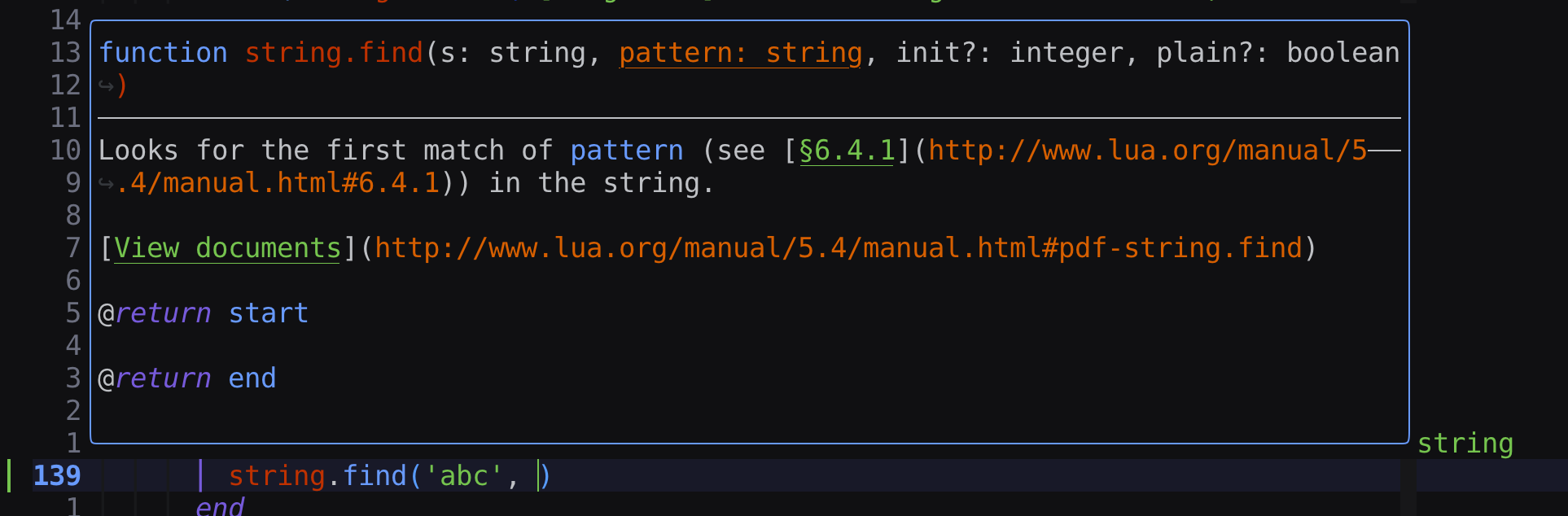
Installation
Update
You can update the one.nvim via plugin manager or commands :OneUpdate one or :lua one.update('one').
Please submit issue when encounter problems after updating.
FAQ
Notice
Configuration
require('one').setup {}
All config options are optional. You can override default configs. Please read User Config.
Plugin Manager
Note: One.nvim use lazy.nvim as plugin manager. The lazy.nvim would be installed on start up. So user should not install one.nvim via plugin manager.
| lazy.nvim | |
|---|---|
| Plugins Directory | {DATA_DIR}/plugins |
| Default Config | lua/one/config/lazy.lua |
The value of {DATA_DIR} is :lua print(vim.fn.stdpath('data')).
require('one').setup {
  config = {
    pluginManager = { use = 'lazy' }, -- Default to 'lazy'. Available value: lazy' or 'local'
  },
}
When config.pluginManager.use = 'local', this plugin manager can only load local plugins. It cannnot install packages from remote.
Plugin
All plugins can be turned off, overridden default config options, replaced with your favorites. It is highly flexible to be customized and extended.
Read ./doc/plugin.md for plugin definitions and references.
You can even set onlyPlugins = {} to disable all plugins. Read Debug - Disable other plugins.
You can invoke :OneShowPlugins to view disabled and enabled plugins.
Usage
- Debug
- Keymaps
- Commands
- Colors and Highlights
- Snippets
- LSP
- Code Format
- Telescope Extensions
- Window Picker
- Float Cmdline
- Unloaded Plugins
- Extend your plugins/highlights/commands and so on
- Global Variable
- Startup Time
- Proxy
API
Just read codes.
Project File Structure
.
├── doc/                     // Documents
├── lua/
│   └── one/
│       ├── async.lua        // async library
│       ├── config/          // Keymaps
│       │   ├── colors.lua   // Default color config
│       │   ├── default.lua  // Default config
│       │   ├── lazy.lua     // Default config for lazy.nvim
│       │   └── symbol.lua   // symbols
│       ├── config.lua       // Config loader
│       ├── consts.lua       // Constants
│       ├── filetype.lua     // FileType autocmd
│       ├── one.lua          // The one singleton
│       ├── init.lua         // The lua required entry point
│       ├── plugins.lua      // Plugin loading list
│       ├── util.lua         // Utility functions
│       ├── util_spec.lua    // Unit test for util.lua
│       ├── keymap/          // Keymaps
│       ├── plugins/         // Available plugins written in lua
│       │   └── themes/      // Color schemas
│       └── plugin-manager/
│           ├── init.lua     // Plugin Manager
│           ├── lazy.lua     // Wrapper for lazy.nvim
│           └── local.lua    // Only load local files
└── scripts/                 // scripts for building project
Suggestion, Bug Reporting, Contributing
Before opening new Issue/Discussion/PR and posting any comments, please read ./CONTRIBUTING.md.
Copyright and License
Copyright 2016-2026 ADoyle (adoyle.h@gmail.com). Some Rights Reserved. The project is licensed under the BSD 3-clause License.
Read the LICENSE file for the specific language governing permissions and limitations under the License.
Read the NOTICE file distributed with this work for additional information regarding copyright ownership.
Other Projects
Other nvim projects created by me.