Group multiple documents in the same section. You make a category by specifying the tag(s), display name, and (optionally) color of the text in the category.
Make sure you have added the correct front matter to your documents. See the Tag Your Documents section of the README.
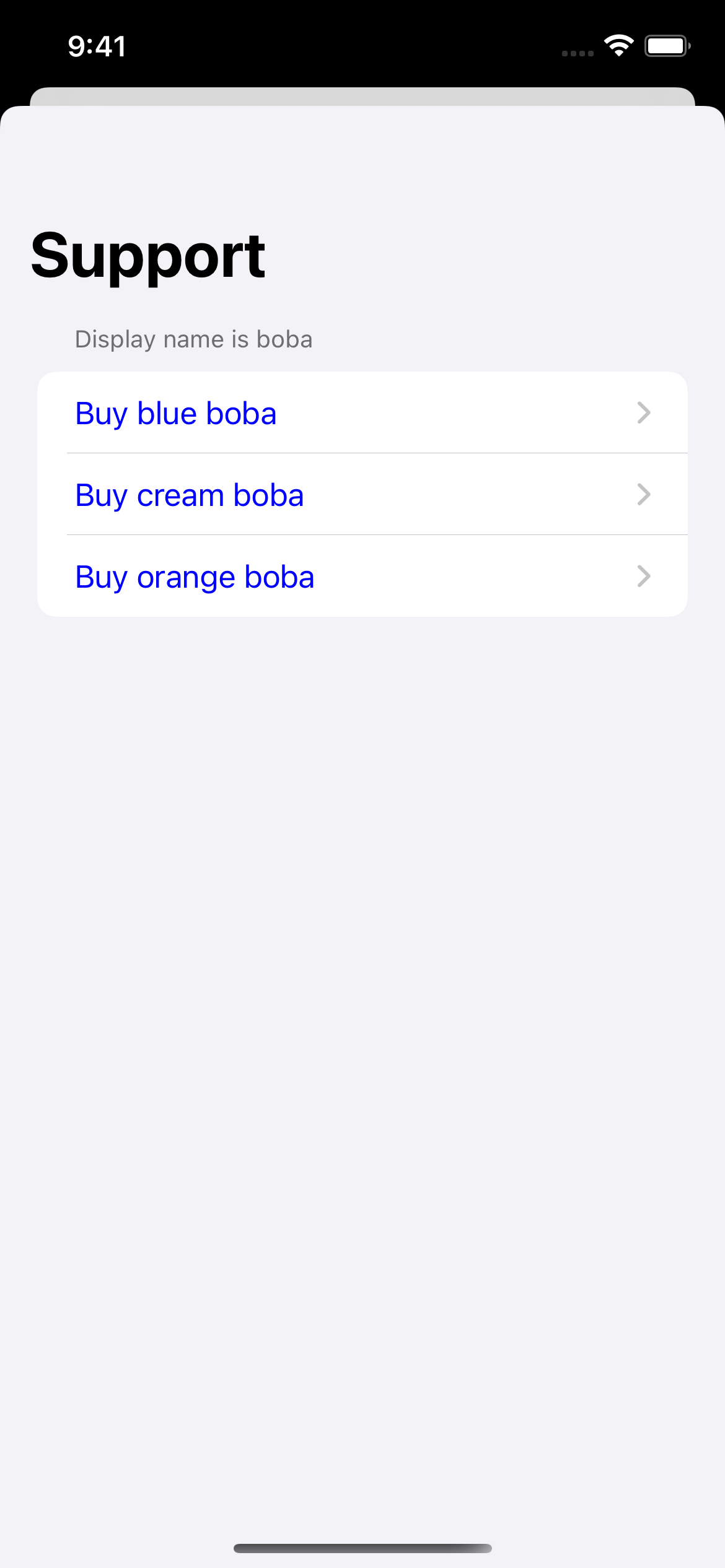
Once your documents have tags, you can start using categories inside your app. Here’s how to make SupportDocs display one category that contains all documents with the tag “boba”:
|
SwiftUI
|
Result
|
let options = SupportOptions(
    categories: [
        .init(
            tags: ["boba"],
            displayName: "Display Name Is Boba",
            displayColor: UIColor.blue
        )
    ]
)
|
|
|
UIKit
|
var options = SupportOptions()
let bobaCategory = SupportOptions.Category(
    tags: ["boba"],
    displayName: "Display Name Is Boba",
    displayColor: UIColor.blue
)

options.categories = [bobaCategory]
|
Show full code
|
SwiftUI
|
struct SwiftUIExampleView_WithCategories: View {
    let dataSource = URL(string: "https://raw.githubusercontent.com/aheze/SupportDocs/DataSource/_data/supportdocs_datasource.json")!

    let options = SupportOptions(
        categories: [
            .init(
                tags: ["boba"],
                displayName: "Display Name Is Boba",
                displayColor: UIColor.blue
            )
        ]
    )

    @State var supportDocsPresented = false

    var body: some View {
        Button("Present SupportDocs from SwiftUI!") { supportDocsPresented = true }
        .sheet(isPresented: $supportDocsPresented, content: {
            SupportDocsView(dataSource: dataSource, options: options)
        })
    }
}
|
| UIKit |
class UIKitExampleController_WithCategories: UIViewController {

    /**
     Connect this inside the storyboard.

     This is just for demo purposes, so it's not connected yet.
     */
    @IBAction func presentButtonPressed(_ sender: Any) {

        let dataSource = URL(string: "https://raw.githubusercontent.com/aheze/SupportDocs/DataSource/_data/supportdocs_datasource.json")!

        var options = SupportOptions()
        let bobaCategory = SupportOptions.Category(
            tags: ["boba"],
            displayName: "Display Name Is Boba",
            displayColor: UIColor.blue
        )

        options.categories = [bobaCategory]

        let supportDocsViewController = SupportDocsViewController(dataSource: dataSource, options: options)
        self.present(supportDocsViewController, animated: true, completion: nil)
    }
}
|
|
SwiftUI
|
Result
|
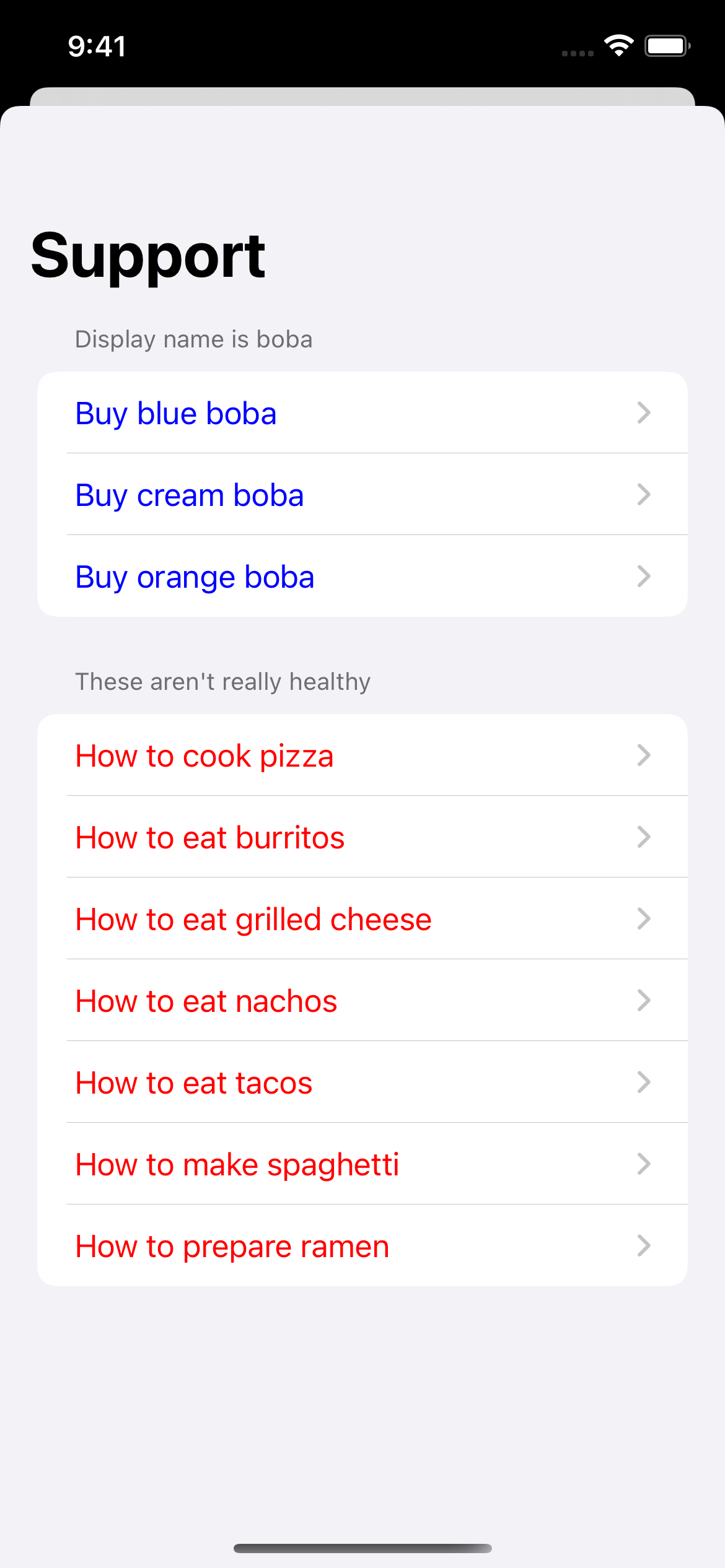
let options = SupportOptions(
    categories: [
        .init(
            tags: ["boba"],
            displayName: "Display Name Is Boba",
            displayColor: UIColor.blue
        ),
        .init(
            tags: ["fastFood"],
            displayName: "These aren't really healthy",
            displayColor: UIColor.red
        )
    ]
)
|
|
|
UIKit
|
var options = SupportOptions()
let bobaCategory = SupportOptions.Category(
    tags: ["boba"],
    displayName: "Display Name Is Boba",
    displayColor: UIColor.blue
)
let fastFoodCategory = SupportOptions.Category(
    tags: ["fastFood"],
    displayName: "These aren't really healthy",
    displayColor: UIColor.red
)

options.categories = [bobaCategory, fastFoodCategory]
|
Show full code
| SwiftUI |
struct SwiftUIExampleView_WithCategories: View {
    let dataSource = URL(string: "https://raw.githubusercontent.com/aheze/SupportDocs/DataSource/_data/supportdocs_datasource.json")!

    let options = SupportOptions(
        categories: [
            .init(
                tags: ["boba"],
                displayName: "Display Name Is Boba",
                displayColor: UIColor.blue
            ),
            .init(
                tags: ["fastFood"],
                displayName: "These aren't really healthy",
                displayColor: UIColor.red
            )
        ]
    )

    @State var supportDocsPresented = false

    var body: some View {
        Button("Present SupportDocs from SwiftUI!") { supportDocsPresented = true }
        .sheet(isPresented: $supportDocsPresented, content: {
            SupportDocsView(dataSource: dataSource, options: options)
        })
    }
}
|
| UIKit |
class UIKitExampleControllerWithCategories: UIViewController {

    /**
     Connect this inside the storyboard.

     This is just for demo purposes, so it's not connected yet.
     */
    @IBAction func presentButtonPressed(_ sender: Any) {

        let dataSource = URL(string: "https://raw.githubusercontent.com/aheze/SupportDocs/DataSource/_data/supportdocs_datasource.json")!

        var options = SupportOptions()
        let bobaCategory = SupportOptions.Category(
            tags: ["boba"],
            displayName: "Display Name Is Boba",
            displayColor: UIColor.blue
        )
        let fastFoodCategory = SupportOptions.Category(
            tags: ["fastFood"],
            displayName: "These aren't really healthy",
            displayColor: UIColor.red
        )

        options.categories = [bobaCategory, fastFoodCategory]

        let supportDocsViewController = SupportDocsViewController(dataSource: dataSource, options: options)
        self.present(supportDocsViewController, animated: true, completion: nil)
    }
}
|
|
SwiftUI
|
Result
|
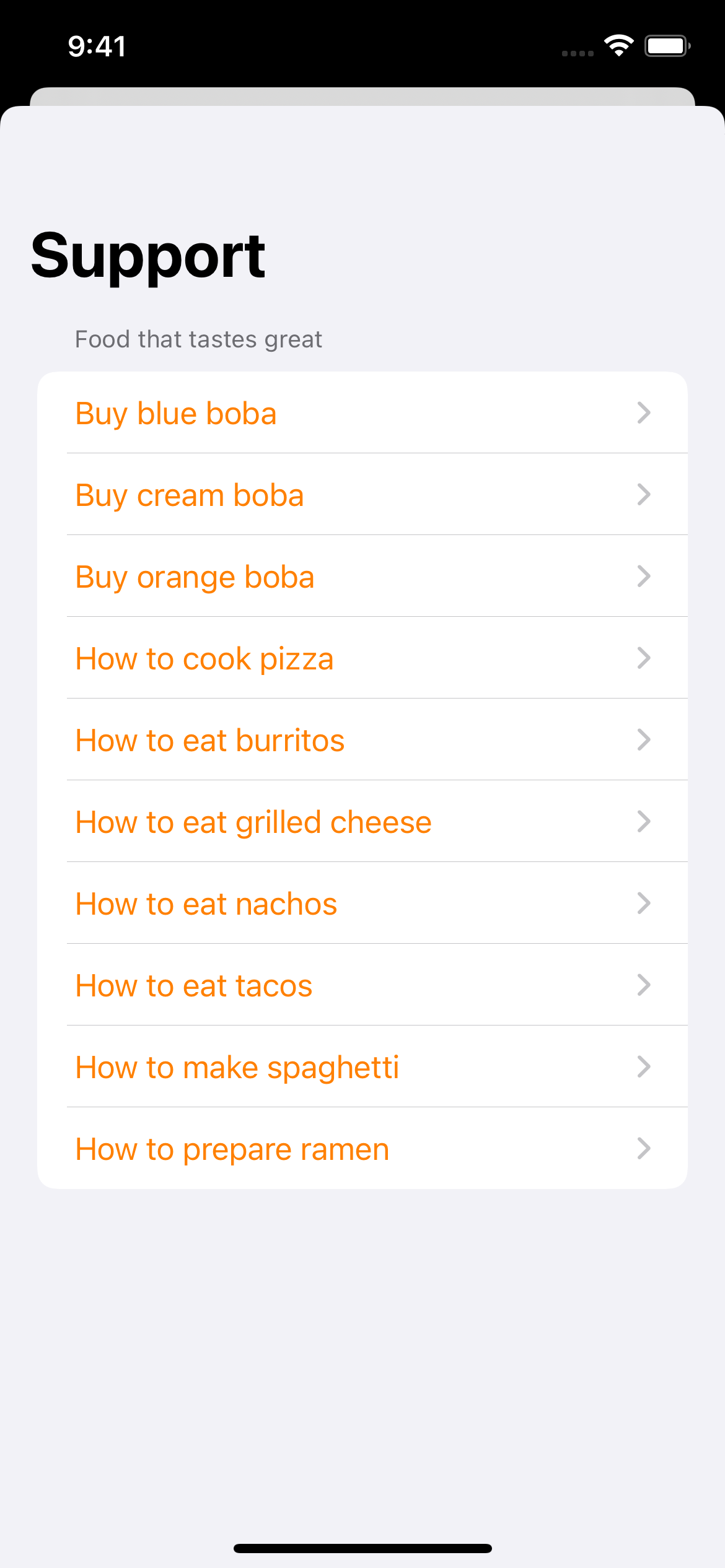
let options = SupportOptions(
    categories: [
        .init(
            tags: ["boba", "fastFood"],
            displayName: "Food that tastes great",
            displayColor: UIColor.orange
        )
    ]
)
|
|
|
UIKit
|
var options = SupportOptions()
let bobaAndFastFoodCategory = SupportOptions.Category(
    tags: ["boba", "fastFood"],
    displayName: "Food that tastes great",
    displayColor: UIColor.orange
)

options.categories = [bobaAndFastFoodCategory]
|
Show full code
|
SwiftUI
|
struct SwiftUIExampleView_WithCategories: View {
    let dataSource = URL(string: "https://raw.githubusercontent.com/aheze/SupportDocs/DataSource/_data/supportdocs_datasource.json")!

    let options = SupportOptions(
        categories: [
            .init(
                tags: ["boba", "fastFood"],
                displayName: "Food that tastes great",
                displayColor: UIColor.orange
            )
        ]
    )

    @State var supportDocsPresented = false

    var body: some View {
        Button("Present SupportDocs from SwiftUI!") { supportDocsPresented = true }
        .sheet(isPresented: $supportDocsPresented, content: {
            SupportDocsView(dataSource: dataSource, options: options)
        })
    }
}
|
| UIKit |
class UIKitExampleController_WithCategories: UIViewController {

    /**
     Connect this inside the storyboard.

     This is just for demo purposes, so it's not connected yet.
     */
    @IBAction func presentButtonPressed(_ sender: Any) {

        let dataSource = URL(string: "https://raw.githubusercontent.com/aheze/SupportDocs/DataSource/_data/supportdocs_datasource.json")!

        var options = SupportOptions()
        let bobaAndFastFoodCategory = SupportOptions.Category(
            tags: ["boba", "fastFood"],
            displayName: "Food that tastes great",
            displayColor: UIColor.orange
        )

        options.categories = [bobaAndFastFoodCategory]

        let supportDocsViewController = SupportDocsViewController(dataSource: dataSource, options: options)
        self.present(supportDocsViewController, animated: true, completion: nil)
    }
}
|
|
SwiftUI
|
Result
|
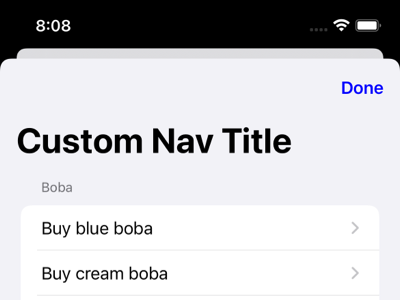
let options = SupportOptions(
  navigationBar: .init(
    title: "Custom Nav Title"
  )
)
|
|
|
UIKit
|
var options = SupportOptions()
options.navigationBar.title = "Custom Nav Title"
|
|
SwiftUI
|
Result
|
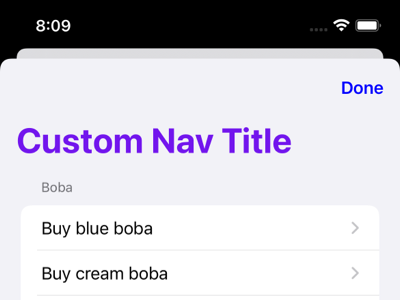
let options = SupportOptions(
  navigationBar: .init(
    title: "Custom Nav Title",
    titleColor: UIColor.purple
  )
)
|
|
|
UIKit
|
var options = SupportOptions()
options.navigationBar.title = "Custom Nav Title"
options.navigationBar.titleColor = UIColor.purple
|
|
SwiftUI
|
Result
|
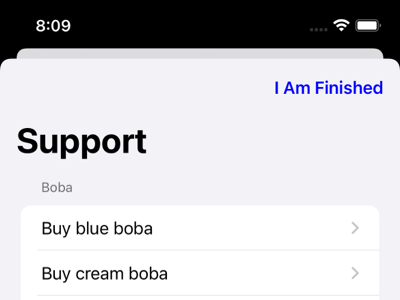
let options = SupportOptions(
  navigationBar: .init(
    dismissButtonTitle: "I Am Finished"
  )
)
|
|
|
UIKit
|
var options = SupportOptions()
options.navigationBar.dismissButtonTitle = "I Am Finished"
|
|
SwiftUI
|
Result
|
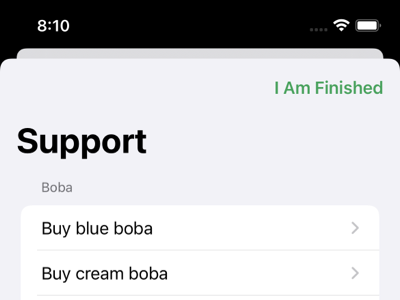
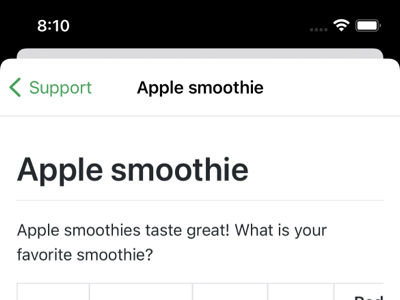
let options = SupportOptions(
  navigationBar: .init(
    dismissButtonTitle: "I Am Finished",
    buttonTintColor: UIColor.green
  )
)
|
Dismiss button ↓
Back button (after selecting a document) ↓
|
|
UIKit
|
var options = SupportOptions()
options.navigationBar.dismissButtonTitle = "I Am Finished"
options.navigationBar.buttonTintColor = UIColor.green
|
|
SwiftUI
|
Result
|
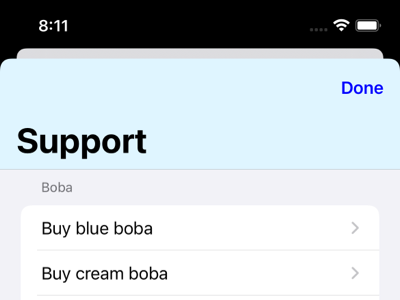
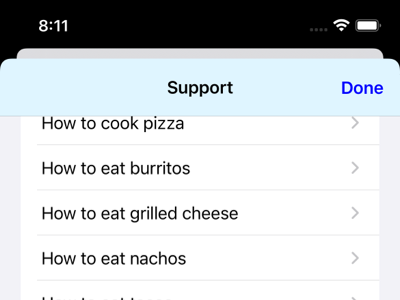
let options = SupportOptions(
  navigationBar: .init(
    backgroundColor: UIColor(
      red: 217 / 255,
      green: 247 / 255,
      blue: 255 / 255,
      alpha: 1
    )
  )
)
|
Before scrolling ↓
After scrolling ↓
|
|
UIKit
|
var options = SupportOptions()
options.navigationBar.backgroundColor = UIColor(
  red: 217 / 255,
  green: 247 / 255,
  blue: 255 / 255,
  alpha: 1
)
|
|
SwiftUI
|
Result
|
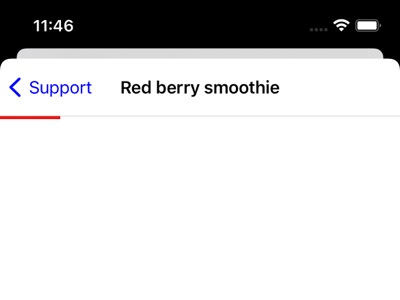
let options = SupportOptions(
  progressBar: .init(
    foregroundColor: UIColor.red
  )
)
|
|
|
UIKit
|
var options = SupportOptions()
options.progressBar.foregroundColor = UIColor.red
|
|
SwiftUI
|
Result
|
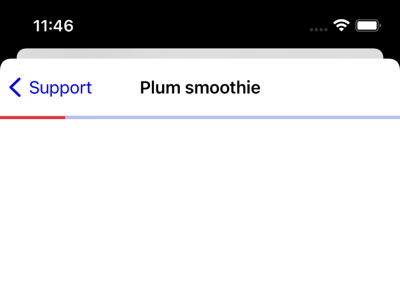
let options = SupportOptions(
  progressBar: .init(
    foregroundColor: UIColor.red,
    backgroundColor: UIColor.blue
  )
)
|
|
|
UIKit
|
var options = SupportOptions()
options.progressBar.foregroundColor = UIColor.red
options.progressBar.backgroundColor = UIColor.blue
|
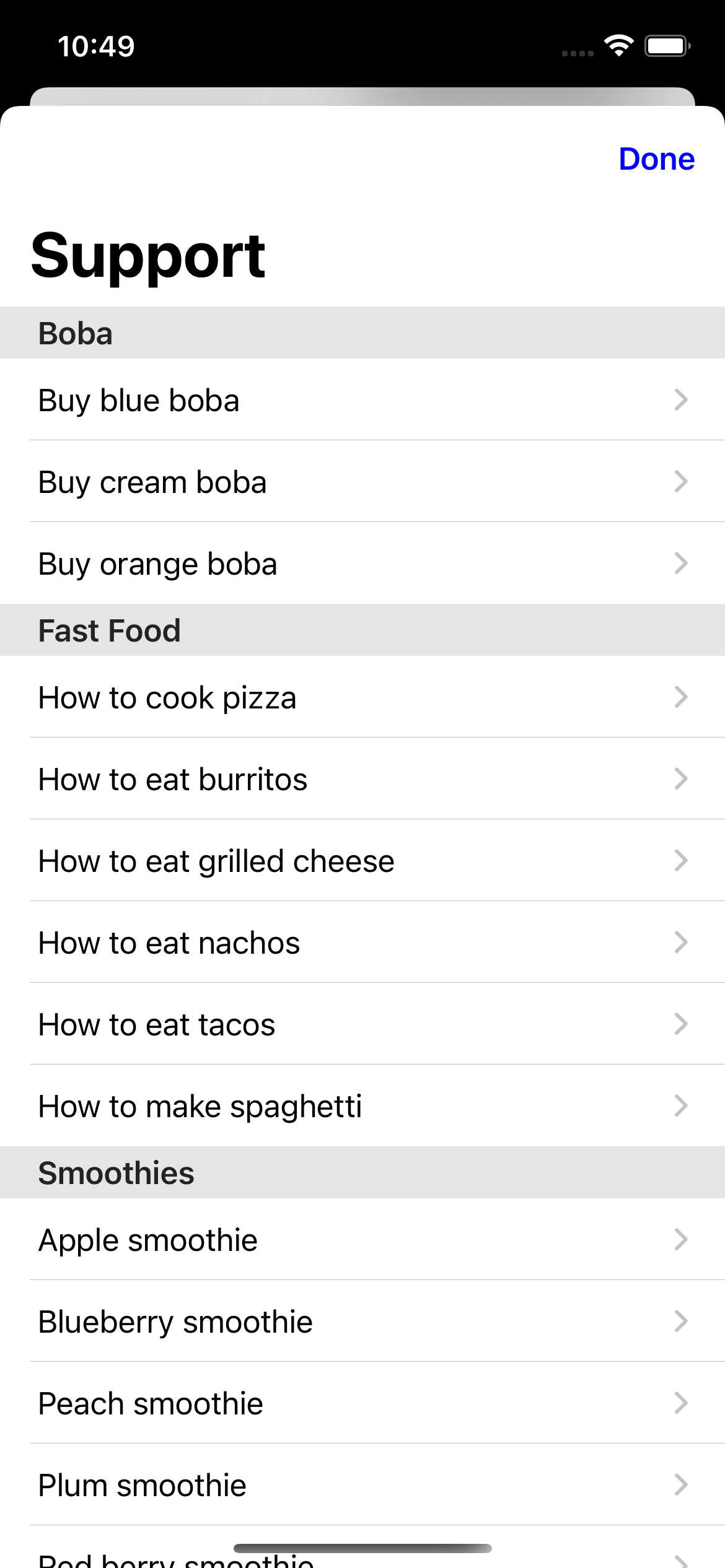
.defaultListStyle
|
Result
|
|
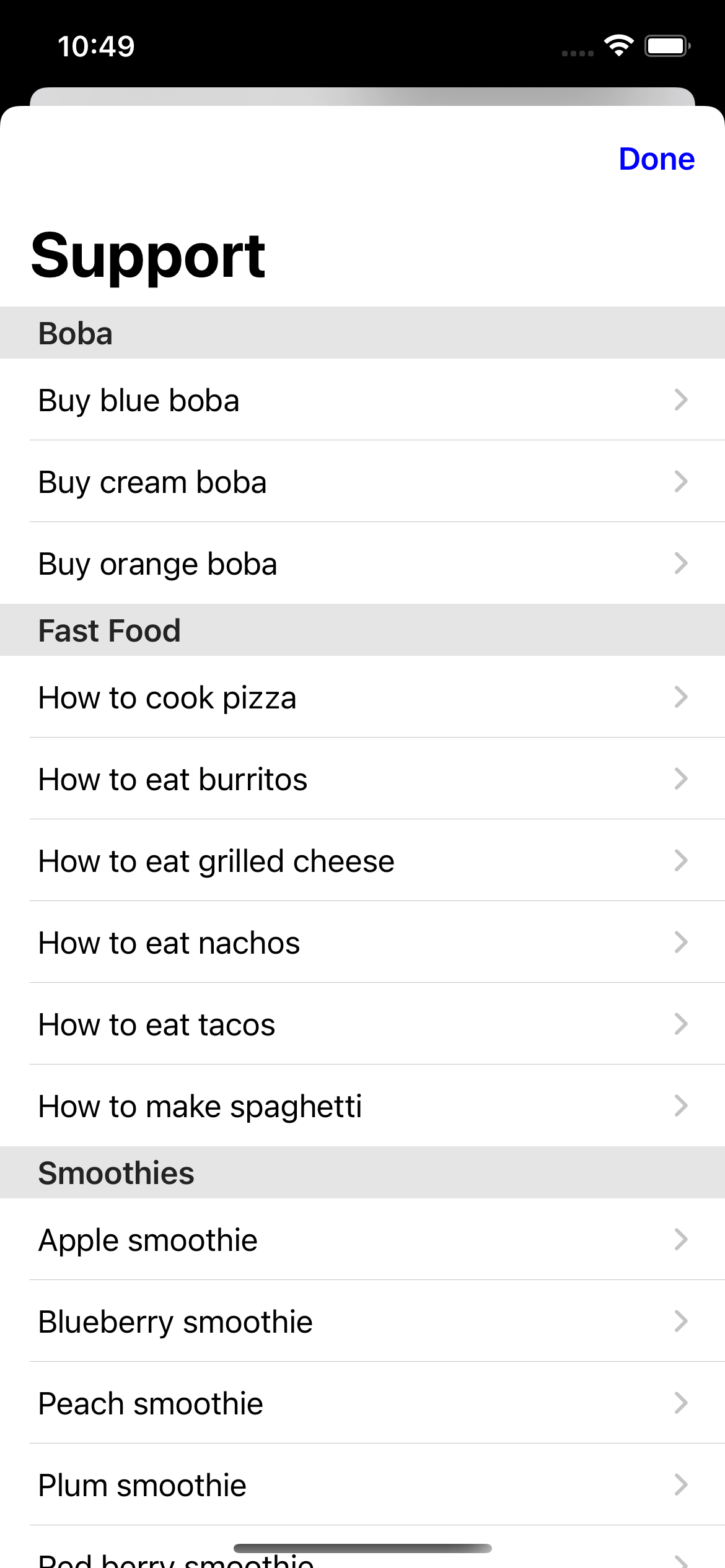
.plainListStyle
|
Result
|
|
SwiftUI
|
|
SwiftUI
|
|
let options = SupportOptions(
  listStyle: .defaultListStyle
)
|
let options = SupportOptions(
  listStyle: .plainListStyle
)
|
|
UIKit
|
UIKit
|
var options = SupportOptions()
options.listStyle = .defaultListStyle
|
var options = SupportOptions()
options.listStyle = .plainListStyle
|
|
|
|
|
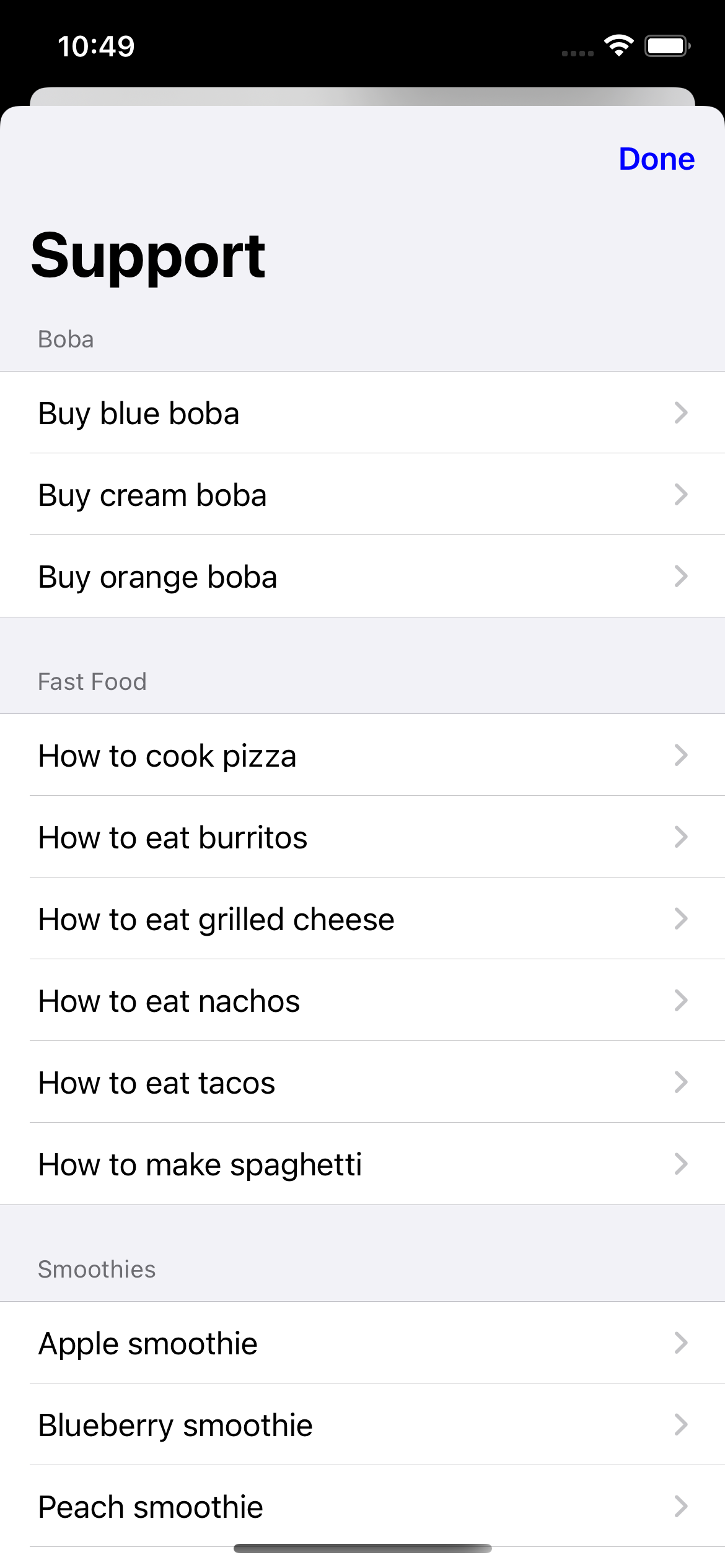
.groupedListStyle
|
Result
|
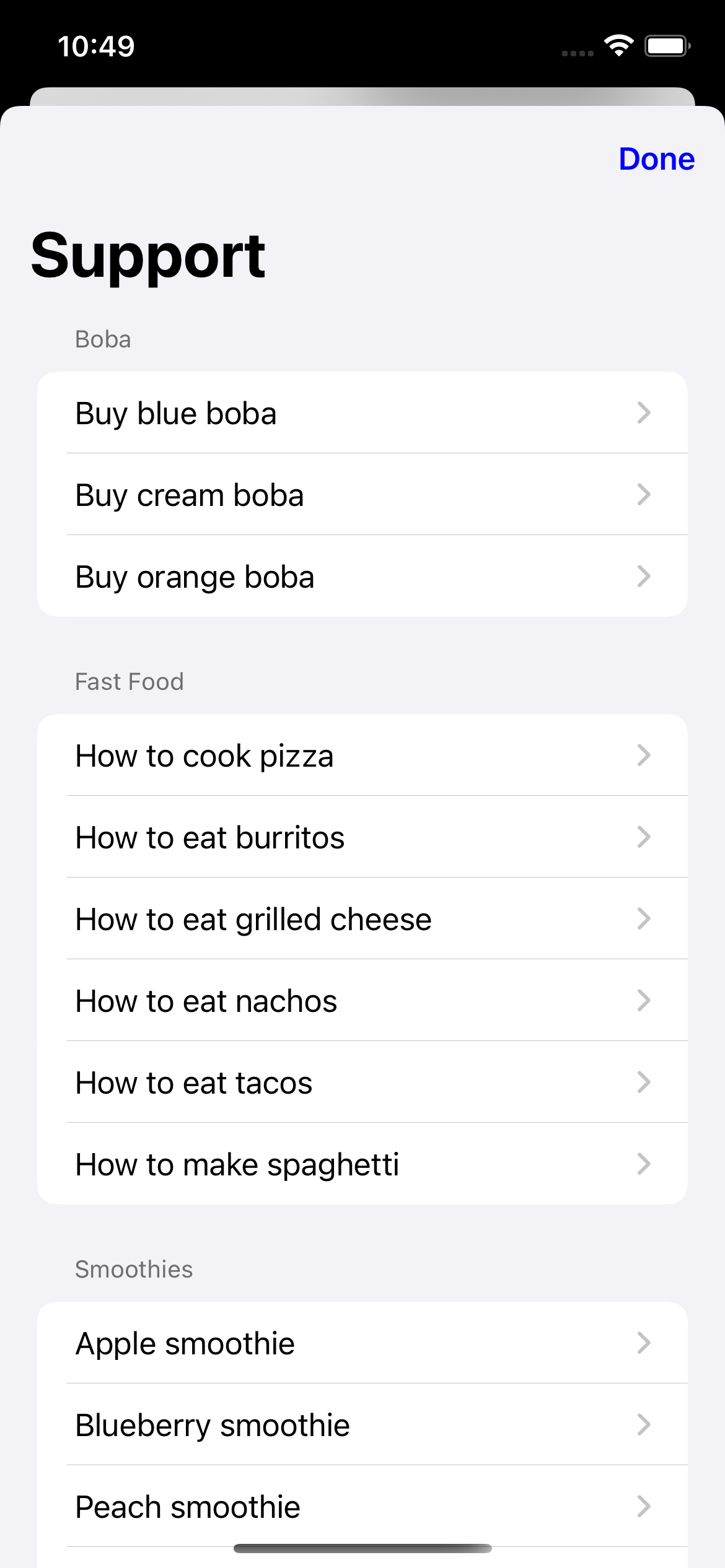
.insetGroupedListStyle
|
Result
|
|
SwiftUI
|
|
SwiftUI
|
|
let options = SupportOptions(
  listStyle: .groupedListStyle
)
|
let options = SupportOptions(
  listStyle: .insetGroupedListStyle
)
|
|
UIKit
|
UIKit
|
var options = SupportOptions()
options.listStyle = .groupedListStyle
|
var options = SupportOptions()
options.listStyle = .insetGroupedListStyle
|
|
|
|
|
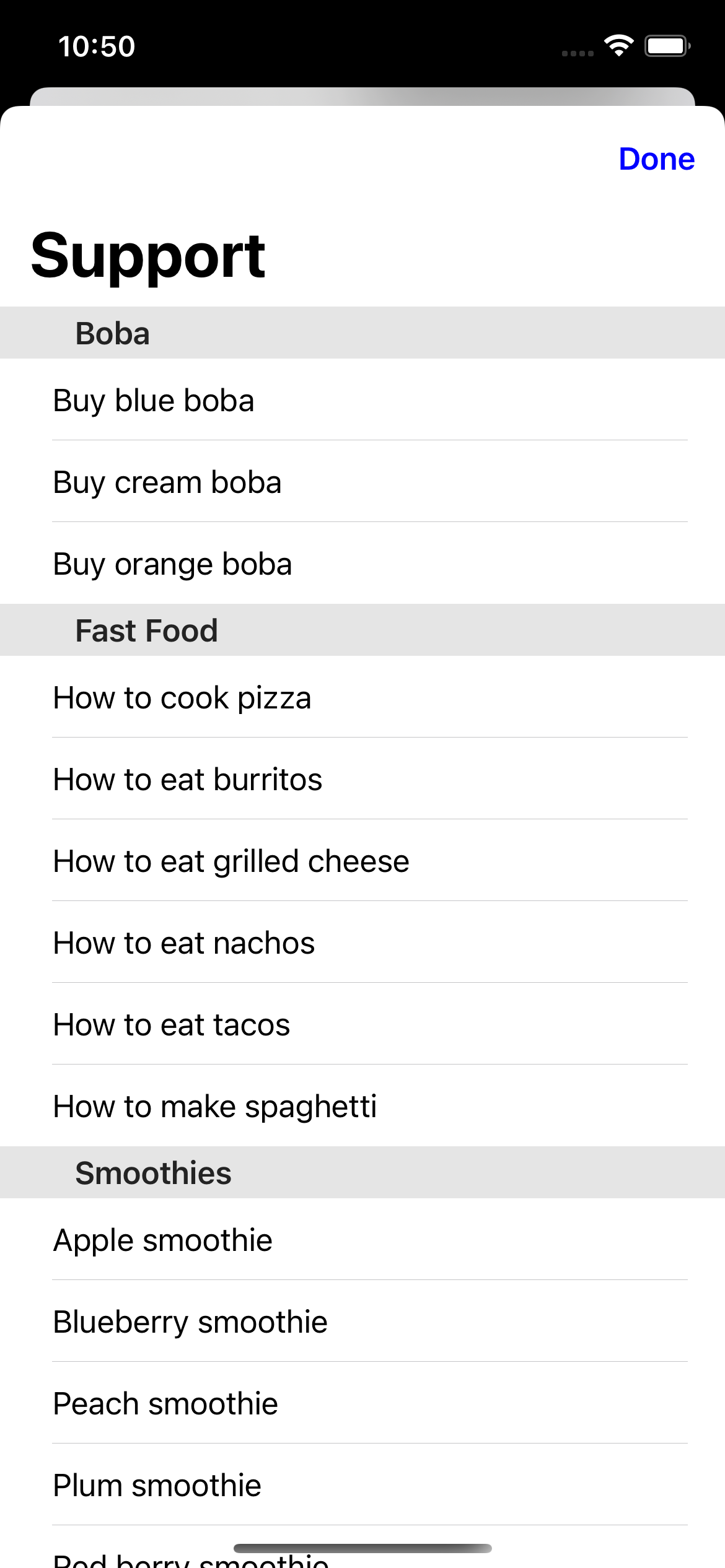
.insetListStyle
|
Result
|
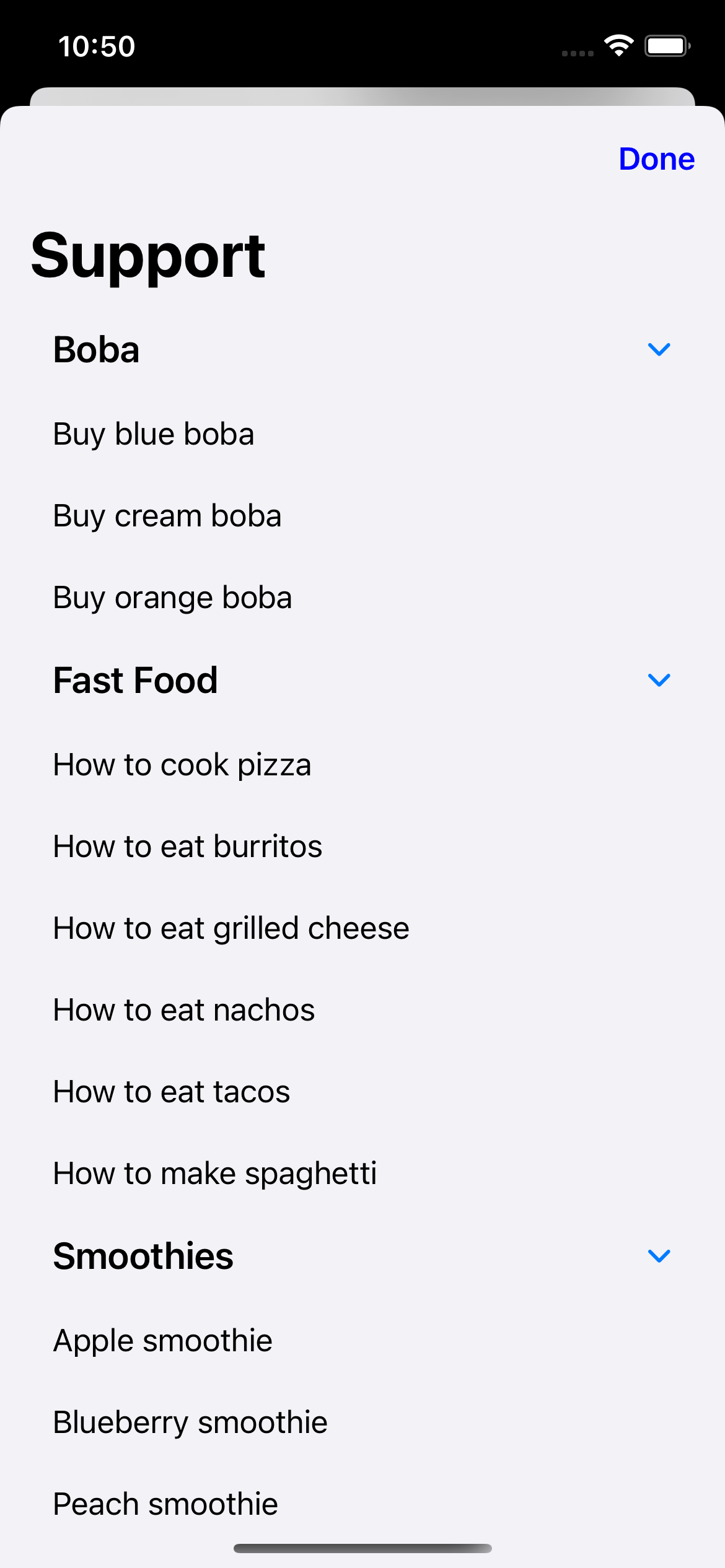
.sidebarListStyle
|
Result
|
|
SwiftUI
|
|
SwiftUI
|
|
let options = SupportOptions(
  listStyle: .insetListStyle
)
|
let options = SupportOptions(
  listStyle: .sidebarListStyle
)
|
|
UIKit
|
UIKit
|
var options = SupportOptions()
options.listStyle = .insetListStyle
|
var options = SupportOptions()
options.listStyle = .sidebarListStyle
|