Document Rendering Customization
January 28, 2021 · View on GitHub
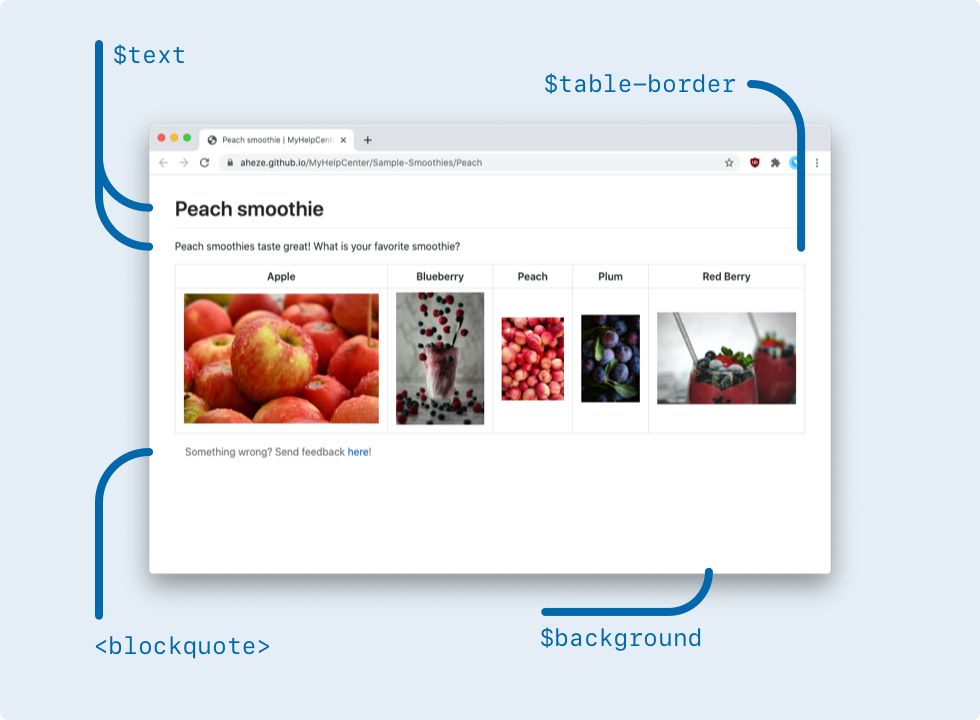
Customize the rendered document's colors and HTML structure.
Table of Contents
Colors
All colors for rendering are found in your DataSource branch's _sass/_color-themes.scss file. Here are the defaults:
/* Customize colors here! */
$themes: (
    $light-theme: (
        background: rgb(255, 255, 255), /* white */
        text: rgb(36, 41, 46), /* very dark gray */
        link: rgb(3, 102, 214), /* deep blue */
        horizontal-line: rgb(225, 228, 232), /* medium gray */
        code-block-background: rgb(246, 248, 250), /* light gray */
        inline-code-background: rgba(27, 31, 35, 0.05), /* very dark gray but with alpha, results in light gray */
        blockquote-text: rgb(106, 115, 125), /* dark gray */
        blockquote-left-bar: rgb(223, 226, 229), /* medium light gray */
        table-border: rgb(223, 226, 229), /* medium light gray */
        table-primary-background: rgb(255, 255, 255), /* white */
        table-secondary-background: rgb(246, 248, 250),  /* extremely light gray */
    ),
    $dark-theme: (
        background: rgb(26, 26, 26), /* very dark gray */
        text: rgb(255, 255, 255), /* white */
        link: rgb(204, 230, 255), /* very light blue */
        horizontal-line: rgb(102, 102, 102), /* medium dark gray */
        code-block-background: rgb(38, 38, 38), /* dark gray */
        inline-code-background: rgb(38, 38, 38), /* dark gray */
        blockquote-text: rgb(191, 191, 191), /* medium light gray */
        blockquote-left-bar: rgb(51, 51, 51), /* darker gray */
        table-border: rgb(80, 89, 98), /* medium gray */
        table-primary-background: rgb(26, 26, 26), /* very dark gray */
        table-secondary-background: rgb(51, 51, 51), /* dark gray */
    ),
);
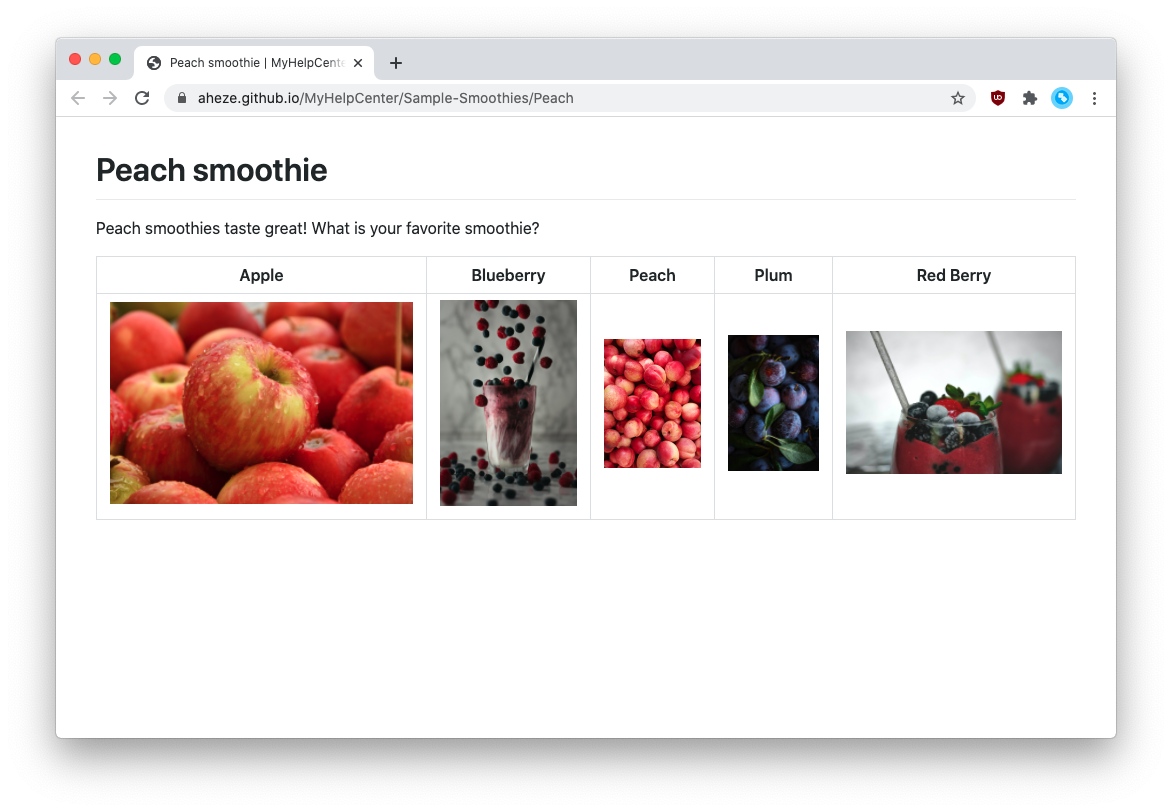
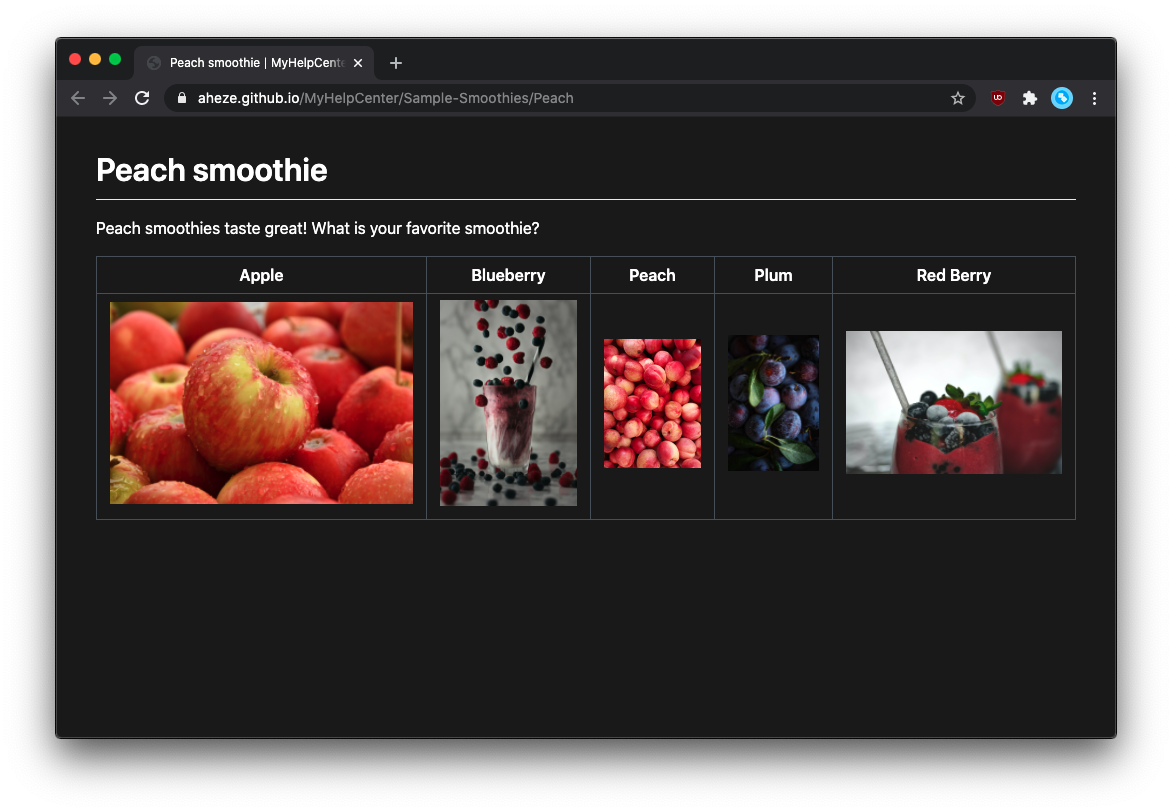
These apply to every single document. For example, this is what "Peach smoothie" looks like:
| Light mode | Dark mode |
|---|---|
 |  |
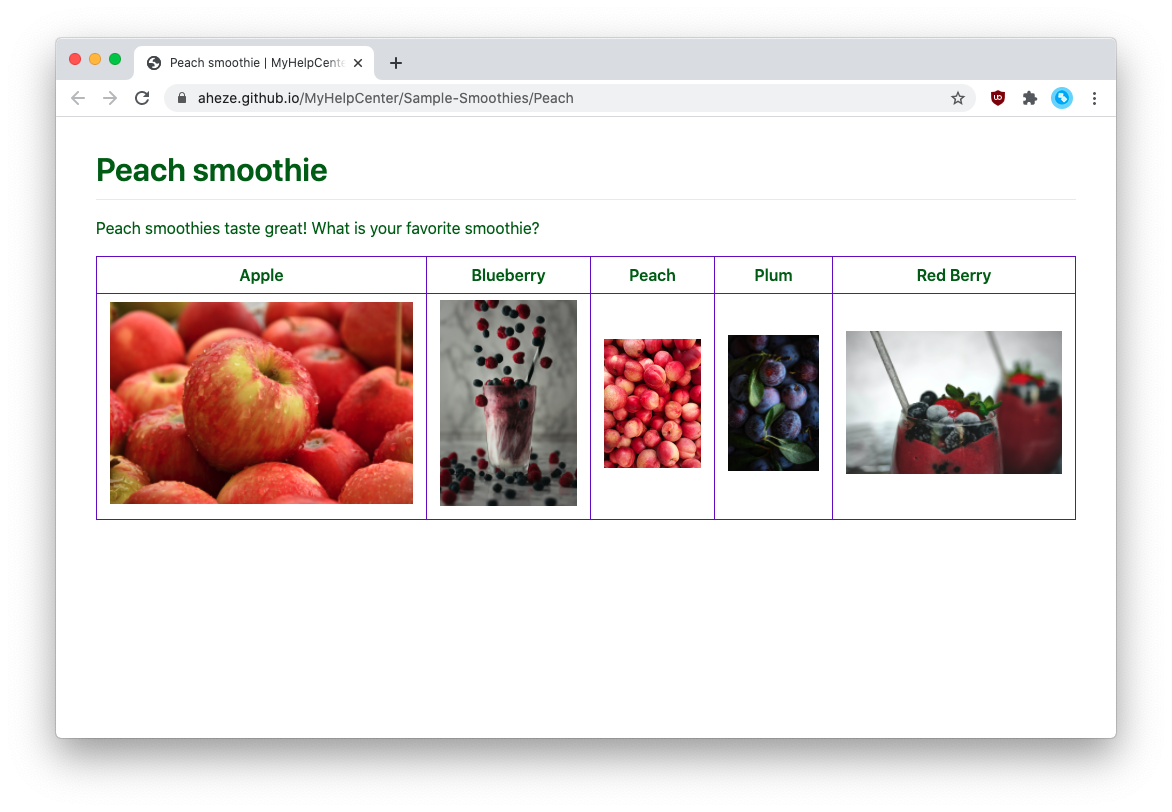
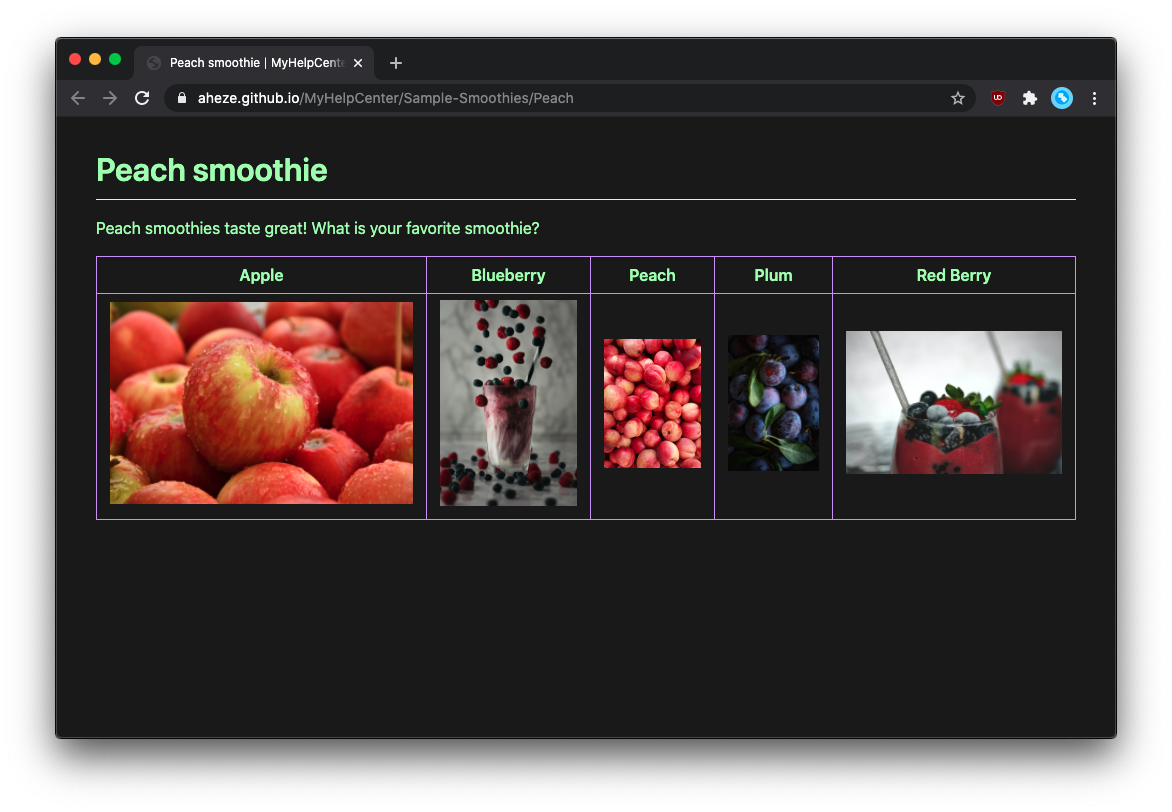
Let's say you want to change the text color and table border color. Simply edit the values!
/* Customize colors here! */
$themes: (
    $light-theme: (
        background: rgb(255, 255, 255), /* white */
        text: rgb(0, 102, 0), /* dark green (---edited---) */
        link: rgb(3, 102, 214), /* deep blue */
        horizontal-line: rgb(225, 228, 232), /* medium gray */
        code-block-background: rgb(246, 248, 250), /* light gray */
        inline-code-background: rgba(27, 31, 35, 0.05), /* very dark gray but with alpha, results in light gray */
        blockquote-text: rgb(106, 115, 125), /* dark gray */
        blockquote-left-bar: rgb(223, 226, 229), /* medium light gray */
        table-border: rgb(102, 0, 204), /* purple (---edited---) */
        table-primary-background: rgb(255, 255, 255), /* white */
        table-secondary-background: rgb(246, 248, 250),  /* extremely light gray */
    ),
    $dark-theme: (
        background: rgb(26, 26, 26), /* very dark gray */
        text: rgb(179, 255, 179), /* very light green (---edited---) */
        link: rgb(204, 230, 255), /* very light blue */
        horizontal-line: rgb(102, 102, 102), /* medium dark gray */
        code-block-background: rgb(38, 38, 38), /* dark gray */
        inline-code-background: rgb(38, 38, 38), /* dark gray */
        blockquote-text: rgb(191, 191, 191), /* medium light gray */
        blockquote-left-bar: rgb(51, 51, 51), /* darker gray */
        table-border: rgb(204, 153, 255), /* light purple (---edited---) */
        table-primary-background: rgb(26, 26, 26), /* very dark gray */
        table-secondary-background: rgb(51, 51, 51), /* dark gray */
    ),
);
| Light mode | Dark mode |
|---|---|
 |  |
Custom HTML
Because SupportDocs takes advantage of GitHub Pages, you have full control over what HTML to show. This is contained in your DataSource branch's _layouts/default.html file.
<!-- Customize HTML between here... -->

    <div class="container-lg px-3 my-5 markdown-body">
        {{ content }}
    </div>

<!-- ... and here -->
By default, the only thing that is shown is the Markdown content (as shown in the {{ content }} placeholder). You can add custom HTML before and after this.
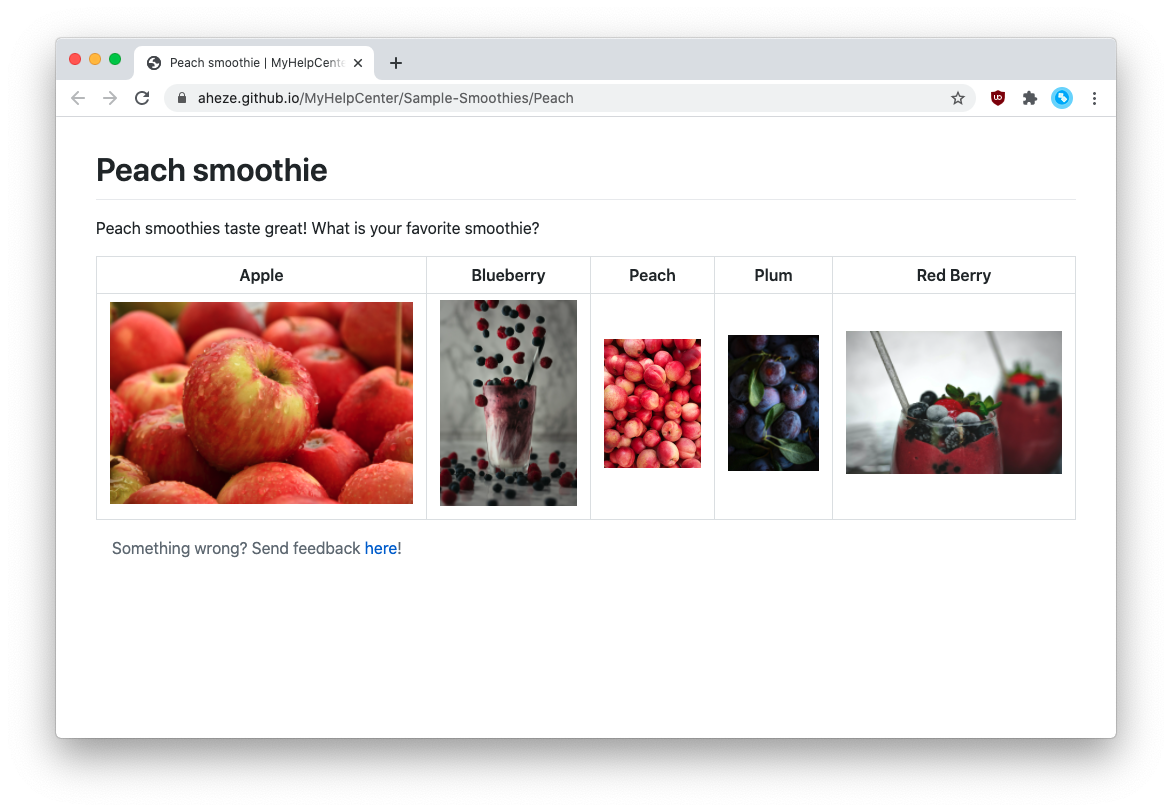
For example, let's say you want to display a feedback footer at the bottom of each document. That's as easy as doing this:
<!-- Customize HTML between here... -->

    <div class="container-lg px-3 my-5 markdown-body">
          {{ content }}

          <blockquote>
              Something wrong? Send feedback <a href="https://github.com/aheze/SupportDocs/issues">here</a>!
          </blockquote>
    </div>

<!-- ... and here -->
Result:
We recommend you add all custom HTML withing the <div class="container-lg px-3 my-5 markdown-body"> to preserve the same colors and formatting as the Markdown content, but this is optional.
However, if you add it outside, you'll need to create a new file inside the DataSource branch's _sass folder -- where you'll store the additional scss.