SimpleList
September 3, 2026 · View on GitHub
English | 简体中文
SimpleList is a WinUI 3 multi-cloud file manager for Windows. It brings OneDrive, Google Drive, local folders, and PikPak into one interface, with cross-provider migration, task tracking, bookmarks, previews, sharing, and trash management.
Highlights
- Connect multiple accounts and mix cloud providers with local folders.
- Browse, search, upload, download, rename, delete, preview, and inspect files.
- Migrate files and folders between providers with progress and cancellation.
- Track downloads, uploads, and migrations in one task manager.
- Bookmark cloud or local locations for quick access.
- Create public links and publish supported links to the Share Community.
- Use column, grid, and image layouts, batch rename, drag and drop, and external downloaders.
- Switch between light, dark, and system themes with localized English and Chinese UI.
Provider support
| Capability | OneDrive | Google Drive | Local folder | PikPak |
|---|---|---|---|---|
| Browse / search / download | ✅ | ✅ | ✅ | ✅ |
| Upload files and folders | ✅ | ✅ | ✅ | — |
| Rename / delete | ✅ | ✅ | ✅ | ✅ |
| Trash management | ✅ | ✅ | — | ✅ |
| Public share links | ✅ | ✅ | — | — |
| Link password / expiration | ✅ | — | — | — |
| Migrate from this provider | ✅ | ✅ | ✅ | ✅ |
| Migrate to this provider | ✅ | ✅ | ✅ | — |
| Convert to PDF | ✅ | Native Google Docs only | — | — |
PikPak upload, share-link creation, PDF conversion, and use as a migration destination are not available yet.
Quick start
- Download the
Portablepackage for your architecture from GitHub Releases. - Extract the archive and run
SimpleList.exe. - Open Files, choose Add drive, and select a provider.
- Complete the provider sign-in, or select a local folder.
Google Drive requires a Desktop OAuth client. Open Settings → Cloud OAuth and enter the Client ID and Client Secret created in Google Cloud Console after enabling the Drive API and configuring the OAuth consent screen.
Configuration
Release defaults are shipped in SimpleList/appsettings.defaults.json. User overrides are written by the Settings page to:
%LOCALAPPDATA%\SimpleList\appsettings.json
For compatibility, an appsettings.json beside SimpleList.exe is also loaded when present. User settings take precedence over both the release defaults and the legacy side-by-side file.
Google OAuth tokens are stored under cache/GoogleDriveTokenCache/. OneDrive uses the MSAL cache, while PikPak and Share Community credentials use Windows Password Vault.
Release packages
GitHub Releases publish x64, x86, and ARM64 builds in three flavors:
| Flavor | Description | Best for |
|---|---|---|
| Portable | Self-contained; includes the required .NET and Windows App Runtime components. | Most users |
| SingleFile | Self-contained single executable; bundled WinUI files are extracted automatically at startup. | Users who prefer one application binary |
| Slim | Smaller framework-dependent package; requires the matching .NET 10 Desktop Runtime and Windows App Runtime 2.4. | Machines with runtimes already installed |
Artifact examples:
SimpleList-vVERSION-x64-Portable.zipSimpleList-vVERSION-x64-SingleFile.zipSimpleList-vVERSION-x64-Slim.zip
Architecture
The repository contains three .NET projects and one independently deployed service:
- SimpleList — WinUI 3 desktop UI, dependency injection, provider setup, and task orchestration.
- SimpleList.Core — provider-neutral contracts and models, plus OneDrive, Google Drive, local, and PikPak providers.
- SimpleList.Tests — xUnit coverage for storage results, migrations, paging, path boundaries, provider mapping, authentication helpers, and persistence.
- services/link-share — Go/Fiber Share Community backend with SQLite, access/refresh tokens, and compatible v1/v2 APIs.
Adding another provider starts with implementing IStorageProvider in SimpleList.Core, then wiring the provider into App.xaml.cs, drive persistence, and the Add Drive dialog.
Build and test
Requirements: Windows 10 1809 or later, .NET 10 SDK, Windows App SDK tooling, and Visual Studio with the Windows desktop development workloads.
dotnet restore SimpleList.sln
dotnet build SimpleList.sln -c Debug -p:Platform=x64
dotnet test SimpleList.Tests\SimpleList.Tests.csproj -c Release -p:Platform=x64
The current suite contains 71 .NET tests. The Share Community service has its own Go checks:
cd services\link-share
go test ./...
go vet ./...
Publish a self-contained x64 build:
dotnet publish .\SimpleList\SimpleList.csproj -c Release -r win-x64 -p:Platform=x64 -p:PublishFlavor=Portable
Use -p:PublishFlavor=SingleFile for the single-executable build.
Pull requests affecting the desktop app run tests, build the WinUI project, publish Portable, SingleFile, and Slim packages, and verify required release files. Changes under services/link-share run Go tests, vet, and build independently.
Screenshots
| Home and provider guide | Add a provider |
|---|---|
 |  |
| Connected drives | File browser |
|---|---|
 |  |
| Task manager | Settings |
|---|---|
 |  |
| Tools | Bookmarks |
|---|---|
 |  |
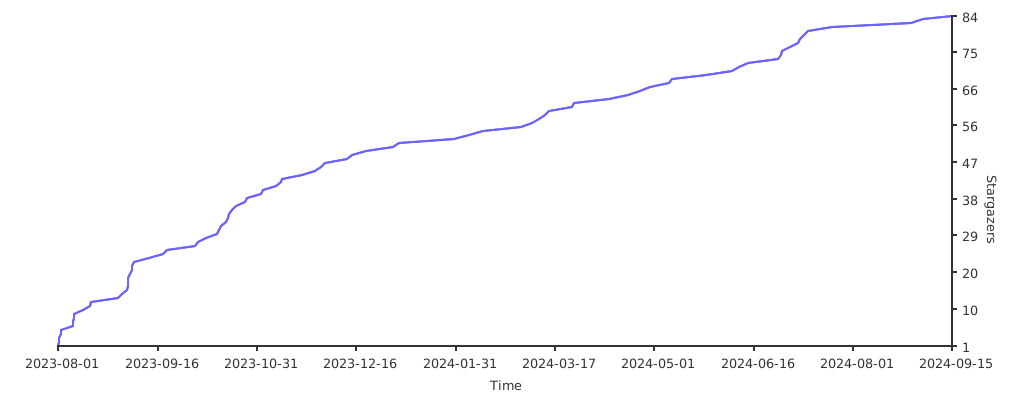
Stargazers over time