Rails I18n
June 22, 2026 · View on GitHub

VS Code extension for Rails I18n with intelligent code completion, hover information, inline annotations, and navigation features.
Features
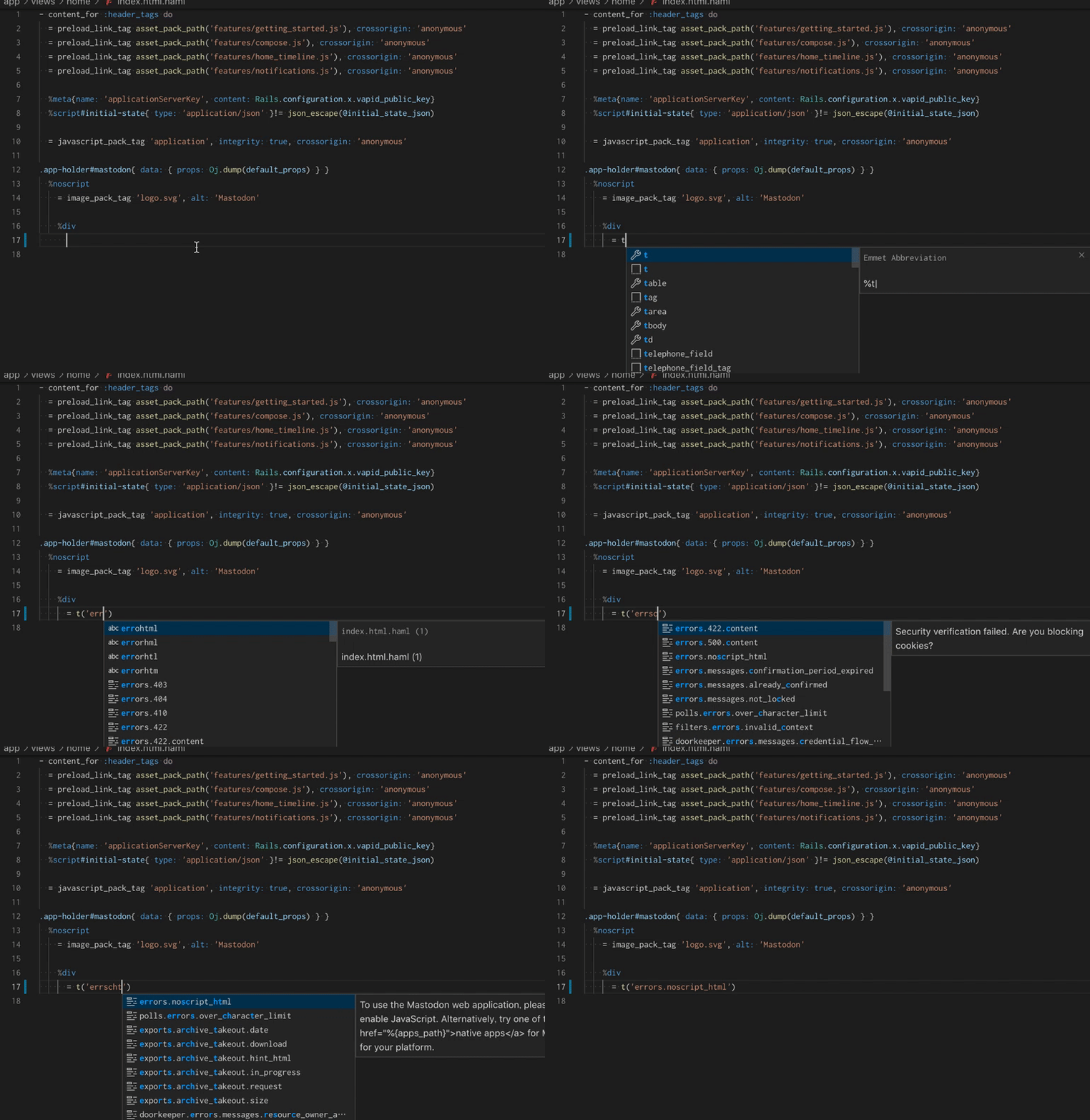
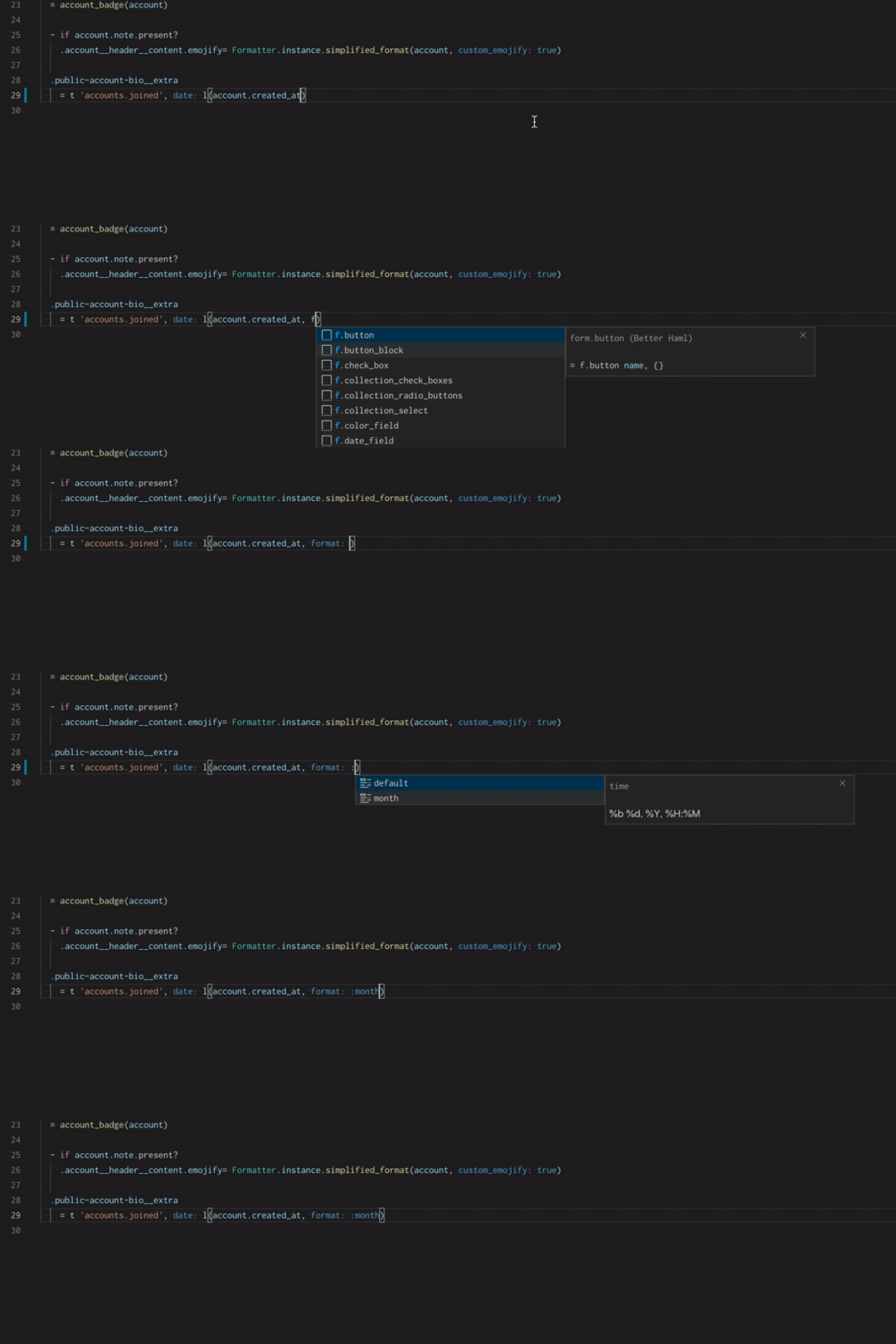
Code Completion
Intelligent auto-completion for both translate and localize methods:
Hover Information
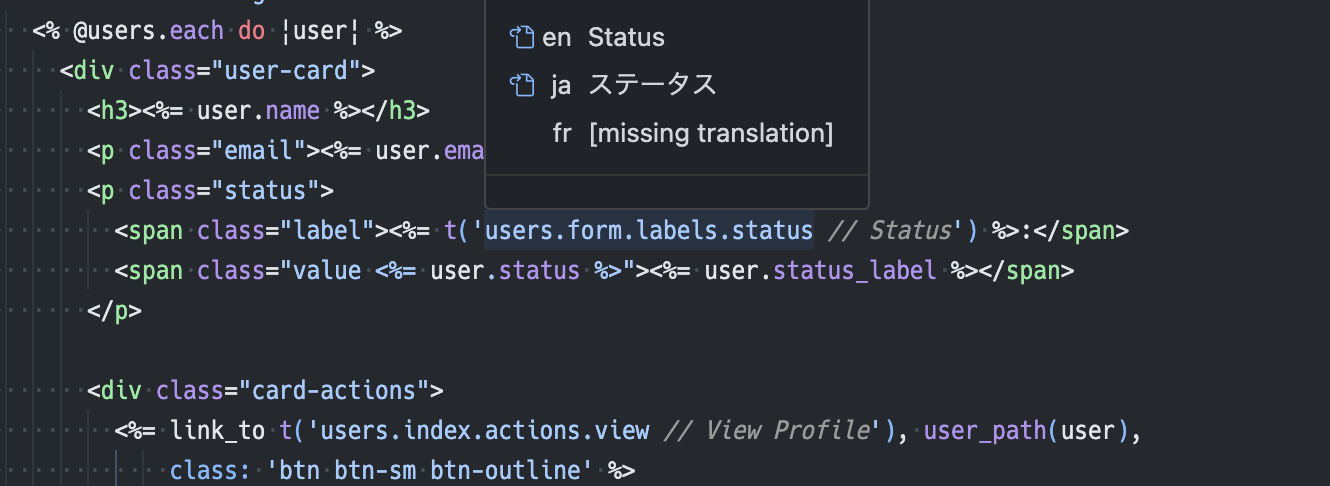
Multi-language translation preview on hover. Shows translations for all configured languages in priority order:
Inline Annotations
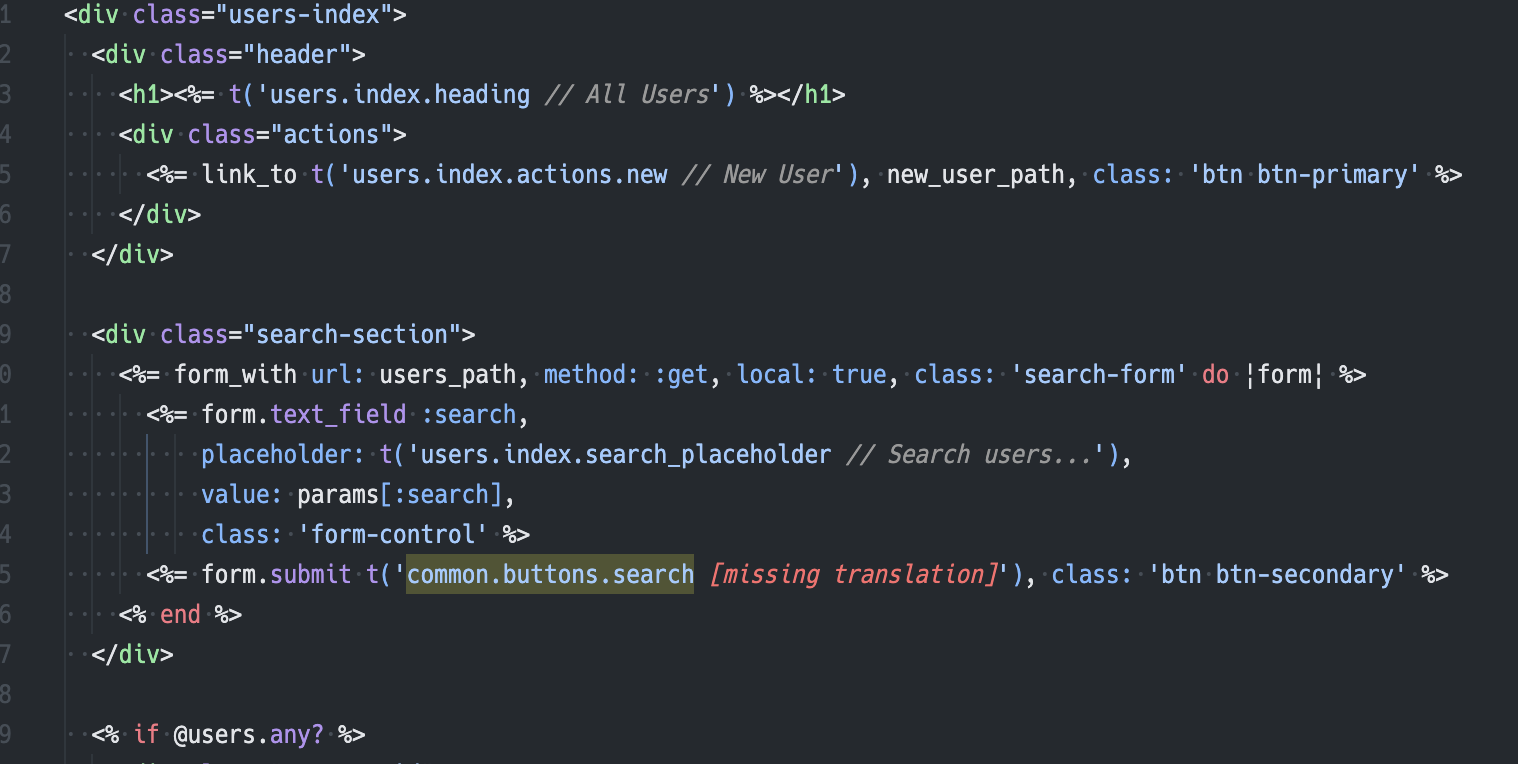
Translation text displayed inline with I18n keys for better code readability:
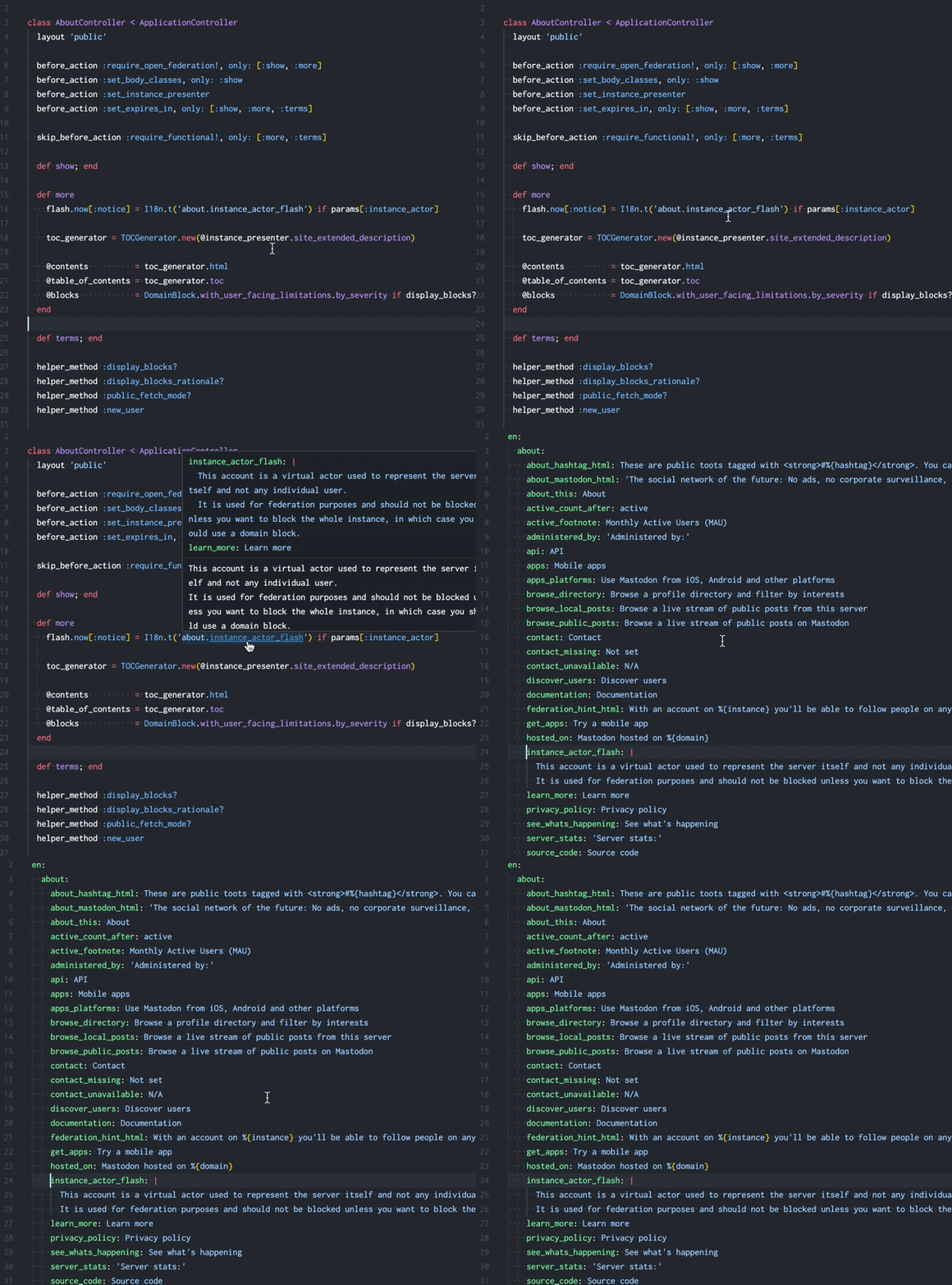
Go to Definition
Navigate directly to translation definitions in locale files:
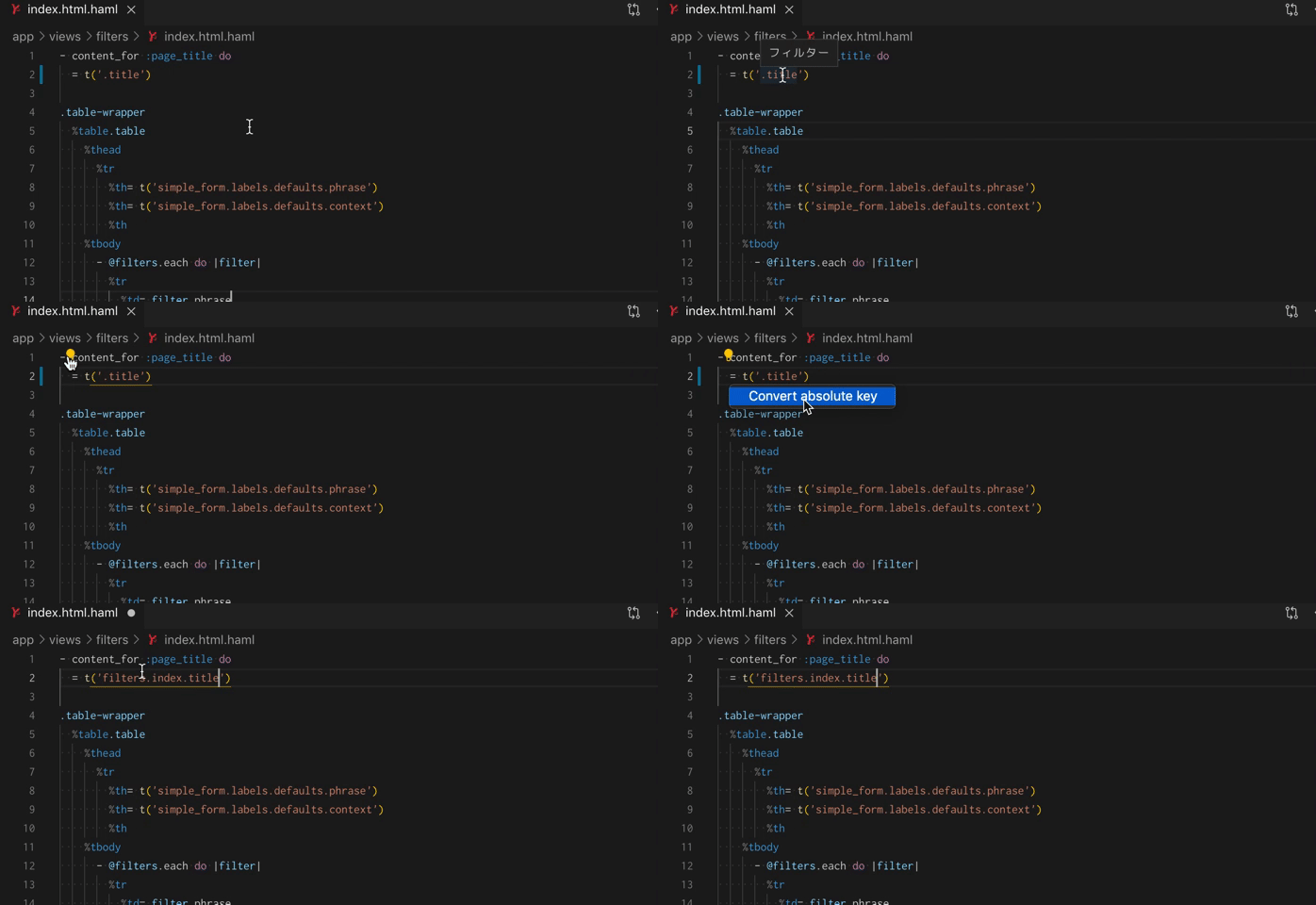
Quick Fix
Fixes lazy I18n keys (e.g. converts lazy keys to full keys):
Configuration
Configure the extension through VS Code settings:
| Setting | Description | Default |
|---|---|---|
railsI18n.translateMethods | I18n translate methods | ["I18n.translate", "I18n.t", "t"] |
railsI18n.localizeMethods | I18n localize methods | ["I18n.localize", "I18n.l", "l"] |
railsI18n.localeFilePattern | Locale file glob pattern | "config/locales/**/*.yml" |
railsI18n.priorityOfLocales | Priority order for languages | ["en"] |
railsI18n.languagesEnableHoverProvider | Languages for hover support | ["ruby", "erb", "haml", "slim"] |
railsI18n.annotations | Enable inline annotations | true |
railsI18n.annotationInPlace | Show translation text inline | true |
railsI18n.annotationMaxLength | Max annotation text length | 40 |
Commands
Access these commands via Command Palette (Cmd+Shift+P):
- Rails I18n: Reload locale files - Refresh translation files
- Rails I18n: Go to Translation - Browse and navigate to translations
Getting Started
- Install the extension
- Open a Rails project with
config/locales/*.ymlfiles - Start editing Ruby, ERB, HAML, or Slim files
- Enjoy intelligent I18n support!