Smart Contract deployment on Alastria networks
December 15, 2023 · View on GitHub
This repository provides practical example to deploy Smart Contracts in both T and B networks, following different approaches:
Remix
First of all you need to install Metamask as browser extension
Metamask: Add T Network information
- Network: T Network
- New RPC URL: http://YOUR_NODE_IP:22000
- Chain ID: 83584648538
Metamask: Add B Network information
- Network: B Network
- New RPC URL: http://YOUR_NODE_IP:8545
- Chain ID: 2020
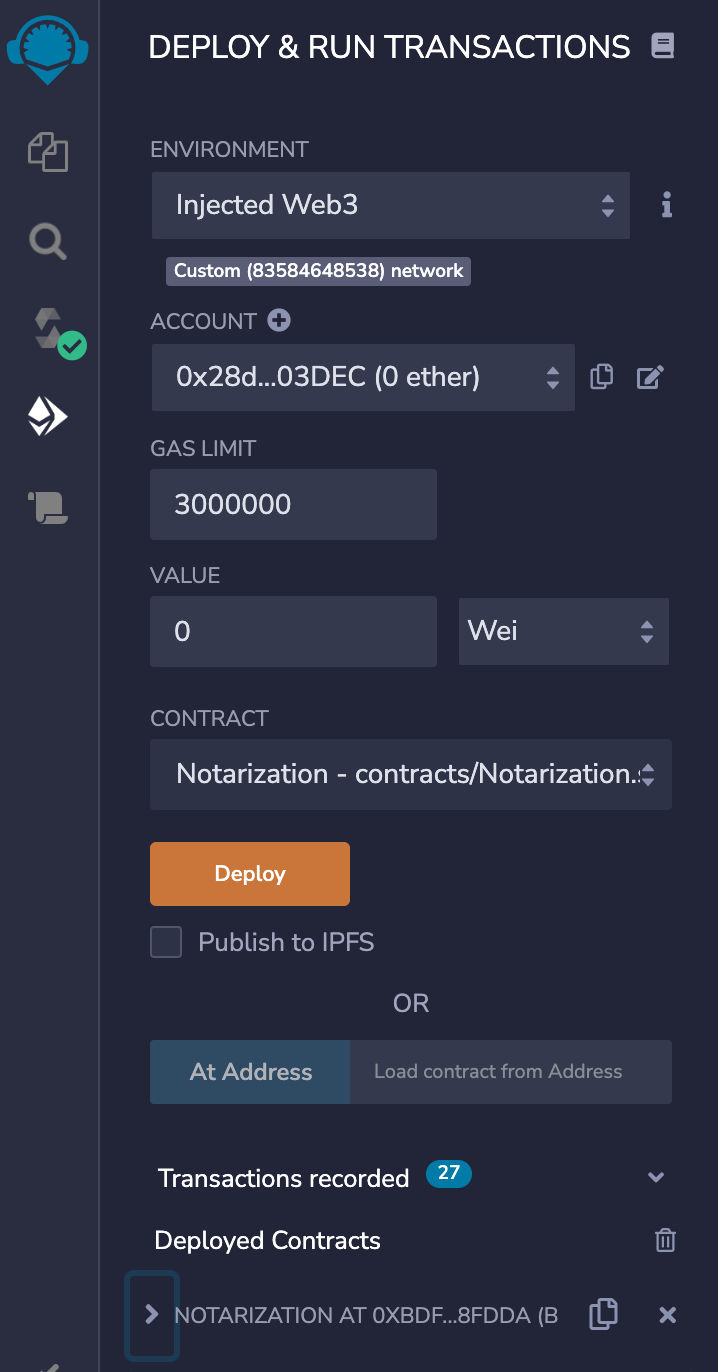
Mandatory options for T Network
These options also work for B Network, but are only mandatory for T Network.

Remix: Deployment (left side)
Just click on the "Deploy" button when your Smart Contract is ready.
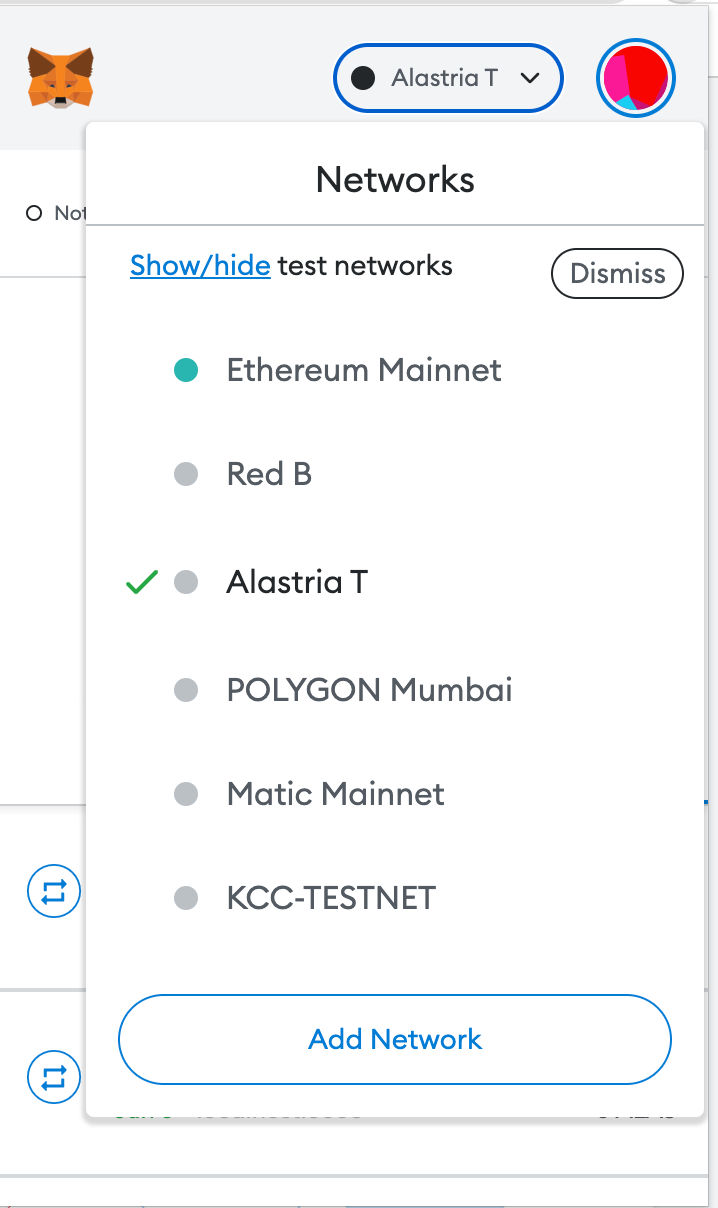
Metamask: Network selection
You have to select your Alastria Network form Metamask.
Metamask: Confirm transaction
You have to confirm the transaction of the Smart Contract deployment.

Functions overview in Remix (left side)
You will see an overview of the public/external functions of your already deployed Smart Contract.

Functions execution in Remix (left side)
You can directly execute your Smart Contract functions from the Remix web IDE for test purposes.

Truffle
Installation
npm install -g truffle
cd Truffle
npm i
Deployment in T Network
truffle compile
truffle migrate --network alastriat
Deployment in B Network
truffle compile
truffle migrate --network alastriab
Hardhat
Installation
npm init
npm install --save-dev hardhat
Deployment in T Network
npx hardhat clean
npx hardhat compile
npx hardhat run ./scripts/deploy.ts --network t_alastria
Deployment in B Network
npx hardhat clean
npx hardhat compile
npx hardhat run ./scripts/deploy.ts --network b_alastria