Calendar Card Pro for Home Assistant
August 14, 2026 · View on GitHub
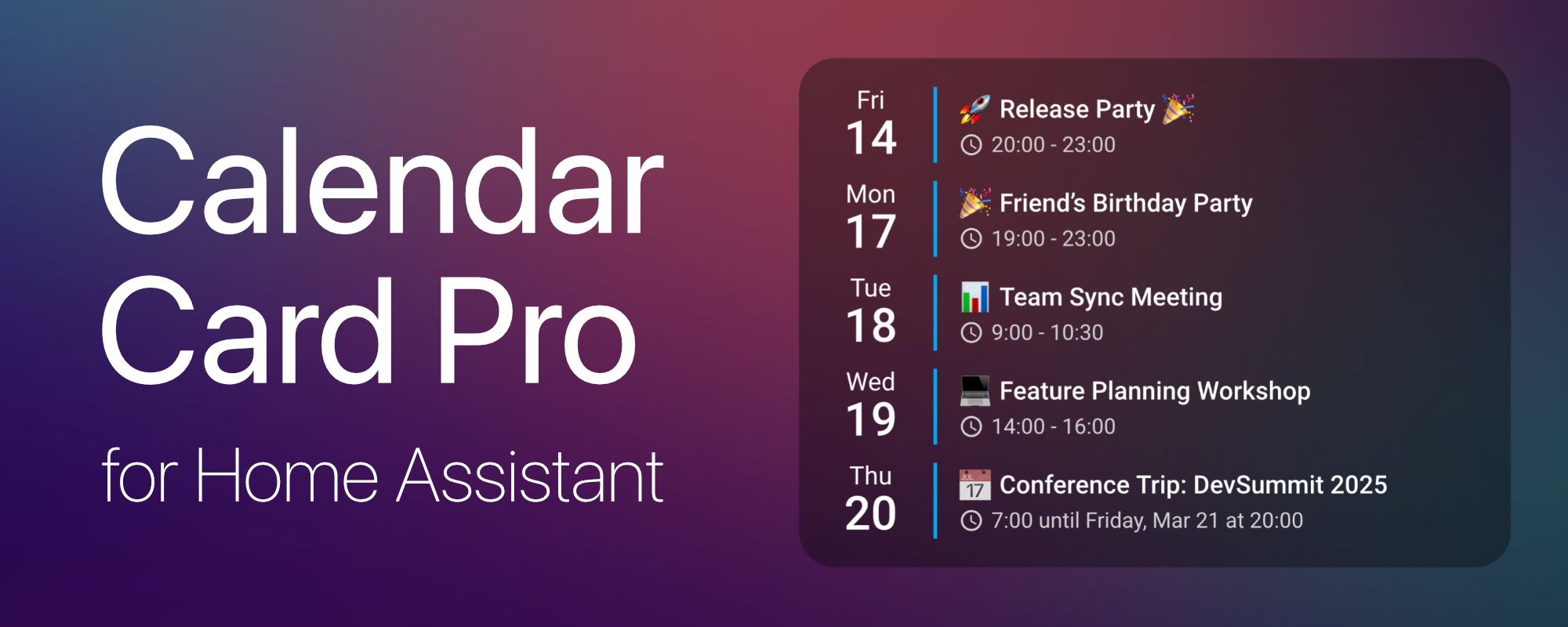
Calendar Card Pro for Home Assistant




☕ Support This Project
If you find Calendar Card Pro useful, consider supporting its development:


📖 Documentation

This README covers installation and a quick start. Everything else — every configuration option, all features and worked examples — lives on the documentation site, which is searchable and always matches the latest release.
| 🚀 Installation | Set the card up via HACS or manually |
| 📌 Usage | Add the card and configure it visually |
| ✨ Features & Configuration | Weather, templates, layout, actions, and more |
| 📚 Configuration Options | Complete reference for every option |
| 💡 Examples | Ready-made configurations to copy |
| 🆕 Release Notes | Full history of every release |
1️⃣ Overview
🔍 About
Calendar Card Pro was inspired by a beautiful calendar design using button-card and Hass calendar add-on shared in the Home Assistant community. While the original design was visually stunning, implementing it with button-card and card-mod led to performance issues.
This motivated me to create a dedicated calendar card that excels in one thing: displaying upcoming events beautifully and efficiently.
Built with performance in mind, the card leverages intelligent refresh mechanisms and smart caching to ensure a smooth experience, even when multiple calendars are in use.
✨ Features
- 🎨 Sleek & Minimalist Design – Clean, modern, and visually appealing layout.
- ✅ Multi-Calendar Support – Display multiple calendars with unique styling.
- 📅 Compact & Expandable Views – Adaptive views to suit different dashboard needs.
- ⚙️ Visual Configuration Editor – Intuitive interface for effortless card setup.
- 🔧 Highly Customizable – Fine-tune layout, colors, event details, and behavior.
- 🌦️ Weather Integration – Display weather forecasts alongside your calendar events.
- ⚡ Optimized Performance – Smart caching, progressive rendering, and minimal API calls.
- 💡 Deep Home Assistant Integration – Theme-aware with native ripple effects.
- 🌍 Multi-Language Support – Available in 35 languages, community contributions welcome!
🔗 Dependencies
Calendar Card Pro requires at least one calendar entity in Home Assistant. It is compatible with any integration that generates calendar.* entities, with CalDAV and Google Calendar being the primary tested integrations.
⚠️ Important: Ensure you have at least one calendar integration set up in Home Assistant before using this card.
2️⃣ Installation
📦 HACS Installation (Recommended)
The easiest way to install Calendar Card Pro is via HACS (Home Assistant Community Store).

Steps:
- Ensure HACS is installed in Home Assistant.
- Go to HACS → Frontend → Custom Repositories.
- Add this repository:
https://github.com/alexpfau/calendar-card-proas typeDashboard - Install Calendar Card Pro from HACS.
- Clear your browser cache and reload Home Assistant.
📂 Manual Installation
📖 Click to expand manual installation instructions
Steps:
-
Download the latest release:
👉 calendar-card-pro.js -
Move the file to your Home Assistant
wwwfolder:
/config/www/ -
Navigate to: Home Assistant → Settings → Dashboards → Resources → Add Resource
-
Add the resource to your Lovelace Dashboard:
url: /local/calendar-card-pro.js
type: module
- Clear cache & refresh your browser to apply changes.
3️⃣ Quick Start
Add the card from your dashboard's ➕ Add Card picker — search for "Calendar" — then click
the three dots (⋮) → Configure to open the visual editor.
Shortcut (Home Assistant 2026.6+): In the card picker, switch to the By entity tab and pick any
calendar.*entity. Calendar Card Pro is offered under Community, already pointed at that calendar and previewed with its real events.
Prefer YAML? This is a complete, working configuration:
type: custom:calendar-card-pro
entities:
  - calendar.family
days_to_show: 3
show_location: false
show_month: false
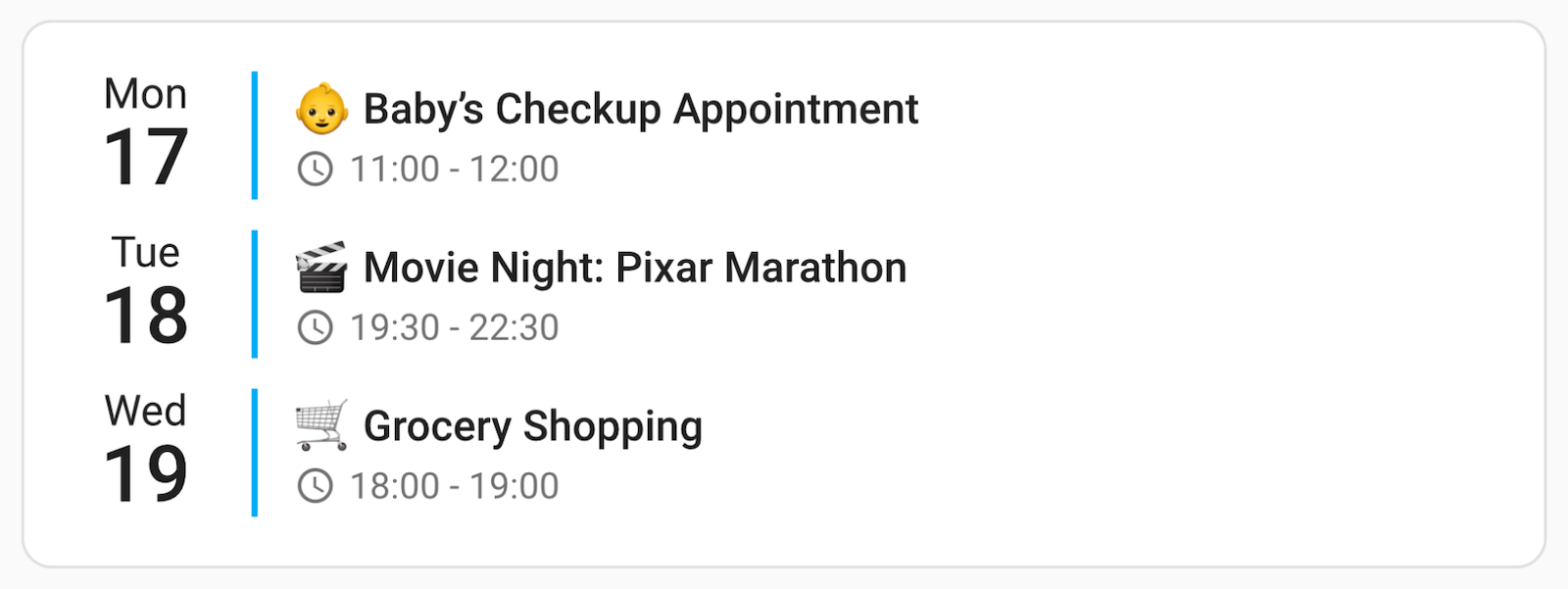
Swap calendar.family for one of your own calendar.* entities and you have a working card.
➡️ From here, Usage walks you through multiple calendars, per-calendar colours and compact mode. Every available option is listed in the Configuration reference, and more ready-made setups are in Examples.
4️⃣ What's New
➡️ View the Full Release Notes for a complete list of features.
Latest Release: v3.6
- 📚 A Documentation Site: The full manual now lives at calendar-card-pro.alexpfau.com — a page per feature, a complete configuration reference, and ready-made examples
- 🐛 One Stray Line of YAML Broke the Card: A bare
-left in theentities:list replaced the whole calendar with a red error box; malformed entries are now discarded - 🐛 Per-Calendar Settings Applied Late: Editing a per-calendar label, colour or toggle did nothing until the cache expired — edits now apply immediately
- 🐛 Disappearing and Ellipsised Text: Titles gained a
…when nothing had been truncated, and long words in descriptions and locations were clipped mid-character with no warning - 🐛 Multi-Day Countdowns: Each row of a split multi-day event counted differently; every row now counts whole calendar days to its own date
- 🐛 Silently Ignored Options: Options removed back in v3.0.0 were dropped without comment for YAML users, and are now reported with their replacement
v3.5
- 🫥 Empty State Control: Remove the card entirely when there are no upcoming events, or replace "No upcoming events" with your own wording
- 📅 Flexible Start Dates: Anchor the view to the week or a weekday with
start_of_week,saturday, and composable offsets likestart_of_week+7 - 🏷️ Templated Titles: Render the card title from a Home Assistant template, updating live from sensors or the current date
- 🔎 Suggested in the Card Picker: Home Assistant 2026.6+ offers the card under Community when you add a card by entity and pick a calendar
- 🐛 Card Title Sizing: Titles rendered as plain body text after Home Assistant dropped the Polymer font variables; they are back at their intended size and weight
- 🐛 Failed Calendars No Longer Look Empty: An unreachable calendar now shows an error instead of claiming there are no events — which could silently hide the card
v3.4
- ⏳ All-Day Countdown Control: Hide countdowns on all-day events while keeping them on timed ones with
show_countdown_allday - 🌤️ Weather Across the Full Range: Timed events beyond Home Assistant's hourly forecast horizon now fall back to the daily forecast instead of showing nothing
- 🐛 All-Day Countdowns Off By One: Now measured in whole calendar days instead of from the current instant
- ⚡ Faster Rendering: Color resolution is cached, removing hundreds of forced layouts per refresh on large calendars
v3.3
- 🌍 Two New Languages: British English and Latvian (35 total), with editor translations for Italian, British English, and Latvian (11 total)
- 🐛 HA 2026.5+ Visual Editor: Restored the text input fields, which vanished entirely after Home Assistant removed
ha-textfield - 🐛
event_colorFix: No longer ignored when no per-entity color is configured
v3.2
- 📝 Event Description Display: Show event descriptions with configurable line clamping, HTML stripping, and full styling control
- 🌤️ UV Index in Weather: Display UV index in weather forecasts with configurable visibility threshold
- ↔️ RTL Support: Full right-to-left support for event borders and accent lines
- 🔄 Improved Loading UX: Events stay visible during refresh; subtle spinner replaces full-screen loading
- 🌍 Three New Languages: Estonian, Lithuanian, and Turkish (33 at the time), with editor translations for Polish, Estonian, and Lithuanian
- 🐛 HA 2026.3+ Compatibility: Migrated editor dropdowns to the new WebAwesome API
v3.1
- 🌍 Four New Translations: Bulgarian interface, plus Norwegian Bokmål, German, and Swedish editor translations
- 🎨 Tomorrow CSS Class: New
tomorrowHTML class for card-mod styling of tomorrow's events - 🐛 Grid Layout Fix: Resolved card overflow when
grid_options.rowsis set
v3.0
- ⚙️ Visual Configuration Editor: New visual editor for easy, guided configuration, with smart validation and auto-upgrade of deprecated settings
- 🌦️ Weather Integration: Display weather forecasts alongside your events
- 🕒 Improved Time Format Detection: Automatically detects and respects all Home Assistant time format settings (12h, 24h, language-based, and system-based)
- ⚠️ Breaking Changes: Parameter renames:
vertical_line_color→accent_color,max_events_to_show→compact_events_to_show,horizontal_line_width→day_separator_width,horizontal_line_color→day_separator_color
Older releases are covered in the Full Release Notes.
5️⃣ Contributing
Want to improve Calendar Card Pro? I welcome contributions of all kinds — whether it's fixing bugs, improving performance, or adding new features!
git clone https://github.com/alexpfau/calendar-card-pro.git
npm install
npm run dev
Then open a Pull Request against the dev branch.
- 📋 Contributing guide — full workflow, coding standards, and how to add a translation
- 🏗️ Architecture documentation — module responsibilities, data flow, and performance design
- 🌍 Adding a translation? The card speaks 35 languages and the visual editor 11 — new ones are always welcome.
💡 Got a feature request? Open a GitHub Issue or start a discussion!
🏆 Acknowledgements
- Original design inspiration from Calendar Add-on & Calendar Designs by @kdw2060.
- Interaction patterns inspired by Home Assistant's Tile Card, which is licensed under the Apache License 2.0.
- Material Design ripple interactions, originally by Google, used under the Apache License 2.0.
Calendar Card Pro is released under the MIT License. Full third-party attributions are listed in NOTICE.