How to add ChatGPT streaming to your Ruby on Rails 7 app!
June 18, 2024 · View on GitHub
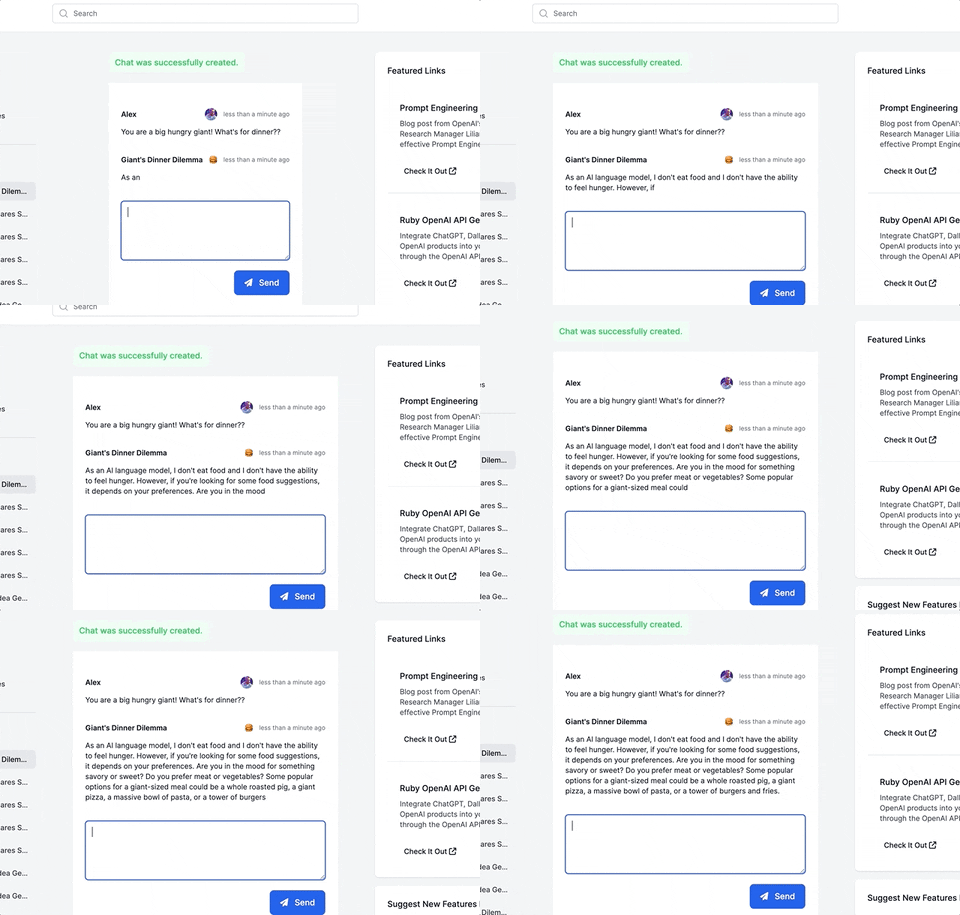
This guide will walk you through adding a ChatGPT-like messaging stream to your Ruby on Rails 7 app using ruby-openai, Rails 7, Hotwire, Turbostream, Sidekiq and Tailwind. All code included below!
Want more content like this, for free? Check out my free book, RailsAI!
- Follow me on Twitter for more Ruby AI at https://twitter.com/alexrudall
- Released under the MIT License - use as you wish :)
First, add the ruby-openai gem! Needs to be at least version 4. Add Sidekiq too.
# Gemfile
gem "ruby-openai", "~> 4.0.0"

# Simple, efficient background processing using Redis.
# https://github.com/sidekiq/sidekiq
gem "sidekiq", "~> 7.0.9"
Install Redis on your machine.
brew install redis
Add Redis and Sidekiq to your Procfile so they run when you run bin/dev.
# Procfile.dev
web: bin/rails server -p 3000
css: bin/rails tailwindcss:watch
sidekiq: bundle exec sidekiq -c 2
queue: redis-server
Add your secret OpenAI token to your .env file. Get one from OpenAI here.
OPENAI_ACCESS_TOKEN=abc123
Add the new routes:
# config/routes.rb
resources :chats, only: %i[create show] do
  resources :messages, only: %i[create]
end
Generate the migrations:
bin/rails generate migration CreateChats user:references
bin/rails generate migration CreateMessages chat:references role:integer content:string
Add the rest of the code, full example files below!
# Controllers.
app/controllers/chats_controller.rb
app/controllers/messages_controller.rb

# Sidekiq job to stream the data from the OpenAI API.
app/jobs/get_ai_response.rb

# Migrations
db/migrate/20230427131800_create_chats.rb
db/migrate/20230427131900_create_messages.rb

# Models
app/models/chat.rb
app/models/message.rb

# Views
app/views/chats/show.html.erb
app/views/messages/_form.html.erb
app/views/messages/_message.html.erb
app/views/messages/create.turbo_stream.erb