@angx/ngx-modern-calendar
August 3, 2026 · View on GitHub
A small, themeable, multi-language calendar component for Angular.
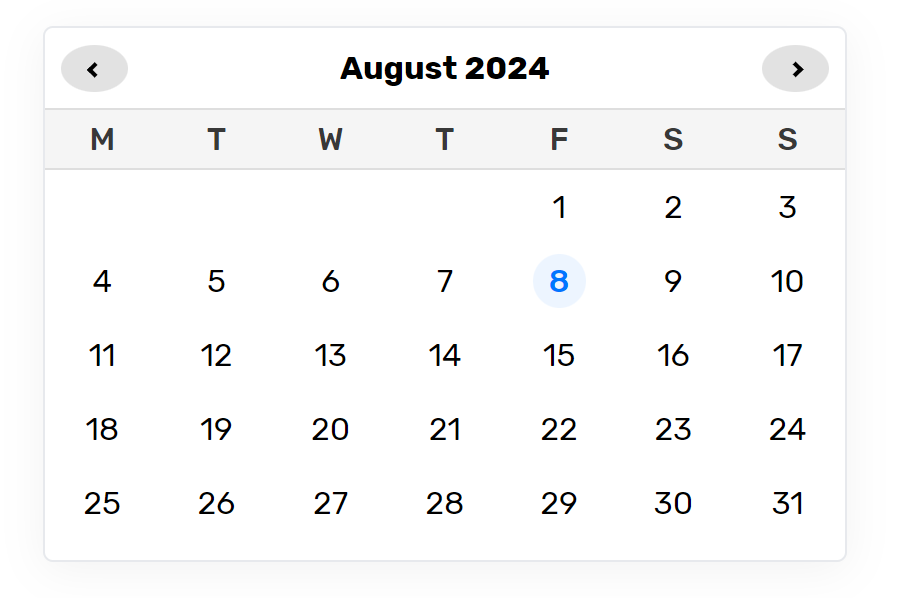
Left to right: multi-select, a weekend-only calendar with past dates disabled, and the same component restyled entirely through CSS custom properties.
Features
- Five built-in locales — English, Spanish, French, Hebrew, Hindi — plus your own
- Right-to-left support, including mirrored navigation arrows
- Themeable through CSS custom properties, no
::ng-deepneeded - Automatic dark mode via
prefers-color-scheme - Restrict selection to specific dates or weekdays, and optionally block past dates
- Keyboard accessible: real
<button>elements, focus rings,aria-pressed/aria-current - Zoneless and SSR safe — rendered from the template, not by touching
document - Standalone component, no
NgModulerequired
Requirements
Angular 21 or 22.
Install
npm i @angx/ngx-modern-calendar
Usage
import { Component, signal } from '@angular/core';
import { NgxModernCalendarComponent, type CalendarSelection } from '@angx/ngx-modern-calendar';

@Component({
  selector: 'app-booking',
  imports: [NgxModernCalendarComponent],
  template: `
    <modern-calendar
      language="en"
      [selectedDates]="selectedDates()"
      (dateSelected)="onDateSelected($event)"
    />
  `,
})
export class BookingComponent {
  readonly selectedDates = signal([new Date()]);

  onDateSelected({ date }: CalendarSelection) {
    this.selectedDates.set([date]);
  }
}
Restricting which dates can be picked
<modern-calendar
  [datesFilter]="true"
  [pastDates]="false"
  [availableWeekDays]="[{ day: 0 }, { day: 6 }]"
  [availableDates]="[{ date: '2026-08-14', slotId: 42 }]"
  (dateSelected)="onDateSelected($event)"
/>
With datesFilter on, only days matching availableWeekDays or availableDates are selectable. Any extra properties you attach to those entries come back on CalendarSelection.data, so you can carry a slot id or price through to the click handler.
Inputs
| Input | Type | Default | Description |
|---|---|---|---|
language | string | 'en' | en, es, fr, he or hi. Unknown codes fall back to en. |
locale | CalendarLocale | null | null | A full locale of your own. Takes precedence over language. |
selectedDates | readonly Date[] | [] | Dates to render as selected. |
datesFilter | boolean | false | Restrict selection to the available dates/weekdays below. |
pastDates | boolean | true | Allow selecting days before today. |
availableDates | readonly AvailableDate[] | [] | Selectable dates as ISO YYYY-MM-DD, plus any payload. |
availableWeekDays | readonly AvailableWeekDay[] | [] | Selectable weekdays (0 = Sunday, or the locale's longName). |
firstDayOfWeek | number | null | null | Override the locale's first column (0 = Sunday). |
Outputs
| Output | Payload | Description |
|---|---|---|
dateSelected | CalendarSelection | The picked date, plus any payload attached to it. |
monthChanged | Date | First of the newly visible month. |
Public methods
| Method | Description |
|---|---|
goToPreviousMonth() / goToNextMonth() | Step the visible month. |
goToMonth(offset) | Step by offset months. |
showMonthOf(date) | Jump to the month containing date. |
Theming
Set any of these custom properties on modern-calendar or an ancestor:
modern-calendar {
  --mc-accent: #db2777;
  --mc-accent-contrast: #ffffff;
  --mc-surface: #ffffff;
  --mc-surface-muted: #fdf2f8;
  --mc-border: #fbcfe8;
  --mc-text: #111827;
  --mc-text-muted: #6b7280;
  --mc-hover: #f1f5f9;
  --mc-disabled-text: #cbd5e1;
  --mc-radius: 20px;
  --mc-cell-size: 2.25rem;
  --mc-font-family: 'Rubik', system-ui, sans-serif;
  --mc-font-size: 0.9rem;
  --mc-shadow: 0 1px 2px rgb(15 23 42 / 6%);
}
Dark values are applied automatically under prefers-color-scheme: dark; override the same properties inside your own media query to change them.
Custom locales
import type { CalendarLocale } from '@angx/ngx-modern-calendar';

export const ptLocale: CalendarLocale = {
  direction: 'ltr',
  firstDayOfWeek: 0,
  months: ['janeiro', 'fevereiro', /* ... */],
  days: [
    { longName: 'domingo', symbol: 'D', priority: 1 },
    // ...seven entries, priority 1 = leftmost column
  ],
};
firstDayOfWeek must match the days ordering: it tells the grid which JavaScript weekday sits in column one.
Migrating from 2.x
- Angular 21+ is required, and the workspace targets Angular 22.
- Clicking a date now works and emits
(dateSelected). In 2.x the click wiring was commented out, so nothing was emitted at all. - The component no longer ships
@font-facefor Rubik. Set--mc-font-familyand load the font yourself if you want it. - Class names moved to a BEM scheme (
.modern-calendar__date--selectedrather than.modern-calendar-date--selected). If you styled internals with::ng-deep, switch to the custom properties above. - The hard-coded
id="modernCalendar"is gone, so multiple calendars per page now work. - Locales are typed:
monthsis an ordered array rather than an object, anddayscarries an explicitfirstDayOfWeek. - New inputs:
locale,datesFilter,pastDates,availableDates,availableWeekDays,firstDayOfWeek. New outputs:dateSelected,monthChanged.
Fixed in 3.0.0
- Clicking a date did nothing —
selectDate()was never called, soonSelectnever fired. - Every month was shifted one column in the Monday-first locales: the grid offset used
getDay()(0 = Sunday) against a header that started on Monday. - The previous/next buttons jumped two months per click, because
init()ran once from the constructor and again fromngOnInit, binding two listeners. - The "today" highlight never appeared — it compared full timestamps rather than calendar days.
- With
pastDates: false, today itself was disabled, for the same reason. - Multiple calendars on one page shared state through
document.querySelector('#modernCalendar'), and clearing a selection cleared it on all of them. - Listeners were never removed and the calendar was never torn down.
documentwas touched in the constructor, breaking server-side rendering.- The stylesheet's 16
@font-faceblocks had malformedunicode-rangevalues (U400-45Finstead ofU+0400-045F), invalidating the rules while still fetching remote fonts on every page view. new Element()in the weekday header path throwsTypeError: Illegal constructorwhenever the container is missing.selectDates()threw if a selected date was not present in the current month's DOM.
Development
npm install
npm run build:lib   # build the package into dist/angx/ngx-modern-calendar
npm start           # build the lib, then serve the demo app
npm test            # run the library unit tests
The demo app is deployed to GitHub Pages from master by .github/workflows/deploy-demo.yml.
Support
If you like my work and feel like buying me a coffee, please feel free to do so:
License
MIT © Abhishek Singh