Avatar Glow [](https://github.com/apgapg/avatarglow) [](https://twitter.com/ayushpgupta) [](https://play.google.com/store/apps/details?id=com.coddu.flutterprofile)[](https://github.com/apgapg/avatarglow)
December 12, 2023 · View on GitHub
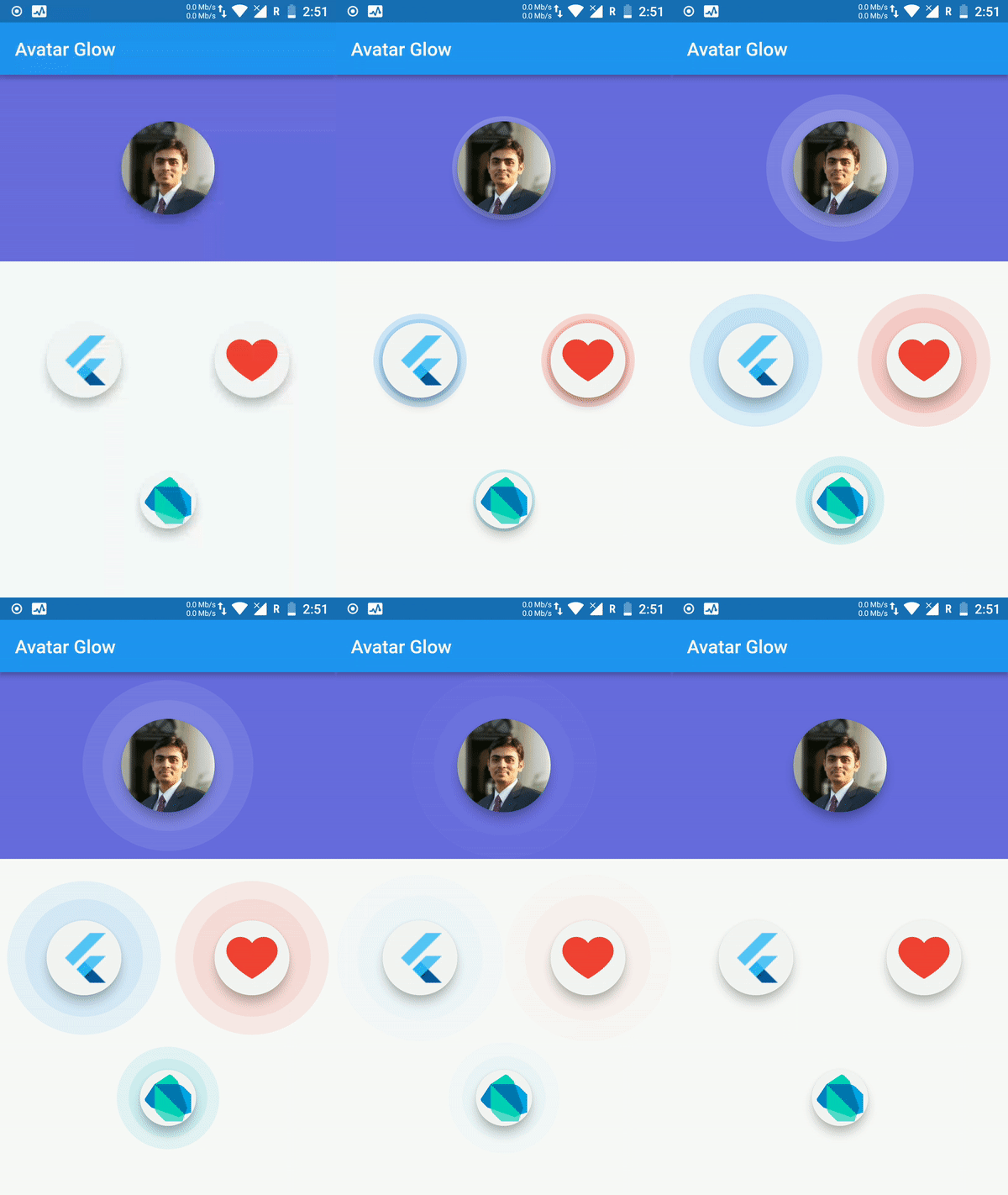
An Avatar Glow Flutter Widget with cool background glowing animation.
Live Demo: https://apgapg.github.io/avatar_glow/
💻 Installation
In the dependencies: section of your pubspec.yaml, add the following line:

dependencies:
  avatar_glow: <latest version>
To use the latest changes:
  avatar_glow:
    git:
      url: https://github.com/apgapg/avatar_glow
      ref: master
❔ Usage
Import
import 'package:avatar_glow/avatar_glow.dart';
Usage is simple. Avatar Glow is a widget offering different customizable optional parameters with child displayed at its center.
Simple Implementation
AvatarGlow(
 endRadius: 60.0,
 child: Material(     // Replace this child with your own
   elevation: 8.0,
   shape: CircleBorder(),
   child: CircleAvatar(
     backgroundColor: Colors.grey[100],
     child: Image.asset(
       'assets/images/dart.png',
       height: 50,
     ),
     radius: 30.0,
   ),
 ),
),
Full Implementation
AvatarGlow(
  startDelay: const Duration(milliseconds: 1000),
  glowColor: Colors.white,
  glowShape: BoxShape.circle,
  animate: _animate,
  curve: Curves.fastOutSlowIn,
  child: const Material(
    elevation: 8.0,
    shape: CircleBorder(),
    color: Colors.transparent,
    child: CircleAvatar(
      backgroundImage: AssetImage('assets/images/avatar.png'),
      radius: 50.0,
    ),
  ),
),
⭐ My Flutter Packages
- json_table
 Create Flutter Json Table from json map directly.
 - pie_chart
 Flutter Pie Chart with cool animation.
 - search_widget
 Flutter Search Widget for selecting an option from list.
 - animating_location_pin
 Flutter Animating Location Pin Widget providing Animating Location Pin Widget which can be used while fetching device location.
⭐ My Flutter Apps
- flutter_profile
 Showcase My Portfolio: Ayush P Gupta on Playstore.
 - flutter_sankalan
 Flutter App which allows reading/uploading short stories.
👍 Contribution
- Fork it
- Create your feature branch (git checkout -b my-new-feature)
- Commit your changes (git commit -m 'Add some feature')
- Push to the branch (git push origin my-new-feature)
- Create new Pull Request