YTPTube
June 1, 2026 · View on GitHub



YTPTube is a web-based GUI for yt-dlp, designed to make downloading videos from video platforms easier and user-friendly. It supports downloading playlists, channels, live streams and includes features like scheduling downloads, sending notifications, and built-in video player.
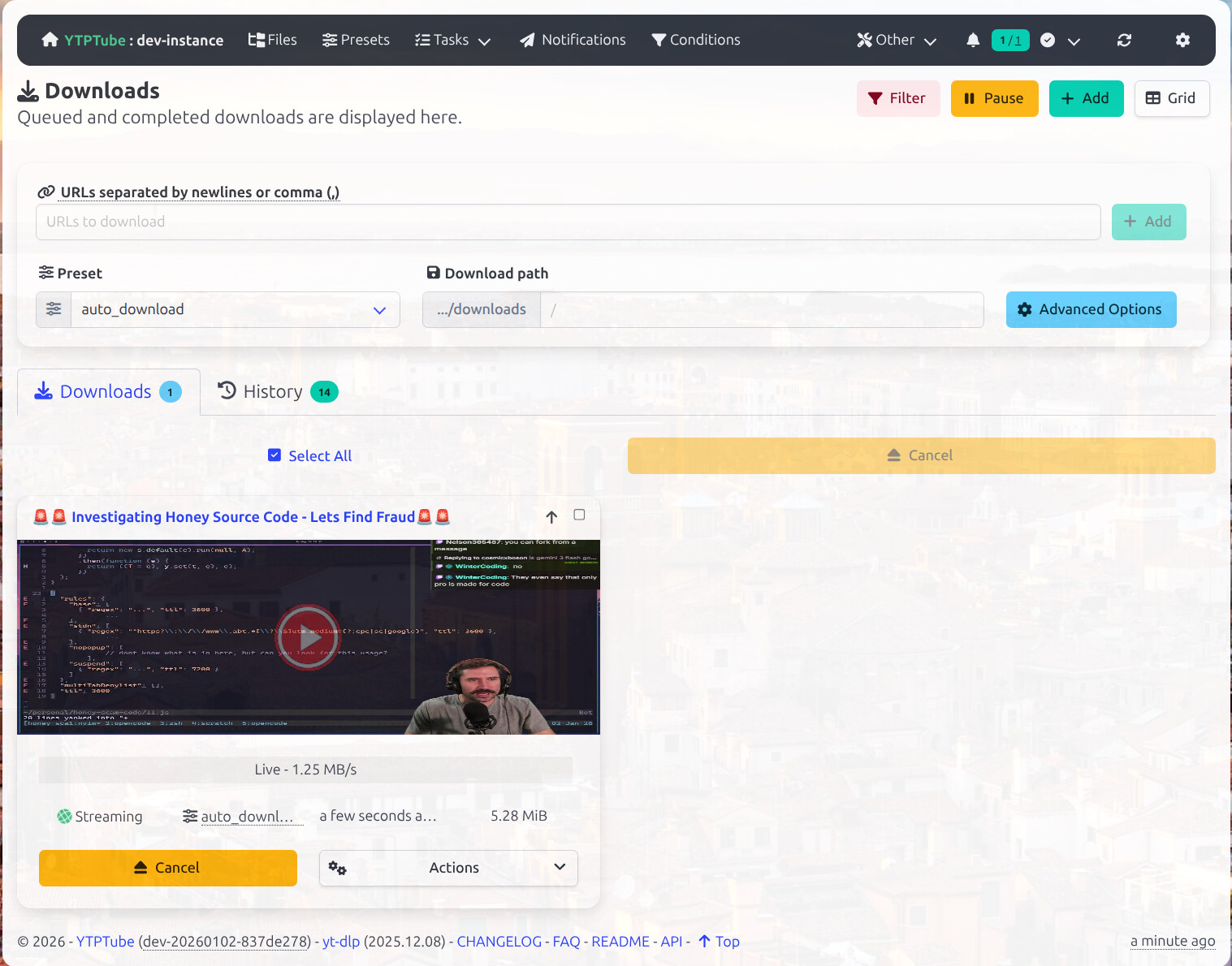
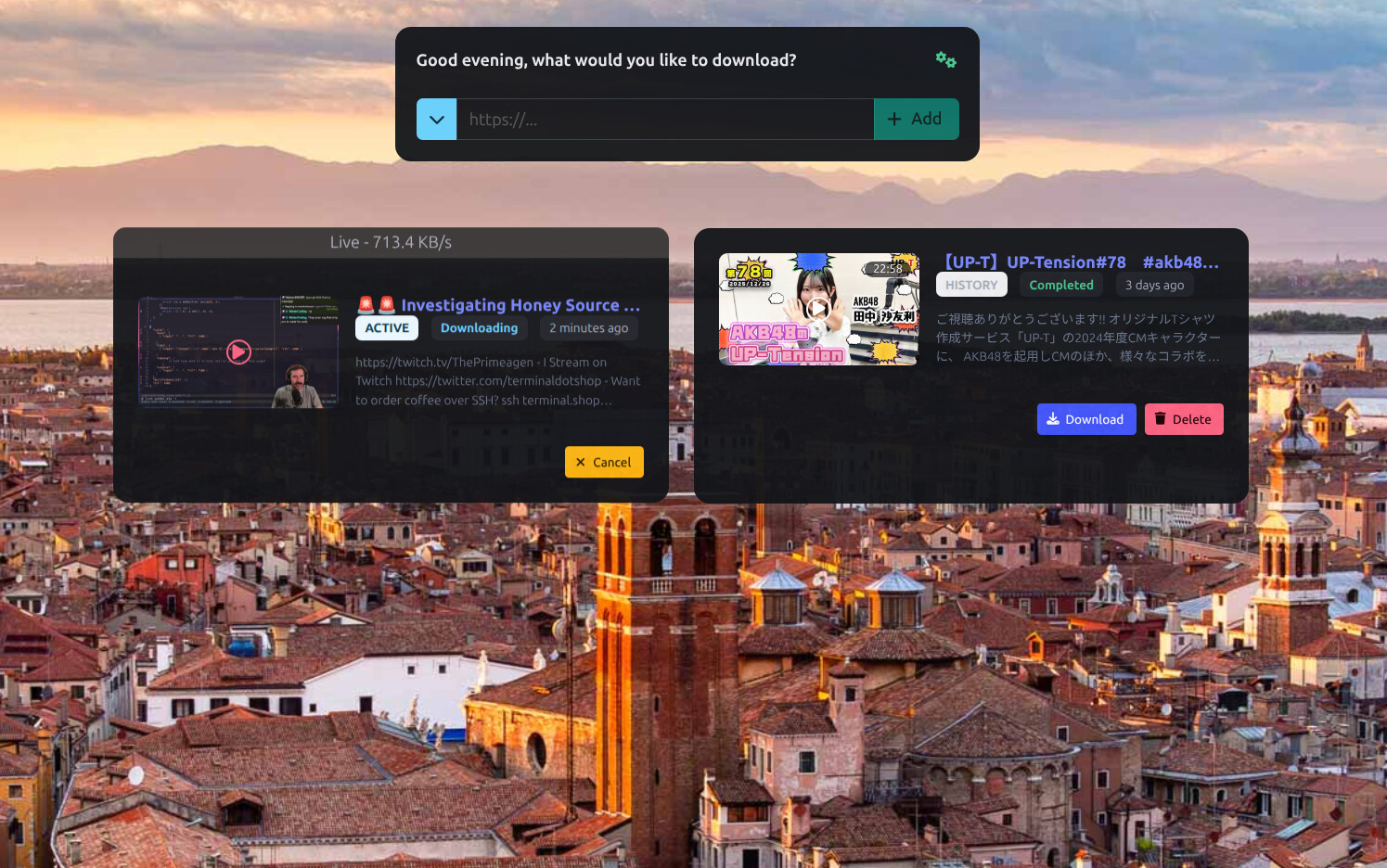
Screenshots
Example of the regular view interface.
Example of the Simple mode interface.
YTPTube Features.
- Multi-download support.
- Random beautiful background.
- Handles live and upcoming streams.
- A dual view mode for both technical and non-technical users.
- Schedule channels or playlists to be downloaded automatically with support for creating custom download feeds from non-supported sites. See Feeds documentation.
- Send notification to targets based on selected events. includes Apprise support.
- Support per link options.
- Support for limits per extractor and overall global limit.
- Queue multiple URLs at once.
- Powerful presets system for applying
yt-dlpoptions. with a pre-made preset for media servers users. - A simple file browser.
- A built in video player with support for sidecar external subtitles.
Require ffmpeg to be in PATH in non-docker setups. - Basic authentication support.
- Supports
curl-cffi. See yt-dlp documentation.In docker only. - Bundled
pot provider plugin. See yt-dlp documentation.In docker only. - Support using flaresolverr/flaresolverr to bypass Cloudflare protections for yt-dlp and internal http client. See related FAQ.
- Automatic updates for
yt-dlpand custompippackages.In docker only. - Conditions feature to apply custom options based on
yt-dlpreturned info. - Custom browser extensions, bookmarklets and iOS shortcuts to send links to YTPTube instance.
- A bundled executable version for Windows, macOS and Linux.
MacOS version is untested. - Use playwright or selenium for extractors that require a browser. see related FAQ.
Please read the FAQ for more information.
Installation
Important
By default YTPTube runs without authentication. If you expose it to the internet, enable auth. See security recommendations.
Run using docker command
mkdir -p ./{config,downloads/files,downloads/tmp} && docker run -itd --rm --user "${UID}:${UID}" --name ytptube \
-e YTP_TEMP_PATH=/downloads/tmp -e YTP_DOWNLOAD_PATH=/downloads/files \
-p 8081:8081 -v ./config:/config:rw -v ./downloads:/downloads:rw \
ghcr.io/arabcoders/ytptube:latest
Then you can access the WebUI at http://localhost:8081.
Note
If you are using podman instead of docker, you can use the same command, but you need to change the user to 0:0
it will appears to be running as root, but it will run as the user who started the container.
Using compose file
The following is an example of a compose.yaml file that can be used to run YTPTube.
services:
  ytptube:
    user: "${UID:-1000}:${UID:-1000}" # change this to your user id and group id.
    image: ghcr.io/arabcoders/ytptube:latest
    container_name: ytptube
    restart: unless-stopped
    environment:
      - YTP_TEMP_PATH=/downloads/tmp
      - YTP_DOWNLOAD_PATH=/downloads/files
    ports:
      - "8081:8081"
    volumes:
      - ./config:/config:rw
      - ./downloads:/downloads:rw
Important
Make sure to change the user line to match your user id and group id.
mkdir -p ./{config,downloads/files,downloads/tmp} && docker compose -f compose.yaml up -d
Then you can access the WebUI at http://localhost:8081.
Note
you can use podman-compose instead of docker-compose, as it supports the same syntax. However, you should change the
user to 0:0 it will appears to be running as root, but it will run as the user who started the container.
Unraid
For Unraid users You can install the Community Applications plugin, and search for ytptube it comes
pre-configured.
API Documentation
For simple API documentation, you can refer to the API documentation.
Disclaimer
This project is not affiliated with yt-dlp or any other service.
This is a personal project designed to make downloading videos from the internet more convenient for me. It is not intended for piracy or any unlawful use. This project was built primarily for my own use and preferences.
AI-assisted tools are used in this project. If you are uncomfortable with this, you should not use this project.
Contributions are welcome, but I may decline changes that do not interest me or do not align with my vision for this project. Unsolicited pull requests will be closed. For suggestions or feature requests, please open a discussion or join the Discord server.
Social contact
If you have short or quick questions, you are free to join my discord server and ask the question. keep in mind it's solo project, as such it might take me a bit of time to reply.
Donation
If you feel like donating and appreciate my work, you can do so by donating to children charity. For example Make-A-Wish.