XsensPlugin
November 14, 2023 · View on GitHub
The XsensPlugin handles integration between Xsens sensors and mc_rtc.
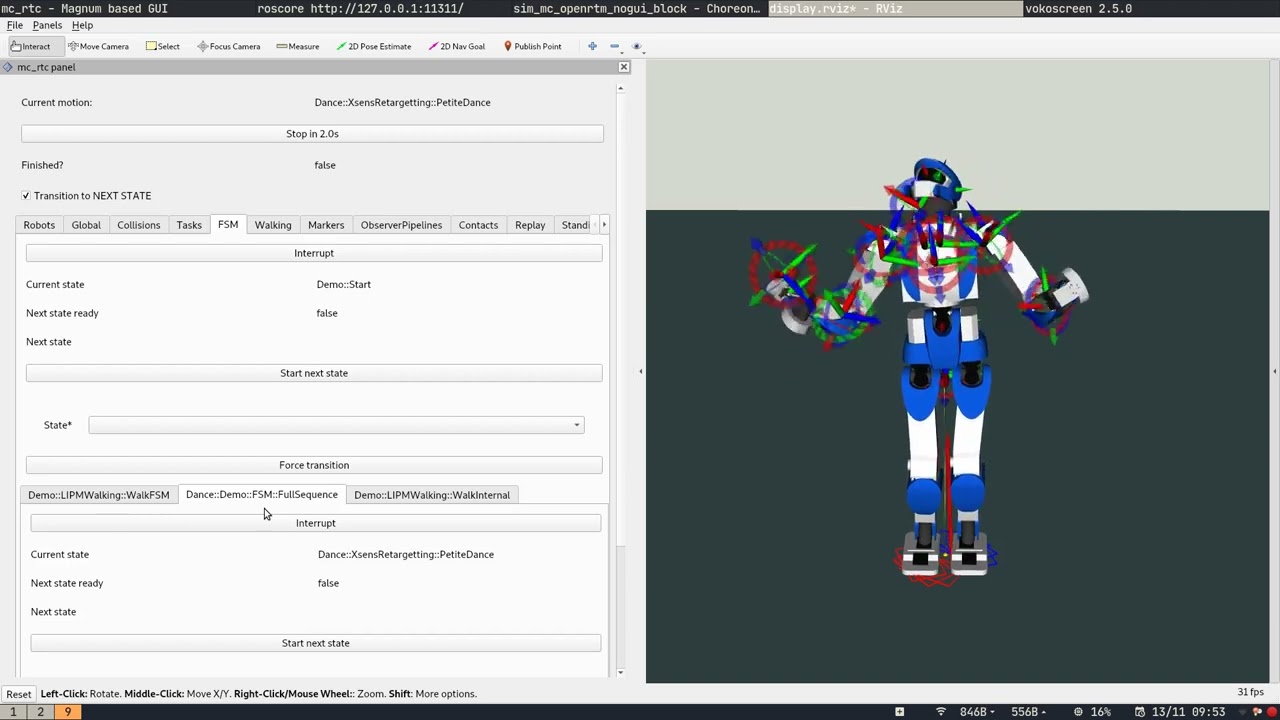 See it in use for the performance of HRP-4 on-scene at Centre des Arts
This package depends on:
- mc_rtc
- xsens_streaming (optional, when available enable live use of data from XSens MVN software)
Installation
After installing the afformentionned dependencies,
git clone https://github.com/arntanguy/mc_xsens_plugin.git
mkdir build && cd build
cmake .. -DCMAKE_BUILD_TYPE=RelWithDebInfo
make -j8
sudo make install
Using in your own controller
The plugin is responsible for gathering Xsens retargetting data and providing simple states to provide basic retargetting functionalities. It offers two modes:
- live: In this mode data is obtained from Xsens MVN software through UDP communication. This is only available if the plugin was built with
xsens_streamingavailable. - replay: This mode reads the input data for the retargetting from
mc_rtclog files instead. This requires theReplayplugin to work (more on that later).
Standalone (no linking required)
You may use this plugin as a standalone plugin, meaning that your controller won't need to look for the XsensPlugin package, nor link against it. In that case you simply need to add the plugin to your controller's configuration.
Plugins: [XsensPlugin]
You may also enable it globally using the autoload feature of the plugins.
Configuration
To configure this plugin, you may add an Xsens section in your Controller.yaml configuration file that will override the default plugin configuration for the specified entries. Here is a summary of the configuration options available.
Xsens:
  liveMode: false # When true, use data from XsensRetargetting, else fetch data from the datastore (see Replay section)
  live: # Parameters for the live mode
    server: # These are the IP and port of the computer on which Xsens MVN software is running
      host: 192.168.0.42
      port: 9763
  segments: # Mapping between segment name and sensor id
    "Pelvis": 1
    "Neck": 6
    #...
  hrp4: # you may provide options for a specific robot
    bodies: # The bodies section provides a mapping between the robot's links and "segment" names in Xsens MVN
        body: # name of the robot link
          segment: "Pelvis" # name of the corresponding Xsens segment
          offset: # segment offset. Use this to make the segment frame position/orientation match the robot's link position/orientation
            translation: [0,0,0]
            orientation: [0,0,0]
          weight: 10 # optional specifies the desired weight of the retargetting task
          stiffness: 10 # optional specifies the desired stiffness of the retargetting task
          forceHorizontalSegment: false # optional: when true, make this segment's world orientation horizontal w.r.t the ground plane (keeps the yaw orientation intact)
        # ... same for all of the desired robot bodies
Note that by default the plugin provides a configuration for the jvrc1, hrp4, hrp4cr and pepper robots. To get started you only need to provide the server IP for the live mode.
The plugin will provide the following datastore callbacks that may be used to retrieve data:
XsensPlugin::Ready() -> bool
XsensPlugin::GetSegmentPose(const std::string & segmentName) -> sva::PTransformd
XsensPlugin::GetSegmentVel(const std::string & segmentName) -> sva::MotionVecd
XsensPlugin::GetSegmentAcc(const std::string & segmentName) -> sva::MotionVecd
XsensPlugin::GetCoMpos() -> Eigen::Vector3d
XsensPlugin::GetCoMvel() -> Eigen::Vector3d
XsensPlugin::GetCoMacc() -> Eigen::Vector3d
Import XsensPlugin
To use additional features of this plugins (e.g retargeting states, direct access to the plugin's data), you will need to add the following to your CMakeLists.txt
find_package(XsensPlugin)
In order to use the states exported by this plugin, you will need to following in your Controller.yaml main configuration file:
StatesLibraries:
- "@MC_STATES_DEFAULT_RUNTIME_INSTALL_PREFIX@"
- "@MC_STATES_RUNTIME_INSTALL_PREFIX@"
- "@XSENS_PLUGIN_STATES_LIBRARIES@" # This tells the controller where the plugin's states are installed
StatesFiles:
- "@MC_STATES_DEFAULT_RUNTIME_INSTALL_PREFIX@/data"
- "@MC_STATES_RUNTIME_INSTALL_PREFIX@/data"
- "@XSENS_PLUGIN_STATES_FILES@" # This tells the controller where the plugin's states configuration are installed

Plugins: [XsensPlugin]
This tells mc_rtc where to look for the plugin states and allows you to link against the plugin. You may now use the XsensRetargetting state as follows
states:
  YourRetargettingState:
      base: XsensRetargetting
      robot: jvrc1 # optional, use main robot if not provided
      # optional: override default plugin's configuration for this state
      Xsens:
        jvrc1:
          bodies:
            L_ANKLE_P_S:
              forceHorizontalSegment: true # make foot segment horizontal w.r.t ground
            R_ANKLE_P_S:
              forceHorizontalSegment: true
      groundingFrames: [LeftSole, RightSole] # Optional, when specified makes sure that the frame in-between the provided grounding frames lies at ground height
      fixBaseLink: false # optional: when true keeps the base link above the specified frames
      fixed_stiffness: 200 # stiffness used to keep the base_link fixed
      fixed_weight: 1000 # weight used to keep the base_link fixed
      initialStiffnessInterpolationDuration: 2 # duration to reach the specified task stiffness (this is done to avoid having the robot "jerk" to the initial segments pose)
      initialStiffnessPercent: 0.1 # percentage of the fixed_stiffness to use at the start of the state
      initialWeightPercent: 0.1 # percentage of the fixed_weight to use at the start of the state
      endInterpolationTime: 2
      endStiffnessPercent: 0.1
      endWeightPercent: 0.1
      activeBodies: [L_ANKLE_P_S, R_ANKLE_P_S] # optional: when provided only retarget the specified bodies. Otherwise all bodies supported by the plugin will be retargetted
      unactiveJoints: [...] # optional: when specified disable these joints in the retargetting tasks
      autoTransition: true # optional: when true automatically transition to the next state when reaching the end of a replayed log
      log: "/path/to/log.bin" # optional: when specified replays the specified log