rgenex
April 27, 2026 · View on GitHub



Config-driven React architecture scaffolding for teams.
Define your project structure once in rgenex.config.js and generate code consistently across your entire team.
🚀 Quick Start
npm install --save-dev rgenex
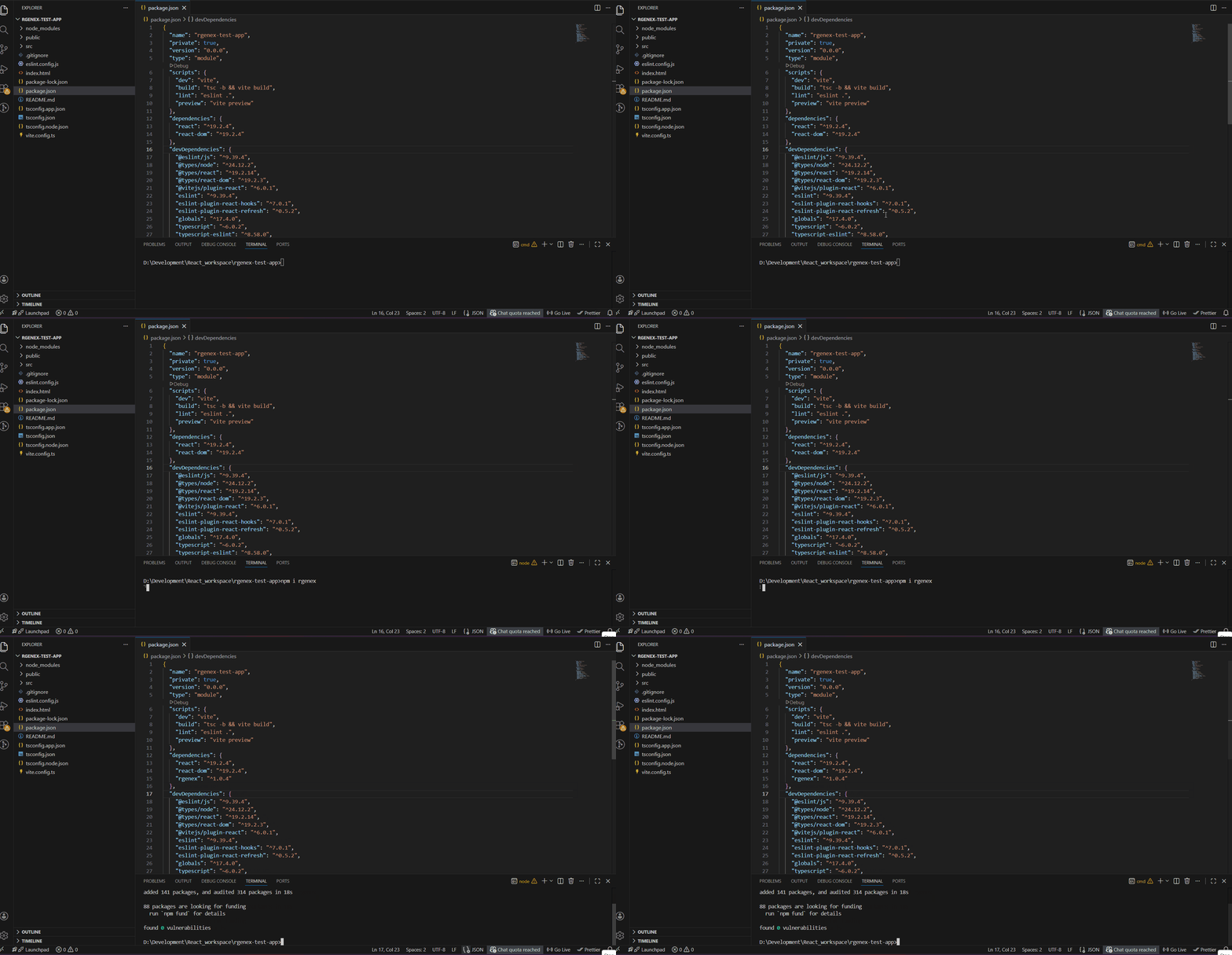
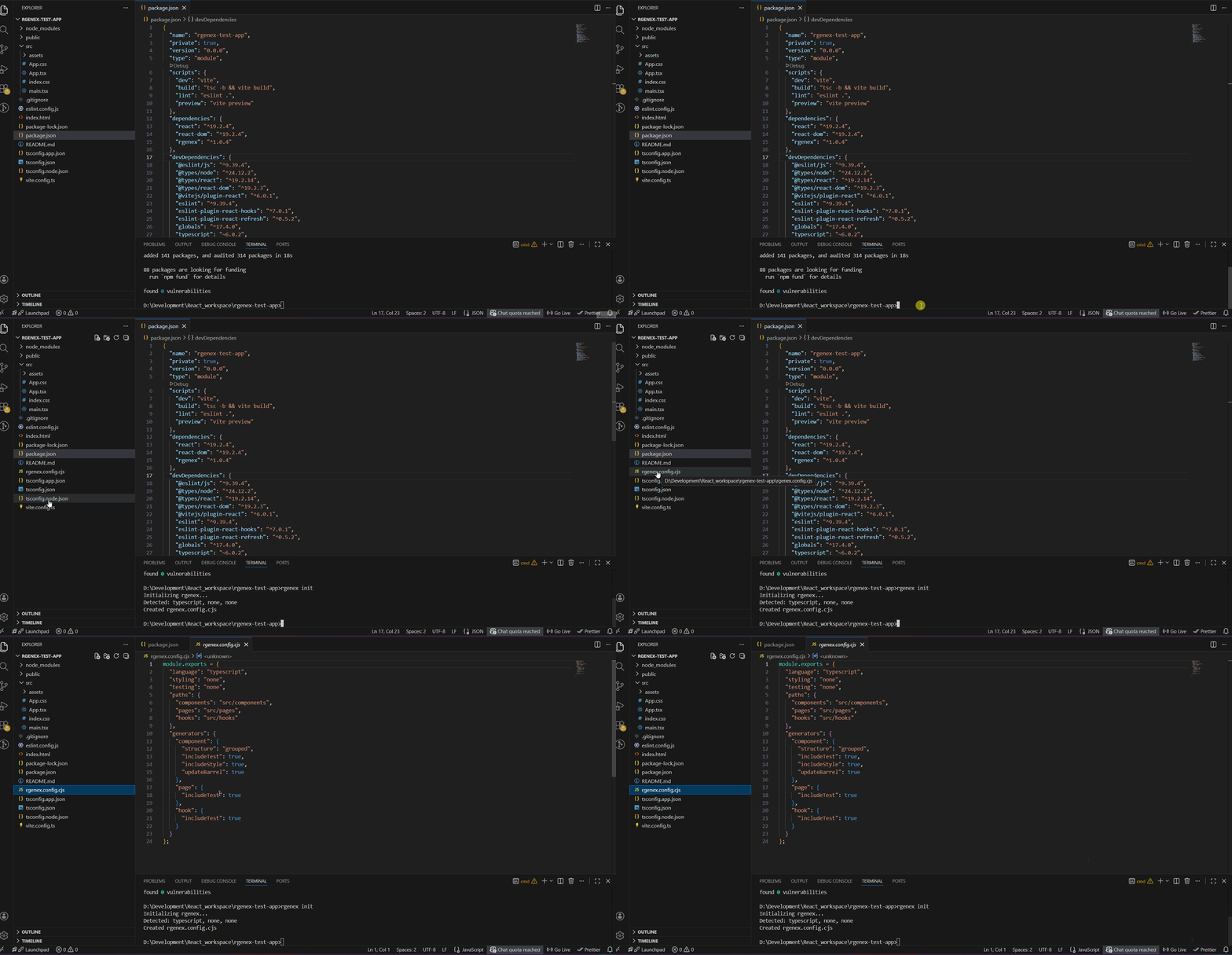
npx rgenex init
# Creates rgenex.config.js based on your detected stack
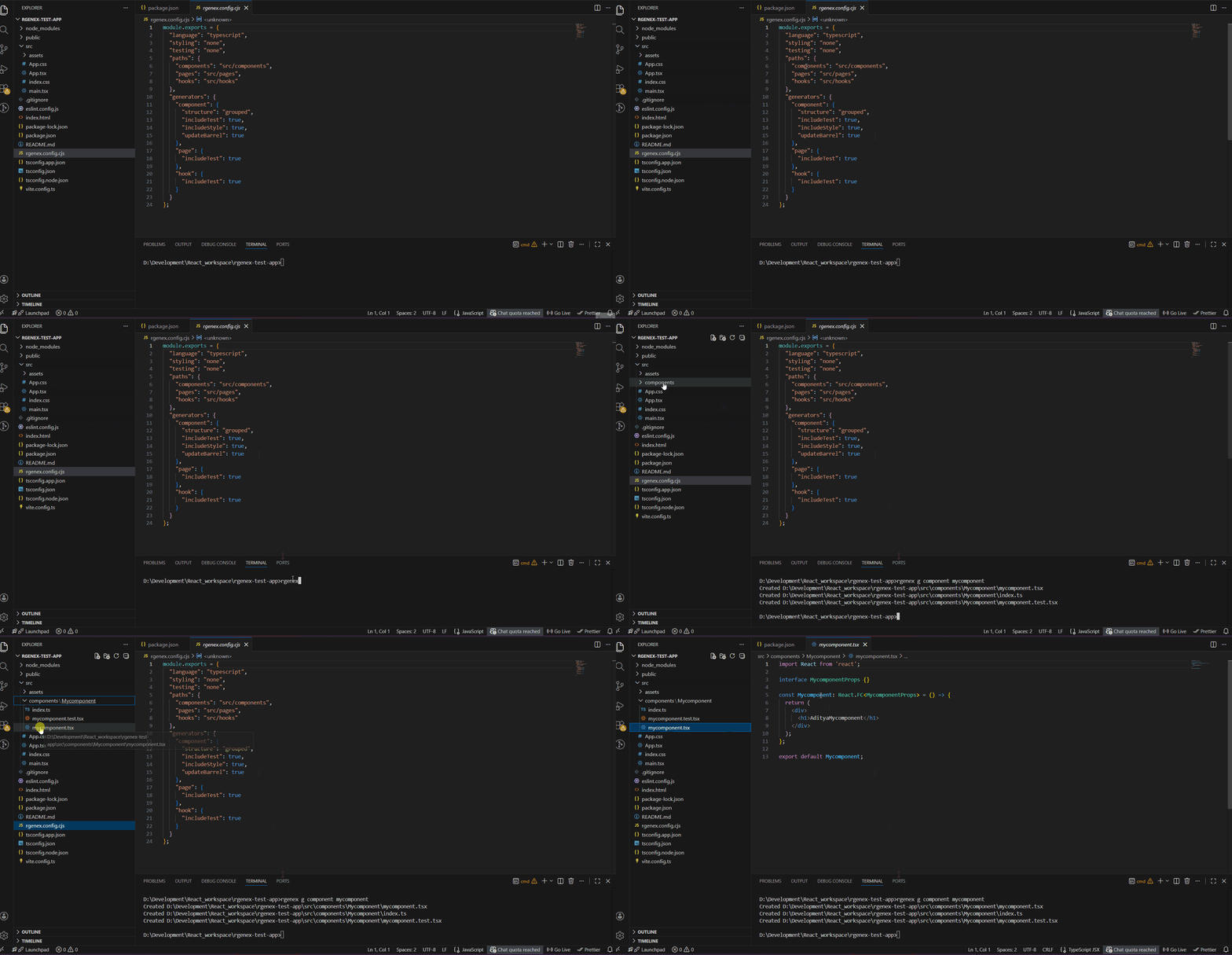
npx rgenex generate component Button
# shorthand
npx rgenex g component Button
✨ Core Features
- 🎯 Config-Driven Generation — Define structure, naming conventions, and file patterns once in
rgenex.config.js - 👥 Team Standardization — Enforce consistent React architecture across your team
- ⚡ Instant Scaffolding — Generate components, hooks, and pages in one command
- 🛡️ Safe Generation — Preview output before writing and prevent accidental overwrites
- 🧪 Built-in Test Support — Auto-generate test files (Vitest, Jest)
- 🎨 Smart Stack Detection — Detects TypeScript, styling, and testing setup automatically
- 📦 Zero Bundle Impact — Dev-only tool, excluded from production builds
- 🔧 Configurable Structure — Adapt templates, paths, and conventions to your architecture
🆕 Improved Developer Experience in v1.1.0
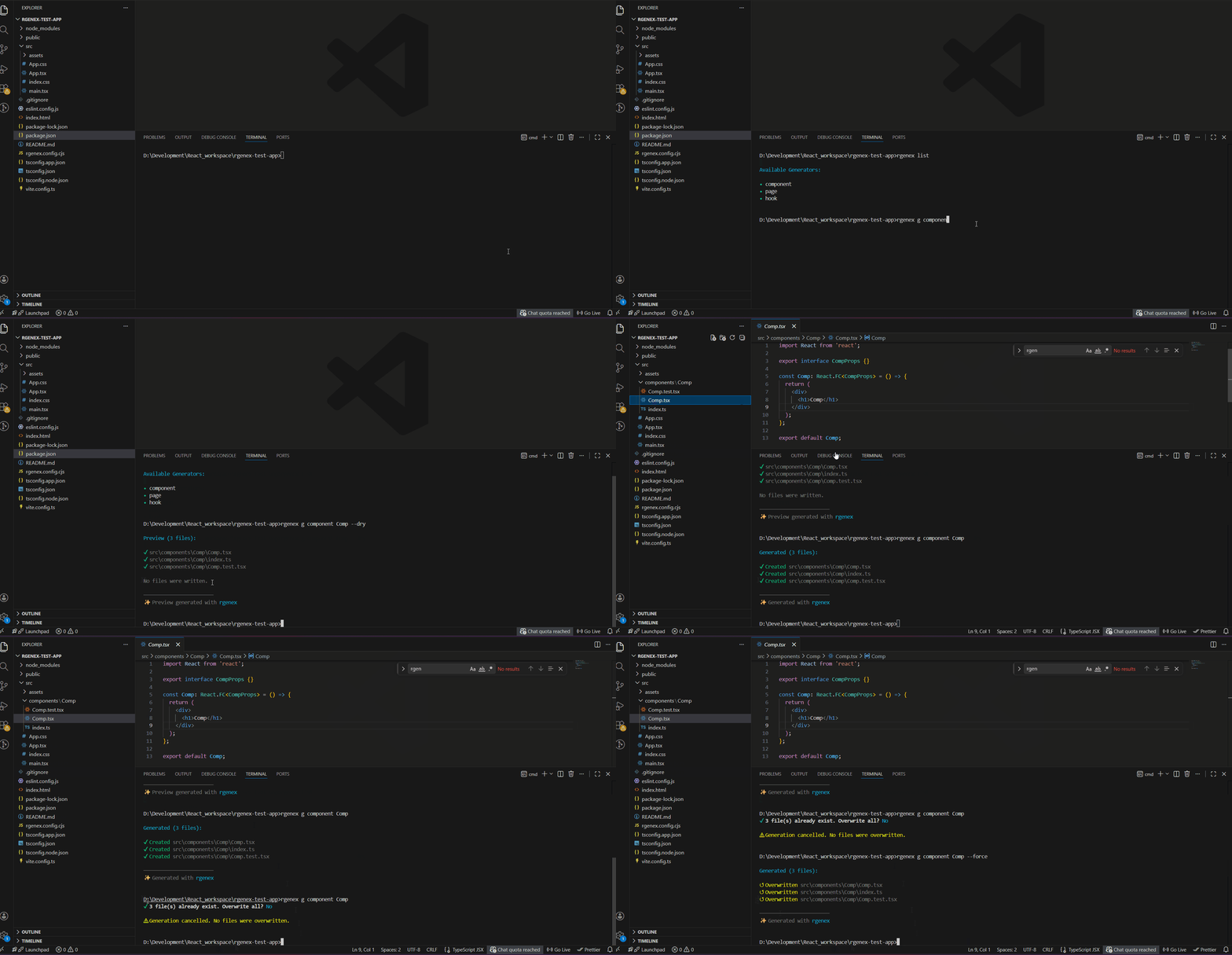
Preview Before Generating
npx rgenex g component Button --dry
Preview files before writing them to disk.
Safe Overwrite Protection
npx rgenex g component Button
If files already exist, rgenex prompts before overwriting.
Force Overwrite
npx rgenex g component Button --force
Skip overwrite prompts when needed.
List Available Generators
npx rgenex list
View all configured generators in your project.
📖 Documentation
- QUICK_START.md — Complete guide with examples
- CHANGELOG.md — Release history
- CONTRIBUTING.md — Contributing guidelines
💡 What It Generates
Components
npx rgenex g component Button
Creates:
Button.tsxButton.test.tsxButton.module.scssindex.ts
(Structure depends on your config)
Hooks
npx rgenex g hook useCounter
Creates:
useCounter.tsuseCounter.test.ts
Pages
npx rgenex g page Dashboard
Creates:
Dashboard.tsxDashboard.test.tsx
⚙️ Configuration — The Real Power
After running npx rgenex init, configure your team’s standards once:
// rgenex.config.js - Your team's code standards
module.exports = {
  language: "typescript", // Enforce TypeScript
  styling: "scss-modules", // Your design system
  testing: "vitest", // Your test framework

  paths: {
    components: "src/components", // Where to generate
    pages: "src/pages",
    hooks: "src/hooks",
  },

  generators: {
    component: {
      structure: "grouped", // Grouped or flat structure
      includeTest: true, // Always generate tests
      includeStyle: true, // Always generate styles
      updateBarrel: true, // Auto-update index.ts exports
    },
  },
};
Define Once. Enforce Everywhere.
Every team member uses the same configuration.
No more debates about:
- Folder structure
- Naming conventions
- Test file placement
- Style file conventions
🛠️ Requirements
- Node.js >= 16.0.0
- npm or yarn
📝 License
MIT
🤝 Contributing
See CONTRIBUTING.md
Built by Aditya Singh Sengar