HandyLLM in Visual Studio Code
January 7, 2026 · View on GitHub



Make HandyLLM and hprompt a breeze in VS Code (and compatible editors).
Features
Hprompt syntax highlight
See demo below:
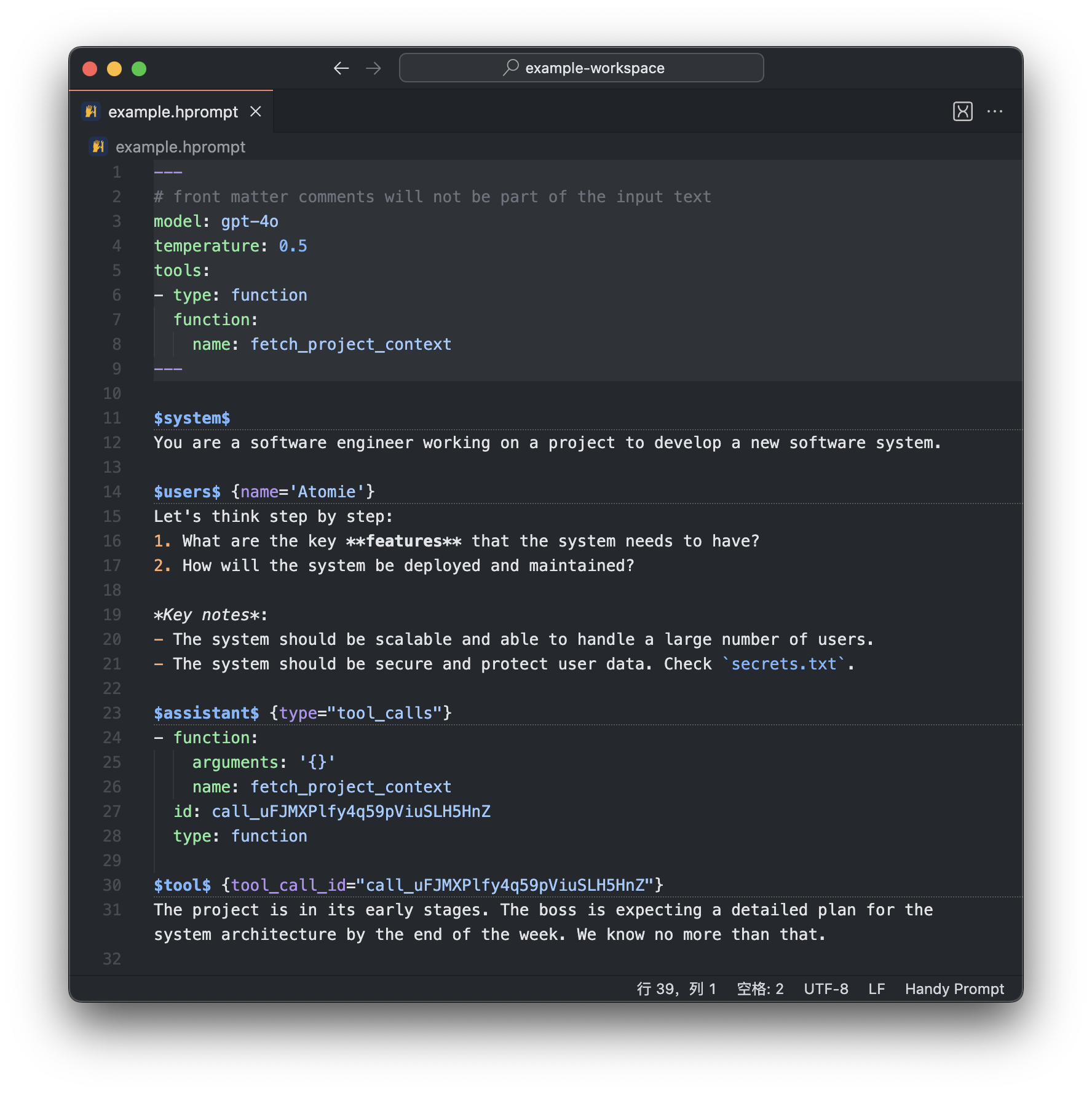
- Also highlights
hprompt/hprfenced code blocks in both Markdown editor and Markdown Preview.
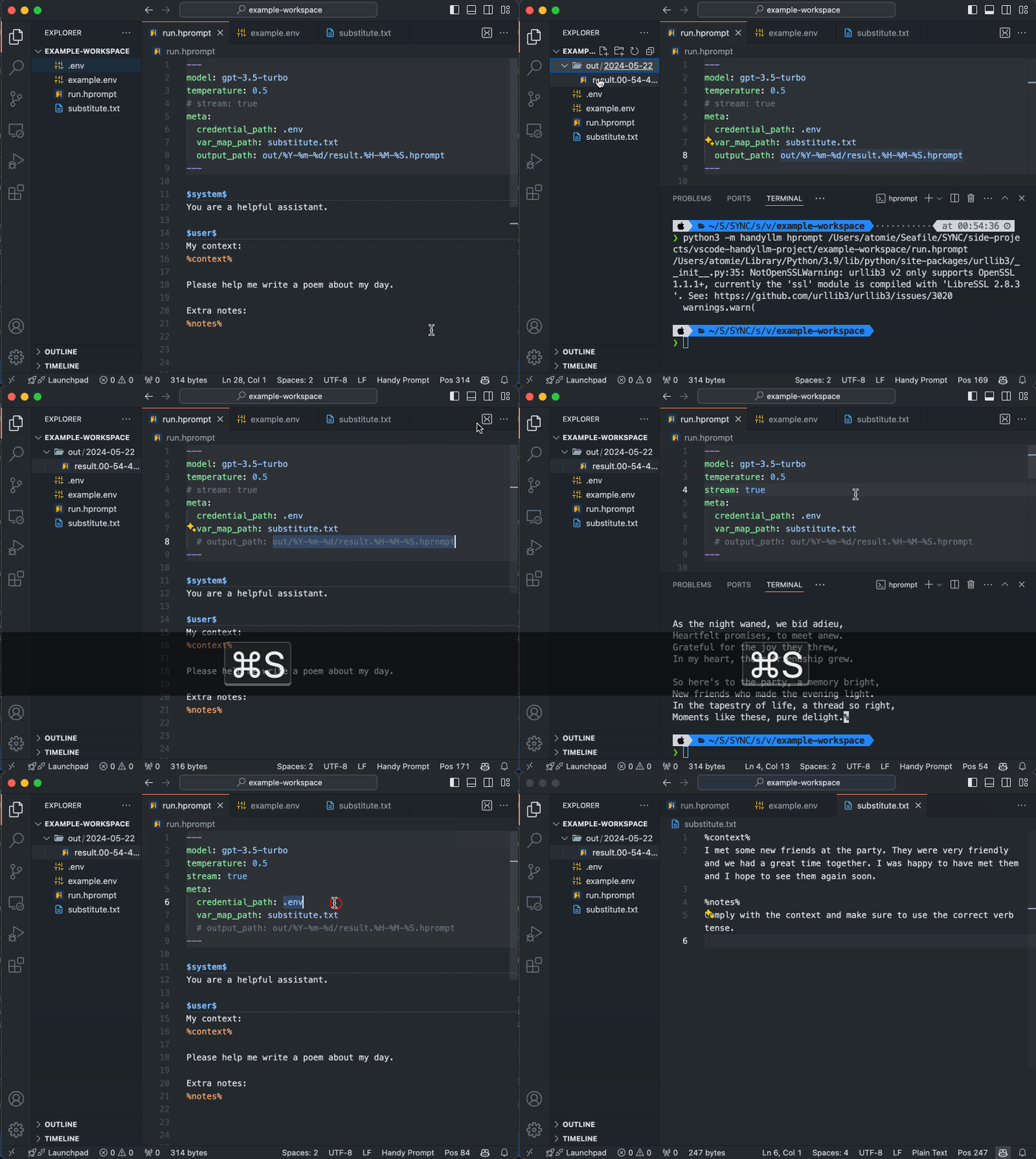
Run hprompt file
- Run the active hprompt file from the action button, or right click an
.hpromptfile, or issue from the command paletteRun Hprompt(keyboard shortcut configured). - You can change
handyllmcommand used in the terminal by settinghandyllm.commandName(needs installation of HandyLLM CLI).
See gif below:
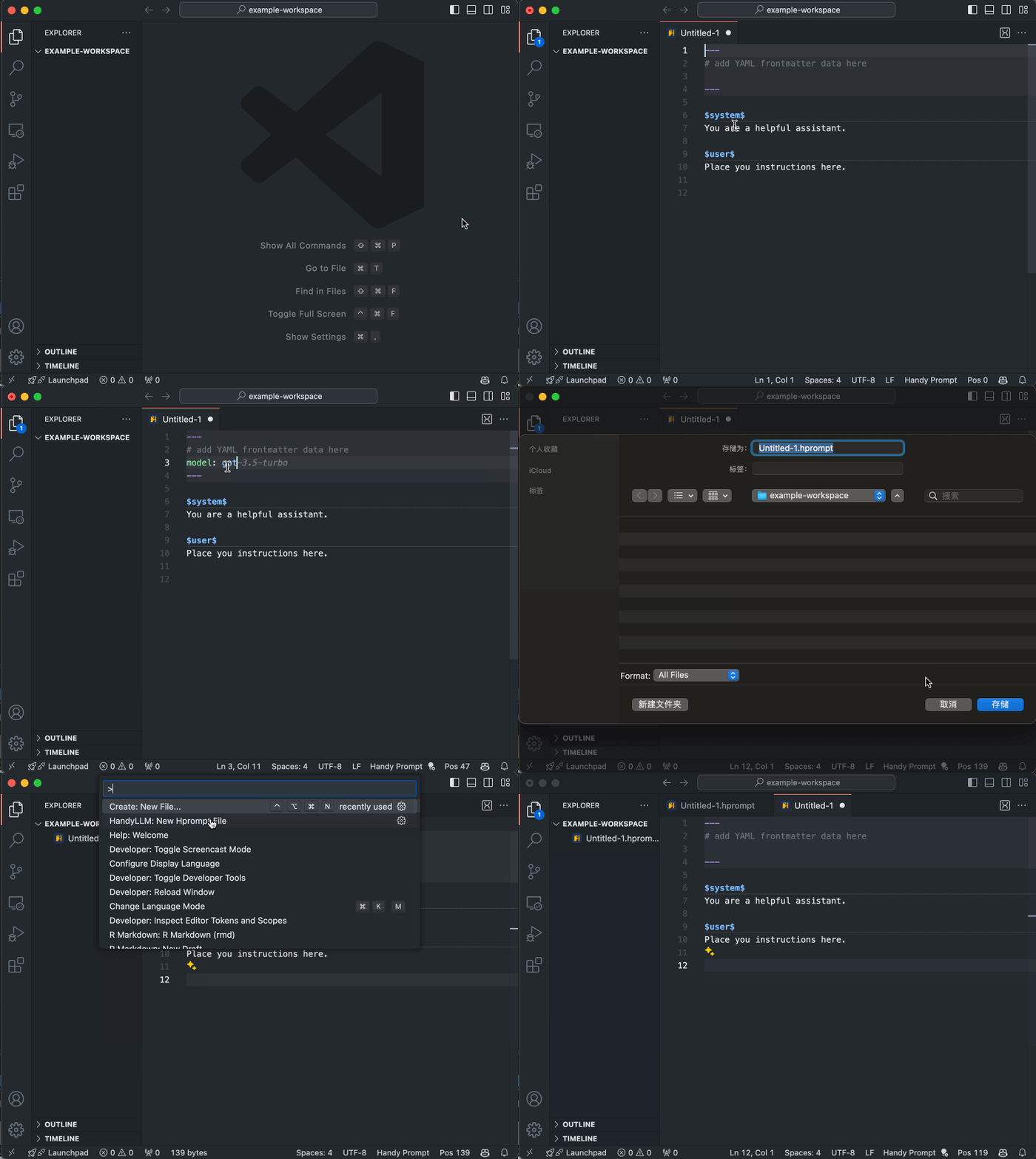
Create starter hprompt file
Issue from command palette New Hprompt File, or New File and then select Hprompt File.
See gif below:
Other Useful Enhancements
- Editor decorations for Hprompt frontmatter and role lines. You can customize their appearance via settings.
- Foldable & sticky-scroll headings for easier navigation.
- Snippets for relatively complex Hprompt constructs.
- Frontmatter YAML validation with real-time feedback. Requires installation of the YAML extension and proper schema configuration (see next section).
Frontmatter Validation Setup
Follow these steps to enable YAML validation for Hprompt frontmatter.
- Install the Red Hat YAML extension.
- Configure a schema for
*.hprompt.yaml(hprompt frontmatter virtual documents) by adding the following to yoursettings.json:
You can also download the schema file and reference it locally if preferred.{ "yaml.schemas": { "https://raw.githubusercontent.com/atomiechen/HandyLLM/main/assets/hprompt-fm.schema.json": "*.hprompt.yaml" } }
Once configured, the frontmatter area supports schema-based hovers and completions while you type.