2.1.1-Frontend&colon-Open-WebUI.md
June 3, 2026 · View on GitHub
Open WebUI
Handle:
webui
URL: http://localhost:33801
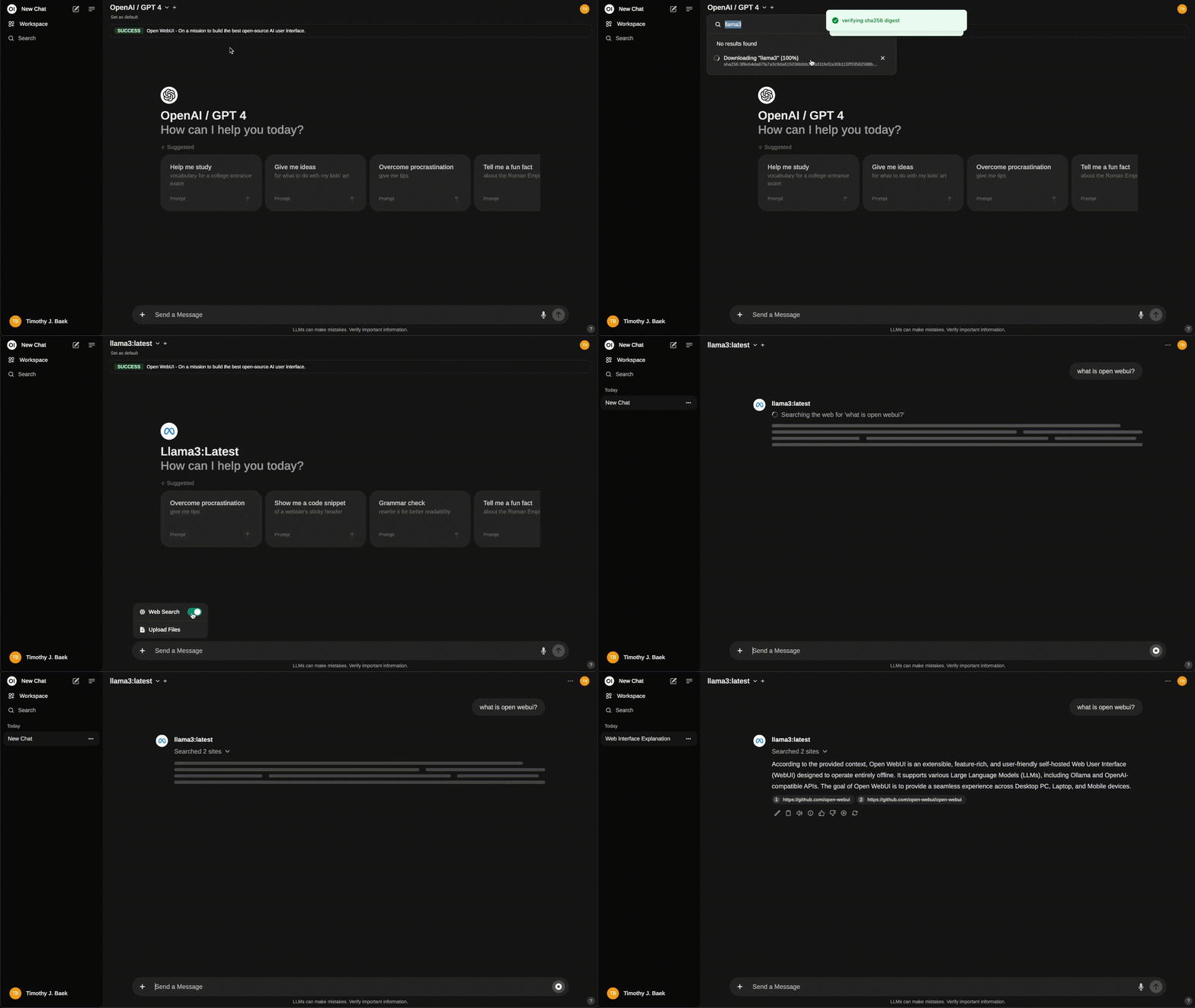









Extensible, self-hosted interface for AI that adapts to your workflow. Open WebUI provides plenty of features and QoL goodies for working with LLMs. Notably:
- Model management - create model instances with pre-configured settings, chat with multiple models at once
- Prompt library
- Persistent chat history
- Document RAG
- Web RAG
- Tools, Functions, Filters
Starting
webui is one of the default services in Harbor, so you don't need to specify anything special to start it.
# [Optional] Pre-pull the image
harbor pull webui

# Open WebUI is one of the default services,
# so you don't need to specify the handle explicitly
harbor up

# However, you can also start it explicitly
harbor up webui
See harbor defaults on managing default services.
See troubleshooting guide if you encounter any issues.
Integrations
webui (Open WebUI on port 8080) is a default frontend in Harbor. It is automatically included when you run bare harbor up. The service wires dozens of backends and tools into itself using the cross-compose mechanism: files named compose.x.webui.<name>.yml (and a few reverse like compose.x.ollama.webui.yml) mount JSON snippets into the container. On startup the entrypoint script start_webui.sh invokes the shared json_config_merger.py which renders any ${HARBOR_*} variables and merges everything into /app/backend/data/config.json (persisted in the data volume). The result appears instantly in the UI.
Inference backends that auto-configure for webui
ollama,llamacpp,vllm,dmr,mlx,omlx,litellm,boost,sglang,mistralrs,aphrodite,ktransformers,tabbyapi,nexa,airllm,omnichain,kobold,lemonade,modularmax,ikllamacpp,difyand many more — each contributes aconfig.<backend>.json(plus anOLLAMA_BASE_URLenv injection for Ollama).- Aggregator/router layers:
bifrost,llamaswap,optillm.
Tools, RAG, media and orchestration extensions
pipelines— first-class support for Open WebUI Pipelines / Functions / Filters.comfyui— image generation backend.searxng(and thesearxng.ollamavariant) — web search for RAG; injectsSEARXNG_QUERY_URL.cognee— knowledge-graph tool server (exposed as MCP).dbhub,mcpo.metamcp,agent,npcsh,openterminal,needle— database, MCP, agent and terminal tools.- Audio stack:
speaches,stt,tts,parler. - Niche / experimental:
unsloth-studio(special case: a bootstrap sidecar mints an API key at runtime; the webui start script reads the file from a ro mount before the merger runs so the firstharbor upsucceeds without a second pass).
See the full catalogue under $(harbor home)/services/webui/configs.
Reverse proxy / external access
- When
traefikis also running,compose.x.traefik.webui.ymladds the labels that make the UI reachable athttps://webui.${HARBOR_TRAEFIK_DOMAIN}.
Host / volume interactions
- Primary data & persistence volume:
./services/webui:/app/backend/data— this single bind mount is where Open WebUI keeps its entire state: SQLitewebui.db, user uploads/, the Chromavector_db/, generatedconfig.json, embedding/image/audio caches undercache/, etc. Your chats, documents, settings and custom models all live on the host here and survive container restarts or image upgrades. - The
configs/subdirectory (visible on the host) is the source of truth for Harbor-provided integration fragments;config.override.jsonis applied last and is the recommended place for permanent customizations. - Supporting scripts are overlaid:
start_webui.sh(custom entrypoint) andjson_config_merger.pyfrom the shared tree. - A few integrations add extra volume mounts (e.g. the unsloth auth key dir) or
depends_onhealth checks so dependent services are ready before the merger runs.
Everything above is driven by the declarative cross-compose files and the runtime merger — no manual config.json editing is normally required. After any harbor config set that affects backend URLs or keys, simply restart the affected containers (harbor restart webui <backend>) and the merged configuration is rebuilt automatically.
Configuration
You can configure Open WebUI in three ways:
- Via WebUI itself: changes are saved in the
webui/config.jsonfile, Harbor may override them on restart- Copy config changes to the
webui/configs/config.override.jsonin order to persist them over Harbor's default config
- Copy config changes to the
- Via environment variables: changes are applied after restarting the Harbor
Harbor CLI allows configuring following options:
# Override the WebUI image version
harbor webui version dev-cuda

# Override WebUI default name
harbor webui name "Jarvis"

# Specify custom secret for JWT tokens
harbor webui secret sk-203948

# Set to DEBUG for more visibility
harbor webui log DEBUG
Following options can be set via harbor config:
# The port on the host where WebUI will be available
HARBOR_WEBUI_HOST_PORT         33801

# Custom secret for JWT tokens
HARBOR_WEBUI_SECRET            h@rb0r

# Name of the WebUI instance
HARBOR_WEBUI_NAME              Harbor

# Log level for WebUI
HARBOR_WEBUI_LOG_LEVEL         DEBUG

# WebUI image version
HARBOR_WEBUI_VERSION           main

# Docker image to use for the service
# You can switch to a custom build if needed
HARBOR_WEBUI_IMAGE             ghcr.io/open-webui/open-webui
Additionally, all environment variables from the official example can be set according to Harbor's environment configuration guide.
# Example: set ENABLE_REALTIME_CHAT_SAVE env variable value
harbor env webui ENABLE_REALTIME_CHAT_SAVE false

# Example: get ENABLE_REALTIME_CHAT_SAVE env variable value
harbor env webui ENABLE_REALTIME_CHAT_SAVE
Override Harbor Config
Harbor will assemble a custom configuration from many pieces that matches the set of services you're running with Open WebUI.
# This location contains individual configuration parts matching
# the services that might integrate with Open WebUI
open $(harbor home)/services/webui/configs
See docs on Config Merging to learn more about this process.
When you need to override a webui configuration set by Harbor, there's a special file that is applied after all Harbor's built-in configs, so its contents will always take precedence.
open $(harbor home)/services/webui/configs/config.override.json
You can obtain the sample JSON config with your settings from your Open WebUI instance:
