vanan.zsh-theme - Personal Git-Oriented Zsh Prompt
January 31, 2025 · View on GitHub
Enhance your terminal experience with detailed Git repository information.

Features
-
Git Integration
-
Displays the current branch name or commit ID
-
Shows Git status with a unique color for each state, including:
- Added files
- Modified files
- Deleted files
- Moved files
- Untracked files
-
Displays rebase progress:
- Current commit number
- Total number of commits in progress
Show example
- Example interactive rebase state:
pick cd99990 Adding some files
edit bf41a47 Modifying a file
pick f5e31fc Add more files
When stopped on the second commit, the prompt will look like this:

-
Shows the last commit message and its author
-
-
Asynchronous Git Status
- Optionally uses the zsh-defer plugin to display a basic prompt immediately and update it asynchronously with full Git status details for improved performance in large repositories.
Show asciinema

-
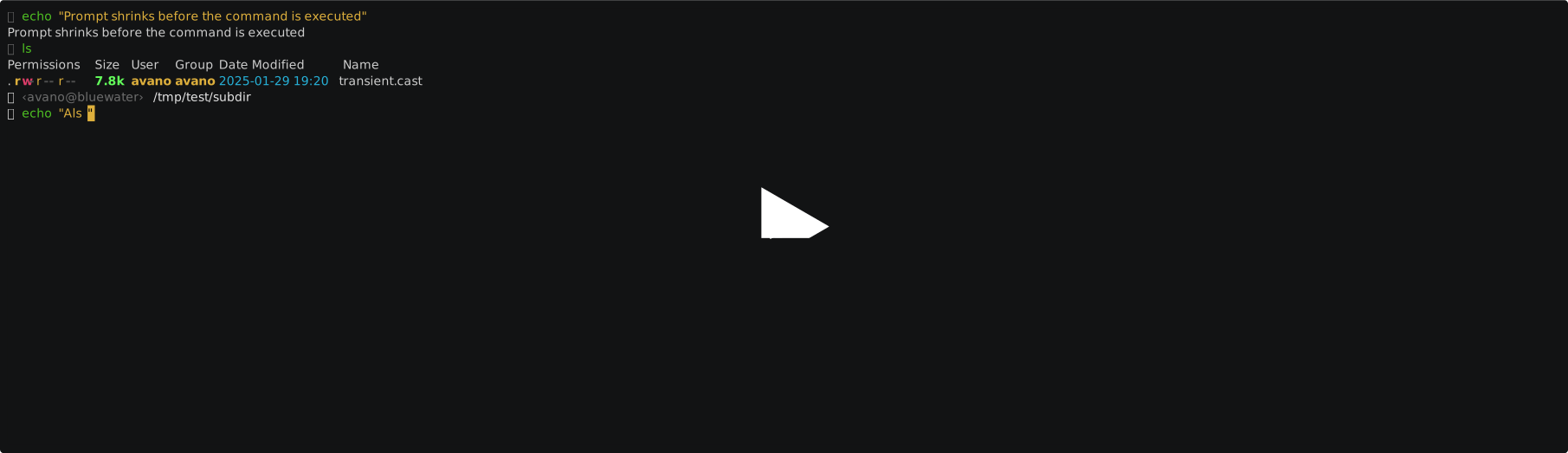
Transient Prompt
- Shrinks the prompt after executing a command to reduce terminal scrollback clutter.
Note This may not work as expected with some plugins.
Compatibility
- Compatible with dirhistory, but the theme should be sourced after the plugin for proper compatibility.
Show asciinema
-
Vi Mode Indicator
- Changes the prompt glyph color based on the current vi mode (normal or insert).
-
Last Command Status Indicator
- Changes the prompt glyph color based on whether the previous command succeeded or failed.
Installation
Prerequisites
- Zsh shell
- (Optional) zsh-defer: Recommended for asynchronous Git status.
- (Optional) Nerd fonts: If using the default glyphs.
This plugin works independently but is compatible with frameworks like Oh My Zsh.
Manual Installation
-
Clone the repository into your preferred plugins location:
git clone https://github.com/avano/vanan.zsh-theme "<...>/plugins/vanan.zsh-theme" -
Source the theme in your
.zshrcfile:source "<...>/plugins/vanan.zsh-theme/vanan.zsh-theme"
Installation with Oh My Zsh
-
Clone the theme into
$ZSH_CUSTOM/themesdirectory:git clone https://github.com/avano/vanan.zsh-theme "${ZSH_CUSTOM}/themes/vanan.zsh-theme" -
Set the theme in your
.zshrc:ZSH_THEME="vanan.zsh-theme/vanan"
Customization
You can override prompt glyphs and color using following variables:
Glyphs
Default glyphs need to have nerd fonts installed.
| Variable | Usage |
|---|---|
| VT_GLYPH_PROMPT | Beginning of top prompt line |
| VT_GLYPH_COMMAND | Beginning of bottom prompt line |
| VT_GLYPH_SEPARATOR_LEFT | Left separator around username and commit message |
| VT_GLYPH_SEPARATOR_RIGHT | Right separator around username and commit message |
| VT_GLYPH_GIT_ADDED | Added files in index |
| VT_GLYPH_GIT_MODIFIED_INDEX | Modified files in index |
| VT_GLYPH_GIT_MODIFIED_WORKDIR | Modified files in the working directory |
| VT_GLYPH_GIT_DELETED_INDEX | Deleted files in index |
| VT_GLYPH_GIT_DELETED_WORKDIR | Deleted files in the working directory |
| VT_GLYPH_GIT_RENAMED | Renamed files in index |
| VT_GLYPH_GIT_UNTRACKED | Untracked files in the working directory |
| VT_GLYPH_GIT_REBASE | Displayed when rebase is in progress |
Colors
All colors are defined by the color number in the 256 color mode:
| Variable | Default Value | Usage |
|---|---|---|
| VT_COLOR_NORMAL | 254 | Starting glyphs and PWD |
| VT_COLOR_DARK | 242 | User and hostname, commit message, command glyph in vi command mode |
| VT_COLOR_ERR | 196 | Starting glyphs when previous command fails |
| VT_COLOR_GIT_BRANCH | 43 | Git branch |
| VT_COLOR_GIT_ADDED | 40 | Added files in index |
| VT_COLOR_GIT_MODIFIED_INDEX | 172 | Modified files in index |
| VT_COLOR_GIT_MODIFIED_WORKDIR | 192 | Modified files in the working directory |
| VT_COLOR_GIT_DELETED_INDEX | 197 | Deleted files in index |
| VT_COLOR_GIT_DELETED_WORKDIR | 124 | Deleted files in the working directory |
| VT_COLOR_GIT_RENAMED | 63 | Renamed files in index |
| VT_COLOR_GIT_UNTRACKED | 244 | Untracked files in the working directory |