Ballerina Elastic Cloud connector
July 7, 2025 · View on GitHub



Overview

Elastic Cloud is a powerful cloud-hosted Elasticsearch service provided by Elastic, offering scalable search and analytics capabilities with enterprise-grade security and management features.
The ballerinax/elastic.elasticcloud package offers APIs to connect and interact with Elastic Cloud API endpoints, enabling seamless integration with Elasticsearch deployments, cluster management, security configurations, and data operations.
Setup guide
Step 1: Sign up for an Elastic Cloud account
- Visit the Elastic Cloud registration page.
- Fill in your account details including email, password, and organization information.
- Verify your email address by clicking the verification link sent to your email.
- Complete your profile setup and accept the terms of service.
- Choose your subscription plan (you can start with the free trial).
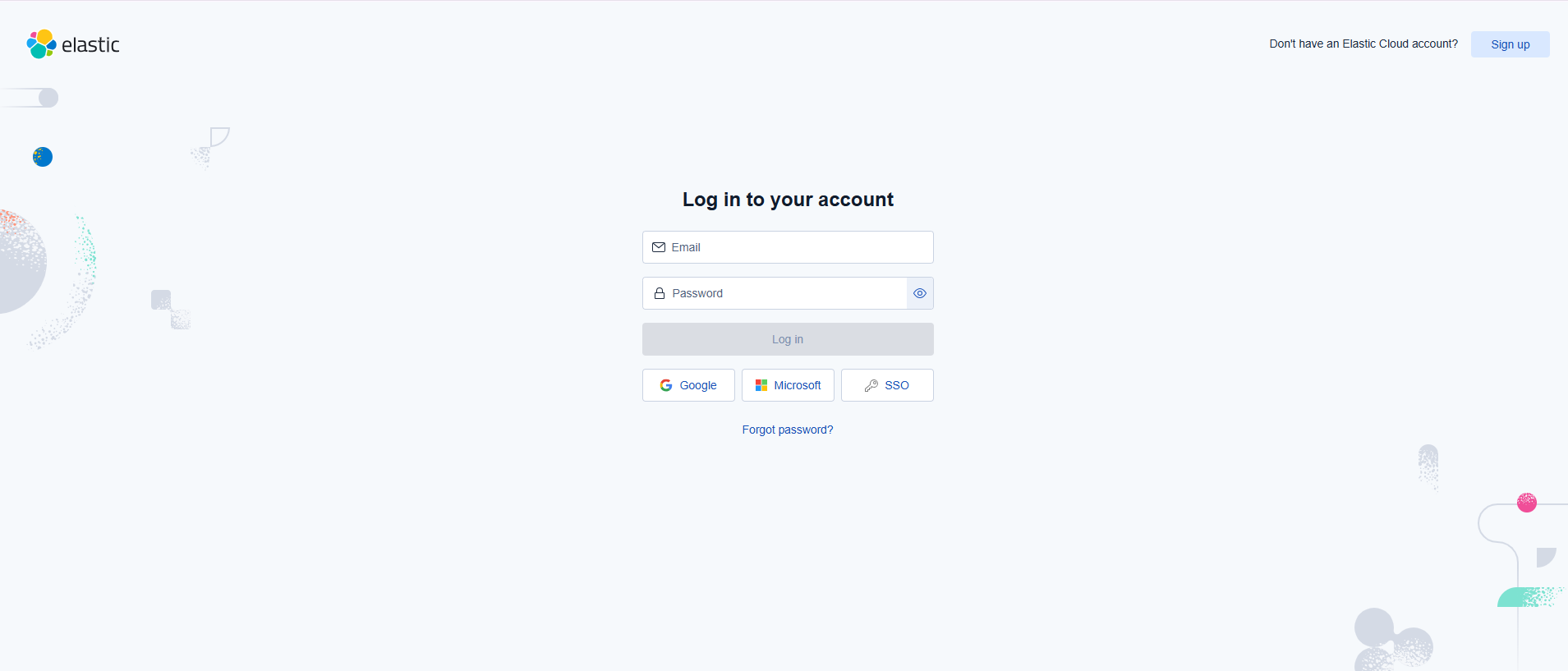
Step 2: Log in to your Elastic Cloud account
- Go to the Elastic Cloud login page.
- Enter your email and password credentials.
- You can also sign in using Google, Microsoft, or SSO if configured.
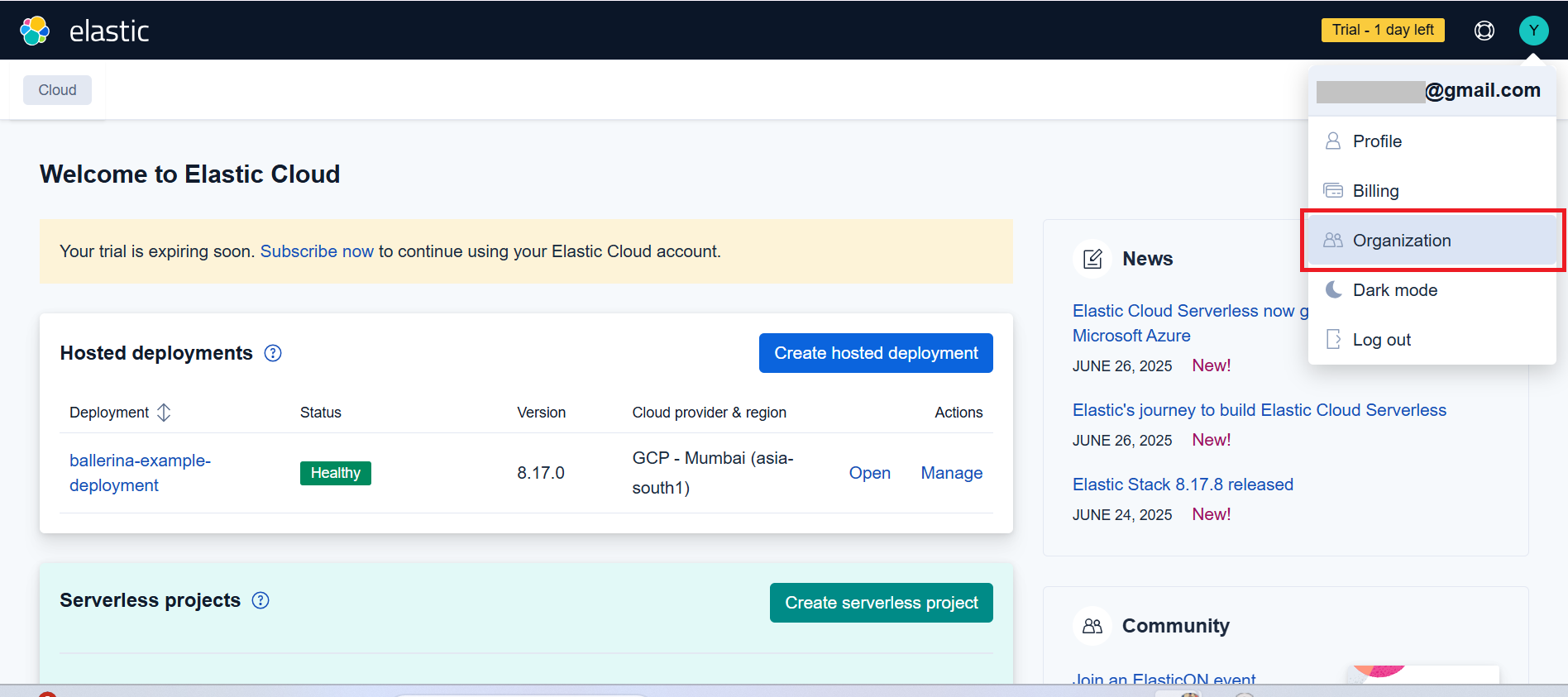
Step 3: Access the Elastic Cloud console
- After successful login, you will be redirected to the main dashboard.
- Here you can see your hosted deployments and manage serverless projects.
- The dashboard shows your deployment status, version, and available actions.
Step 3: Create an Elastic Cloud deployment
- Open the Elastic Cloud Console.
- Click on "Create deployment" to set up a new Elasticsearch cluster.
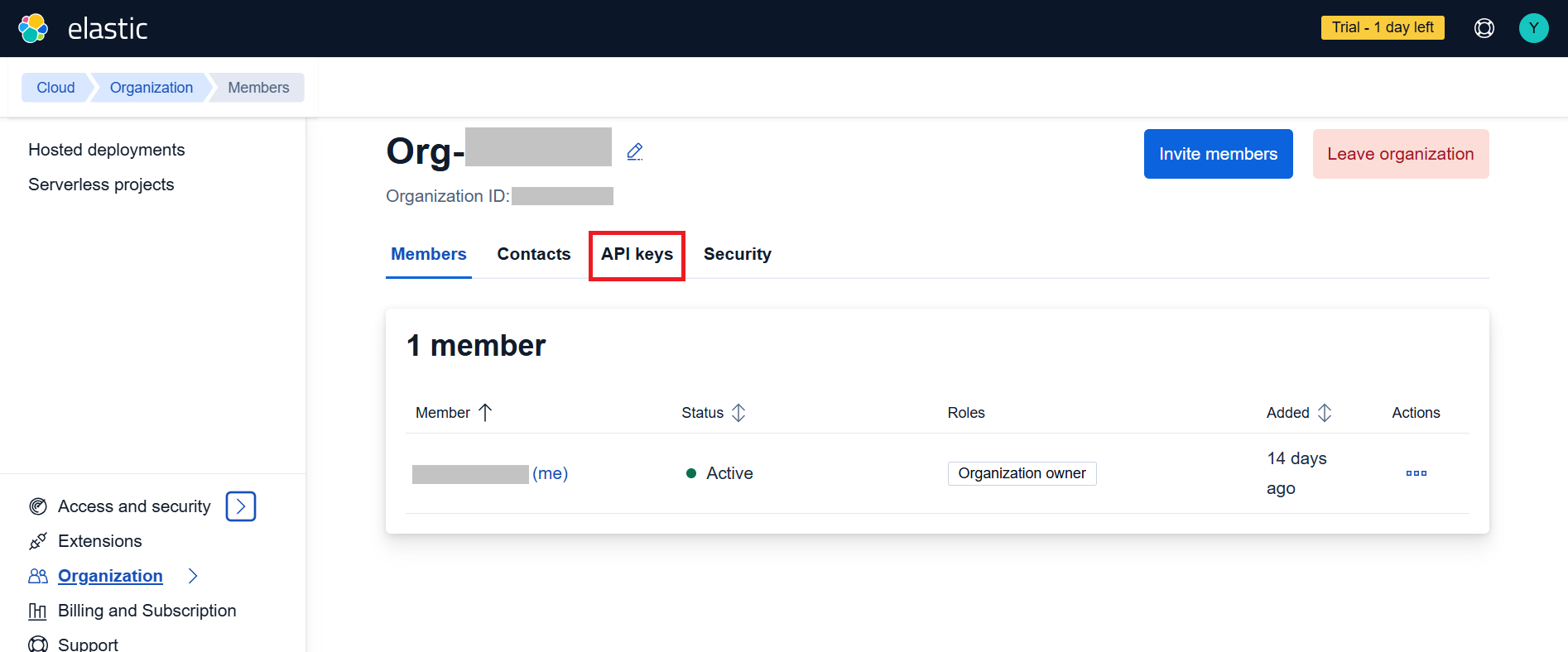
- Choose your deployment configuration:
- Select your cloud provider (AWS, Google Cloud, or Azure)
- Choose your region
- Configure your deployment size and features
- Click "Create deployment" and wait for it to be ready.
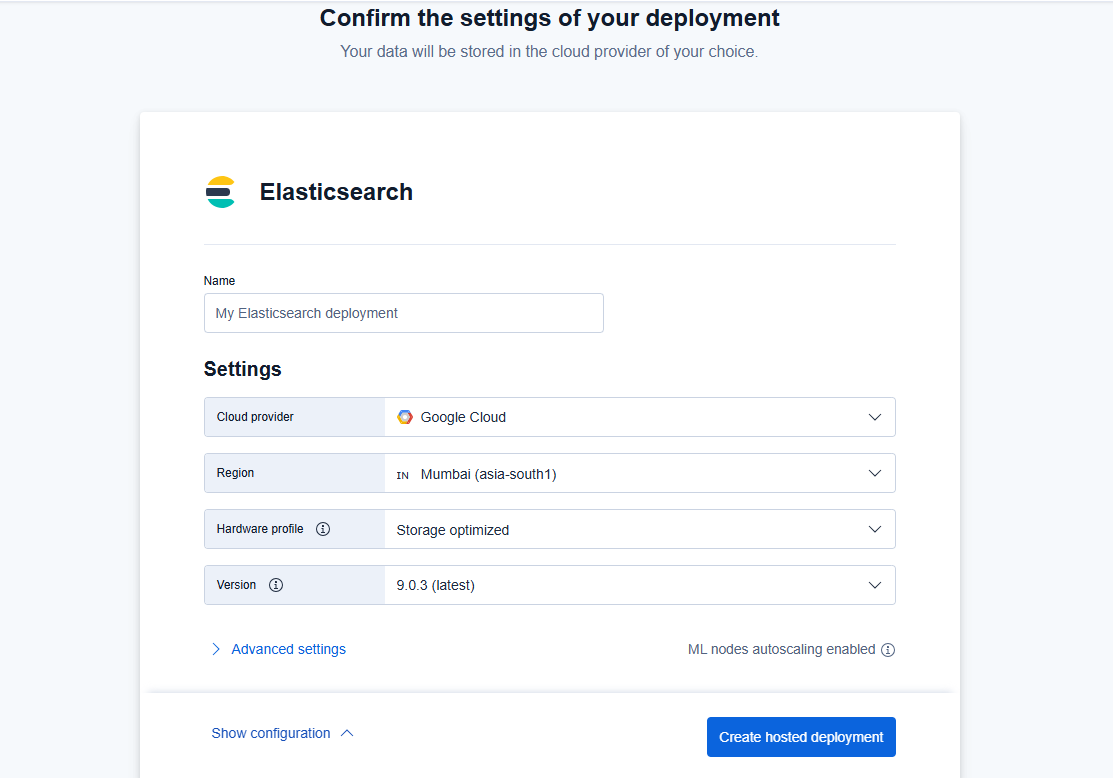
Step 4: Navigate to Organization settings
- From the dashboard, click on "Organization" in the top navigation.
- Go to the organization management page where you can manage members, contacts, API keys, and security settings.
- You will see your organization details including the Organization ID.
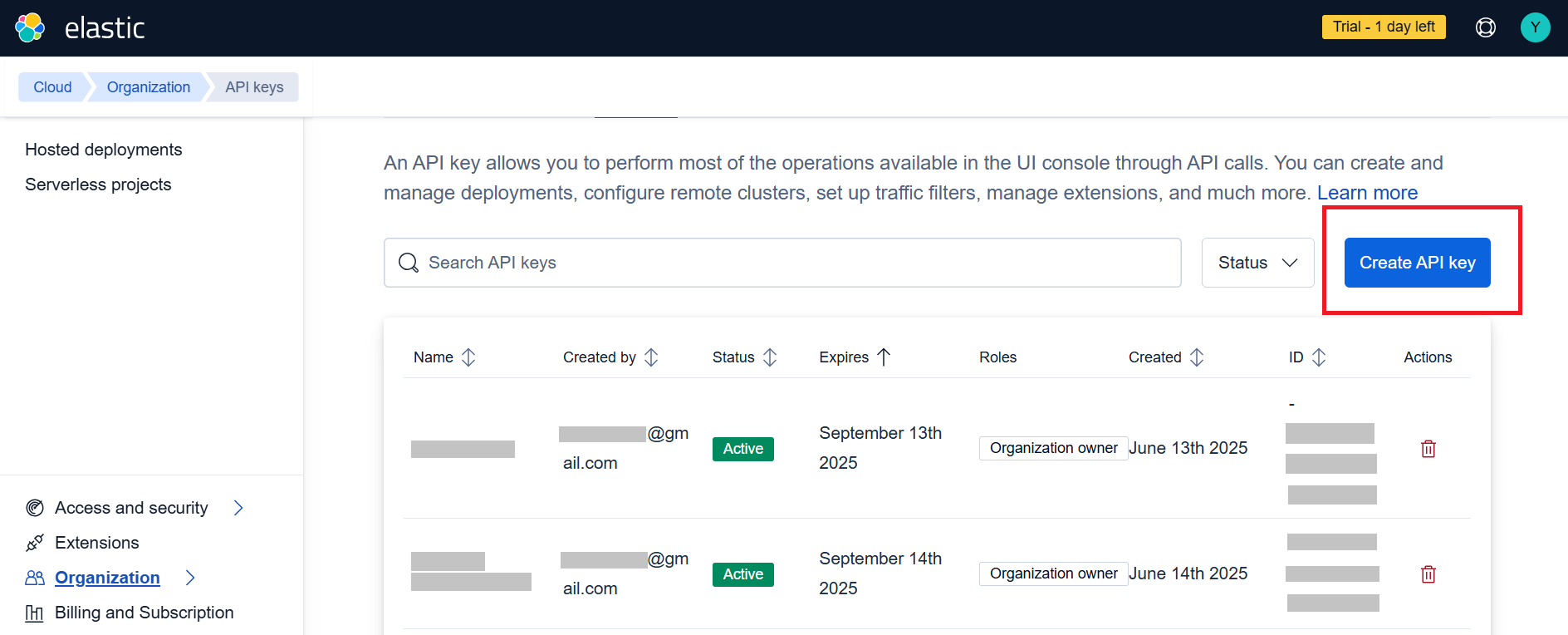
Step 5: Create API keys
- In the organization settings, click on the "API keys" tab.
- You will see a list of existing API keys and can create new ones.
- Click the "Create API key" button to generate new credentials.
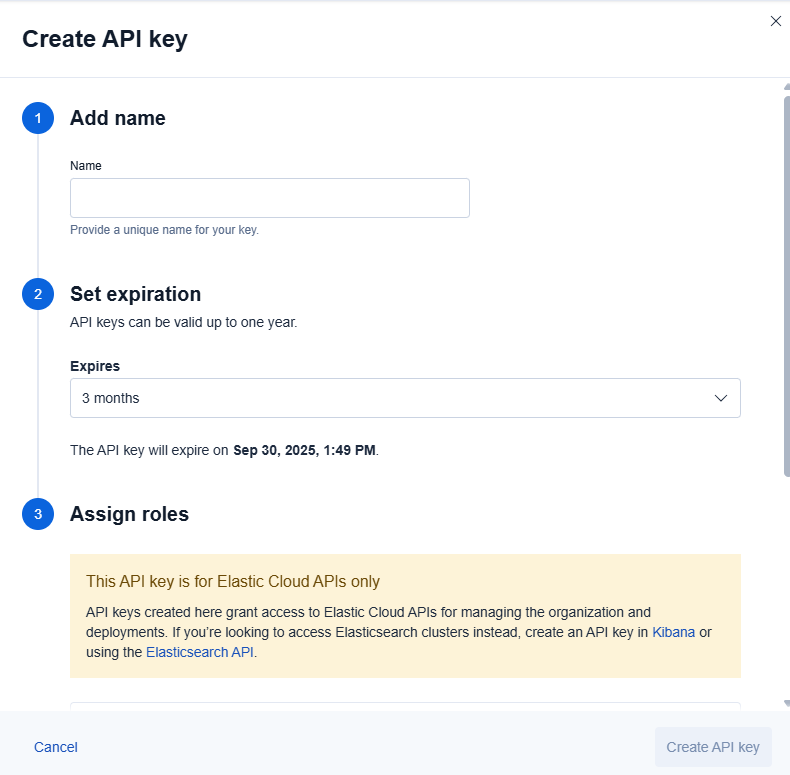
Step 6: Configure your API key
-
In the "Create API key" dialog, provide the following details:
- Add name: Enter a unique name for your API key (e.g., "Ballerina Connector")
- Set expiration: Choose an appropriate expiration period (3 months, 6 months, or 1 year)
- Assign roles: Select appropriate permissions for your use case
-
The API key is specifically for Elastic Cloud APIs and provides access to organization and deployment management.
-
Click "Create API key" to generate your credentials.
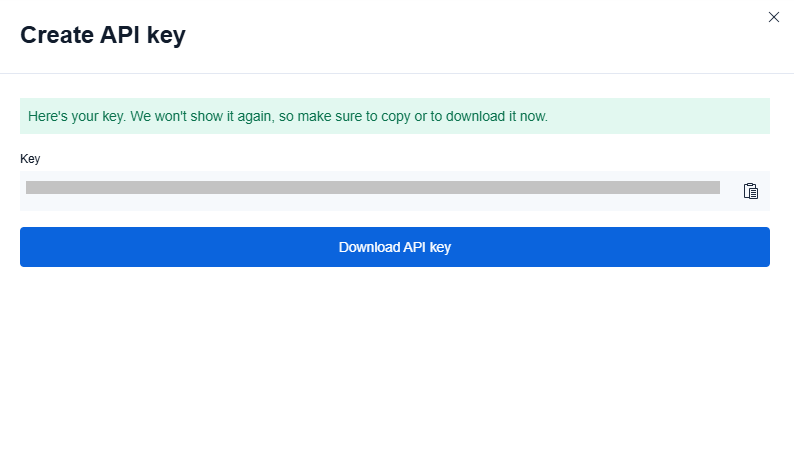
Important: Copy and securely store the generated API key as it won't be shown again.
Step 7: Set Environment variables or create Config.toml
You have an option for configuring your credentials securely:
Create Config.toml file
Create a Config.toml file in your project root directory with the following content:
# Elastic Cloud Configuration
apiKey = "<Your API Key>"
Note: Make sure to add
Config.tomlto your.gitignorefile to avoid committing sensitive credentials to version control.
Quickstart
To use the ballerinax/elastic.elasticcloud connector in your Ballerina application, update the .bal file as follows:
Step 1: Import the module
Import the elasticcloud module.
import ballerinax/elastic.elasticcloud;
Step 2: Instantiate a new connector
- Create a
Config.tomlfile and configure the obtained credentials in the above steps as follows:
apiKey = "<Your API Key>"
- Create an
elasticcloud:ApiKeysConfigwith the obtained API key and initialize the connector with it.
configurable string apiKey = ?;

final elasticcloud:Client elasticClient = check new({
    authorization: "ApiKey " + apiKey
});
Step 3: Invoke the connector operation
Now, utilize the available connector operations.
Create a deployment
public function main() returns error? {
    elasticcloud:DeploymentCreateRequest newDeploymentRequest = {
        name: "my-ballerina-deployment",
        region: "gcp-asia-south1",
        version: "8.17.0"
    };

    elasticcloud:CreateDeploymentQueries queries = {
        template_id: "gcp-general-purpose"
    };

    elasticcloud:DeploymentCreateResponse deployment = check elasticClient->/deployments.post(
        newDeploymentRequest,
        queries = queries
    );
}
Step 4: Run the Ballerina application
bal run
Examples
The Elasticcloud connector provides practical examples illustrating usage in various scenarios. Explore these examples, covering the following use cases:
-
Manage Deployment - Create, list, and manage Elasticsearch deployments in your organization.
-
API key Management - Create, list, and delete API keys for secure access to Elastic Cloud resources.
Build from the source
Setting up the prerequisites
-
Download and install Java SE Development Kit (JDK) version 21. You can download it from either of the following sources:
Note: After installation, remember to set the
JAVA_HOMEenvironment variable to the directory where JDK was installed. -
Download and install Ballerina Swan Lake.
-
Download and install Docker.
Note: Ensure that the Docker daemon is running before executing any tests.
-
Export Github Personal access token with read package permissions as follows,
export packageUser=<Username>
export packagePAT=<Personal access token>
Build options
Execute the commands below to build from the source.
-
To build the package:
./gradlew clean build -
To run the tests:
./gradlew clean test -
To build the without the tests:
./gradlew clean build -x test -
To run tests against different environments:
./gradlew clean test -Pgroups=<Comma separated groups/test cases> -
To debug the package with a remote debugger:
./gradlew clean build -Pdebug=<port> -
To debug with the Ballerina language:
./gradlew clean build -PbalJavaDebug=<port> -
Publish the generated artifacts to the local Ballerina Central repository:
./gradlew clean build -PpublishToLocalCentral=true -
Publish the generated artifacts to the Ballerina Central repository:
./gradlew clean build -PpublishToCentral=true
Contribute to Ballerina
As an open-source project, Ballerina welcomes contributions from the community.
For more information, go to the contribution guidelines.
Code of conduct
All the contributors are encouraged to read the Ballerina Code of Conduct.
Useful links
- For more information go to the
elasticsearchpackage. - For example demonstrations of the usage, go to Ballerina By Examples.
- Chat live with us via our Discord server.
- Post all technical questions on Stack Overflow with the #ballerina tag.