README.md
August 12, 2026 · View on GitHub
PyDevices Examples
See the portable PyDevices driver stack in action.
Documentation • PyScript gallery • Product packages • Screenshots
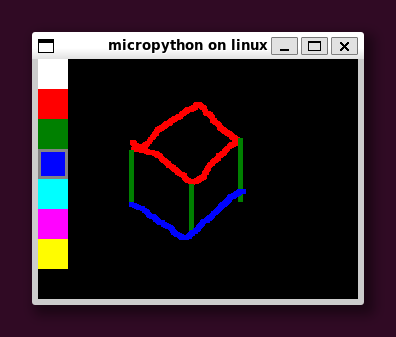 | 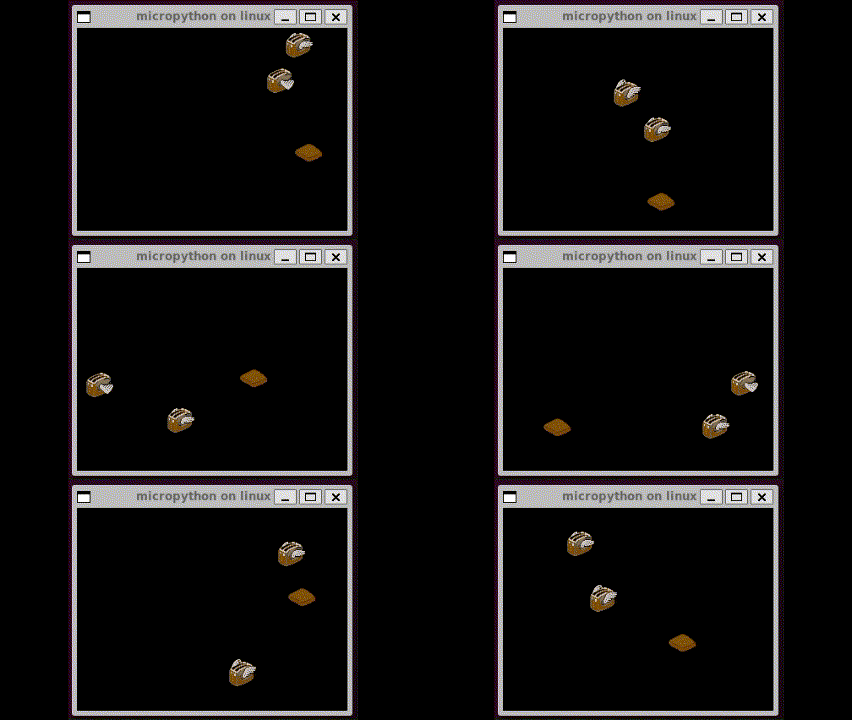 |
|---|---|
paint.py | tiny_toasters.py |
This repository is the examples, integration documentation, and browser gallery for the PyDevices driver ecosystem. The reusable product source lives in pydevices:
displaydevandaudiodevprovide portable display and audio interfaces.events,keys, andmultimerprovide shared event, key, and timing primitives.eventsysis an optional application traffic controller for non-LVGL apps.board_configs,board_peripherals, and hardware drivers connect those interfaces to real boards and desktop/browser hosts.
Those libraries are designed to work across MicroPython, CircuitPython, and CPython on microcontrollers, Linux, Windows, Android, browsers, and notebooks. This repo demonstrates that portability; it is not the package source of truth.
Alpha quality. The organization is being prepared for its first external users, so names and APIs may still evolve.
Try it
The fastest route is the installable PyScript gallery. It runs the real examples in a browser and can be installed as a Progressive Web App. Start a standalone browser app from the pydevices-pyscript-template, or use the PWA guide to understand and customize the full gallery shell.
For a desktop clone:
git clone https://github.com/PyDevices/pydevices-examples.git
cd pydevices-examples
python3 -m venv .venv
.venv/bin/pip install --index-url https://test.pypi.org/simple/ \
  --extra-index-url https://pypi.org/simple/ -r requirements.txt
cd lib
../.venv/bin/python examples/pydevices_demo.py
On Windows, use the equivalent .venv\Scripts\python.exe commands.
For MicroPython, install unprefixed MIP package names from the PyDevices micropython-lib index, then install a board package:
import mip

INDEX = "https://PyDevices.github.io/micropython-lib/mip/PyDevices"
mip.install("displaydev", index=INDEX)
mip.install("eventsys", index=INDEX)  # optional; used by these non-LVGL examples
See the pydevices install workflows and board configs for complete device setup.
Runtime ownership
Board configs describe hardware. They export neutral pieces such as
display_drv, touch_read, host_read, and timer_async; they do not create
an application runtime.
Non-LVGL examples in this repo opt into the optional eventsys coordinator:
from board_config import display_drv
from app_runtime import runtime

runtime.run_forever()
LVGL examples use the coordinator bundled with the LVGL binding and do not
import eventsys:
from board_config import display_drv
from display_driver import runtime

runtime.run_forever()
This separation keeps hardware policy out of board configs and lets applications provide a different event loop or traffic controller when appropriate.
Package names
Python distributions on TestPyPI use the organization prefix; imports and MIP packages remain conventional and unprefixed.
| TestPyPI distribution | Python import / MIP name |
|---|---|
pydevices-displaydev | displaydev |
pydevices-audiodev | audiodev |
pydevices-events | events |
pydevices-keys | keys |
pydevices-multimer | multimer |
pydevices-eventsys | eventsys |
pydevices-pygraphics | pygraphics |
pydevices-palettes | palettes |
pydevices-pdwidgets | pdwidgets |
pydevices-lvgl | lvgl |
Repository layout
| Path | Purpose |
|---|---|
lib/examples/ | Portable examples and complete demo applications |
lib/utils/ | Example helpers and third-party GUI adapters |
web/pyscript/ | PyScript gallery and reusable PWA shell |
docs/ | Integration, platform, example, and PWA documentation |
tools/ | Cross-runtime example and LVGL test harnesses |
packages/ | GitHub MIP manifests for examples and helpers |
Related repositories
- pydevices — canonical product source and publishing owner
- micropython-lib — PyDevices MIP index fork
- lvgl-bindings — shared LVGL binding and
display_driversource - lvgl-micropython, lvgl-circuitpython, and lvgl-python — runtime-specific LVGL distributions
- pygraphics, palettes, and pdwidgets — companion packages
- pydevices-android-template — Android application packaging
- pydevices-pyscript-template — standalone installable PyScript PWA starter
Development
.venv/bin/python -m unittest discover -s tests
.venv/bin/python -m pytest -s tests -q
.venv/bin/ruff check lib tests tools scripts
See AGENTS.md and tools/README.md for the cross-runtime example matrix. Contributions to reusable libraries and hardware support belong in pydevices; examples, integrations, and gallery work belong here.
License
MIT. See LICENSE.