acme-portal
August 29, 2025 · View on GitHub
Important: This extension is currently in alpha and primarily for demonstration purposes. APIs may still change frequently.
This project is a VSCode extension that allows users to manage deployments of their python projects. Data for the extension is provided via the open project using acme-portal-sdk. Sample project using it is available at acme-prefect.
For explanation of main concepts used by the extension view acme-portal-sdk docs
📚 Extension Documentation - Complete user guide, API reference, and contributing guidelines
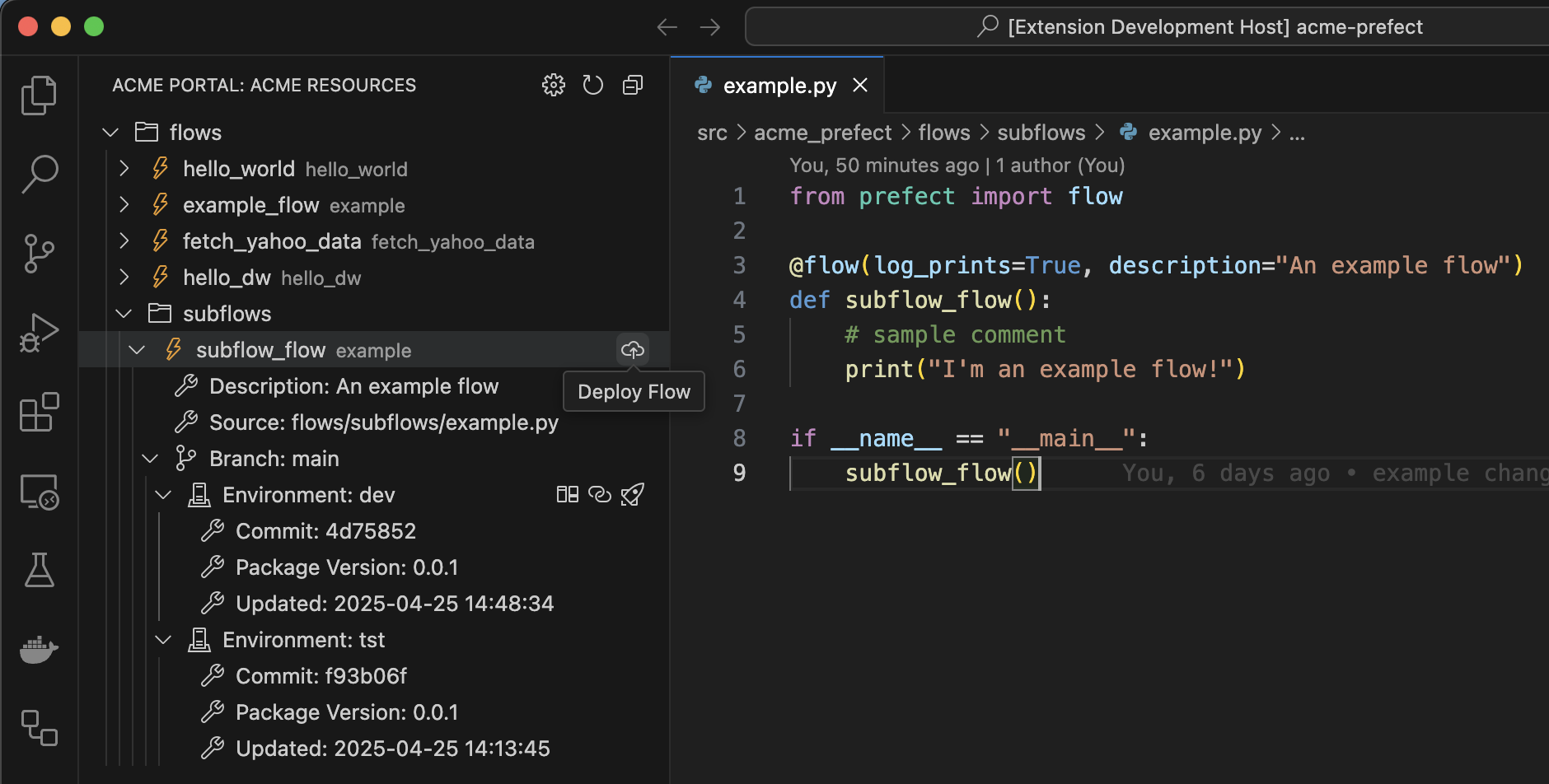
Features
- Show and navigate all
Flowsin a project - View existing
Flowdeployments across differentEnvironments(andbranches) - Navigate to deployment URL from deployment tree view
Deploya flow to a given starting environment, e.g.devPromotea deployment from a given environment to another environment- View source code differences between environments
- Progress Notifications: Real-time progress updates in the notification bar for all operations
Video Demonstration
Watch how to:
- Navigate Flows and View Deployments
- Deploy Flow Demonstration
- View Deployment
- Promote Deployment
- Compare Flow Deployment Versions
Requirements
- VSCode version 1.99.3 or higher
- Microsoft Python VSCode Extension needs to be installed
- Python environment used by your project needs to be selected with
Python: Select Interpretercommand - Project needs to add as dependency & setup
acme-portal-sdk gitCLI needs to be installed- Opened project needs to have remote source pointing to a
GitHubrepository (Other repos to be supported)
Development
For detailed development setup, contribution guidelines, and release process, see CONTRIBUTING.md.
Following extension guidelines
Ensure that you've read through the extensions guidelines and follow the best practices for creating your extension.