Hue Watchdog
November 19, 2016 · View on GitHub
What's this?
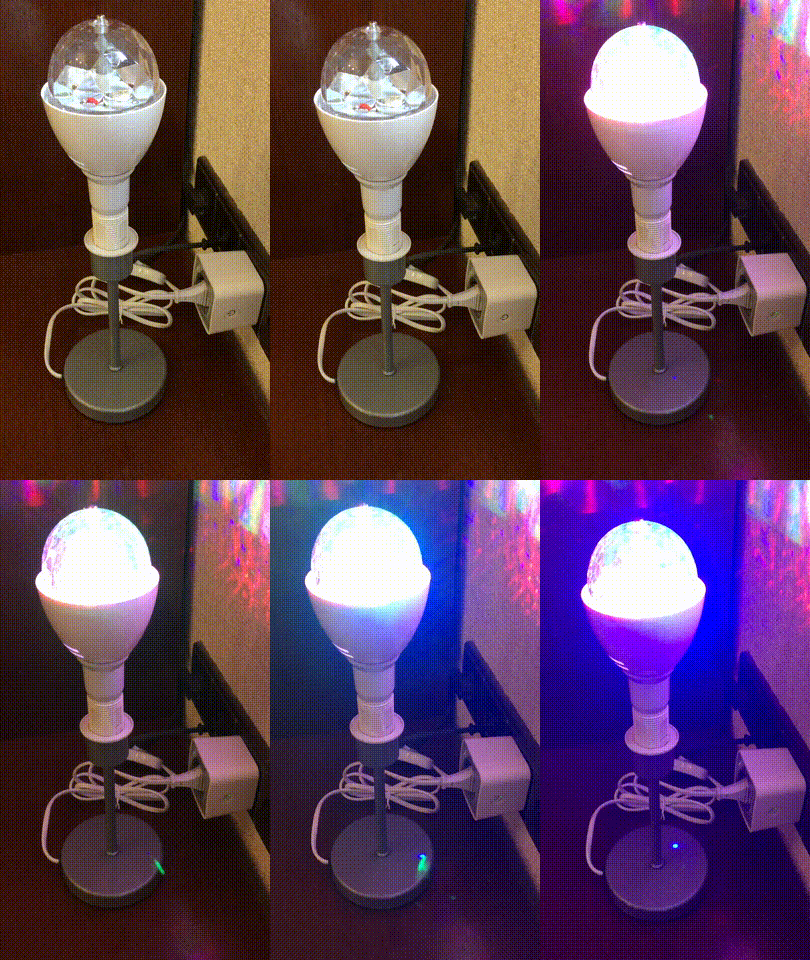
If you want to have a very visible alarm telling you when your website or your internet connection goes down, this is for you.
What Do I Need?
Hopefully you'll already have a few of these, but here's everything:
- One of those fancy spinning disco light bulbs (~10EUR)
- Cheap desk lamp (~5EUR)
- OSRAM LIGHTIFY Plug, ZigBee controllable power outlet (~25EUR)
- Philips Hue Bridge (~50EUR)
- Always-on computer with bash, wget & curl, Raspberry Pi will do (~25-50EUR)
Code
Everything is done by a simple shell script. Here it checks google.com to see if we're connected to the internet, turns on the alarm otherwise.
#!/bin/bash

LIGHT="http://philips-hue/api/fBnjBgjeNaNvWcWHdKWuXynN2iC2dmBMLTJGDeOz/lights/41/state"

while :
do
    wget -q --timeout=5 --spider http://www.google.com
    if [ $? -eq 0 ]; then
        # echo "Online"
        curl --request PUT --data '{ "on" : false }' $LIGHT
    else
        # echo "Offline"
        curl --request PUT --data '{ "on" : true }' $LIGHT
    fi
    sleep 30
done
You'll have to replace the whitelisted user ID and the light ID in the LIGHT string above. If you don't know how to do that, read the Getting Started section of the Hue API documentation (registration required).
Now it would be a good idea to run this script as a daemon, make sure it's always running. I use daemontools, also see this great tutorial.
Legal
This program is published under the MIT License.
Author
Developed by Tim C. Schroeder, visit my website to learn more.