React-Native List Popover
January 15, 2018 · View on GitHub
Popover is a great way to show a list of items for users to choose from. With
The main properties to send from the parent component:
listlist of items to choose fromisVisibleindicator that makes the popover visible or notonClickcallback function that takes anitemparameter to handle the click operationonClosecallback function to set the isVisible to false to close the popover
Screenshots
| Before | List Popover | Selected |
|---|---|---|
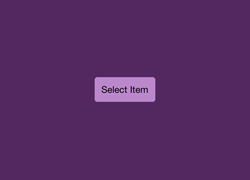 | 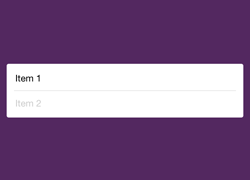 | 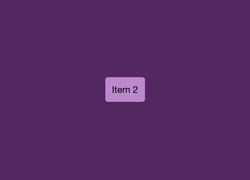 |
Usage
import React from 'react';
import {StyleSheet, Text, View, TouchableHighlight} from 'react-native';
import ListPopover from 'react-native-list-popover';

const items = ['Item 1', 'Item 2'];

export default class App extends React.Component {
  constructor(props) {
    super(props);
    this.state = {
      isVisible: false
    };
  }

  render() {
    return (
      <View style={styles.container}>
        <TouchableHighlight
          style={styles.button}
          onPress={() => this.setState({isVisible: true})}>
          <Text>{this.state.item || 'Select'}</Text>
        </TouchableHighlight>
        <ListPopover
          list={items}
          isVisible={this.state.isVisible}
          onClick={(item) => this.setState({item: item})}
          onClose={() => this.setState({isVisible: false})}/>
      </View>
    );
  }
}

const styles = StyleSheet.create({
  container: {
    flex: 1,
    alignItems: 'center',
    backgroundColor: '#532860',
    justifyContent: 'center',
  },
  button: {
    backgroundColor: '#b8c',
    borderRadius: 4,
    marginLeft: 10,
    marginRight: 10,
    padding: 10,
  },
});