README.md
June 30, 2026 · View on GitHub

 Catppuccin for Vim



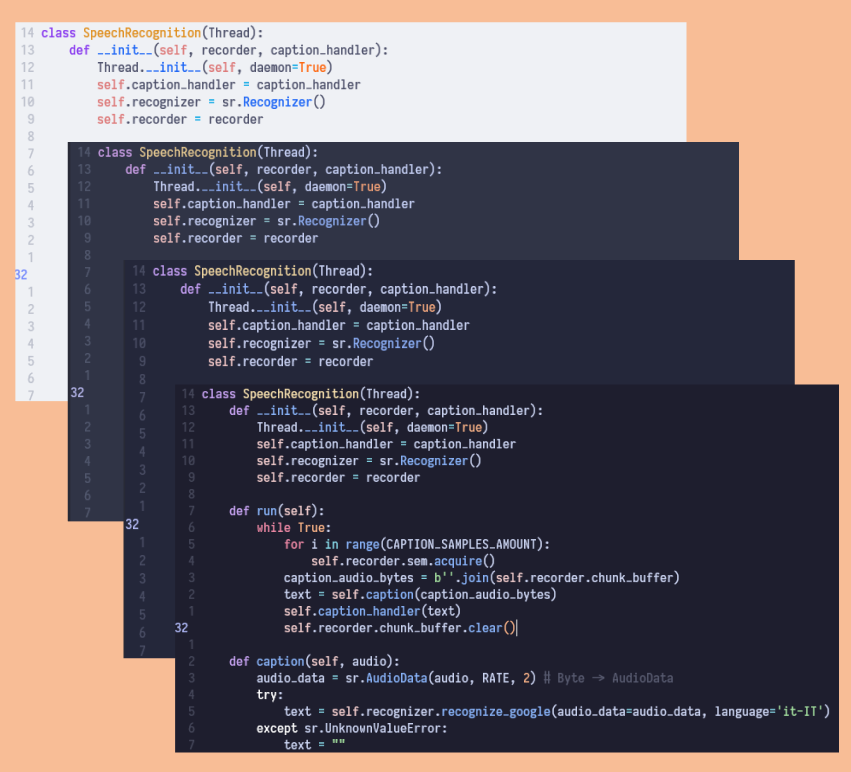
✨ Integrations
Usage
Note
To get the expected visuals, you need to insert set termguicolors within your .vimrc file.
For the best VertSplit appearance, patch-9.2.349 is required.
Vim 8+ Packages
If you have Vim version 8 or later, you can use its provided package manager. Just run the following command and then start vim:
git clone https://github.com/catppuccin/vim.git ~/.vim/pack/vendor/start/catppuccin
Manually
- Clone this repository
- Put the
colorsfolder inside your.vim(or if thecolorsfolder already exists, move all the catppuccin palettes inside it) - When Vim is running use
:colorscheme catppuccin_followed by the flavor name (e.g.:colorscheme catppuccin_mocha)
Vim-Plug
Plug 'catppuccin/vim', { 'as': 'catppuccin', 'branch': 'main' }
✨ Integrations setup
lightline
- Download the plugin via your plugin manager or manually
- Set the colorscheme by inserting the following line in your
.vimrc:
let g:lightline = {'colorscheme': 'catppuccin_mocha'}
- Now that lightline is good to go, you can use
set noshowmodeto hide the default mode showcase since now it will be displayed in the plugin
airline
Airline should automatically choose the correct theme.
If it does not you can force it by inserting the following line in your .vimrc:
let g:airline_theme = 'catppuccin_mocha'
🙋 FAQ
-
Q: "Why can't I see all the color groups correctly?"
A: For better syntax highlighting you should download plugins that allow you to see all color groups for each language in question.
Contributing
This color plugin is developed with lifepillar/vim-colortemplate.
💝 Thanks to

Copyright © 2021-present Catppuccin Org
