🌙 Quiet Night Theme
June 16, 2025 · View on GitHub
A calm, minimalistic dark theme with carefully tuned contrast and soft colors — designed for late-night focused coding.
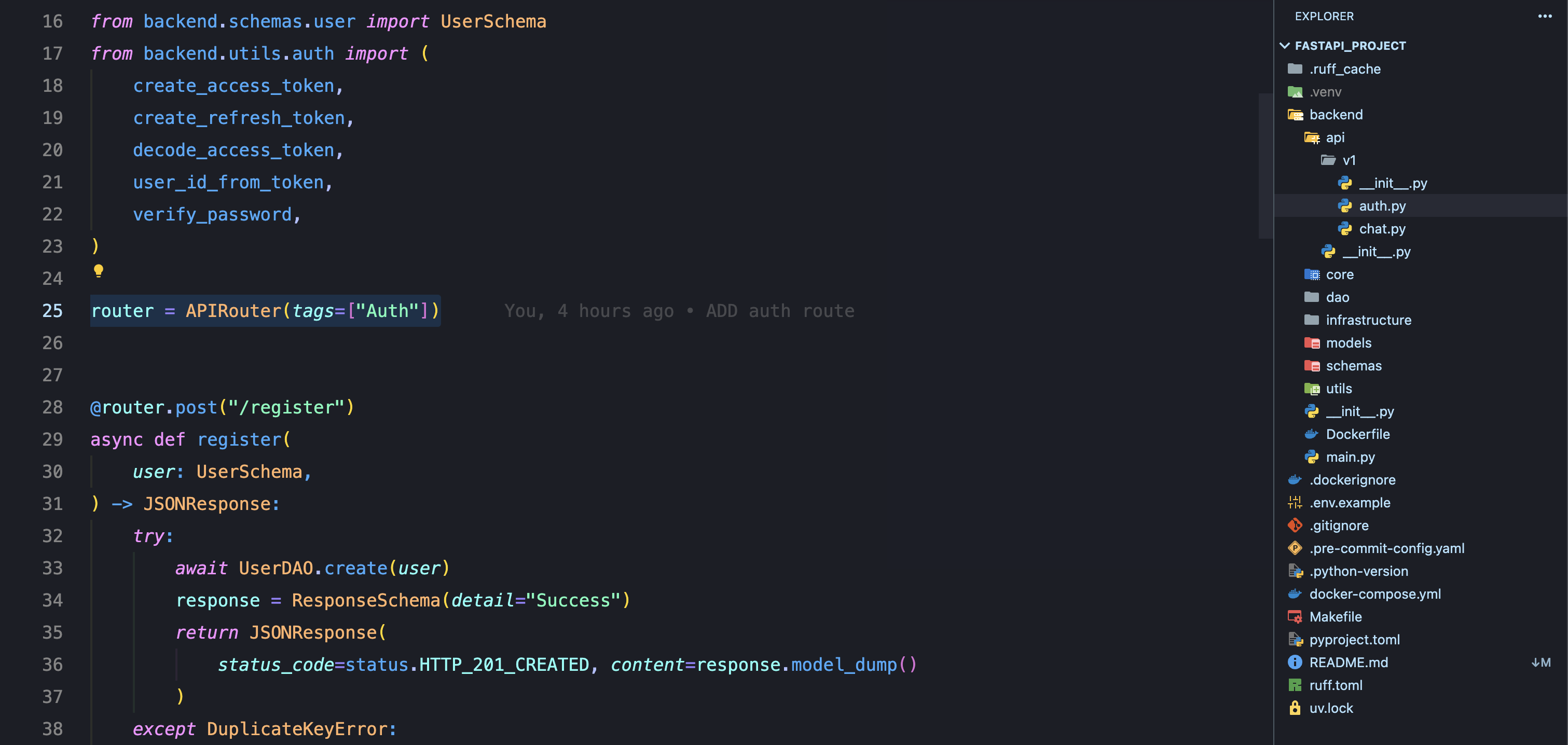
✨ Features
- 🌓 Soothing dark background
- 🎨 Harmonized syntax colors for JS/TS, Python, Go, Rust, HTML, CSS, etc.
- 💡 Optimized for low eye strain
- 🧪 Tested on common VS Code extensions
- 🔠 Font-friendly (works great with JetBrains Mono, Fira Code, etc.)
📦 Installation
- Open Extensions in VS Code (
Ctrl+Shift+X) - Search for:
Quiet Night Theme - Click Install
- Open the Command Palette (
Ctrl+Shift+P) → type:
Color Theme→ choose:Quiet Night Theme
🧪 Recommended Settings
{
  "editor.fontFamily": "Fira Code, JetBrains Mono, monospace",
  "editor.fontLigatures": true,
  "editor.cursorSmoothCaretAnimation": true,
  "editor.bracketPairColorization.enabled": false,
  "workbench.colorTheme": "Quiet Night"
}