My Claude Code Setup
May 4, 2026 · View on GitHub


May 4, 2026 — CLAUDE.md template updated. The
CLAUDE.mdtemplate has been modernized with 3 new variants (CLAUDE-template-1.md,CLAUDE-template-2.md,CLAUDE-template-3.md) following official Anthropic best practices — including dual-memory architecture, progressive disclosure, and standalone behavioral rules. Existing users: useCLAUDE-migrate-to-new-template.mdas an AI prompt to migrate your current CLAUDE.md to any of the new templates while preserving all your project-specific content. See Choosing a CLAUDE.md Template for details.
- Threads - https://www.threads.com/@george_sl_liu
- BlueSky - https://bsky.app/profile/georgesl.bsky.social
My Claude Code Setup
What This Repository Provides
- Starter Settings for Claude Code projects with optimized configurations
- Memory Bank System for context retention across chat sessions
- Pre-configured Hooks, Skills, and Subagents for enhanced productivity
- MCP Server Recommendations for extending Claude Code capabilities
Quick Navigation
| What do you want to do? | Jump to |
|---|---|
| Install & get started | Getting Started |
| Set up persistent memory | Memory Bank System |
| Add plugins to Claude Code | Plugins |
| Connect external tools | MCP Servers |
| Run parallel AI sessions | Git Worktrees |
| Customize Claude's behavior | Customization |
| Use Z.AI for higher quotas | Z.AI Integration |
| Monitor costs and usage | Costs & Usage |
| Look up settings/config | Configuration Reference |
Getting Started
Prerequisites
| Requirement | Notes |
|---|---|
| Claude AI Account | Pro ($20/mo), Max ($100/mo), or Max ($200/mo) |
| Node.js 18+ | Runtime environment |
| Git | Version control |
| ripgrep, fd, jq | Fast tools (macOS: brew install ripgrep fd jq) |
Installation Options
Choose the approach that works best for you:
Option A: Clone Entire Repository (New Projects)
# 1. Clone this repository as your new project
git clone https://github.com/centminmod/my-claude-code-setup.git my-project
cd my-project

# 2. Remove template README files (create your own)
rm README.md README-v2.md README-v3.md README-v4.md

# 3. Reinitialize git for your own project (optional)
rm -rf .git
git init

# 4. Launch Claude Code and initialize
claude
# Then run: /init
Option B: Selective Copy (Existing Projects)
Copy only what you need into your existing project:
# Core files (recommended)
cp /path/to/my-claude-code-setup/CLAUDE.md your-project/
cp -r /path/to/my-claude-code-setup/.claude your-project/

# Or pick specific components:
cp -r /path/to/my-claude-code-setup/.claude/commands your-project/.claude/
cp -r /path/to/my-claude-code-setup/.claude/skills your-project/.claude/
cp -r /path/to/my-claude-code-setup/.claude/agents your-project/.claude/
cp -r /path/to/my-claude-code-setup/.claude/hooks your-project/.claude/
Option C: Download from GitHub
Browse the repository and download individual files:
CLAUDE.md- Memory bank main file (uses Template 3 format)CLAUDE-template-1.md- Compact self-contained templateCLAUDE-template-2.md- Memory bank system templateCLAUDE-template-3.md- Progressive disclosure templateCLAUDE-migrate-to-new-template.md- Template migration guide.claude/settings.json- Settings template.claude/rules/core-rules.md- Behavioral rules (required by Template 3).claude/commands/- Slash commands.claude/skills/- Skills.claude/agents/- Subagents
What Happens Next?
- Claude Code analyzes your codebase
- Memory bank files are populated based on your project
- You're ready to start coding with persistent context!
Optional Enhancements
- VS Code Integration: Install Claude Code Extension
- GitHub Setup: Configure Git for VS Code (guide)
- Dev Container: Use the isolated dev environment for YOLO mode
- Platform Docs: Add
CLAUDE-cloudflare.mdfor Cloudflare/ClerkOS orCLAUDE-convex.mdfor Convex
Learning Resources
- Advent of Claude: 31 Days by Ado Kukic (Anthropic)
- Claude Code with Opus 4.5 by Alex Finn
- Claude Code Overview by Matt Maher
I want to set up the memory bank system
What is Memory Bank?
The Memory Bank System helps Claude Code remember context across chat sessions. Instead of starting fresh each time, Claude reads structured markdown files to understand your project's patterns, decisions, and current state.
Core Context Files
| File | What it stores |
|---|---|
CLAUDE.md | Main entry point with project overview and AI guidance |
CLAUDE-activeContext.md | Current session state, goals, and progress |
CLAUDE-patterns.md | Established code patterns and conventions |
CLAUDE-decisions.md | Architecture decisions and rationale (ADRs) |
CLAUDE-troubleshooting.md | Common issues and proven solutions |
CLAUDE-config-variables.md | Configuration variables reference |
CLAUDE-temp.md | Temporary scratch pad (only read when referenced) |
Token-Free Notes
HTML comments (<!-- -->) in CLAUDE.md are stripped from context at runtime and cost zero tokens. The templates use them for guidance notes — you can add your own without impacting Claude's context window.
Initial Setup
- Copy template files from this repository to your project root
- Run
/initin Claude Code - Claude analyzes your codebase and populates the memory bank
Updating Memory Bank
After completing significant work:
update memory bank
Claude Code will update all relevant CLAUDE-*.md files with your latest changes.
Example Output
> update memory bank

∴ Thinking…
  I'll update the memory bank files to reflect the v0.1.6 changes...

⏺ Summary: v0.1.6 Release Complete ✅

  Memory Bank Updates Complete:
  - CLAUDE-activeContext.md - v0.1.6 session context
  - CLAUDE-patterns.md - Added patterns 22-24
  - CLAUDE-decisions.md - Added ADR-017 & ADR-018
  - CLAUDE-troubleshooting.md - Added 4 new issue/fix entries

  Test Results: All 29 tests passing
See also: Customization for creating custom subagents that sync memory bank with code
Choosing a CLAUDE.md Template
This repo provides 3 modernized templates following official Anthropic best practices:
| Template | Lines | Best For |
|---|---|---|
CLAUDE-template-1.md | ~101 | Quick starts — compact, self-contained, all rules inline |
CLAUDE-template-2.md | ~153 | Existing memory bank users — full workflow, dual-memory comparison |
CLAUDE-template-3.md | ~105 | Teams — progressive disclosure, rules externalized to .claude/rules/ |
All templates include dual-memory architecture and progressive disclosure. The current CLAUDE.md uses Template 3 format.
Already have a CLAUDE.md? Use CLAUDE-migrate-to-new-template.md as a prompt — Claude Code will migrate your existing content to your chosen template while preserving all project-specific information.
I want to extend Claude Code with plugins
Official Anthropic Marketplace
Browse plugins at the official marketplace.
# Install a plugin
/plugin install plugin-name@claude-plugins-official

# Update marketplace
/plugin marketplace update claude-plugins-official
Recommended Plugins
| Plugin | What it does | Install |
|---|---|---|
| code-simplifier | Simplifies code for clarity and maintainability | /plugin install code-simplifier |
| frontend-design | Creates production-grade frontend interfaces | /plugin install frontend-design@claude-code-plugins |
| feature-dev | 7-phase approach to building features | /plugin install feature-dev@claude-code-plugins |
| ralph-wiggum | Iterative AI loops for development | /plugin install ralph-wiggum@claude-code-plugins |
Note: Ralph Wiggum has issues on some systems (#16398, #16389). Usage video
Third-Party Plugins
Safety Net - Catches destructive commands before execution:
/plugin marketplace add kenryu42/cc-marketplace
/plugin install safety-net@cc-marketplace
Z.AI Usage Query - Query Z.AI usage statistics:
/plugin marketplace add zai/zai-coding-plugins
/plugin install glm-plan-usage@zai-coding-plugins
Cloudflare Skills - Cloudflare platform development (Workers, Agents SDK):
/plugin marketplace add cloudflare/skills
See also: MCP Servers for connecting external tools
I want to connect external tools (MCP)
What is MCP?
MCP (Model Context Protocol) servers extend Claude Code by connecting to external tools, documentation, and services.
Recommended MCP Servers
| Server | What it does | Install |
|---|---|---|
| Context7 | Look up docs for any library | claude mcp add --transport http context7 https://mcp.context7.com/mcp --header "CONTEXT7_API_KEY: YOUR_KEY" -s user |
| Cloudflare Docs | Cloudflare documentation | claude mcp add --transport sse cf-docs https://docs.mcp.cloudflare.com/sse -s user |
| Usage Metrics | Track Claude Code costs | claude mcp add --transport stdio metrics -s user -- uv run --directory /path/to/mcp-server metrics-server |
| Gemini CLI | Access Gemini models | claude mcp add gemini-cli /path/to/.venv/bin/python /path/to/mcp_server.py -s user -e GEMINI_API_KEY='KEY' |
| Notion | Notion workspace integration | See below |
Installing Notion MCP
claude mcp add-json notionApi '{"type":"stdio","command":"npx","args":["-y","@notionhq/notion-mcp-server"],"env":{"OPENAPI_MCP_HEADERS":"{\"Authorization\": \"Bearer ntn_API_KEY\", \"Notion-Version\": \"2022-06-28\"}"}}' -s user
Chrome DevTools MCP (On-Demand)
Due to ~17K token overhead, install only when needed:
claude --mcp-config .claude/mcp/chrome-devtools.json
Create .claude/mcp/chrome-devtools.json:
{
  "mcpServers": {
    "chrome-devtools": {
      "command": "npx",
      "args": ["-y", "chrome-devtools-mcp@latest"]
    }
  }
}
Verify Installation
claude mcp list
# context7: ✓ Connected
# cf-docs: ✓ Connected
# metrics: ✓ Connected
Example: Cost Tracking
The get_current_cost tool returns:
{
  "metric": "Total Cost Today",
  "formatted": "\$27.15",
  "unit": "currencyUSD"
}
See also: Plugins for the official plugin system
I want to run parallel AI coding sessions
Why Git Worktrees?
Git worktrees let you run multiple Claude Code sessions with complete code isolation. Each worktree has its own working directory while sharing Git history.
Benefits:
- Run parallel AI sessions simultaneously
- Each worktree has independent file state
- Changes won't interfere between sessions
- Perfect for experimental features or YOLO mode
Setup Shell Functions
macOS / Linux - Add to ~/.bashrc or ~/.zshrc:
# Claude Code worktree launcher
clx() {
    local branch_name
    if [ -z "\$1" ]; then
        branch_name="worktree-$(date +%Y%m%d-%H%M%S)"
    else
        branch_name="\$1"
    fi
    git worktree add "../$branch_name" -b "$branch_name" && \
    cd "../$branch_name" || return 1
    claude --model opusplan --permission-mode plan
}

# Codex CLI worktree launcher
cx() {
    local branch_name
    if [ -z "\$1" ]; then
        branch_name="worktree-$(date +%Y%m%d-%H%M%S)"
    else
        branch_name="\$1"
    fi
    git worktree add "../$branch_name" -b "$branch_name" && \
    cd "../$branch_name" || return 1
    codex -m gpt-5-codex --config model_reasoning_effort='xhigh'
}
Reload: source ~/.bashrc or source ~/.zshrc
Windows PowerShell
Add to PowerShell profile (notepad $PROFILE):
function clx {
    param([string]$BranchName)
    if (-not $BranchName) {
        $BranchName = "worktree-$(Get-Date -Format 'yyyyMMdd-HHmmss')"
    }
    git worktree add "../$BranchName" -b $BranchName
    if ($LASTEXITCODE -eq 0) {
        Set-Location "../$BranchName"
        claude --model opusplan --permission-mode plan
    }
}

function cx {
    param([string]$BranchName)
    if (-not $BranchName) {
        $BranchName = "worktree-$(Get-Date -Format 'yyyyMMdd-HHmmss')"
    }
    git worktree add "../$BranchName" -b $BranchName
    if ($LASTEXITCODE -eq 0) {
        Set-Location "../$BranchName"
        codex -m gpt-5-codex --config model_reasoning_effort='xhigh'
    }
}
Reload: . $PROFILE
Windows CMD Batch
Create clx.bat in a PATH directory:
@echo off
setlocal enabledelayedexpansion
if "%~1"=="" (
    for /f "tokens=2 delims==" %%I in ('wmic os get localdatetime /value') do set datetime=%%I
    set branch_name=worktree-!datetime:~0,8!-!datetime:~8,6!
) else (
    set branch_name=%~1
)
git worktree add "../%branch_name%" -b "%branch_name%"
if %errorlevel% equ 0 (
    cd "../%branch_name%"
    claude --model opusplan --permission-mode plan
)
endlocal
Create cx.bat similarly for Codex CLI.
Usage
# Named worktree
clx feature-auth
cx bugfix-123

# Auto-generated timestamp name
clx
cx
Managing Worktrees
git worktree list          # List all worktrees
git worktree remove ../name # Remove a worktree
git worktree prune         # Clean up stale references
Environment Setup
Each worktree needs its own dependencies:
- Node.js:
npm installoryarn - Python:
pip install -r requirements.txt
The .worktreeinclude File
Specify which .gitignored files to copy to new worktrees:
# Environment files
.env
.env.local
.env.*

# Claude Code local settings
**/.claude/settings.local.json
Claude Desktop Worktree Location
- Default:
~/.claude-worktrees - Configurable in Claude Desktop settings
- Repository must be Git initialized
Local Ignores Without .gitignore
Use .git/info/exclude for local-only ignores:
.idea/
my-local-scripts/
| File | Scope | Shared |
|---|---|---|
.gitignore | Team | Yes |
.git/info/exclude | Local | No |
~/.config/git/ignore | Global | No |
See also: Z.AI + Worktrees for combining Z.AI with worktrees
I want to customize Claude's behavior
Custom Slash Commands
/anthropic Commands
| Command | What it does |
|---|---|
/apply-thinking-to | Enhances prompts with Anthropic's extended thinking patterns |
/convert-to-todowrite-tasklist-prompt | Converts prompts to parallel task execution (60-70% faster) |
/update-memory-bank | Updates CLAUDE.md and memory bank files |
/ccusage Commands
| Command | What it does |
|---|---|
/ccusage-daily | Comprehensive usage cost analysis with daily breakdowns |
/cleanup Commands
| Command | What it does |
|---|---|
/cleanup-context | Memory bank optimization (15-25% token reduction) |
/documentation Commands
| Command | What it does |
|---|---|
/create-readme-section | Generates README sections with professional formatting |
/create-release-note | Creates dual release notes (customer-facing + technical) |
/security Commands
| Command | What it does |
|---|---|
/security-audit | OWASP-based security audit |
/check-best-practices | Language-specific best practices analysis |
/secure-prompts | Detects prompt injection attacks |
Test prompts available at .claude/commands/security/test-examples/
/architecture Commands
| Command | What it does |
|---|---|
/explain-architecture-pattern | Identifies and explains architectural patterns |
/promptengineering Commands
| Command | What it does |
|---|---|
/convert-to-test-driven-prompt | Transforms requests into TDD-style prompts |
/batch-operations-prompt | Optimizes for parallel file operations |
/refactor Commands
| Command | What it does |
|---|---|
/refactor-code | Creates detailed refactoring plans with risk assessment |
Custom Skills
Skills provide specialized capabilities. See official docs.
| Skill | What it does |
|---|---|
| claude-code-guide (built-in) | Natively built-in subagent for Claude Code CLI features, hooks, MCP servers, settings, Agent SDK, and API usage |
| consult-zai | Dual-AI consultation comparing z.ai GLM 4.7 and code-searcher responses |
| consult-codex | Dual-AI consultation comparing Codex GPT-5.2 and code-searcher responses |
| ai-image-creator | Generate PNG images using AI (Gemini, FLUX.2, Riverflow, SeedDream, GPT-5, GPT-5.4 Image 2) with configurable aspect ratios and resolutions. Supports transparent backgrounds (-t), reference image editing (-r), image analysis/description (--analyze), cost tracking (--costs), prompt enhancement patterns, and composite banner generation for multi-size logo banners. Requires setup |
| session-metrics | Parse Claude Code JSONL logs into per-turn token/cost/cache breakdowns. Multi-format export (text/JSON/CSV/MD/HTML), 5-hour session blocks with 7/14/30-day counters, weekly roll-up with percentage deltas, session duration + burn rate, hour-of-day + weekday punchcard, and pluggable chart libraries via --chart-lib {highcharts,uplot,chartjs,none}. Instance-wide dashboard (--all-projects, v1.14.0+) aggregates every project under ~/.claude/projects/ with per-project HTML drilldowns. Stdlib-only Python, zero network at runtime. Also installable via /plugin install session-metrics@centminmod. |
Custom Subagents
Subagents handle complex tasks autonomously with their own context window. See official docs.
| Agent | What it does |
|---|---|
| memory-bank-synchronizer | Keeps memory bank in sync with codebase |
| code-searcher | Efficient codebase search with optional CoD mode (80% fewer tokens) |
| get-current-datetime | Accurate Brisbane timezone (GMT+10) timestamps |
| ux-design-expert | Comprehensive UX/UI guidance with Tailwind CSS & Highcharts |
| zai-cli | CLI wrapper for z.ai GLM 4.7 (used by consult-zai skill) |
| codex-cli | CLI wrapper for Codex GPT-5.2 (used by consult-codex skill) |
Hooks
Hooks run custom commands before/after tool execution.
Included Hook: STOP notification using Terminal-Notifier for macOS desktop notifications. Setup: Terminal-Notifier
See also: Configuration Reference for all settings options
I want to use Z.AI for higher quotas
What is Z.AI?
Z.AI's GLM Coding Plan provides cost-effective access to high-performance GLM models optimized for coding, with significantly higher quotas than standard Claude plans.
10% Discount: Use invite code
WWB8IFLROM
Pricing & Plans
| Plan | Prompts/5hrs | Monthly Cost | vs Claude |
|---|---|---|---|
| Lite | ~120 | ~$3 | 3× Claude Pro quota |
| Pro | ~600 | Higher | 3× Claude Max 5x quota |
| Max | ~2,400 | Higher | 3× Claude Max 20x quota |
Each prompt allows 15–20 model calls = billions of tokens monthly at ~1% of API pricing.
Privacy
- Data Location: Singapore
- Privacy Guarantee: Z.AI does not store any content you provide
- Privacy Policy
Prerequisites
- Node.js 18+
- Z.AI API key from dashboard
- Official docs
Setup Options
Option 1: Automated (macOS/Linux only)
curl -O "https://cdn.bigmodel.cn/install/claude_code_zai_env.sh" && bash ./claude_code_zai_env.sh
Option 2: Manual - Edit ~/.claude/settings.json:
{
  "env": {
    "ANTHROPIC_AUTH_TOKEN": "your-zai-api-key",
    "ANTHROPIC_BASE_URL": "https://api.z.ai/api/anthropic",
    "API_TIMEOUT_MS": "3000000"
  }
}
Shell Function Launcher (Recommended)
Use Z.AI without affecting your existing Claude Code setup.
macOS / Linux - Add to ~/.bashrc or ~/.zshrc:
zai() {
    export ANTHROPIC_AUTH_TOKEN="your-zai-api-key"
    export ANTHROPIC_BASE_URL="https://api.z.ai/api/anthropic"
    export API_TIMEOUT_MS="3000000"
    claude "$@"
}
Windows PowerShell
function zai {
    $env:ANTHROPIC_AUTH_TOKEN = "your-zai-api-key"
    $env:ANTHROPIC_BASE_URL = "https://api.z.ai/api/anthropic"
    $env:API_TIMEOUT_MS = "3000000"
    claude $args
}
Windows CMD Batch
Create zai.bat:
@echo off
set ANTHROPIC_AUTH_TOKEN=your-zai-api-key
set ANTHROPIC_BASE_URL=https://api.z.ai/api/anthropic
set API_TIMEOUT_MS=3000000
claude %*
Model Mapping
| Claude Model | GLM Model |
|---|---|
| Opus | GLM-4.7 |
| Sonnet | GLM-4.7 |
| Haiku | GLM-4.5-Air |
Customize mappings (optional) by adding to your shell function:
export ANTHROPIC_DEFAULT_OPUS_MODEL="GLM-4.7"
export ANTHROPIC_DEFAULT_SONNET_MODEL="GLM-4.5"
export ANTHROPIC_DEFAULT_HAIKU_MODEL="GLM-4.5-Air"
Windows PowerShell Custom Mapping
function zai {
    $env:ANTHROPIC_AUTH_TOKEN = "your-zai-api-key"
    $env:ANTHROPIC_BASE_URL = "https://api.z.ai/api/anthropic"
    $env:API_TIMEOUT_MS = "3000000"
    $env:ANTHROPIC_DEFAULT_OPUS_MODEL = "GLM-4.7"
    $env:ANTHROPIC_DEFAULT_SONNET_MODEL = "GLM-4.5"
    $env:ANTHROPIC_DEFAULT_HAIKU_MODEL = "GLM-4.5-Air"
    claude $args
}
Windows CMD Custom Mapping
@echo off
set ANTHROPIC_AUTH_TOKEN=your-zai-api-key
set ANTHROPIC_BASE_URL=https://api.z.ai/api/anthropic
set API_TIMEOUT_MS=3000000
set ANTHROPIC_DEFAULT_OPUS_MODEL=GLM-4.7
set ANTHROPIC_DEFAULT_SONNET_MODEL=GLM-4.5
set ANTHROPIC_DEFAULT_HAIKU_MODEL=GLM-4.5-Air
claude %*
Usage
zai                              # Launch Z.AI
zai --model sonnet               # Specific model
zai --model opus --permission-mode plan
Z.AI + Git Worktree Integration
Combine Z.AI with worktrees for isolated parallel sessions:
macOS / Linux:
zaix() {
    local branch_name
    if [ -z "\$1" ]; then
        branch_name="worktree-$(date +%Y%m%d-%H%M%S)"
    else
        branch_name="\$1"
    fi
    git worktree add "../$branch_name" -b "$branch_name" && \
    cd "../$branch_name" || return 1

    export ANTHROPIC_AUTH_TOKEN="your-zai-api-key"
    export ANTHROPIC_BASE_URL="https://api.z.ai/api/anthropic"
    export API_TIMEOUT_MS="3000000"
    claude --model sonnet --permission-mode plan
}
Windows PowerShell Z.AI + Worktree
function zaix {
    param([string]$BranchName)
    if (-not $BranchName) {
        $BranchName = "worktree-$(Get-Date -Format 'yyyyMMdd-HHmmss')"
    }
    git worktree add "../$BranchName" -b $BranchName
    if ($LASTEXITCODE -eq 0) {
        Set-Location "../$BranchName"
        $env:ANTHROPIC_AUTH_TOKEN = "your-zai-api-key"
        $env:ANTHROPIC_BASE_URL = "https://api.z.ai/api/anthropic"
        $env:API_TIMEOUT_MS = "3000000"
        claude --model sonnet --permission-mode plan
    }
}
Windows CMD Z.AI + Worktree
Create zaix.bat:
@echo off
setlocal enabledelayedexpansion
if "%~1"=="" (
    for /f "tokens=2 delims==" %%I in ('wmic os get localdatetime /value') do set datetime=%%I
    set branch_name=worktree-!datetime:~0,8!-!datetime:~8,6!
) else (
    set branch_name=%~1
)
git worktree add "../%branch_name%" -b "%branch_name%"
if %errorlevel% equ 0 (
    cd "../%branch_name%"
    set ANTHROPIC_AUTH_TOKEN=your-zai-api-key
    set ANTHROPIC_BASE_URL=https://api.z.ai/api/anthropic
    set API_TIMEOUT_MS=3000000
    claude --model sonnet --permission-mode plan
)
endlocal
Usage:
zaix feature-auth  # Named worktree
zaix               # Auto-generated name
See also: Parallel Sessions for more worktree details
Claude Code GitHub Actions
Automate AI-powered workflows in your repository with @claude mentions.
Key capabilities:
- Respond to
@claudementions in issues and pull requests - Create and modify code through pull requests
- Follow project-specific guidelines from
CLAUDE.md
Reference: Claude Code GitHub Actions Documentation
Z.AI Integration Example
Create .github/workflows/claude.yml:
name: Claude Code

on:
  issue_comment:
    types: [created]
  pull_request_review_comment:
    types: [created]
  issues:
    types: [opened, assigned]
  pull_request_review:
    types: [submitted]

jobs:
  claude:
    if: |
      (github.event_name == 'issue_comment' && contains(github.event.comment.body, '@claude')) ||
      (github.event_name == 'pull_request_review_comment' && contains(github.event.comment.body, '@claude')) ||
      (github.event_name == 'pull_request_review' && contains(github.event.review.body, '@claude')) ||
      (github.event_name == 'issues' && (contains(github.event.issue.body, '@claude') || contains(github.event.issue.title, '@claude')))
    runs-on: ubuntu-latest
    permissions:
      contents: write
      pull-requests: write
      issues: write
      id-token: write
      actions: read
    steps:
      - name: Checkout repository
        uses: actions/checkout@v5
        with:
          fetch-depth: 1

      - name: Run Claude Code
        id: claude
        uses: anthropics/claude-code-action@v1
        env:
          ANTHROPIC_BASE_URL: https://api.z.ai/api/anthropic
          API_TIMEOUT_MS: 3000000
        with:
          anthropic_api_key: ${{ secrets.ANTHROPIC_API_KEY }}
          claude_args: |
            --model claude-opus
            --max-turns 100
| Component | Purpose |
|---|---|
| ANTHROPIC_BASE_URL | Routes API calls through Z.AI endpoint |
| API_TIMEOUT_MS | Extended timeout (50 minutes) |
| claude_args | Uses claude-opus with up to 100 turns |
Setup: Add ANTHROPIC_API_KEY secret in repository settings, create workflow file, then mention @claude in issues/PRs.
I want to monitor costs and usage
Claude Plan Rate Limits
From August 28, 2025, weekly limits apply (plus monthly 50x 5hr session limit):
| Plan | Sonnet 4 (hrs/week) | Opus 4 (hrs/week) |
|---|---|---|
| Pro | 40–80 | – |
| Max ($100/mo) | 140–280 | 15–35 |
| Max ($200/mo) | 240–480 | 24–40 |
Status Lines
Display real-time usage in Claude Code.
Add to ~/.claude/settings.json:
{
  "statusLine": {
    "type": "command",
    "command": "~/.claude/statuslines/statusline.sh",
    "padding": 0
  }
}
Create ~/.claude/statuslines/statusline.sh:
#!/bin/bash
# Read JSON input from stdin
input=$(cat)

# Extract model and workspace values
MODEL_DISPLAY=$(echo "$input" | jq -r '.model.display_name')
CURRENT_DIR=$(echo "$input" | jq -r '.workspace.current_dir')

# Extract context window metrics
INPUT_TOKENS=$(echo "$input" | jq -r '.context_window.total_input_tokens')
OUTPUT_TOKENS=$(echo "$input" | jq -r '.context_window.total_output_tokens')
CONTEXT_SIZE=$(echo "$input" | jq -r '.context_window.context_window_size')

# Extract cost metrics
COST_USD=$(echo "$input" | jq -r '.cost.total_cost_usd')
LINES_ADDED=$(echo "$input" | jq -r '.cost.total_lines_added')
LINES_REMOVED=$(echo "$input" | jq -r '.cost.total_lines_removed')

# Extract percentage metrics
USED_PERCENTAGE=$(echo "$input" | jq -r '.context_window.used_percentage')
REMAINING_PERCENTAGE=$(echo "$input" | jq -r '.context_window.remaining_percentage')

# Format tokens as Xk
format_tokens() {
    local num="\$1"
    if [ "$num" -ge 1000 ]; then
        echo "$((num / 1000))k"
    else
        echo "$num"
    fi
}

# Generate progress bar for context usage
generate_progress_bar() {
    local percentage=\$1
    local bar_width=20
    local filled=$(awk "BEGIN {printf \"%.0f\", ($percentage / 100) * $bar_width}")
    local empty=$((bar_width - filled))
    local bar=""
    for ((i=0; i<filled; i++)); do bar+="█"; done
    for ((i=0; i<empty; i++)); do bar+="░"; done
    echo "$bar"
}

# Calculate total
TOTAL_TOKENS=$((INPUT_TOKENS + OUTPUT_TOKENS))

# Generate progress bar
PROGRESS_BAR=$(generate_progress_bar "$USED_PERCENTAGE")

# Show git branch if in a git repo
GIT_BRANCH=""
if git -C "$CURRENT_DIR" rev-parse --git-dir > /dev/null 2>&1; then
    BRANCH=$(git -C "$CURRENT_DIR" branch --show-current 2>/dev/null)
    if [ -n "$BRANCH" ]; then
        # Worktree detection
        GIT_DIR=$(git -C "$CURRENT_DIR" rev-parse --git-dir 2>/dev/null)
        WORKTREE=""
        if [[ "$GIT_DIR" == *".git/worktrees/"* ]] || [[ -f "$GIT_DIR/gitdir" ]]; then
            WORKTREE=" 🌳"
        fi
        # Ahead/behind detection
        AHEAD_BEHIND=""
        UPSTREAM=$(git -C "$CURRENT_DIR" rev-parse --abbrev-ref '@{u}' 2>/dev/null)
        if [ -n "$UPSTREAM" ]; then
            AHEAD=$(git -C "$CURRENT_DIR" rev-list --count '@{u}..HEAD' 2>/dev/null || echo 0)
            BEHIND=$(git -C "$CURRENT_DIR" rev-list --count 'HEAD..@{u}' 2>/dev/null || echo 0)
            if [ "$AHEAD" -gt 0 ] && [ "$BEHIND" -gt 0 ]; then
                AHEAD_BEHIND=" ↕${AHEAD}/${BEHIND}"
            elif [ "$AHEAD" -gt 0 ]; then
                AHEAD_BEHIND=" ↑${AHEAD}"
            elif [ "$BEHIND" -gt 0 ]; then
                AHEAD_BEHIND=" ↓${BEHIND}"
            fi
        fi
        GIT_BRANCH=" | 🌿 $BRANCH${WORKTREE}${AHEAD_BEHIND}"
    fi
fi

echo "[$MODEL_DISPLAY] 📁 ${CURRENT_DIR##*/}${GIT_BRANCH}
Context: [$PROGRESS_BAR] ${USED_PERCENTAGE}%
Cost: \$${COST_USD} | +${LINES_ADDED} -${LINES_REMOVED} lines"
Cost Tracking MCP
Install the Usage Metrics MCP:
claude mcp add --transport stdio metrics -s user -- uv run --directory /path/to/mcp-server metrics-server
Cost Analysis Command
Use /ccusage-daily for detailed cost analysis with daily breakdowns, model statistics, and recommendations.
Optimization Tips
- Use Z.AI for 3× higher quotas at lower cost
- Use CoD mode in code-searcher for 80% token reduction
- Use git worktrees for parallel sessions without duplicating quota
- Monitor status lines to track real-time usage
See also: Z.AI for higher quota options
Configuration Reference
Settings Scopes
| Scope | Location | Who it affects |
|---|---|---|
| Managed | System directories | All users (IT-controlled) |
| User | ~/.claude/settings.json | You (all projects) |
| Project | .claude/settings.json | All collaborators |
| Local | .claude/settings.local.json | You (this project only) |
Precedence: Enterprise > CLI args > Local > Project > User
settings.json Options
| Key | What it does | Example |
|---|---|---|
apiKeyHelper | Script to generate auth | /bin/generate_key.sh |
cleanupPeriodDays | Days to keep transcripts | 20 |
env | Environment variables | {"FOO": "bar"} |
includeCoAuthoredBy | Add Claude byline to commits | false |
Permission Settings
| Key | What it does | Example |
|---|---|---|
allow | Allowed tool rules | ["Bash(git diff:*)"] |
deny | Denied tool rules | ["WebFetch"] |
additionalDirectories | Extra working dirs | ["../docs/"] |
defaultMode | Default permission mode | "acceptEdits" |
Environment Variables
| Variable | Purpose |
|---|---|
ANTHROPIC_API_KEY | API key for Claude SDK |
ANTHROPIC_AUTH_TOKEN | Custom auth header |
ANTHROPIC_BASE_URL | Custom API endpoint |
ANTHROPIC_MODEL | Custom model name |
BASH_DEFAULT_TIMEOUT_MS | Default bash timeout |
CLAUDE_CODE_MAX_OUTPUT_TOKENS | Max output tokens |
CLAUDE_CODE_USE_BEDROCK | Use Amazon Bedrock |
CLAUDE_CODE_USE_VERTEX | Use Google Vertex AI |
DISABLE_AUTOUPDATER | Disable updates |
DISABLE_TELEMETRY | Opt out of telemetry |
MCP_TIMEOUT | MCP startup timeout |
MCP_TOOL_TIMEOUT | MCP tool timeout |
MAX_MCP_OUTPUT_TOKENS | Max MCP tokens (default: 25000) |
File Locations
| File | macOS/Linux | Windows |
|---|---|---|
| User settings | ~/.claude/settings.json | %USERPROFILE%\.claude\settings.json |
| Project settings | .claude/settings.json | .claude\settings.json |
| Local settings | .claude/settings.local.json | .claude\settings.local.json |
Tools Available to Claude
| Tool | What it does | Permission |
|---|---|---|
| Agent | Runs sub-agents | No |
| Bash | Shell commands | Yes |
| Edit | File edits | Yes |
| Glob | Find files by pattern | No |
| Grep | Search file contents | No |
| LS | List files | No |
| MultiEdit | Multiple atomic edits | Yes |
| NotebookEdit | Jupyter cell edits | Yes |
| NotebookRead | Read Jupyter notebooks | No |
| Read | Read files | No |
| TodoRead/TodoWrite | Task management | No |
| WebFetch | Fetch URLs | Yes |
| WebSearch | Web searches | Yes |
| Write | Create/overwrite files | Yes |
Config Commands
claude config list              # List settings
claude config get <key>         # Get setting
claude config set <key> <value> # Set setting
claude config set -g <key> <value> # Global setting
Resources
Official Documentation
YouTube Guides
- Claude Code with Opus 4.5 - Alex Finn
- How To Master Claude Code (Anthropic's Official 7-Hour Course) - Anthropic Official
- Claude Code Overview - Matt Maher
- VS Code Beginner Guide
- Ralph Wiggum Tutorial - Greg Isenberg & Ryan Carson
Other Resources
- Advent of Claude: 31 Days - Ado Kukic
- 40+ Claude Code Tips
- OpenClaw: Security, Deployment & Cost Guide - For using Claude LLM models with OpenClaw
Star History
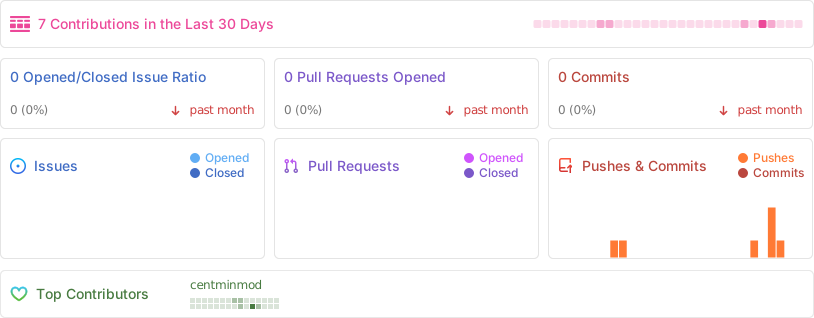
Stats