INSTRUCTIONS.md
June 21, 2025 · View on GitHub
To play and capture splat sequences in Unity, using one .ply file per frame, follow these steps:
- Download and configure Unity Gaussian Splatting.
- Replace
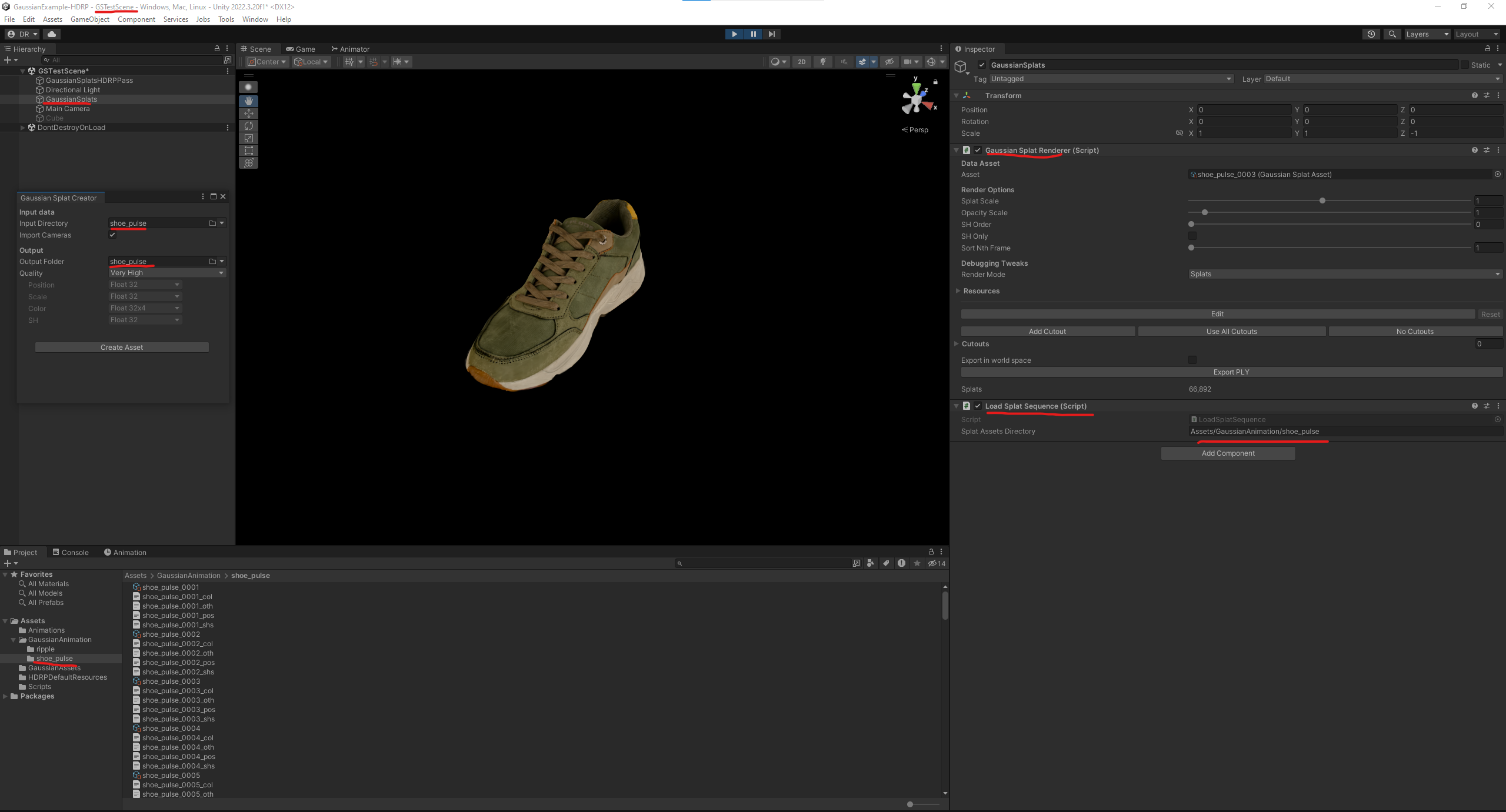
GaussianSplatAssetCreator.csin that project with the version in this directory. This replaces single splat file conversion with conversion of an entire directory of splat files. - Export a splat sequence from GSOPs in Houdini using
Frame Rangeexport mode in theGaussian Splats Exportnode. - Convert your exported splat sequence and place the converted assets into an asset subdirectory (e.g.,
Assets/GaussianSplatAnimations/MySplatSequence). - Add
LoadSplatSequence.csto the Unity 3DGS Playground project. - Add
LoadSplatSequenceas a component to theGaussianSplatsGameObject. - Set the
SplatAssetsDirectoryto the path from step 4. - Play the game and watch your gaussian splatting animation.
- Leverage Unity API's ScreenCapture.CaptureScreenshot to "render" your animation.