QiLuo - Rust Admin Dashboard & Backend Management Platform
June 4, 2026 · View on GitHub

High Performance · Secure and Reliable · Enterprise-grade Rust Admin Panel & CMS Framework


📖 Project Overview
QiLuo is an enterprise-grade Rust admin dashboard and backend management platform built with Axum, Sea-ORM, and Vue 3. It provides a complete admin panel and CMS solution with RBAC permission control, multi-tenancy, read-write splitting, scheduled tasks, WeChat integration, and system monitoring — ideal for building secure, high-performance backend admin systems and SaaS platforms.
✨ Core Features
- 🦀 Rust Ecosystem — Built on Rust + Axum + Sea-ORM + JWT, with excellent performance and memory safety
- 🔐 Permission Management — Complete RBAC permission system, supporting multi-dimensional permission control for users, roles, menus, and APIs
- 📱 WeChat Integration — Built-in WeChat official account management, supporting menu configuration, message management, user management, and automatic replies
- ⚡ High Performance — Asynchronous architecture, supporting high concurrency and fast response speed
- 🌐 Distributed — Supports cluster deployment, multiple data sources, and distributed architecture
- 📊 System Monitoring — Real-time server status monitoring, online user management, and operation log tracking
- ⏰ Scheduled Tasks — Online configuration of scheduled tasks, supporting Cron expressions
- 🎨 Modern Interface — Vue-based management backend with a beautiful interface and convenient operation
- 🔀 Read-Write Splitting — Supports database master-replica architecture with automatic routing of read and write requests to improve query performance and system availability.
- 🏢 Multi-Tenancy (Data Isolation) — Supports logical or physical data isolation by tenant ID, meeting security and compliance needs in SaaS environments.
🛠️ Technology Stack
Backend Technology
| Technology | Description | Version |
|---|---|---|
| Rust | System development language | >= 1.70.0 |
| Axum | Web framework | Latest version |
| Sea-ORM | ORM framework | Latest version |
| Tokio | Asynchronous runtime | Latest version |
| MySQL/SQLite | Database | MySQL >= 8.0 or SQLite >= 3.35 |
| Redis | Cache service | >= 6.0 |
| JWT | Authentication mechanism | Latest version |
| tracing | Logging system | Latest version |
Frontend Technology
| Technology | Description | Version |
|---|---|---|
| Vue | Frontend framework | 3.4.x |
| Vite | Build tool | 5.2.x |
| TypeScript | Type system | 5.4.x |
| Pinia | State management | 2.1.x |
| Vue Router | Routing management | 4.3.x |
| Element Plus | UI component library | 2.7.x |
| Axios | HTTP request | Latest version |
| ECharts | Chart library | Latest version |
🚀 Quick Start
System Requirements
Before running the project, ensure your system has the following software installed:
- Rust >= 1.70.0 (Installation Guide)
- MySQL >= 8.0 or SQLite >= 3.35
- Redis >= 6.0 (optional, for caching)
- Node.js >= 16.0.0 (for frontend development)
1. Obtain Source Code
Backend address:
Clone the backend project
GitHub https://github.com/chelunfu/qiluo_admin.git
git clone https://github.com/chelunfu/qiluo_admin.git
cd qiluo_admin
GitCode https://gitcode.com/will_csdn_go/qiluo_admin.git
git clone https://gitcode.com/will_csdn_go/qiluo_admin.git
cd qiluo_admin
Gitee https://gitee.com/chenlunfu/qiluo_admin.git
git clone https://gitee.com/chenlunfu/qiluo_admin.git
cd qiluo_admin
Frontend address
Clone the frontend project
GitHub https://github.com/chelunfu/qiluo_vue.git
git clone https://github.com/chelunfu/qiluo_vue.git
cd qiluo_vue
GitCode https://gitcode.com/will_csdn_go/qiluo_vue.git
git clone https://gitcode.com/will_csdn_go/qiluo_vue.git
cd qiluo_vue
Gitee https://gitee.com/chenlunfu/qiluo_vue.git
git clone https://gitee.com/chenlunfu/qiluo_vue.git
cd qiluo_vue
Tauri address
GitHub https://github.com/chelunfu/qiluo_tauri.git
git clone https://github.com/chelunfu/qiluo_tauri.git
cd qiluo_tauri
GitCode https://gitcode.com/will_csdn_go/qiluo_tauri.git
git clone https://gitcode.com/will_csdn_go/qiluo_tauri.git
cd qiluo_tauri
Gitee https://gitee.com/chenlunfu/qiluo_tauri.git
git clone https://gitee.com/chenlunfu/qiluo_tauri.git
cd qiluo_tauri
2. Configure Database
Edit the configuration file in the config/ directory to set database connection information:
[database]
url = "mysql://username:password@localhost:3306/qiluo"
# Or use SQLite
# url = "sqlite:data/qiluo.db"
Create the database and import the qiluo.sql file.
3. Start the Project
Start the backend service
# Run in development mode
cargo run
Start the frontend project
# Install dependencies
pnpm install

# Start the development server
pnpm run dev
4. Access the System
After the service starts, access the following address:
- Management backend: http://localhost:4000
🔧 Production Environment Deployment
Backend Deployment
# Build Release version
cargo build --release

# Run Release version
./target/release/qiluo
Frontend Deployment
# Build for production environment
pnpm build:pro

# The build output is in the dist directory, which can be deployed to any static server
📁 Project Structure
Backend Directory Structure
qiluo/
├── 📁 config/               # Configuration files
├── 📁 data/                 # Data storage directory
│   ├── 📁 img/              # Image resources
│   ├── 📁 log/              # Log files
│   ├── 📁 static/           # Static resources
│   ├── 📁 upload/           # Uploaded files
│   └── 📁 web/              # Frontend files
├── 📁 migration/            # Database migrations
├── 📁 src/                  # Source code
│   ├── 📁 api/              # API controllers
│   │   ├── 📁 sys_controll/ # System management interfaces
│   │   └── 📁 wechat/       # WeChat interfaces
│   ├── 📁 cache/            # Cache management
│   ├── 📁 common/           # Common modules
│   ├── 📁 config/           # Configuration module
│   ├── 📁 midle_ware/       # Middleware
│   ├── 📁 model/            # Data models
│   ├── 📁 service/          # Business services
│   └── 📁 worker/           # Background tasks
└── 📄 Cargo.toml            # Project configuration
Frontend Directory Structure
qiluo_vue/
├── 📁 public/               # Static resources directory
├── 📁 src/                  # Source code directory
│   ├── 📁 api/              # API interface definitions
│   ├── 📁 assets/           # Project resource files
│   ├── 📁 axios/            # Axios request configuration
│   ├── 📁 components/       # Common components
│   ├── 📁 constants/        # Constant definitions
│   ├── 📁 directives/       # Custom directives
│   ├── 📁 hooks/            # Custom Hooks
│   ├── 📁 layout/           # Layout components
│   ├── 📁 locales/          # Internationalization resources
│   ├── 📁 plugins/          # Plugin configurations
│   ├── 📁 router/           # Routing configuration
│   ├── 📁 store/            # State management
│   ├── 📁 styles/           # Style files
│   ├── 📁 utils/            # Utility functions
│   ├── 📁 views/            # Page views
│   ├── 📄 App.vue           # Root component
│   ├── 📄 main.ts           # Application entry file
│   └── 📄 permission.ts     # Permission control
├── 📁 types/                # TypeScript type definitions
├── 📄 index.html            # HTML template
├── 📄 package.json          # Project dependencies
└── 📄 vite.config.ts        # Vite configuration
Tutorial Addresses
-
Main Tutorial Address
- Link: https://www.qiluo.vip/tutorial/
- Description: This is the root page of the tutorials, which may include a directory, index, or overview of all tutorials. It is recommended to start browsing the overall content from here.
-
Quick Start Tutorial
- Link: https://www.qiluo.vip/tutorial/getting-started/new-model.html
- Description: Focused on quick entry for beginners, with a specific topic on "new-model" (which may involve creating new models). Suitable for beginners to quickly get started with the platform's basic operations. Can be paired with the test module for reading and understanding.
-
Auto-Generate Code Tutorial
- Link: https://www.qiluo.vip/tutorial/getting-started/auto-generate.html
- Description: Focused on the "auto-generate" (automatic code generation) feature. It may include steps, examples, and best practices to help users automate the code generation process.
📖 Function Modules
System Management
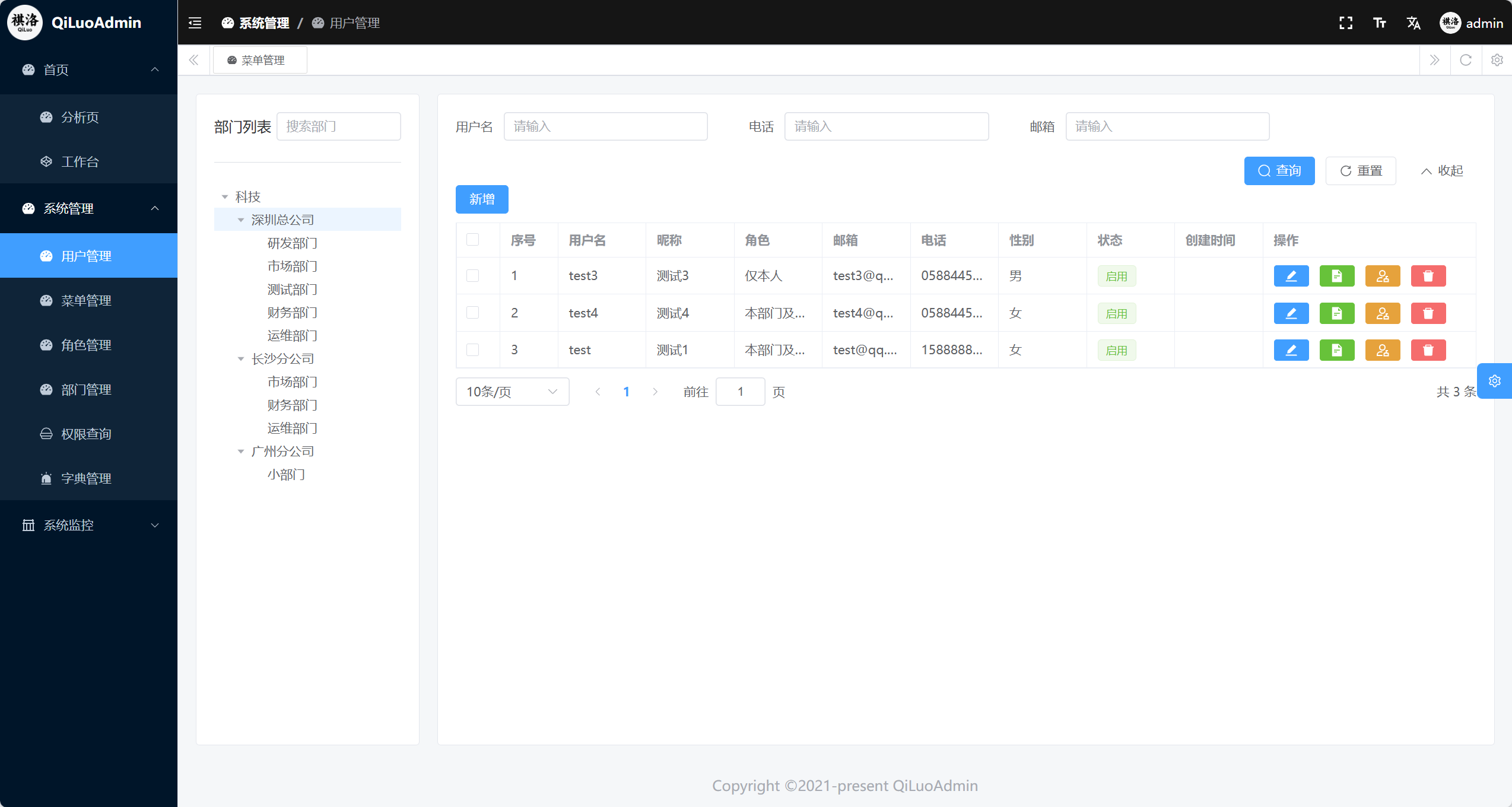
- 👥 User Management — User CRUD, password reset, avatar upload
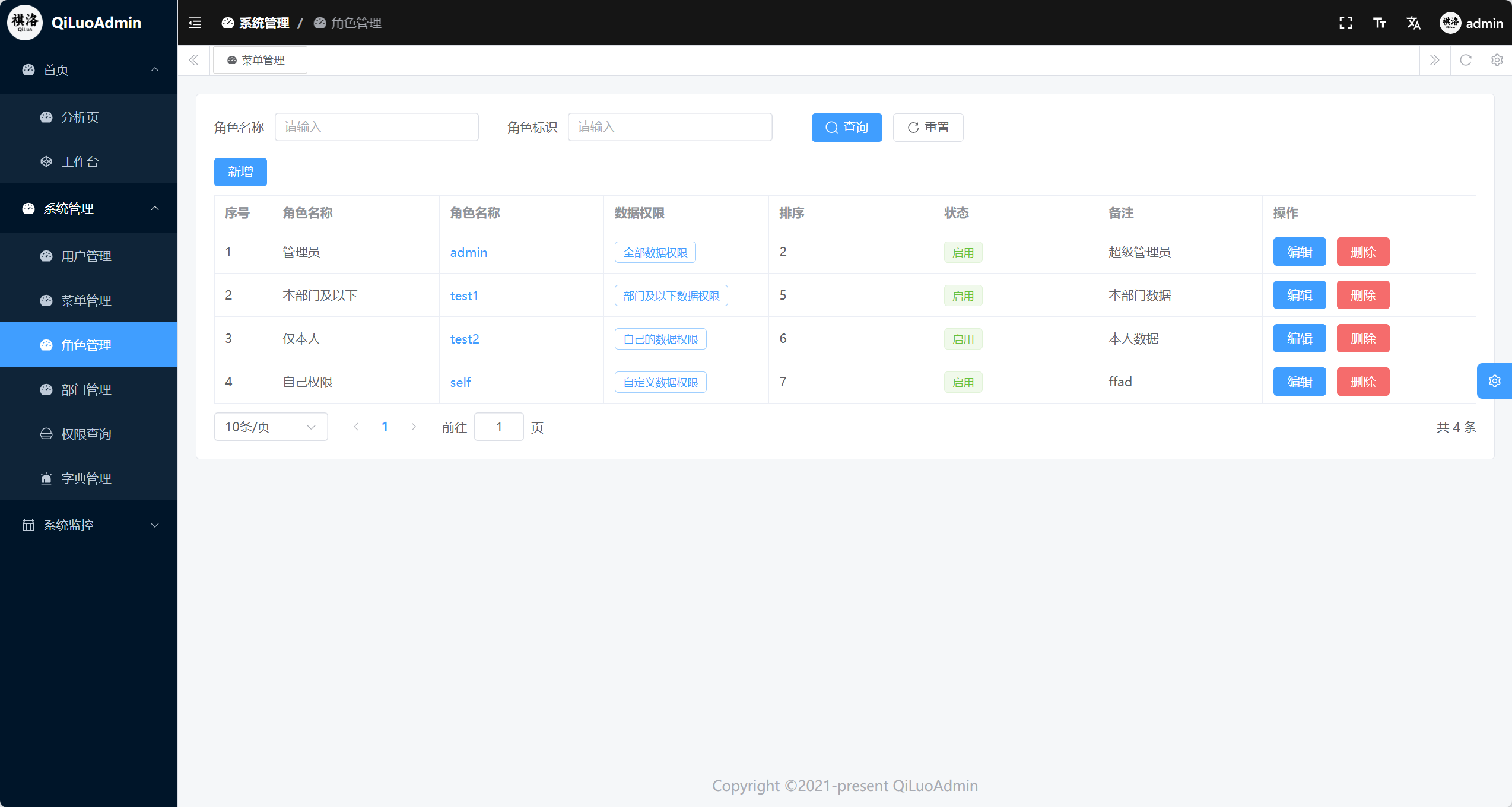
- 🔐 Role Management — Role creation, permission assignment, user association
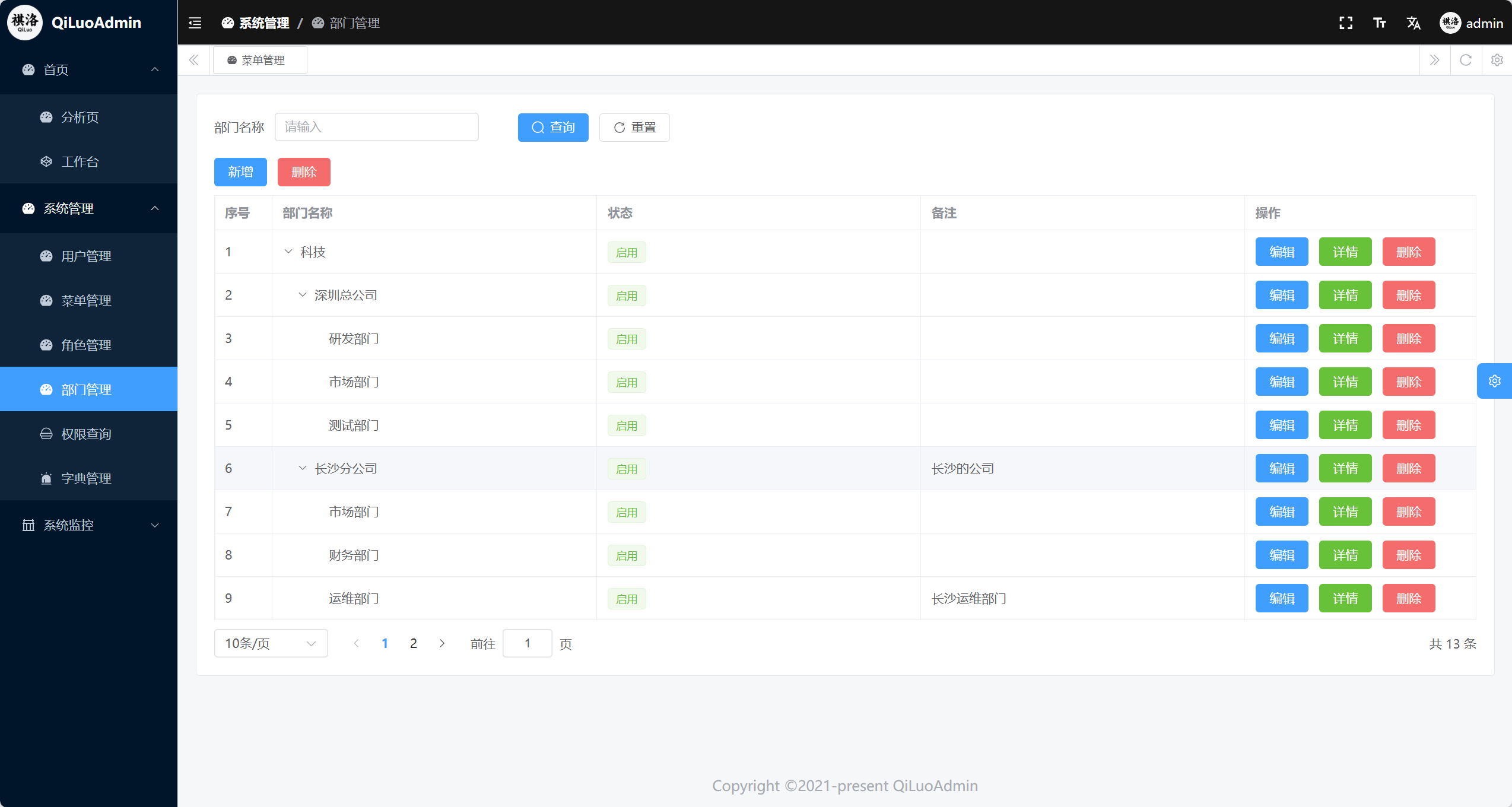
- 🏢 Department Management — Organizational structure tree management
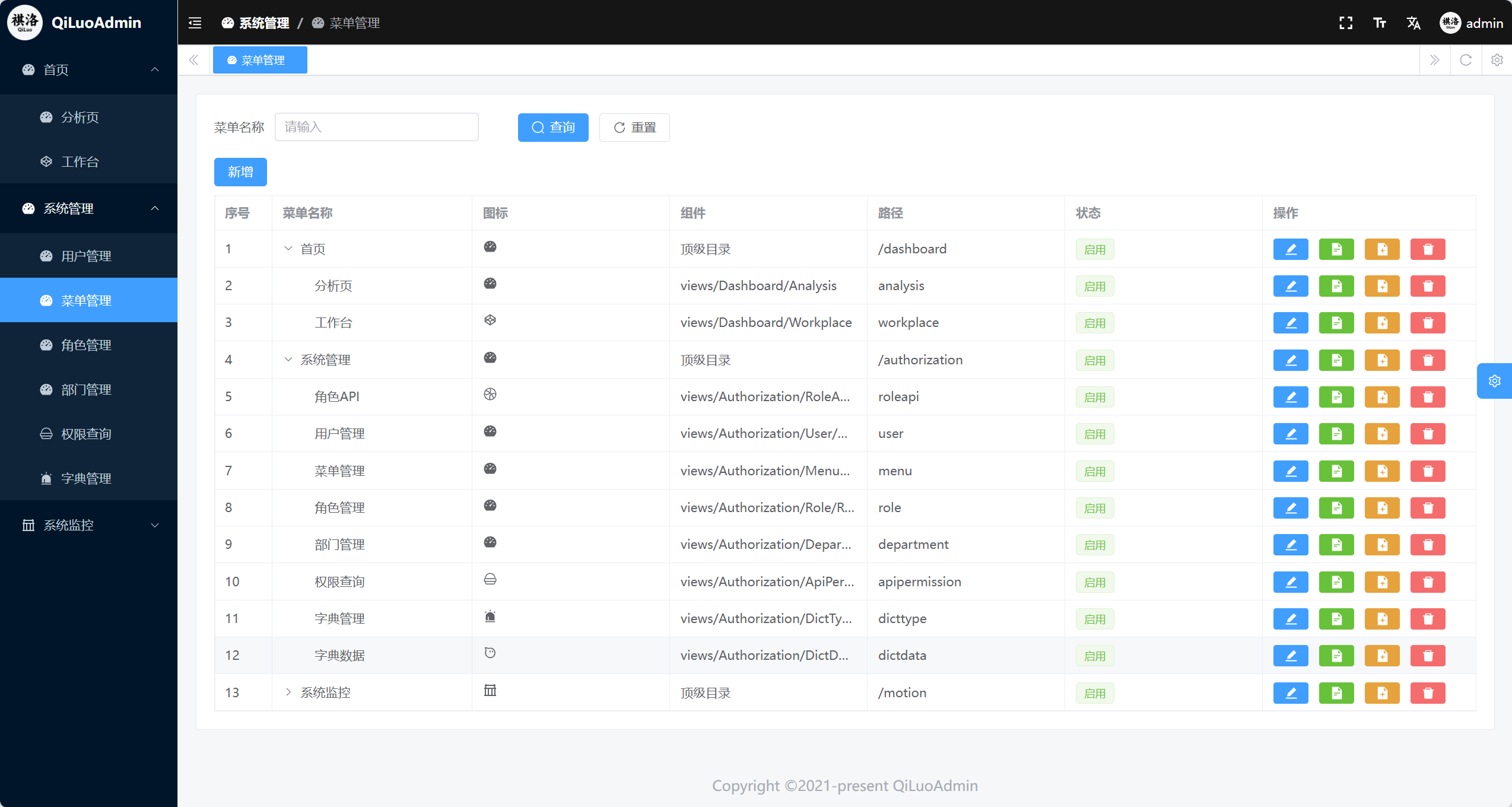
- 📋 Menu Management — System menu configuration and permission control
- 📚 Data Dictionary — System dictionary data management
- 📊 System Monitoring — Server status, online user monitoring
- 📝 Log Management — Operation logs, login log records
- ⏰ Scheduled Tasks — Task configuration, execution monitoring
- 🔌 API Permissions — Interface-level permission control
WeChat Management
- 📱 Official Account Management — Multi-account configuration management
- 📋 Menu Management — Custom menu creation and publishing
- 💬 Message Management — Message sending/receiving and history records
- 👤 User Management — Fan information management
- 🤖 Auto-reply — Keyword intelligent reply
🔑 Default Account
When running the system for the first time, you can log in with the following default administrator account:
- Username: admin
- Password: 123456
⚠️ Security Note: Please change the default password immediately after the first login!
🌐 Browser Support
This system supports modern browsers and does not support IE:
 Edge |  Firefox |  Chrome |  Safari |
|---|---|---|---|
| last 2 versions | last 2 versions | last 2 versions | last 2 versions |
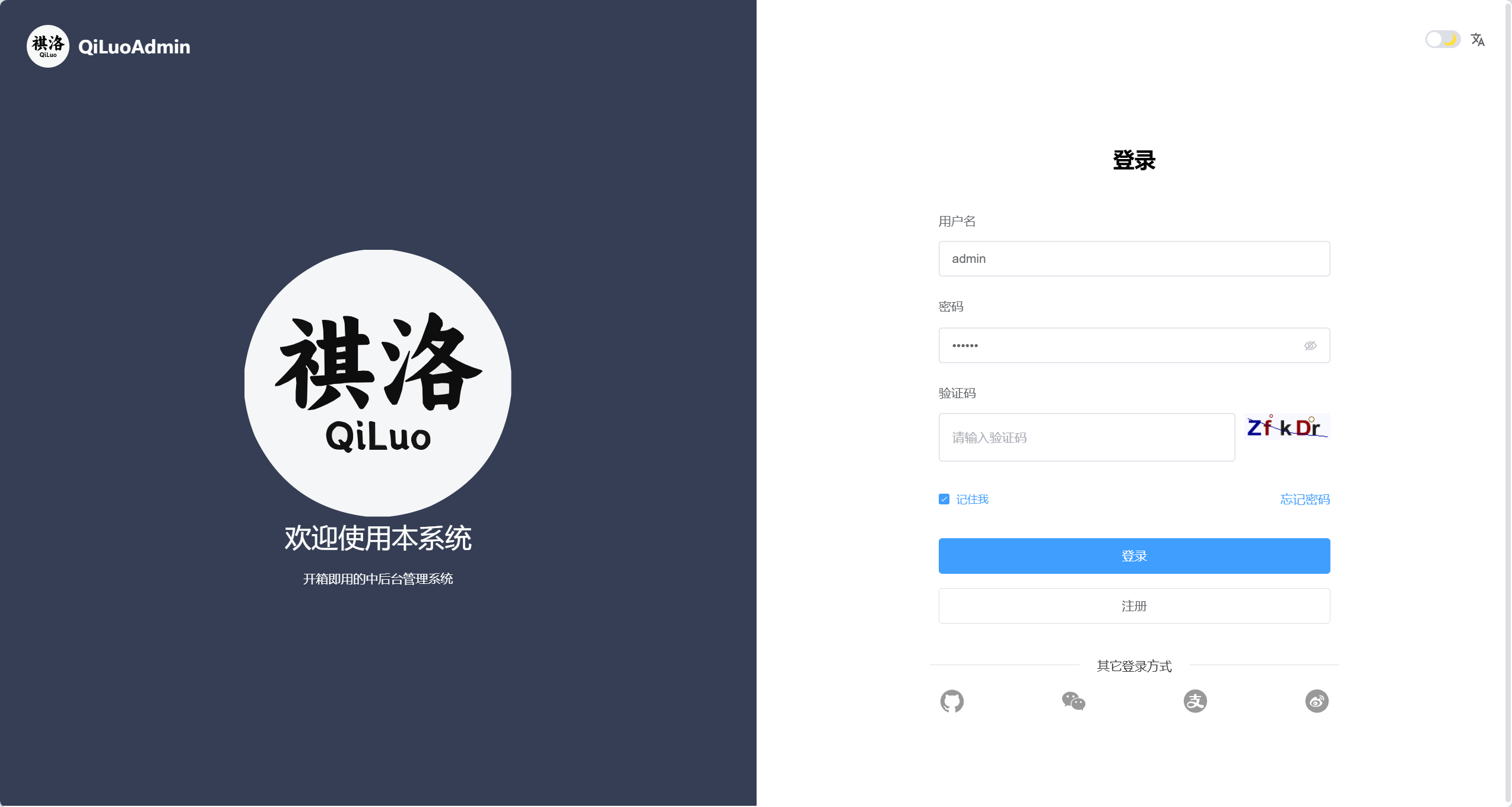
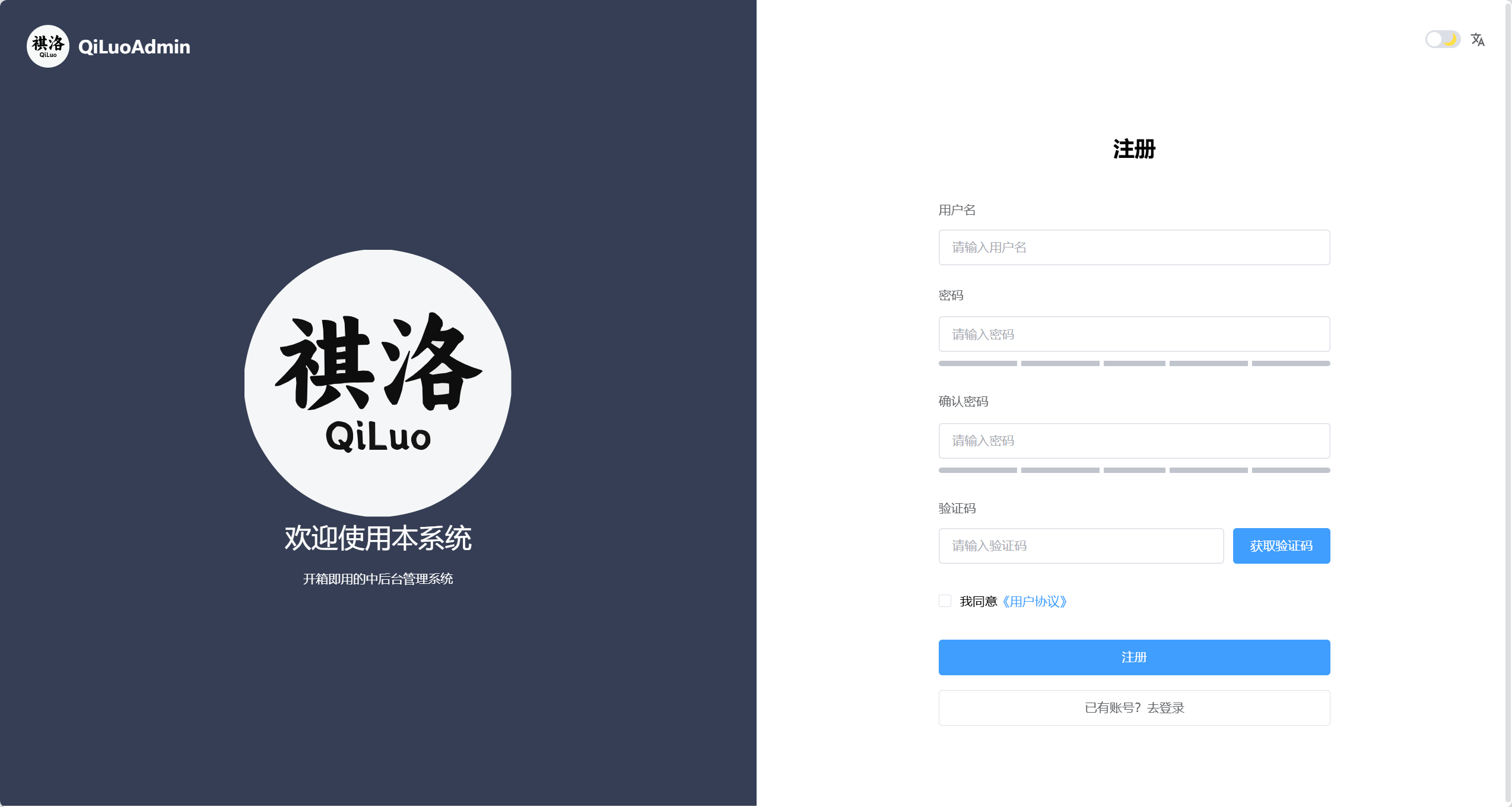
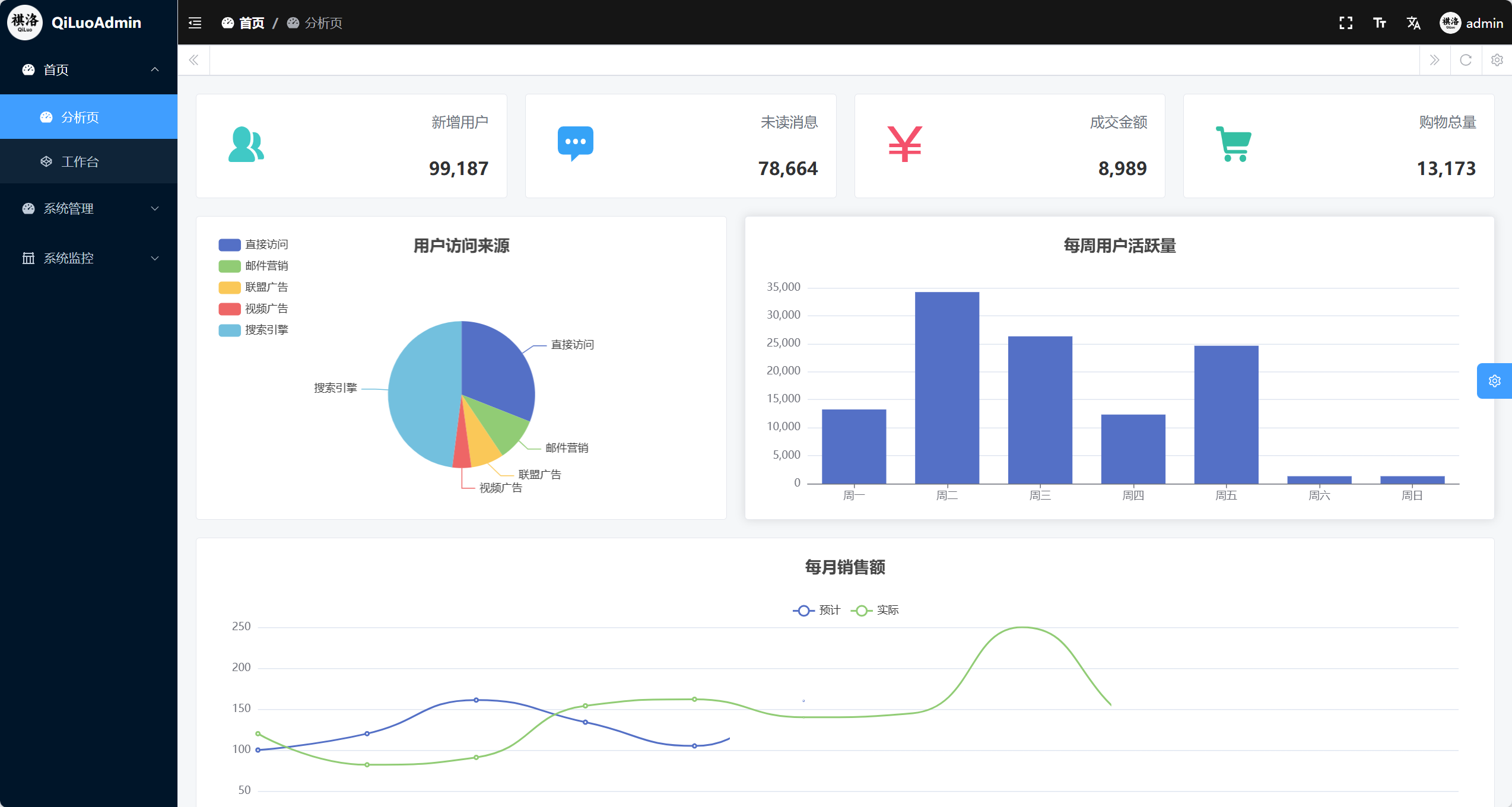
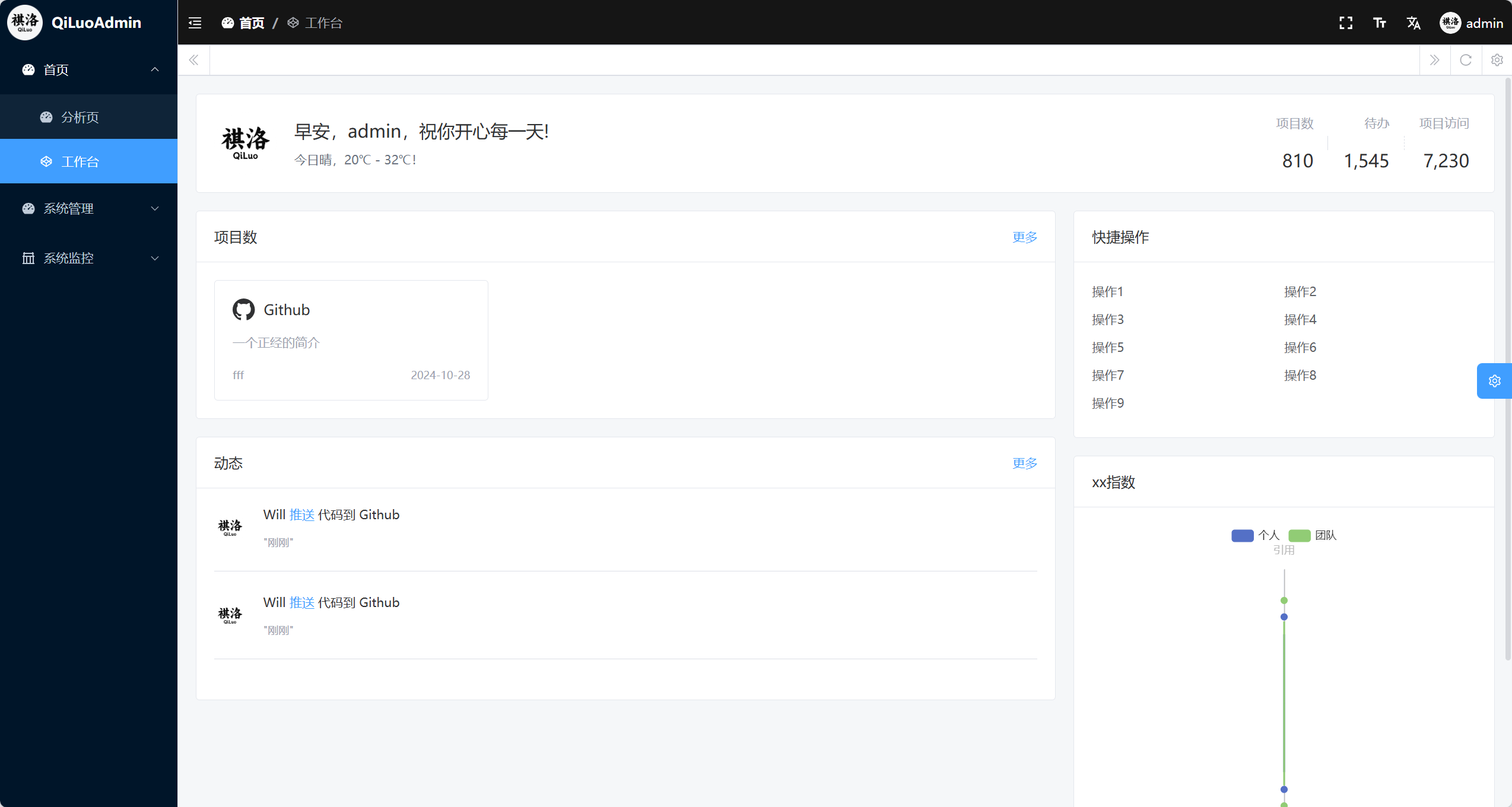
📷 System Screenshots
 |
 |
 |
 |
 |
 |
 |
 |
For more screenshots, please visit the official website
🐛 Issue Feedback
If you encounter problems during use, please provide feedback through the following methods:
- GitHub Issues:Git Issuse
- Git Code:GitCode Issuse
- Gitee:Gitee Issuse
- Official Website: https://www.qiluo.vip
- Technical Exchange: Welcome to join our technical exchange QQ group to communicate with other users, share your problems, and seek their help.
🤝 Contribution Guide
We welcome contributions in any form, including but not limited to:
- 🐛 Submitting bug reports
- 💡 Proposing new feature suggestions
- 📝 Improving documentation
- 🔧 Submitting code patches
Before submitting contributions, please read our Contribution Guide.
💰 Become a Sponsor
If you would like to support the development of this project, you can become a sponsor through the following ways:
 WeChat Pay |
 Alipay |
📄 License
This project is licensed under the MIT License. For details, please refer to the LICENSE file.
🙏 Acknowledgments
Thank all sponsors and contributors who support this project; your support enables this project to develop better.
Special thanks to the following open-source projects:
- Rust
- Vue.js
- Axum
- Tokio
- VuePress
- VitePress
- Element Plus
- UnoCSS
- element-plus-admin
- sea-orm
- tauri
- sidekiq
⭐ If this project is helpful to you, please give me a Star!
🙏 Special Thanks
The growth of this project wouldn't be possible without support from our community ❤️
- Thanks to WeChat user Mù Tóu Rén for contributing the complete Docker configuration files;
- Thanks to QQ user Shèn Dú for the generous donation of ¥20!
- And a big thank you to everyone who has starred the repo, opened issues, or voted on features—your engagement keeps this project alive!
We truly appreciate every bit of your support!
🔖 Keywords
rust axum admin-dashboard admin-panel backend-management vue3 sea-orm rbac cms content-management-system jwt redis mysql sqlite tokio element-plus rust-lang admin-template saas multi-tenant read-write-splitting scheduled-tasks wechat dashboard web-framework orm async