Flutter passkeys
July 16, 2026 · View on GitHub

Flutter passkeys
Flutter packages to enable passkey authentication (based on WebAuthn / FIDO2).
| Android | iOS | Linux | macOS | Web | Windows | |
|---|---|---|---|---|---|---|
| Support | :white_check_mark: | :white_check_mark: | :x: | :white_check_mark: | :white_check_mark: | :white_check_mark: |
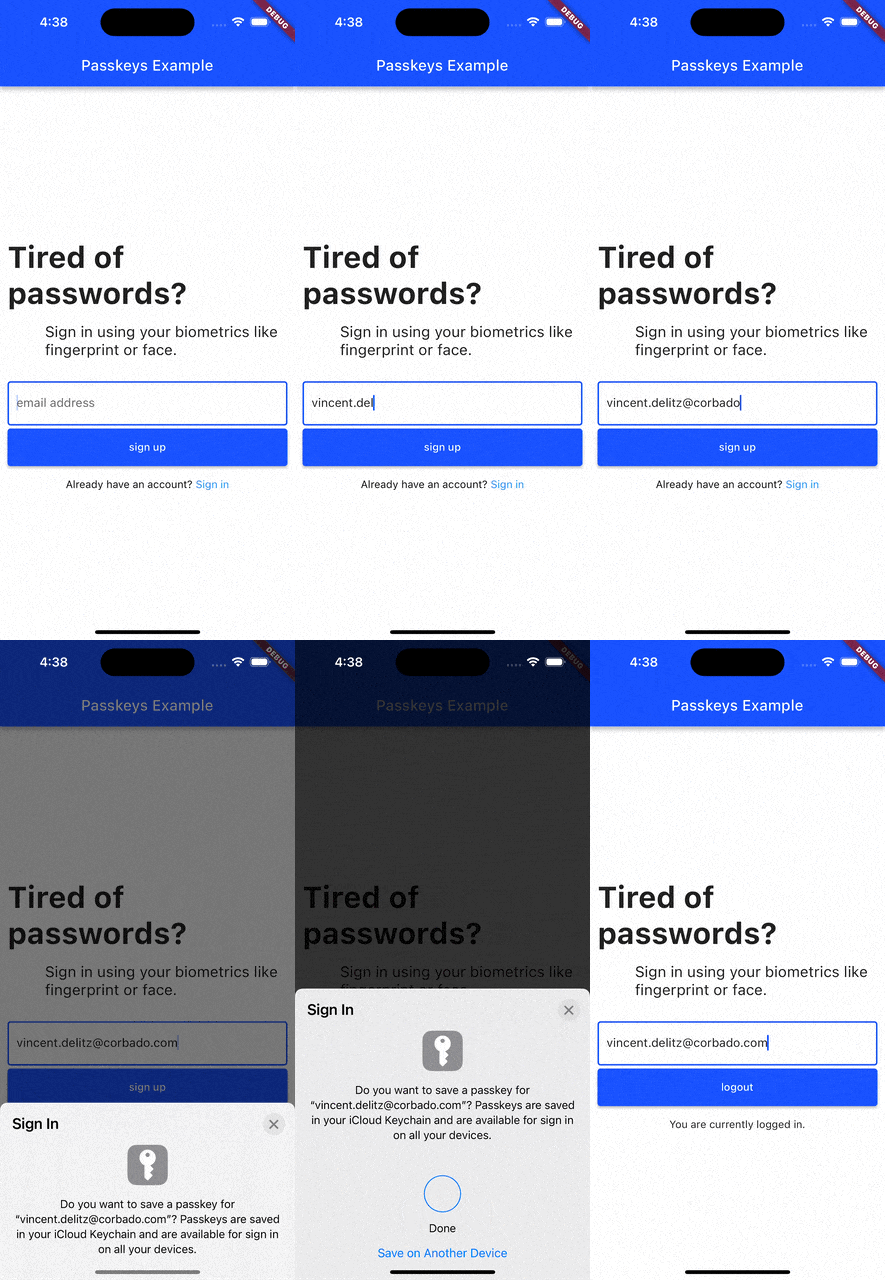
Current list of packages
1. Passkeys
Description
A Flutter package that enables simple passkey authentication. Currently Android, iOS, macOS, Web and Windows are supported.
Features
- sign up and login users with passkeys
- connect your own relying party server or use pre-implemented ones
2. Corbado Auth
Description
A Flutter package that builds on the passkeys package. It adds additional functionalities to make it simpler to use passkey authentication in your own Flutter app.
Features
- sign up and login users with passkeys
- connect Corbado as pre-implemented relying party server
- keep users logged in even if they close the app (automatic session refresh)
3. Corbado Auth Firebase
A Flutter package that builds on the corbado_auth and the passkeys package. It helps you to integrate passkey authentication into your Flutter app that uses Firebase as a backend.
Note: This package is currently broken and will be fixed in the future. There is no specific ETA on when the fix will be available.
Features
- allow new users to sign up and log in using passkeys
- allow existing users (that you created with Firebase authentication) to setup a passkey and then log in with it
- email OTP codes as fallback mechanism for situations when passkeys can not be used (e.g. when a user logs in to a device where none of his passkeys is available)
4. Supabase
The passkeys package can be used as the platform authenticator for supabase_flutter.
Supabase Auth acts as the relying party server, while passkeys handles the native passkey prompts on iOS, Android, macOS, Windows and Web.
It requires supabase_flutter 2.15.0 or later and passkeys 2.21.0 or later.
Setup
Add both packages to your pubspec.yaml:
dependencies:
  supabase_flutter: ^2.15.0
  passkeys: ^2.21.0
Initialize Supabase as usual and create a PasskeyAuthenticator that you pass to the passkey methods:
import 'package:passkeys/authenticator.dart';
import 'package:supabase_flutter/supabase_flutter.dart';

await Supabase.initialize(
  url: supabaseUrl,
  anonKey: supabaseAnonKey,
);

final supabase = Supabase.instance.client;
final authenticator = PasskeyAuthenticator();
Registering a passkey
Registering a passkey requires a signed in (non-anonymous) user. It adds a passkey to the current account:
try {
  final passkey = await supabase.auth.registerPasskey(authenticator);
  print('Registered passkey ${passkey.id}');
} on AuthException catch (e) {
  print(e);
}
Signing in with a passkey
try {
  final res = await supabase.auth.signInWithPasskey(authenticator);
  print('Signed in as ${res.user?.email}');
} on AuthException catch (e) {
  print(e);
}
For custom flows there is also a two-step API under the supabase.auth.passkey namespace (startRegistration/verifyRegistration and startAuthentication/verifyAuthentication), as well as methods to list, rename and delete passkeys.
For the full guide and configuration steps, see the Supabase passkeys documentation.
Contributing
We're happy to receive your pull requests. For major changes, please open an issue first to discuss what you would like to change.
Support
If you have questions, feedback or wishes regarding features, please reach out to us via email or join our passkeys community on Slack.