Polymerium
August 16, 2026 · View on GitHub

A Minecraft instance manager built on a simple idea.





🌐 中文介绍 • 📥 Download • 📖 Documentation • 🐛 Report Bug • 💡 Request Feature
In action

From opening the app to launching the game.
What makes it different
An instance in Polymerium is a description, not a pile of copied files.
Change the loader, swap mods in and out, update the whole pack — the description changes, Polymerium rebuilds the files on demand, and your saves and settings stay put.
- Switch loaders without rebuilding. Forge to NeoForge, Fabric to Quilt — change the loader, redeploy, keep your mods.
- Update modpacks in place. Drop in a new version; your saves, settings and worlds carry over.
- Roll back anything. Every change can be snapshotted. Break something? One click restores it, with a diff of exactly what moved.
Because files are linked instead of duplicated, ten modpacks sharing the same mods don't cost ten times the disk. Your whole setup fits in a tiny config file — version-control it, share it, move it between machines.
Features
|
Everything at a glance All your instances, accounts, and the worlds you've been playing — in one place. Jump back into what you were doing, or start something new. |

|

|
Deploy and launch Pick an instance, hit play. Polymerium turns the metadata into a running game in one step — no manual file juggling, and jumping to another instance is instant. |
|
Manage mods, not files Browse, filter, enable and update mods as entries in a list — not as files in a folder. Switch between list and grid, filter by source or type, update one mod or the whole pack. |

|

|
See the full dependency graph Every mod and every layer of dependency, laid out visually. Spot conflicts and missing requirements before you ever hit launch. |
|
Install from the big marketplaces CurseForge and Modrinth, built in. Search, filter by game version and loader, and install straight into an instance without leaving the app. |

|
And more
- Snapshots — save and restore complete game states, with a diff view of what changed.
- Git-friendly modpacks — an instance is a config file, so you can version-control your pack and collaborate on it.
- Cross-platform — Windows, Linux and macOS (Apple Silicon) from one codebase.
- Clean uninstall — remove Polymerium entirely by deleting two folders.
Getting Started
Installation
Note
Polymerium is in active development. Features and UI may change between releases.
Microsoft OAuth · Open source MIT · Credentials never leave your machine.
Before downloading, check the note for your platform:
🪟 Windows — enable Developer Mode (required for symlinks)
Polymerium uses symbolic links for efficient file management. Enable Developer Mode to allow symlink creation without administrator privileges.
Windows 11
Settings → System → For developers → Developer Mode
Windows 10
Settings → Update & Security → For developers → Developer Mode
Windows 7/8
Upgrade to Windows 10+ first 💥
🍎 macOS — "Installer is damaged" workaround
The PKG installer is not signed with an Apple Developer certificate, so macOS Gatekeeper may block it with a "damaged" message.
-
Right-click the
.pkgfile and choose Open. -
If that doesn't work, remove the quarantine flag from Terminal:
xattr -d com.apple.quarantine Polymerium-osx-arm64-Setup.pkg -
Open the
.pkgfile again and follow the installer.
🐧 Linux — requires glibc 2.34 or newer
The bundled SQLite native library requires glibc 2.34+. On older distributions (Ubuntu 20.04, Debian 11, and
derivatives such as Zorin OS 16, Pop!_OS 20.04, Linux Mint 20) the app fails to start with
DllNotFoundException: e_sqlite3.
Check your glibc version:
ldd --version
Use Ubuntu 22.04+, Debian 12+, or another distribution that ships glibc 2.34 or newer.
| Platform | Package | Direct Download |
|---|---|---|
| Windows x64 | Installer | Download |
| Linux x64 | AppImage | Download |
| macOS Apple Silicon | PKG installer | Download |
已有 Mirror酱 CDK?前往 Mirror酱 高速下载
- Download the package for your platform
- Run the installer or executable
- Follow the setup wizard to configure your first instance
Quick start
- Create an instance — pick a Minecraft version and a mod loader
- Add content — install mods from CurseForge or Modrinth
- Deploy — Polymerium builds the game files
- Play — launch it, or export the whole thing as a modpack
Architecture
| Technology | Purpose | Integration |
|---|---|---|
| .NET 10 | Runtime with C# preview features | Core platform |
| Avalonia 12 | Cross-platform XAML UI framework | Presentation |
| MVVM | Separation of concerns | Architecture pattern |
| Dependency Injection | Modular, testable services | Service management |
| Reactive Extensions | Responsive data flow | Data flow |
Project structure
Polymerium/
├── website/        # Documentation & project site
├── src/            # Application source code
├── submodules/     # Embedded third-party project sources
├── notes/          # Internal notes
├── changelogs/     # Version changelogs
├── scripts/        # Build & publish scripts
├── assets/         # Screenshots and media
└── plans/          # Planning documents
Platform support
| Platform | Status |
|---|---|
 | ✅ Stable |
 | ✅ Stable |
 | ✅ Stable |
Known Issues
These are upstream limitations in Avalonia and are not actionable within Polymerium.
Rendering
- Gradient color banding — Avalonia's brush gradient rendering produces visible color jumps in certain gradient transitions. The issue is rooted in the framework's gradient shader and affects all Avalonia applications, not just Polymerium.
Window chrome
- Limited custom title bar support on macOS and Linux — Avalonia's custom title bar chrome support is limited on macOS and Linux. Self-drawn title bars suffer from layout quirks and inconsistent styling that deviate from platform conventions, resulting in visually rough button placement and appearance compared to Windows.
Popups
- Poor shadow rendering on macOS — Avalonia's Tooltip and Flyout popups on macOS cannot render with a truly transparent background, which breaks the platform's native drop shadow effect. The result is a harsh, boxy outline instead of the soft shadow expected on macOS.
Privacy & Security
Polymerium respects your privacy:
- Optional Crash Reporting: Sends anonymous crash data to help fix bugs; can be turned off anytime
- Local Storage: Your game data stays on your machine
- Minimal Footprint: Clean uninstall leaves no traces
- Open Source: Transparent, auditable codebase
On AI-assisted development
Before 2026, Polymerium was built entirely by hand over several years — foundational libraries, custom UI controls, and the desktop application — with zero AI-generated code anywhere in the codebase.
With the arrival of capable coding models this year, AI agents have started to participate in the project's construction. In practice, however, current LLMs show critical gaps in software engineering and domain-specific knowledge (notably Avalonia), producing code with visible quality issues that demand human review and correction.
Even so, agent assistance has measurably accelerated development: work that once spanned a month now ships within a week. The workflow remains unchanged in principle — AI proposes the plan and handles the labor-intensive initial implementation, then a human developer reviews, corrects, and completes the remainder, ensuring the codebase stays on course.
License
This project is licensed under the MIT License - see the LICENSE file for details.
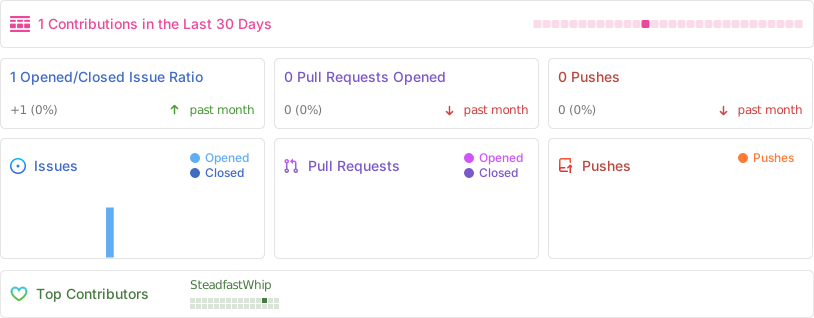
Project statistics
References & acknowledgments
Technical references
- Inside a Minecraft Launcher - Game launch process and Fabric/Quilt deployment
- Tutorial: Writing a Launcher - Game launch process guide
- ForgeWrapper - Forge integration reference
- Microsoft Authentication Scheme - Authentication implementation
Special thanks
- Minecraft Community - For the incredible modding ecosystem
- Avalonia Team - For the excellent cross-platform UI framework
- API Providers - CurseForge and Modrinth for their public APIs
- Contributors - Everyone who helps make Polymerium better
Polymerium — treat your instance as a recipe, not a pile of copied files.