MAS-8710 WiFi LCD Clock
May 4, 2026 · View on GitHub
Reverse-engineering and operational notes for an inexpensive WiFi LCD wall clock sold under several names. The casework studied here is labelled MAS-8710, but the WiFi/firmware stack is shared with a wider family of "DIY ESP8266 Networking Clock Kit" devices and Midea-style WiFi modules — see Identification below.

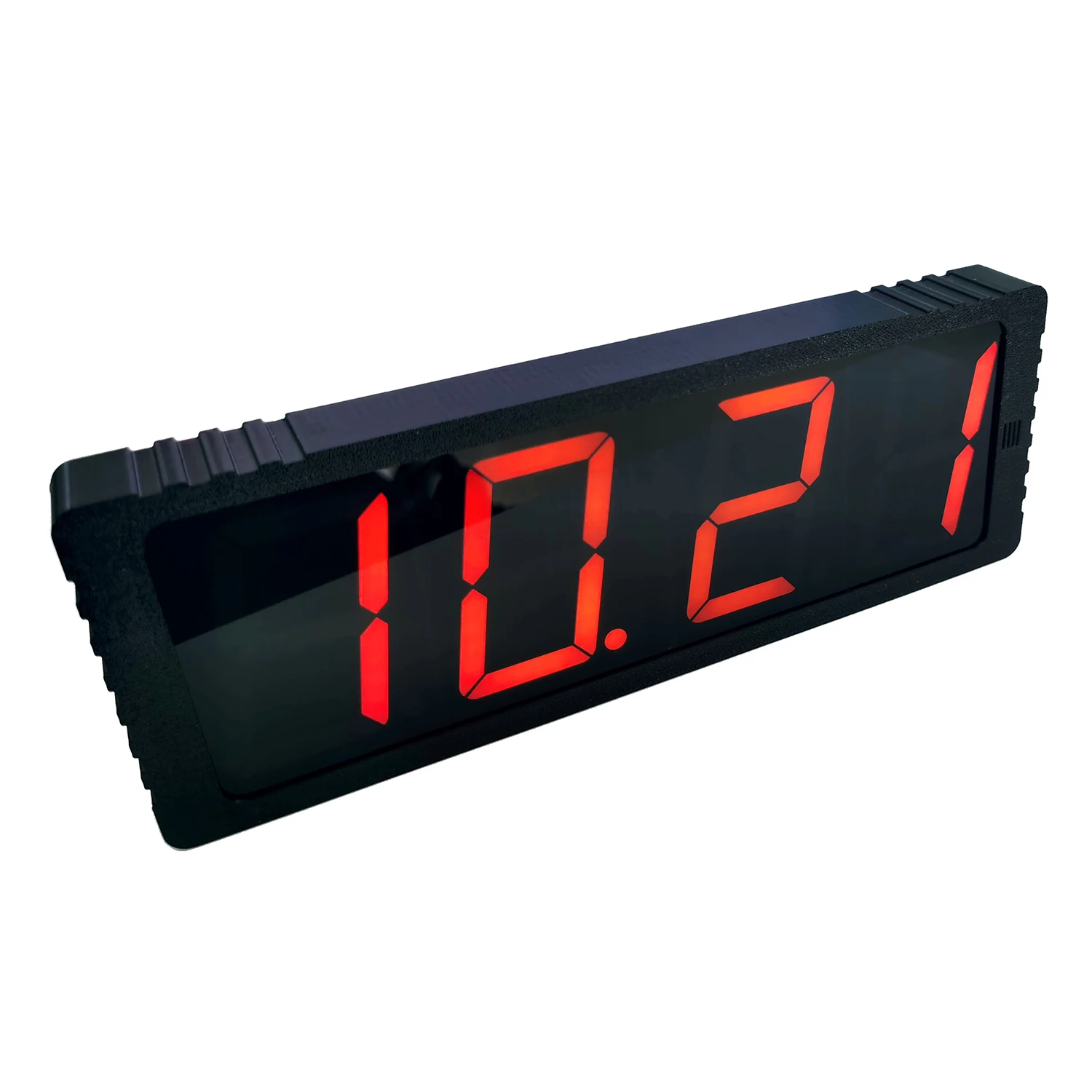
Two units side-by-side, one configured for local time (UTC+3) and one for UTC, both pointed at the same LAN NTP server:

Source
- Vendor listing (AliExpress): https://he.aliexpress.com/item/1005008532153360.html
- Product photo: https://ae01.alicdn.com/kf/S131e0917d7e746729a2d5b4d81f9d6888.jpg
- Closest matching English-language manual: "DIY ESP8266 Networking Clock Kit Instruction Manual" — same firmware family, same captive-portal flow, same button semantics.
Identification
The casework is unbranded ("MAS-8710" appears on the box but isn't a manufacturer mark). Indicators of the underlying stack:
| Signal | Observed |
|---|---|
| WiFi MAC OUIs | d4:84:57, 70:86:ce (both registered to GD Midea Air-Conditioning Equipment), 60:01:94 (Espressif). All three are common ESP-based WiFi-module vendors. |
| DHCP hostname patterns | MAS8710BN<MAC-tail> (older firmware) and ESP-<MAC-tail> (newer firmware). Different units shipped with different firmware revisions. |
| Captive-portal SSID | Config-XXXXXX where XXXXXX is an opaque per-device identifier set at manufacture (does not consistently encode the MAC tail). |
| Captive-portal password | 33669999 (vendor default, identical across units). |
| Captive-portal gateway | http://192.168.4.1. |
Hardware (summary)
| Item | Detail |
|---|---|
| MCU | Espressif ESP8285 (ESP8266 core + 1 MB embedded flash) — confirmed from chip die markings |
| Power | USB-C 5 V → AMS1117-3.3 LDO. USB-C is power-only (no USB-serial bridge on the board) |
| Display | Front-panel segment LCD driven by an unidentified SOIC controller (U5) over a proprietary bus |
| Backup | CR1220 coin cell for RTC retention across power loss |
| Reflash interface | 5-pin UART header on the bottom edge — GND / 3V3 / TX / RX / GPIO0, pin order unverified by silkscreen |
Full breakdown including unpopulated footprints and open questions: docs/hardware.md.
What it does
- 4-digit 7-segment LCD with date and ambient temperature.
- WiFi-only configuration (no Bluetooth, no app).
- Time set automatically via NTP — server is configurable via the captive portal or LAN HTTP UI (firmware-dependent).
- 3 independent alarms (set via OSD only — see below).
- Manual + auto LCD brightness (set via OSD only).
- Timezone selectable by integer hour offset (-12..+12). DST is a global on/off flag with no schedule awareness.
Configuration paths
| Method | Older firmware (MAS8710BN- hostname) | Newer firmware (ESP- hostname) |
|---|---|---|
Captive-portal AP at 192.168.4.1 | ✓ | ✓ |
| LAN-side HTTP UI on TCP/80 | ✗ (port closed/filtered after WiFi join) | ✓ — full UI reachable, no auth |
OSD via the four rear-panel buttons (SET / + / − / alarm) | ✓ | ✓ |
Documented in detail:
- Hardware reference — see
docs/hardware.md - OSD button reference — see
docs/osd-buttons.md - WiFi / NTP / timezone setup — see
docs/wifi-setup.md - HTTP API (newer firmware) — see
docs/http-api.md - Troubleshooting — see
docs/troubleshooting.md
What is not exposed via HTTP
The web UI (whether via captive portal or LAN) only exposes WiFi credentials, NTP server, DST toggle, and integer timezone. It does not expose:
- LCD brightness (manual or auto)
- Alarm enable / disable / time
- Hourly chime / beep
- Temperature offset
These are OSD-only. The setupSave endpoint accepts arbitrary unknown query parameters and silently discards them — it returns "Setup Saved!" regardless — so response-based fuzzing yields no signal. Confirmed empirically against firmware versions on three different units.
Drift behaviour
Out of the box, two units side-by-side drift visibly relative to each other even though both are WiFi-connected. Causes:
- Firmware re-syncs only periodically (~hourly) and free-runs in between using the WiFi-SoC's onboard crystal, which is not high-stability.
- Default NTP servers are public pools whose round-trip and stratum vary per unit and per region — two clocks may end up pinned to different upstreams with different skews.
- The DST flag is global; if one unit has it set and the other doesn't, the visible offset is exactly an hour and the appearance of "drift" can be a misconfigured DST flag rather than crystal drift.
Mitigation: point all units at the same low-latency local NTP server. On a LAN with an OPNsense / pfSense / dnsmasq router that runs an NTP daemon, configure each clock with NTP Server = <router-LAN-IP>. This collapses the per-unit RTT skew to sub-millisecond and means all units share an identical reference cadence. Verified to bring two side-by-side units into visible second-level agreement.
Repository scope
This repo is product-focused — what the device is, what it exposes, and how to drive it. Deployment-specific details (LAN inventory, per-unit assignments, chosen NTP server) are intentionally out of scope and live elsewhere.