With Handoff, your coding agents can finally work together.
August 2, 2026 · View on GitHub
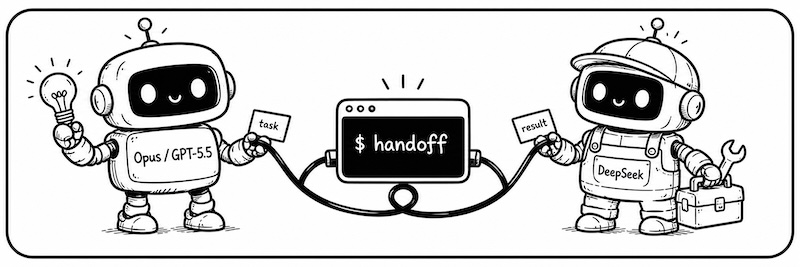
With Handoff, your coding agents can finally work together.
| You're in | Hand off to | Why |
|---|---|---|
| Claude Code / Codex | DeepSeek | It does the simple work fast and cheap; save the expensive quota for decisions |
| DeepSeek | Codex / Opus | Borrow a brain for hard problems, bring the answer back to your session |
No tool-switching, no lost context.
English · 简体中文
Why handoff
If you use more than one coding agent, these will sound familiar:
- 💸 "Claude / Codex: the $20 plan never lasts. The $100 plan costs too much."
— Just say: "Give this task to/handoff-ds." DeepSeek does the work fast and cheap. Save your expensive quota for decisions. - 🤔 "DeepSeek is stuck. I want a second opinion from Codex."
— Just say: "Ask/handoff-codexwhat it thinks." No new terminal. No re-explaining. The answer comes back to your current session. - 🔁 "
/handoff-dsfinished that task. Now I have a follow-up task for it."
— Just say: "Resume the last/handoff-dssession, then do X." It just sends one more message in the old conversation — all the old context is still there.
The math is simple: DeepSeek V4 is as capable as Sonnet, and on OpenCode Go the same money buys 18× the work:
| Option | Relative cost for the same work |
|---|---|
| Claude Sonnet (subscription) | 1× (baseline) |
| DeepSeek official API | 1/3 |
| OpenCode Go (includes DeepSeek V4) | 1/18 |
So: only pay for the SOTA model (Opus / GPT-5.5) — use it to plan and review. Everything else goes to DeepSeek. With handoff, $20 Claude Code (plan + dispatch) + $5 OpenCode Go (execution) ≈ the work of a $200 Claude Code Max.
Quick start
Before you start: handoff works inside Claude Code (CLI or desktop app) or Codex. You need at least one of them installed and logged in.
1. Install
uv tool install handoff-cli
handoff init        # creates config and links Claude skills / Codex custom agents
uv tool upgrade handoff-cli   # update to the latest version
2. Set your token
The opus and codex backends reuse your existing Claude Code / Codex logins — zero config. Only DeepSeek needs a token.
For DeepSeek, we recommend the OpenCode Go plan (lowest cost, includes DeepSeek V4). Once you have a key, edit ~/.handoff/config.yaml and change just the ANTHROPIC_AUTH_TOKEN line:
⚠️ OpenCode Go users: you need a local proxy to use OpenCode Go with Claude Code. See routatic/proxy.
# ~/.handoff/config.yaml — handoff init generates this for you
backends:
  deepseek:                          # ← first = default
    type: claude
    model: deepseek-v4-flash
    pro_model: "deepseek-v4-pro[1m]"
    env:
      ANTHROPIC_BASE_URL: https://api.deepseek.com/anthropic
      #for opencode-go you have to setup local proxy
      #see: https://github.com/routatic/proxy
      ANTHROPIC_AUTH_TOKEN: "sk-..."
      ANTHROPIC_MODEL: "{model}"

  opus:                              # local claude login — zero config
    type: claude
    ...
  codex:                             # local codex login — zero config
    type: codex
    ...
3. Dispatch your first task
Go back to Claude Code and say:
Make a plan, then hand it to
/handoff-ds.
The task runs in the background; your session is never blocked. When it finishes, the agent reads the result and reports back.
4. Who you can hand work off to
| What you say | From | Hands off to | Best for |
|---|---|---|---|
/handoff-ds | Claude Code | DeepSeek V4 | Execution work: writing code, running tests, refactors, bulk edits |
handoff-ds (custom agent) | Codex | DeepSeek V4 | Same as above — use this when you're inside Codex |
/handoff-gemini / handoff-gemini | Claude Code / Codex | Gemini | Execution or investigation delegated to Gemini |
/handoff-codex | Claude Code | Codex (GPT-5.5) | Heavy reasoning, second opinions, hard bugs |
handoff-opus (custom agent) | Codex | Claude Opus | Decisions that deserve the top model |
Codex has no slash commands — mention the custom agent by name instead: say "have
handoff-dsexecute the task above."
5. Watch progress / browse history
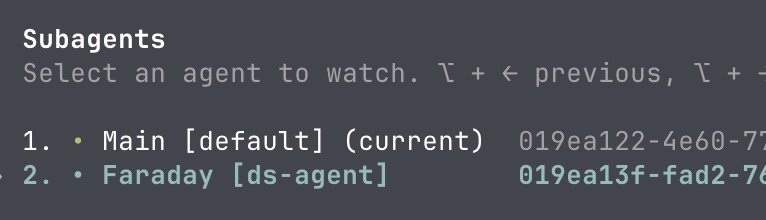
Inside Claude Code, expand the background shell and you'll see live progress right there — it renders in the shell view and uses none of your main session's context. To browse history or follow a task on its own, use handoff list and handoff tail (see the FAQ below).
FAQ
How do I browse the task list or watch a task's progress?
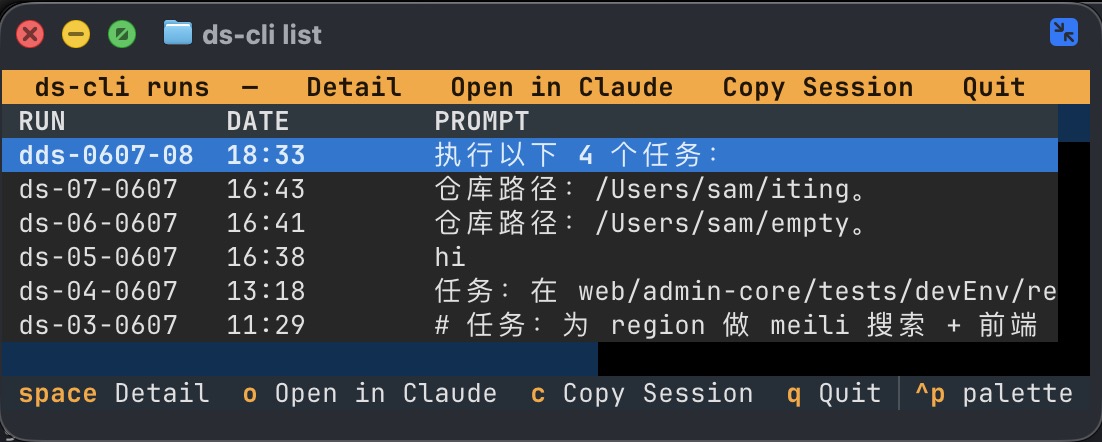
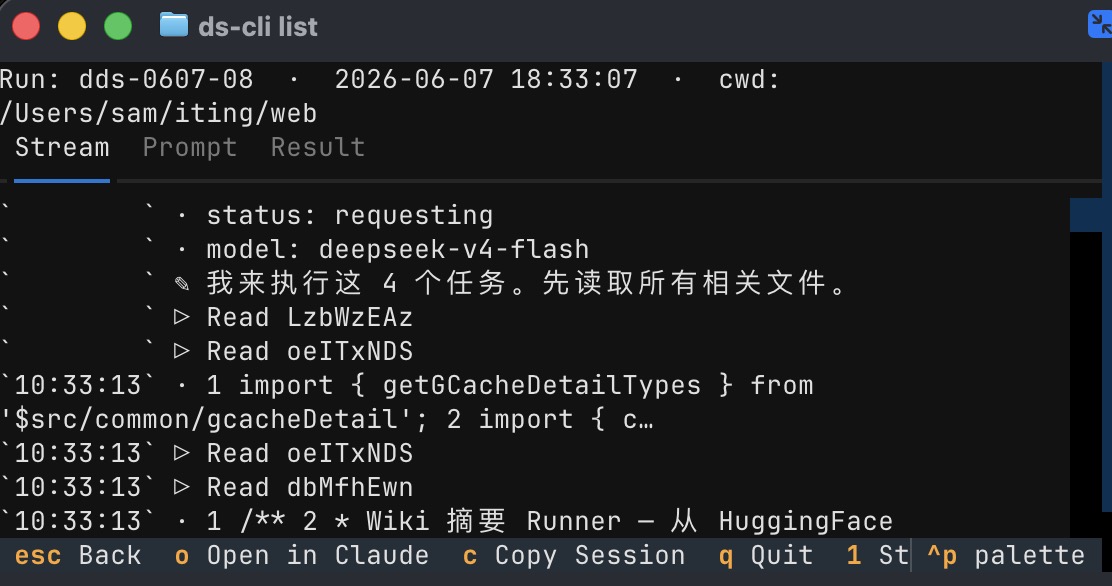
Dispatching and resuming are the AI's job (handoff run / handoff resume under the hood). These two commands are for you — browse the list, watch the progress:
|
|
|
|
|
Can I change the TUI theme?
Yes. Inside handoff list and handoff tail, press D to toggle between textual-dark and textual-light. Your choice is saved automatically to ~/.handoff/tui_state.json and restored next time you run the TUI.
Can I dispatch several tasks at once?
Yes. Have your agent send off several tasks in one message. Each runs on its own and reports back on its own — they never get in each other's way.
No uv / installing from source?
pipx install handoff-cli or pip install handoff-cli work just as well. From source:
git clone https://github.com/dazuiba/handoff && cd handoff
uv tool install -e .
handoff init
How do I add a custom backend / what goes in the env block?
Add one more entry under backends — any Anthropic-compatible endpoint works:
backends:
  kimi:
    type: claude
    model: kimi-k3
    env:
      ANTHROPIC_BASE_URL: https://api.moonshot.cn/anthropic
      ANTHROPIC_AUTH_TOKEN: "${MOONSHOT_API_KEY}"
      ANTHROPIC_MODEL: "{model}"
The env block is entirely yours — every key=value you set is exported before the CLI launches. {model} substitutes the resolved model name, ${ENV_VAR} expands from your shell. Run handoff env to see where everything lives. Full details: configuration docs (Chinese) →.
How does it actually work?
- Your agent hands the whole task to handoff, which runs it in the background — your session never blocks.
- handoff launches the matching CLI (
claude -p/codex exec) in an isolated context and streams the full output to disk. - The main session receives exactly one line:
RESULT=<path-to-result-file>. Progress goes to the background shell view — never into your main context. - On completion the agent gets notified, reads the result file, and reports back to you.
- The
RESULT=path is also a stable handle for the conversation: every follow-up round resumes the same session.
More docs
- CLI reference (Chinese) → — full usage of
run/resume/list/tail/env/init, run-id encoding, on-disk file layout. - Configuration (Chinese) → — mechanism vs data layers, env block,
${ENV}interpolation, include, custom backends. - Design notes (Chinese) → — why Claude Code uses skills while Codex uses custom agents, plus the RESULT= protocol.