DJANGO ADMIN KUBI
November 12, 2024 · View on GitHub
================= DJANGO ADMIN KUBI
Supports Django 4.0+
Django admin Kubi applies a face lift for the Django admin interface and mechanics. Its features include:
- A fast, attractive editor interface
- Complete Bootstrap 5 Templates
- Sass support for custom styling
- Font awesome
- Mobile friendly
- TinyMce Widget
- Admin with sidebar menu for easy navigation
- Admin Search View
- Admin LogEntry view
- Admin Initial Setup view
- django-modeltranslation support
- django-modeltrans support
- django-import-export support
- django-two-factor-auth support
- django-colorfield support
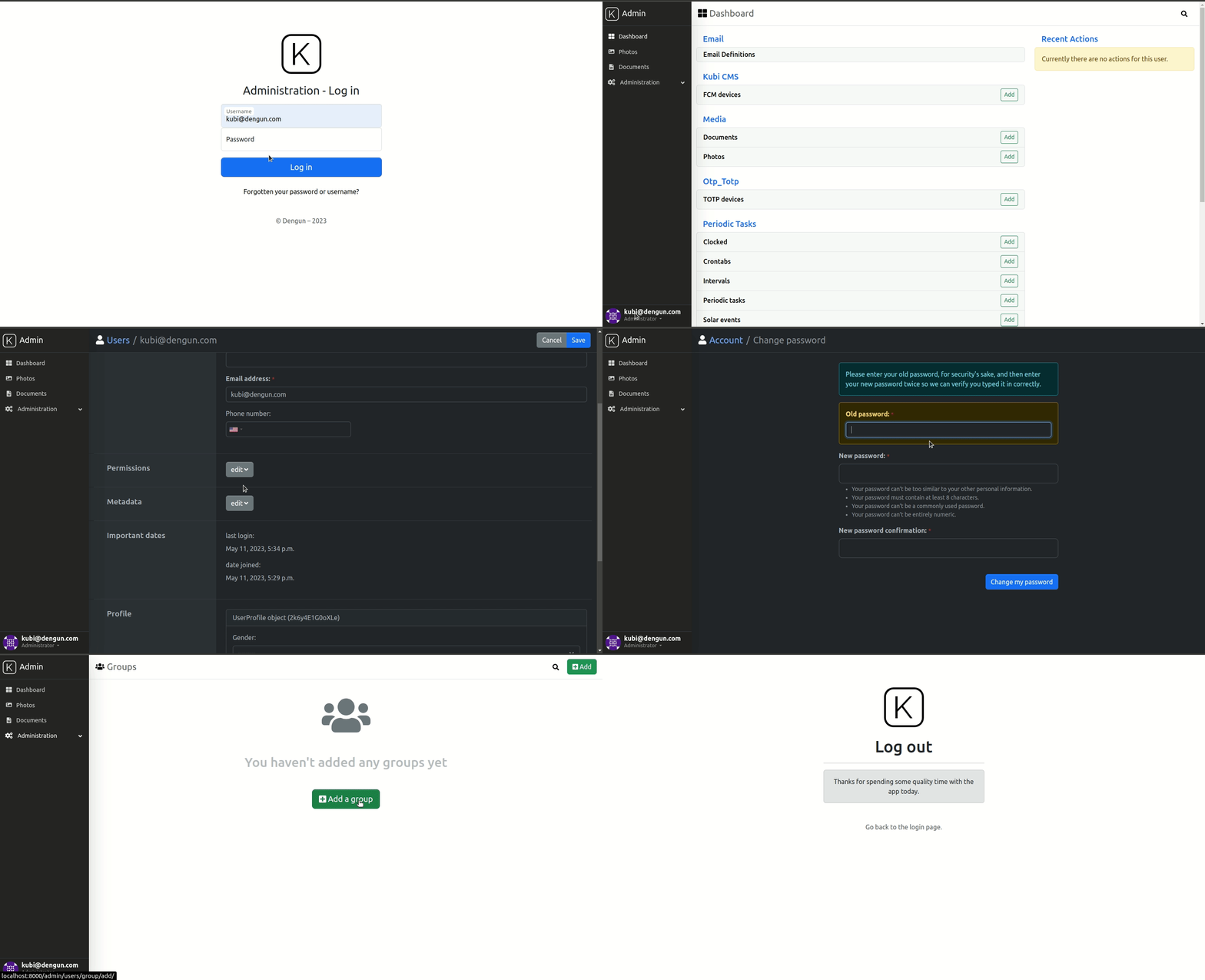
Quick Demo
.. image:: https://github-production-user-asset-6210df.s3.amazonaws.com/439167/237770437-47534a67-17e9-414f-8805-0364b39b96ac.gif :alt: Demo :align: center :target: https://github-production-user-asset-6210df.s3.amazonaws.com/439167/237770437-47534a67-17e9-414f-8805-0364b39b96ac.gif
Installation
-
Download and install latest version of Django admin kubi: .. code:: python
pip install django-admin-kubi
-
Add admin kubi to the INSTALLED_APPS in your project settings.py: .. code:: python
INSTALLED_APPS = ( 'django_admin_kubi', ... 'django.contrib.admin', )
-
Make sure
django.template.context_processors.requestcontext processor is enabled in settings.py (Django 1.8+ way): .. code:: pythonTEMPLATES = [ { 'BACKEND': 'django.template.backends.django.DjangoTemplates', 'DIRS': [], 'APP_DIRS': True, 'OPTIONS': { 'context_processors': [ ... 'django.template.context_processors.request', ... ], }, }, ]
-
Add admin kubi urls to your project url patterns: .. code:: python
urlpatterns = patterns( ... path('admin/', include("django_admin_kubi.urls")), # Django admin kubi URLS path('admin/', include(admin.site.urls)), ... )
Configuration settings
- in your settings.py you can toggle features using the DJANGO_ADMIN_KUBI option.
.. code:: python
DJANGO_ADMIN_KUBI = {
    'ADMIN_HISTORY': True,  # enables the history action panel
    'ADMIN_SEARCH': True,  # enables a full modal search
}
How to enable the Initial Setup Flow
- In your settings.py, you can enable the Initial Setup Flow by utilizing the SetupMiddleware.
.. code:: python
MIDDLEWARE = [
    ...
    'django_admin_kubi.middleware.SetupMiddleware',  # remove this after initial setup.
]
How to use the AdminMenu
- create a new file containing the Menu structure that you desire, here is an example.
.. code:: python
from django.urls import reverse
from django.utils.translation import gettext_lazy as _

from django_admin_kubi.admin_menu.items import MenuItem, ModelItem, ModelList
from django_admin_kubi.admin_menu.menu import Menu

admin_models = ("apps.users.*",)


class MyAdminMenu(Menu):
    dashboard = MenuItem(title=_('Dashboard'), url=reverse('admin:index'), icon="fa-th-large")
    content = ModelItem(model='apps.content.models.Content')
    media = ModelItem(model='apps.media.models.MediaPhoto')
    docs = ModelItem(model='apps.media.models.MediaDocument')
    locations = ModelList(
        models=(
            'cities_light.models.Country',
            'cities_light.models.Region',
        ),
        title=_('Locations'),
        icon='fa-thumbtack',
    )
    components = ModelItem(model='apps.components.models.Component')
    users = ModelList(_('Administration'), models=admin_models, icon="fa-cogs")
- in your settings.py you can replace the menu using ADMIN_MENU.
.. code:: python
ADMIN_MENU = "project.admin_menu.MyAdminMenu"