boss-skill
August 7, 2026 · View on GitHub



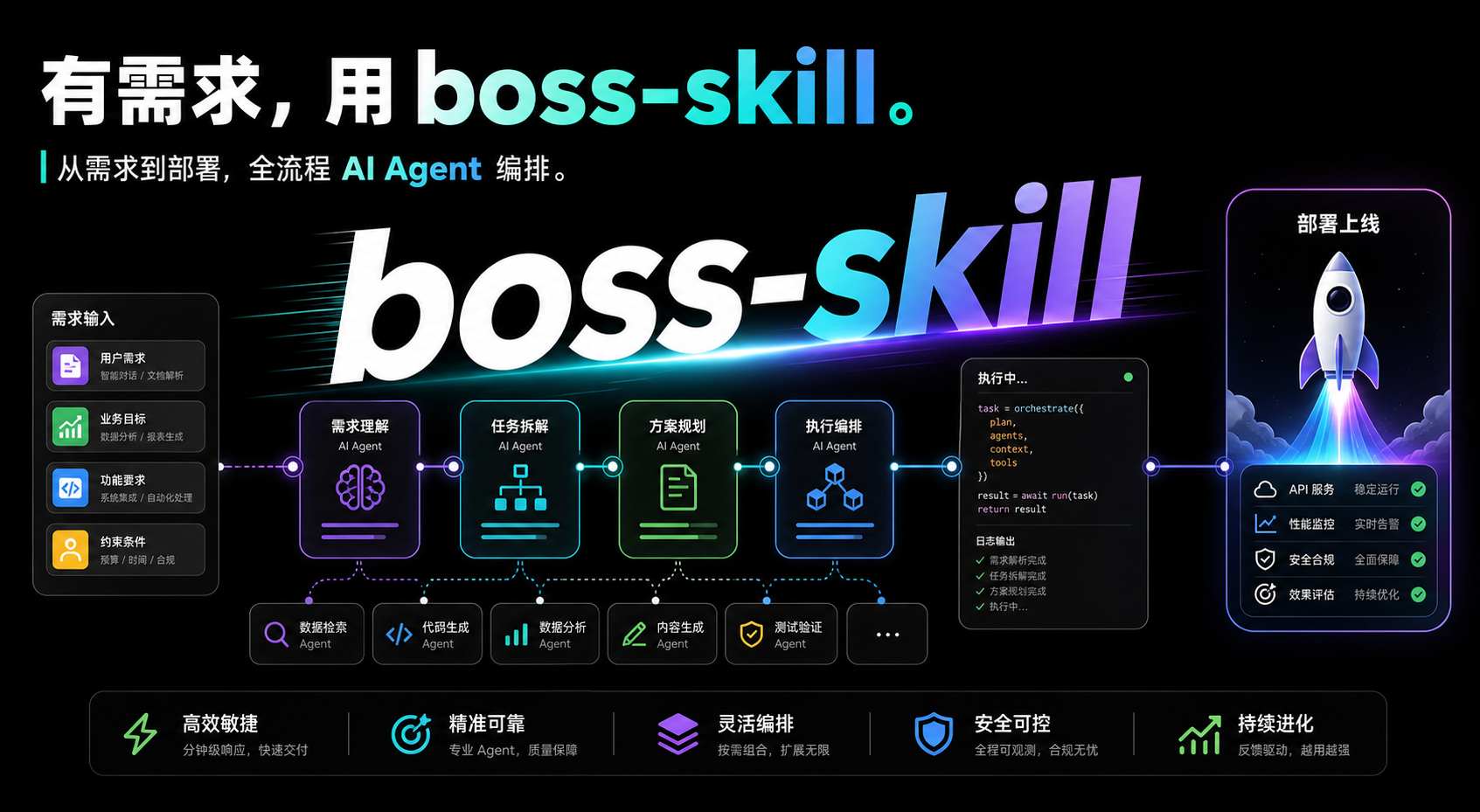
Boss is an auditable agent-team workflow for coding agents. It turns one coding agent into a structured engineering team: PM, Architect, UI Designer, Tech Lead, Scrum Master, Frontend, Backend, QA, and DevOps. Unlike prompt-only agent teams, Boss adds runtime state, append-only events, quality gates, deterministic evals, hooks, and replayable artifacts.
Boss works with Claude Code, Codex, OpenClaw, Antigravity, and Hermes.
Why Boss
Prompt-only orchestration can sound organized, but it usually cannot prove that the plan was followed, tests were run, gates passed, or state was not hallucinated. Boss is built around evidence:
- Event-sourced runtime: pipeline state is appended to
.boss/<feature>/.meta/events.jsonland projected into read-only execution state. - Non-bypassable gates: QA, deployment, and final checks are modeled as runtime stages instead of loose instructions.
- Replayable artifacts: PRDs, architecture docs, task lists, QA reports, deploy reports, and summaries live under
.boss/<feature>/. - Deterministic evals: captured transcripts can be scored without calling a real LLM.
- Agent-friendly CLI: commands support JSON output,
--describe, dry runs, bounded fields, and structured errors.
Use One Role Or The Whole Team
Boss is not a single monolithic command. You can run one role against an existing project, or run the full pipeline from idea to delivery.
| Command | What it does | Use when |
|---|---|---|
/boss | Full 4-stage pipeline | You want to go from idea to shippable work |
/boss:plan | PM + Architect planning | You want PRD and architecture before implementation |
/boss:review | Tech Lead review | You need a read-only code, PR, or design review |
/boss:qa | QA plus gates | You need verifiable test evidence |
/boss:ship | DevOps build and deployment checks | You are ready to ship |
/boss:extend | Custom agent, pack, or gate | You want to adapt Boss for your team |
/boss:upgrade | Upgrade Boss Skill and reinstall hooks | You want the latest npm package and hook config |
When To Use Boss
| Good fit | Poor fit |
|---|---|
| New features that need requirements, design, implementation, tests, and delivery evidence | One-line fixes or tiny local edits |
| API, full-stack, UI, or medium-sized product work | Pure code reading or explanation |
Work where .boss/<feature>/ artifacts are valuable | Tasks with a complete existing spec where you only need a quick patch |
| Teams that want repeatable gates and audit trails | Work that does not need coordination or review evidence |
Rule of thumb: if you do not need a traceable .boss/ folder, you probably do not need the full /boss pipeline. Use a single role or let your coding agent edit directly.
No CLI? Still Works
Boss detects the boss CLI at runtime. Without it, the workflow can degrade to Markdown artifacts under .boss/<feature>/ instead of the event stream. The CLI is the auditability upgrade: event sourcing, replayable resume, deterministic evals, runtime gates, and structured diagnostics.
Boss does not mean "install once and get guaranteed autonomous delivery." It provides a runtime workflow and evidence gates; the active coding agent still has to follow the Boss protocol.
Quick Start
1. Install
Boss is a skill you install into your coding agent — not a tool that installs other skills.
Recommended — via the skills CLI (vercel-labs/skills, skills.sh):
npx skills add echoVic/boss-skill
This is the standard, agent-agnostic way to install a skill: it discovers boss from the repo, prompts for target agent / scope (project vs global) / install method, and records a skills-lock.json you can commit. Boss ships a single skill root, so the picker shows just boss — its internal methodologies travel with it.
Alternative — Boss's own multi-agent installer (auto-detects Claude Code, Codex, OpenClaw, Antigravity, Hermes and installs into all of them, plus merges Codex hooks):
# One-shot, no global install
npx @blade-ai/boss-skill

# Or install globally, then run the self-install wizard
npm install -g @blade-ai/boss-skill
boss-skill
For Claude Code plugin mode:
claude --plugin-dir "$(boss-skill path)"
2. Run A Lightweight Pipeline
Inside your coding agent:
/boss Build a local personal todo app --roles core --skip-deploy
--roles coreuses PM, Architect, Dev, and QA.--skip-deploystops after implementation and test evidence.
3. Inspect Results
boss status todo-app --json
boss runtime inspect-pipeline todo-app
Expected artifact layout:
.boss/todo-app/
├── design-brief.md
├── prd.md
├── architecture.md
├── tasks.md
├── qa-report.md
└── .meta/
    ├── events.jsonl
    ├── execution.json
    └── workflow-plan.json
Installation Details
npm install -g @blade-ai/boss-skill
boss-skill install
Useful install commands:
boss-skill install --dry-run
boss-skill uninstall
boss-skill path
boss-skill --version
Auto-detected targets:
| Agent | Detection | Install method |
|---|---|---|
| OpenClaw | ~/.openclaw/ | Copy to ~/.openclaw/skills/boss/ and inject metadata |
| Codex | ~/.codex/ | Copy to ~/.codex/skills/boss/, inject metadata, merge hooks |
| Antigravity | ~/.gemini/antigravity/ | Copy to Antigravity skills directory and inject metadata |
| Hermes | ~/.hermes/ | Copy to ~/.hermes/skills/boss/ and inject metadata |
| Claude Code | Always available | Plugin mode with --plugin-dir |
Platform Support
Boss targets Node.js >=20 and runs on Linux, macOS, and Windows. The CLI shells out
only through spawnSync with explicit argument arrays (never shell: true), and resolves
npm/npx to their .cmd variants on Windows, so there is no POSIX-only assumption in
the core pipeline.
Two capabilities depend on optional external tools and degrade gracefully when they are absent:
- WIP checkpoints (stash/commit/branch) require
gitand a git working tree. Outside a repository, or withoutgitonPATH, checkpointing is silently skipped — the pipeline is unaffected. - Legacy hand-written
gate.shplugins are executed viabash. On Windows without a bash inPATHthese will fail to launch; prefer the cross-platform Node gate entry (gate.js/gate.mjs) for portable plugins.
Run boss doctor to see the resolved runtime environment (Node version, platform, and
whether git is available) alongside install and event-stream health.
Commands
Common slash commands:
/boss Build a todo app
/boss Add authentication to this existing project --skip-ui
/boss Build an API service --skip-deploy --quick
/boss Continue the previous task --continue-from 3
/boss Lightweight mode --roles core --hitl-level off
/boss:upgrade
Common options:
| Option | Meaning |
|---|---|
--roles <preset> | full for all 9 roles, or core for PM/Architect/Dev/QA |
--skip-ui | Skip UI design |
--skip-deploy | Skip deployment |
--quick | Skip confirmation and requirement clarification nodes |
--template | Initialize .boss/templates/ and pause |
--continue-from <1-4> | Resume from a pipeline stage |
--hitl-level <level> | Human-in-the-loop mode: auto, interactive, or off |
Boss CLI commands:
boss --help
boss status FEATURE
boss continue FEATURE
boss gate FEATURE
boss qa attack FEATURE
boss project init FEATURE
boss design preview FEATURE
boss packs detect
boss runtime inspect-pipeline FEATURE
boss runtime generate-summary FEATURE
Agent-facing boss commands use these common options where applicable; run --describe on a command for its exact JSON schema:
--json: structured output; non-TTY stdout defaults to JSON--describe: JSON command schema--dry-run: structured action plan for writes or risky operations--json-input=<json|->: JSON input payload--fields=<a,b>and--limit=<n>: bounded output--yes: required only for high-risk non-interactive commands that need an extra confirmation
Structured errors are written to stderr as {"error":{...}} and include code, message, input, retryable, and suggestion.
Workflow
Boss follows a four-stage workflow:
User request
  -> requirement clarification
  -> Stage 1: PM, Architect, UI Designer
  -> Stage 2: Tech Lead, Scrum Master
  -> Stage 3: Frontend, Backend, QA, gates
  -> Stage 4: DevOps, deployment checks, summary
The full role set:
| Role | Responsibility |
|---|---|
| PM | Requirement discovery, PRD, hidden needs, edge cases |
| Architect | System architecture, technical design, APIs |
| UI Designer | UI/UX spec plus renderable design JSON |
| Tech Lead | Technical review, risk assessment |
| Scrum Master | Task breakdown and acceptance criteria |
| Frontend | UI implementation and frontend tests |
| Backend | API, storage, backend tests |
| QA | Test execution, bug reports, verification evidence |
| DevOps | Build, deployment, health checks |
Runtime And Quality Gates
Boss has two layers of quality control:
- Hard constraints verified by code and CI: runtime events, protected
execution.json, hooks, install matrix tests, harness scenarios, and Vitest coverage. - Agent protocol constraints guided by the skill bundle: DAG dispatch, progressive reference loading, test evidence, and gate discipline.
Built-in gates:
| Gate | Timing | Checks |
|---|---|---|
| Gate 0 | After development, before QA | TypeScript, lint, basic compile checks |
| Gate 1 | After QA, before deployment | Test evidence, no P0/P1 bugs, E2E expectations |
| Gate 2 | Before web deployment | Lighthouse and API latency targets when applicable |
Hooks are controlled by environment variables:
| Variable | Values |
|---|---|
BOSS_HOOK_PROFILE | minimal, standard, strict |
BOSS_DISABLED_HOOKS | Comma-separated hook IDs |
Runtime state is backed by .boss/<feature>/.meta/workflow-plan.json and .boss/<feature>/.meta/execution.json. The workflow definition records workflowHash, packHash, and artifact DAG hashes. Runtime resume uses boss runtime resume <feature> --from-run <run-id> to reload the plan, compare node inputs, and materialize execution.workflow.nextNodeIds for the next schedulable nodes. GateEvaluated / WaveVerified events update workflow node status when gates and evidence waves complete.
Security-Sensitive Surfaces
Boss intentionally keeps the published plugin manifest small: it declares only bundled skills and omits MCP servers, app manifests, and asset references unless those companion files exist. Codex hooks are installed by the boss-skill install flow, not by the marketplace manifest.
The npm package excludes local development agent settings such as .claude/settings.json and .claude/settings.local.json. Publishable plugin metadata lives under .claude-plugin/, .codex-plugin/, and .agents/plugins/marketplace.json.
Release provenance lives in .agents/plugins/provenance.json. It pins the repository HTTPS URL, immutable source commit SHA, publisher identity, and SHA-256 digests for plugin manifests and security-sensitive components. Verify it with:
npm run provenance:verify
Publisher verification is external to the package. For the HOL registry, claim the plugin with the repository owner's GitHub account at https://hol.org/guard/plugins. The public trust card is available at https://hol.org/registry/plugins/echovic%2Fboss/embed.
Security-sensitive behavior to review before publishing or installing:
boss-skill installmay write to agent configuration directories such as~/.codex/skills/boss/and merge Boss-managed entries into~/.codex/hooks.json.- Hook entries execute
boss hooks run ..., which dispatches scripts fromscripts/hooks/. - Runtime plugins under
.boss/plugins/<name>/plugin.jsoncan register gate or reporter hooks; review project-local plugins before enabling them. - Use
BOSS_HOOK_PROFILE=minimalorBOSS_DISABLED_HOOKS=<ids>when you need to reduce hook behavior in a sensitive environment.
Boss is local-first and makes no outbound network requests by default; the only network
surface is the opt-in, loopback-only boss design preview server. See PRIVACY.md
for the full data and network boundary.
Pipeline Artifacts
.boss/<feature>/
├── design-brief.md
├── prd.md
├── architecture.md
├── ui-spec.md
├── ui-design.json
├── tech-review.md
├── tasks.md
├── qa-report.md
├── deploy-report.md
├── summary-report.md
└── .meta/
    ├── events.jsonl
    ├── execution.json
    └── workflow-plan.json
Run this in an interactive environment to preview a generated UI design:
boss design preview <feature>
Evals
Boss evals score captured fixtures without starting a real LLM:
npm run evals
npm run evals:release
The release eval includes release-evidence and pipeline-compliance checks. It verifies runtime command usage, artifact recording, avoidance of direct execution.json edits, and workflow scheduling fields.
See test/evals/README.md.
Development
Requirements:
- Node.js >= 20
jqfor shell-based test helpers
Setup:
git clone https://github.com/echoVic/boss-skill.git
cd boss-skill
npm install
npm run build
npm run typecheck
npm test
Useful scripts:
npm run build
npm run typecheck
npm test
npm run test:skills
npm run test:harness
npm run test:install-matrix
npm run evals
Repository Layout
boss-skill/
├── packages/boss-cli/          # TypeScript CLI and runtime
├── skill/                      # Skill bundle installed into coding agents
├── scripts/hooks/              # Node.js hook scripts
├── scripts/lib/                # Hook helpers
├── test/                       # Vitest, harness, eval, hook, and install tests
├── docs/superpowers/           # Historical specs, plans, and reports
├── examples/                   # Example projects
├── .claude-plugin/             # Claude Code plugin manifest
├── .codex-plugin/              # Codex plugin manifest
└── package.json
Important source areas:
packages/boss-cli/src/contains CLI and runtime TypeScript source.packages/boss-cli/dist/contains generated CLI output used by the published npm bin; do not edit it by hand.packages/boss-cli/assets/contains built-in DAGs, pipeline packs, plugin schema, and plugins.skill/SKILL.mdis the main agent-facing orchestration entry.skill/agents/contains the role prompts.skill/commands/contains slash commands.skill/templates/contains artifact templates.
Release
Use the release script so version numbers stay synchronized across package metadata and skill/plugin manifests:
npm run release -- patch
npm run release -- minor
npm run release -- major
npm run release -- 3.11.0
npm run release -- 3.11.0 --dry-run
npm run release -- 3.11.0 --no-publish
The release script checks for a clean worktree, runs tests, syncs versions, verifies consistency, creates a commit and tag, and publishes unless --no-publish is used.
See CONTRIBUTING.md.
Design
Boss is inspired by BMAD: Breakthrough Method of Agile AI-Driven Development. The project adapts that idea into an auditable runtime for agentic software work.
Read more in DESIGN.md and skill/references/bmad-methodology.md.
Star History
License
MIT