README.md
July 21, 2026 · View on GitHub










Eigent is the open source Cowork desktop application, empowering you to build, manage, and deploy a custom AI workforce that can turn your most complex workflows into automated tasks. As a leading open-source Cowork product, Eigent brings together the best of open-source collaboration and AI-powered automation.
Built on CAMEL-AI's acclaimed open-source project, our system introduces a Multi-Agent Workforce that boosts productivity through parallel execution, customization, and privacy protection.
⭐ 100% Open Source - 🥇 Local Deployment - 🏆 MCP Integration
- ✅ Zero Setup - No technical configuration required
- ✅ Multi-Agent Coordination - Handle complex multi-agent workflows
- ✅ Single-Agent Harness - Run focused tasks with one meta agent
- ✅ Local Deployment
- ✅ Open Source
- ✅ Model Agnostic - Support any model of your choice
- ✅ MCP Integration
- ✅ Skill Integration
- ✅ Built-in Browser & Terminal Toolkits
- ✅ Enterprise Features - SSO, access control, and custom enquiries
Table of contents
TOC
- 🚀 Getting Started with Open Source Cowork
- ✨ Key features - Open Source Cowork
- 🧩 Use Cases - Open Source Cowork
- 🛠️ Tech Stack
- 🌟 Staying ahead - Open Source Cowork
- 🗺️ Roadmap - Open Source Cowork
- 📖 Contributing
- Ecosystem
- 📄 Open Source License
- 🌐 Community & contact
🚀 Getting Started with Open Source Cowork
🔓 Build in Public — Eigent is 100% open source from day one. Every feature, every commit, every decision is transparent. We believe the best AI tools should be built openly with the community, not behind closed doors.
🏠 Local Deployment (Recommended)
The recommended way to run Eigent — fully standalone with complete control over your data, no cloud account required.
This setup includes:
- Local backend server with full API
- Local model integration (vLLM, Ollama, LM Studio, etc.)
- Complete isolation from cloud services
- Zero external dependencies
⚡ Quick Start (Cloud-Connected)
For a quick preview using our cloud backend — get started in seconds:
Prerequisites
- Node.js (version 18-22) and npm
Steps
git clone https://github.com/eigent-ai/eigent.git
cd eigent
npm install
npm run dev
Note: This mode connects to Eigent cloud services and requires account registration. For a fully standalone experience, use Local Deployment instead.
Updating Dependencies
After pulling new code (git pull), update both frontend and backend dependencies:
# 1. Update frontend dependencies (in project root)
npm install

# 2. Update backend/Python dependencies (in backend directory)
cd backend
uv sync
🏢 Enterprise
For organizations requiring maximum security, customization, and control:
- Exclusive Features (like SSO & custom development)
- Scalable Enterprise Deployment
- Negotiated SLAs & implementation services
📧 For further details, contact our sales team.
☁️ Cloud Version
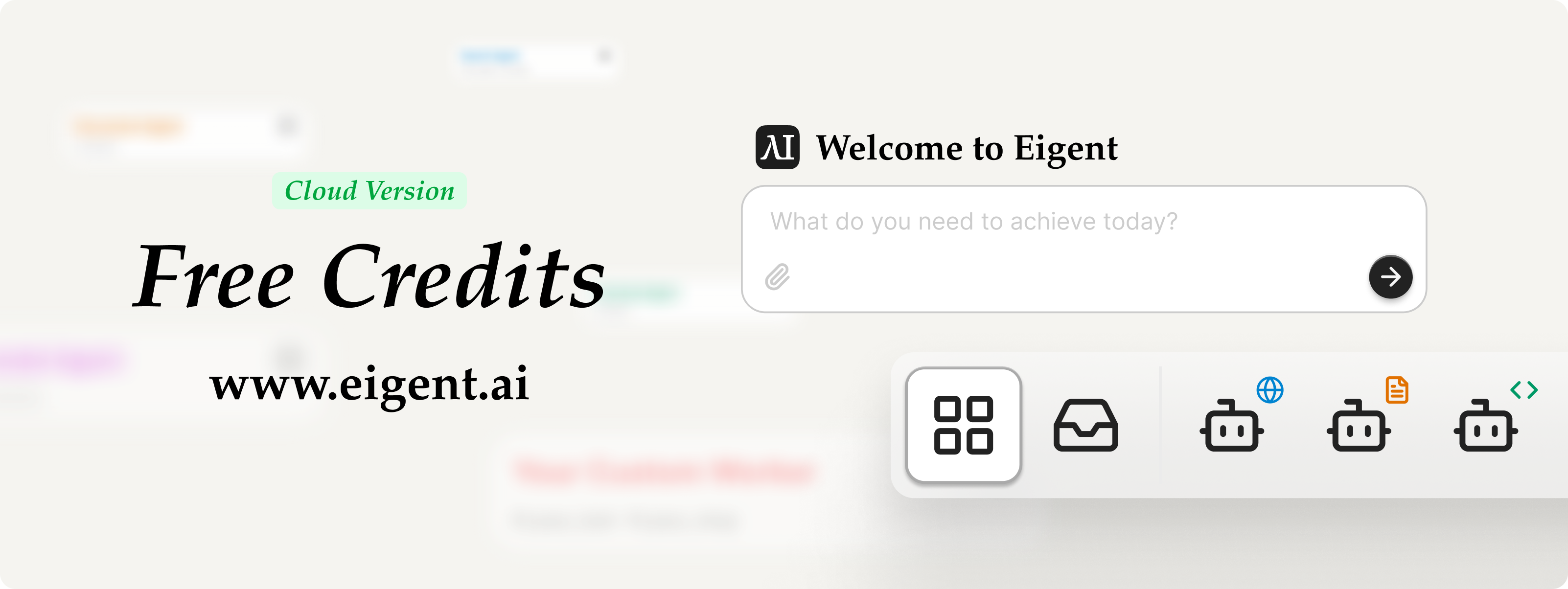
For teams who prefer managed infrastructure, we also offer a cloud platform. The fastest way to experience Eigent's multi-agent AI capabilities without setup complexity. We'll host the models, APIs, and cloud storage, ensuring Eigent runs flawlessly.
- Instant Access - Start building multi-agent workflows in minutes.
- Managed Infrastructure - We handle scaling, updates, and maintenance.
- Premium Support - Subscribe and get priority assistance from our engineering team.
✨ Key features - Open Source Cowork
🧑💻 Cowork with Single Agent
Start with one focused agent for direct tasks. Research, write, debug, and operate alongside it in your desktop workspace.
🏭 Cowork with Workforce
Scale to multiple specialized agents that divide work, collaborate in parallel, and execute complex multi-step workflows together.
⏰ Automation
Schedule recurring workflows and let agents run tasks at the right time—so work continues even when you step away.
🔒 Local & Secure
Run agents on your machine with local-first execution. Your files, credentials, and context stay under your control.
🧠 Model Agnostic
Connect the models you already use—cloud APIs, enterprise gateways, or local inference—without locking into one vendor.
👐 100% Open Source
Eigent is completely open-sourced. You can download, inspect, and modify the code, ensuring transparency and fostering a community-driven ecosystem for multi-agent innovation.
🧩 Use Cases - Open Source Cowork
Explore how Eigent turns complex desktop work into repeatable agent workflows.
For Developers
Build 10 Chinese New Year HTML5 Games with Eigent
Coordinate parallel agents to build ten polished, mobile-friendly browser games across genres, complete with scoring, increasing difficulty, and restart flows.
Build a 3D Snow Bros Platformer with Gemini 3.1 Pro
Create a complete browser-based 3D platformer with snowball combat, enemy chains, scoring, lives, scaling difficulty, and layered environments.
Automate Monthly Dev Reports with DeepSeek via Ollama
Review a month of GitHub pull requests with a locally hosted model, generate a Word summary, and prepare the corresponding Slack release update.
Featured
Organize Desktop Files
Ask Eigent to inspect a cluttered desktop and organize files into a cleaner, more useful structure directly on your machine.
Audit ML CI Failures with Gemini 3.5 Flash on Eigent
Orchestrate a multi-agent CI investigation that fetches logs, compares golden values, traces evidence, delegates deep reasoning, and produces structured audit reports.
Ticket Management System Integration and Reporting
Import local ticket data into a browser-based management system, then generate a statistical report with charts and visual summaries.
🛠️ Tech Stack
Eigent open-source Cowork desktop is built on modern, reliable technologies that ensure scalability, performance, and extensibility.
Backend
- Framework: FastAPI
- Package Manager: uv
- Async Server: Uvicorn
- Authentication: OAuth 2.0, Passlib.
- Multi-agent framework: CAMEL
Frontend
- Framework: React
- Desktop App Framework: Electron
- Language: TypeScript
- UI: Tailwind CSS, Radix UI, Lucide React, Framer Motion
- State Management: Zustand
- Flow Editor: React Flow
🌟 Staying ahead - Open Source Cowork
Important
Star Eigent, You will receive all release notifications from GitHub without any delay ~ ⭐️

🗺️ Roadmap - Open Source Cowork
Our open-source Cowork continues to evolve with input from the community. Here's what's coming next:
| Topics | Issues | Discord Channel |
|---|---|---|
| Context Engineering | - Prompt caching - System prompt optimize - Toolkit docstring optimize - Context compression | Join Discord → |
| Multi-modal Enhancement | - More accurate image understanding when using browser - Advanced video generation | Join Discord → |
| Multi-agent system | - Workforce support fixed workflow - Workforce support multi-round conversion | Join Discord → |
| Browser Toolkit | - BrowseComp integration - Benchmark improvement - Forbid repeated page visiting - Automatic cache button clicking | Join Discord → |
| Document Toolkit | - Support dynamic file editing | Join Discord → |
| Terminal Toolkit | - Benchmark improvement - Terminal-Bench integration | Join Discord → |
| Environment & RL | - Environment design - Data-generation - RL framework integration (VERL, TRL, OpenRLHF) | Join Discord → |
🤝 Contributing
We believe in building trust and embracing all forms of open-source collaborations. Your creative contributions help drive the innovation of Eigent. Explore our GitHub issues and projects to dive in and show us what you’ve got 🤝❤️ Contribution Guideline
Contributors
Made with contrib.rocks.
❤️ Sponsor
Eigent is built on top of CAMEL-AI.org's research and infrastructures. Sponsoring CAMEL-AI.org will make Eigent better.
📄 Open Source License
This repository is licensed under the Apache License 2.0.
🌐 Community & Contact
For more information please contact info@eigent.ai
-
GitHub Issues: Report bugs, request features, and track development. Submit an issue
-
Discord: Get real-time support, chat with the community, and stay updated. Join us
-
X (Twitter): Follow for updates, AI insights, and key announcements. Follow us
-
WeChat Community: Scan the QR code below to add our WeChat assistant, and join our WeChat community group.
