Diagram
April 21, 2026 · View on GitHub





Diagram is a full fledged CLI application to generate hand drawn diagrams from ASCII art.

Main features
- Full fledged content editor
- Integrated GUI for image view
- Zooming/panning support for image inspection
- Integrated file management system
- Layout customization
Installation
In order to run the application please make sure that Go is installed on your local machine and check if $GOPATH/bin is included into the PATH directory.
Run the following commands to download the project and build the executable.
$ git clone https://github.com/esimov/diagram
$ cd diagram
$ go build

# Start the application
$ diagram
If you've installed Homebrew, you can install the application by running brew install diagram.
Build
A shell script is bundled into the library to mitigate the generation of binary files for the most common operating systems, but take care: different dependencies are needed for different operating systems (see the Dependencies) section. To build the executable file run:
$ make all
Usage
Once you are inside the terminal application you can create, edit or delete the ASCII diagrams. By pressing CTRL+g you can convert the ASCII art into a handwritten diagram. The generated PNG file will be saved into the output folder relative to the current path.
Command Line support
The application also supports the generation of hand drawn diagrams directly from command line without to enter into the CLI application.
$ diagram --help will show the currently supported options:
┌┬┐┬┌─┐┌─┐┬─┐┌─┐┌┬┐
 │││├─┤│ ┬├┬┘├─┤│││
─┴┘┴┴ ┴└─┘┴└─┴ ┴┴ ┴
    Version: 1.1.0

CLI app to convert ASCII arts into hand drawn diagrams.

  -font string
    	Path to the font file (default "/Users/esimov/Projects/Go/src/github.com/esimov/diagram/font/gloriahallelujah.ttf")
  -in string
    	Source
  -out string
    	Destination
  -preview
    	Show the preview window (default true)
CLI Examples
Read input from sample.txt and write image to sample.png showing a preview window with the hand drawn diagram:
diagram -in sample.txt -out sample.png
Read input from sample.txt and write image to sample.png, and exit immediately without showing a preview window:
diagram -in sample.txt -out sample.png -preview=false
Generate diagram as above but use a font at a different location:
diagram -in sample.txt -out sample.png -preview=false -font /path/to/my/font/MyHandwriting.ttf
Key bindings
| Key | Action |
|---|---|
| F1 | Show/hide help panel |
| Tab | Jump to the next panel |
| Shift+Tab | Jump to the previous panel |
| Ctrl+l | Change layout color |
| Ctrl+s | Open the Save diagram modal |
| Ctrl+s | Save diagram |
| Ctrl+g | Preview the generated ASCII diagram (zooming/panning) |
| PageDown | Scroll down the editor content |
| PageUp | Scroll up the editor content |
| Ctrl+x | Clear the editor content |
| Ctrl+z | Restore the editor content |
| Home | Jump to the line start |
| End | Jump to the line end |
| Delete/Backspace | Delete diagram |
| Ctrl+q | Quit |
Example
| Input | Output |
|---|---|
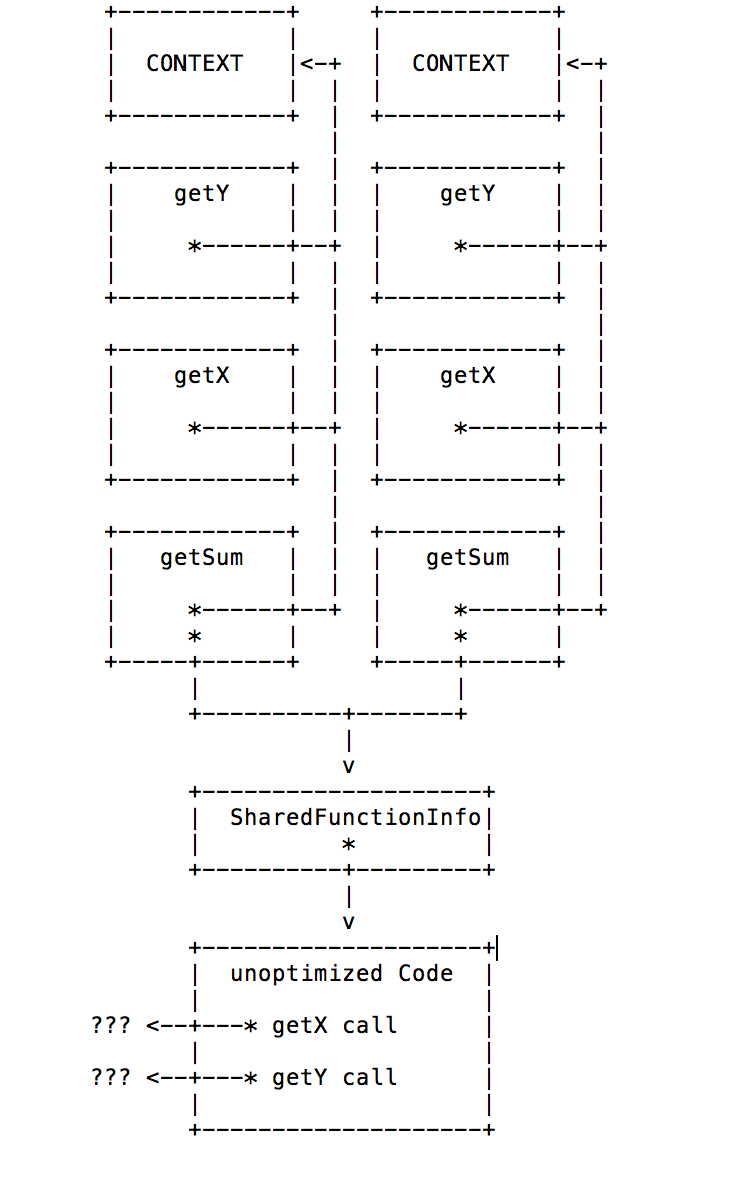 |  |
The application was tested on Ubuntu, MacOS and Windows.
Acknowledgements
The ASCII to PNG conversion was ported from shaky.dart.
Dependencies
Author
- Endre Simo (@simo_endre)
License
Copyright © 2017 Endre Simo
This project is under the MIT License. See the LICENSE file for the full license text.