fab's desktop environment
January 19, 2026 · View on GitHub
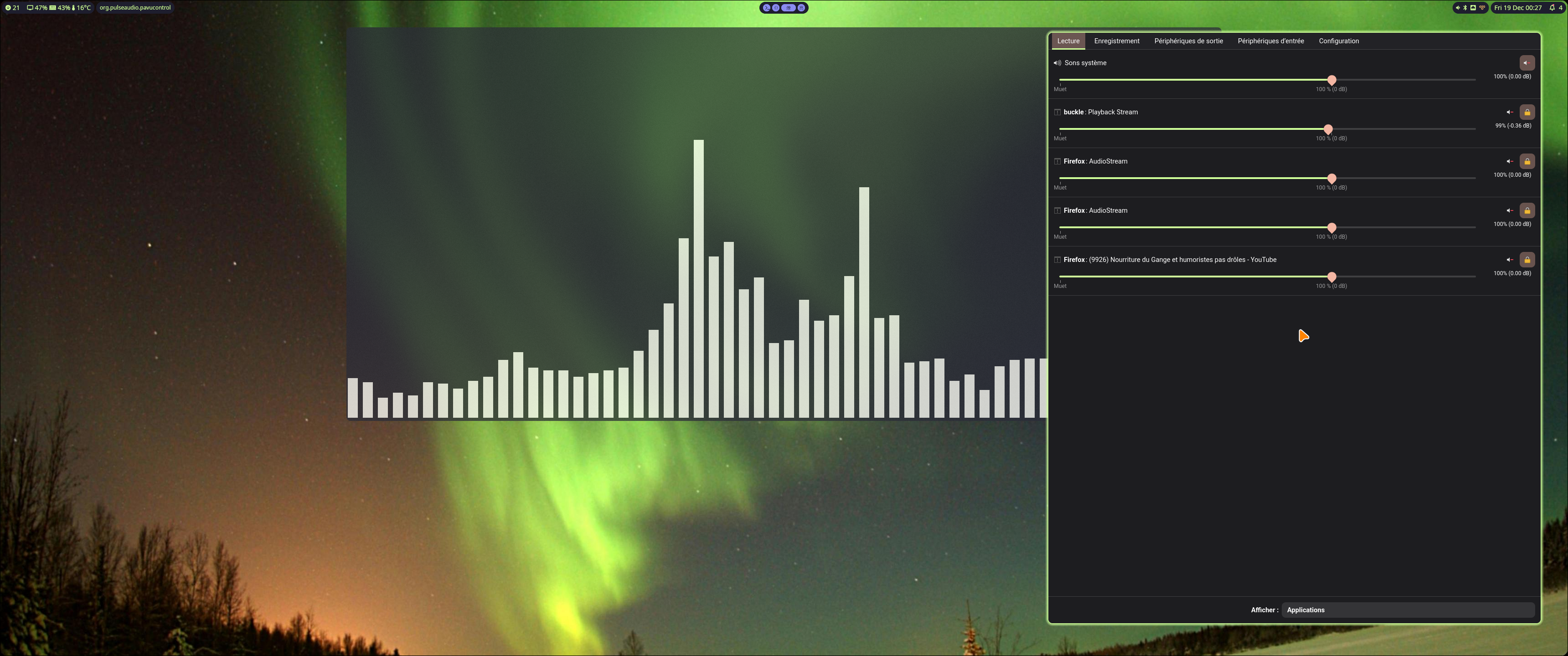
Currently using:
- Hyprland (looking at Niri - good but less flexible)
- ashell (the smallest footprint for the features)
- pyprland (the glue, helps with configuration and adds fine UX features, eg: matugen-alike and scratchpads)
- zsh (replacing it seems futile)
- kitty (the best terminal emulator so far)
- hyprpaper (bug-free when it comes to screen transformation - unlike swww and even swaybg)
- hyprlock
- hypridle
- ...
See also, my compatible nvim configuration
Installing
Via self-installer
Download and execute the latest dotfiles-installer.run file in releases
The installer should be safe to run, and only copies files after backing them up.
via git clone/download
run install.sh
To preview the changes without doing anything, run install.sh --dry-run
Works best using Gtk theme "adw".
Usage
Hyprland
Mod+Shift+qto stop HyprlandCtrl+Mod+Lto shutdown, shutdown or rebootCtrl+Lto lock the sessionMod+wto open a web browserMod+Enterto open a shellMod+tto open a file browser scratchpadMod+ato open a shell scratchpadMod+vto open a volume scratchpadMod+cto close a windowMod+eto start or focus some programMod+rto run commands from the custom menuMod+Arrowswith optional modifiers to operate on the focused windowMod+kandMod+jwith common modifiers to manipulate workspaces (carrying focused window withSHIFT)Mod+Shift+,change the wallpaper and update every colors (vim, kitty, hyprland, ...). Check wallpapers.toml for the configuration.
For the complete list, refer to keybindings.conf
Note
The is designed for the AZERTY keyboard layout, you may want to change the q a m , w z keys bindings and some others to make it more comfortable.
Zsh
- End a command with '**' to complete every file below the path under cursor
- View anything directly in the shell with the
vcommand
Notes
You can force a specific color for the theme using a command such as matugen color hex '#AA5533' (replace with the RGB code of your choice) or matugen image /path/to/an/image
Special thanks to
- Axenide/Ax-shell for the matugen support and making me appreciate rounded corners
About
Now using Hyprland, I'm a former user of:
- qtile
- awesome
- gnome/kde
- cinnamon/mate
- enlightenment (e16/e17)
- xfce
- ROX desktop
- pekwm/openbox/fluxbox/windowmaker/fvwm
- ratpoison and other fun stuff for some moments ;)
I built my requirements over time as a software engineer, trying to maintain some usable modern desktop environment configuration based on the best light (not lightest!) options I can find for my own usage.
This is an "export" of the main files I'm using, with some small automated adaptations to make them more generic.
Report any bug so I can improve those and share it again.