highresnet
July 19, 2025 · View on GitHub
========== highresnet
.. image:: https://img.shields.io/pypi/v/highresnet.svg :target: https://pypi.python.org/pypi/highresnet

.. image:: https://zenodo.org/badge/DOI/10.5281/zenodo.3349989.svg :target: https://doi.org/10.5281/zenodo.3349989

::
deepgif $NII_FILE
.. image:: https://raw.githubusercontent.com/fepegar/highresnet/master/images/slicer_screenshot.png :alt: 3D Slicer screenshot
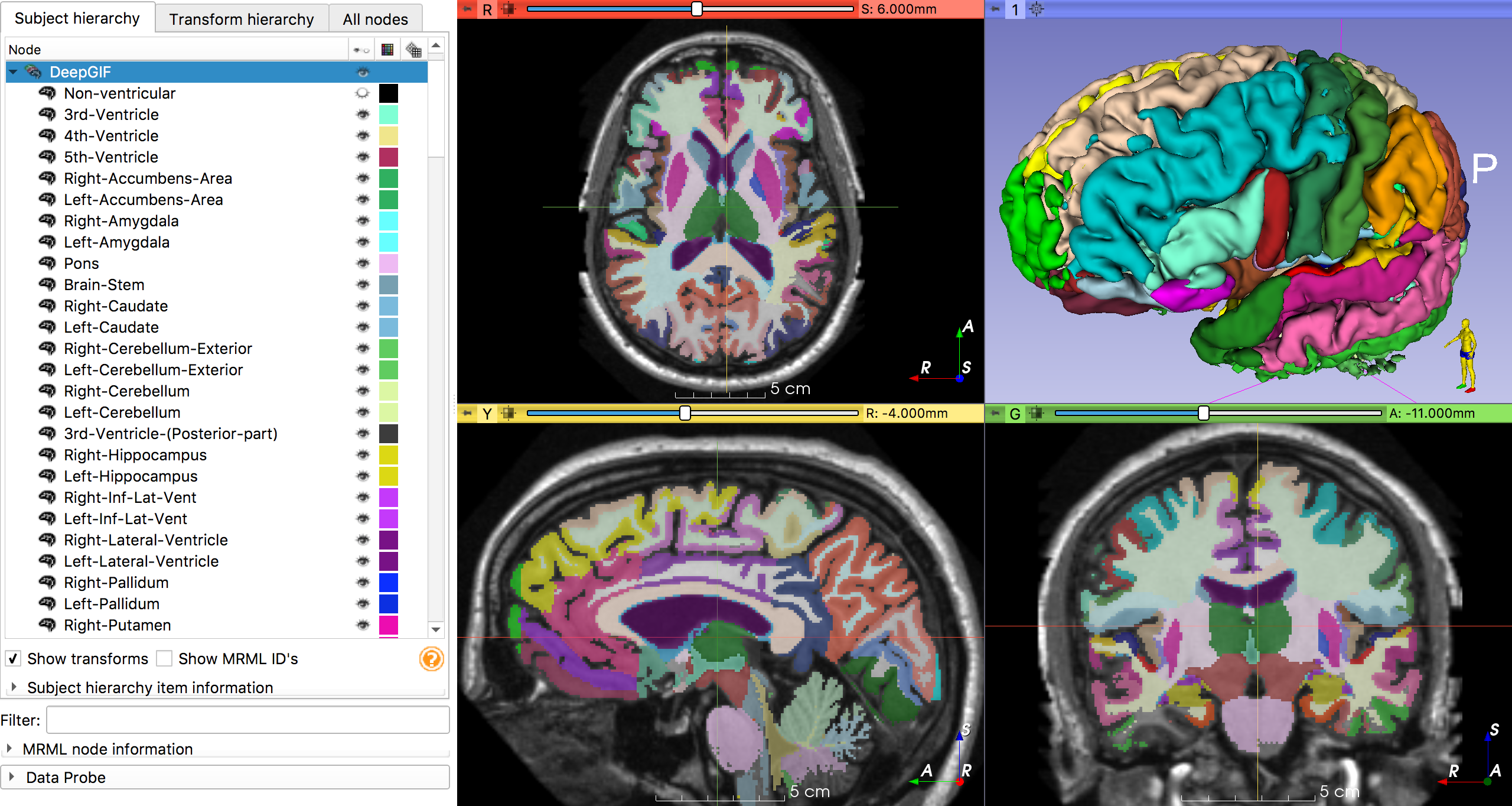
PyTorch implementation of HighRes3DNet from Li et al. 2017, *On the Compactness, Efficiency, and Representation of 3D Convolutional Networks: Brain Parcellation as a Pretext Task* <https://arxiv.org/pdf/1707.01992.pdf>_.
All the information about how the weights were ported from NiftyNet can be found
in my submission to the MICCAI Educational Challenge 2019 <https://nbviewer.jupyter.org/github/fepegar/miccai-educational-challenge-2019/blob/master/Combining_the_power_of_PyTorch_and_NiftyNet.ipynb?flush_cache=true>_.
Usage
Command line interface ^^^^^^^^^^^^^^^^^^^^^^
.. code-block:: shell
(deepgif) $ deepgif t1_mri.nii.gz Using cache found in /home/fernando/.cache/torch/hub/fepegar_highresnet_master 100%|███████████████████████████████████████████| 36/36 [01:13<00:00, 2.05s/it]
PyTorch Hub <https://pytorch.org/hub>_
^^^^^^^^^^^^^^^^^^^^^^^^^^^^^^^^^^^^^^^^
You can import the model directly from this repository using the
PyTorch Hub <https://pytorch.org/hub>_.
.. code-block:: python
import torch repo = 'fepegar/highresnet' model_name = 'highres3dnet' print(torch.hub.help(repo, model_name)) "HighRes3DNet by Li et al. 2017 for T1-MRI brain parcellation" "pretrained (bool): load parameters from pretrained model" model = torch.hub.load(repo, model_name, pretrained=True)
Installation
.. code-block:: shell
pip install highresnet
Now you can do
.. code-block:: python
from highresnet import HighRes3DNet model = HighRes3DNet(in_channels=1, out_channels=160)