FirebaseUI for Web
August 12, 2026 · View on GitHub
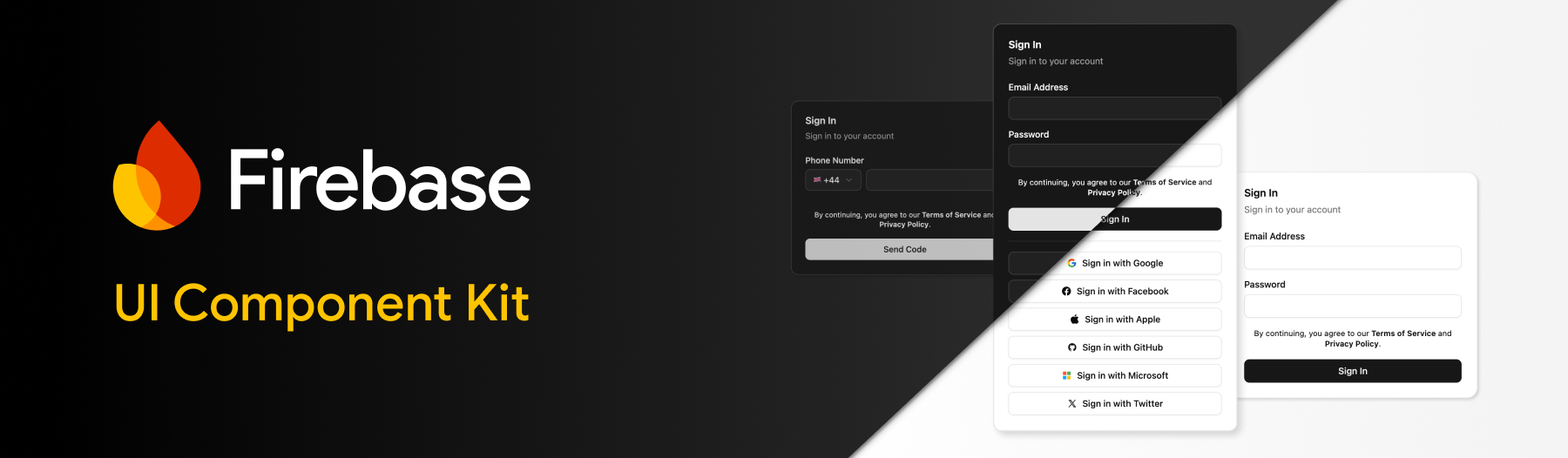
FirebaseUI for Web
Firebase UI for Web brings out-of-the-box components for Firebase for your favourite frameworks:
- Support for React, Shadcn and Angular.
- Composable authentication components; Email/Password Sign Up/In, Forgot Password, Email Link, Phone Auth, OAuth, Multi-Factor and more.
- Configure the behavior of internal logic and UI via behaviors.
- Framework agnostic core package; bring your own UI.
- Built-in localization via translations.
Migration
Firebase UI v7 is a complete rewrite to support modern languages and frameworks. You can find information about the previous version, v6, in the v6-archive branch.
If you are looking to migrate, please check the MIGRATION.md guide.
Table of contents
Getting Started
To get started, make sure that the firebase package is installed in your project:
npm install firebase
Once installed, setup Firebase in your project ensuring you have configured your Firebase instance via initializeApp:
import { initializeApp } from 'firebase/app';

const app = initializeApp({ ... });
Next, follow the framework specific installation steps, for either React, Shadcn or Angular:
React
Install the @firebase-oss/ui-react package:
npm install @firebase-oss/ui-react
Alongside your Firebase configuration, import the initializeUI function and pass your configured Firebase App instance:
import { initializeApp } from 'firebase/app';
import { initializeUI } from '@firebase-oss/ui-core';

const app = initializeApp({ ... });

const ui = initializeUI({
  app,
});
Once configured, provide the ui instance to your application by wrapping it within the FirebaseUIProvider component:
import { FirebaseUIProvider } from '@firebase-oss/ui-react';

function App() {
  return (
    <FirebaseUIProvider ui={ui}>
      ...
    </FirebaseUIProvider>
  );
}
Ensure your application includes the bundled styles for Firebase UI (see styling for additional info).
@import "@firebase-oss/ui-styles/dist.min.css";
/* Or, if you use tailwind */
@import "@firebase-oss/ui-styles/tailwind";
That's it 🎉 You can now import components and start building:
import { SignInAuthScreen } from '@firebase-oss/ui-react';

export function MySignInPage() {
  return (
    <>
      <header>Welcome</header>
      <SignInAuthScreen onSignIn={() => { ... }} />
    </>
  )
}
View the reference API for a full list of components.
Shadcn
Firstly, ensure you have installed and setup Shadcn in your project.
Once configured, add the @firebase registry to your components.json file:
{
  ...
  "registries": {
    "@firebase": "https://firebaseopensource.com/r/{name}.json"
  }
}
Next, add a Firebase UI component from the registry, e.g.
npx shadcn@latest add @firebase/sign-in-auth-screen
This will automatically install any required dependencies.
Alongside your Firebase configuration, import the initializeUI function and pass your configured Firebase App instance:
import { initializeApp } from 'firebase/app';
import { initializeUI } from '@firebase-oss/ui-core';

const app = initializeApp({ ... });

const ui = initializeUI({
  app,
});
Once configured, provide the ui instance to your application by wrapping it within the FirebaseUIProvider component:
import { FirebaseUIProvider } from '@firebase-oss/ui-react';

function App() {
  return (
    <FirebaseUIProvider ui={ui}>
      ...
    </FirebaseUIProvider>
  );
}
That's it 🎉 You can now import components and start building:
import { SignInAuthScreen } from '@/components/sign-in-auth-screen';

export function MySignInPage() {
  return (
    <>
      <header>Welcome</header>
      <SignInAuthScreen onSignIn={() => { ... }} />
    </>
  )
}
View the reference API for a full list of components.
Angular
The Angular project requires that AngularFire is setup and configured before using Firebase UI.
Once you have provided the Firebase App instance to your application using provideFirebaseApp, install the Firebase UI for Angular package:
npm install @angular/fire @firebase-oss/ui-angular @firebase-oss/ui-core @firebase-oss/ui-styles
Alongside your existing providers, add the provideFirebaseUI provider, returning a new Firebase UI instance via initializeUI:
import { provideFirebaseApp, initializeApp } from '@angular/fire/app';
import { initializeUI } from '@firebase-oss/ui-core';

export const appConfig: ApplicationConfig = {
  providers: [
    provideFirebaseApp(() => initializeApp({ ... })),
    provideFirebaseUI((apps) => initializeUI({ app: apps[0] })),
  ]
};
Ensure your application includes the bundled styles for Firebase UI (see styling for additional info).
@import "@firebase-oss/ui-styles/dist.min.css";
/* Or for tailwind users */
@import "@firebase-oss/ui-styles/tailwind";
That's it 🎉 You can now import components and start building:
import { Component } from "@angular/core";
import { SignInAuthScreenComponent } from "@firebase-oss/ui-angular";

@Component({
  selector: "sign-in-route",
  standalone: true,
  imports: [CommonModule, SignInAuthScreenComponent],
  template: `
    <header>Sign In</header>
    <fui-sign-in-auth-screen (signIn)="onSignIn($event)" />
  `,
})
export class SignInRoute {
  onSignIn(user: User) {
    // ...
  }
}
View the reference API for a full list of components.
Styling
Firebase UI provides out-of-the-box styling via CSS, and provides means to customize the UI to align with your existing application or guidelines.
Note: if you are using Shadcn this section does not apply. All styles are inherited from your Shadcn configuration.
Ensure your application imports the Firebase UI CSS file. This can be handled a number of ways depending on your setup:
CSS Bundling
If your bundler supports importing CSS files from node_modules:
Via JS:
import '@firebase-oss/ui-styles/dist.min.css';
Via CSS:
@import "@firebase-oss/ui-styles/dist.min.css";
Tailwind
If you are using Tailwind CSS, add the Tailwind specific CSS file:
@import "tailwindcss";
@import "@firebase-oss/ui-styles/tailwind";
Via CDN
If none of these options apply, include the CSS file via a CDN:
<head>
  <link rel="stylesheet" href="https://cdn.jsdelivr.net/npm/@firebase-oss/ui-styles/dist/dist.min.css">
</head>
Theming
Out of the box, Firebase UI provides a neutral light and dark theme with some opinionated styling (colors, border radii etc). These are all controlled via CSS variables, allowing you to update these at will to match any existing UI design guidelines. To modify the variables, override the following CSS variables:
:root {
  /* The primary color is used for the button and link colors */
  --fui-primary: ...;
  /* The primary hover color is used for the button and link colors when hovered */
  --fui-primary-hover: ...;
  /* The primary surface color is used for the button text color */
  --fui-primary-surface: ...;
  /* The text color used for body text */
  --fui-text: ...;
  /* The muted text color used for body text, such as subtitles */
  --fui-text-muted: ...;
  /* The background color of the cards */
  --fui-background: ...;
  /* The border color used for none input fields */
  --fui-border: ...;
  /* The input color used for input fields */
  --fui-input: ...;
  /* The error color used for error messages */
  --fui-error: ...;
  /* The radius used for the input fields */
  --fui-radius: ...;
  /* The radius used for the cards */
  --fui-radius-card: ...;
}
Behaviors
Out of the box, Firebase UI applies sensible default behaviors for how the UI should handle specific scenarios which may occur during user flows. You can however customize this behavior by modifying your initializeUI to provide an array of "behaviors", for example:
import { requireDisplayName } from '@firebase-oss/ui-core';

const ui = initializeUI({
  app,
  behaviors: [
    requireDisplayName(),
  ],
});
autoAnonymousLogin
The autoAnonymousLogin behavior will automatically sign users in via anonymous authentication when initialized. Whilst authenticating, the Firebase UI state will be set to "loading", allowing you to block the loading of the application if you wish.
import { autoAnonymousLogin } from '@firebase-oss/ui-core';

const ui = initializeUI({
  app,
  behaviors: [autoAnonymousLogin()],
});
autoUpgradeAnonymousUsers
The autoUpgradeAnonymousUsers behavior will automatically upgrade a user who is anonymously authenticated with your application upon a successful sign in (including OAuth). You can optionally provide callbacks to handle successful upgrades and failed upgrade attempts. During async callbacks, the UI will stay in a pending state.
When an upgrade succeeds, the anonymous user's UID is preserved and the new credential is linked to that user. When an upgrade fails (for example, because an OAuth credential is already linked to another account), onUpgradeFailure receives the original error and the anonymous user's oldUserId so your app can decide whether to migrate anonymous user data into the existing account. Return "handled" from onUpgradeFailure to suppress the default FirebaseUI error. Return undefined, omit the callback, or throw from the callback to preserve the default error behavior.
onUpgradeFailure also fires for provider-linking failures that only surface after a redirect round trip (i.e. when combined with providerRedirectStrategy), such as auth/credential-already-in-use or auth/email-already-in-use returned from getRedirectResult(). In that case provider and credential may be undefined if FirebaseUI can't recover them from the redirect error.
import { autoUpgradeAnonymousUsers } from '@firebase-oss/ui-core';

const ui = initializeUI({
  app,
  behaviors: [autoUpgradeAnonymousUsers({
    async onUpgrade(ui, oldUserId, credential) {
      // Some account upgrade logic.
    },
    async onUpgradeFailure({ ui, oldUserId, error, credential, provider }) {
      // Optional merge-conflict handling.
      // Return "handled" if your app handled the failure and FirebaseUI
      // should not show the default error.
    },
  })],
});
recaptchaVerification
The recaptchaVerification behavior allows you to customize how the reCAPTCHA provider is rendered during some UI flows (such as Phone Authentication).
By default, the reCAPTCHA UI will be rendered in "invisible" mode. To override this:
import { recaptchaVerification } from '@firebase-oss/ui-core';

const ui = initializeUI({
  app,
  behaviors: [recaptchaVerification({
    size: "compact", // "normal" | "invisible" | "compact"
    theme: "dark", // "light" | "dark"
  })],
});
providerRedirectStrategy
The providerRedirectStrategy behavior redirects any external provider authentication (e.g. OAuth) via a redirect flow.
import { providerRedirectStrategy } from '@firebase-oss/ui-core';

const ui = initializeUI({
  app,
  behaviors: [providerRedirectStrategy()],
});
providerPopupStrategy
The providerPopupStrategy behavior causes any external provider authentication (e.g. OAuth) to be handled via a popup window. This is the default strategy.
import { providerPopupStrategy } from '@firebase-oss/ui-core';

const ui = initializeUI({
  app,
  behaviors: [providerPopupStrategy()],
});
legacyFetchSignInWithEmail
The legacyFetchSignInWithEmail behavior augments OAuth auth/account-exists-with-different-credential flows by calling fetchSignInMethodsForEmail(auth, email) and storing the returned methods on the UI instance. In the packaged React and Angular screen components, this recovery state can be rendered as a modal on SignInAuthScreen and OAuthScreen via the showLegacySignInRecovery prop/input, which defaults to false. Registering the behavior alone does not show any UI; opt in explicitly (showLegacySignInRecovery={true} / [showLegacySignInRecovery]="true") on the screens where you want the built-in recovery modal.
The original pending credential is still preserved, so after the user signs in with the correct method, Firebase UI can continue the existing linking flow.
⚠️ Security note: This behavior has important limitations and security trade-offs. The
fetchSignInMethodsForEmail()API only works for Firebase projects that have Email Enumeration Protection disabled. Projects created after September 15, 2023 have this protection enabled by default; on those projects,fetchSignInMethodsForEmail()returns an empty array and this behavior becomes a no-op. Additionally, when enabled, this behavior will callfetchSignInMethodsForEmail()not only for OAuth conflicts (auth/account-exists-with-different-credential), but also for plain password sign-in failures (auth/wrong-password,auth/invalid-credential,auth/invalid-login-credentials). This means enabling this behavior causes the app to actively call an enumeration-capable API and surface which sign-in methods exist for an email address on every failed password attempt—directly opposing the enumeration protection that Firebase's generic error codes are otherwise designed to provide. Enable this behavior only if you explicitly understand and accept this UX-vs-security trade-off.
During this recovery flow, a pending OAuth credential is temporarily stored in plaintext in the browser's sessionStorage so it can be reapplied after the user signs in with the correct method. It is consumed and removed immediately once sign-in succeeds. This is a deliberate, same-origin-scoped, pre-existing trade-off, not an oversight.
import { legacyFetchSignInWithEmail } from '@firebase-oss/ui-core';

const ui = initializeUI({
  app,
  behaviors: [legacyFetchSignInWithEmail()],
});
If you want full control over the UI, hide the built-in recovery component on the screen and read the recovery state directly with useLegacySignInRecovery():
import { GitHubSignInButton, GoogleSignInButton, SignInAuthScreen, useLegacySignInRecovery } from '@firebase-oss/ui-react';

function WrongProviderRecovery() {
  const { recovery, clearRecovery } = useLegacySignInRecovery();

  if (!recovery) {
    return null;
  }

  return (
    <div>
      <p>You have previously signed in with a different method for {recovery.email}.</p>
      {recovery.signInMethods.includes('google.com') && (
        <GoogleSignInButton onSignIn={clearRecovery} />
      )}
      {recovery.signInMethods.includes('github.com') && (
        <GitHubSignInButton onSignIn={clearRecovery} />
      )}
    </div>
  );
}

export function CustomSignInScreen() {
  return (
    <SignInAuthScreen showLegacySignInRecovery={false}>
      <WrongProviderRecovery />
    </SignInAuthScreen>
  );
}
Angular apps can hide the built-in recovery UI with showLegacySignInRecovery="false" and read the same state with injectLegacySignInRecovery() / injectClearLegacySignInRecovery().
oneTapSignIn
The oneTapSignIn behavior triggers the Google One Tap experience to render.
Note: This behavior requires that Google Sign In is enabled as an authentication method on the Firebase Console. Once enabled, you can obtain the required clientId via the "Web SDK configuration" settings on the Console.
The One Tap popup can be additionally configured via this behavior:
import { oneTapSignIn } from '@firebase-oss/ui-core';

const ui = initializeUI({
  app,
  behaviors: [oneTapSignIn({
    clientId: "...", // required - from Firebase Console under Google provider
    autoSelect: false, // optional
    cancelOnTapOutside: false, // optional
  })],
});
See https://developers.google.com/identity/gsi/web/reference/js-reference for a full list of configuration options.
requireDisplayName
The requireDisplayName behavior configures Firebase UI to display a required "Display Name" input box in the UI, which is applied to the users account during sign up flows.
If you are not using pre-built components, the createUserWithEmailAndPassword function from Firebase UI will throw if a display name is not provided.
import { requireDisplayName } from '@firebase-oss/ui-core';

const ui = initializeUI({
  app,
  behaviors: [requireDisplayName()],
});
countryCodes
The countryCodes behavior controls how country codes are consumed throughout your application, for example during Phone Authentication flows when selecting a phone numbers country code.
import { countryCodes } from '@firebase-oss/ui-core';

const ui = initializeUI({
  app,
  behaviors: [countryCodes({
    allowedCountries: ['GB', 'US', 'FR'], // only allow Great Britain, USA and France
    defaultCountry: 'GB', // GB is default
  })],
});
Translations
Note: Firebase UI currently only provides English (en-US) translations out of the box.
Firebase UI provides a mechanism for overriding any localized strings in the UI components. To define your own custom locale, use the registerLocale function from the @firebase-oss/ui-translations package:
import { registerLocale } from '@firebase-oss/ui-translations';

const frFr = registerLocale('fr-FR', {
  labels: {
    signIn: "Sign In, Matey",
  },
});
To use this locale, provide it to the initializeUI configuration:
const ui = initializeUI({
  app,
  locale: frFr,
});
Dynamic translations
To dynamically change your locale during the applications lifecycle (e.g. a language drop down), you can call the setLocale method on the UI instance:
const ui = initializeUI({
  app,
  locale: frFr,
});

...

<button onClick={() => ui.setLocale(frFr)}>
  French 🇫🇷
</button>
Fallback
By default, any missing translations will fallback to English if not specified. You can pass a 3rd "fallback" argument locale to the registerLocale function.
Reference
@firebase-oss/ui-core
initializeUI
Initalizes a new FirebaseUIStore instance.
| Argument | Type | Description |
|---|---|---|
| config | FirebaseUIOptions | The configuration for Firebase UI |
| name | string? | An optional name for the instance. |
Returns FirebaseUIStore.
signInWithEmailAndPassword
Signs the user in with an email and password.
| Argument | Type | Description |
|---|---|---|
| ui | FirebaseUI | The Firebase UI instance. |
| string | The users email address. | |
| password | string | The users password. |
Returns Promise<UserCredential>.
createUserWithEmailAndPassword
Creates a new user account with an email and password.
| Argument | Type | Description |
|---|---|---|
| ui | FirebaseUI | The Firebase UI instance. |
| string | The users email address. | |
| password | string | The users password. |
| displayName | string? | Optional display name for the user. |
Returns Promise<UserCredential>.
verifyPhoneNumber
Verifies a phone number and sends a verification code.
| Argument | Type | Description |
|---|---|---|
| ui | FirebaseUI | The Firebase UI instance. |
| phoneNumber | string | The phone number to verify. |
| appVerifier | ApplicationVerifier | The reCAPTCHA verifier. |
| mfaUser | MultiFactorUser? | Optional MFA user for enrollment flow. |
| mfaHint | MultiFactorInfo? | Optional MFA hint for assertion flow. |
Returns Promise<string> (verification ID).
confirmPhoneNumber
Confirms a phone number verification with the verification code.
| Argument | Type | Description |
|---|---|---|
| ui | FirebaseUI | The Firebase UI instance. |
| verificationId | string | The verification ID from verifyPhoneNumber. |
| verificationCode | string | The verification code sent to the phone. |
Returns Promise<UserCredential>.
sendPasswordResetEmail
Sends a password reset email to the user.
| Argument | Type | Description |
|---|---|---|
| ui | FirebaseUI | The Firebase UI instance. |
| string | The users email address. |
Returns Promise<void>.
sendSignInLinkToEmail
Sends a sign-in link to the user's email address.
| Argument | Type | Description |
|---|---|---|
| ui | FirebaseUI | The Firebase UI instance. |
| string | The users email address. |
Returns Promise<void>.
signInWithEmailLink
Signs in a user with an email link.
| Argument | Type | Description |
|---|---|---|
| ui | FirebaseUI | The Firebase UI instance. |
| string | The users email address. | |
| link | string | The email link from the sign-in email. |
Returns Promise<UserCredential>.
signInWithCredential
Signs in a user with an authentication credential.
| Argument | Type | Description |
|---|---|---|
| ui | FirebaseUI | The Firebase UI instance. |
| credential | AuthCredential | The authentication credential. |
Returns Promise<UserCredential>.
signInWithCustomToken
Signs in a user with a custom token.
| Argument | Type | Description |
|---|---|---|
| ui | FirebaseUI | The Firebase UI instance. |
| customToken | string | The custom token. |
Returns Promise<UserCredential>.
signInAnonymously
Signs in a user anonymously.
| Argument | Type | Description |
|---|---|---|
| ui | FirebaseUI | The Firebase UI instance. |
Returns Promise<UserCredential>.
signInWithProvider
Signs in a user with an OAuth provider (e.g., Google, Facebook, etc.).
| Argument | Type | Description |
|---|---|---|
| ui | FirebaseUI | The Firebase UI instance. |
| provider | AuthProvider | The OAuth provider. |
Returns Promise<UserCredential | never>.
completeEmailLinkSignIn
Completes the email link sign-in flow by checking if the current URL is a valid email link.
| Argument | Type | Description |
|---|---|---|
| ui | FirebaseUI | The Firebase UI instance. |
| currentUrl | string | The current URL to check. |
Returns Promise<UserCredential | null>.
generateTotpQrCode
Generates a QR code data URL for TOTP (Time-based One-Time Password) enrollment.
| Argument | Type | Description |
|---|---|---|
| ui | FirebaseUI | The Firebase UI instance. |
| secret | TotpSecret | The TOTP secret. |
| accountName | string? | Optional account name for the QR code. |
| issuer | string? | Optional issuer name for the QR code. |
Returns string (data URL of the QR code).
signInWithMultiFactorAssertion
Signs in a user with a multi-factor authentication assertion.
| Argument | Type | Description |
|---|---|---|
| ui | FirebaseUI | The Firebase UI instance. |
| assertion | MultiFactorAssertion | The MFA assertion. |
Returns Promise<UserCredential>.
enrollWithMultiFactorAssertion
Enrolls a multi-factor authentication method for the current user.
| Argument | Type | Description |
|---|---|---|
| ui | FirebaseUI | The Firebase UI instance. |
| assertion | MultiFactorAssertion | The MFA assertion. |
| displayName | string? | Optional display name for the MFA method. Throws if not provided and the requireDisplayName behavior is enabled. |
Returns Promise<void>.
generateTotpSecret
Generates a TOTP secret for multi-factor authentication enrollment.
| Argument | Type | Description |
|---|---|---|
| ui | FirebaseUI | The Firebase UI instance. |
Returns Promise<TotpSecret>.
autoAnonymousLogin
Automatically signs in users anonymously when the UI initializes.
Returns Behavior<"autoAnonymousLogin">.
autoUpgradeAnonymousUsers
Automatically upgrades anonymous users to permanent accounts when they sign in with a credential or provider.
| Argument | Type | Description |
|---|---|---|
| options | AutoUpgradeAnonymousUsersOptions? | Optional configuration. |
| options.onUpgrade | function? | Optional callback when upgrade occurs. |
| options.onUpgradeFailure | function? | Optional callback when upgrade linking fails, including redirect-completed failures. |
Returns Behavior<"autoUpgradeAnonymousCredential" | "autoUpgradeAnonymousProvider" | "autoUpgradeAnonymousUserRedirectHandler">.
recaptchaVerification
Configures reCAPTCHA verification for phone authentication.
| Argument | Type | Description |
|---|---|---|
| options | RecaptchaVerificationOptions? | Optional reCAPTCHA configuration. |
Returns Behavior<"recaptchaVerification">.
providerRedirectStrategy
Configures OAuth providers to use redirect flow (full page redirect).
Returns Behavior<"providerSignInStrategy" | "providerLinkStrategy">.
providerPopupStrategy
Configures OAuth providers to use popup flow (popup window).
Returns Behavior<"providerSignInStrategy" | "providerLinkStrategy">.
oneTapSignIn
Enables Google One Tap sign-in.
| Argument | Type | Description |
|---|---|---|
| options | OneTapSignInOptions | Configuration for One Tap sign-in. |
Returns Behavior<"oneTapSignIn">.
requireDisplayName
Requires users to provide a display name during registration.
Returns Behavior<"requireDisplayName">.
countryCodes
Configures country code handling for phone number input.
| Argument | Type | Description |
|---|---|---|
| options | CountryCodesOptions? | Optional country codes configuration. |
Returns Behavior<"countryCodes">.
hasBehavior
Checks if a behavior is enabled on a Firebase UI instance.
| Argument | Type | Description |
|---|---|---|
| ui | FirebaseUI | The Firebase UI instance. |
| key | string | The behavior key to check. |
Returns boolean.
getBehavior
Gets a behavior handler from a Firebase UI instance.
| Argument | Type | Description |
|---|---|---|
| ui | FirebaseUI | The Firebase UI instance. |
| key | string | The behavior key to retrieve. |
Returns the behavior handler function.
defaultBehaviors
The default behaviors that are automatically included in a Firebase UI instance. Includes recaptchaVerification, providerRedirectStrategy, and countryCodes.
Type: Behavior<"recaptchaVerification">.
countryData
An array of country data objects containing name, dial code, country code, and emoji for all supported countries.
Type: readonly CountryData[].
formatPhoneNumber
Formats a phone number according to the specified country data.
| Argument | Type | Description |
|---|---|---|
| phoneNumber | string | The phone number to format. |
| countryData | CountryData | The country data to use for formatting. |
Returns string (formatted phone number in E164 format).
FirebaseUIError
A custom error class that extends FirebaseError with localized error messages.
handleFirebaseError
Handles Firebase errors and converts them to FirebaseUIError with localized messages. Also handles special cases like account linking and multi-factor authentication.
| Argument | Type | Description |
|---|---|---|
| ui | FirebaseUI | The Firebase UI instance. |
| error | unknown | The error to handle. |
Throws FirebaseUIError.
getTranslation
Gets a translated string for a given category and key.
| Argument | Type | Description |
|---|---|---|
| ui | FirebaseUI | The Firebase UI instance. |
| category | TranslationCategory | The translation category. |
| key | TranslationKey | The translation key. |
| replacements | Record<string, string>? | Optional replacements for placeholders. |
Returns string.
createSignInAuthFormSchema
Creates a Zod schema for email/password sign-in form validation.
| Argument | Type | Description |
|---|---|---|
| ui | FirebaseUI | The Firebase UI instance. |
Returns ZodObject with email and password fields.
createSignUpAuthFormSchema
Creates a Zod schema for email/password sign-up form validation.
| Argument | Type | Description |
|---|---|---|
| ui | FirebaseUI | The Firebase UI instance. |
Returns ZodObject with email, password, and optionally displayName fields.
createForgotPasswordAuthFormSchema
Creates a Zod schema for forgot password form validation.
| Argument | Type | Description |
|---|---|---|
| ui | FirebaseUI | The Firebase UI instance. |
Returns ZodObject with email field.
createEmailLinkAuthFormSchema
Creates a Zod schema for email link authentication form validation.
| Argument | Type | Description |
|---|---|---|
| ui | FirebaseUI | The Firebase UI instance. |
Returns ZodObject with email field.
createPhoneAuthNumberFormSchema
Creates a Zod schema for phone number input form validation.
| Argument | Type | Description |
|---|---|---|
| ui | FirebaseUI | The Firebase UI instance. |
Returns ZodObject with phoneNumber field.
createPhoneAuthVerifyFormSchema
Creates a Zod schema for phone verification code form validation.
| Argument | Type | Description |
|---|---|---|
| ui | FirebaseUI | The Firebase UI instance. |
Returns ZodObject with verificationId and verificationCode fields.
createMultiFactorPhoneAuthNumberFormSchema
Creates a Zod schema for multi-factor phone authentication number form validation.
| Argument | Type | Description |
|---|---|---|
| ui | FirebaseUI | The Firebase UI instance. |
Returns ZodObject with phoneNumber and displayName fields.
createMultiFactorPhoneAuthAssertionFormSchema
Creates a Zod schema for multi-factor phone authentication assertion form validation.
| Argument | Type | Description |
|---|---|---|
| ui | FirebaseUI | The Firebase UI instance. |
Returns ZodObject with phoneNumber field.
createMultiFactorPhoneAuthVerifyFormSchema
Creates a Zod schema for multi-factor phone authentication verification form validation.
| Argument | Type | Description |
|---|---|---|
| ui | FirebaseUI | The Firebase UI instance. |
Returns ZodObject with verificationId and verificationCode fields.
createMultiFactorTotpAuthNumberFormSchema
Creates a Zod schema for multi-factor TOTP authentication form validation.
| Argument | Type | Description |
|---|---|---|
| ui | FirebaseUI | The Firebase UI instance. |
Returns ZodObject with displayName field.
createMultiFactorTotpAuthVerifyFormSchema
Creates a Zod schema for multi-factor TOTP verification code form validation.
| Argument | Type | Description |
|---|---|---|
| ui | FirebaseUI | The Firebase UI instance. |
Returns ZodObject with verificationCode field.
@firebase-oss/ui-react
FirebaseUIProvider
Provider component that wraps your application and provides Firebase UI context.
| Prop | Type | Description |
|---|---|---|
| ui | FirebaseUIStore | The UI store (from initializeUI) |
| policies | { termsOfServiceUrl: PolicyURL; privacyPolicyUrl: PolicyURL; onNavigate?: (url: PolicyURL) => void; }? | Optional policies configuration. If provided, UI components will automatically render the policies. |
| children | React.ReactNode | Child components |
SignInAuthForm
Form component for email/password sign-in.
| Prop | Type | Description |
|---|---|---|
| onSignIn | (credential: UserCredential) => void? | Callback when sign-in succeeds |
| onForgotPasswordClick | () => void? | Callback when forgot password link is clicked |
| onSignUpClick | () => void? | Callback when sign-up link is clicked |
SignUpAuthForm
Form component for email/password sign-up.
| Prop | Type | Description |
|---|---|---|
| onSignUp | (credential: UserCredential) => void? | Callback when sign-up succeeds |
| onSignInClick | () => void? | Callback when sign-in link is clicked |
ForgotPasswordAuthForm
Form component for password reset.
| Prop | Type | Description |
|---|---|---|
| onSendPasswordResetEmail | () => void? | Callback when password reset email is sent |
| onBackClick | () => void? | Callback when back button is clicked |
EmailLinkAuthForm
Form component for email link authentication.
| Prop | Type | Description |
|---|---|---|
| onSendSignInLinkToEmail | () => void? | Callback when sign-in link email is sent |
PhoneAuthForm
Form component for phone number authentication.
| Prop | Type | Description |
|---|---|---|
| onVerifyPhoneNumber | () => void? | Callback when phone number verification is initiated |
| onVerifyCode | (credential: UserCredential) => void? | Callback when verification code is verified |
MultiFactorAuthAssertionForm
Form component for multi-factor authentication assertion during sign-in.
| Prop | Type | Description |
|---|---|---|
| onAssert | (credential: UserCredential) => void? | Callback when MFA assertion succeeds |
MultiFactorAuthEnrollmentForm
Form component for multi-factor authentication enrollment.
| Prop | Type | Description |
|---|---|---|
| onEnroll | () => void? | Callback when MFA enrollment succeeds |
SmsMultiFactorAssertionForm
Form component for SMS-based multi-factor authentication assertion.
| Prop | Type | Description |
|---|---|---|
| onAssert | (credential: UserCredential) => void? | Callback when SMS MFA assertion succeeds |
SmsMultiFactorEnrollmentForm
Form component for SMS-based multi-factor authentication enrollment.
| Prop | Type | Description |
|---|---|---|
| onEnroll | () => void? | Callback when SMS MFA enrollment succeeds |
TotpMultiFactorAssertionForm
Form component for TOTP-based multi-factor authentication assertion.
| Prop | Type | Description |
|---|---|---|
| onAssert | (credential: UserCredential) => void? | Callback when TOTP MFA assertion succeeds |
TotpMultiFactorEnrollmentForm
Form component for TOTP-based multi-factor authentication enrollment.
| Prop | Type | Description |
|---|---|---|
| onEnroll | () => void? | Callback when TOTP MFA enrollment succeeds |
SignInAuthScreen
Screen component for email/password sign-in. Extends SignInAuthFormProps and accepts children.
| Prop | Type | Description |
|---|---|---|
| onSignIn | (user: User) => void? | Callback when sign-in succeeds |
| onForgotPasswordClick | () => void? | Callback when forgot password link is clicked |
| onSignUpClick | () => void? | Callback when sign-up link is clicked |
| showLegacySignInRecovery | boolean? | Whether to show the built-in legacy sign-in recovery UI (defaults to false) |
SignUpAuthScreen
Screen component for email/password sign-up. Extends SignUpAuthFormProps and accepts children.
| Prop | Type | Description |
|---|---|---|
| onSignUp | (user: User) => void? | Callback when sign-up succeeds |
| onSignInClick | () => void? | Callback when sign-in link is clicked |
ForgotPasswordAuthScreen
Screen component for password reset. Extends ForgotPasswordAuthFormProps.
EmailLinkAuthScreen
Screen component for email link authentication. Extends EmailLinkAuthFormProps and accepts children.
| Prop | Type | Description |
|---|---|---|
| onSendSignInLinkToEmail | () => void? | Callback when sign-in link email is sent |
| onSignIn | (user: User) => void? | Callback when sign-in succeeds |
PhoneAuthScreen
Screen component for phone number authentication. Extends PhoneAuthFormProps and accepts children.
| Prop | Type | Description |
|---|---|---|
| onVerifyPhoneNumber | () => void? | Callback when phone number verification is initiated |
| onVerifyCode | (user: User) => void? | Callback when verification code is verified |
MultiFactorAuthAssertionScreen
Screen component for multi-factor authentication assertion. Extends MultiFactorAuthAssertionFormProps.
| Prop | Type | Description |
|---|---|---|
| onAssert | (user: User) => void? | Callback when MFA assertion succeeds |
MultiFactorAuthEnrollmentScreen
Screen component for multi-factor authentication enrollment. Extends MultiFactorAuthEnrollmentFormProps.
OAuthScreen
Screen component for OAuth provider sign-in.
| Prop | Type | Description |
|---|---|---|
| onSignIn | (user: User) => void? | Callback when sign-in succeeds |
| children | React.ReactNode? | Child components |
| showLegacySignInRecovery | boolean? | Whether to show the built-in legacy sign-in recovery UI (defaults to false) |
OAuthButton
Generic OAuth button component.
| Prop | Type | Description |
|---|---|---|
| provider | AuthProvider | Firebase Auth provider instance |
| themed | boolean | string? | Whether to apply themed styling |
| onSignIn | (credential: UserCredential) => void? | Callback when sign-in succeeds |
| children | React.ReactNode? | Button content |
GoogleSignInButton
Google OAuth sign-in button component.
| Prop | Type | Description |
|---|---|---|
| themed | boolean | string? | Whether to apply themed styling |
| onSignIn | (credential: UserCredential) => void? | Callback when sign-in succeeds |
AppleSignInButton
Apple OAuth sign-in button component.
| Prop | Type | Description |
|---|---|---|
| themed | boolean | string? | Whether to apply themed styling |
| onSignIn | (credential: UserCredential) => void? | Callback when sign-in succeeds |
FacebookSignInButton
Facebook OAuth sign-in button component.
| Prop | Type | Description |
|---|---|---|
| themed | boolean | string? | Whether to apply themed styling |
| onSignIn | (credential: UserCredential) => void? | Callback when sign-in succeeds |
GitHubSignInButton
GitHub OAuth sign-in button component.
| Prop | Type | Description |
|---|---|---|
| themed | boolean | string? | Whether to apply themed styling |
| onSignIn | (credential: UserCredential) => void? | Callback when sign-in succeeds |
MicrosoftSignInButton
Microsoft OAuth sign-in button component.
| Prop | Type | Description |
|---|---|---|
| themed | boolean | string? | Whether to apply themed styling |
| onSignIn | (credential: UserCredential) => void? | Callback when sign-in succeeds |
TwitterSignInButton
Twitter OAuth sign-in button component.
| Prop | Type | Description |
|---|---|---|
| themed | boolean | string? | Whether to apply themed styling |
| onSignIn | (credential: UserCredential) => void? | Callback when sign-in succeeds |
Button
Button component with variant support.
| Prop | Type | Description |
|---|---|---|
| variant | "primary" | "secondary" | "outline"? | Button style variant |
| asChild | boolean? | Render as child component using Slot |
| ...props | ComponentProps<"button"> | Standard button HTML attributes |
LegacySignInRecovery
Default component for displaying suggested previous sign-in methods from legacyFetchSignInWithEmail.
Card
Card container component.
| Prop | Type | Description |
|---|---|---|
| children | React.ReactNode? | Card content |
| ...props | ComponentProps<"div"> | Standard div HTML attributes |
CardHeader
Card header component. Accepts children and standard div props.
CardTitle
Card title component. Accepts children and standard h2 props.
CardSubtitle
Card subtitle component. Accepts children and standard p props.
CardContent
Card content component. Accepts children and standard div props.
CountrySelector
Country selector component for phone number input.
| Prop | Type | Description |
|---|---|---|
| ...props | ComponentProps<"div"> | Standard div HTML attributes |
Divider
Divider component.
| Prop | Type | Description |
|---|---|---|
| children | React.ReactNode? | Divider content |
| ...props | ComponentProps<"div"> | Standard div HTML attributes |
Policies
Component that renders terms of service and privacy policy links. Automatically rendered when policies are provided to FirebaseUIProvider.
RedirectError
Component that displays redirect errors from Firebase UI authentication flow.
useUI
Gets the Firebase UI configuration from context.
Returns FirebaseUI.
useRedirectError
Gets the redirect error from the UI store.
Returns string | undefined.
useLegacySignInRecovery
Gets the legacy sign-in recovery state populated by legacyFetchSignInWithEmail.
Returns { recovery: LegacySignInRecovery | undefined; clearRecovery: () => void }.
useSignInAuthFormSchema
Creates a Zod schema for sign-in form validation.
Returns ZodObject with email and password fields.
useSignUpAuthFormSchema
Creates a Zod schema for sign-up form validation.
Returns ZodObject with email, password, and optionally displayName fields.
useForgotPasswordAuthFormSchema
Creates a Zod schema for forgot password form validation.
Returns ZodObject with email field.
useEmailLinkAuthFormSchema
Creates a Zod schema for email link authentication form validation.
Returns ZodObject with email field.
usePhoneAuthNumberFormSchema
Creates a Zod schema for phone number input form validation.
Returns ZodObject with phoneNumber field.
usePhoneAuthVerifyFormSchema
Creates a Zod schema for phone verification code form validation.
Returns ZodObject with verificationId and verificationCode fields.
useMultiFactorPhoneAuthNumberFormSchema
Creates a Zod schema for multi-factor phone authentication number form validation.
Returns ZodObject with phoneNumber and displayName fields.
useMultiFactorPhoneAuthVerifyFormSchema
Creates a Zod schema for multi-factor phone authentication verification form validation.
Returns ZodObject with verificationId and verificationCode fields.
useMultiFactorTotpAuthNumberFormSchema
Creates a Zod schema for multi-factor TOTP authentication form validation.
Returns ZodObject with displayName field.
useMultiFactorTotpAuthVerifyFormSchema
Creates a Zod schema for multi-factor TOTP verification code form validation.
Returns ZodObject with verificationCode field.
useRecaptchaVerifier
Creates and manages a reCAPTCHA verifier instance.
| Argument | Type | Description |
|---|---|---|
| ref | React.RefObject<HTMLDivElement | null> | Reference to the DOM element where reCAPTCHA should be rendered |
Returns RecaptchaVerifier \| null.
useSignInAuthForm
Hook for managing sign-in form state and validation.
Returns form state and handlers.
useSignInAuthFormAction
Hook for sign-in form submission action.
Returns async action handler.
useSignUpAuthForm
Hook for managing sign-up form state and validation.
Returns form state and handlers.
useSignUpAuthFormAction
Hook for sign-up form submission action.
Returns async action handler.
useRequireDisplayName
Hook to check if display name is required for sign-up.
Returns boolean.
useForgotPasswordAuthForm
Hook for managing forgot password form state and validation.
Returns form state and handlers.
useForgotPasswordAuthFormAction
Hook for forgot password form submission action.
Returns async action handler.
useEmailLinkAuthForm
Hook for managing email link auth form state and validation.
Returns form state and handlers.
useEmailLinkAuthFormAction
Hook for email link auth form submission action.
Returns async action handler.
useEmailLinkAuthFormCompleteSignIn
Hook to complete email link authentication.
Returns async action handler.
usePhoneNumberForm
Hook for managing phone number form state and validation.
Returns form state and handlers.
usePhoneNumberFormAction
Hook for phone number form submission action.
Returns async action handler.
useVerifyPhoneNumberForm
Hook for managing phone verification form state and validation.
Returns form state and handlers.
useVerifyPhoneNumberFormAction
Hook for phone verification form submission action.
Returns async action handler.
useMultiFactorAssertionCleanup
Hook for cleaning up multi-factor assertion state.
useSmsMultiFactorAssertionPhoneFormAction
Hook for SMS MFA assertion phone form submission action.
Returns async action handler.
useSmsMultiFactorAssertionVerifyFormAction
Hook for SMS MFA assertion verification form submission action.
Returns async action handler.
useSmsMultiFactorEnrollmentPhoneNumberForm
Hook for managing SMS MFA enrollment phone number form state.
Returns form state and handlers.
useSmsMultiFactorEnrollmentPhoneAuthFormAction
Hook for SMS MFA enrollment phone auth form submission action.
Returns async action handler.
useMultiFactorEnrollmentVerifyPhoneNumberForm
Hook for managing MFA enrollment phone verification form state.
Returns form state and handlers.
useMultiFactorEnrollmentVerifyPhoneNumberFormAction
Hook for MFA enrollment phone verification form submission action.
Returns async action handler.
useTotpMultiFactorAssertionForm
Hook for managing TOTP MFA assertion form state.
Returns form state and handlers.
useTotpMultiFactorAssertionFormAction
Hook for TOTP MFA assertion form submission action.
Returns async action handler.
useTotpMultiFactorSecretGenerationForm
Hook for managing TOTP secret generation form state.
Returns form state and handlers.
useTotpMultiFactorSecretGenerationFormAction
Hook for TOTP secret generation form submission action.
Returns async action handler.
useMultiFactorEnrollmentVerifyTotpForm
Hook for managing MFA enrollment TOTP verification form state.
Returns form state and handlers.
useMultiFactorEnrollmentVerifyTotpFormAction
Hook for MFA enrollment TOTP verification form submission action.
Returns async action handler.
useSignInWithProvider
Hook for OAuth provider sign-in.
| Argument | Type | Description |
|---|---|---|
| provider | AuthProvider | Firebase Auth provider instance |
Returns async action handler.
useCountries
Hook to get list of countries for country selector.
Returns array of country data.
useDefaultCountry
Hook to get default country for country selector.
Returns country data or undefined.
PolicyContext
React context for policy configuration.
PolicyProps
Type for policy configuration.
| Property | Type | Description |
|---|---|---|
| termsOfServiceUrl | PolicyURL | URL to terms of service |
| privacyPolicyUrl | PolicyURL | URL to privacy policy |
| onNavigate | (url: PolicyURL) => void? | Optional navigation handler |
PolicyURL
Type alias: string \| URL
FirebaseUIProviderProps
Type for FirebaseUIProvider component props.
Shadcn
The shadcn registry is available at: https://firebaseopensource.com/r/{name}.json
| Name | Path | Description |
|---|---|---|
| apple-sign-in-button | /r/apple-sign-in-button.json | A button component for Apple OAuth authentication. |
| country-selector | /r/country-selector.json | A country selector component for phone number input with country codes and flags. |
| email-link-auth-form | /r/email-link-auth-form.json | A form allowing users to sign in via email link. |
| email-link-auth-screen | /r/email-link-auth-screen.json | A screen allowing users to sign in via email link. |
| facebook-sign-in-button | /r/facebook-sign-in-button.json | A button component for Facebook OAuth authentication. |
| forgot-password-auth-form | /r/forgot-password-auth-form.json | A form allowing users to reset their password via email. |
| forgot-password-auth-screen | /r/forgot-password-auth-screen.json | A screen allowing users to reset their password via email. |
| github-sign-in-button | /r/github-sign-in-button.json | A button component for GitHub OAuth authentication. |
| google-sign-in-button | /r/google-sign-in-button.json | A button component for Google OAuth authentication. |
| microsoft-sign-in-button | /r/microsoft-sign-in-button.json | A button component for Microsoft OAuth authentication. |
| multi-factor-auth-assertion-form | /r/multi-factor-auth-assertion-form.json | A form allowing users to complete multi-factor authentication during sign-in with TOTP or SMS options. |
| multi-factor-auth-assertion-screen | /r/multi-factor-auth-assertion-screen.json | A screen allowing users to complete multi-factor authentication during sign-in with TOTP or SMS options. |
| multi-factor-auth-enrollment-form | /r/multi-factor-auth-enrollment-form.json | A form allowing users to select and configure multi-factor authentication methods. |
| multi-factor-auth-enrollment-screen | /r/multi-factor-auth-enrollment-screen.json | A screen allowing users to set up multi-factor authentication with TOTP or SMS options. |
| oauth-button | /r/oauth-button.json | A button component for OAuth authentication providers. |
| oauth-screen | /r/oauth-screen.json | A screen allowing users to sign in with OAuth providers. |
| phone-auth-form | /r/phone-auth-form.json | A form allowing users to authenticate using their phone number with SMS verification. |
| phone-auth-screen | /r/phone-auth-screen.json | A screen allowing users to authenticate using their phone number with SMS verification. |
| policies | /r/policies.json | A component allowing users to navigate to the terms of service and privacy policy. |
| redirect-error | /r/redirect-error.json | A component that displays redirect errors from Firebase UI authentication flow. |
| sign-in-auth-form | /r/sign-in-auth-form.json | A form allowing users to sign in with email and password. |
| sign-in-auth-screen | /r/sign-in-auth-screen.json | A screen allowing users to sign in with email and password. |
| sign-up-auth-form | /r/sign-up-auth-form.json | A form allowing users to sign up with email and password. |
| sign-up-auth-screen | /r/sign-up-auth-screen.json | A screen allowing users to sign up with email and password. |
| sms-multi-factor-assertion-form | /r/sms-multi-factor-assertion-form.json | A form allowing users to complete SMS-based multi-factor authentication during sign-in. |
| sms-multi-factor-enrollment-form | /r/sms-multi-factor-enrollment-form.json | A form allowing users to enroll SMS-based multi-factor authentication. |
| totp-multi-factor-assertion-form | /r/totp-multi-factor-assertion-form.json | A form allowing users to complete TOTP-based multi-factor authentication during sign-in. |
| totp-multi-factor-enrollment-form | /r/totp-multi-factor-enrollment-form.json | A form allowing users to enroll TOTP-based multi-factor authentication with QR code generation. |
| twitter-sign-in-button | /r/twitter-sign-in-button.json | A button component for Twitter OAuth authentication. |
@firebase-oss/ui-angular
provideFirebaseUI
Provider function that configures Firebase UI for your Angular application.
| Argument | Type | Description |
|---|---|---|
| uiFactory | (apps: FirebaseApps) => FirebaseUIStore | Factory function that creates the UI store from Firebase apps |
Returns EnvironmentProviders.
provideFirebaseUIPolicies
Provider function that configures policies (terms of service and privacy policy) for Firebase UI.
| Argument | Type | Description |
|---|---|---|
| factory | () => PolicyConfig | Factory function that returns policy configuration |
Returns EnvironmentProviders.
SignInAuthFormComponent
Selector: fui-sign-in-auth-form
Form component for email/password sign-in.
| Output | Type | Description |
|---|---|---|
| signIn | EventEmitter<UserCredential> | Emitted when sign-in succeeds |
| forgotPassword | EventEmitter<void> | Emitted when forgot password link is clicked |
| signUp | EventEmitter<void> | Emitted when sign-up link is clicked |
SignUpAuthFormComponent
Selector: fui-sign-up-auth-form
Form component for email/password sign-up.
| Output | Type | Description |
|---|---|---|
| signUp | EventEmitter<UserCredential> | Emitted when sign-up succeeds |
| signIn | EventEmitter<void> | Emitted when sign-in link is clicked |
ForgotPasswordAuthFormComponent
Selector: fui-forgot-password-auth-form
Form component for password reset.
| Output | Type | Description |
|---|---|---|
| passwordSent | EventEmitter<void> | Emitted when password reset email is sent |
| backToSignIn | EventEmitter<void> | Emitted when back button is clicked |
EmailLinkAuthFormComponent
Selector: fui-email-link-auth-form
Form component for email link authentication.
| Output | Type | Description |
|---|---|---|
| emailSent | EventEmitter<void> | Emitted when sign-in link email is sent |
| signIn | EventEmitter<UserCredential> | Emitted when sign-in succeeds (via link or MFA) |
PhoneAuthFormComponent
Selector: fui-phone-auth-form
Form component for phone number authentication.
| Output | Type | Description |
|---|---|---|
| signIn | EventEmitter<UserCredential> | Emitted when phone verification succeeds |
MultiFactorAuthAssertionFormComponent
Selector: fui-multi-factor-auth-assertion-form
Form component for multi-factor authentication assertion during sign-in.
| Output | Type | Description |
|---|---|---|
| onSuccess | EventEmitter<UserCredential> | Emitted when MFA assertion succeeds |
SmsMultiFactorAssertionFormComponent
Selector: fui-sms-multi-factor-assertion-form
Form component for SMS-based multi-factor authentication assertion.
| Input | Type | Description |
|---|---|---|
| hint | MultiFactorInfo | The MFA hint for SMS verification |
| Output | Type | Description |
|---|---|---|
| onSuccess | EventEmitter<UserCredential> | Emitted when SMS MFA assertion succeeds |
SmsMultiFactorAssertionPhoneFormComponent
Selector: fui-sms-multi-factor-assertion-phone-form
Phone number form component for SMS MFA assertion.
SmsMultiFactorAssertionVerifyFormComponent
Selector: fui-sms-multi-factor-assertion-verify-form
Verification code form component for SMS MFA assertion.
TotpMultiFactorAssertionFormComponent
Selector: fui-totp-multi-factor-assertion-form
Form component for TOTP-based multi-factor authentication assertion.
| Input | Type | Description |
|---|---|---|
| hint | MultiFactorInfo | The MFA hint for TOTP verification |
| Output | Type | Description |
|---|---|---|
| onSuccess | EventEmitter<UserCredential> | Emitted when TOTP MFA assertion succeeds |
SignInAuthScreenComponent
Selector: fui-sign-in-auth-screen
Screen component for email/password sign-in.
| Input | Type | Description |
|---|---|---|
| showLegacySignInRecovery | boolean | Whether to show the built-in legacy sign-in recovery UI (defaults to false) |
| Output | Type | Description |
|---|---|---|
| signIn | EventEmitter<User> | Emitted when sign-in succeeds |
| signUp | EventEmitter<void> | Emitted when sign-up link is clicked |
SignUpAuthScreenComponent
Selector: fui-sign-up-auth-screen
Screen component for email/password sign-up.
| Output | Type | Description |
|---|---|---|
| signUp | EventEmitter<User> | Emitted when sign-up succeeds |
| signIn | EventEmitter<void> | Emitted when sign-in link is clicked |
ForgotPasswordAuthScreenComponent
Selector: fui-forgot-password-auth-screen
Screen component for password reset.
| Output | Type | Description |
|---|---|---|
| passwordSent | EventEmitter<void> | Emitted when password reset email is sent |
| backToSignIn | EventEmitter<void> | Emitted when back button is clicked |
EmailLinkAuthScreenComponent
Selector: fui-email-link-auth-screen
Screen component for email link authentication.
| Output | Type | Description |
|---|---|---|
| emailSent | EventEmitter<void> | Emitted when sign-in link email is sent |
| signIn | EventEmitter<User> | Emitted when sign-in succeeds |
PhoneAuthScreenComponent
Selector: fui-phone-auth-screen
Screen component for phone number authentication.
| Output | Type | Description |
|---|---|---|
| signIn | EventEmitter<User> | Emitted when phone verification succeeds |
OAuthScreenComponent
Selector: fui-oauth-screen
Screen component for OAuth provider sign-in.
| Input | Type | Description |
|---|---|---|
| showLegacySignInRecovery | boolean | Whether to show the built-in legacy sign-in recovery UI (defaults to false) |
| Output | Type | Description |
|---|---|---|
| onSignIn | EventEmitter<User> | Emitted when OAuth sign-in succeeds |
OAuthButtonComponent
Selector: fui-oauth-button
Generic OAuth button component.
| Input | Type | Description |
|---|---|---|
| provider | AuthProvider | Firebase Auth provider instance |
| Output | Type | Description |
|---|---|---|
| signIn | EventEmitter<UserCredential> | Emitted when sign-in succeeds |
GoogleSignInButtonComponent
Selector: fui-google-sign-in-button
Google OAuth sign-in button component.
| Output | Type | Description |
|---|---|---|
| signIn | EventEmitter<UserCredential> | Emitted when sign-in succeeds |
AppleSignInButtonComponent
Selector: fui-apple-sign-in-button
Apple OAuth sign-in button component.
| Output | Type | Description |
|---|---|---|
| signIn | EventEmitter<UserCredential> | Emitted when sign-in succeeds |
FacebookSignInButtonComponent
Selector: fui-facebook-sign-in-button
Facebook OAuth sign-in button component.
| Output | Type | Description |
|---|---|---|
| signIn | EventEmitter<UserCredential> | Emitted when sign-in succeeds |
GithubSignInButtonComponent
Selector: fui-github-sign-in-button
GitHub OAuth sign-in button component.
| Output | Type | Description |
|---|---|---|
| signIn | EventEmitter<UserCredential> | Emitted when sign-in succeeds |
MicrosoftSignInButtonComponent
Selector: fui-microsoft-sign-in-button
Microsoft OAuth sign-in button component.
| Output | Type | Description |
|---|---|---|
| signIn | EventEmitter<UserCredential> | Emitted when sign-in succeeds |
TwitterSignInButtonComponent
Selector: fui-twitter-sign-in-button
Twitter OAuth sign-in button component.
| Output | Type | Description |
|---|---|---|
| signIn | EventEmitter<UserCredential> | Emitted when sign-in succeeds |
ButtonComponent
Selector: button[fui-button]
Button component with variant support.
| Input | Type | Description |
|---|---|---|
| variant | "primary" | "secondary" | "outline"? | Button style variant |
CardComponent
Selector: fui-card
Card container component.
CardHeaderComponent
Selector: fui-card-header
Card header component.
CardTitleComponent
Selector: fui-card-title
Card title component.
CardSubtitleComponent
Selector: fui-card-subtitle
Card subtitle component.
CardContentComponent
Selector: fui-card-content
Card content component.
CountrySelectorComponent
Selector: fui-country-selector
Country selector component for phone number input.
| Input | Type | Description |
|---|---|---|
| value | CountryCode | Selected country code |
| Output | Type | Description |
|---|---|---|
| valueChange | EventEmitter<CountryCode> | Emitted when country selection changes |
DividerComponent
Selector: fui-divider
Divider component.
PoliciesComponent
Selector: fui-policies
Component that renders terms of service and privacy policy links. Automatically rendered when policies are provided via provideFirebaseUIPolicies.
RedirectErrorComponent
Selector: fui-redirect-error
Component that displays redirect errors from Firebase UI authentication flow.
LegacySignInRecoveryComponent
Selector: fui-legacy-sign-in-recovery
Default component for displaying suggested previous sign-in methods from legacyFetchSignInWithEmail.
ContentComponent
Selector: fui-content
Content wrapper component.
injectUI
Injects the Firebase UI configuration as a read-only signal.
Returns ReadonlySignal<FirebaseUI>.
injectRedirectError
Injects the redirect error from the UI store as a signal.
Returns Signal<string \| undefined>.
injectLegacySignInRecovery
Injects the legacy sign-in recovery state from the UI store as a signal.
Returns Signal<LegacySignInRecovery \| undefined>.
injectClearLegacySignInRecovery
Injects a callback that clears the current legacy sign-in recovery state.
Returns () => void.
injectTranslation
Injects a translated string for a given category and key.
| Argument | Type | Description |
|---|---|---|
| category | string | The translation category |
| key | string | The translation key |
Returns Signal<string>.
injectSignInAuthFormSchema
Injects a Zod schema for sign-in form validation.
Returns Signal<ZodObject> with email and password fields.
injectSignUpAuthFormSchema
Injects a Zod schema for sign-up form validation.
Returns Signal<ZodObject> with email, password, and optionally displayName fields.
injectForgotPasswordAuthFormSchema
Injects a Zod schema for forgot password form validation.
Returns Signal<ZodObject> with email field.
injectEmailLinkAuthFormSchema
Injects a Zod schema for email link authentication form validation.
Returns Signal<ZodObject> with email field.
injectPhoneAuthFormSchema
Injects a Zod schema for phone number input form validation.
Returns Signal<ZodObject> with phoneNumber field.
injectPhoneAuthVerifyFormSchema
Injects a Zod schema for phone verification code form validation.
Returns Signal<ZodObject> with verificationId and verificationCode fields.
injectMultiFactorPhoneAuthNumberFormSchema
Injects a Zod schema for multi-factor phone authentication number form validation.
Returns Signal<ZodObject> with phoneNumber and displayName fields.
injectMultiFactorPhoneAuthAssertionFormSchema
Injects a Zod schema for multi-factor phone authentication assertion form validation.
Returns Signal<ZodObject> with phoneNumber field.
injectMultiFactorPhoneAuthVerifyFormSchema
Injects a Zod schema for multi-factor phone authentication verification form validation.
Returns Signal<ZodObject> with verificationId and verificationCode fields.
injectMultiFactorTotpAuthNumberFormSchema
Injects a Zod schema for multi-factor TOTP authentication form validation.
Returns Signal<ZodObject> with displayName field.
injectMultiFactorTotpAuthVerifyFormSchema
Injects a Zod schema for multi-factor TOTP verification code form validation.
Returns Signal<ZodObject> with verificationCode field.
injectRecaptchaVerifier
Injects a reCAPTCHA verifier instance.
| Argument | Type | Description |
|---|---|---|
| element | () => ElementRef<HTMLDivElement> | Function that returns the element reference where reCAPTCHA should be rendered |
Returns Signal<RecaptchaVerifier \| null>.
injectPolicies
Injects the policy configuration.
Returns PolicyConfig \| null.
injectCountries
Injects the list of countries for country selector.
Returns Signal<CountryData[]>.
injectDefaultCountry
Injects the default country for country selector.
Returns Signal<CountryData>.
Bring your own UI
The Firebase UI library is designed in a way which enables you to easily bring your own UI, or even framework, and still gain the benefits of what Firebase UI offers.
Screens vs Forms
In Firebase UI, a "Screen" is an opinionated UI view which provides specific styling and layout, for example Screens provide a maximum width, are centered, within a card containing padding, a title and description.
If you are building an application quickly or want an opinionated view, Screens work great. However, if you have constrained requirements (perhaps an existing login page), you can instead use Forms.
Forms are less opinionated, and only contain the relevant logic required to function. For example, for a sign-in page, the "Sign in form" only includes the email, password and submit button form fields. A Form will fill its parent's width, allowing you to add a Form to any existing UI screens. Typically, Firebase UI screens are simply composed of surrounding UI logic and the form itself.
Every supported platform follows this principle, thus you can easily swap out a Screen for a Form if required. For example with React:
-  import { SignInAuthScreen } from '@firebase-oss/ui-react';
+  import { SignInAuthForm } from '@firebase-oss/ui-react';
Building your own UI
Whether you're using a (currently) unsupported framework such as Svelte, SolidJS or Vue, you can still use Firebase UI to build your own UI.
FirebaseUIStore
The initializeUI function returns a FirebaseUIStore - a framework agnostic reactive store which allows you to subscribe to changes to the UI instance, such as state or locale updates:
const ui = initializeUI({
  app,
});

// Subscribe to UI changes
ui.listen((ui) => {
  console.log('State changed', ui.state); // loading | pending | idle
  console.log('Current locale', ui.locale);
  console.log('MFA Assertion', ui.multiFactorResolver);
});

// Update the store
store.setKey('state', 'loading');
The reactive store allows you to easily add states to your application, such as disabling buttons, checking for MFA assertions and more.
Core package
The @firebase-oss/ui-core exports functionality which is directly tied to Firebase UI. Some of these functions mimic the Firebase JS SDK (with added benefits), whereas others are specifically for Firebase UI.
For example, let's use the signInWithEmailAndPassword function:
import { signInWithEmailAndPassword } from '@firebase-oss/ui-core';

await signInWithEmailAndPassword(ui.get(), 'test@test.com', '123456');
This API is almost the same as the Firebase JS SDK functionality, however instead provides a stable FirebaseUI instance from our FirebaseUIStore.
However internally, Firebase UI will additionally handle the following:
- Setting the UI state to
pending(allowing you to modify any UI (e.g. disabled states)). - Automatically triggering any behaviors, for example automatically upgrading an anonymous user to account.
- Automatically link any pending credentials (in the event an account exists with a different credential).
- Automatically catch any errors thrown from Firebase, handling
account-exists-with-different-credentialerrors and any multi-factor assertions which are triggered (see below). - Automatically provide a
FirebaseUIError, which returns a translated error message based on the configured locale. - Sets the UI state back to
idleonce the flow has completed.
All of the functionality within Firebase UI flows a similar logic flow. See the Reference API for more details on all of the available functionality.
Multi-factor assertions
As mentioned above, Firebase UI will automatically capture MFA errors, and provide you with the MultiFactorResolver to handle the assertion:
ui.listen((ui) => {
  if (ui.multiFactorResolver) {
    // Show a MFA assertion flow
  }
});
The core package additionally exposes a signInWithMultiFactorAssertion function for signing the user in with one of their enrolled factors.
Custom providers
Out of the box, Firebase UI provides styled, themeable buttons for all of the Firebase supported providers. If you wish to add a custom provider, either supporting SAML or OIDC, you can achive this by extending the OAuth component:
React
import { OAuthProvider } from 'firebase/auth';
import { OAuthButton } from '@firebase-oss/ui-react';

function MyProviderButton() {
  // Get the provider ID from the Firebase Console
  const provider = new OAuthProvider('oidc.my-provider');

  return (
    <OAuthButton provider={provider} themed>
      Sign in with my provider
    </OAuthButton>
  )
}
Angular
import { Component } from '@angular/core';
import { CommonModule } from '@angular/common';
import { OAuthProvider, UserCredential } from '@angular/fire/auth';
import { OAuthButtonComponent } from '@firebase-oss/ui-angular';

@Component({
  selector: 'app-my-provider-button',
  standalone: true,
  imports: [CommonModule, OAuthButtonComponent],
  template: `
    <fui-oauth-button [provider]="provider" [themed]="true">
      Sign in with my provider
    </fui-oauth-button>
  `,
})
export class MyProviderButtonComponent {
  // Get the provider ID from the Firebase Console
  provider = new OAuthProvider('oidc.my-provider');
}
If the themed prop is provided, you can trigger the styling via providing some custom CSS which targets the button:
.fui-provider__button[data-provider="oidc.my-provider"][data-themed="true"] {
  --my-provider: blue;
  --color-primary: var(--my-provider);
  --color-primary-hover: --alpha(var(--my-provider) / 85%);
  --color-primary-surface: #FFFFFF;
  --color-border: var(--my-provider);
}

/* If using Shadcn */
button[data-provider="oidc.my-provider"][data-themed="true"] {
  ...
Contributing
Please see the CONTRIBUTING guide.
License
See LICENSE.