README.md
March 27, 2026 · View on GitHub



👉 GenAI Roadmap - 2025
🖼️ OCR with Multimodal | Vision Language Models
📑 Complex PDF Parsing
Comprehensive example code for extracting content from complex PDFs with mixed elements, including text and image data extraction. Includes two Streamlit apps:
- PDF Parser & RAG Evaluator (
pdf_parser_app.py) - Parse PDFs with 13 different parsers + ask questions using RAG - VLM OCR App (
vlm_ocr_app.py) - Extract text from images using Vision Language Models (Claude, Gemini, GPT-4o, Mistral-OCR, Ollama, OmniAI)
Also, check -> PDF Parsing Guide
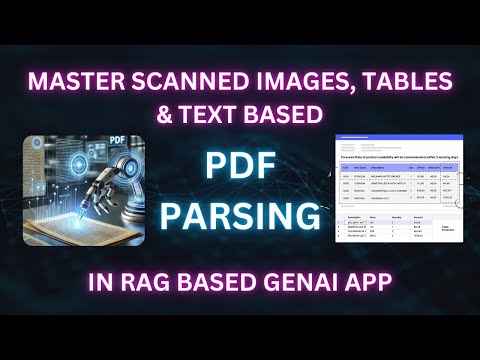
🎥 YouTube Video: Walkthrough on setup and running the app
📦 Implementation Options
1. ☁️ Paid - API Based Methods
| Model Provider | Models | Details | Example Code | Doc |
|---|---|---|---|---|
| Anthropic | claude-opus-4-20250514, claude-sonnet-4-20250514, claude-3-7-sonnet-20250219, claude-3-5-sonnet-20241022 | Claude 4/3.7/3.5 Sonnet is a multimodal AI model developed by Anthropic, capable of processing both text and images. It excels in visual reasoning tasks, such as interpreting charts and graphs, and can accurately transcribe text from imperfect images. Supports native PDF input via base64 encoding. | Code | Doc |
| Gemini | gemini-2.5-pro, gemini-2.5-flash, gemini-2.5-flash-lite-preview-06-17, gemini-2.0-flash, gemini-2.0-flash-lite | Gemini 2.5/2.0 models offer superior speed, native tool integration, and multimodal generation capabilities. Support 1M token context window, native PDF input, and multimodal outputs. | Code | Doc |
| OpenAI | gpt-4.1-2025-04-14, gpt-4.1-mini-2025-04-14, gpt-4o, gpt-4o-mini | GPT-4.1/4o is a multimodal AI model capable of processing text, images, and audio with high efficiency. It enhances text generation, reasoning, and vision tasks while improving latency and cost. | Code | Doc |
| Mistral-OCR | mistral-ocr-latest | Mistral OCR is an advanced AI-powered OCR API for extracting structured text, tables, and equations from documents with high accuracy. Supports multiple languages, processes up to 2,000 pages/min, and provides structured markdown output. | Code | Doc |
| Unstructured IO | -- | Advanced content partitioning and classification. Processes PDFs, HTML, Word, and images. The Enterprise ETL Platform automates data ingestion and cleaning, integrating seamlessly with GenAI stacks. | Code | Doc |
| Llama-Parse | -- | GenAI-native document parser for LLM applications like RAG and agents. Supports PDFs, PowerPoint, Word, Excel, and HTML. Free users get 1,000 pages/day. | Code | Doc |
| Amazon Textract | -- | AWS ML service that extracts text, forms, tables, and signatures from scanned documents. Goes beyond OCR by preserving structure for easy data integration. Supports PNG, JPEG, TIFF, and PDF. | Code | Doc |
| Azure Doc Intelligence | -- | Azure AI service (formerly Form Recognizer) for extracting text, tables, key-value pairs, and structure from documents. Supports handwriting, scanned docs, and custom models. Free tier: 500 pages/month. | Code | Doc |
| Zerox | -- | Vision model-based OCR by OmniAI. Converts PDF pages to images, then uses GPT-4o/mini for extraction. Supports structured data extraction via schemas. Clean markdown output. | Code | Doc |
2. 🖥️ Open Weight - Local Methods
| Model/Framework Provider | Name | Details | Example Code | Doc |
|---|---|---|---|---|
| Meta | llama3.2-vision | Llama 3.2-11B Vision is a multimodal AI model designed to process both text and images. It excels in visual recognition, image reasoning, captioning, and answering general questions about images. 128K token context length. | Code | Doc |
| IBM | Docling | Excellent for complex PDFs with mixed content. Simplifies document processing, parsing diverse formats with advanced PDF understanding and seamless integrations with the GenAI ecosystem. | Code | Doc |
| Microsoft | MarkItDown | Converts various files to Markdown. Supports: PDF, PowerPoint, Word, Excel, Images (EXIF + OCR), Audio (EXIF + speech transcription), HTML, CSV, JSON, XML, ZIP files. | Code | Doc |
| -- | Marker | Quickly converts PDFs and images to Markdown, JSON, and HTML with high accuracy. Supports all languages and document types, handles tables, forms, math, links, and code blocks. Runs on GPU, CPU, or MPS. | Code | Doc |
| Camelot-Dev | Camelot | Specialized table extraction from text-based PDFs using "Lattice" (grid-based) and "Stream" (whitespace-based) methods. Outputs tables as pandas DataFrames. | Code | Doc |
| PyPdf | pypdf | Free, open-source, pure-Python PDF library for splitting, merging, cropping, transforming pages, and extracting text and metadata. | Code | Doc |
| PDFMiner | pdfminer.six | Text and layout extraction from PDFs, supporting various fonts and complex layouts. Enables conversion to HTML/XML and automatic layout analysis. | Code | Doc |
| Artifex Software | PyMuPDF | Fast Python library for extracting, analyzing, converting, and manipulating PDFs, XPS, and eBooks. Supports text/image extraction, rendering to PNG/SVG, and conversion to HTML, XML, JSON. | Code | Doc |
PDFium | Google's open-source C++ library for viewing, parsing, and rendering PDFs. Powers Chromium, enabling text extraction, metadata access, and page rendering. | Code | Doc | |
| LangChain | PyPDFDirectory | Batch PDF content extraction using PyPDF Directory Loader. Process all PDFs in a folder at once. | Code | Doc |
| -- | PDFPlumber | Text and layout extraction. Extends pdfminer.six for PDF data extraction, handling text, tables, and shapes with visual debugging. Excels at extracting tables into pandas DataFrames. | Code | Doc |
| Datalab | Surya OCR | Lightweight OCR toolkit supporting 90+ languages with line-level detection, layout analysis, and table recognition. By the creator of Marker. Outperforms Tesseract on most benchmarks. Runs locally, no API key needed. | Code | Doc |
| StepFun | GOT-OCR2 | Unified end-to-end 580M parameter model for text, tables, charts, equations, and LaTeX. Supports formatted markdown output. Runs on consumer GPUs (8GB+ VRAM). | Code | Doc |
⚙️ Setup Instructions
Prerequisites
- Python 3.10 or higher
- pip (Python package installer)
Installation
-
Clone the repository:
git clone https://github.com/genieincodebottle/parsemypdf.git cd parsemypdf -
Create a virtual environment:
pip install uv # if uv not installed uv venv .venv\Scripts\activate # On Linux/Mac -> source .venv/bin/activate -
Install dependencies:
uv pip install -r requirements.txt -
Configure environment variables:
Rename
.env.exampleto.envand add the API keys you need.You don't need ALL keys. Only add keys for the parsers/LLMs you want to use. Start with a free one.
# --- Free-tier (no credit card) --- GROQ_API_KEY=your_key_here # Free - https://console.groq.com/keys GOOGLE_API_KEY=your_key_here # Free - https://aistudio.google.com/apikey # --- Paid --- ANTHROPIC_API_KEY=your_key_here # https://console.anthropic.com/settings/keys OPENAI_API_KEY=your_key_here # https://platform.openai.com/api-keys MISTRAL_API_KEY=your_key_here # https://console.mistral.ai/api-keys UNSTRUCTURED_API_KEY=your_key_here # https://unstructured.io/api-key-free LLAMA_CLOUD_API_KEY=your_key_here # https://cloud.llamaindex.ai/api-key OMNI_API_KEY=your_key_here # https://app.getomni.ai/settings/account # Azure Document Intelligence (optional) AZURE_DI_ENDPOINT=your_endpoint # https://portal.azure.com AZURE_DI_KEY=your_key_here -
Install Ollama & Models (optional, for local processing):
- Download Ollama:
- Windows: https://ollama.com/download/windows (Requires Windows 10 or later)
- Linux:
curl https://ollama.ai/install.sh | sh
- Pull required models:
ollama pull llama3.1
ollama pull x/llama3.2-vision:11b
ollama pull gemma3:4b
ollama pull qwen2.5vl:7b
ollama pull minicpm-v:8b
- Download Ollama:
-
Run the PDF Parser & RAG Evaluator app:
streamlit run pdf_parser_app.py -
Run the VLM OCR app:
streamlit run vlm_ocr_app.py -
Run individual parsers:
- Place PDF files in the
input/directory - Run any parser script from the
parser/folder
- Place PDF files in the
Example PDFs (in input/ folder)
| File | Description |
|---|---|
sample-1.pdf | Standard tables |
sample-2.pdf | Image-based simple tables |
sample-3.pdf | Image-based complex tables |
sample-4.pdf | Mixed content (text, tables, images) |
sample-5.pdf | Multi-column texts |
📝 Important Notes
- System resources needed for local multimodal model operations
- API keys required for API/cloud-based implementations
- Factor in PDF complexity (tables, merged cells, scanned documents, handwritten text, multi-column layouts, rotated text, embedded images) when selecting a parser
- All frameworks, libraries, and multimodal models provided in one place for testing
- Ghostscript is required for Camelot (
pip install ghostscript+ system install) torchis a heavy dependency (~2GB+). It is required for HuggingFace embeddings and local models. If you only need API-based parsers, you can skip it