Cent
May 29, 2026 · View on GitHub
简体中文 | English
You might only need an accounting software.




Cent is a completely free, open-source, collaborative accounting Web App,
which uses a GitHub Repository for data synchronization and version control, enabling real-time cross-platform sync without a server.
🔗 Live Demo: https://cent.linkai.work
💾 Open Source Repository: https://github.com/glink25/Cent
📖 Blog: https://glink25.github.io/tag/Cent/
📱 Download for iOS:

📈 Feature Preview
| Feature | Screenshot |
|---|---|
| Two-Level Categories & Tag Management | 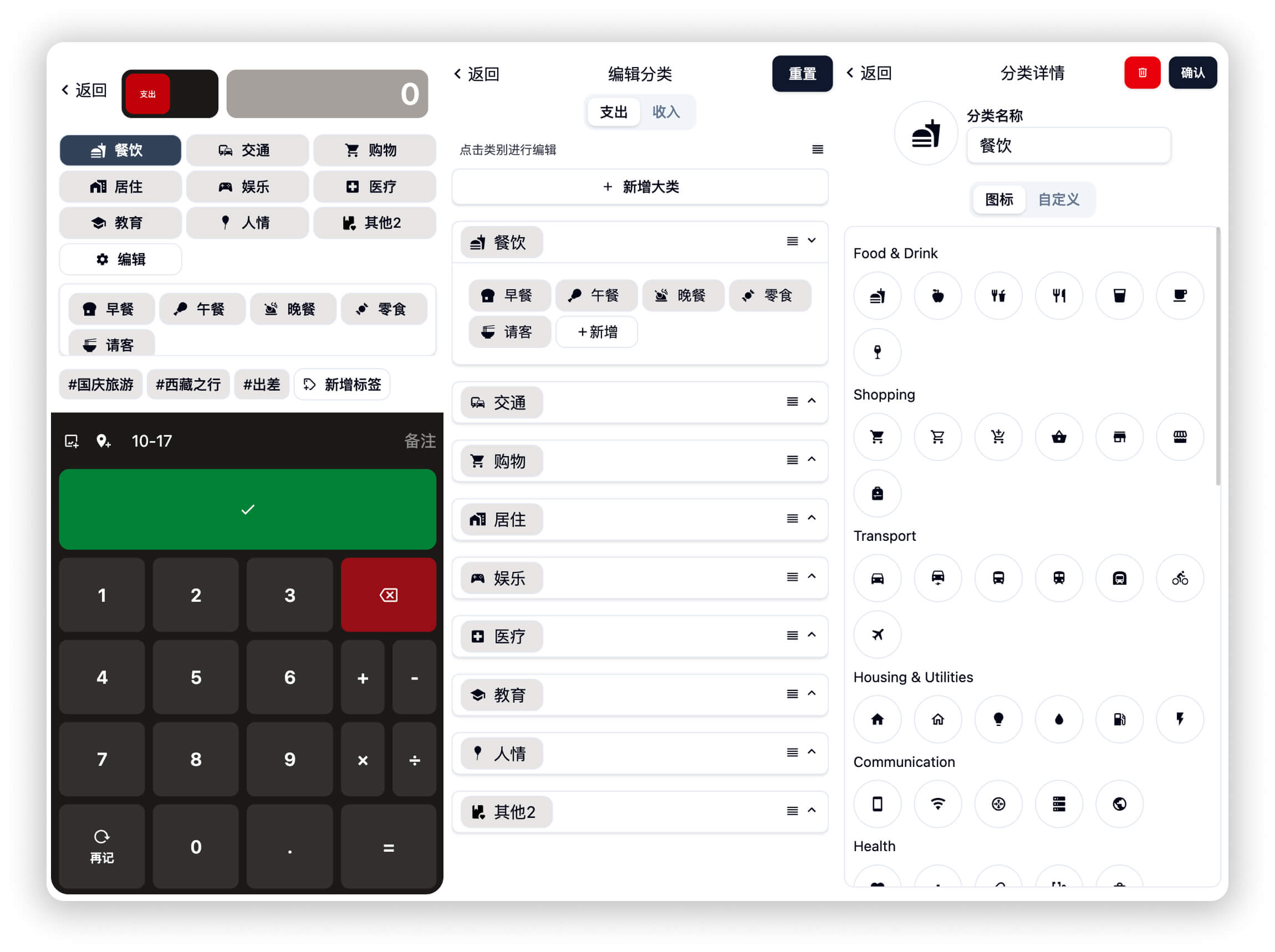 |
| Custom Tags | 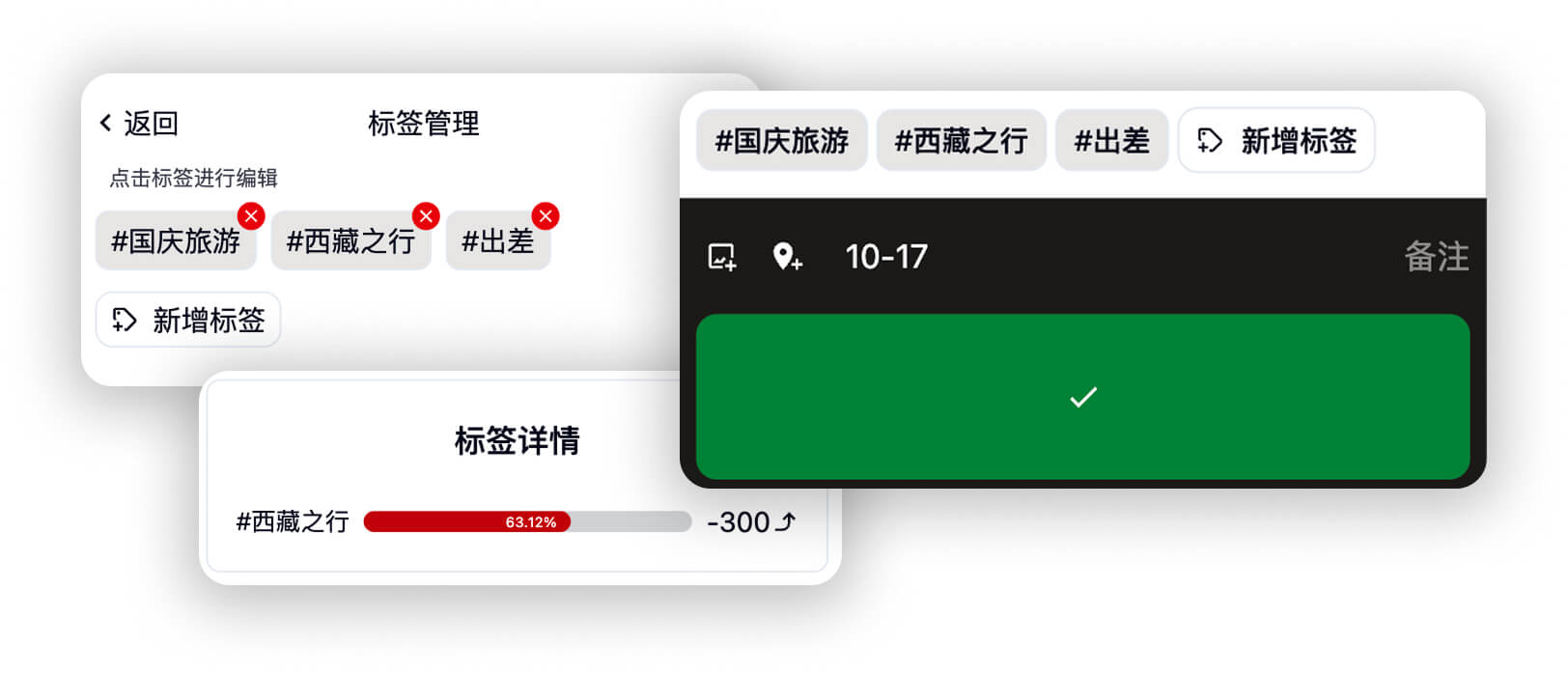 |
| Statistics and Analysis View | 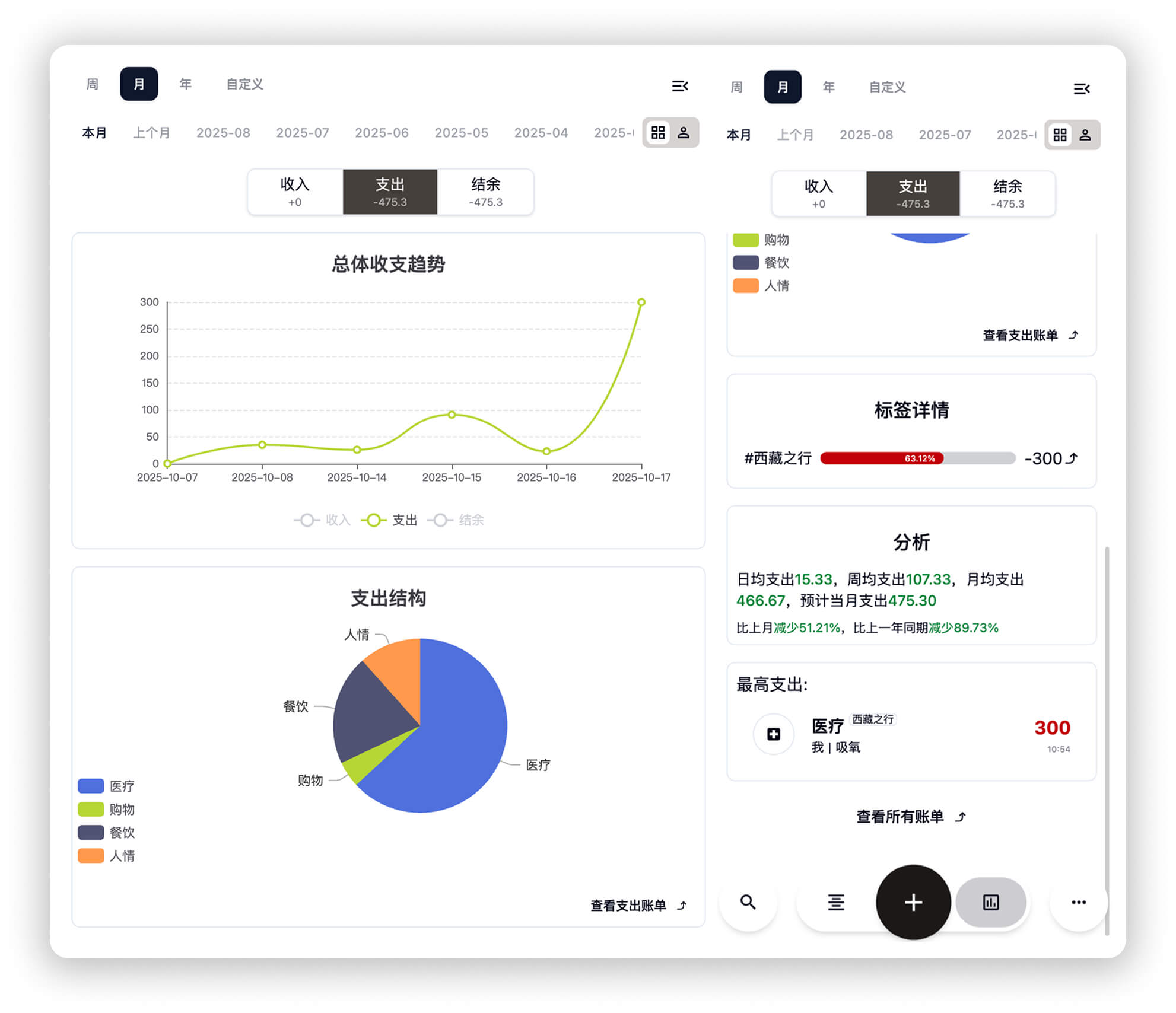 |
| Budget Management | 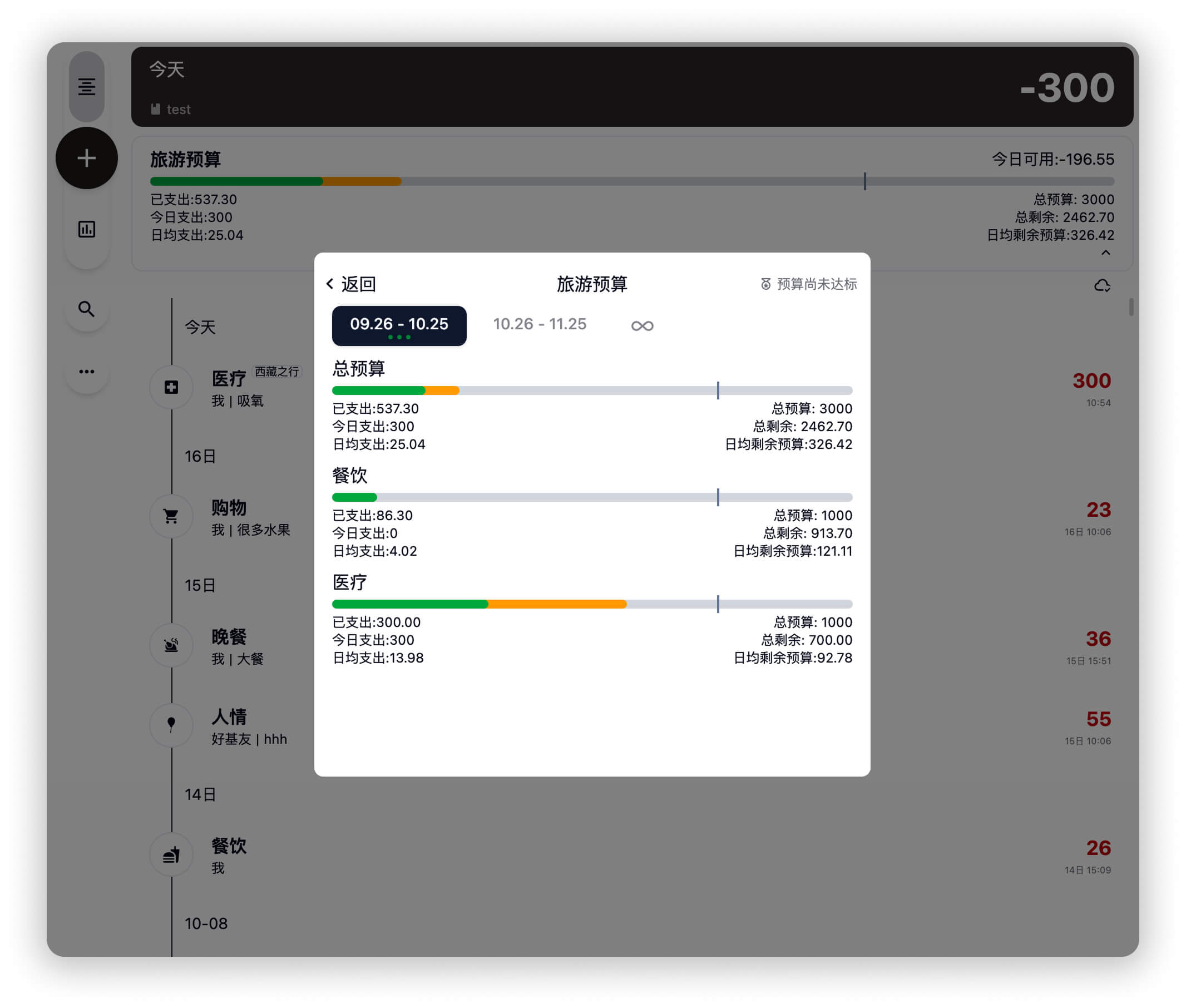 |
| GitHub Collaboration | 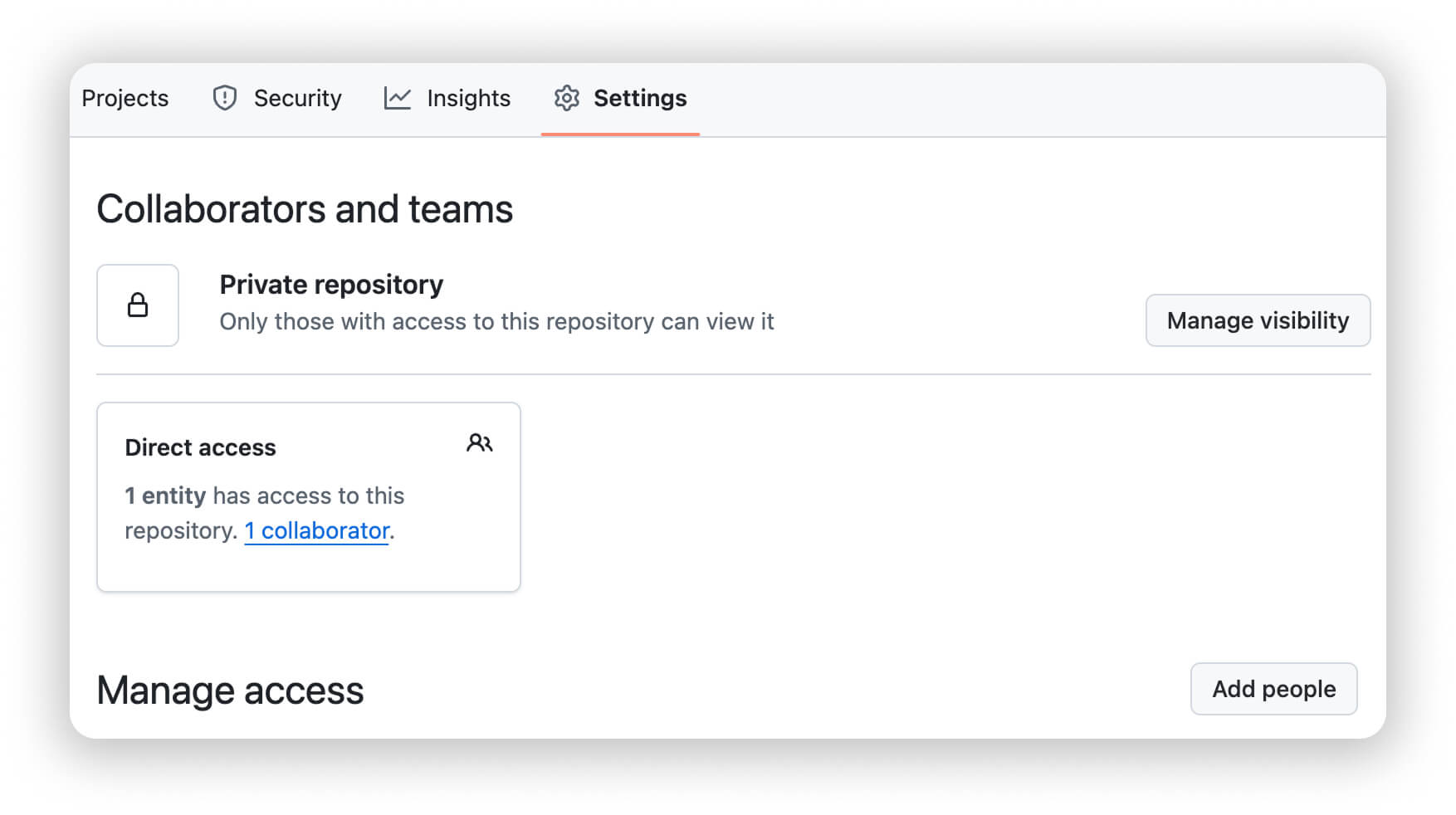 |
Latest Update: Cent now supports AI Assistant, Voice Recording, Multi-Currency Management, Map Visualization, Scheduled Billing, and many more features! See Cent 1.1 Update Notes for details.
✨ Features
💾 Fully Self-Contained Data
Ledger data is stored in your private GitHub/Gitee repository or Web DAV, without any third-party servers. Multi-user collaboration via GitHub Collaborator feature, with incremental sync mechanism that only uploads/downloads changed data, significantly reducing sync time.
🤖 AI-Powered Experience
Long press the recording button for Voice Recording, where AI automatically parses amounts, categories, and notes. Configure OpenAI-compatible APIs for intelligent bill analysis, budget suggestions, annual summaries, and smart predictions based on historical data.
💱 Multi-Currency & Scheduled Billing
Supports 30+ international currencies plus custom currencies, with real-time automatic exchange rate conversion. Perfect for international travel and cross-border transactions. Create scheduled billing templates for subscriptions and auto-renewals.
📊 Statistics & Visualization
Multi-dimensional filtering and trend analysis, custom analysis views, budget management with progress monitoring. View spending footprints on a map with AMap support.
🛠️ More Features
- 📱 PWA Support: Install to desktop and use like a native app
- 📥 Smart Import: WeChat/Alipay bills, create custom import schemes with AI
- 🏷️ Categories & Tags: Custom categories, tag groups, single/multi-select, preferred currencies
- 📋 Quick Actions: iOS Shortcuts, clipboard entry, batch editing, natural language recognition
- 🎨 Customization: Dark mode, custom CSS, keyboard customization
...and many more features waiting to be discovered ✨
🧠 Core Principles
Cent is a "pure frontend" PWA application.
Apart from GitHub OAuth login, Cent does not rely on any backend services.
Learn more: Using GitHub as a Database
🗂 Data Structure
- Each ledger (Book) corresponds to a GitHub/Gitee repository.
- Data is stored in JSON format within the repository, supporting historical version rollback.
- Multi-ledger management is achieved by identifying ledgers via repository names.
🔁 Incremental Sync Mechanism
Cent incorporates a custom incremental synchronization strategy, only syncing the differential changes:
- Initial Sync: Full data download.
- Subsequent Sync: Only transfers newly added or modified parts.
- Supports offline caching and resume capability.
This mechanism significantly improves sync efficiency, leading to a smooth and natural collaborative experience.
🧩 Extensible Sync Endpoints
The synchronization logic has been abstracted and encapsulated, with future support planned for:
- Self-hosted Servers
- Cloud Drives (e.g., Dropbox, OneDrive)
- Local Offline Ledgers
🚀 Deployment and Usage
Method 1: Use the Online Version Directly
- Open https://cent.linkai.work
- Log in and authorize with GitHub
- Create a new ledger (a new repository will be created automatically)
- Start recording transactions 🎉
Method 2: Self-Deployment
- Fork this repository
- Deploy on Cloudflare Pages or any static hosting platform
- Manually input your GitHub Token on the login screen to use it
- All ledgers and data are stored in your GitHub repositories
For security reasons, the self-hosted method cannot support GitHub/Gitee one-click-authentication. You will need to manually generate a token with read and write permissions for the repository (Repo) on the Github/Gitee settings page, and use it through the manual token input feature. Cent uses Cloudflare Workers to deploy an online authentication service, which only provides services for trusted domains. If you require a quick login service, you can refer to the project cent-github-backend to create your own backend service and apply for an OAuth app on the corresponding platform yourself.
🧪 Development Plan
Completed
- ✅ Incremental sync core implementation
- ✅ Multi-user collaborative ledgers
- ✅ AI assistant features
- ✅ Voice recording
- ✅ Multi-currency support and exchange rate management
- ✅ Map visualization of expenditures (AMap integration)
- ✅ Scheduled billing
- ✅ Smart import (Alipay/WeChat bills)
- ✅ Tag system upgrade
- ✅ Web DAV sync support
- ✅ Shortcuts integration
- ✅ Batch editing
In Progress
- 🚧 Automated testing system
- 🚧 More sync endpoints (Dropbox / OneDrive)
Planned
- 📋 Data report export (PDF/Excel)
- 📋 More intelligent features
💬 Contribution and Feedback
Cent welcomes all developers and users to contribute. Please refer to the Contribution Guide before submitting code:
QQ Group: 861180883
# Clone the project
git clone https://github.com/glink25/Cent.git

# Install dependencies
pnpm install

# Run locally
pnpm dev

# Lint
pnpm lint
📜 License
This project is licensed under the Creative Commons Attribution-NonCommercial-ShareAlike 4.0 International (CC BY-NC-SA 4.0) License.
- You are free to share, adapt, and redistribute.
- You must give appropriate credit.
- You may not use the material for commercial purposes.
- If you remix, transform, or build upon the material, you must distribute your contributions under the same license as the original.
☕️ Buy Me a Coffee
Thank you for your support! Cent is currently maintained by a single developer, and your donations will be used for maintenance and continuous development.
Click to view
💰 Alipay

🌐 Solana (SOL)
Wallet Address:
vEzM9jmxChx2AoMMDpHARHZcUjmUCHdBShwF9eJYGEg
QR Code: