JSConf China 2017 Day Two
July 7, 2026 · View on GitHub

The talks on the second day leaned more toward the Web backend.
Session 1: Node.js Microservices on Autopilot

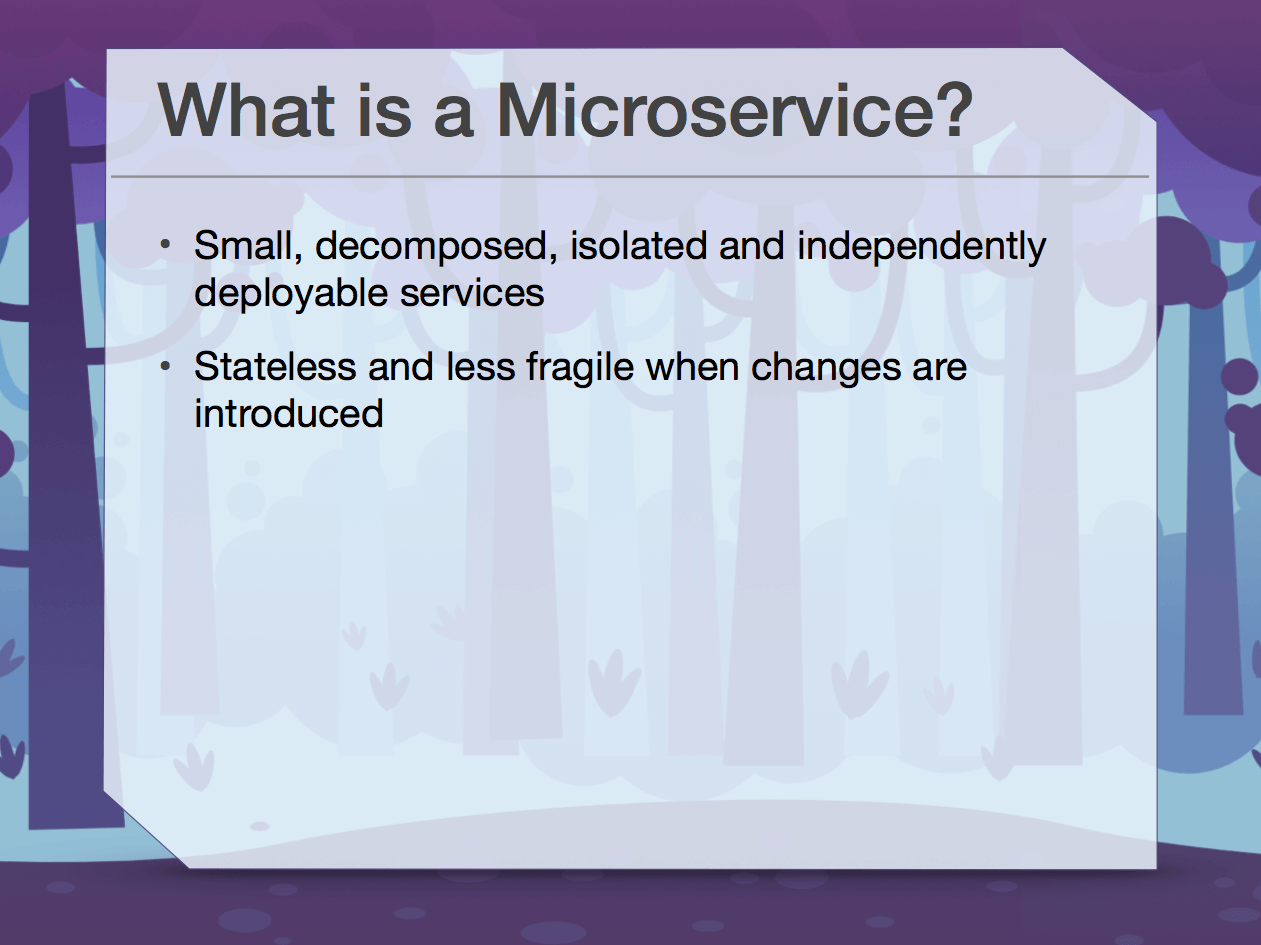
The opening briefly introduced what microservices are.
How Microservices Help
-
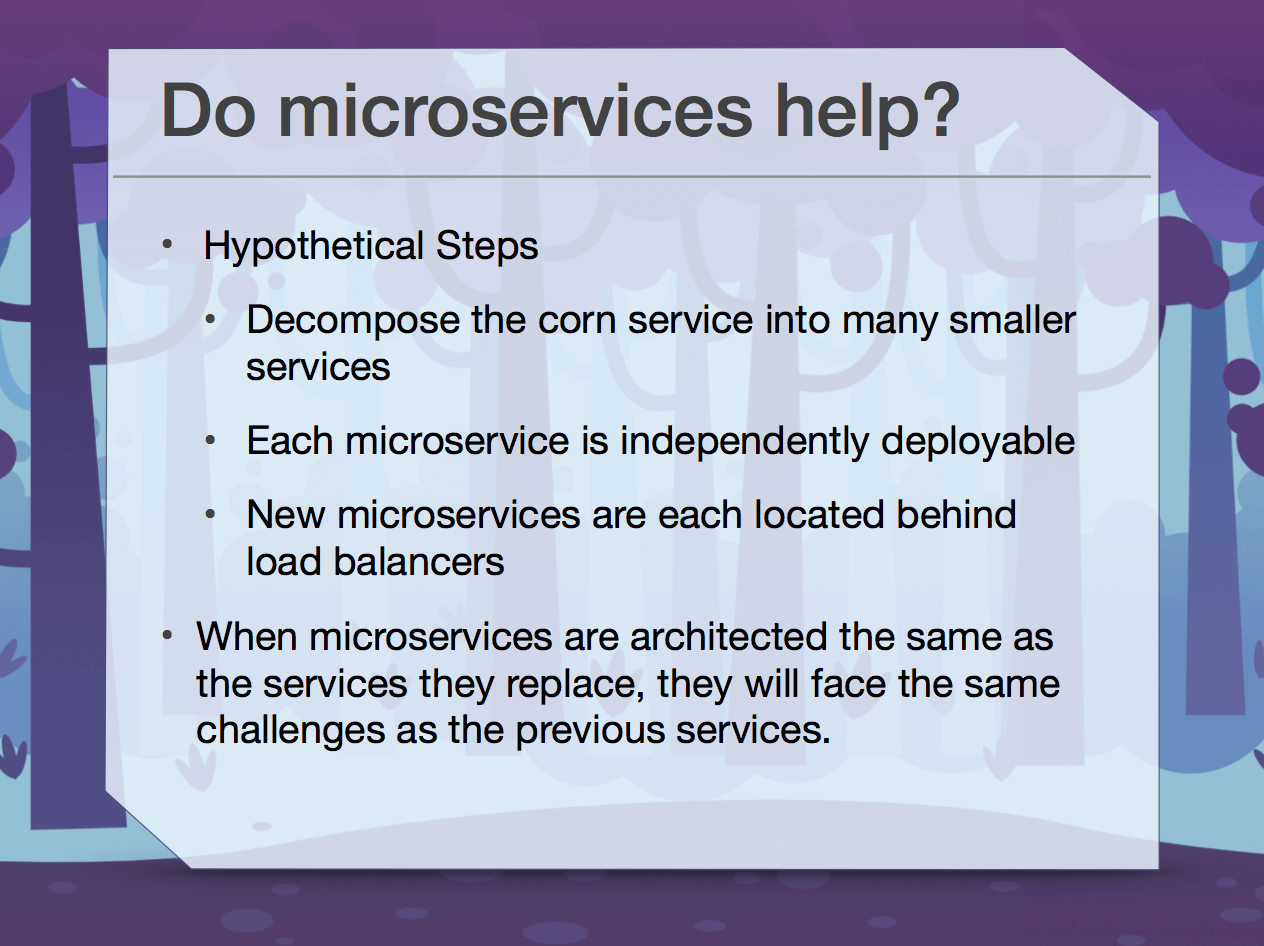
Hypothetical steps:
- Break the corn service into many smaller services
- Each microservice can be deployed independently
- New microservices can all be load-balanced
-
When microservice architectures are the same as the services they replace, they also face the same challenges.
Advantages of Microservices
-
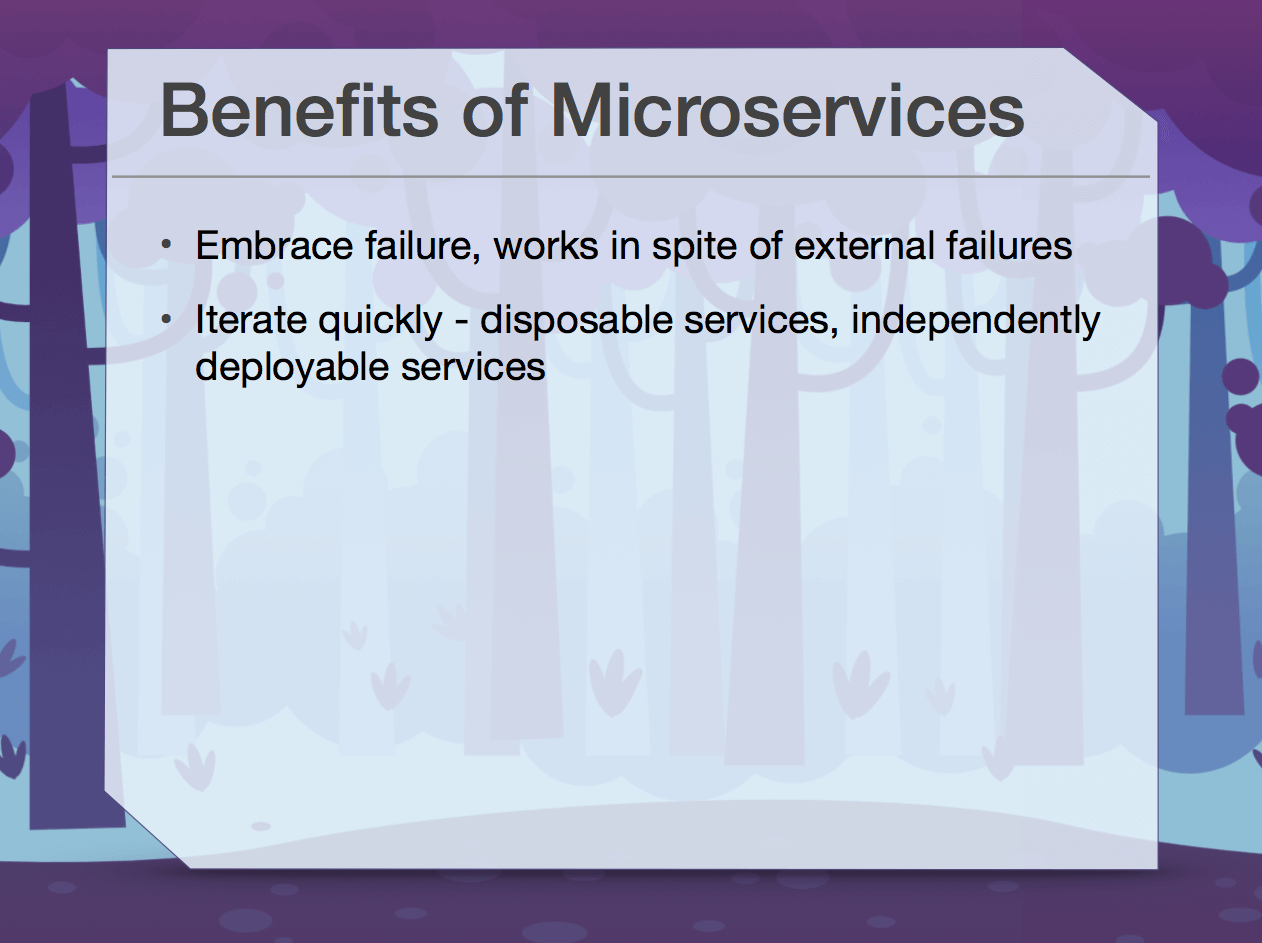
Failure tolerance: they can continue working despite external failures.
-
Rapid iteration: disposable services that can be deployed independently.
Microservice Antipatterns
-
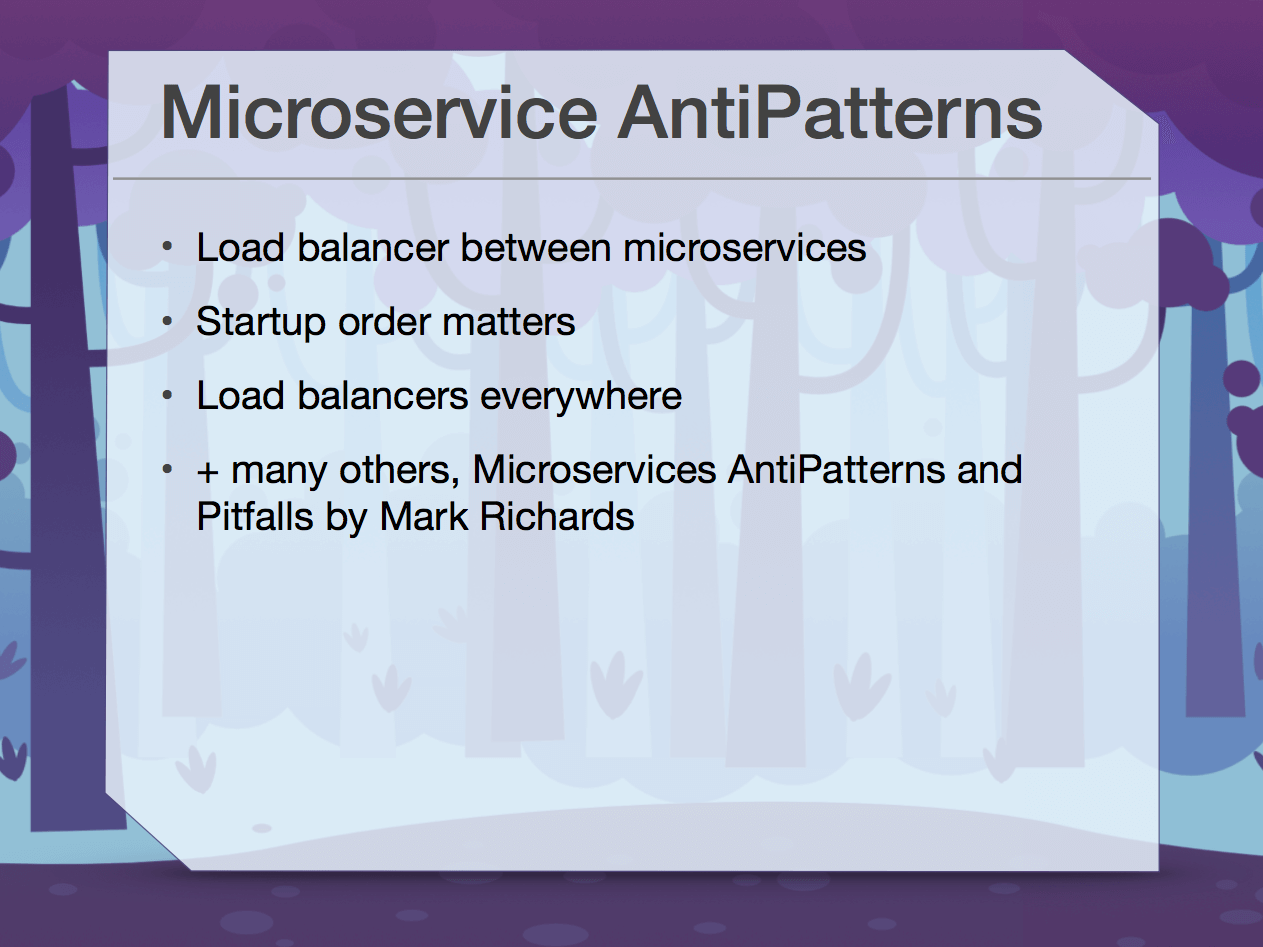
Load balancers are needed between microservices
-
Startup order matters
-
Load balancing is everywhere.

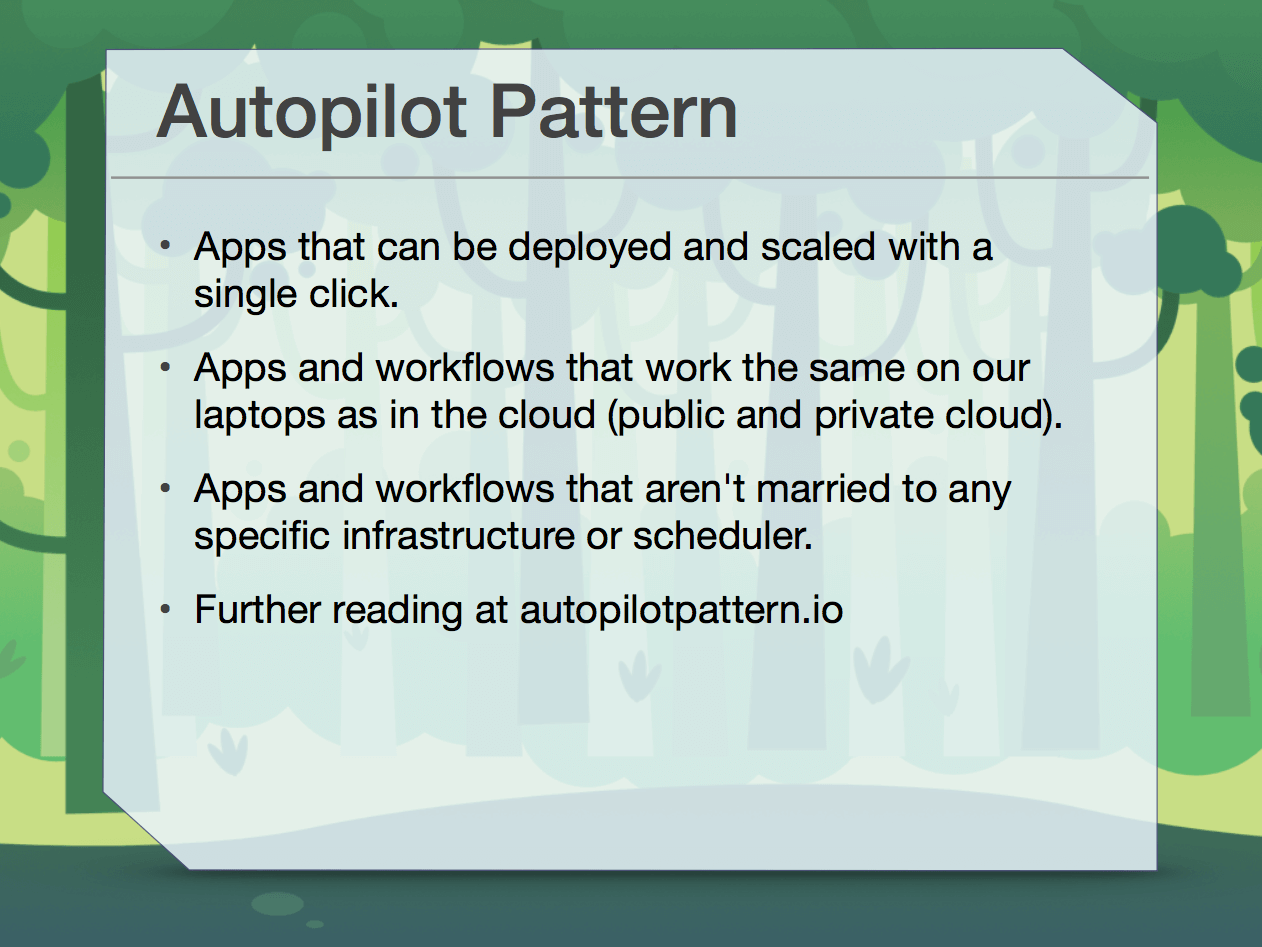
Autopilot Pattern
-
Applications that can be deployed and scaled with a single click.
-
Applications and workflows work the same way on our laptops and in the cloud, whether public or private.
-
Applications and workflows are not tightly bound to any specific architecture or scheduler.
Autopilot Applications
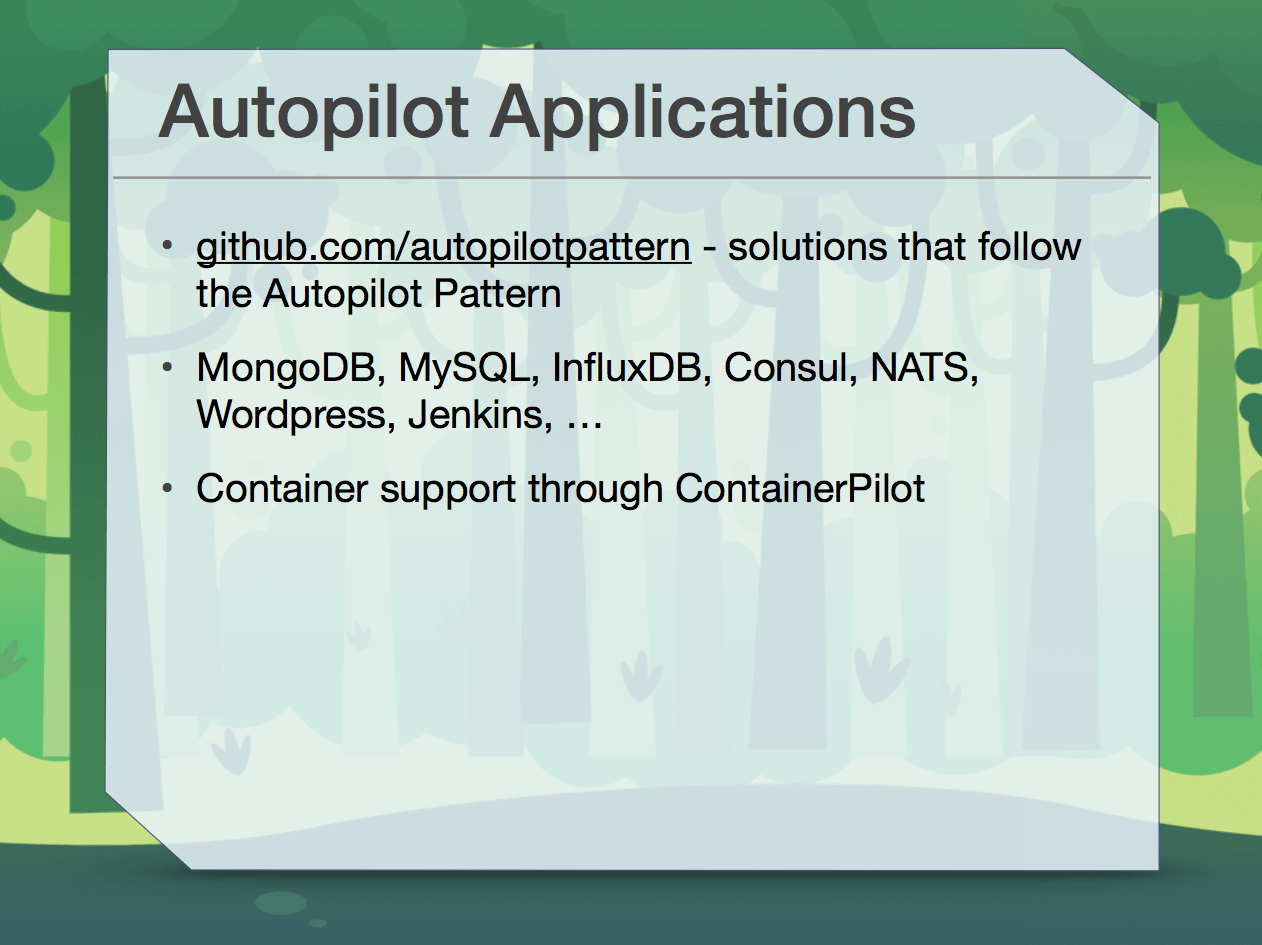
- Solutions based on the Autopilot pattern
- Services can be obtained through Containers
Autopilot in Practice
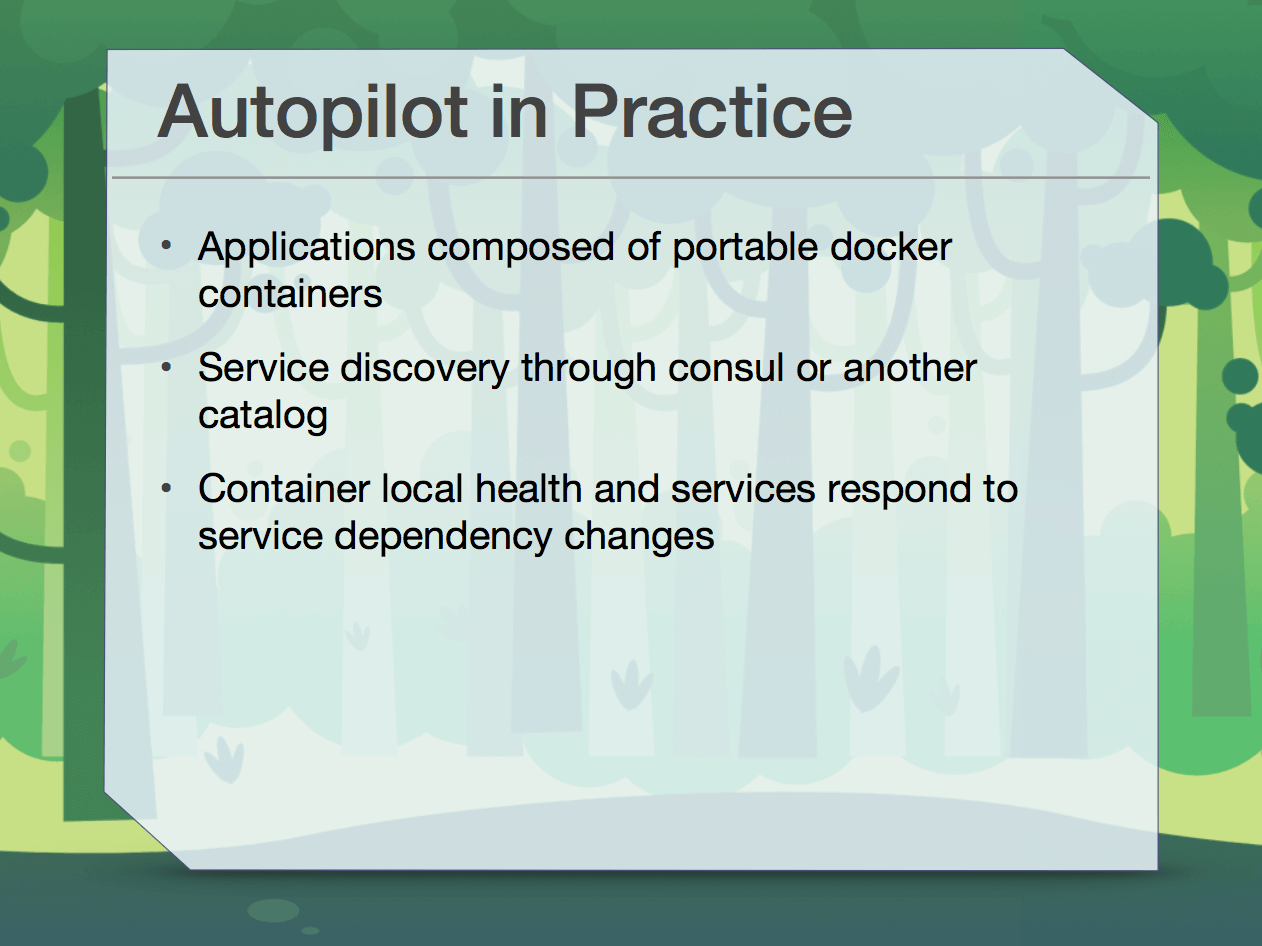
- Applications are composed of authored docker containers
- Service discovery can be done through consul or another catalog
- Container-local health and services respond to changes in service dependencies

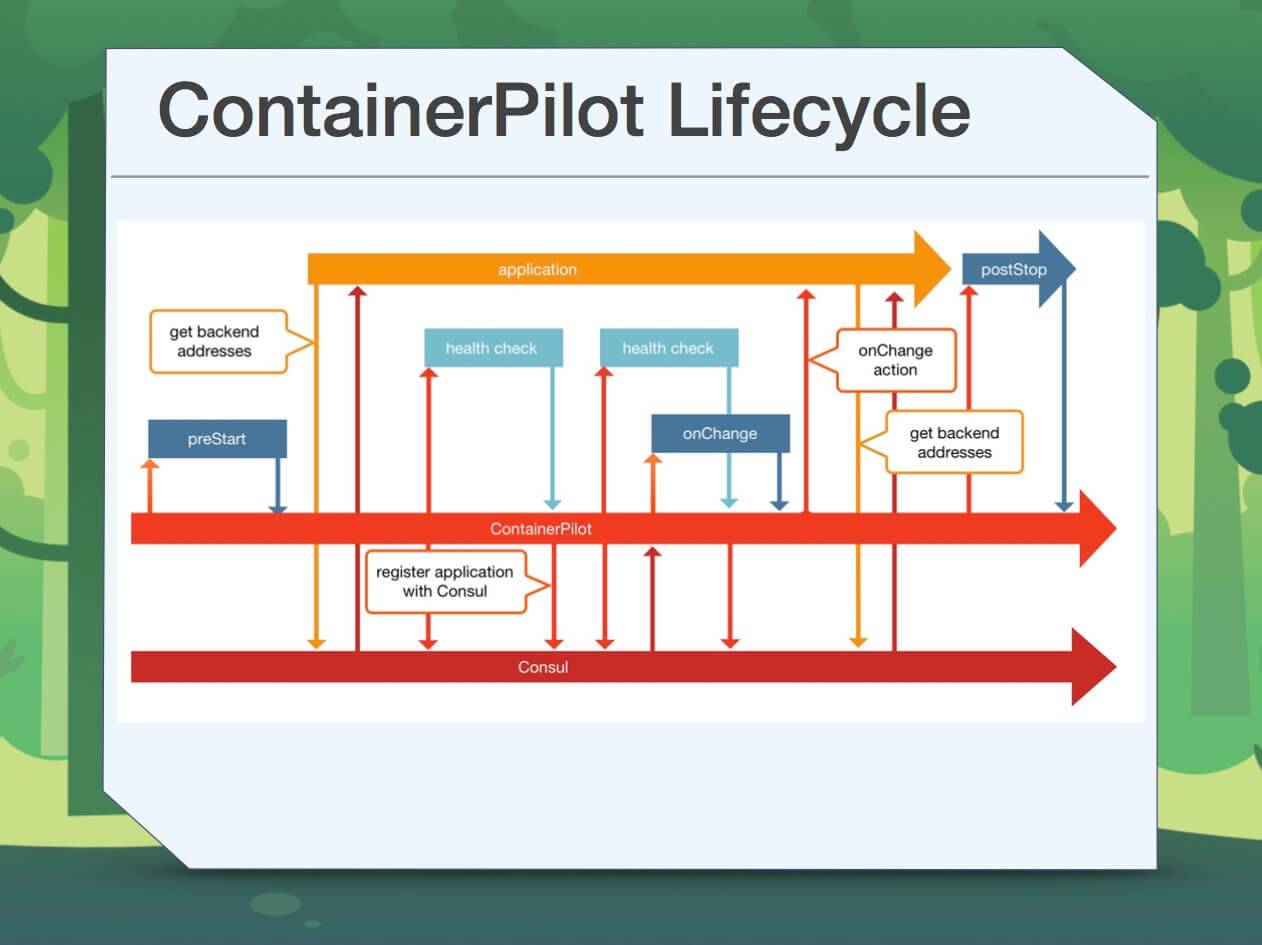
ContainerPilot
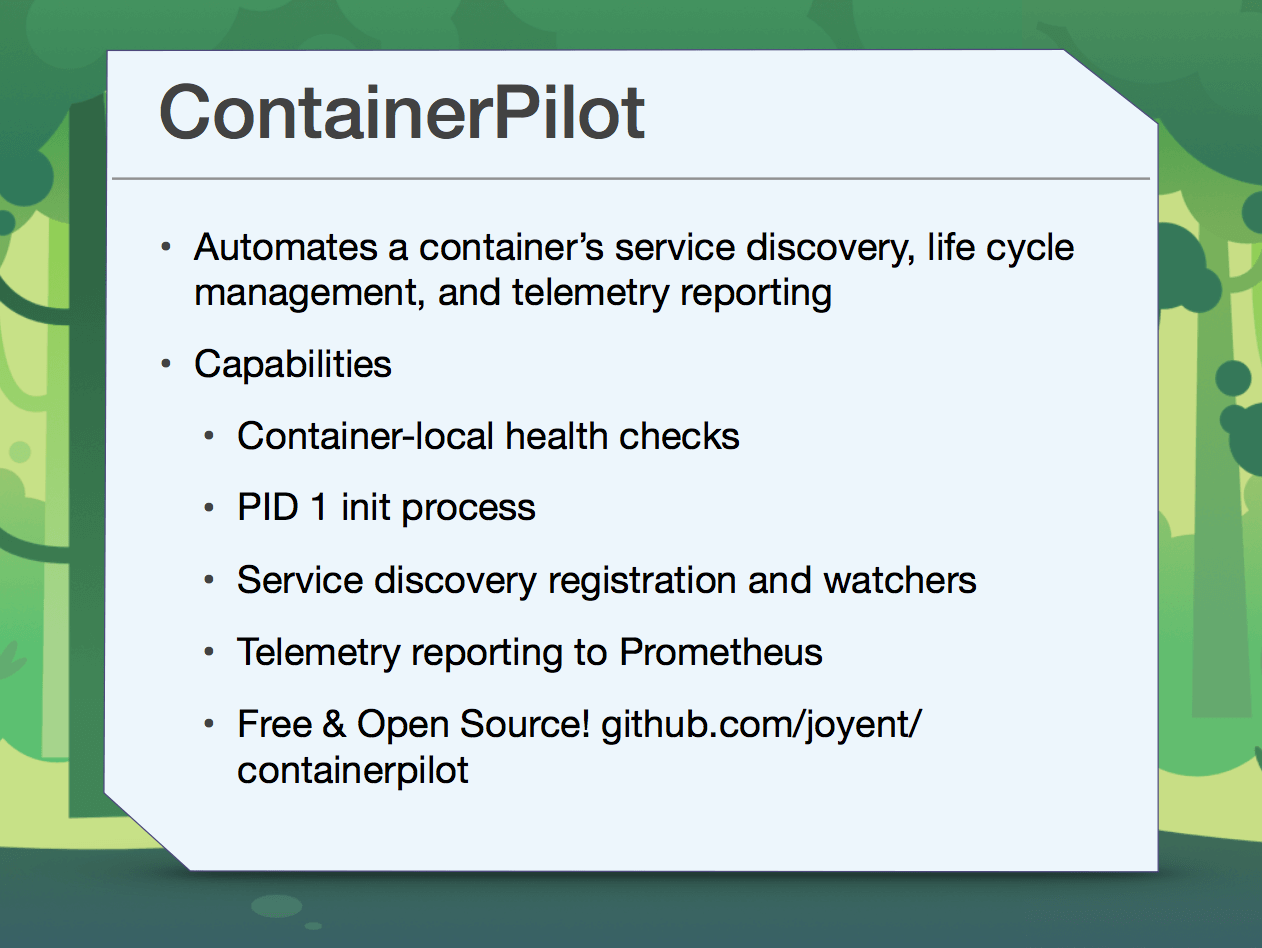
- Automates service discovery, lifecycle management, and telemetry reporting for a Container
- Features
- Container-local health checks
- PID 1 init process
- Service discovery, registration, and observation
- Telemetry reporting to Prometheus
- Free and open source: https://github.com/joyent/containerpilot
Some tips:
- Prevent requests that may occur and overload the service.
- Once the threshold for the corresponding timeout is reached, block future service calls until the service can catch up or recover.
- Can this be implemented with a load balancer?

Load Balancers at Edge
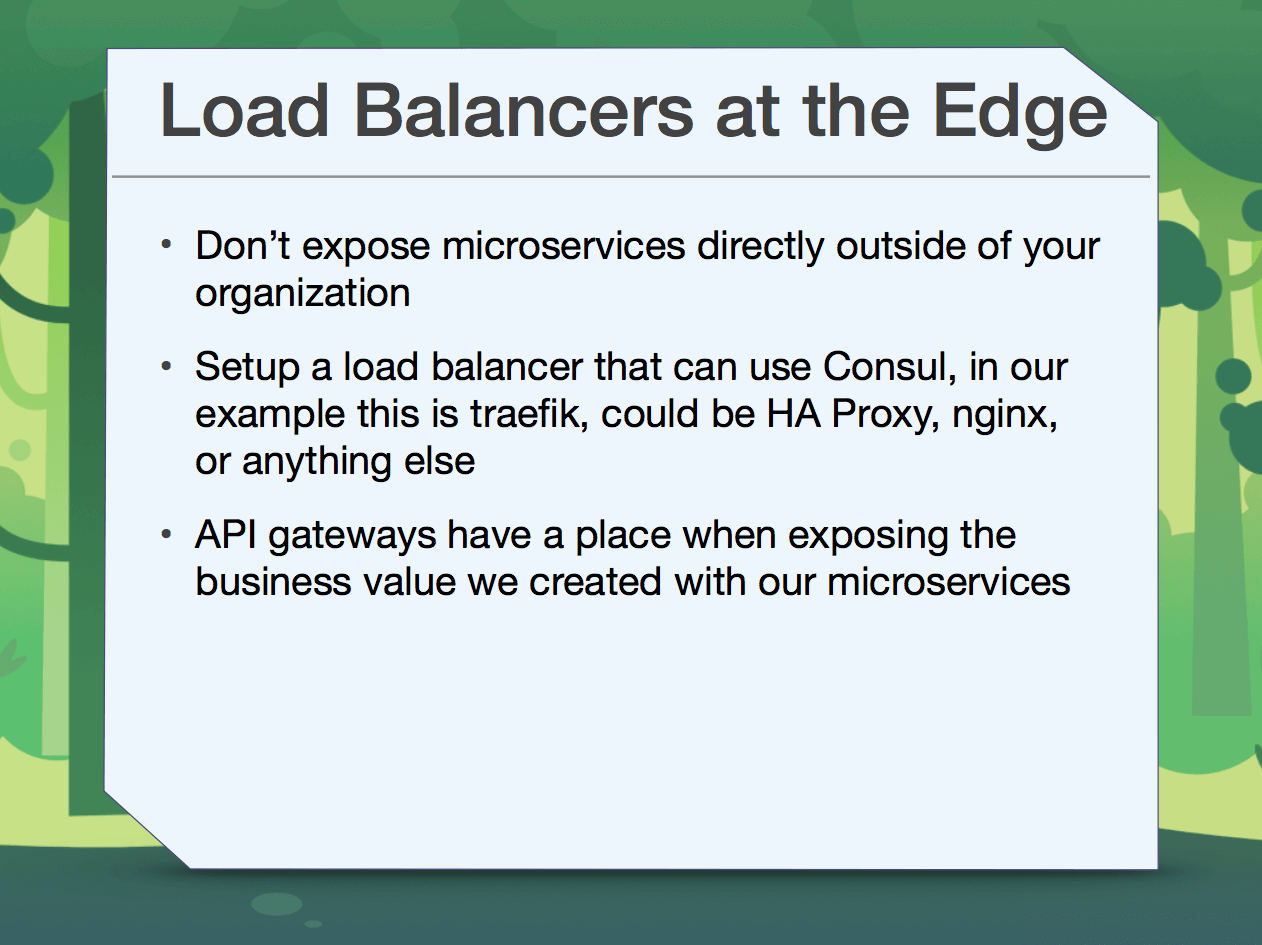
- Do not expose microservices directly outside your organization.
- Set up a load balancer that can use Consul.
- API gateways are also important when creating business value through microservices.
Session 2: Serverless Architecture and APIs

Function as a Service
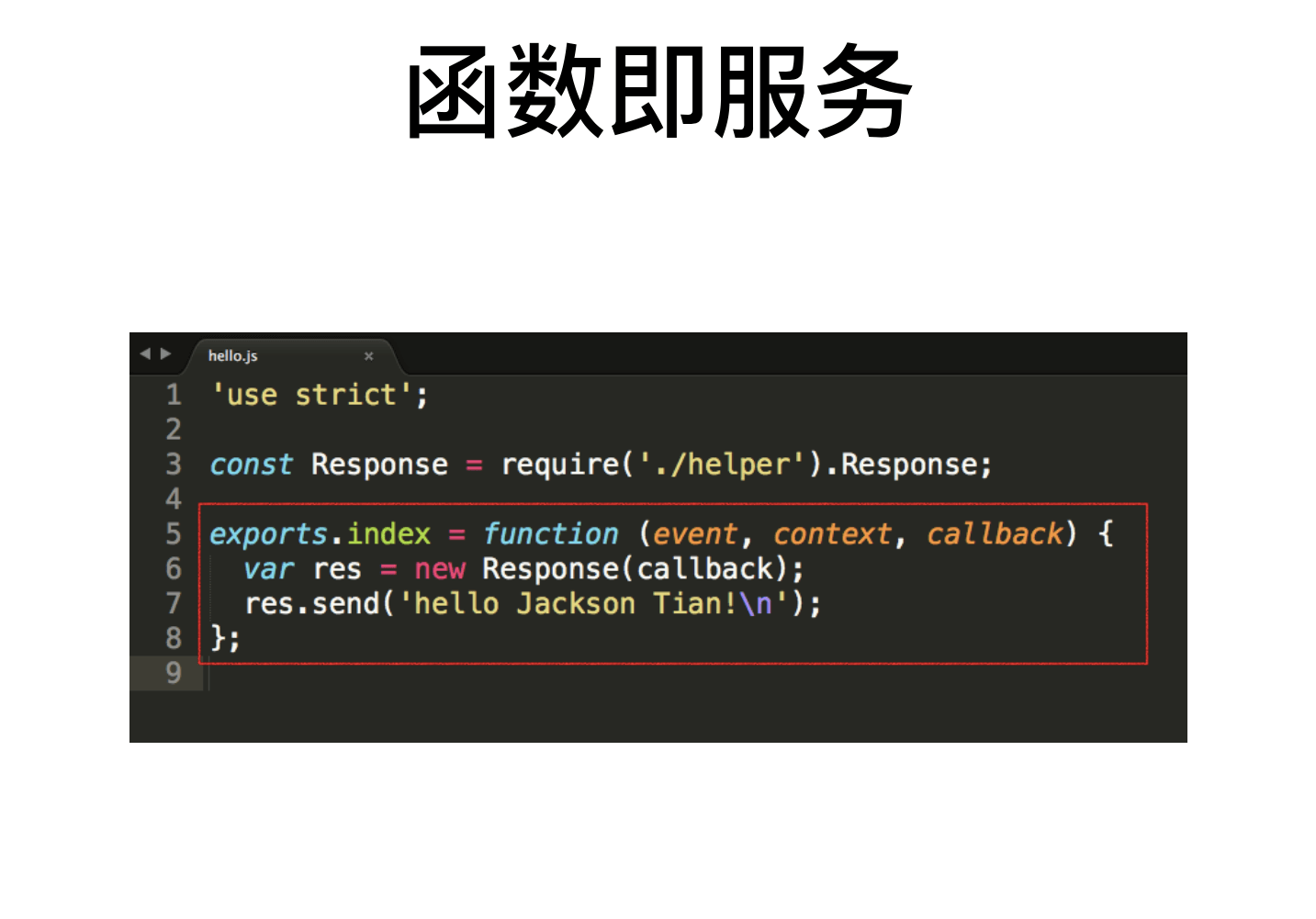
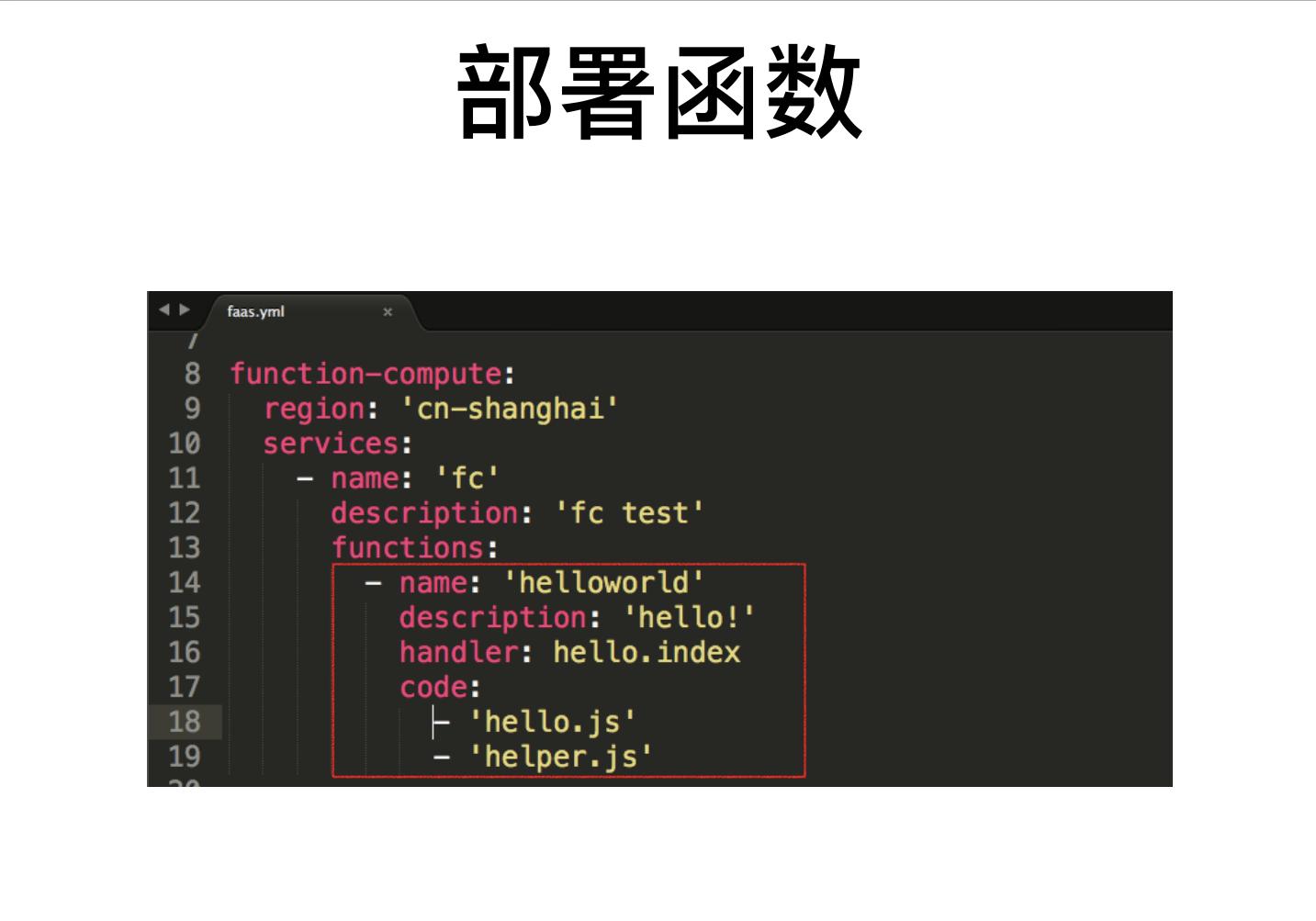
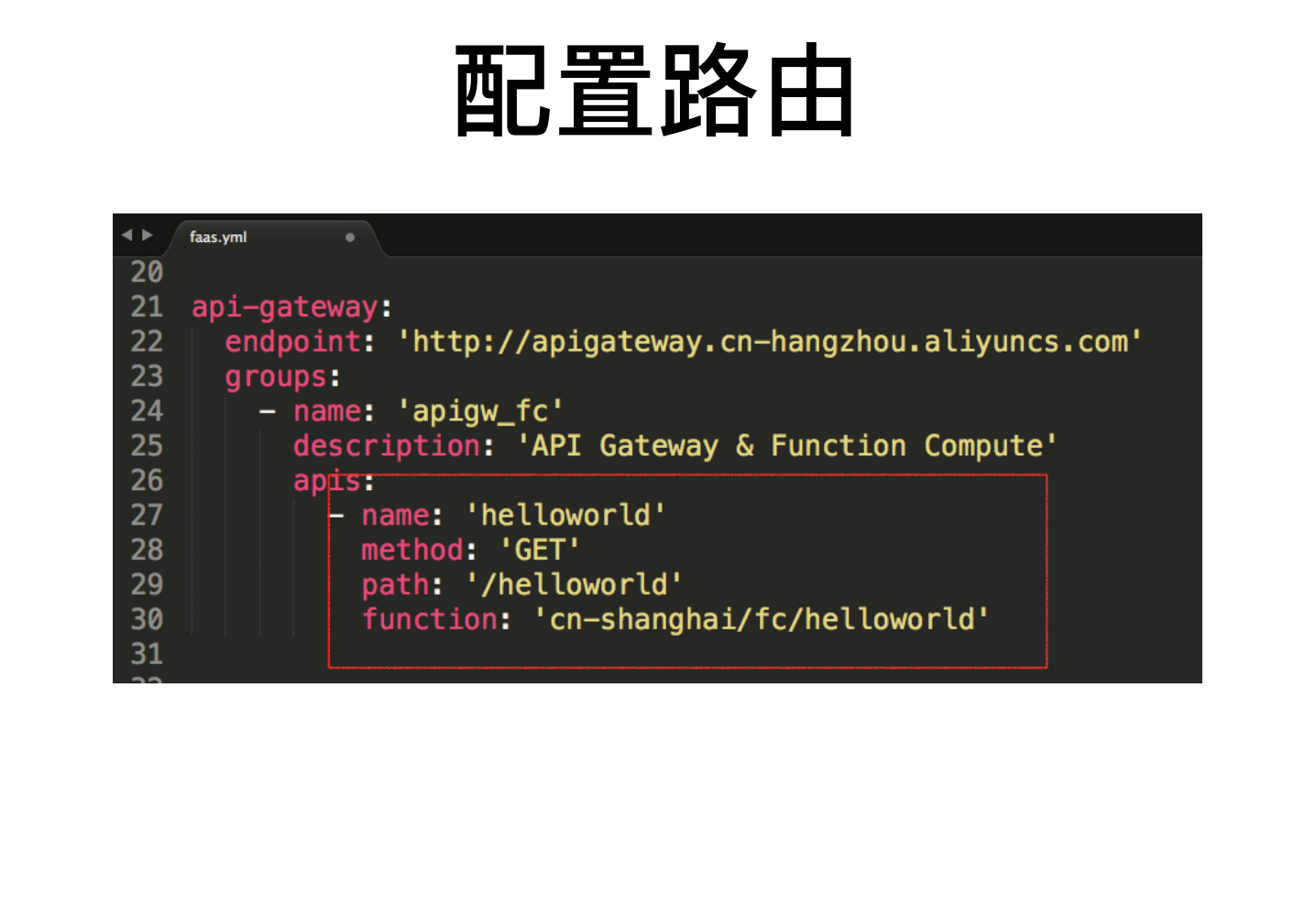
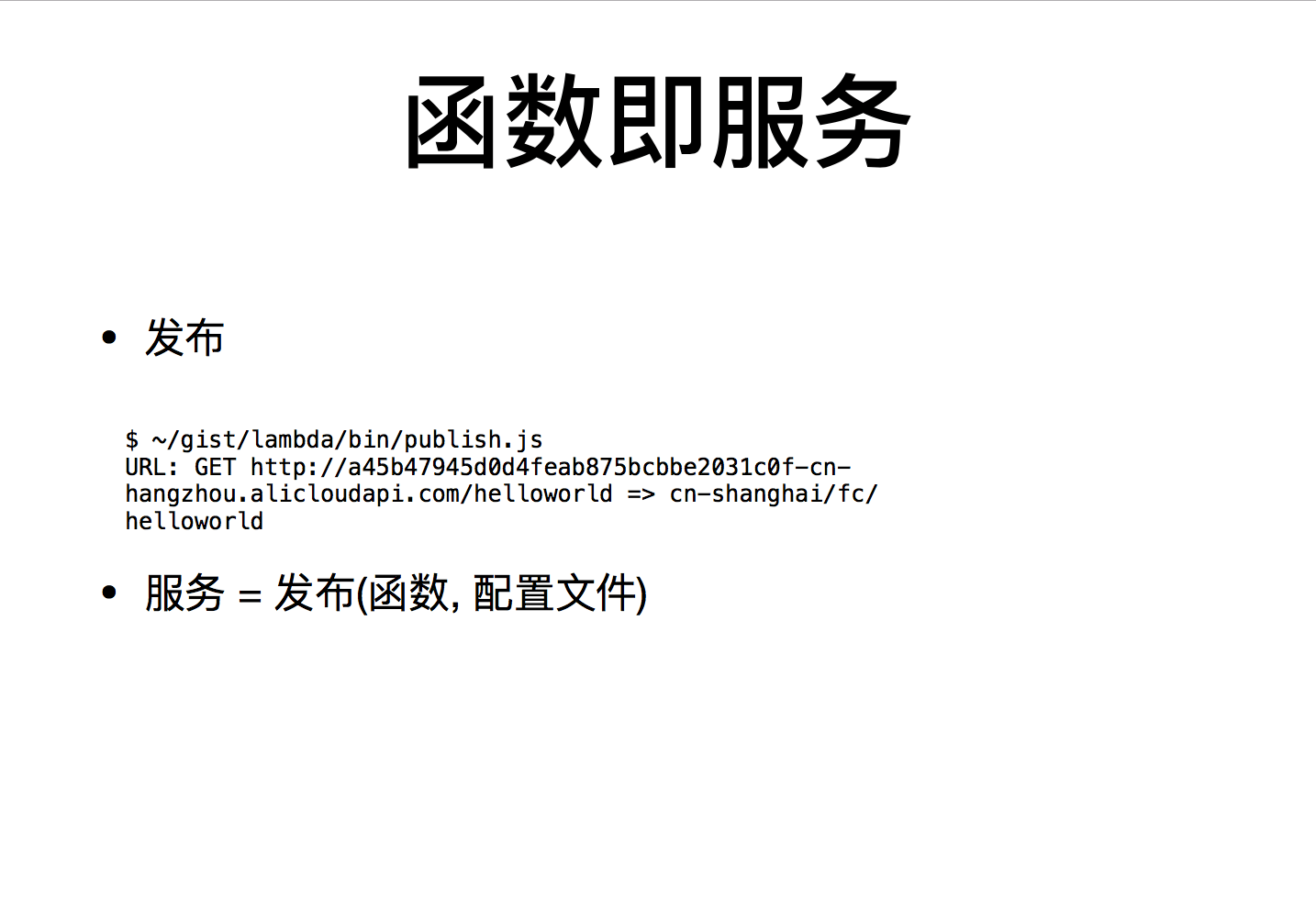
Software development needs to consider the following:
-
Operability
-
Scalability
-
Security
-
Stability
-
Reliability
-
High availability
XaaS Comparison
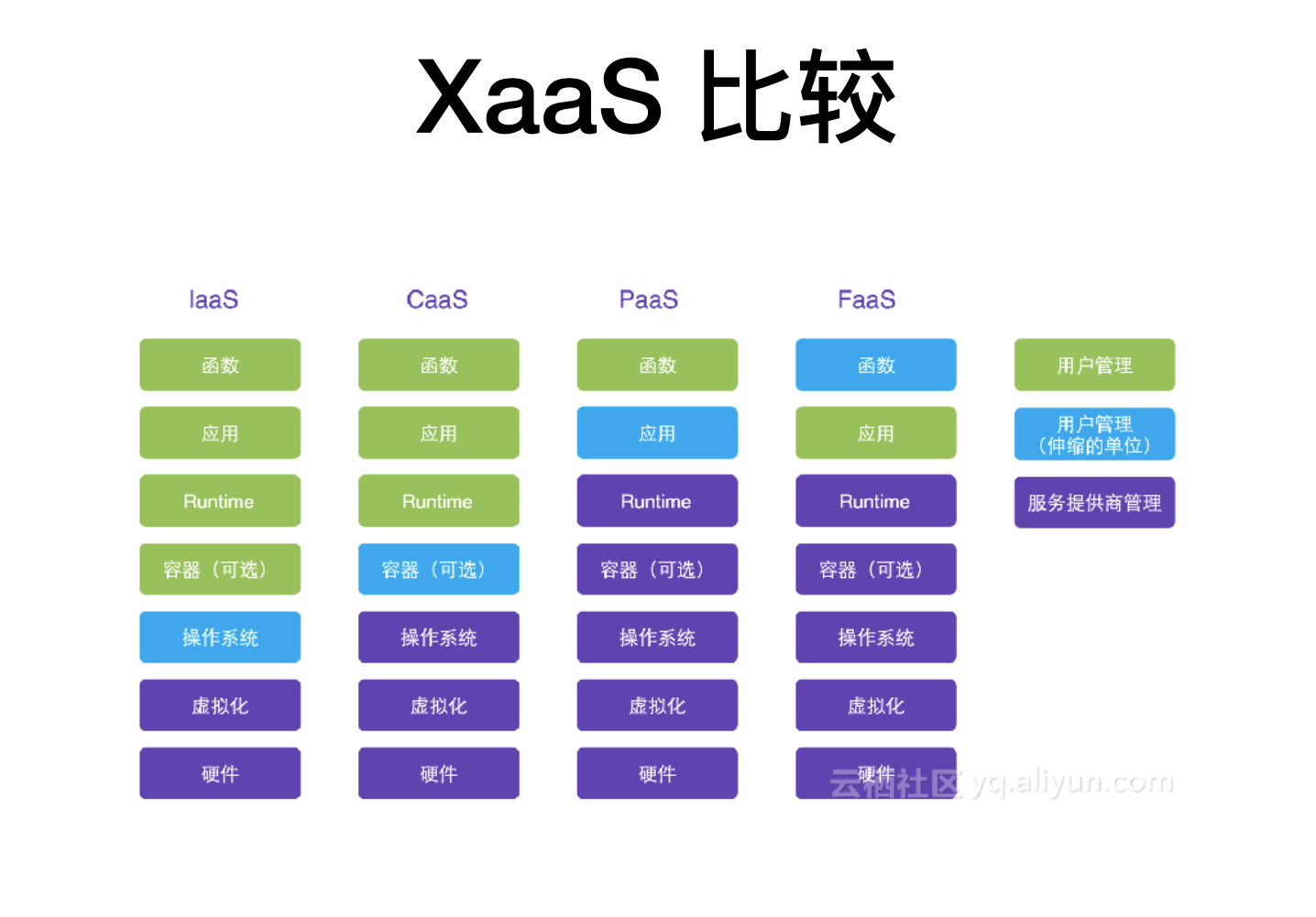
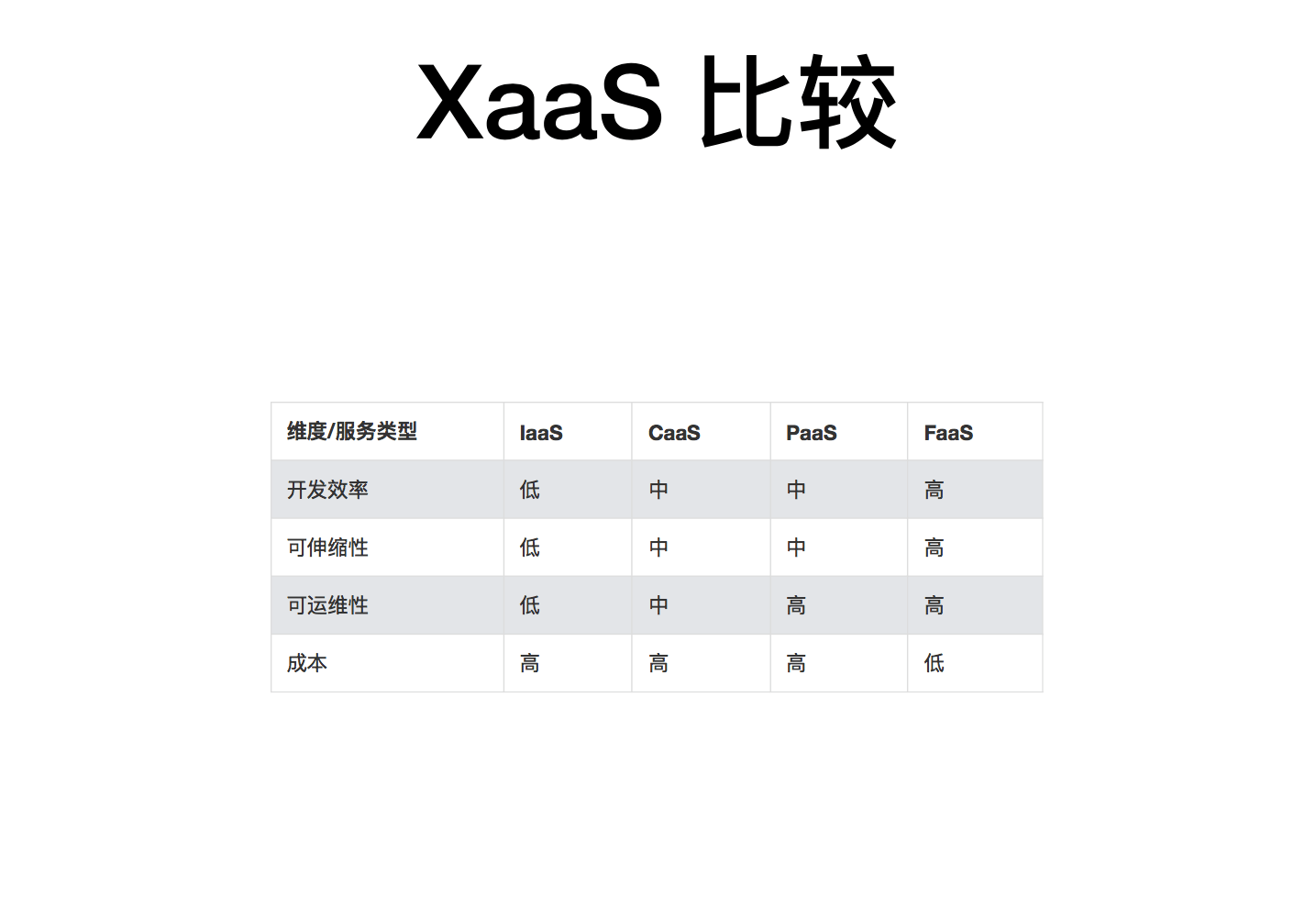
Application Architecture and Execution Model of Function Compute
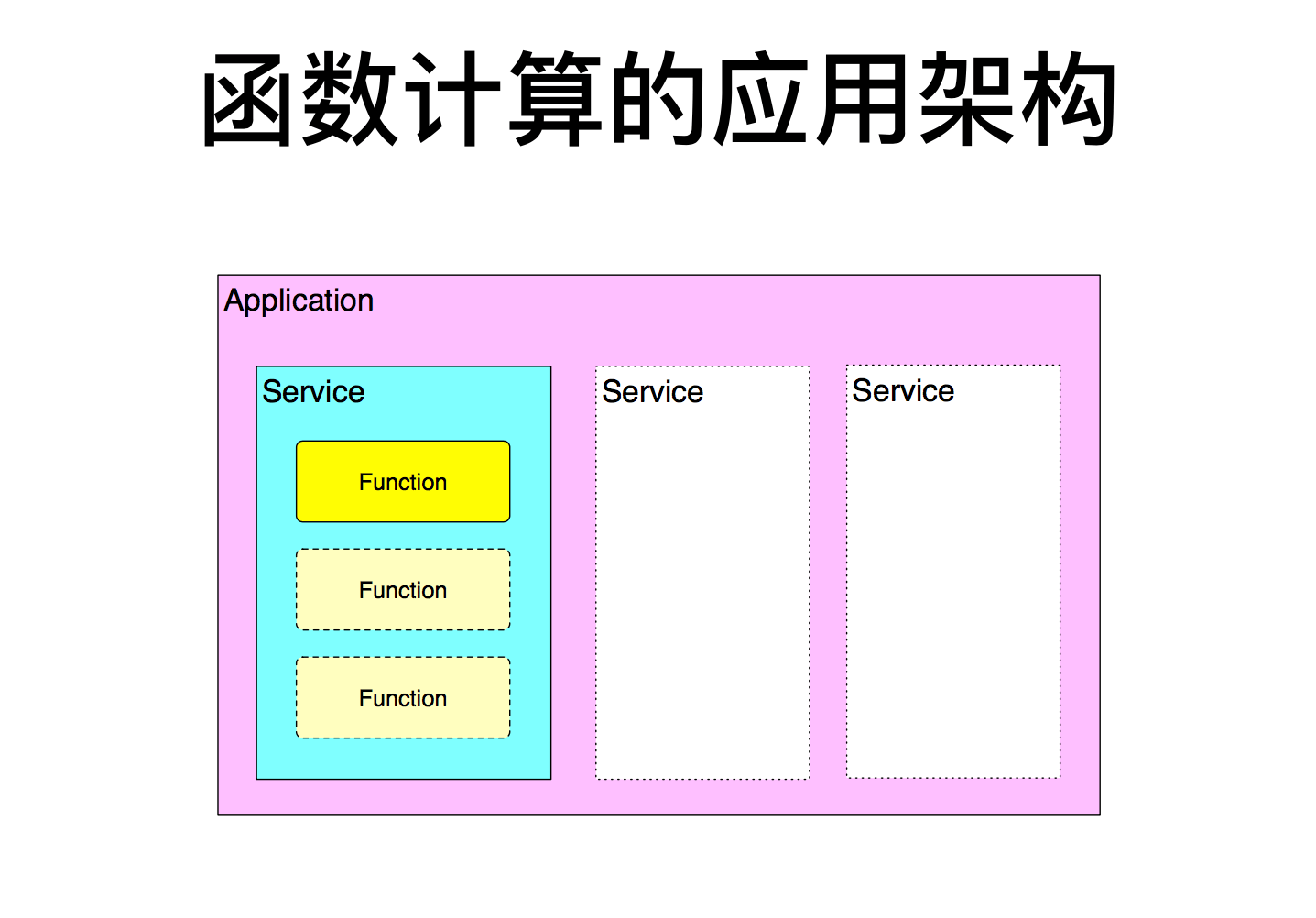
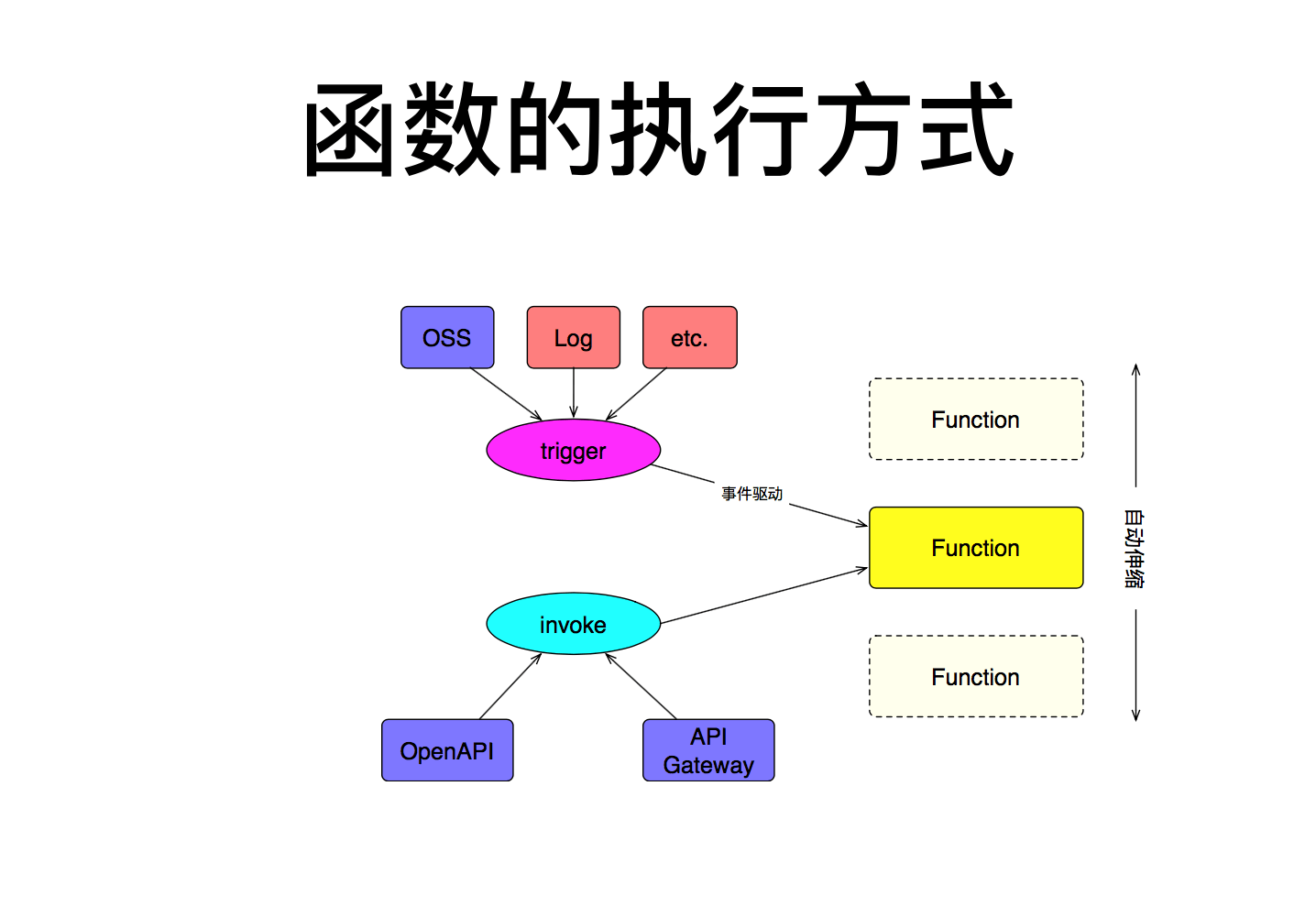
API Gateway & Function Computing
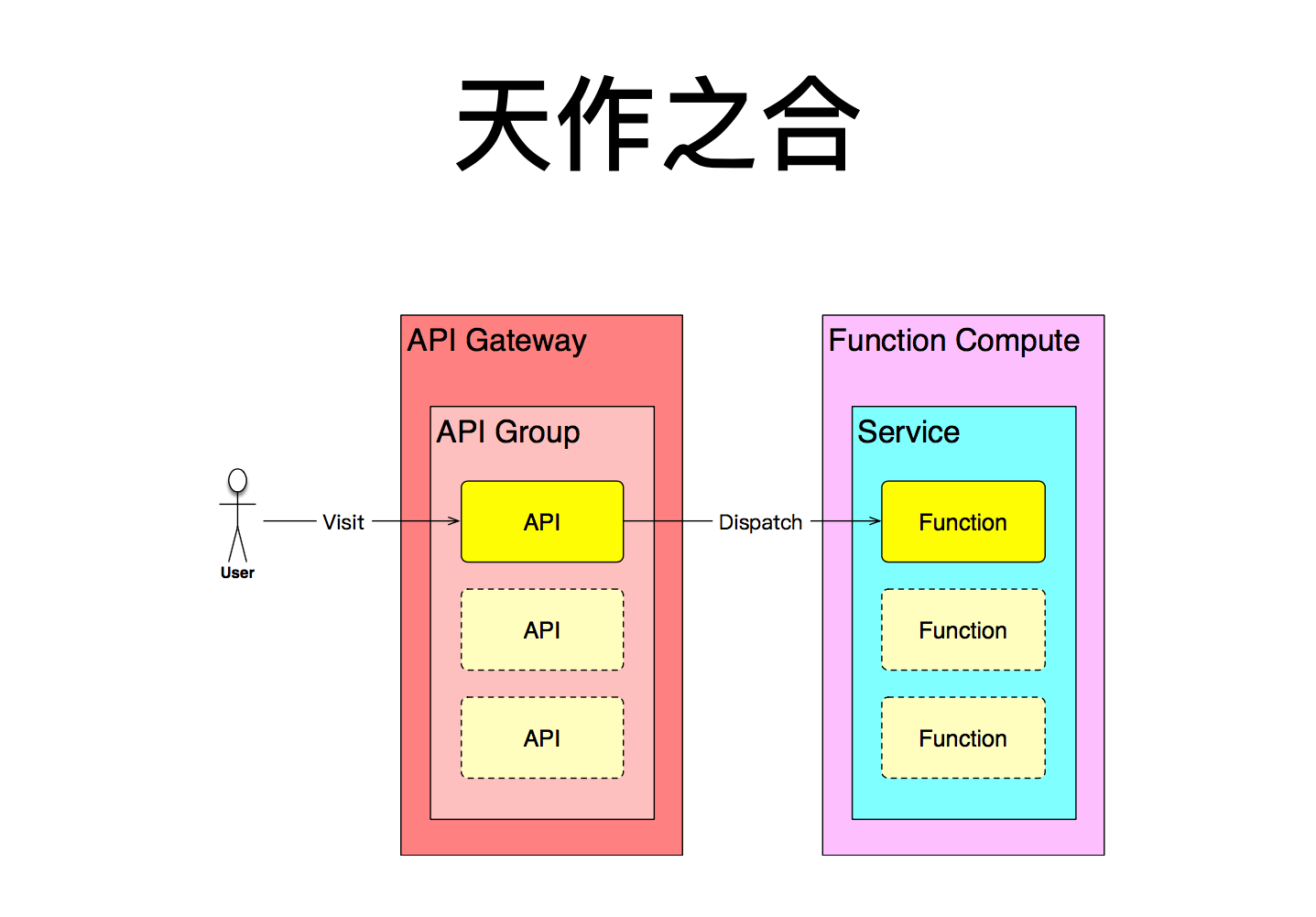
Characteristics of API Gateway:
-
Attack prevention, replay protection, request encryption, authentication, authorization management, and traffic control
-
API definition, testing, publishing, decommissioning, and lifecycle management
-
Monitoring, alerting, analytics, and API marketplace
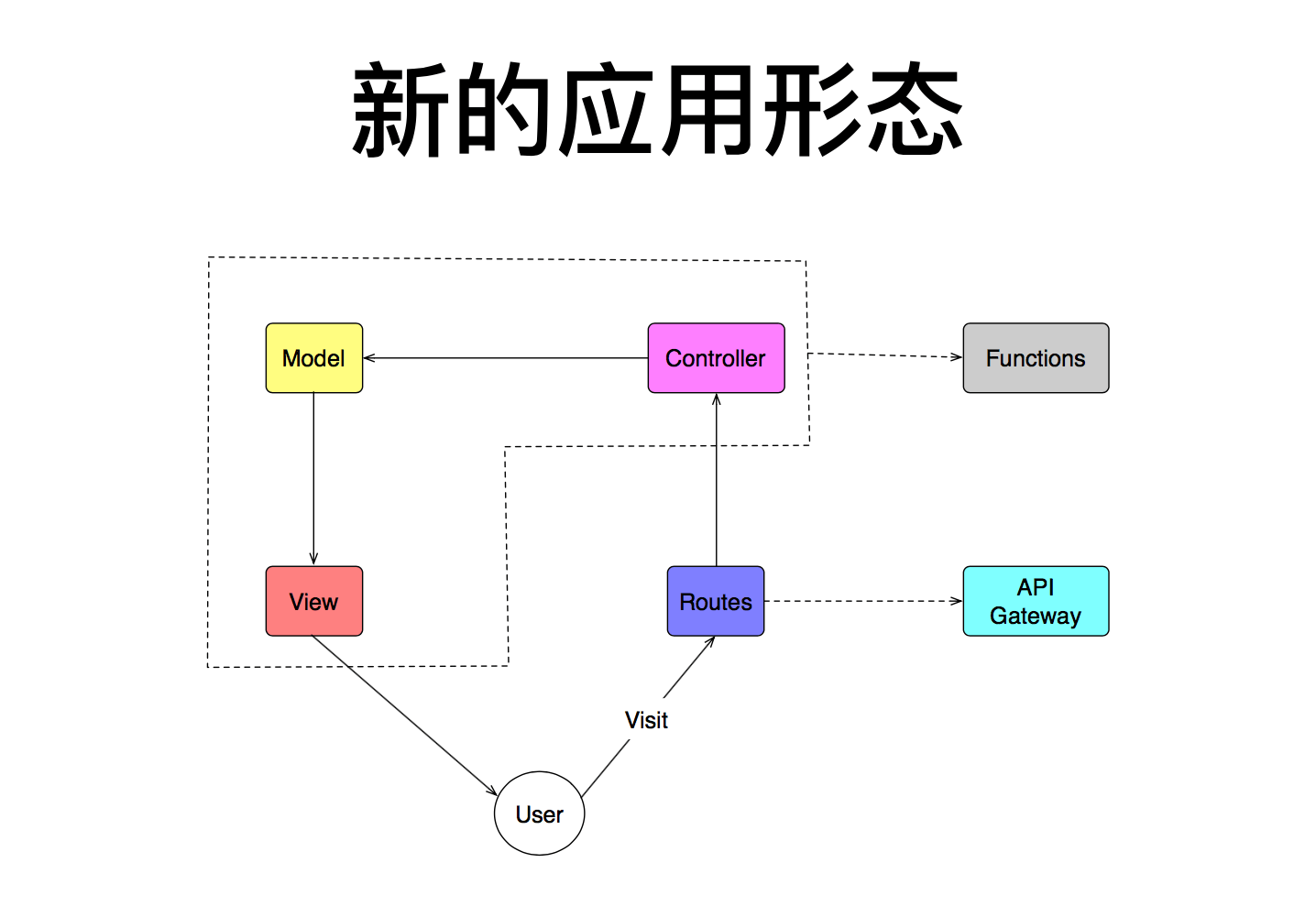
Drawbacks of FaaS
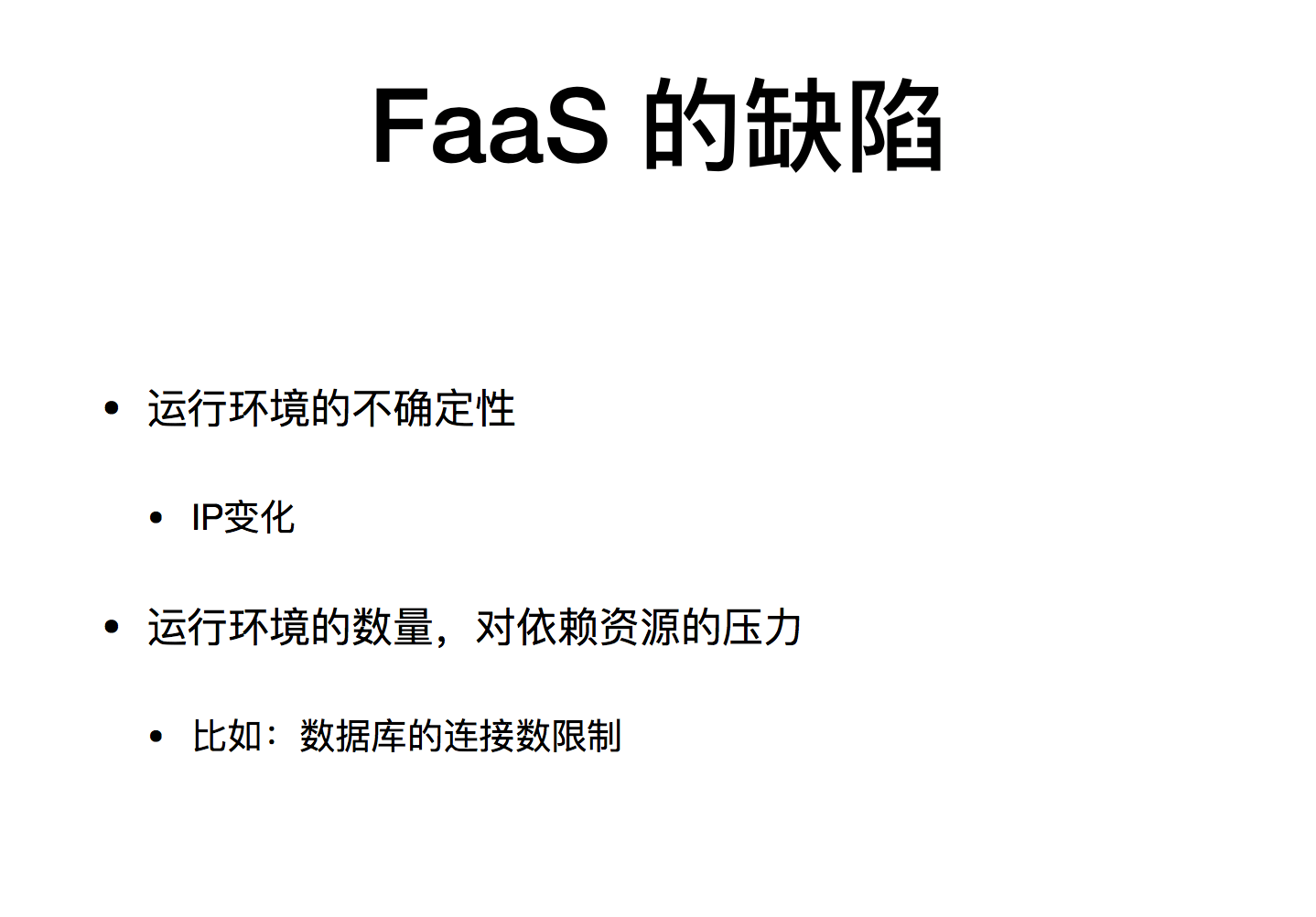
-
Uncertainty of the runtime environment: IP changes
-
The number of runtime environments and the pressure on dependent resources, such as limits on the number of database connections.
Session 3: From REST to GraphQL


GraphQL is a query language for APIs.
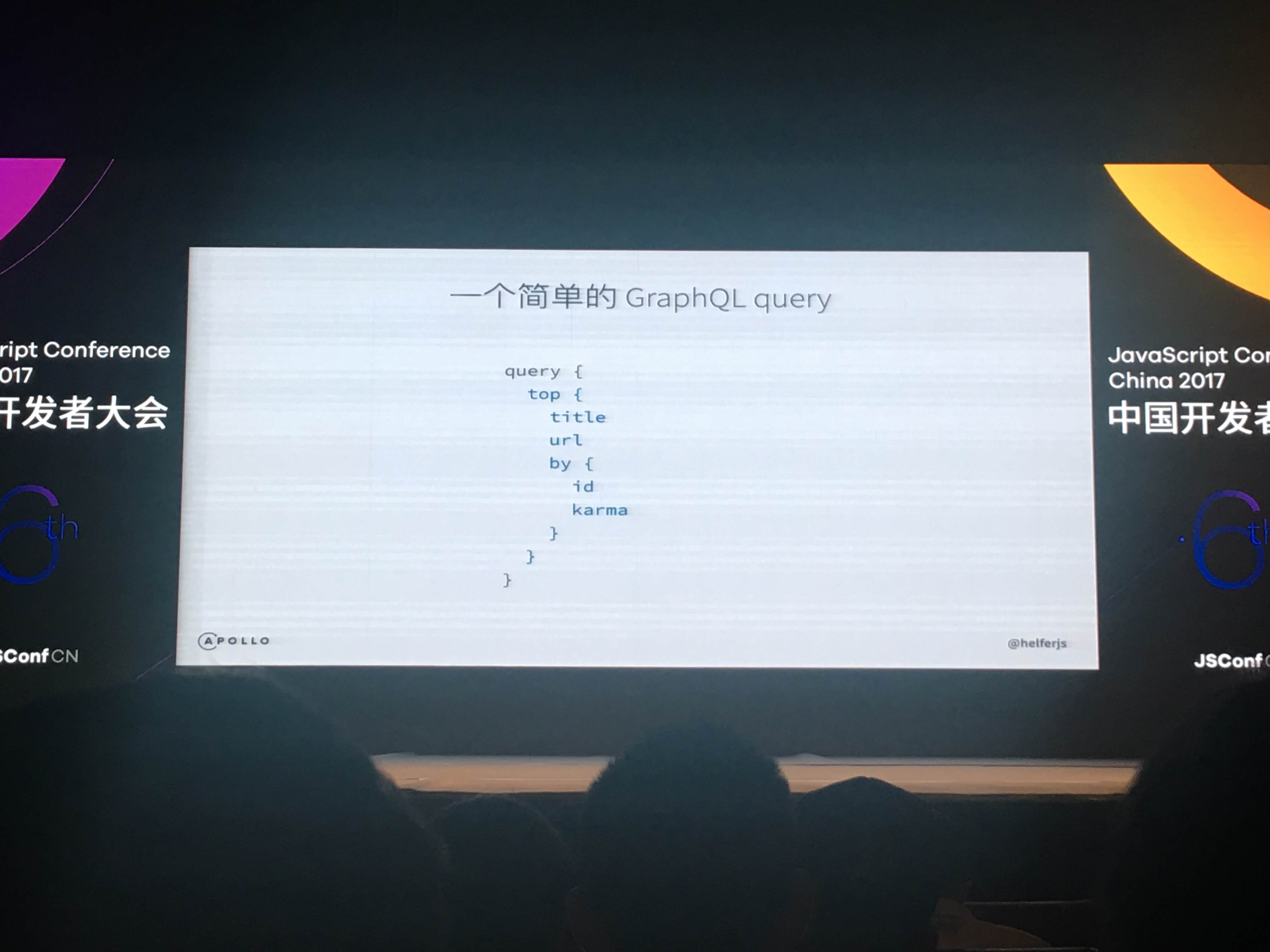
A simple GraphQL query
Page load time = loading code + loading data
This talk was mainly divided into three parts:

The Evolution of Web Development
Early Web development:
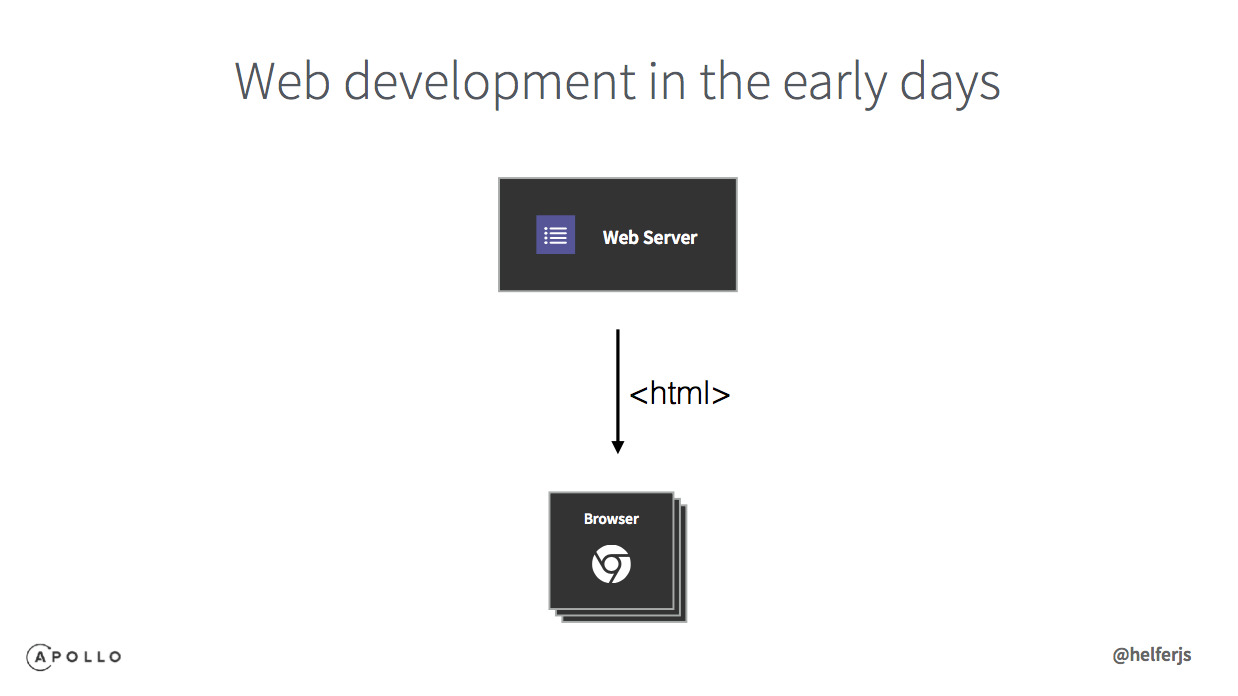
A Web server returned static html to the browser.
Web development in 2017
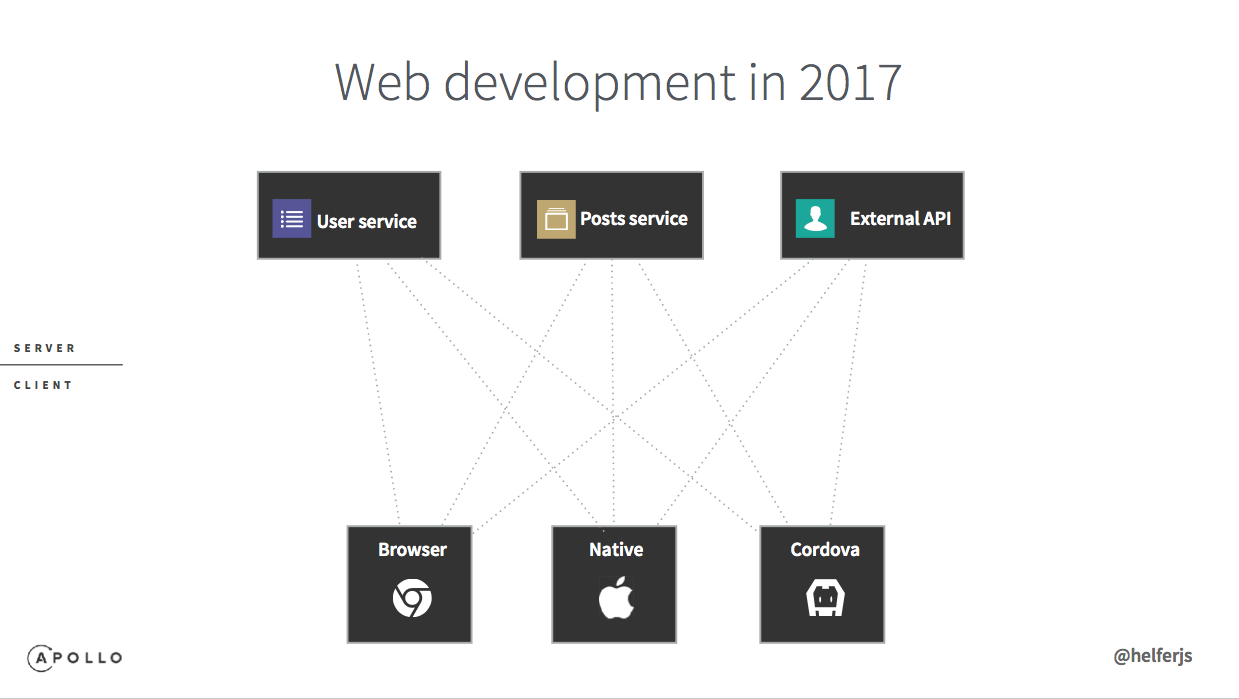
The Web server returns code, while user services, Posts services, and external APIs return data to the browser. A page issues many requests for various kinds of data. Now there are also multiple clients: browsers, iOS, and Android.
Pure REST - One endpoint corresponds to one resource
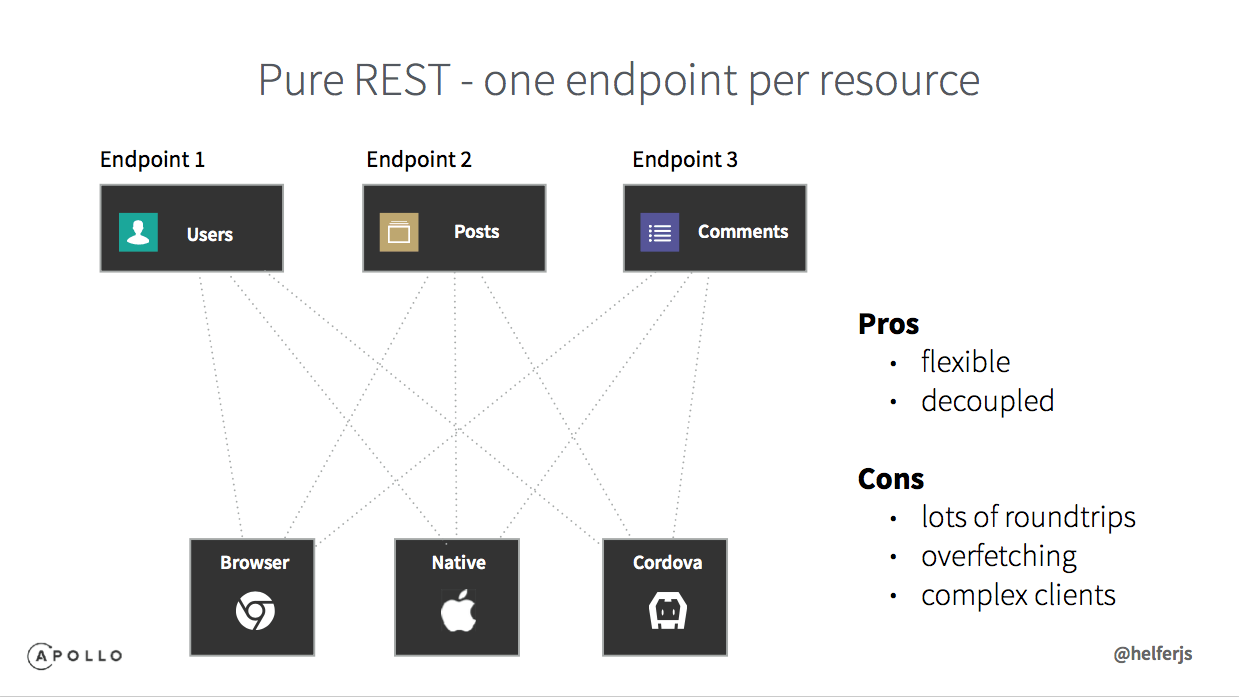
Pros:
- Flexible
- Decoupled
Cons
- Requires many requests
- Fetches data that is not needed
- Complex clients
REST-like - One endpoint corresponds to one view
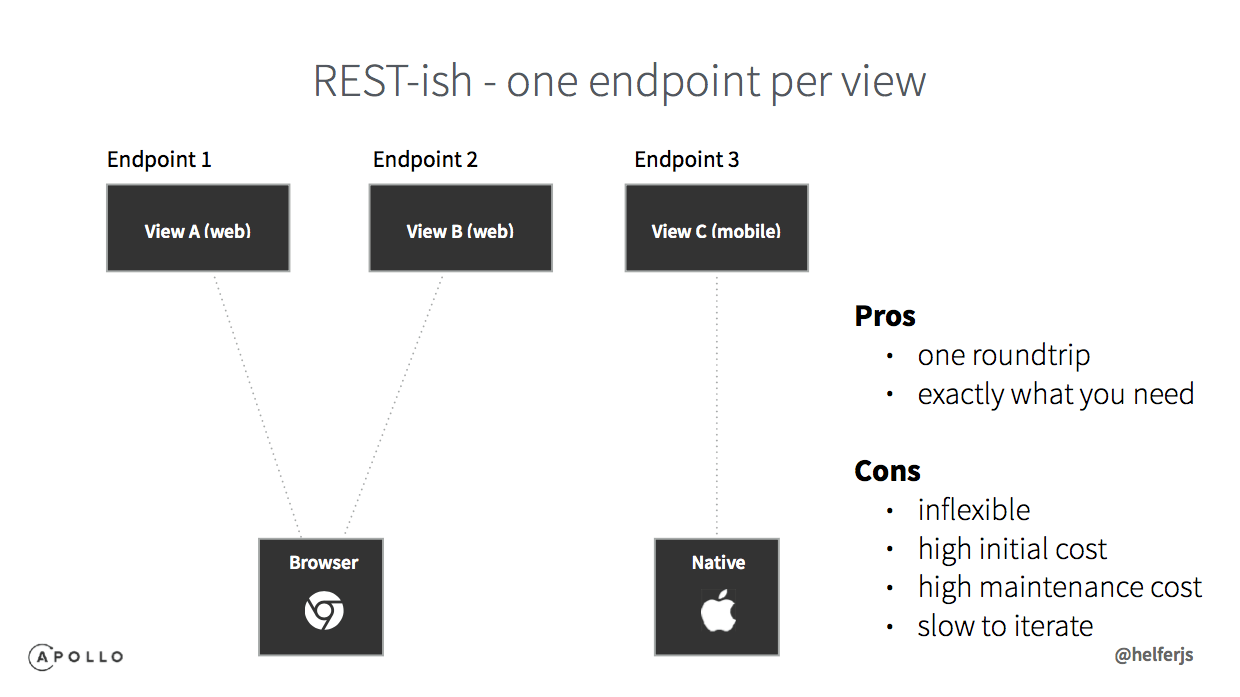
Pros:
- One request
- You get exactly what you need
Cons:
- Not flexible enough
- Highly coupled
- High maintenance cost
- Slow iteration
What we need:
- Only one request
- Get exactly what we need
- Flexible
- Decoupled
And GraphQL can give us:
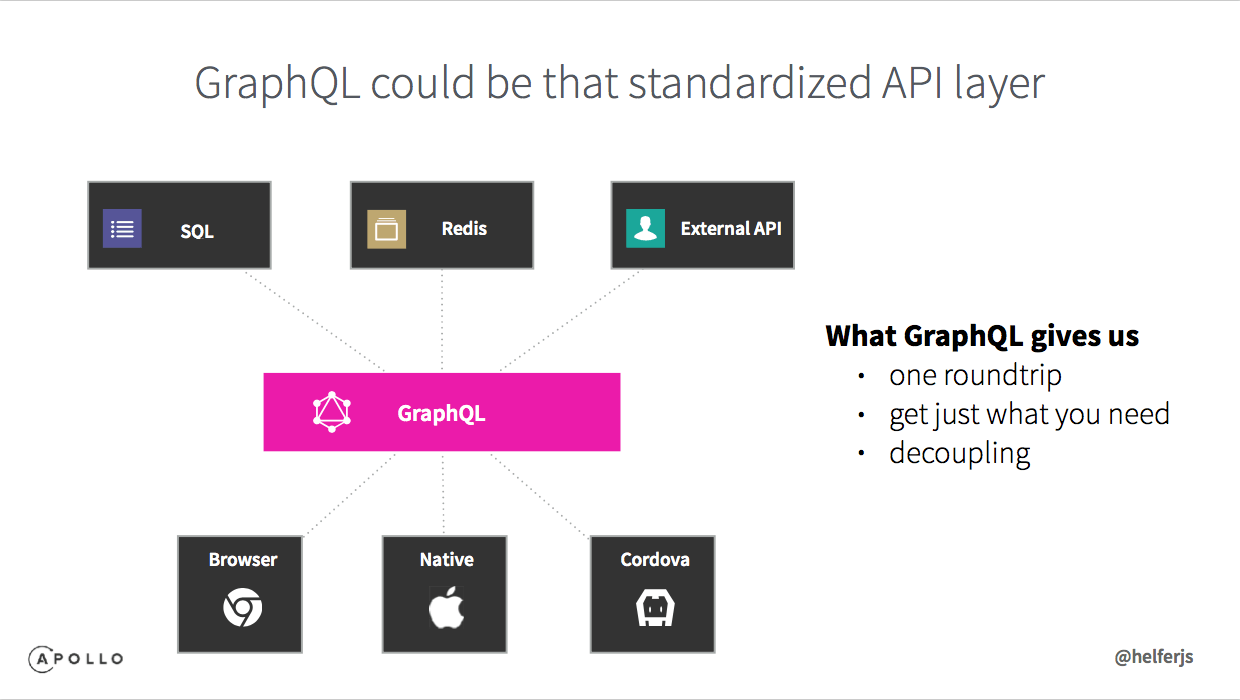
- Only one request
- Get exactly what we need
- Decoupled
GraphQL has the following three important characteristics:
- An API definition language for describing data types and relationships
- A query language that can describe exactly which data needs to be fetched
- An executable model that can resolve down to individual properties of data
GraphQL resolvers are roughly equivalent to REST endpoints
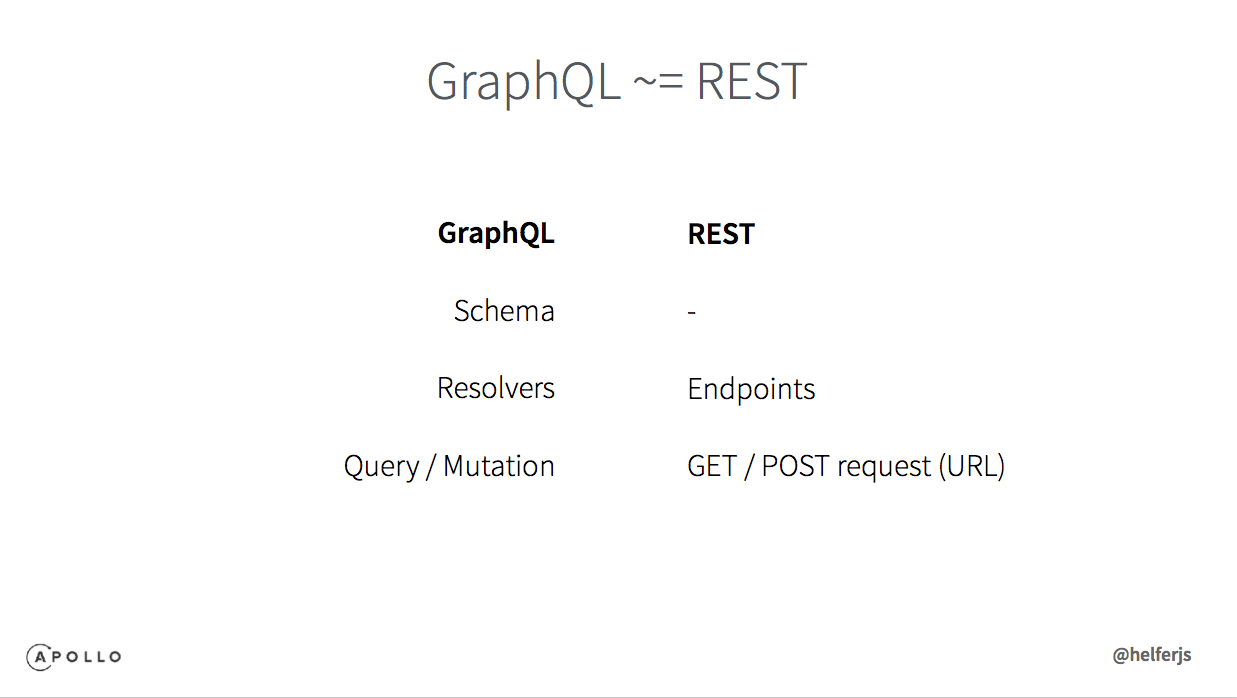
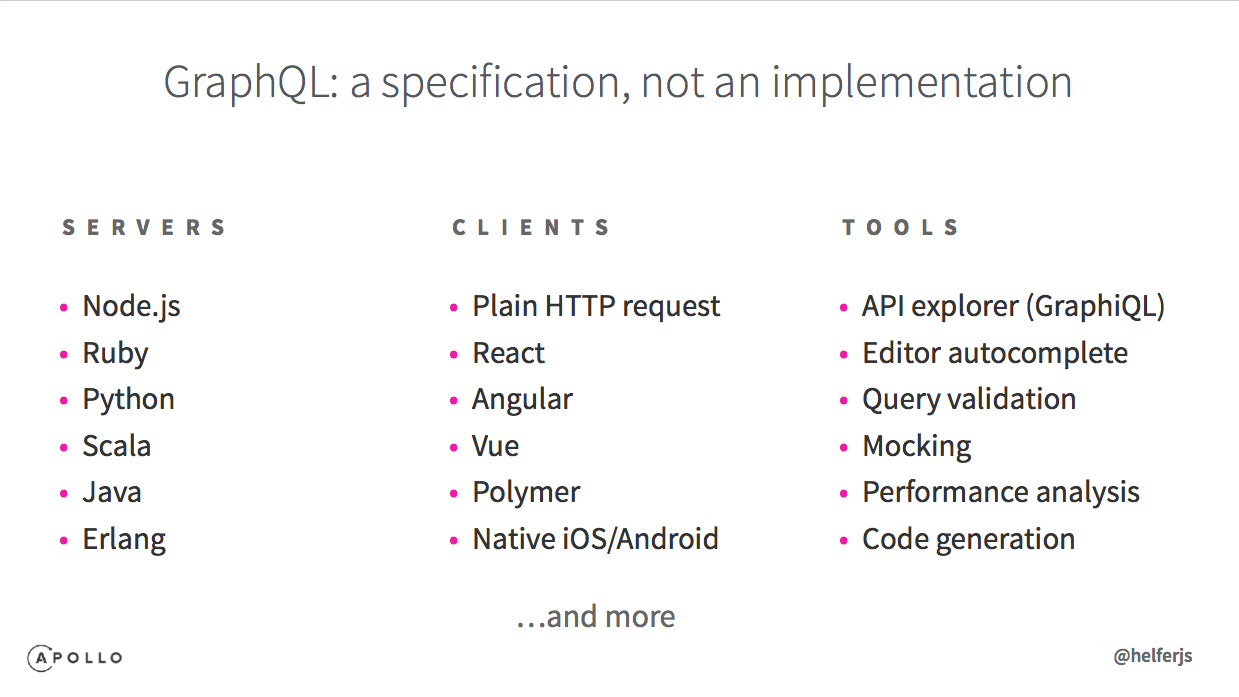
GraphQL is a specification, not an implementation. It has corresponding specifications for servers, clients, and tools.
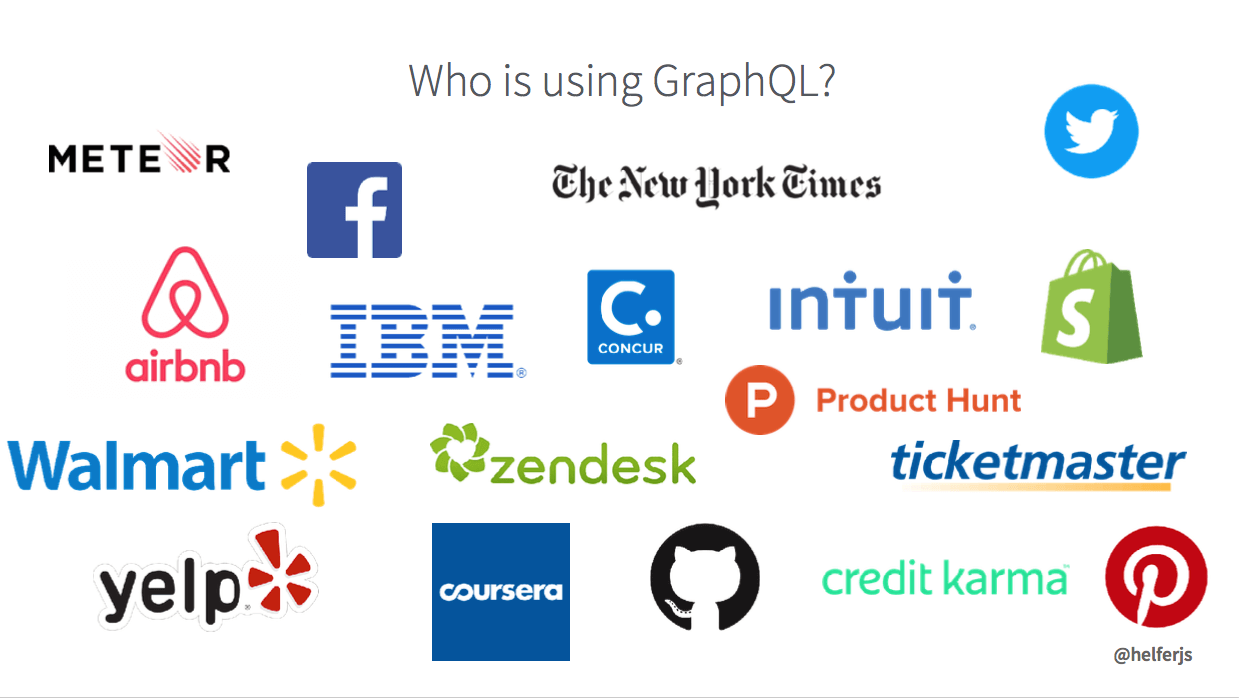
The following large companies are using GraphQL in production.

In the second part, the speaker demonstrated a real example:
For the concrete example, you will need to watch the replay video.

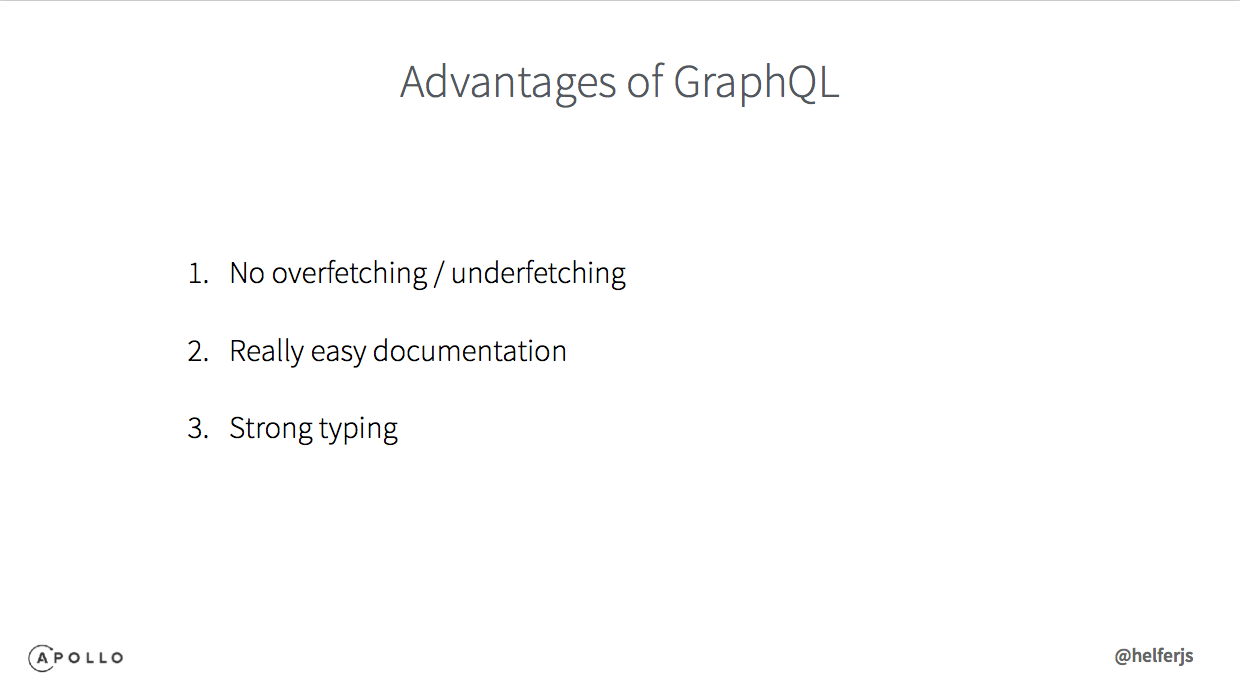
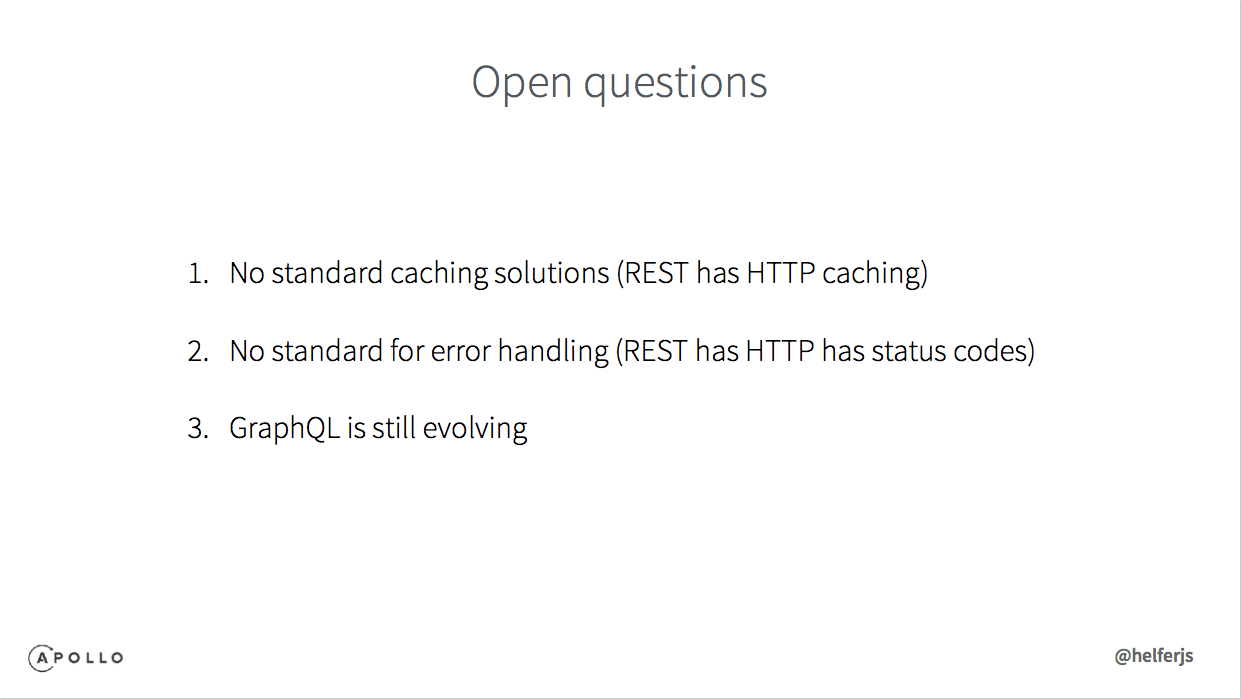
The third part looked ahead to the future of GraphQL.
Session 4: Visual Testing–Driven Development with React Storybook



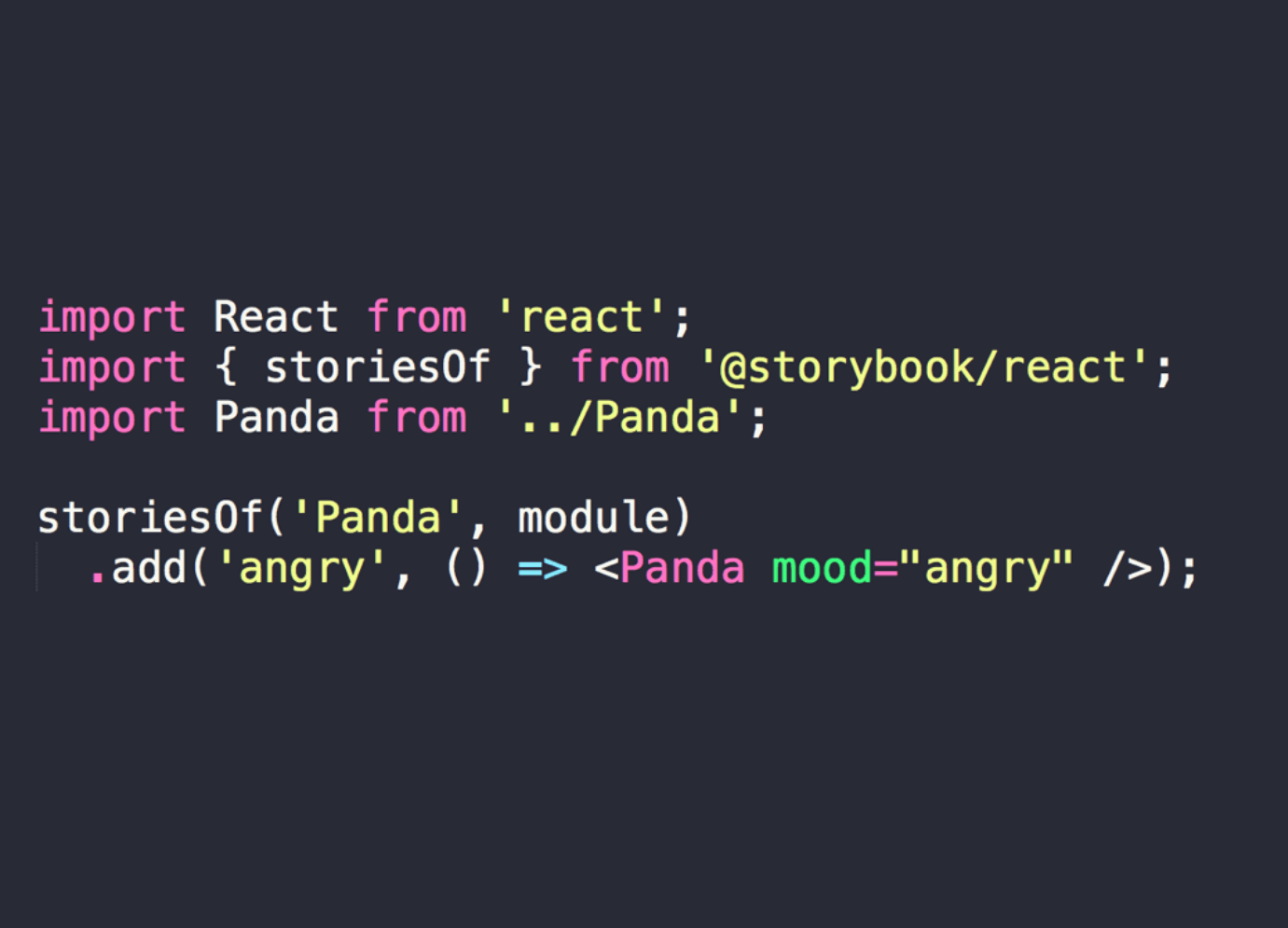
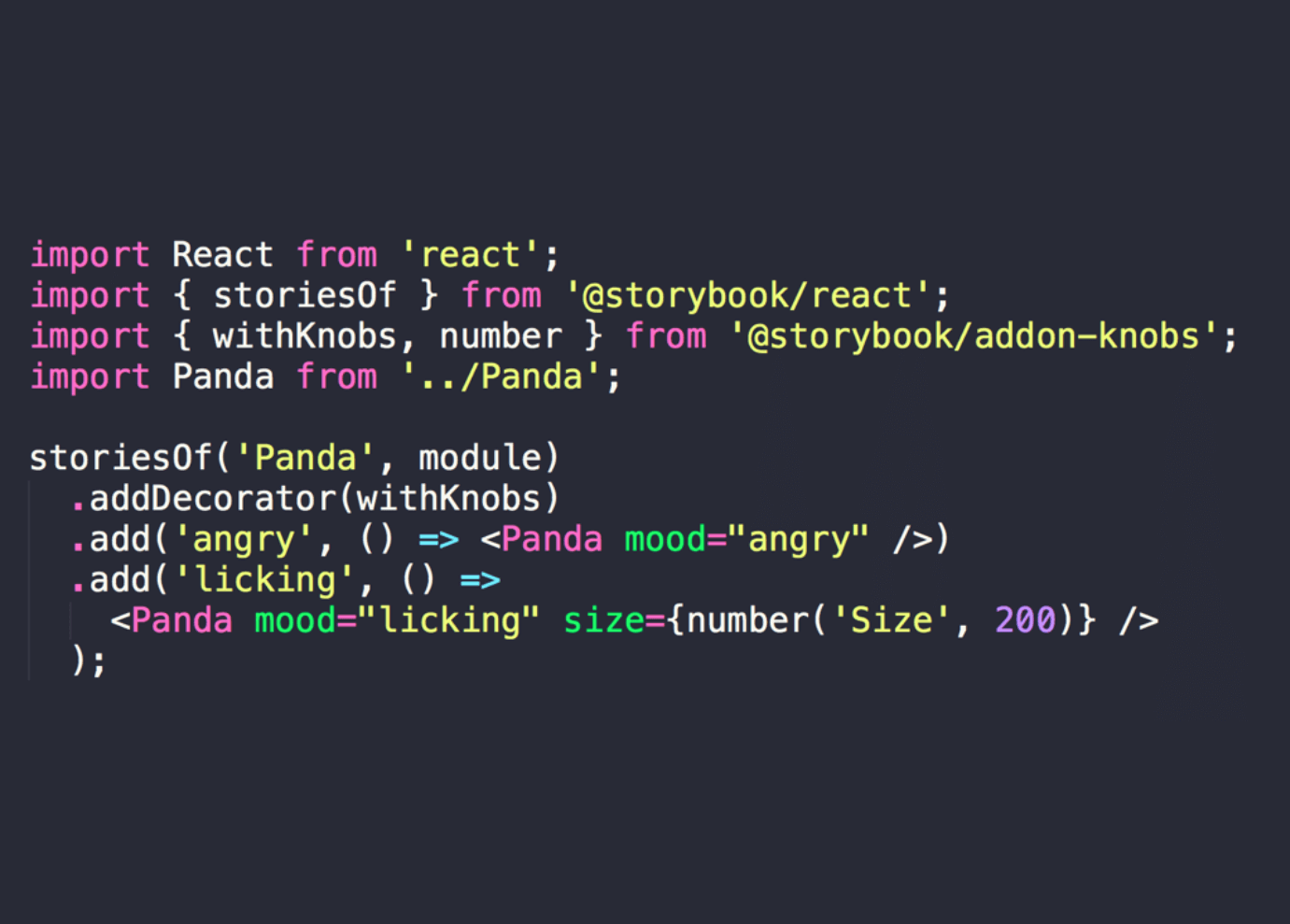

In this session, the speaker shared a lot of practical project experience and hard-earned lessons. The entire talk was delivered in fluent English; if you are interested, I recommend watching the replay video directly.
Session 5: Graduating Your Node.js API to a Production Environment
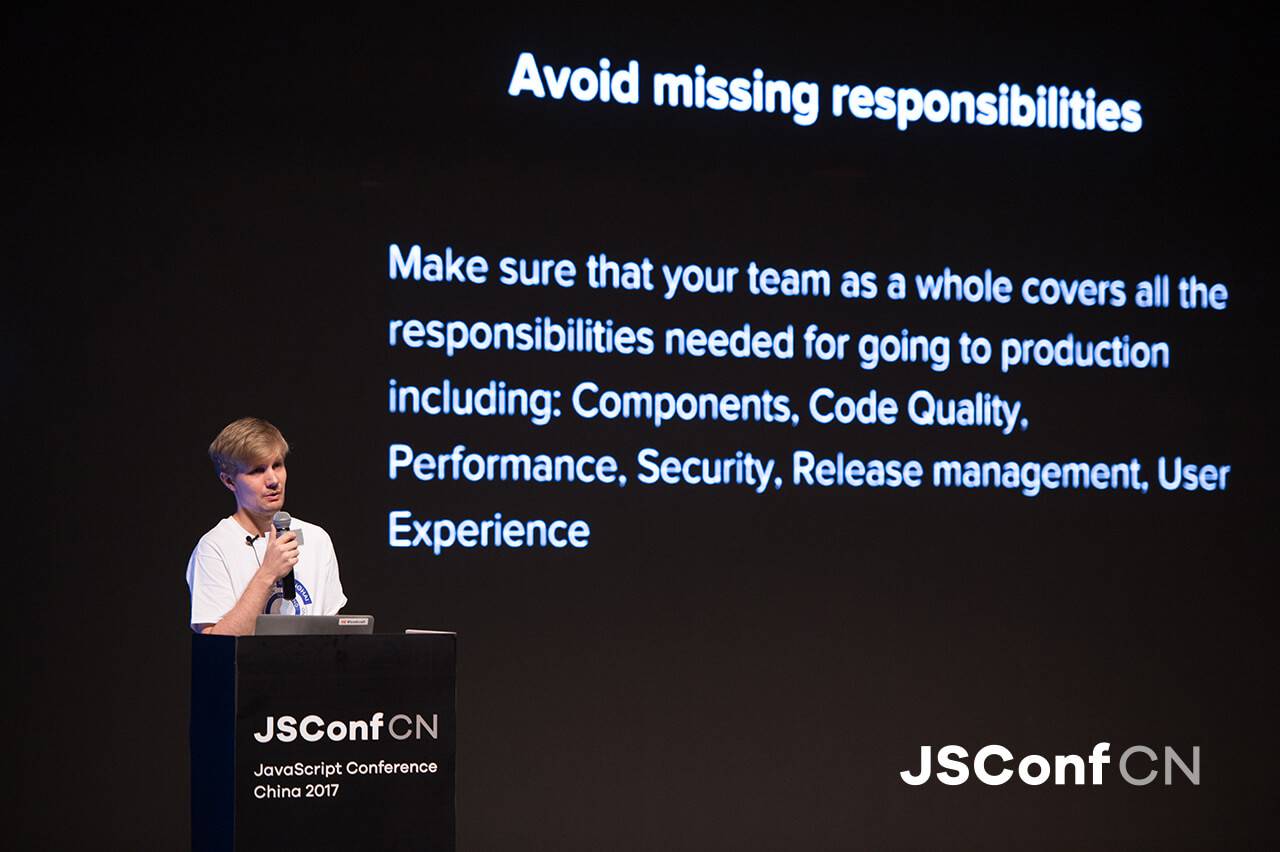
The type of architecture we expect
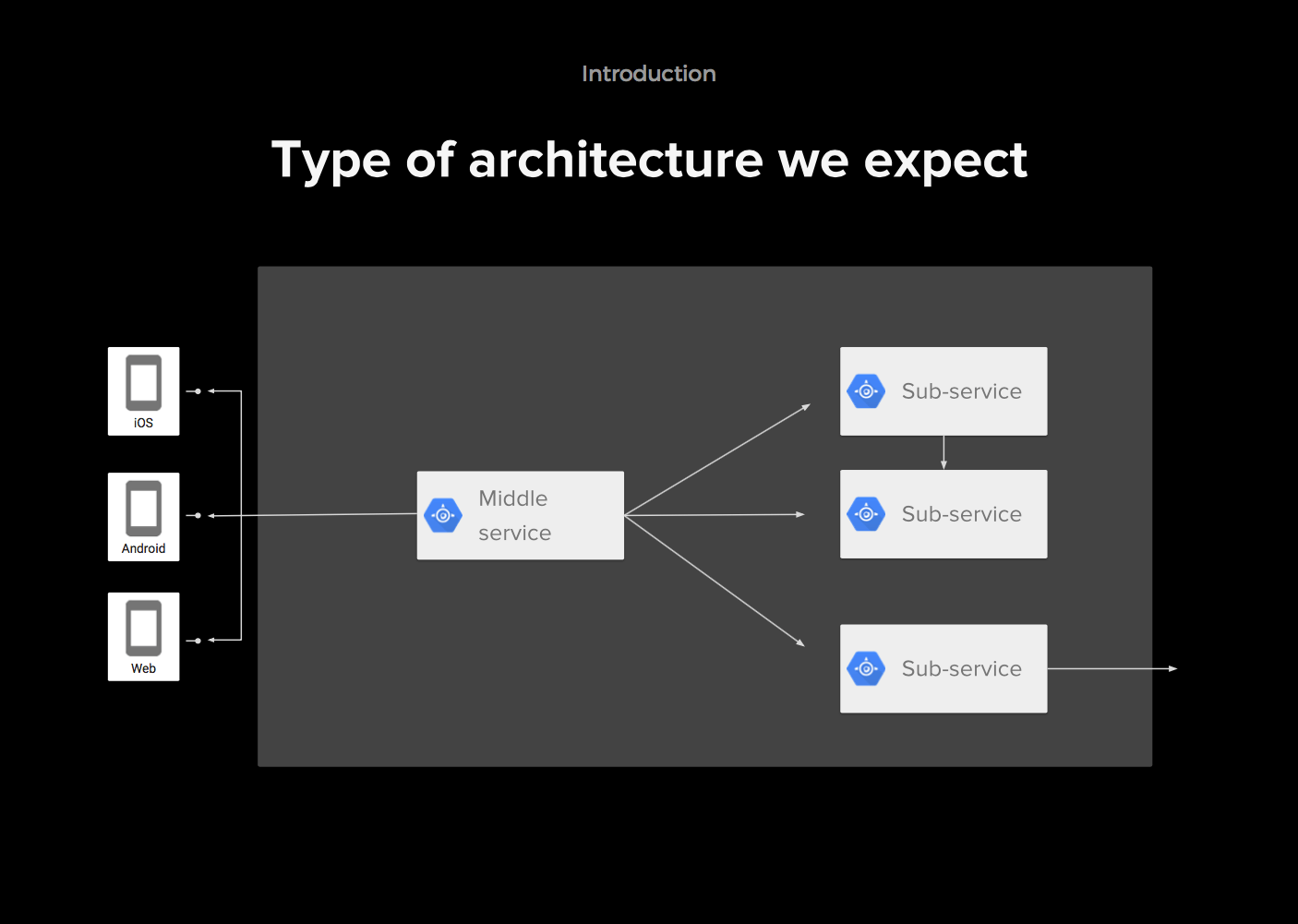
What is a production system?
A system with real users and real data; a public service with at least thousands of daily users.
What does it mean to reach production-grade quality?
-
Developers: the code runs, and all functional tests pass
-
Business managers: the system runs and brings value and profit to users.
-
Library developers: their library is widely adopted and has good documentation.
-
Operations: the runtime environment is stable, debuggable, and maintainable
-
Security experts: the system passes security checks.
Avoid Lack of Ownership
Prerequisites for writing production-grade code
- Stable
- Effective
- Debuggable
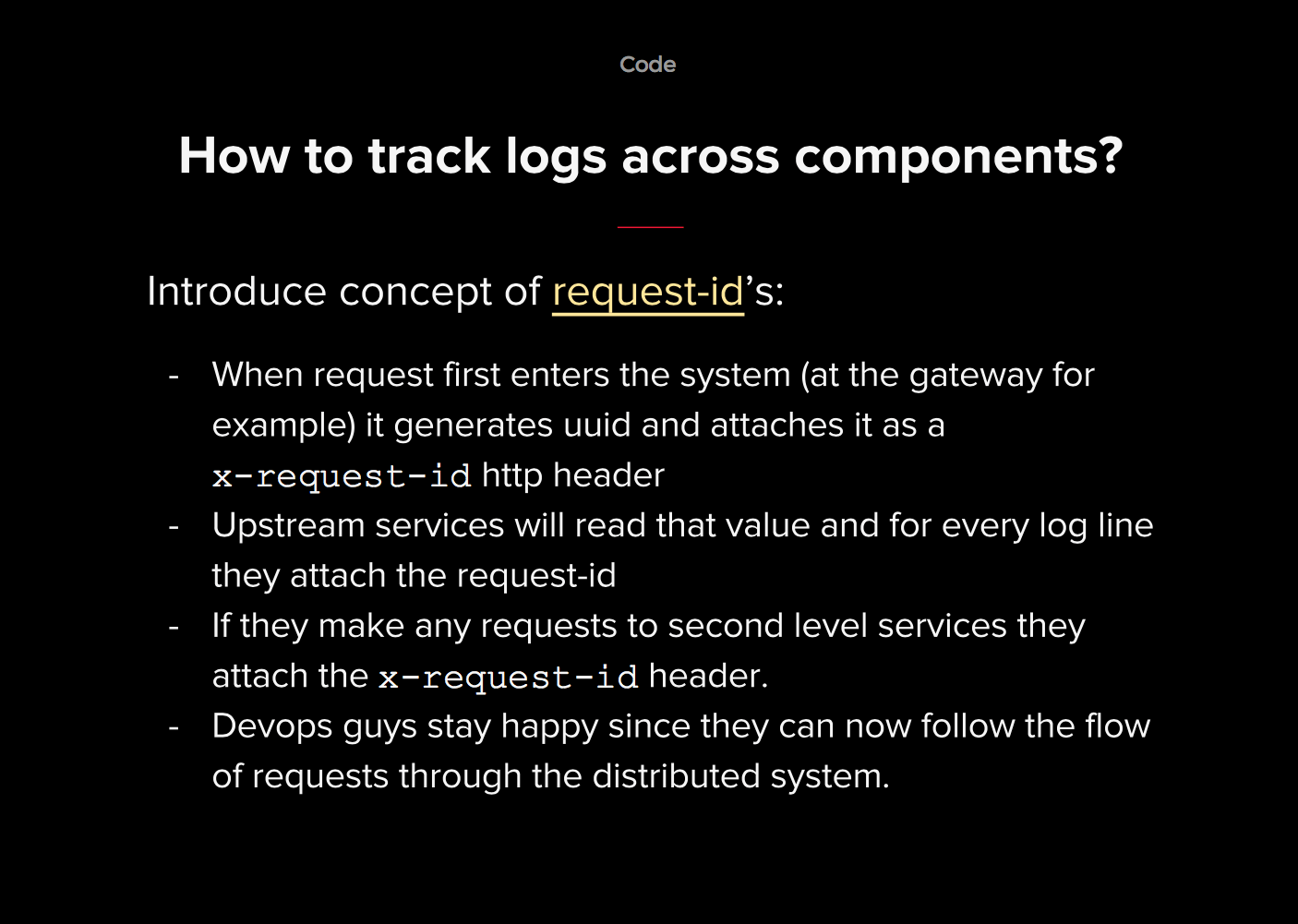
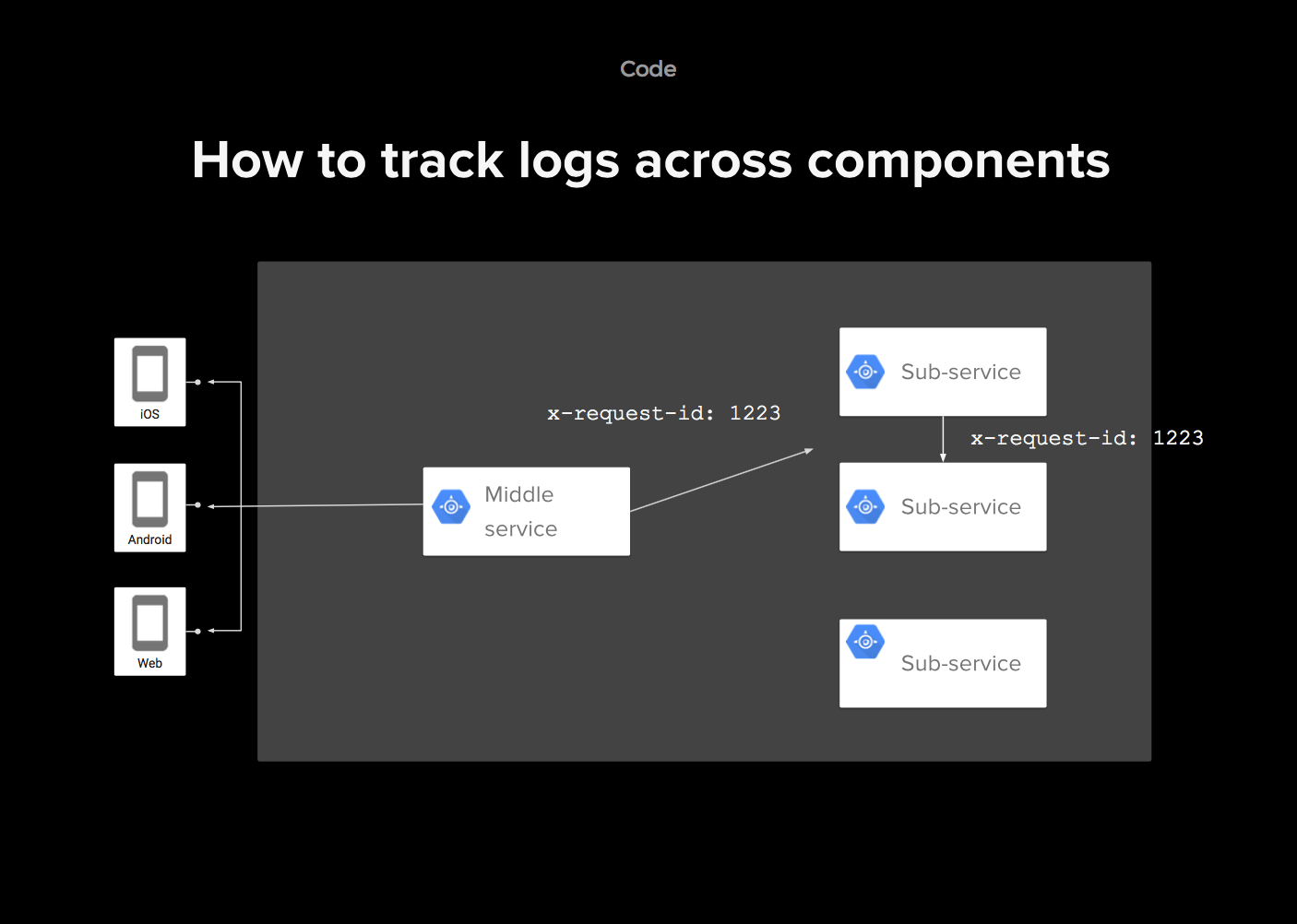
How to Trace Logs Across Components
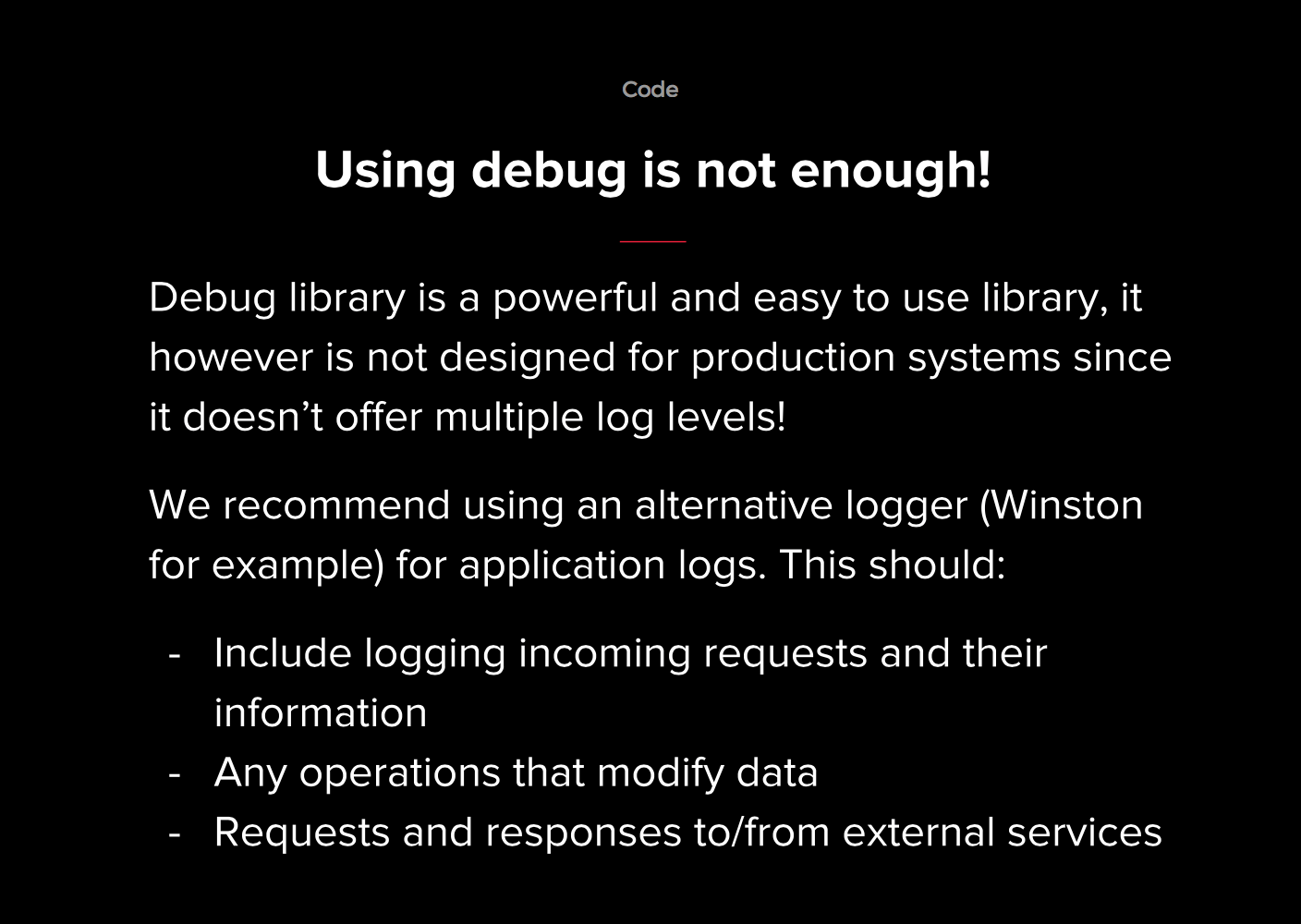
Debugging Alone Is Not Enough
How to Survive Upstream Service Failures
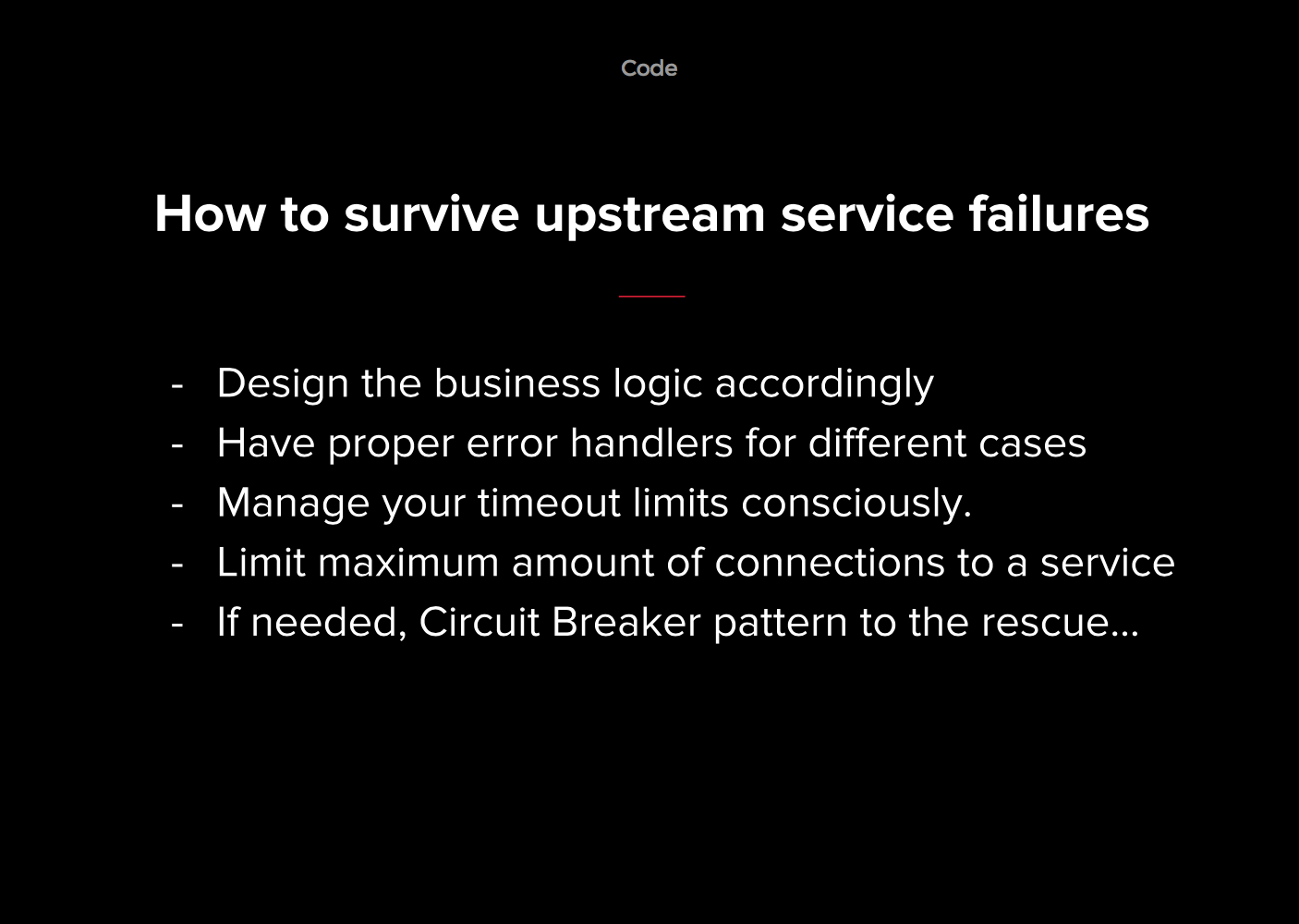
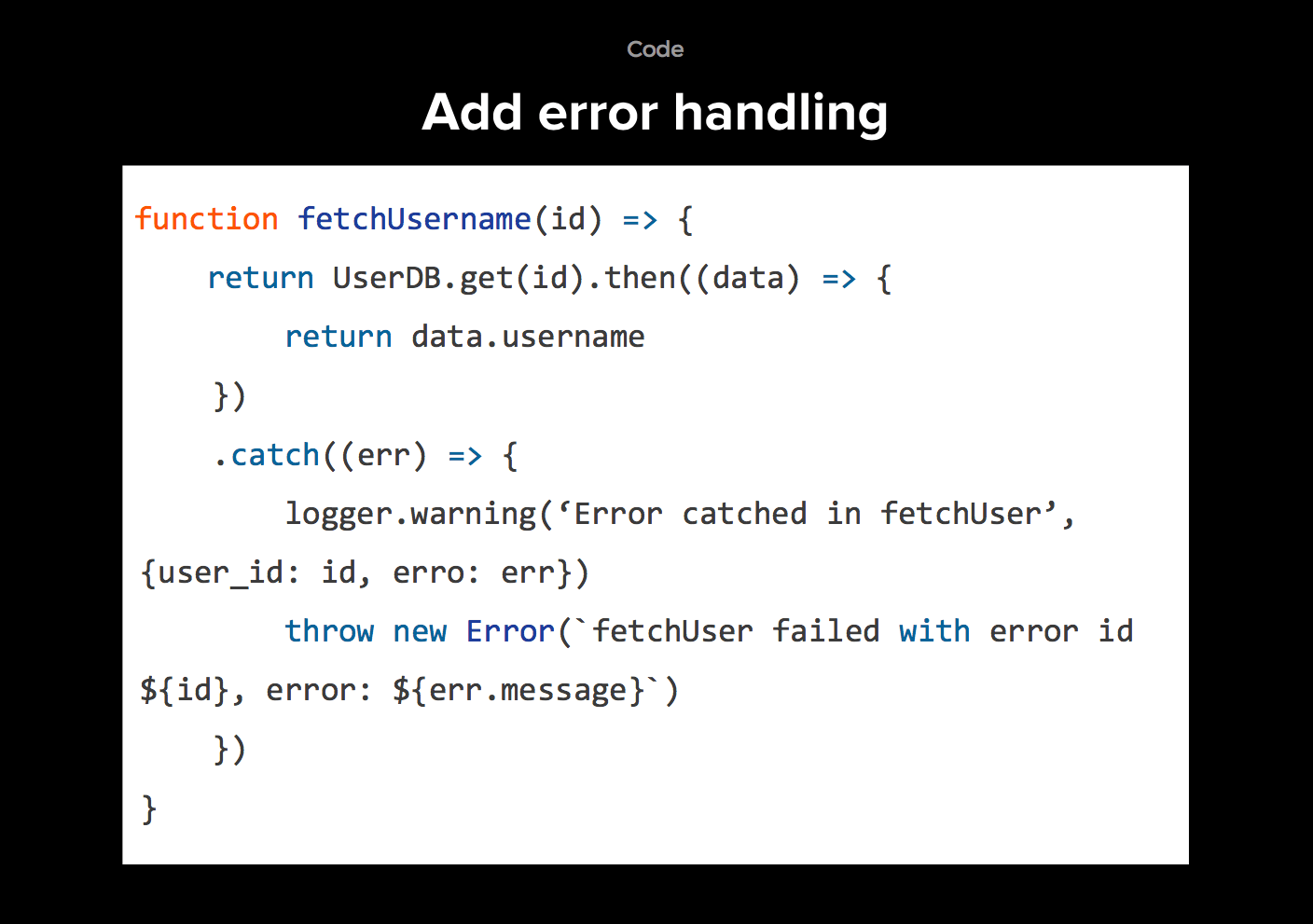
Add error handling
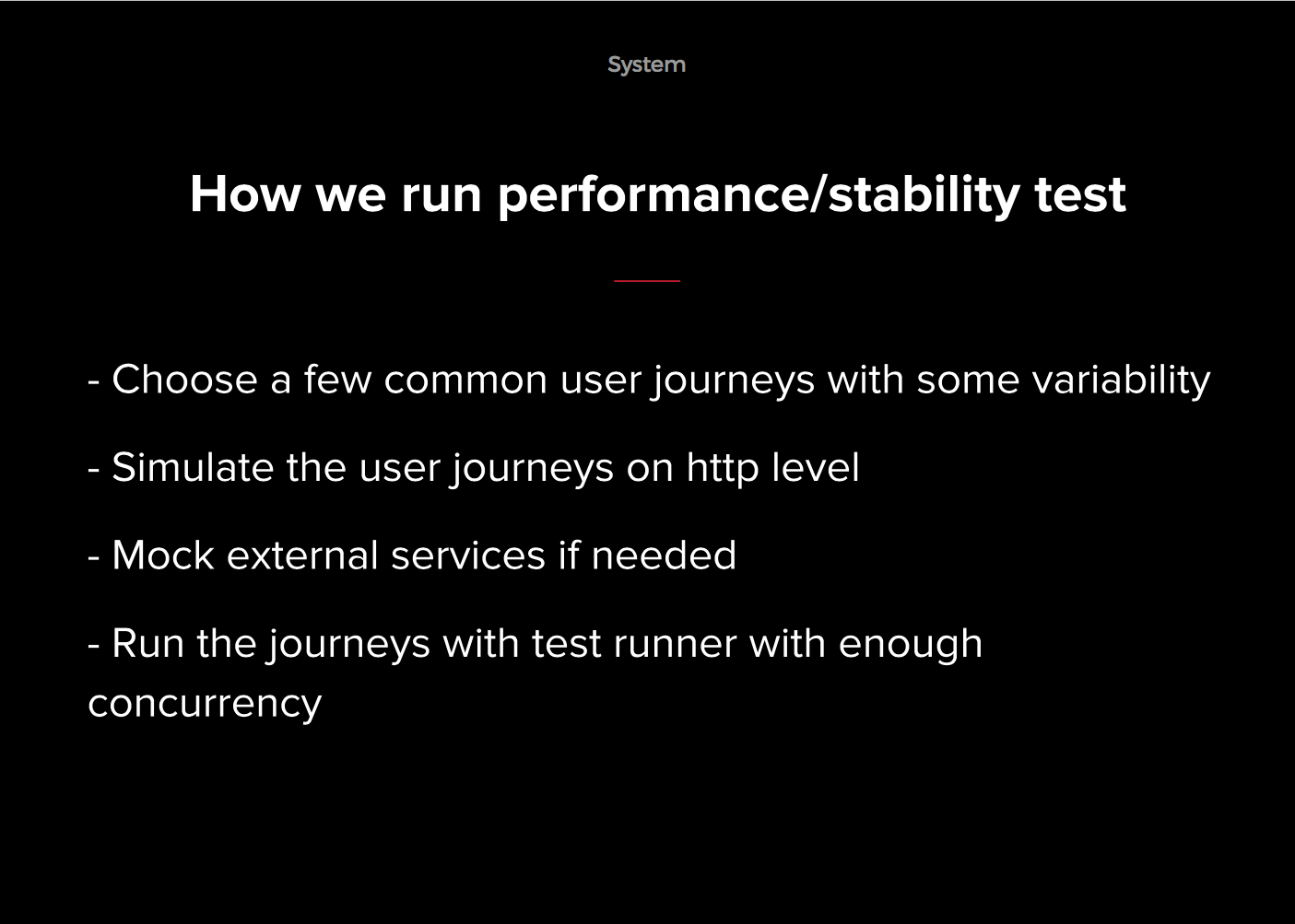
How to Run Performance/Stability Tests

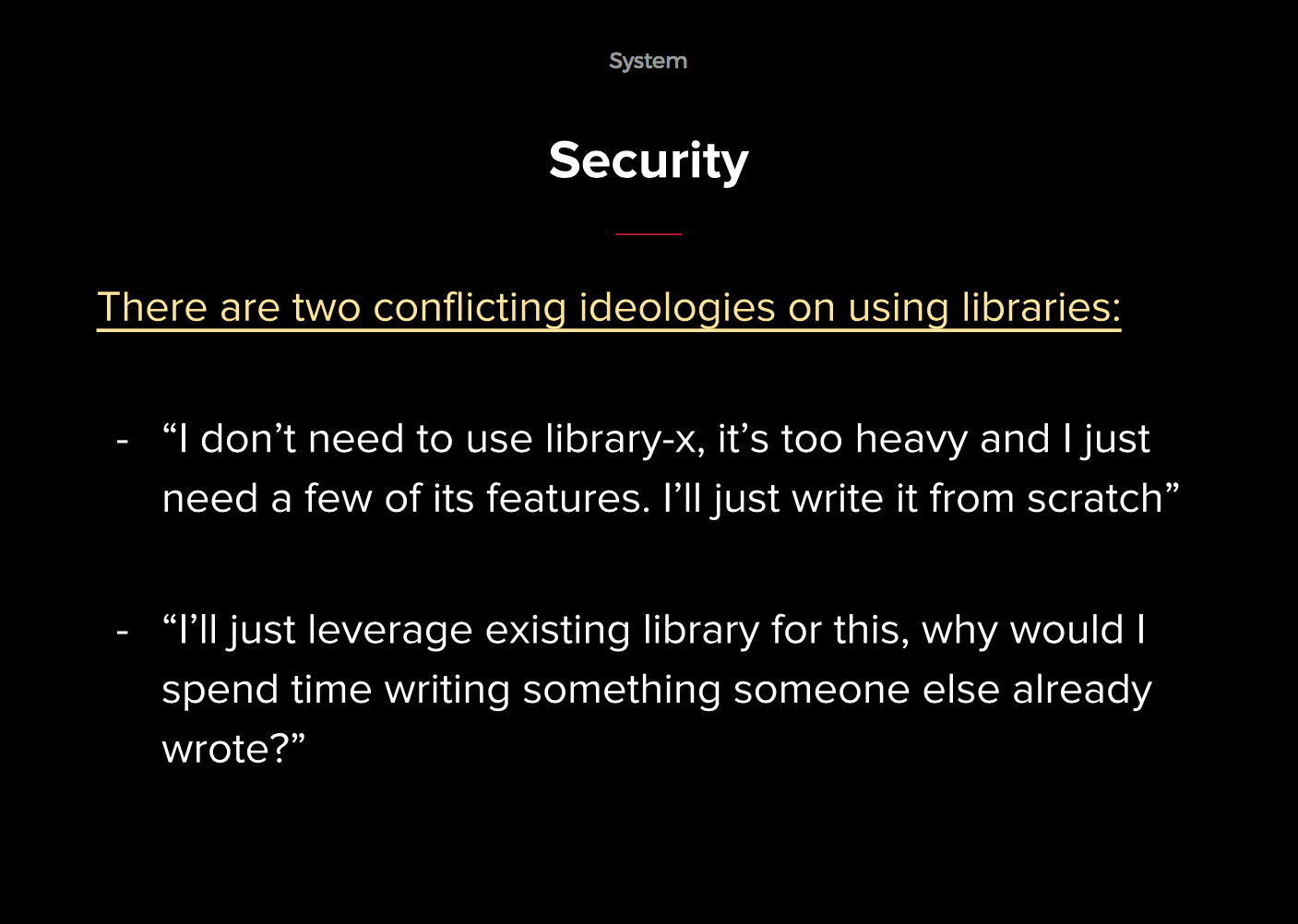
Security
Summary
Thinking:
- Consider all aspects of taking a product online
- Avoid lack of ownership
Code:
- Appropriate logging
- Handle service failures
- Record error details
- Manage connections
System:
- Run performance and stability tests
- Do not implement all security-related logic by yourself
Session 6: Developing IoT Applications with Node.js

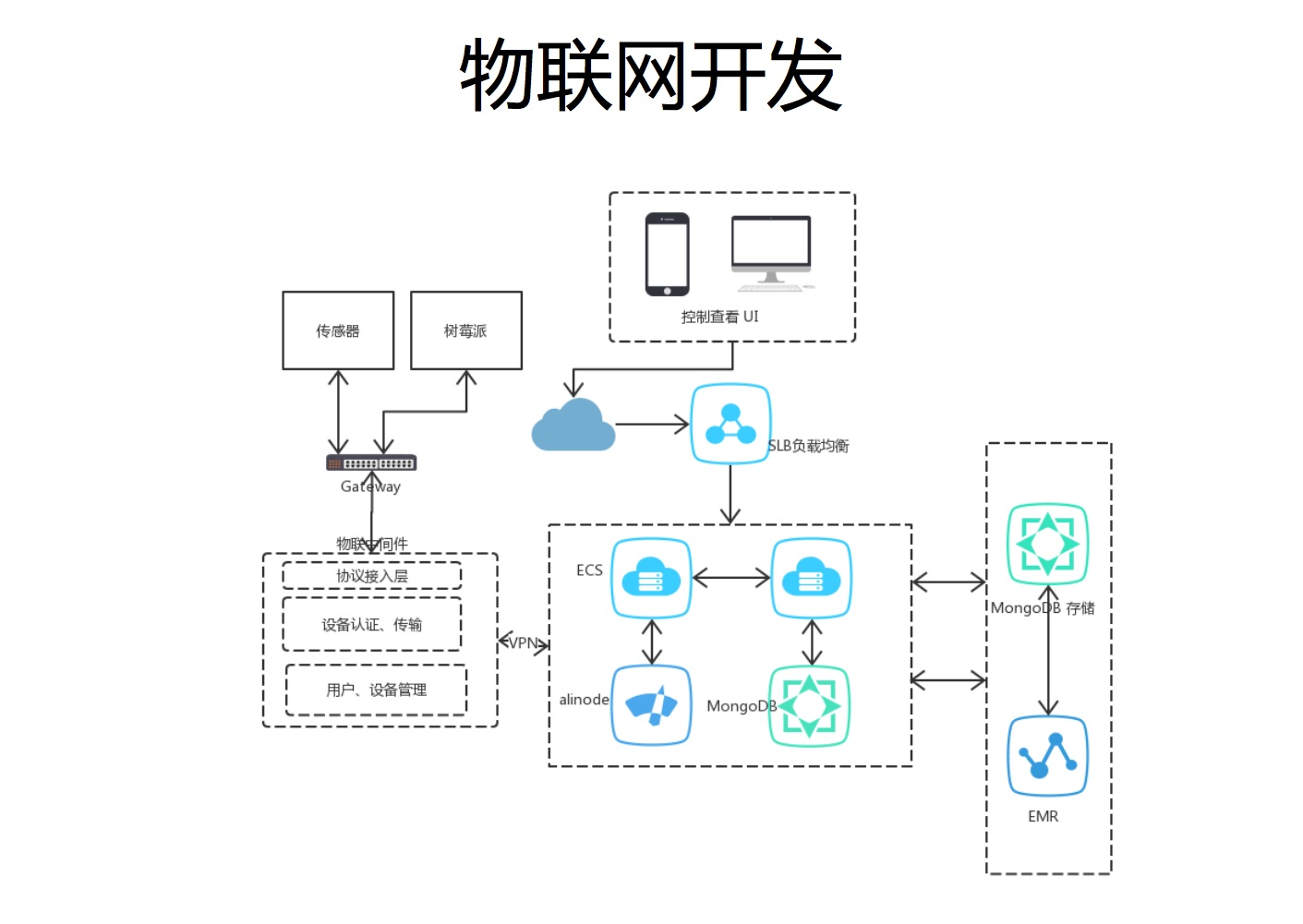
IoT Development
Data generation -> sensors
Data collection -> network transmission
Data analysis -> cloud servers
Execute analysis results -> actuators/push notifications
Why Choose Node.js?
- Ecosystem
- High concurrency
- Easy extensibility
- Learning curve
- Development efficiency
- Frontend/backend communication
At the end, the speaker demonstrated a small car on site, controlling its behavior by sending forward, backward, left-turn, and right-turn commands from a web page.
Session 7: Upgrading to Progressive Web Apps

Mr. Huang Xuan shared a great deal in this talk; it was packed with practical content and was also one of the sessions I got the most out of at this conference. Link to Mr. Huang Xuan’s slides
From the title of the talk, you can tell that it covered the evolution of PWA. It described ten stages in total.
1. A Web App
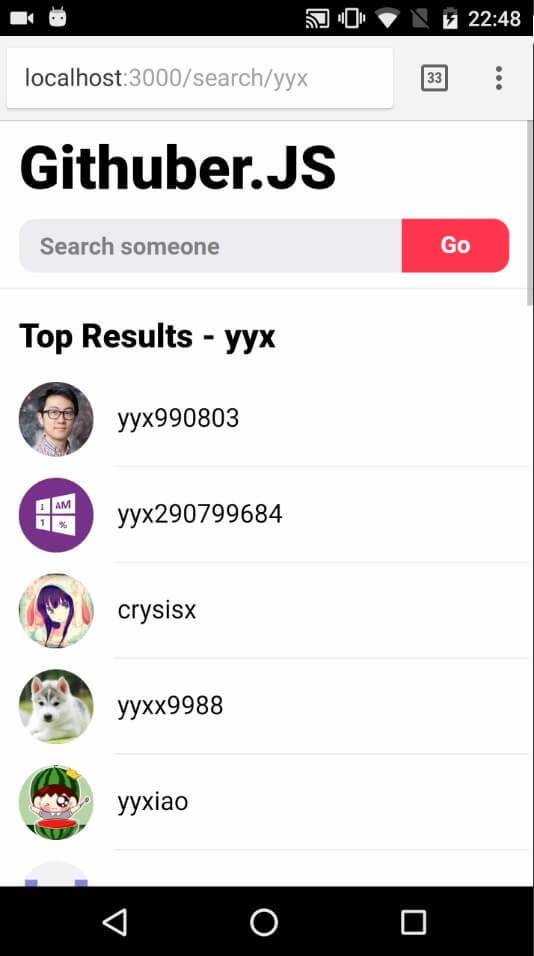
Here he showed us a simple example: Githuber.js, a single-page application that can look up a GitHub user’s username.
As a typical web application, it has two very obvious hard dependencies:
- We depend on the browser as the runtime and the entry point of the application
- We depend on the network to download the application’s client-side code
These two inherent properties of the web platform were once advantages of the Web in the desktop era. But on mobile devices, with smaller screens, new interaction models, and fragile network conditions, Web applications were at a very obvious disadvantage compared with native applications.
Although this Web app was fairly complete in functionality, in the mobile Internet era, native apps had a much larger installed base.
At this point, we considered adding some native capabilities to the Web app. That brought us to the second stage.
2. A Standalone Web App
We want this Web application to stand on its own and, like a native application, become a first-class citizen of the operating system.
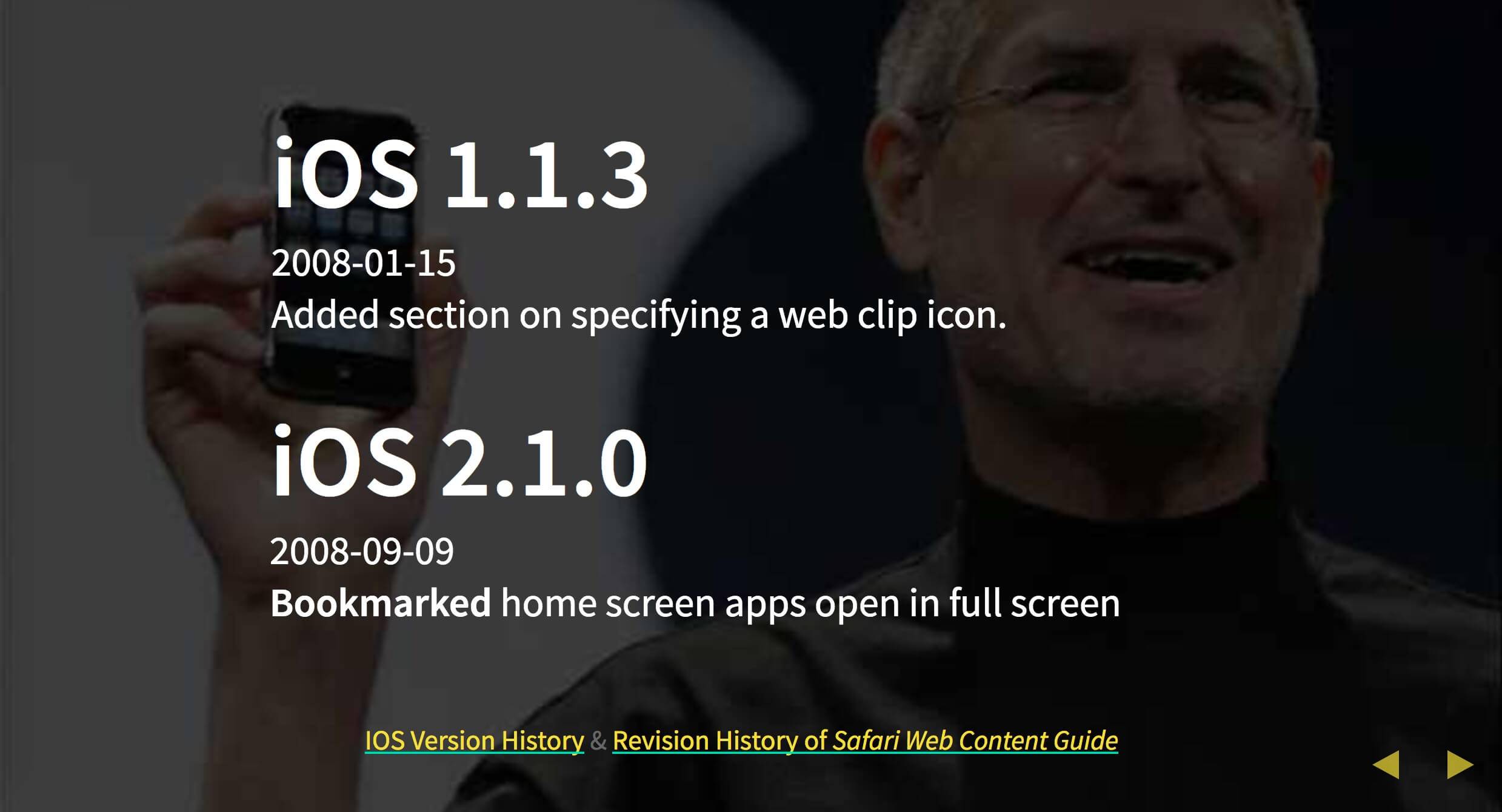
In fact, as early as 2008, iOS 1.1.3 and iOS 2.1.0 respectively added support for Web applications to use custom icons, be added to the home screen, and open in full screen.
To implement the features above, the web page needs to include code similar to the following.
<!-- Add to homescreen for Chrome on Android -->
<meta name="mobile-web-app-capable" content="yes">
<mate name="theme-color" content="#000000">

<!-- Add to homescreen for Safari on iOS -->
<meta name="apple-mobile-web-app-capable" content="yes">
<meta name="apple-mobile-web-app-status-bar-style" content="black">
<meta name="apple-mobile-web-app-title" content="Lighten">

<!-- Tile icon for Win8 (144x144 + tile color) -->
<meta name="msapplication-TileImage" content="images/touch/ms-touch-icon-144x144-precomposed.png">
<meta name="msapplication-TileColor" content="#3372DF">

<!-- Icons for iOS and Android Chrome M31~M38 -->
<link rel="apple-touch-icon-precomposed" sizes="144x144" href="images/touch/apple-touch-icon-144x144-precomposed.png">
<link rel="apple-touch-icon-precomposed" sizes="114x114" href="images/touch/apple-touch-icon-114x114-precomposed.png">
<link rel="apple-touch-icon-precomposed" sizes="72x72" href="images/touch/apple-touch-icon-72x72-precomposed.png">
<link rel="apple-touch-icon-precomposed" href="images/touch/apple-touch-icon-57x57-precomposed.png">

<!-- Generic Icon -->
<link rel="shortcut icon" href="images/touch/touch-icon-57x57.png">
After a certain amount of exploration, in 2013 the W3C WebApps Working Group began standardizing a JSON-based Manifest, published the first public Working Draft at the end of that year, and gradually evolved it into today’s W3C Web App Manifest.
A Manifest needs to be configured here:
<!-- Chrome Add to Homescreen -->
<link rel="shortcut icon" sizes="196x196" href="images/touch/touch-icon-196x196.png">
{
  "name": "Githuber.JS",
  "short_name": "Githuber.JS",
  "icons": [{
      "src": "logo-512x512.png",
      "type": "image/png",
      "sizes": "512x512"
    }],
  "start_url": "./",
  "display": "standalone",
  "orientation": "portrait",
  "theme_color": "#f36a84",
  "background_color": "#ffffff"
}
Web App Manifest
<link rel="manifest" href="/manifest.json">
For example, here we can see the web app’s name and icon, and we can specify that this web app should always launch from this URL, be displayed as a standalone app, and lock the screen orientation to portrait.
So when this web app is added to the home screen, the browser can use this manifest file to integrate these app configurations with the operating system. For example, the icon, fullscreen launch, and theme color here are all very noticeable.
In this way, a web page can exist on the desktop like a native app. But then another problem arises: if the phone currently has no network connection, opening this bookmark makes the app completely unusable.
3. An Installable Web App
In the third stage, it evolved into an installable Web app. If our web app can be installed, doesn’t the network become a form of progressive enhancement?
The earliest origin of this can be traced back to Google Gears in 2007. Gears began being standardized by the W3C in 2008, and its LocalServer later became the precursor to App Cache, which many people are familiar with from HTML5.
// Somewhere in your javascript
var localServer = google.gears.factory.create("localserver");
var store = localServer.createManagedStore(STORE_NAME);
store.manifestUrl = "manifest.json"

{
  "betaManifestVersion": 1,
  "version":  "1.0",
  "entries": [
    { "url":  "index.html"},
    { "url":  "main.js"}
  ]
}
Then, in 2011, it evolved into App Cache.
<html manifest="cache.appcache">

CACHE MANIFEST

CACHE:
style/default.css
images/sound-icon.png
images/background.png

NETWORK:
comm.cgi
This is actually HTML5 Offline Web Applications
The design of App Cache was really terrible... It was not programmable, the cache could not be cleared, and if you accidentally set a one-year HTTP cache on the appcache file, your users would be stuck on the same version for the rest of their lives, with no way for you to trigger a kill switch.
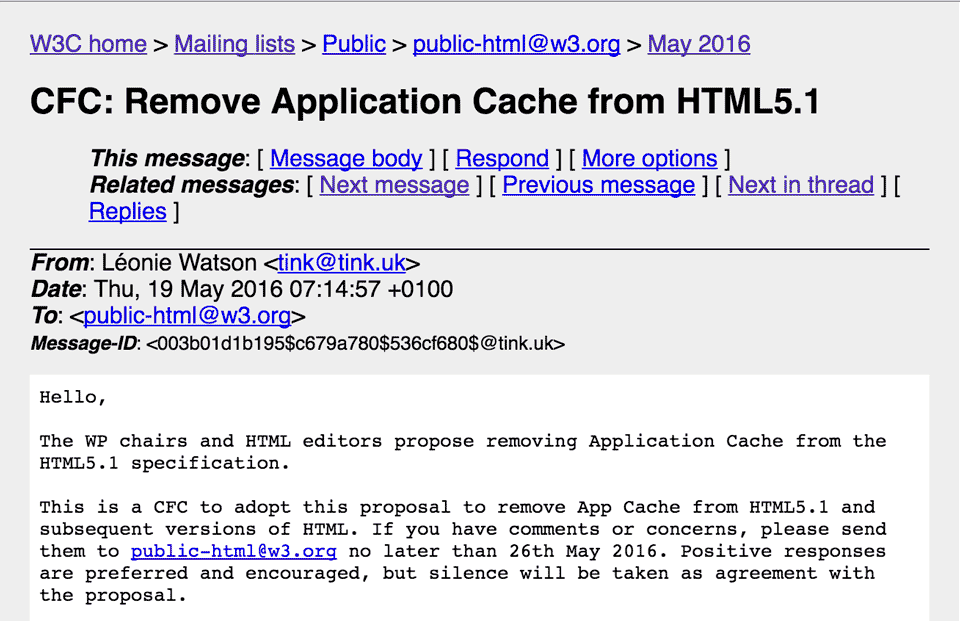
However, due to caching issues, Application Cache was removed on May 19, 2016.
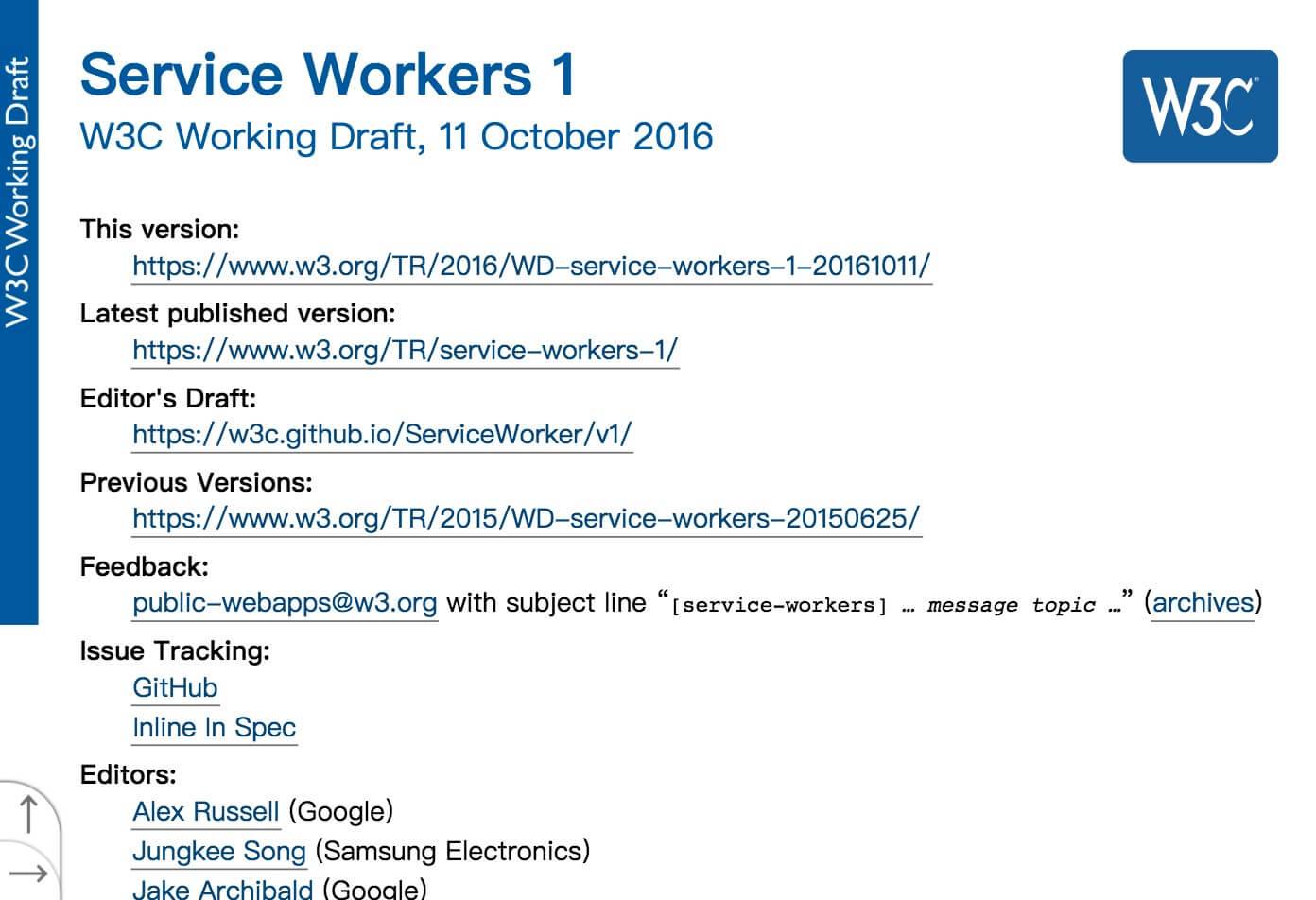
Eventually, this evolved into the era of Service Workers. On October 11, 2016, a new draft proposed by the W3C introduced the concept of Service Workers.
Service Workers 1
W3C Working Draft, 11 October 2016
Typically, all code resources for our web applications are fetched over HTTP. Remember Cache Storage? A Service Worker is like a client-side proxy written in JavaScript that sits between the browser and the network, and can intercept, process, and respond to all HTTP requests that pass through it.
You can also cache Response objects fetched from the network into Cache Storage, which was introduced together with Service Workers. This enables a Service Worker to provide responses to a web application from the cache even when offline.
Note: Service Workers require HTTPS in production environments to prevent man-in-the-middle attacks.
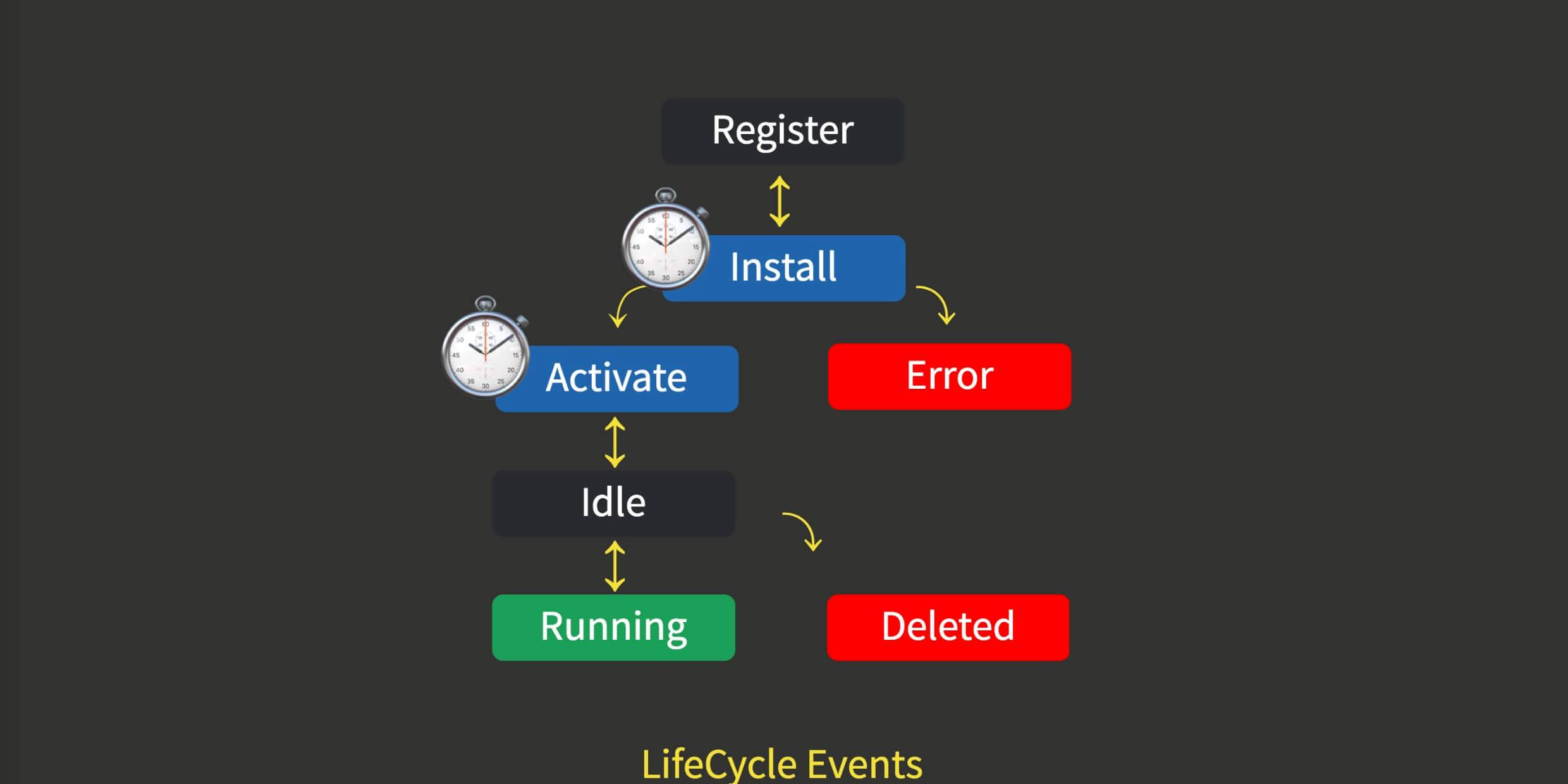
The diagram above shows the Service Worker lifecycle. The two blue stages, Install and Activate, are two lifecycle events: installation and activation. Once these two events have completed, the Service Worker is ready.
What does it mean for these two events to have completed? The Service Worker specification defines a new ExtendableEvent interface—an extendable event. It has only one method, waitUntil, which accepts a Promise. Only when that Promise is fulfilled is the event considered complete.
For example, in the code below, the install event is considered complete only after promiseA is fulfilled. The activate event will then be triggered, and only after Promise B is fulfilled is the Service Worker truly ready.
Service Workers also have several extended events:
// IDL
interface ExtendableEvent : Event {
  void waitUntil(Promise<any> f);
};
// sw.js
self.oninstall = (e) => {
  e.waitUntil(promiseA)
}
self.onactivate = (e) => {
  e.waitUntil(promiseB)
}
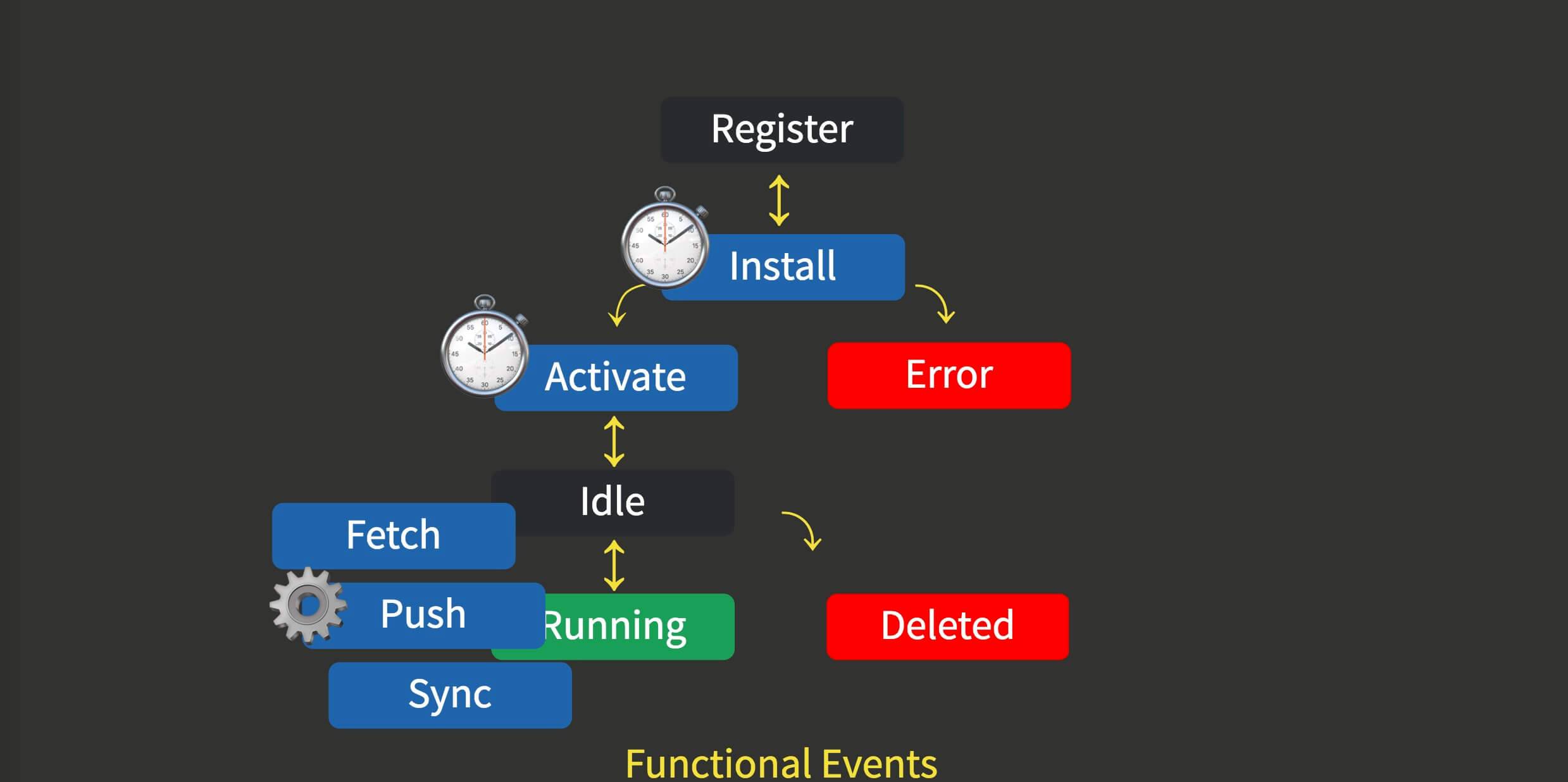
Once the SW is in place, it starts receiving functional events, including network requests via Fetch, push notifications via Push, background synchronization via Sync, and so on. These events wake the SW from its idle state and execute your event callbacks. At the same time, the SW also has a message event inherited from the abstract Web Worker, which is used for communication between the Worker and the document’s main thread. This lets us do some interesting things. For example, during the SW installation lifecycle, we can use CacheStorage to pre-cache resources.
const CACHE_NAMESPACE = 'githuber.js.dev-'
const PRECACHE = CACHE_NAMESPACE + 'precache'
const PRECACHE_LIST = [
  './',
  './static/js/bundle.js',
]
self.oninstall = (e) => {
  e.waitUntil(
    caches.open(PRECACHE)
    .then(cache => cache.addAll(PRECACHE_LIST))
  )
}
How do we do this? As shown in the code, PRECACHE is the name of a cache, and PRECACHE LIST is the list of static assets we want to cache.
Inside waitUntil, we use caches.open to open a new cache named PRECACHE. Then we use cache.addAll to add PRECACHE LIST to that cache.
You’ve probably noticed that both SW and Node deal with things like network I/O and disk I/O. So all related APIs are asynchronous, and they are designed in the more modern Promise style.
So cache.addAll effectively means the SW will independently issue two requests, retrieve the responses, and put them into the cache. This installation will succeed only if both requests succeed.
In Chrome’s Application - cache panel, we can see that the Responses for these requests have already been cached.
This means a real “installation” capability, similar to that of native applications.
One major gotcha to keep in mind: CacheStorage, like localStorage, is Origin Storage. So watch out for naming collisions—different Web apps must not overwrite or clean up each other’s caches.
We can define a custom offline page for environments without network access. When there is no network, users can still see a page after entering the app.
self.onfetch = (e) => {
  const fetched = fetch(e.request)
  // match offline.html in all cache opened in caches
  const sorry = caches.match("offline.html")

  // if the fetched reject, we return the sorry Response.
  e.respondWith(
    fetched.catch(_ => sorry)
  )
}
After the above transformation, the Web app’s logic becomes the following:
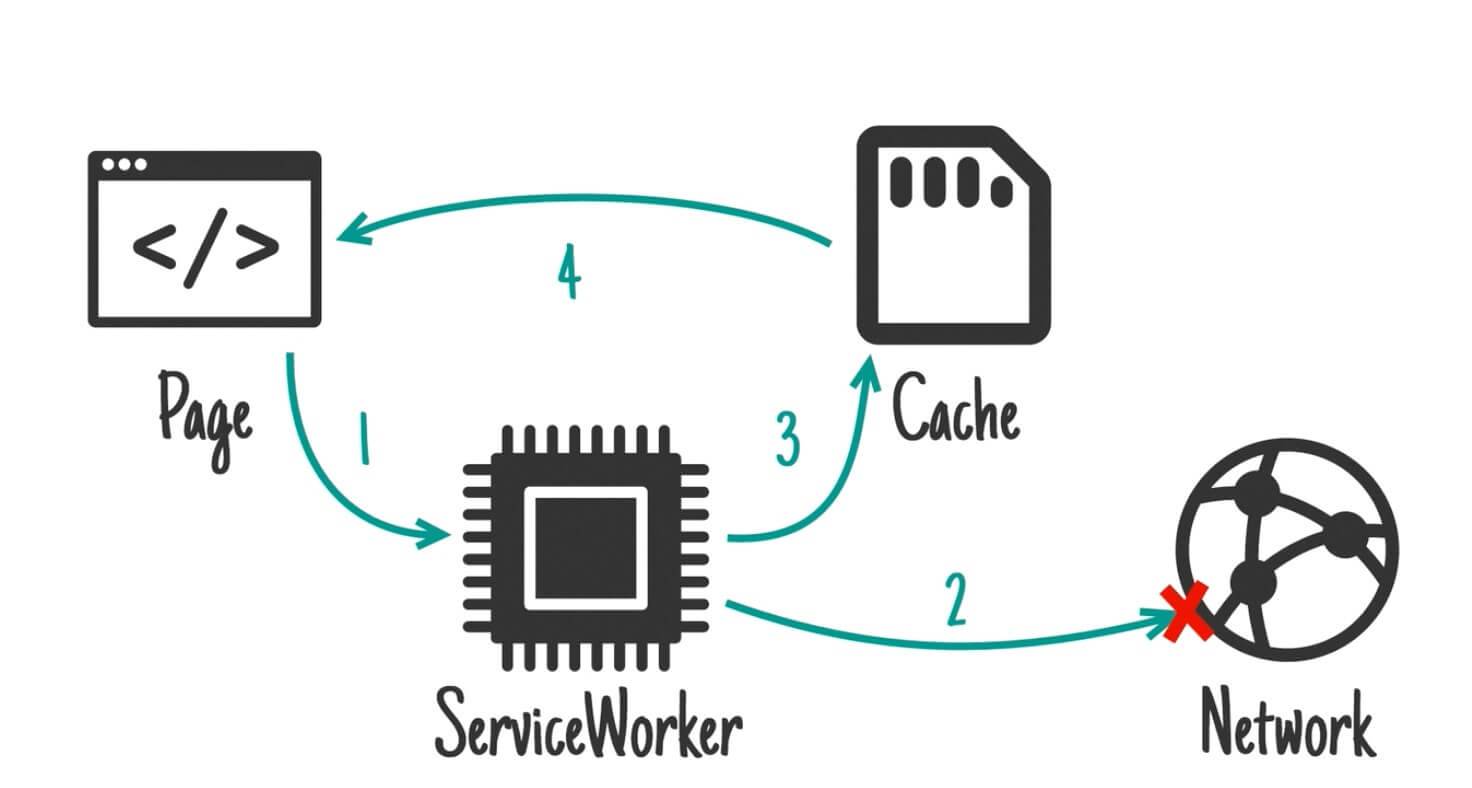
When loading a page, it first requests the network through Service Workers. If the network is unavailable, it loads the content from the cache, and finally renders the data onto the page.
Of course, we can also change the above logic to cache-first:
self.onfetch = (e) => {
  // Cuz we are a SPA using History API,
  // we need "rewrite" navigation requests to root route.
  let url = rewriteUrl(e);
  // match url in all cache opened in caches
  const cached = caches.match(url)

  e.respondWith(
    cached
      .then(resp => resp || fetch(url))
      .catch(_ => {/* eat any errors */})
  )
}
The logic then becomes as shown below:
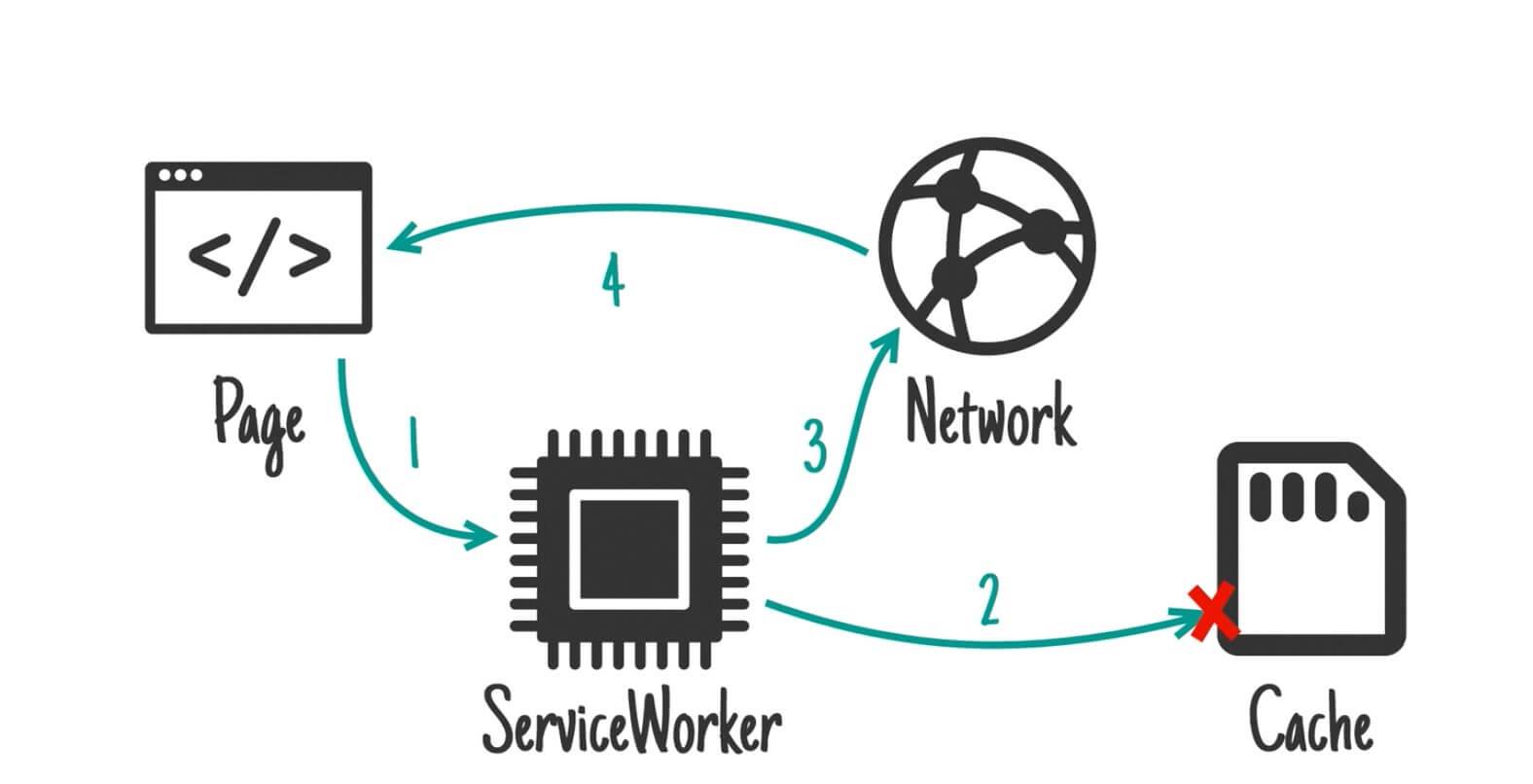
Loading a page still goes through Service Workers first, but it prioritizes looking for data in the cache. If the cache does not contain it, it then requests the network, and the data returned by the network is rendered onto the page.
In this way, we have effectively implemented a PWA architecture advocated by Google: the App Shell architecture, where dynamic data comes from network requests.
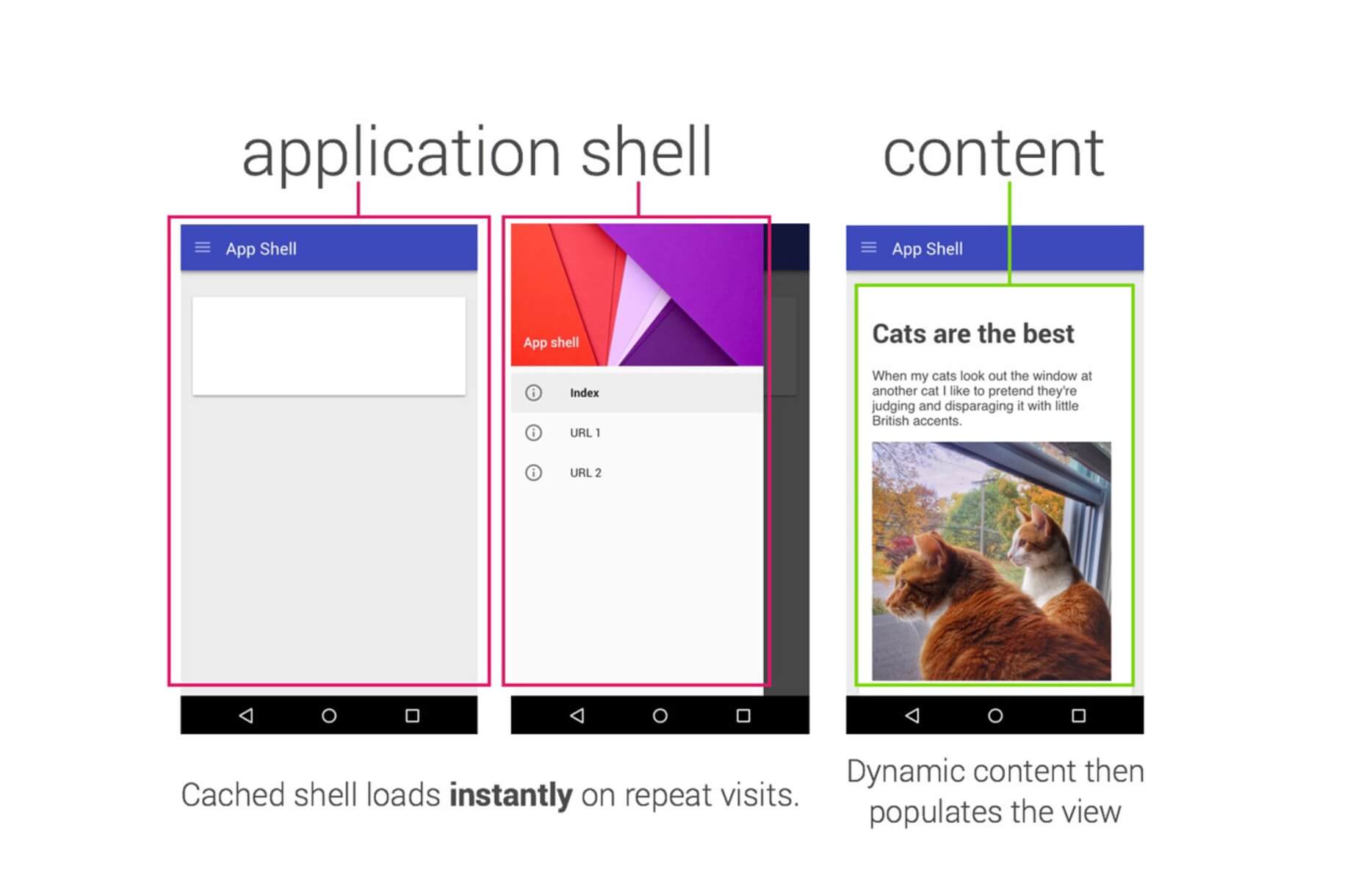
In the process above, we rely on Service Workers throughout. But what if the Service Workers “die”? If the SW is dead, that clearly will not work either—how are we supposed to release new versions? The cache will not update itself.
4. An Evergreen Web App
Our web application already has installability comparable to a native application, but we can still achieve seamless releases and ensure the App stays evergreen.
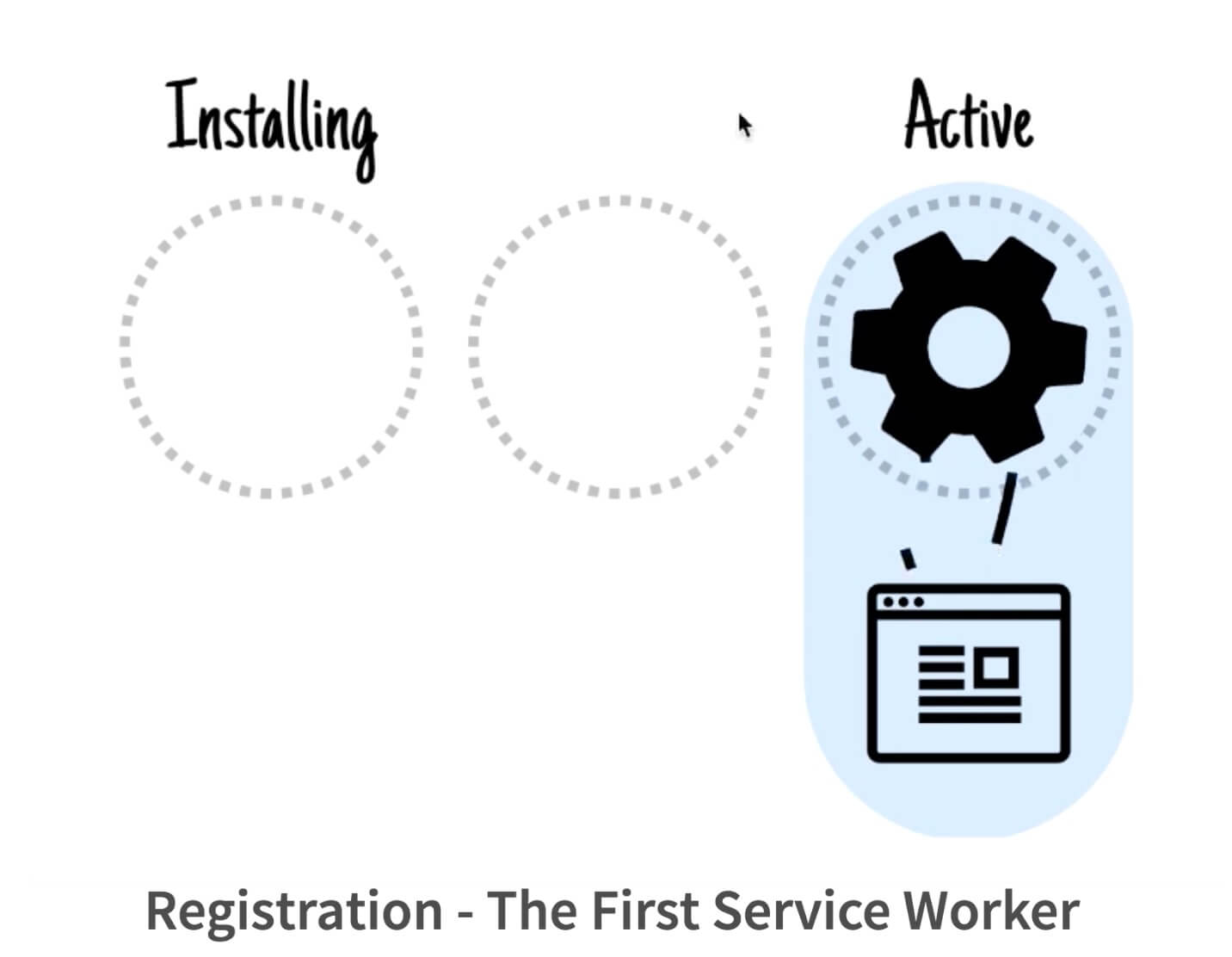
Let’s first review how the first SW gets registered. The SW is installed and activated. Only after the page is refreshed will all requests from that page go through the SW. In other words, by default, the first SW only takes effect on the second load.
There are three more pitfalls here.
The first pitfall is: Service Workers are loaded only on the second load. By default, when the page performs fetches, they do not go through Service Workers.
You might wonder: after the SW has been installed, will requests issued by the page be intercepted?
The answer is no. If the page itself was not loaded through the SW, then none of the requests from that page will go through the SW either. This is to avoid potential races.
Of course, this behavior can also be overridden. In onactivate, we can claim all clients—that is, clients in the typical C/S model—indicating that I now want to take control of your requests immediately.
Here you can consider overriding the clients.claim() method.
self.onactivate = (e) => {
  // Clients.claim() let SW control the page in the first load
  clients.claim()
}
Once you already have an SW, the SW is actually requested again every time the page is refreshed. If the browser detects even a single byte of difference, it considers the SW to have been updated. For example, we can set a version number and increment it every time we release a new version. That will rerun the SW and fetch those static assets again.
Of course, in production, we use build tools to help with this.
The second pitfall is: new Service Workers do not immediately replace the old ones until the old Service Workers are shut down.
However, the new SW does not immediately replace the old one.
Why? Think about it: without an SW, if we add a hash to every resource and use long-term HTTP caching, the entry point for the dependency graph of the entire web application is the entry module referenced by the HTML (for example, webpack’s entry chunk). But once you have an SW, you’ll find that the SW acts as an even earlier entry point than that entry chunk, because the version of your entry chunk actually follows the SW’s cache.
So the SW effectively becomes the entry point for resource versions across the entire web application. If your SW has a breaking change, the application can run into resource versioning issues.
Imagine Chrome’s update mechanism: when a new version is available, it only takes effect after you restart Chrome.
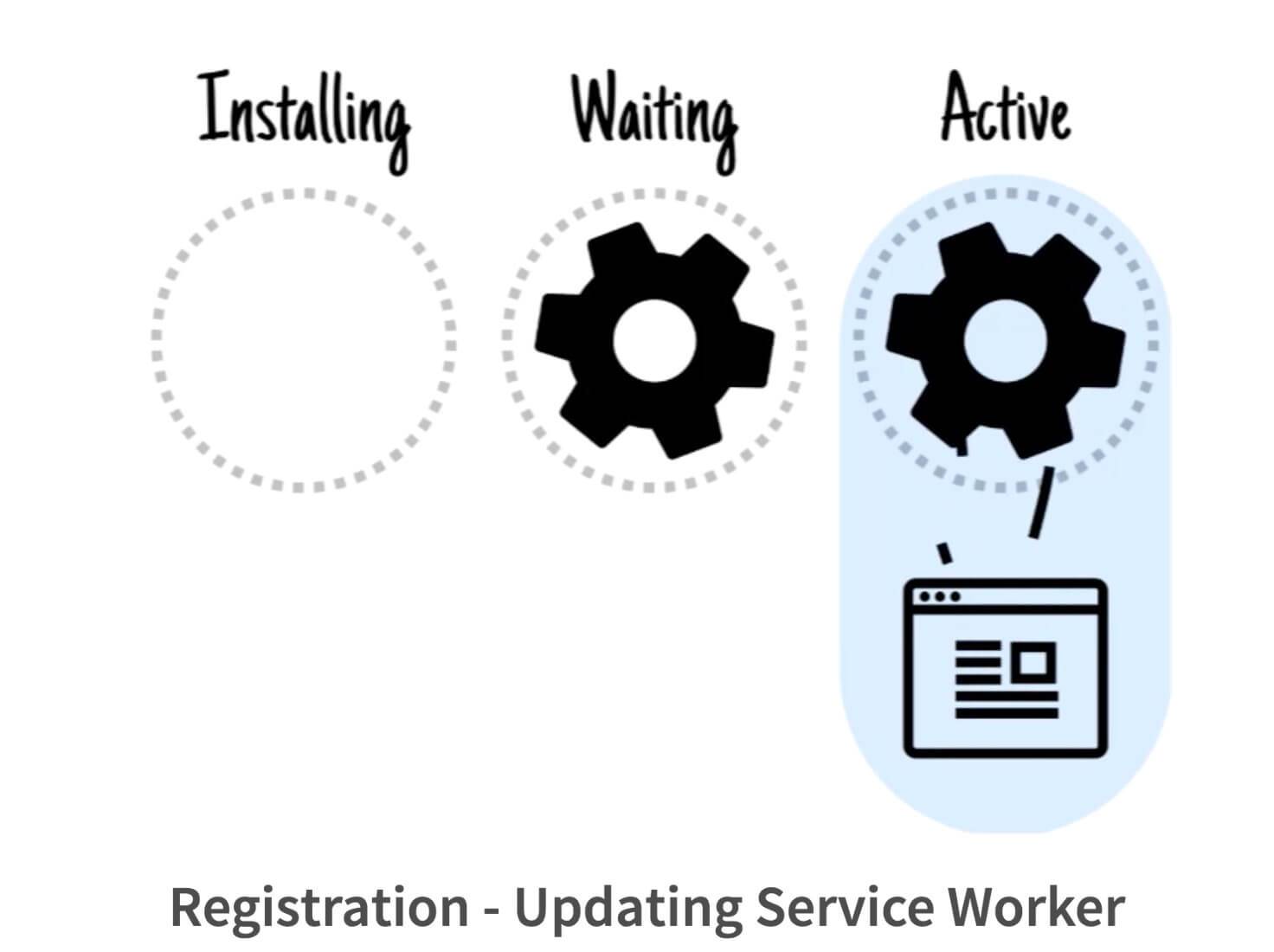
The diagram above illustrates this: new Service Workers remain in the Waiting state until the current page is closed, at which point the Service Worker in the Waiting state can become Active.
Interestingly, a single refresh is not enough to replace the SW, because during a refresh, the browser only removes the old browsing context after the new navigation has completed. During that period, the clients overlap, so the old SW is not discarded.
self.oninstall = (e) => {
  e.waitUntil(
    caches.open(PRECACHE)
    .then(cache => cache.addAll(PRECACHE_LIST))
    .then(self.skipWaiting())
    .catch(err => console.log(err))
  )
}
Similarly, this behavior can be overridden with SkipWaiting. (This means your web app may be served from caches belonging to two different versions, which can potentially break things.) So, SkipWaiting effectively means the new SW is controlling a page from an older version. Doing this without a refresh is potentially unsafe unless you can guarantee that every version of your SW is backward compatible. That said, SkipWaiting is very useful. As mentioned, one way to update the app is for all tabs to be closed, and then the app updates when it is reopened. This is a silent update, but it may lag behind our release.
Sometimes, however, we want users to get the new version immediately, without being one step behind. In that case, letting the new SW call SkipWaiting and then refreshing once ensures that all resources come from the new SW’s cache and its corresponding logic.
So after skipWaiting, we can prompt the user to refresh.
But what if the user is in the middle of something and does not refresh at that moment?
Quick Update = skipWaiting() + Refresh, but what if it fails? There are two solutions.
Method 1: Force a refresh after skipWaiting()
Force a refresh on every release. This is a good fit for scenarios such as games where major versions are gated.
// broadcasting clients to do window.location.reload()
self.clients.matchAll().then(clients => {
  clients.forEach(client => {
    client.postMessage(REFRESH_MSG)
  })
})

// new API: client.navigate
self.clients.matchAll().then(clients => {
  clients.forEach(client => {
    client.navigate(REFRESH_URL)
  })
})
Method 2: Refresh Using PostMessage()
Call skipwaiting after user interaction, then refresh.
// registration.waiting.postMessage()
self.onmessage = (e) => {
  switch (e.data.command) {
    case "SKIP_WAITING_AND_RELOAD_ALL_CLIENTS_TO_ROOT":
      self.skipWaiting()
        .then(_ => reloadAllClients("/"))
        .catch(err => console.log(err))
      break;
  }
}
Every SW update will inevitably re-request the URLs in our PRECACHE list, which brings us to a major pitfall of SW: how it works with the HTTP Cache.
The third pitfall is the interaction between Service Workers and the HTTP Cache when caching is involved.
Cache Storage is just another cache outside the HTTP Cache. So all requests sent from the SW still go through the HTTP Cache.
Imagine our bundle.js has this cache-control setting. Then no matter how we update the SW and bundle.js, every update will still return the version from the HTTP Cache, resulting in an infinite loop.
Since each request fetches a new file, and Cache Storage is unlike the HTTP Cache—it is effectively persistent storage that the browser allocates to you as much as it can—what happens if the cache keeps growing without bound?
So here is a simple solution: add versions to the cache, and then, on every onactivate, clean up any caches that do not belong to the current version.
You might wonder: what if two versions contain the same resources? Isn’t that wasteful? Fortunately, in this case, the HTTP Cache can act as a fallback.
However, the HTTP Cache is more likely to fail to persist for various reasons. So it would certainly be better if our cleanup could be precise at the request level rather than the cache level.
Here I recommend SW-Precache, a handy library for Service Workers.
// sw-precache-config.js

module.exports = {
      staticFileGlobs: [
            'app/css/**.css',
            'app/**.html',
            'app/images/**.*',
            'app/js/**.js'
    ]
};

$ sw-precache --config=path/to/sw-precache-config.js
It is a node module: specify Glob patterns for static files, and it can generate a highly reliable SW for you. It collects resource versions at build time, and performs incremental updates at file (request) granularity during installation and migration.
It also provides a webpack plugin. sw-precache-webpack-plugin
You can directly feed the manifest produced by the webpack build into the sw-precache library.
- No cachebust required
- navigateFallback
This can solve the problems we encountered previously very well.
// webpack.config.js
const SWPrecacheWebpackPlugin = require('sw-precache-webpack-plugin');
module.exports = {
  plugins: [
    new SWPrecacheWebpackPlugin({
      // assets already hashed by webpack aren't concerned to be stale
      dontCacheBustUrlsMatching: /\.\w{8}\./,
      filename: 'service-worker.js',
      minify: true,
      navigateFallback: PUBLIC_PATH + 'index.html',
      staticFileGlobsIgnorePatterns: [/\.map$/, /asset-manifest\.json$/],
    }),
  ],
};
5. An Offline-1st Web App
Offline first: being offline should not be considered an error state.
Here, Huang Xuan compares Ajax, RWD, and PWA.
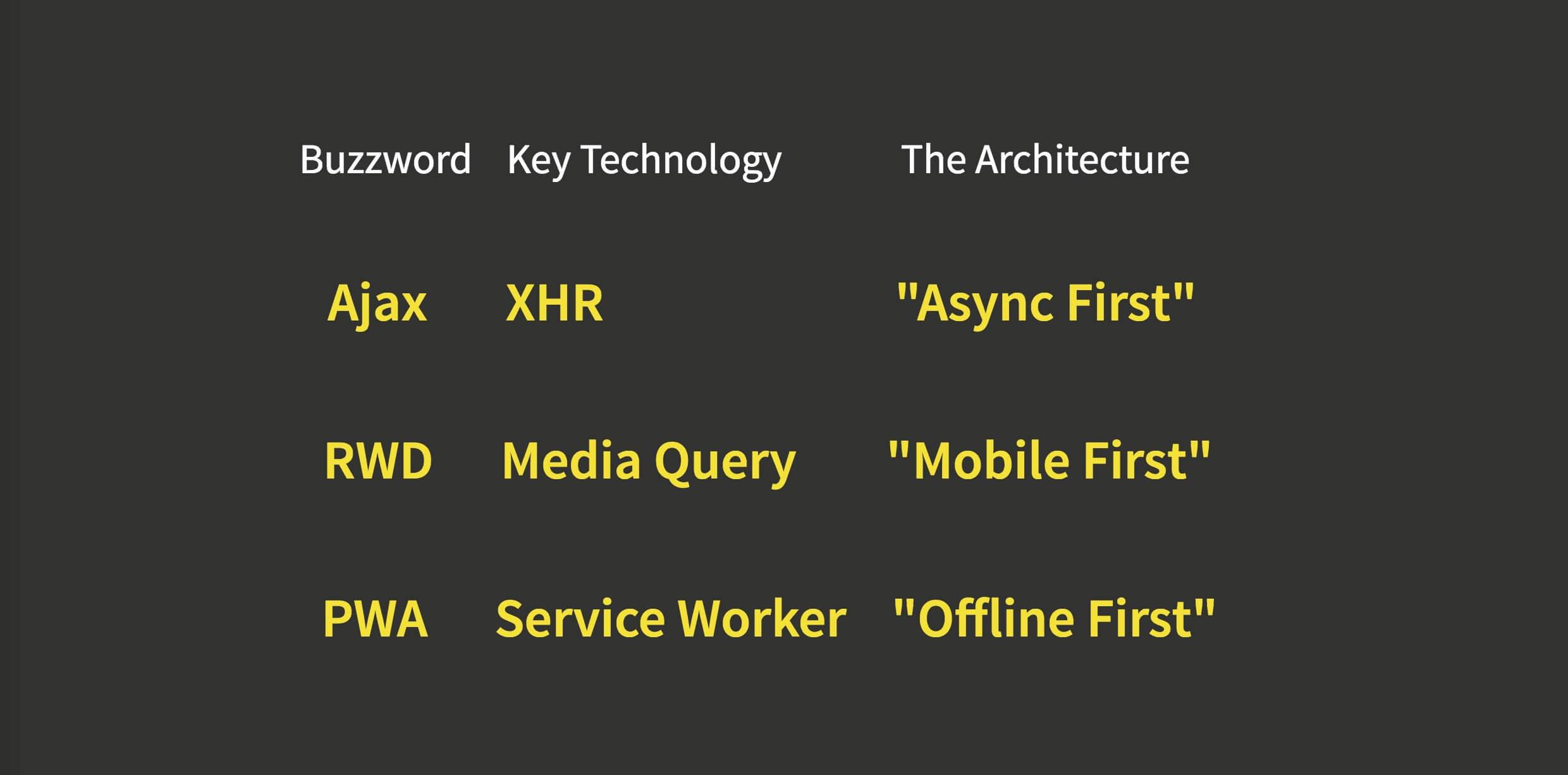
We can listen for certain events
// here, we hard-code the online/offline logics
// In production, we can expose callbacks to subscribers
function updateOnlineStatus(event) {
  if(navigator.onLine){
    document.body.classList.remove('app-offline')
  }else{
    document.body.classList.add('app-offline');
    createSnackbar({ message: "you are offline." })
  }
}

window.addEventListener('online',  updateOnlineStatus);
window.addEventListener('offline', updateOnlineStatus);
By listening for offline events, we can reflect the offline state in the UI.
So we can change the caching logic as follows:
// sw.js
self.onfetch = (e) => {
  // ...
  if(url.includes('api.github.com')){
    e.respondWith(networkFirst(url));
    return;
  }
  if(url.includes('githubusercontent.com')){
    e.respondWith(staleWhileRevalidate(url));
    return;
  }
  if(PRECACHE_ABS_LIST.includes(url)){
    e.respondWith(cacheOnly(url));
    return;
  }
  // default: Network Only
}
So the logic becomes what is shown in the following diagram:
To make our web application more useful when offline, we can also do runtime caching.
For example, for items in the PRECACHE list, we can safely respond using a cacheOnly strategy. For APIs, we can use a network-first strategy.
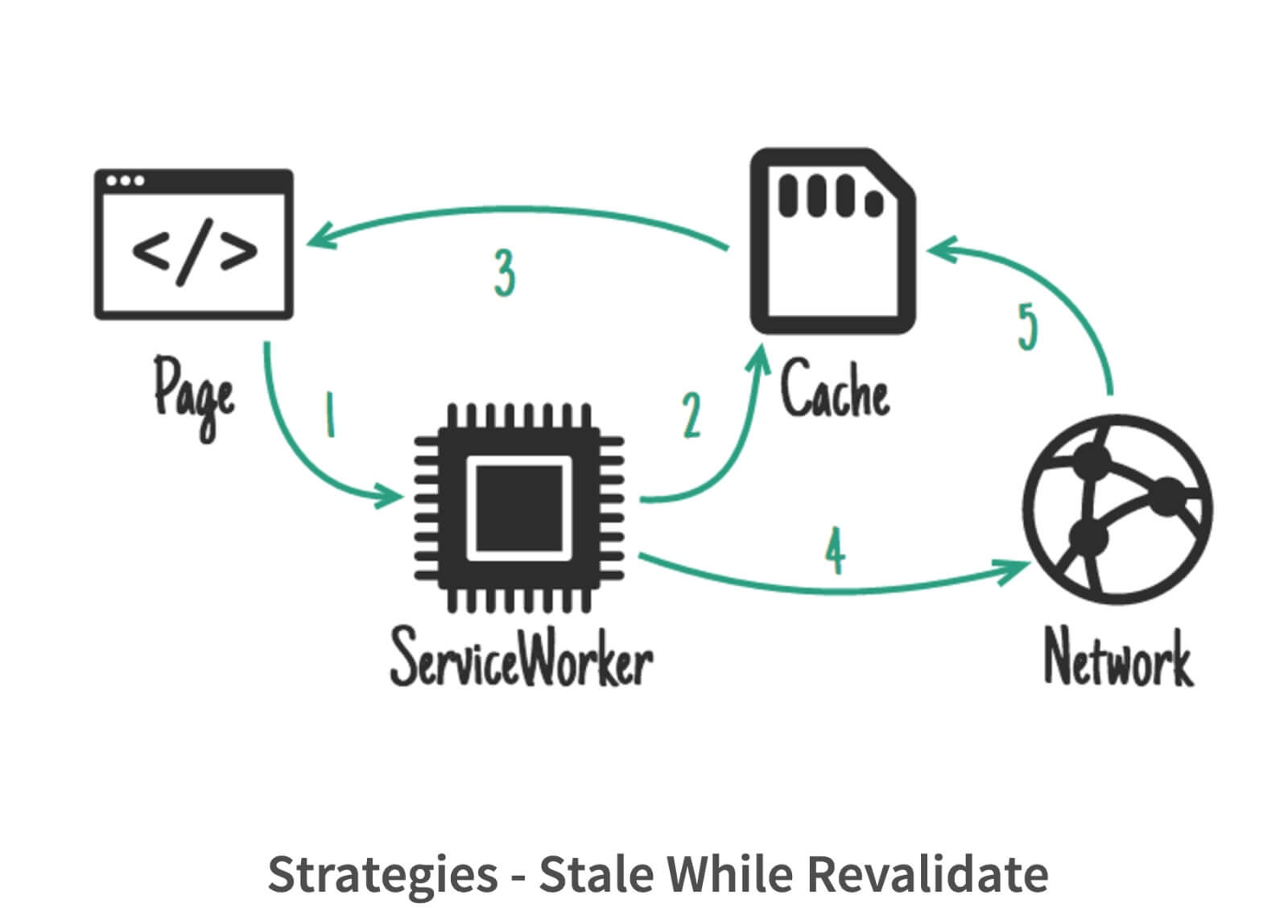
For static assets, especially images, we can use an approach called stale-while-revalidate.
A page still requests data through the Service Worker, but the Service Worker first looks in the cache. If it finds the data, it returns it to the page for rendering. At the same time, the Service Worker also requests data from the network, and the returned data updates the cache.
stale while revalidate itself is an HTTP proposal, but we can use SW to polyfill it.
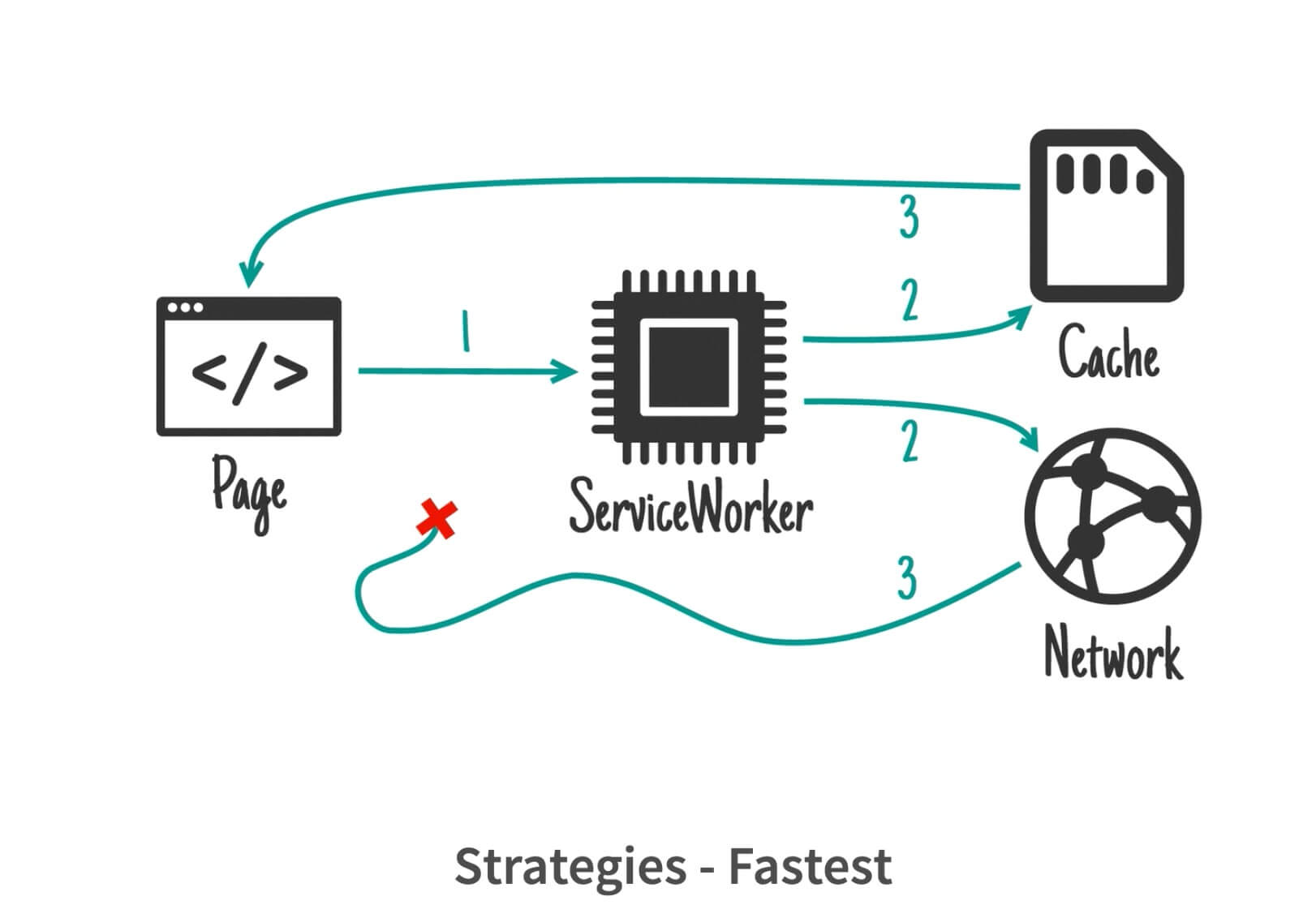
Of course, there is another strategy here: fastest. Since the request has already been sent, why not put the response back into the cache?
Of course, we can also request from the cache and the network at the same time. But there is a problem here: if both return data at the same time, which one should we use?
This is where we run into a pitfall:
The runtime Cache also needs a replacement mechanism; it cannot grow indefinitely. This is a cache replacement problem.
One solution here is FIFO.
// sw.js
function replaceRuntimeCache(MAX_ENTRIES){
  caches.open(RUNTIME)
    .then(cache => {
      cache.keys()
        .then(entries => {
          // FIFO queue
          if(entries.length > MAX_ENTRIES) {
            cache.delete(entries[0])
          }
        })
    })
}
Here Mr. Huang Xuan recommends another Service Worker library, SW-Toolbox.
It is used inside a SW and can be brought in via importScript, which is available to workers. swtoolbox also provides Express-style routing. In addition, it implements an LRU eviction strategy via indexedDB; we only need to provide a maxEntries value. It automatically tracks usage for us. Together with a maximum expiration time, this effectively implements a complete TLRU.
It has five caching strategies:
- CacheOnly
- CacheFirst
- Fastest (Stale-while-Revalidate)
- NetworkOnly
- NetworkFirst
sw-precache can be used together with sw-toolbox:
// sw-precache-config.js
module.exports = {
  // ...
  runtimeCaching: [{
    urlPattern: /this\\.is\\.a\\.regex/,
    handler: 'networkFirst'
  }]
};

// sw.js with sw-toolbox imported
toolbox.precache([
  "./index.a35bc762.js",
  "./style.5217a6fb.css"
])
There is another library, Workbox, which provides the functionality of both sw-precache and sw-toolbox. It may well become a solid, complete solution for Service Workers going forward.
6. A Streaming Web App
Unlike native apps, which require installing a large package upfront, doesn’t a web app feel as if it streams into your phone? Combined with the installation capabilities of SW, it is almost like streaming installation.
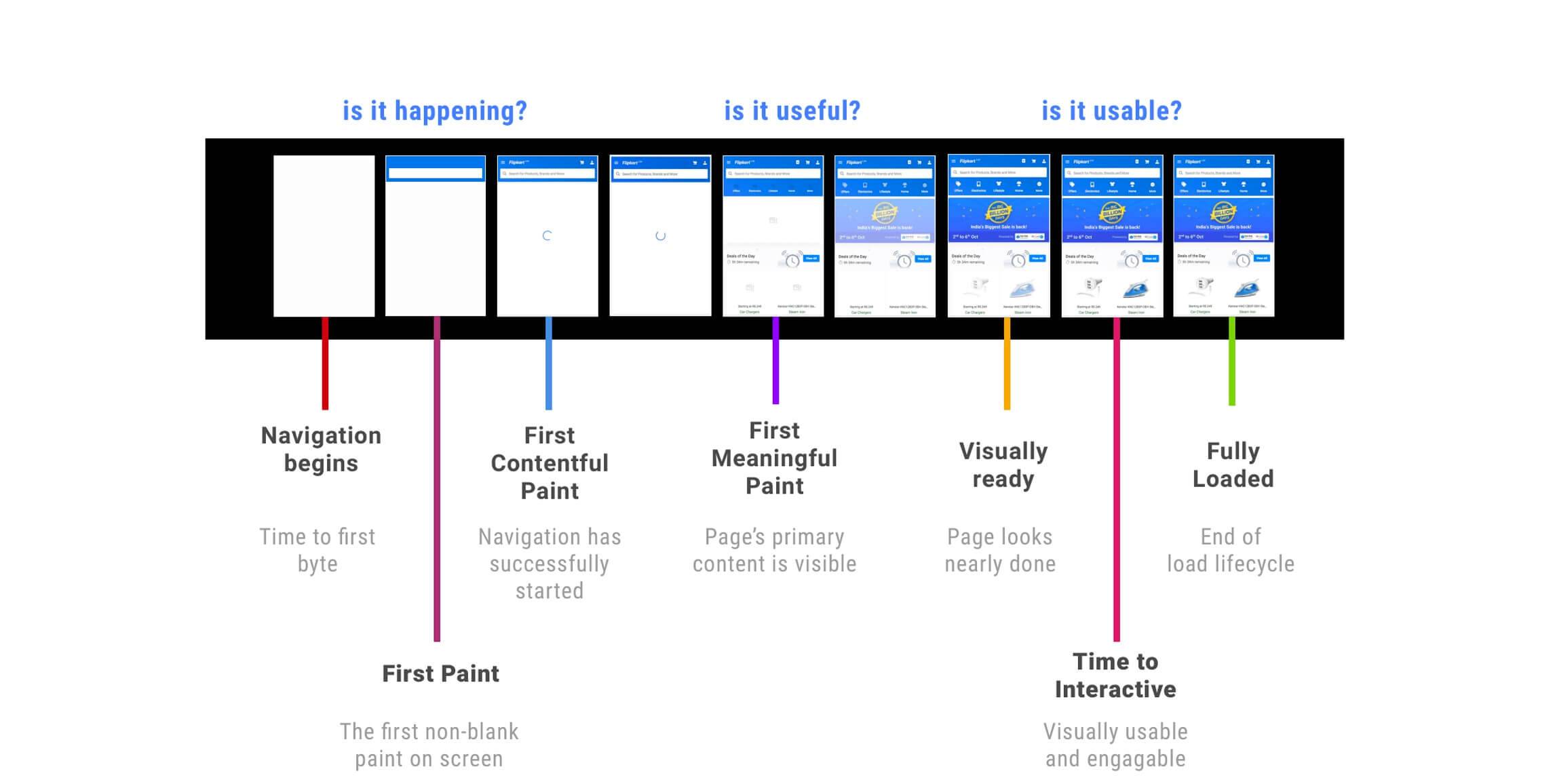
Loading a page is still relatively slow and needs to go through the steps above.
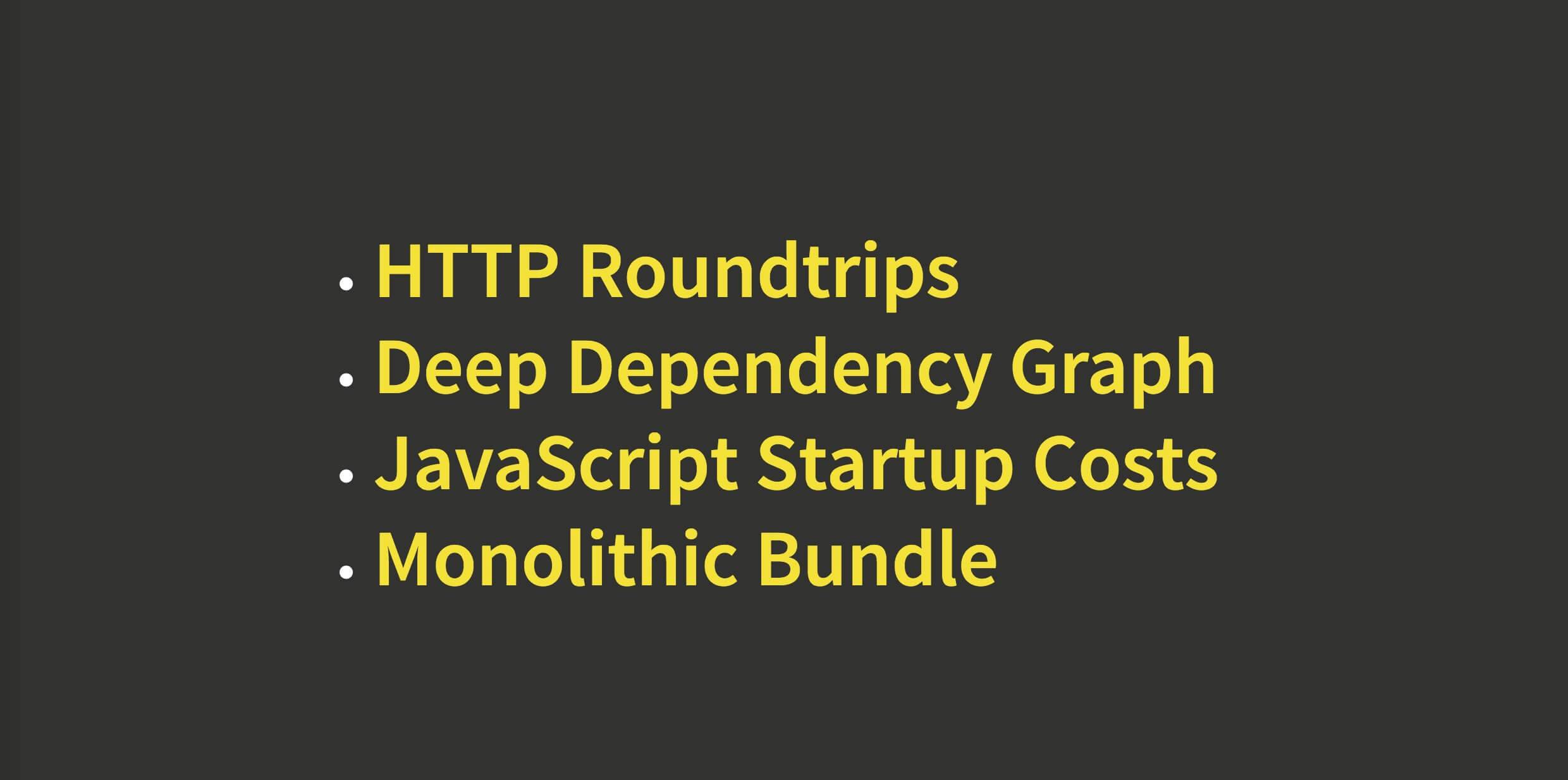
Common web performance issues:
- HTTP overhead
- Dependency chains that are too deep prevent parallelization
- JavaScript startup overhead
- Bundling everything into one large package
Here we can use the PRPL pattern to address these issues.
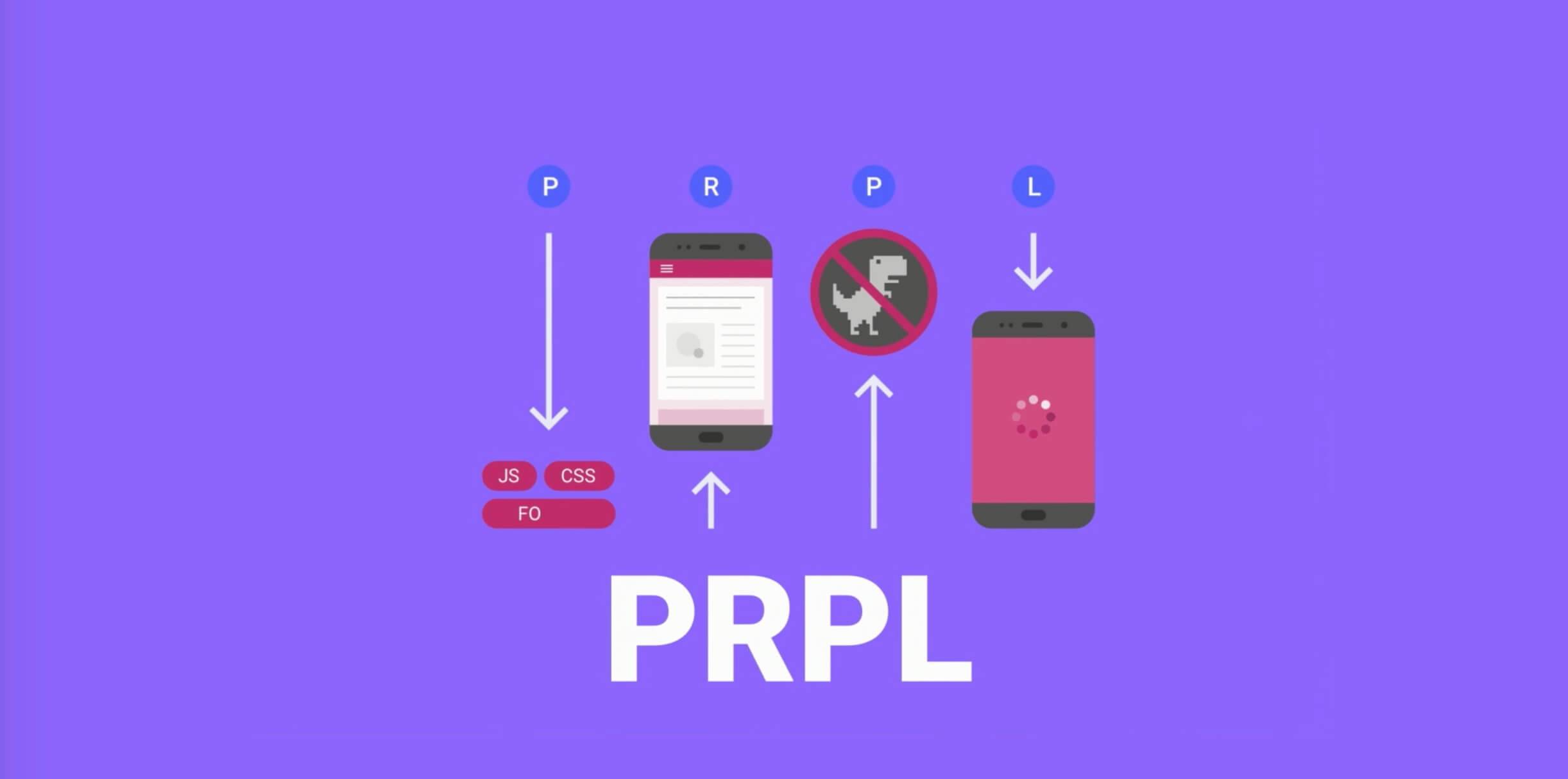
PRPL is a pattern for structuring and serving Progressive Web Apps (PWAs), emphasizing performance in app delivery and startup. It stands for:
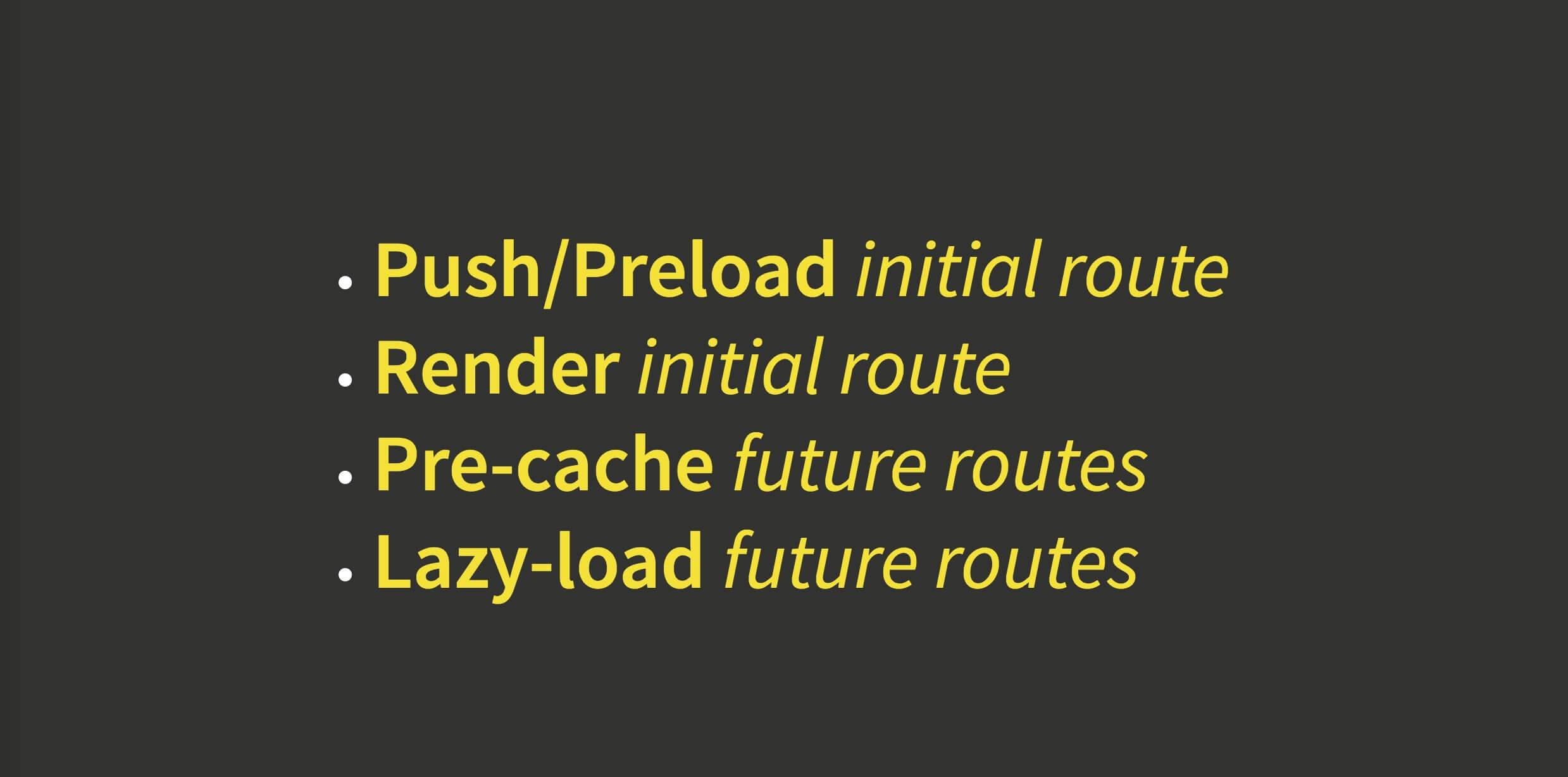
- Push - Push critical resources for the initial URL route.
- Render - Render the initial route.
- Pre-cache - Pre-cache the remaining routes.
- Lazy-load - Lazy-load and create the remaining routes on demand.
In addition to the basic goals and standards of PWAs, PRPL strives to optimize for the following:
- Minimize time to interactive as much as possible, especially on first use (regardless of entry point), and especially on real mobile devices
- Maximize caching efficiency as much as possible, especially when shipping updates
- Simplicity in development and deployment
It provides a high-level abstraction for organizing and designing high-performance PWA systems.
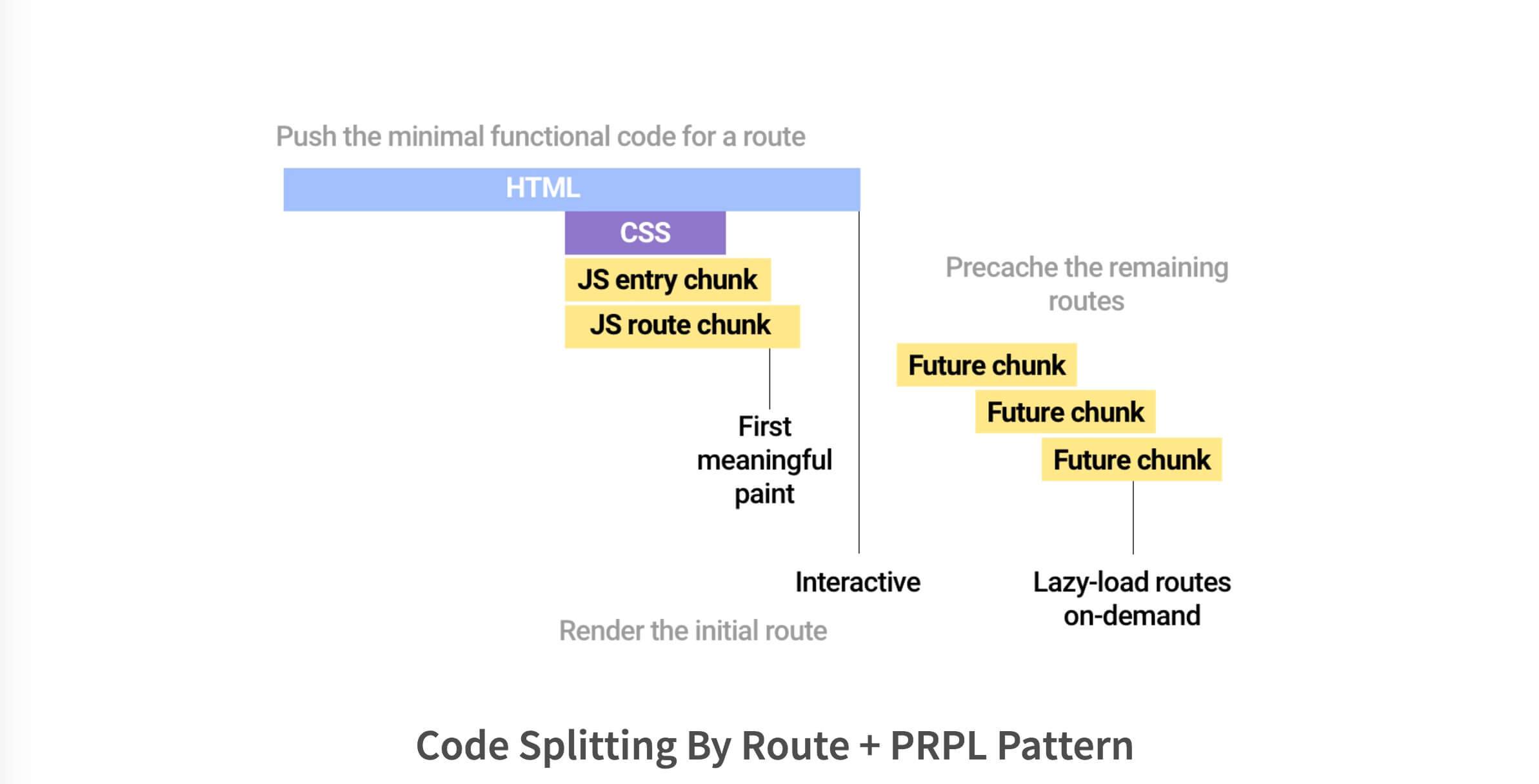
The diagram above shows the PRPL pattern combined with route-based code splitting.
After optimization, let’s look at the load time again.
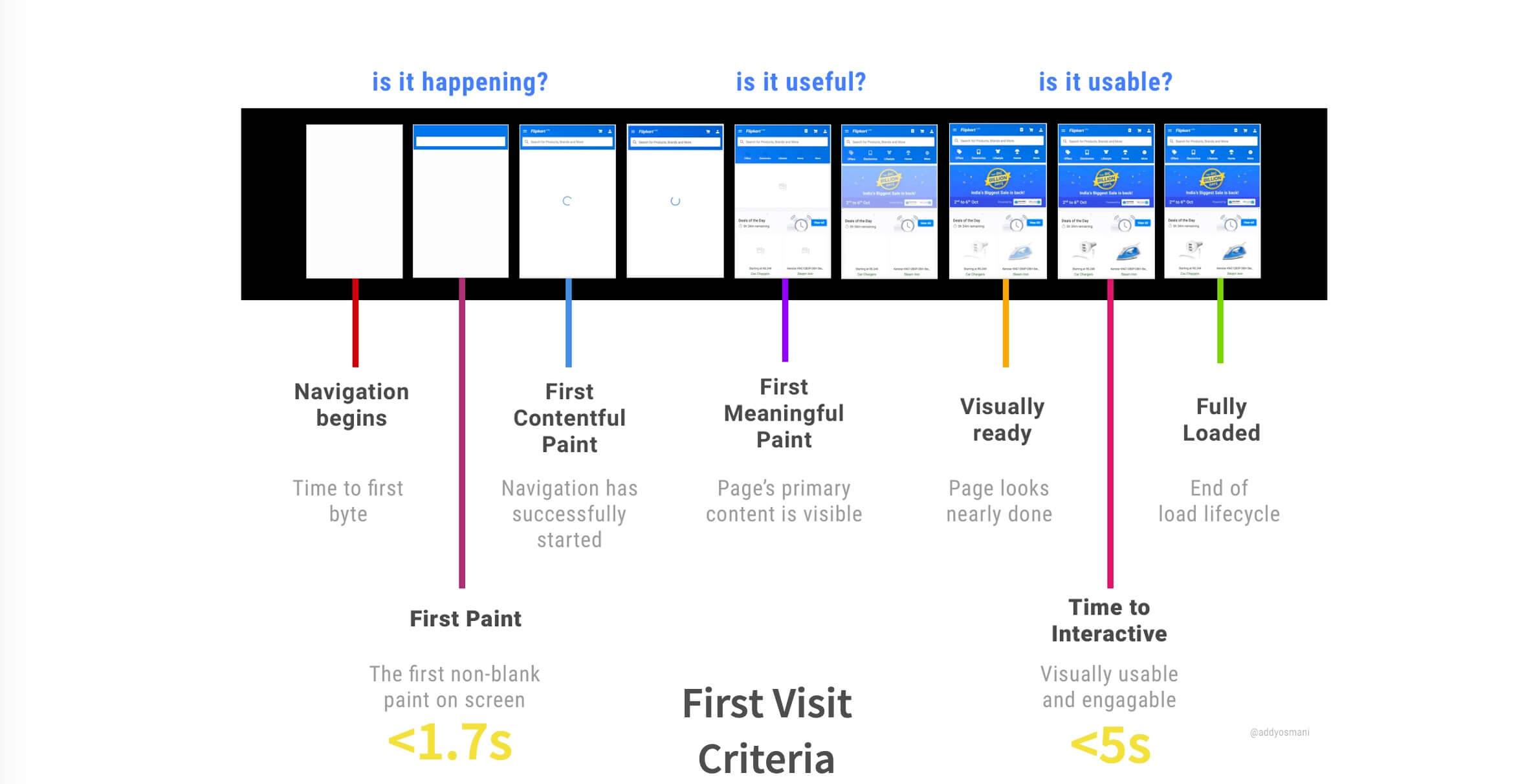
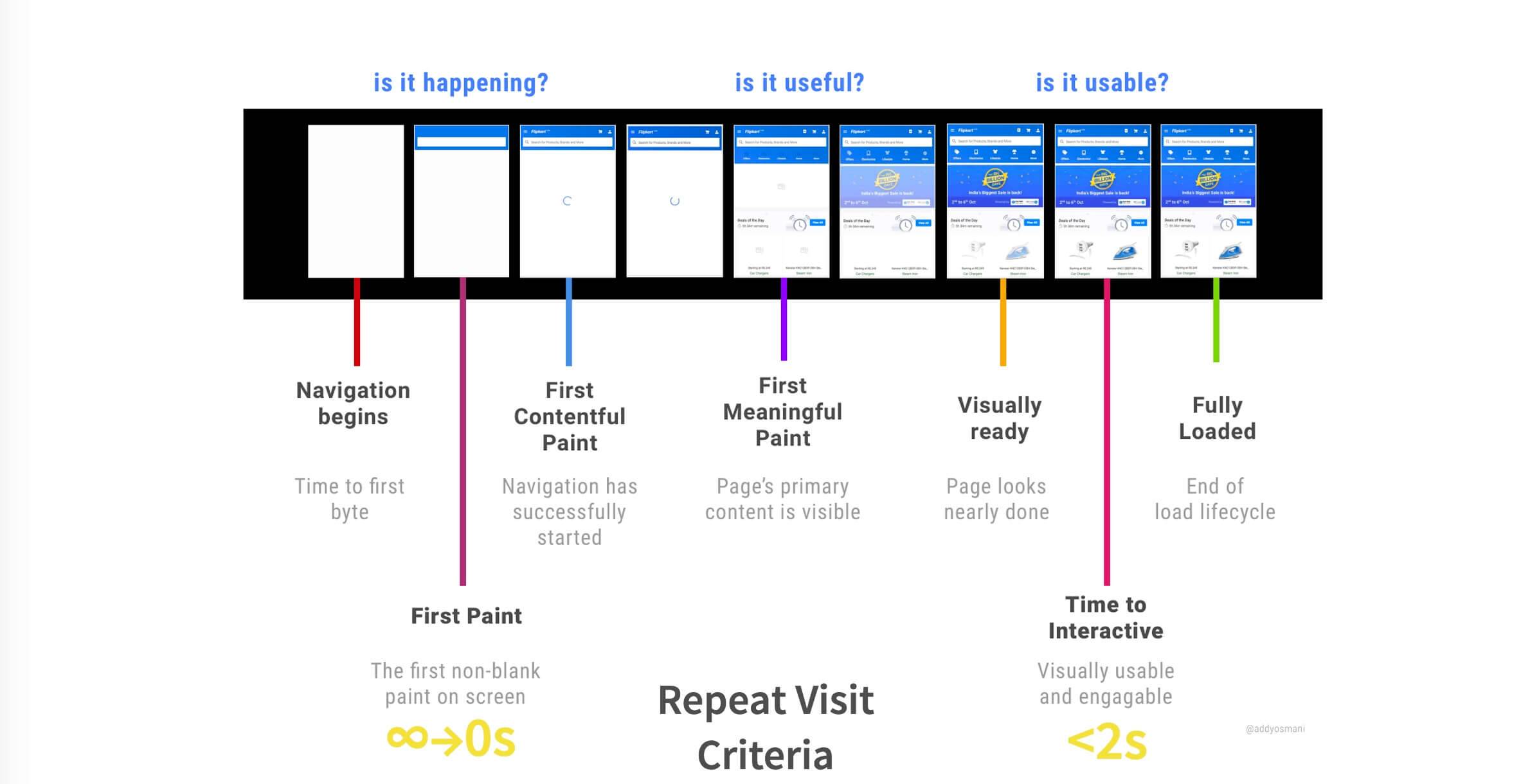
The time has been reduced quite a bit.
7. A Progressive Web App
PWA aims to draw on the strengths of both the Web and Native.
Three attractive characteristics.
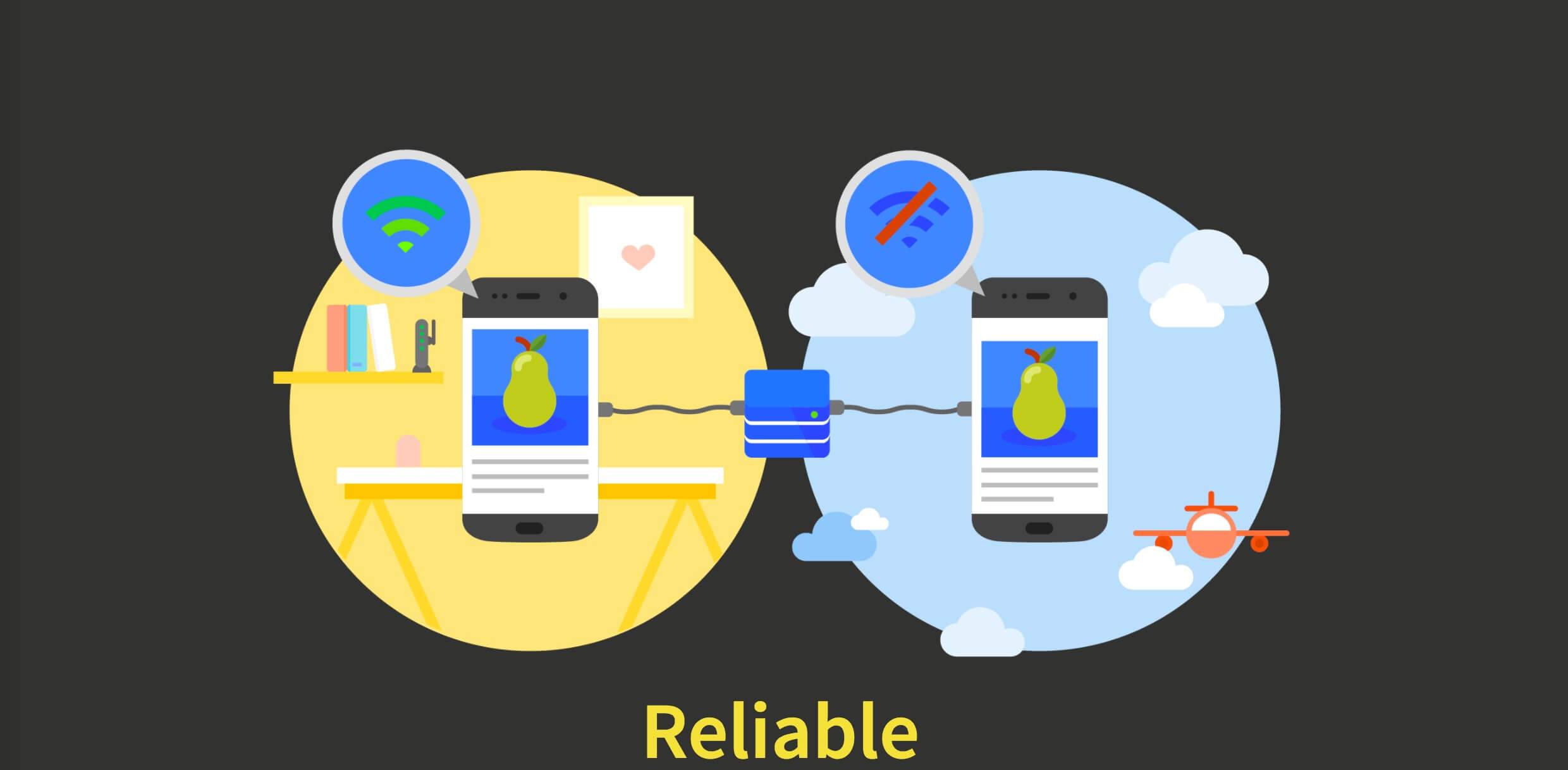
- Reliable

- Fast

- Engaging
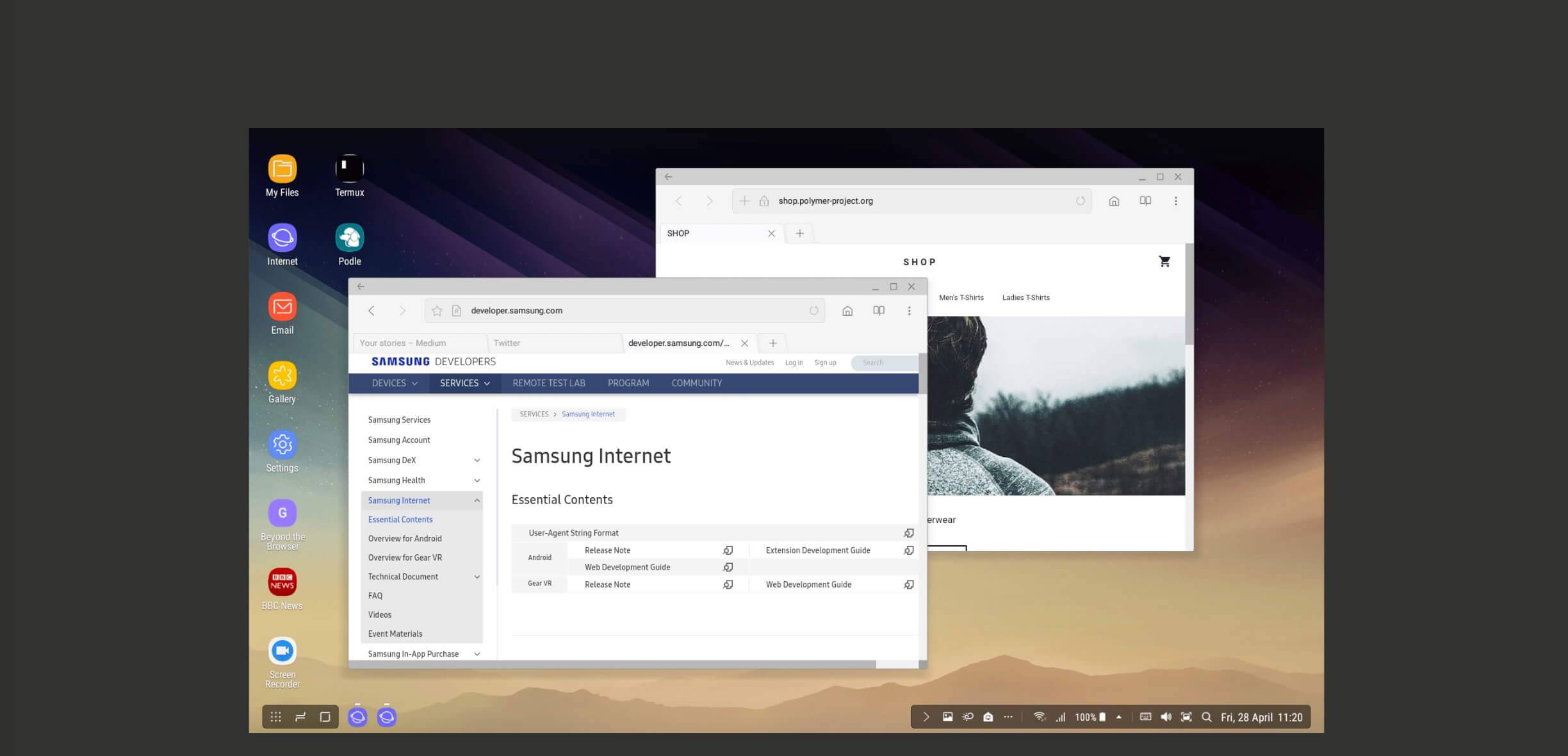
PWAs can also run on the desktop. Samsung Internet DeX, Chromebooks, and Windows 10 have all started supporting desktop-class PWAs.
8. A JavaScript Web App
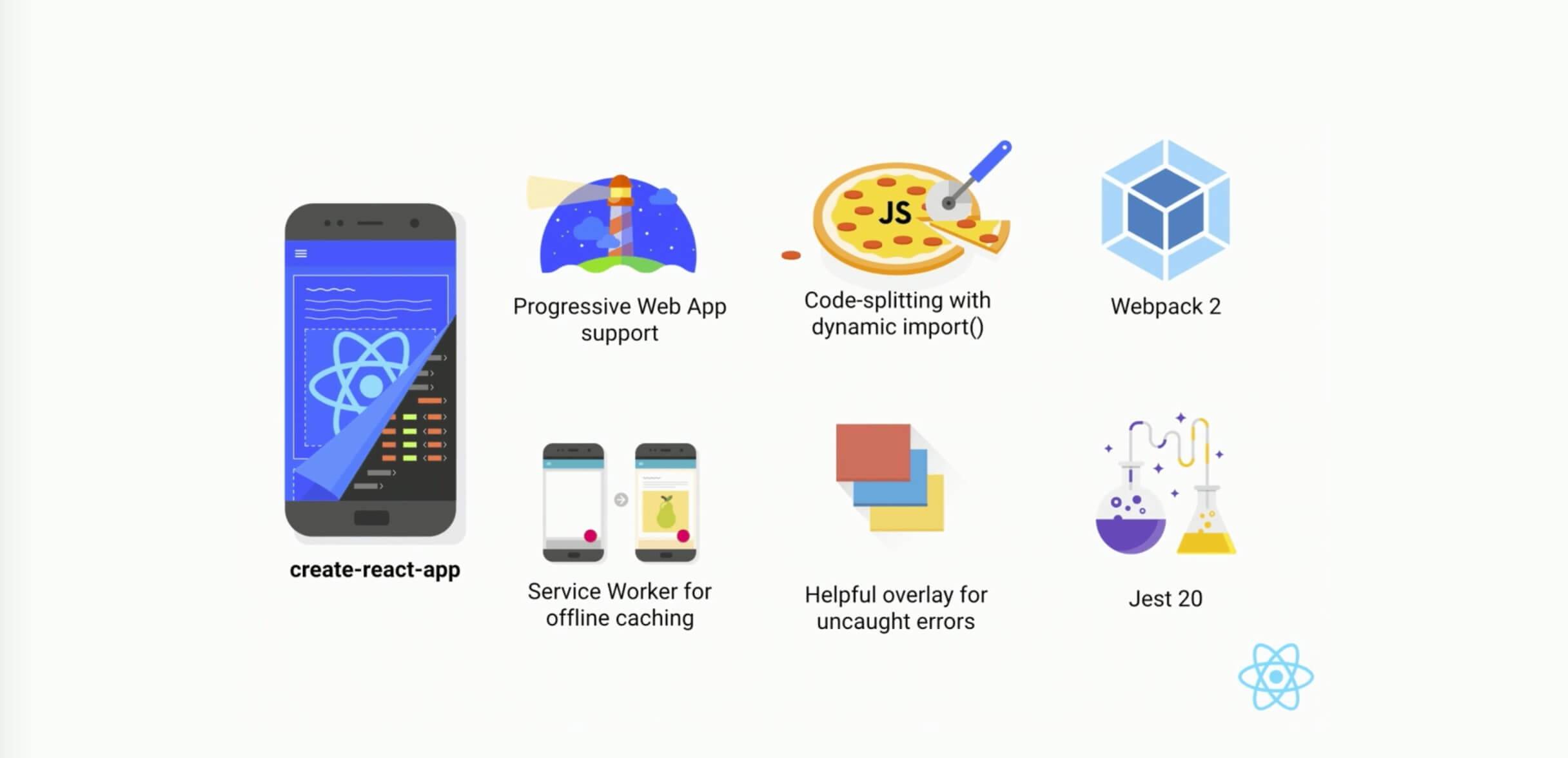
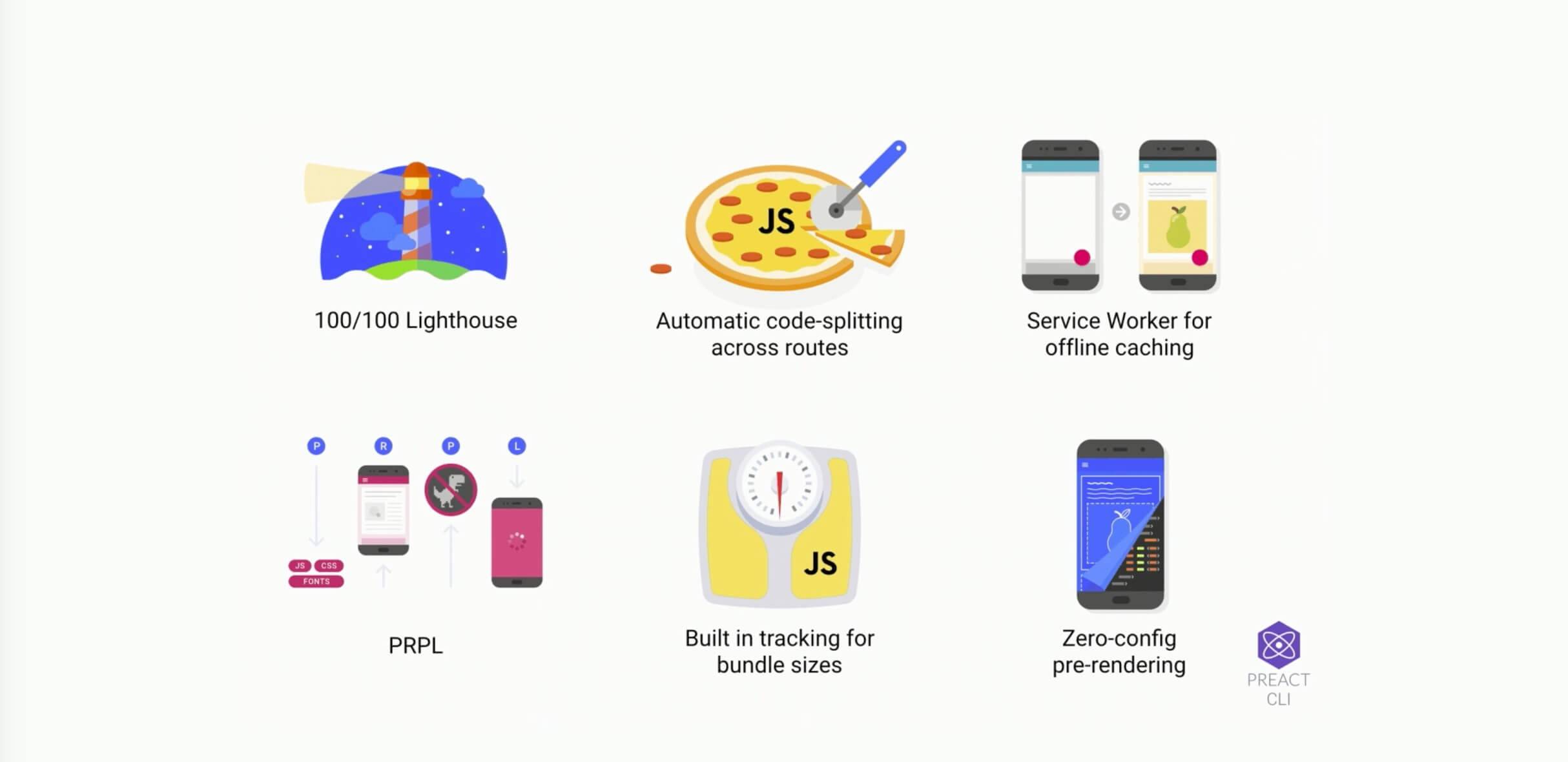
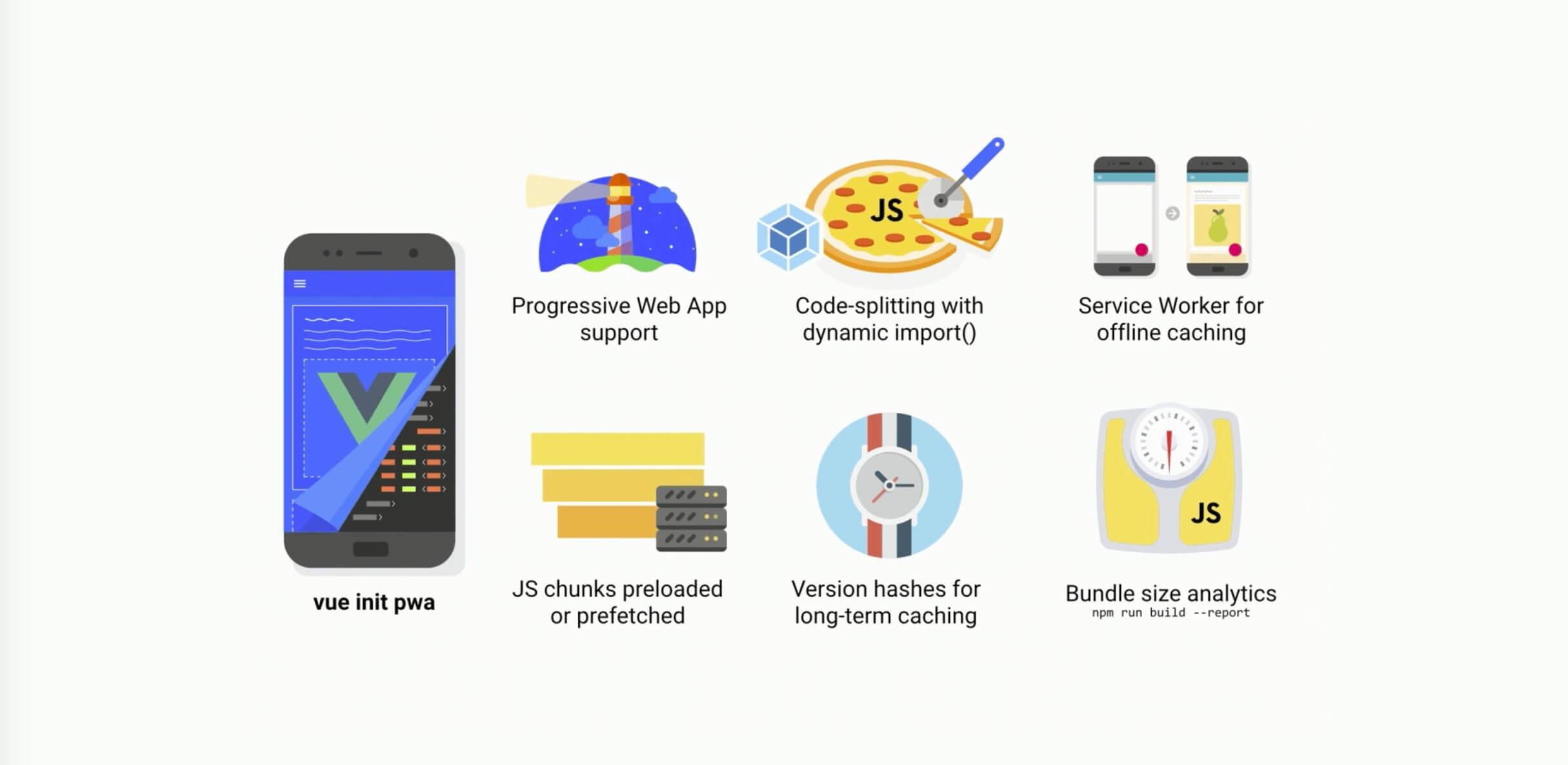
We have reached the eighth stage. Web Apps at this stage all integrate JS frameworks.
Take the three most typical frameworks as examples: all of them support PWA.
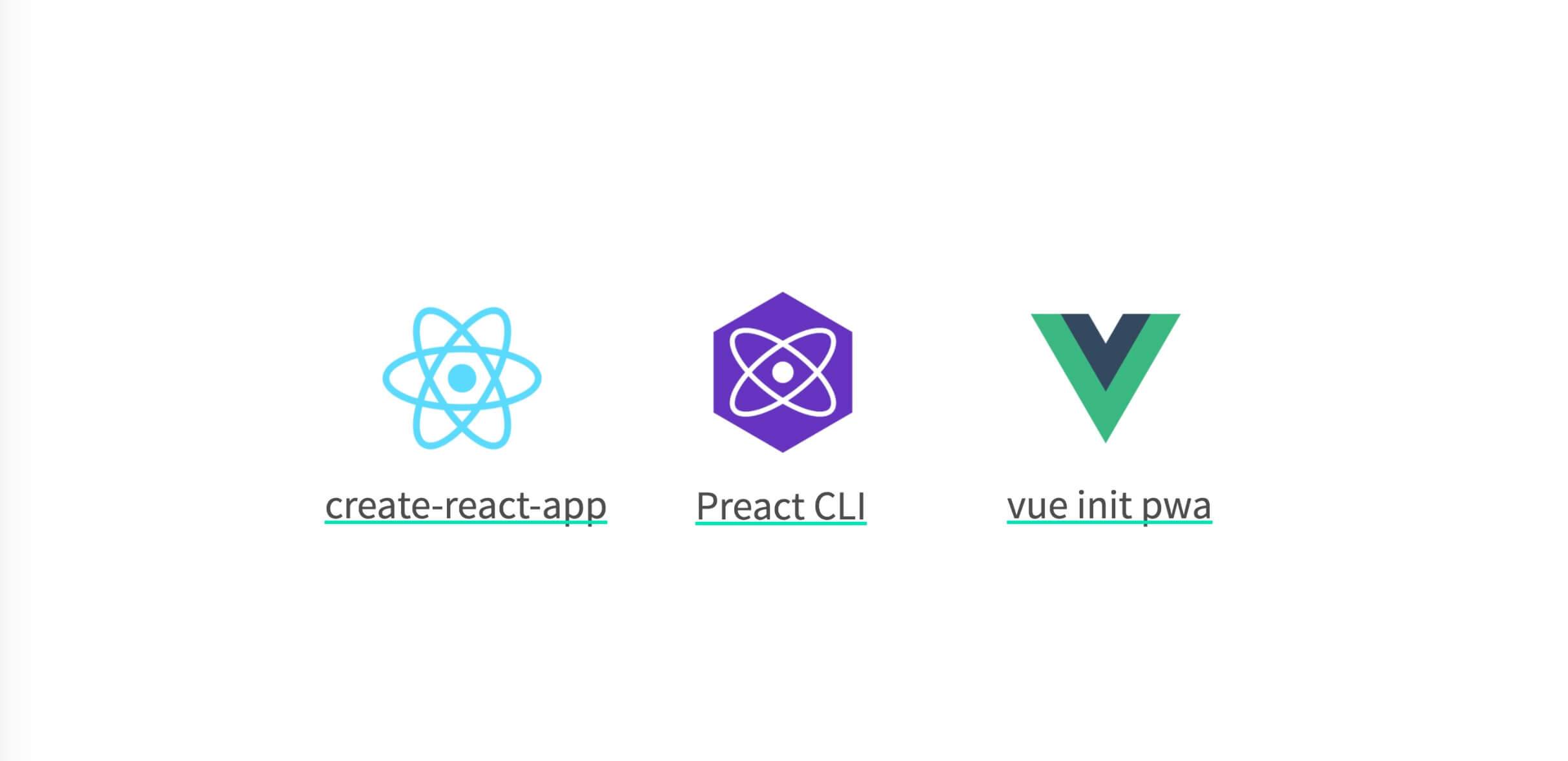
create-react-app, Preact CLI, and vue init pwa.
9. Any Web App/Site
Many people ask: does a PWA have to be an SPA? Why call it PWA instead of PWS?
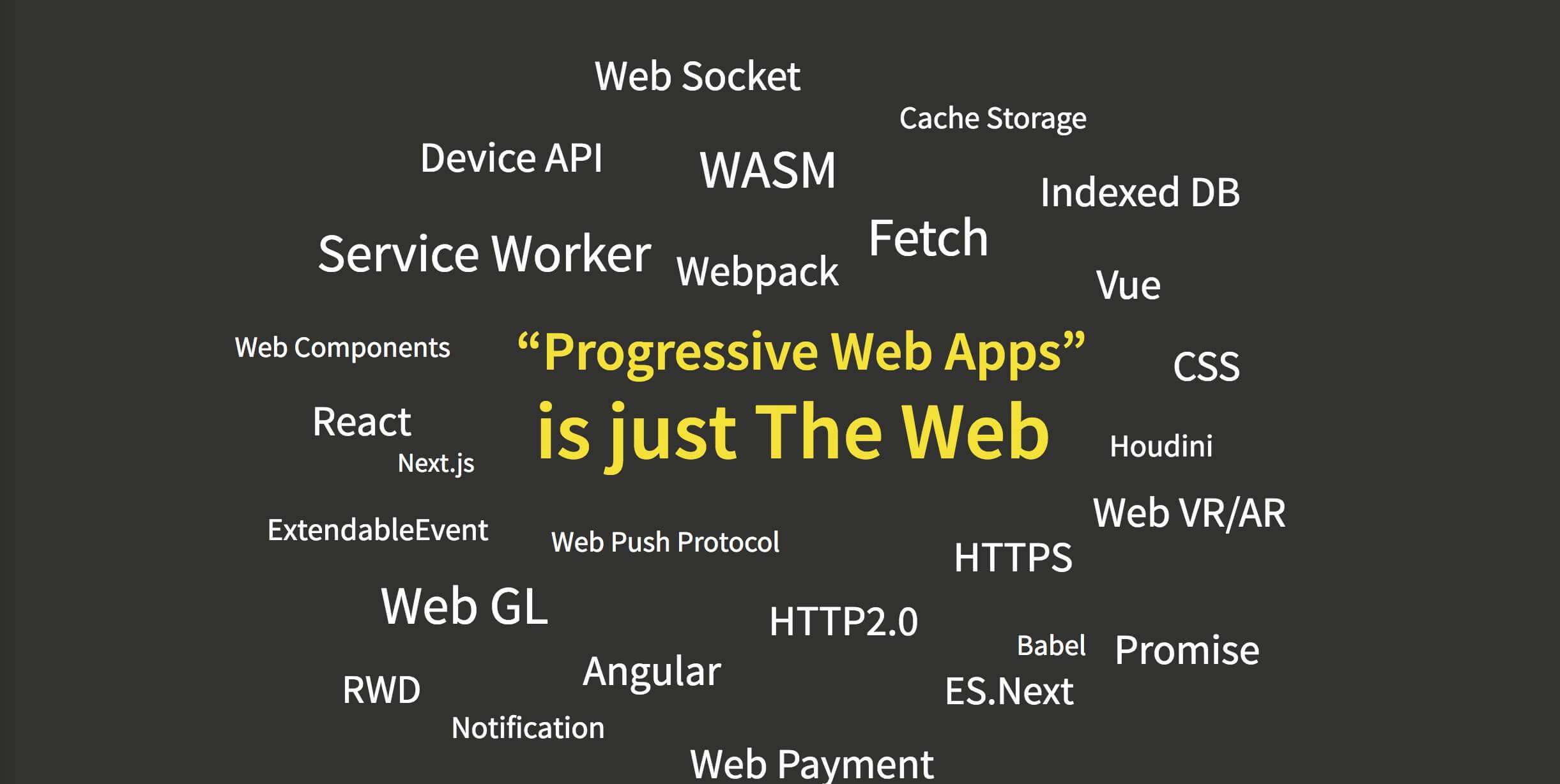
PWA is the web. Its emergence is meant to tell developers, users, and our bosses: hey, the web platform has a lot of new technologies, and when combined, they can do many things you might never have imagined.
And we also have AR/VR, WebGL/WebGPU, Web ASM, and so on. Are they all PWAs? No? They are the web. Are they all PWAs? Yes, they are too—PWA is the web.
10. The Web
The final stop, The Web, is both the destination and the starting point.
Anyone, at any time, can publish anything from anywhere Anyone, at any time, can publish anything from anywhere.
The Web is free. The so-called open spirit of the Web also lies in the fact that “anyone, at any time and from anywhere, can publish any information on the World Wide Web, and it can be accessed by anyone in the world.” And that is the most revolutionary aspect of the web—an evolution of humanity as a species.”
Yes, these are the words of the author of phonegap.
PWA advocate Alex Russell said "Progressive Web Apps: Escaping Tabs Without Losing Our Soul" @slightlylate
Please allow us, without losing our open soul and without relying on Hybrid to put applications in the App Store, to escape the browser tab and become, in users’ eyes, more powerful and easier-to-use software applications. That is PWA.

This is the Web.
This is the thing that has brought those browser vendors—who are always arguing with each other—back together and made them want to build it.”
Mr. Hux Huang elevated the theme beautifully at the end!
Session 8: Speaker Roundtable Discussion

Evan You was busy and did not come on the second day. I actually really wanted to hear his perspective.
Reflections
After attending this conference, the two words I heard repeatedly were GraphQL and Go, and these were also the two technologies discussed the most in the group chat. Go had just entered the top ten of the programming language rankings in July, landing exactly at tenth place. Google has also officially announced that it is preparing to release version 2.0. Go is indeed very hot lately. As for GraphQL, this technology has already been used for some time by major companies in the United States and is becoming increasingly popular. In contrast, in China, very few companies use this technology in production; at least, very few people raised their hands at the venue. Perhaps it will become popular in China in a few years.
What was rather disappointing this time was that no official Weex developers came to share anything. I have always wanted to talk with the official Weex developers face to face about technical topics, but I have never had the chance. The Weex team has also always kept a very low profile. At this conference, there were once again “rumors” that the Weex team might soon be disbanded. I believe these are only rumors.
The final speaker Q&A session belonged to Angular and React. Since Evan You was busy, he did not attend the final Q&A. As expected, netizens just love stirring things up—the questions were all provocative! For example: How should one choose between Vue, Angular, and React? Front-end frameworks evolve so rapidly; how should we view the current state of endless new frameworks and rapid updates? Where exactly is the future of the front end? Once these questions are asked, the speakers can really only provide reference answers. How to practice in the end is something everyone should answer for themselves. As for how to choose among the three major front-end frameworks, it depends on your company’s business scenarios. Regarding the rapid updates of front-end frameworks, the speakers’ answer was “let it go”—just go with it. Finally, on the future of the front end, the speakers also discussed many things, including whether TypeScript and Flow might replace JavaScript, as well as WebAssembly, PWA, and more. In short, no one can say for sure what the future of the front end will be; we still need to continue adapting to the times.
Attending this conference really broadened my horizons and gave me a lot. This is about as much as I can share with everyone. The biggest takeaways for me were the talks by Evan You and Mr. Hux Huang. As for the other talks, because my front-end experience is still shallow, I did not fully grasp their “essence.”

(The above is a Youku video. If it appears blank, please check whether your browser has blocked certain plugins.)
(The above is a YouTube video. If it appears blank, please check whether you can access it via a VPN/proxy.)
Official highlights video JSConf China 2017(The official JSConf China 2017 HD video. I saw the drone when checking in on the first day, and in the end they actually edited me into the video: at 39 and 40 seconds, those are close-ups of me. At 50 seconds, the person in the pink T-shirt in the middle of the seventh row, with the Mac screen lit up on his lap, is also me.)
Finally, here is the JSConf China official website, which has some PPT slide decks whose copyrights allow public release. You can download them and study them.
JSConf China 2017 has concluded perfectly!
GitHub Repo:Halfrost-Field
Follow: halfrost · GitHub