README.md
August 9, 2026 · View on GitHub
 MangoDisk
English · 简体中文





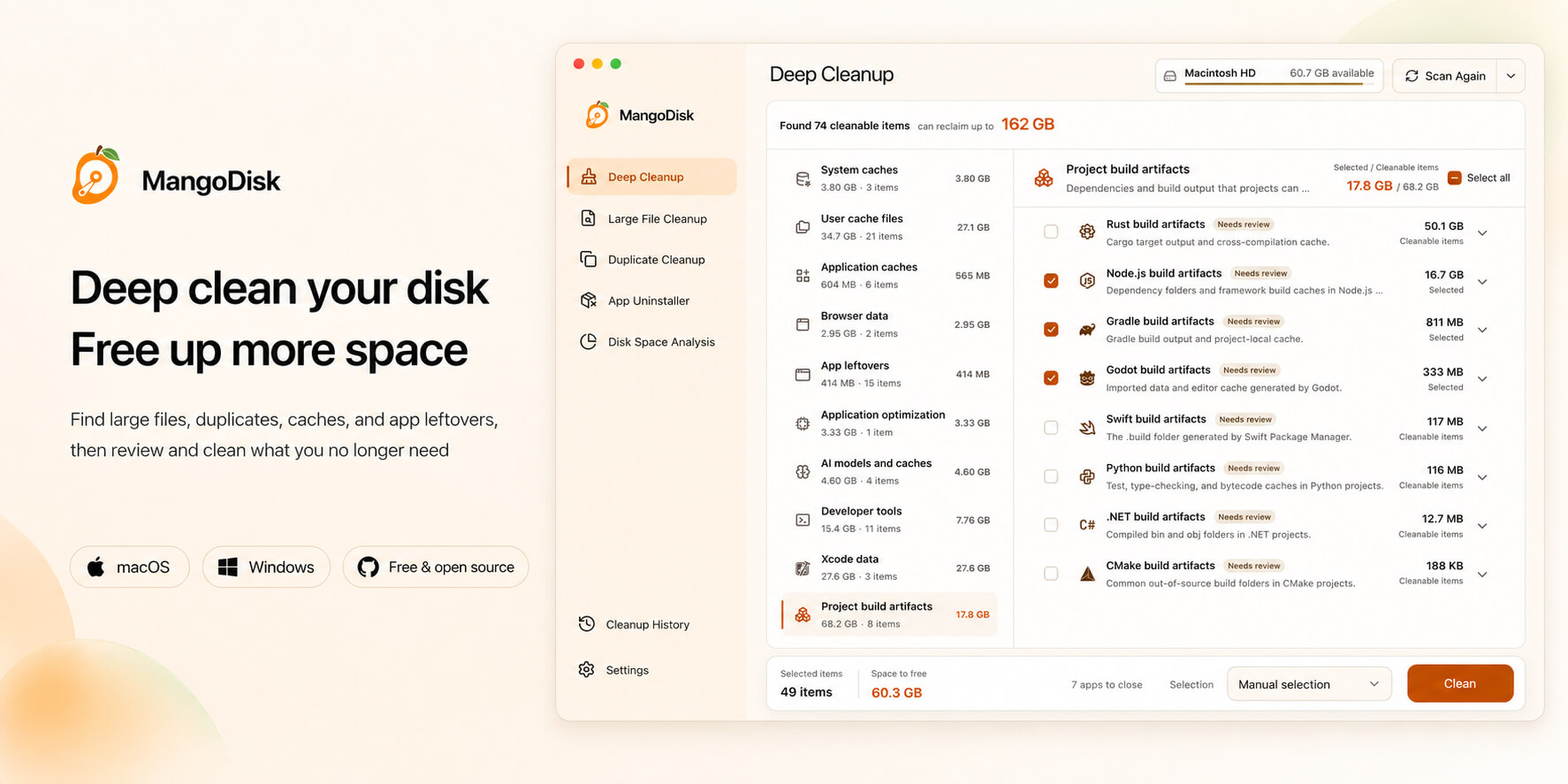
What MangoDisk Can Do
Deep Cleanup
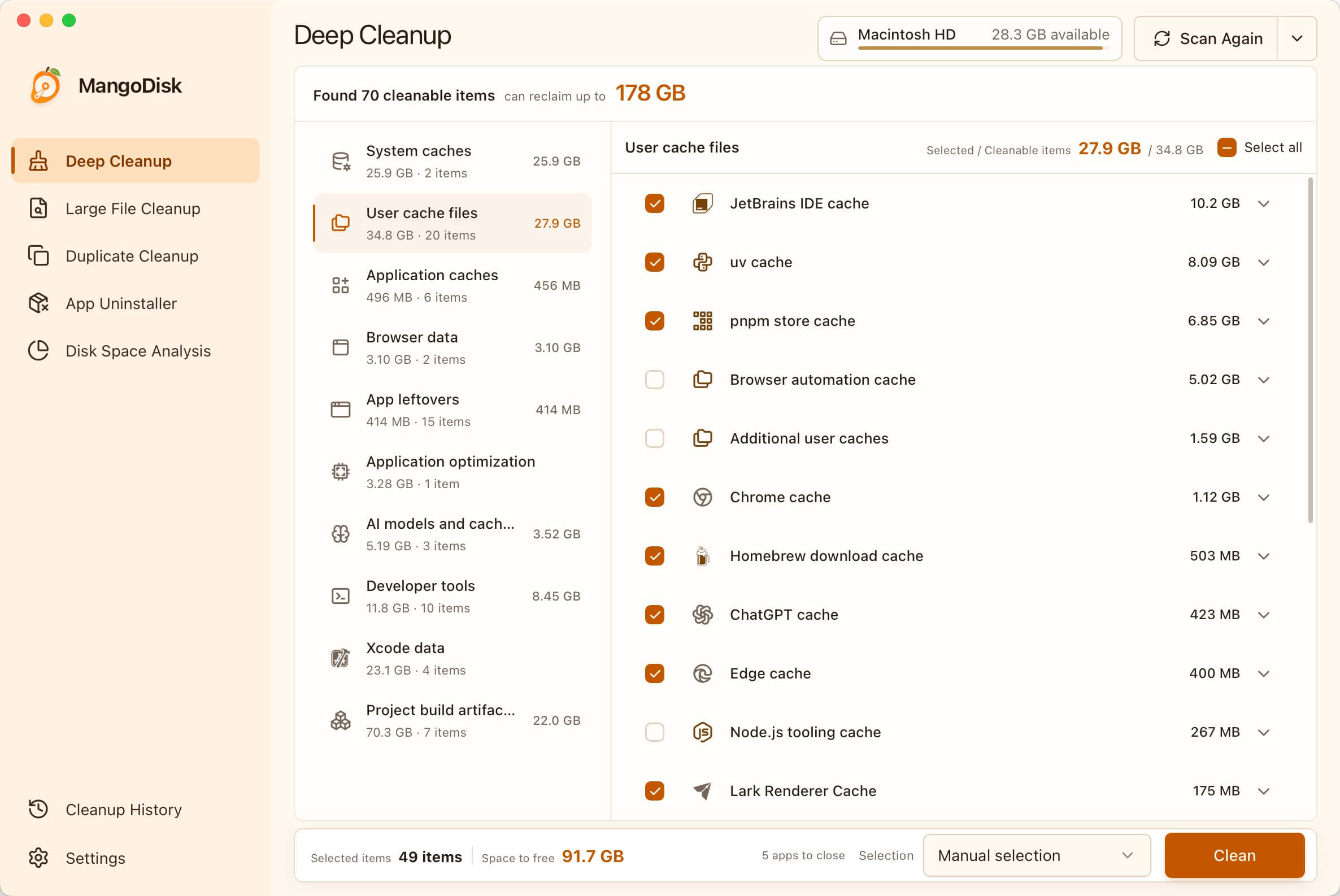
Deep Cleanup is MangoDisk's core feature. It scans storage used by the operating system, applications, development environments, and local projects, then groups the results by category and summarizes reclaimable space:
- System and applications: System and user temporary files, application caches, browser caches, diagnostic logs, and files left behind by uninstalled applications.
- Developer tools: Package manager download caches, IDE indexes, temporary developer-tool files, and data generated by Xcode and Windows development environments.
- Project build artifacts: Node.js dependencies and framework caches, Rust
targetdirectories, and rebuildable content generated by Gradle, Swift, Python, .NET, Godot, CMake, and other tools. - AI models and caches: Downloaded local AI models and temporary transfer files, making it easier to find model data that consumes significant storage.
- Application optimization: Processor code that the current device does not need, reducing the size of supported applications.
Scanning only reads file information and never deletes content automatically. Results show categories, sizes, locations, and risk notices. Use smart recommendations or review and select items individually, then confirm the reclaimable space before cleaning.
Large File Cleanup
Scan a disk or selected folder and browse large files by type, including videos, audio, images, archives, documents, and installers. Set a minimum file size, sort results by storage use, and reveal files in the system file manager before selecting what you no longer need.
Duplicate File Cleanup
Scan selected folders and verify exact duplicates by file content instead of relying on file names. Results group identical copies and show the number of files, size of each copy, and maximum reclaimable space, while smart selection keeps at least one file in every group.
Application Uninstall and Cleanup
Review installed applications, their sizes, status, and associated files. When uninstalling an application, inspect its caches, preferences, and private application data. MangoDisk distinguishes required uninstall components, rebuildable data, and content that may include user files, and warns when an application is running or protected.
Disk Space Analysis
Analyze a disk or selected folder with a treemap and list view showing folders, file counts, and storage use. Browse the folder hierarchy to locate the largest directories and files, then open their locations directly in the system file manager.
Cleanup Rules and Safety
MangoDisk maintains its own cross-platform cleanup rule library instead of copying rules directly from third-party projects. Windows rules may use Winapp2.ini to identify candidate paths, while macOS rules may draw on relevant open source projects. These sources provide research leads only and are never sufficient on their own to justify cleaning a path.
Before a candidate rule can ship in a release, it must pass the following checks:
- Verify authoritative sources: Confirm the path's purpose and data ownership using documentation from Microsoft, Apple, or the software vendor.
- Define safe cleanup boundaries: Ensure the content can be safely recreated, and exclude personal files, private application data, and protected system paths.
- Validate on real systems: Test the paths, cleanup results, and failure scenarios in the appropriate Windows or macOS environment.
Only rules that pass source verification, safety review, and hands-on testing are added to the production rule library. In short: third-party projects provide leads, but official evidence and real-world testing determine whether a rule is accepted.
The complete rule library is public, so every rule and revision can be inspected and traced: view the MangoDisk cleanup rule library.
MangoDisk always puts data safety ahead of reclaiming more space. Content without clearly verified safety boundaries is excluded from production rules, and users can review and confirm selected items before anything is removed.
Screenshots
Deep Cleanup
Scan cleanable content from the system, applications, developer tools, and projects, then review it before cleaning.
|
Large File Cleanup Find large files by type and size, then review them before cleaning. 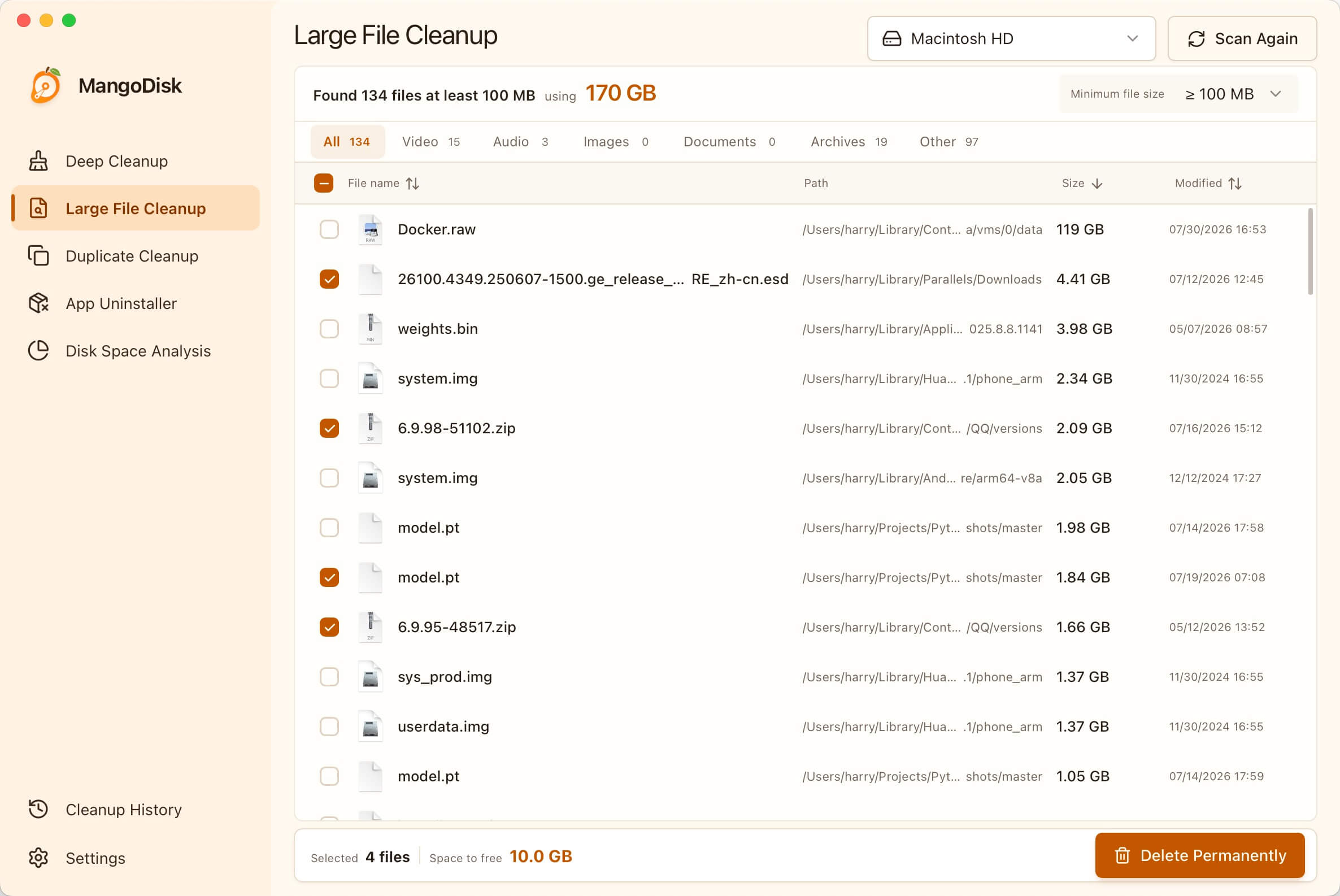
|
Duplicate File Cleanup Find exact duplicates by content while keeping at least one copy. 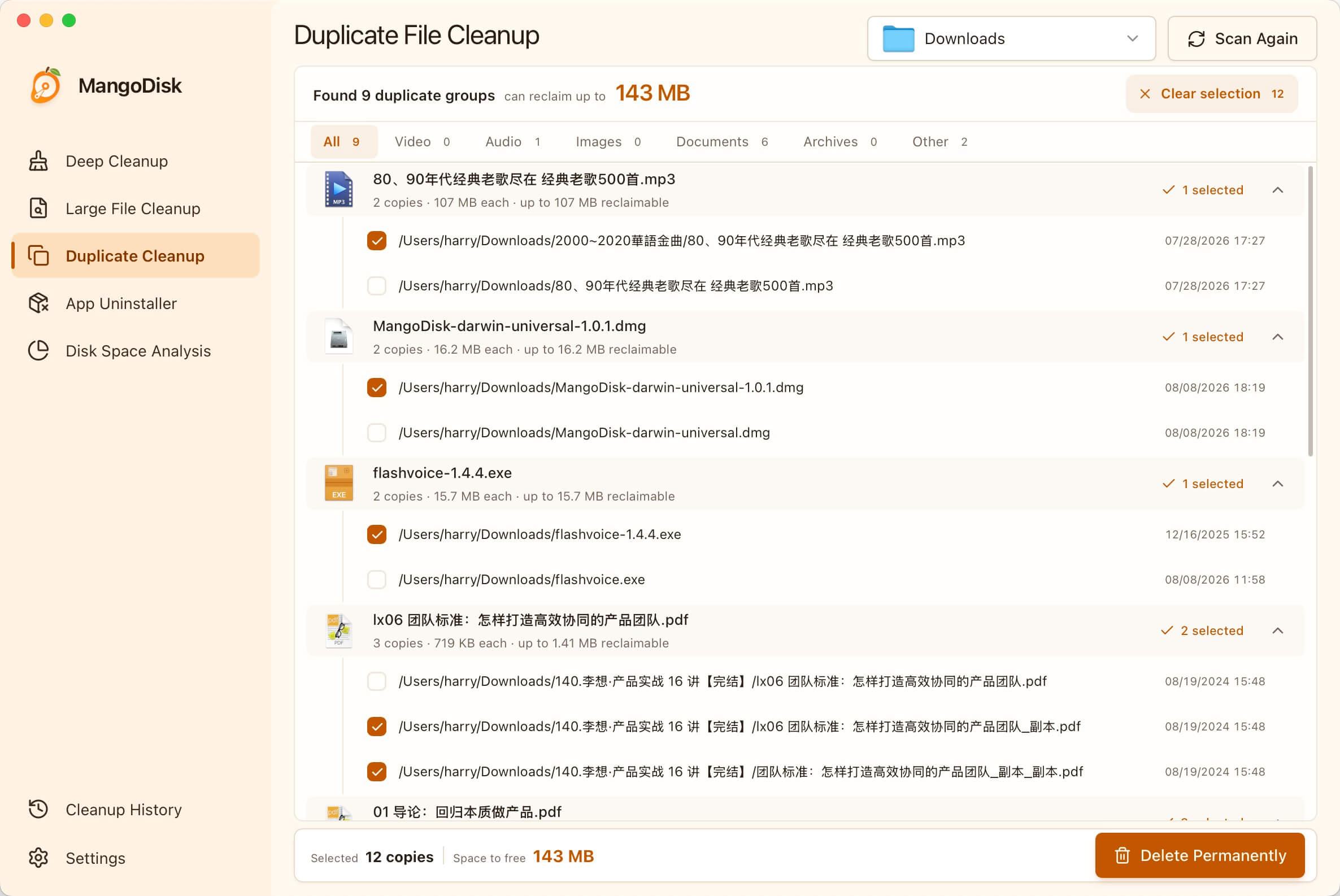
|
|
Application Uninstall and Cleanup Uninstall applications and review caches, preferences, and private application data. 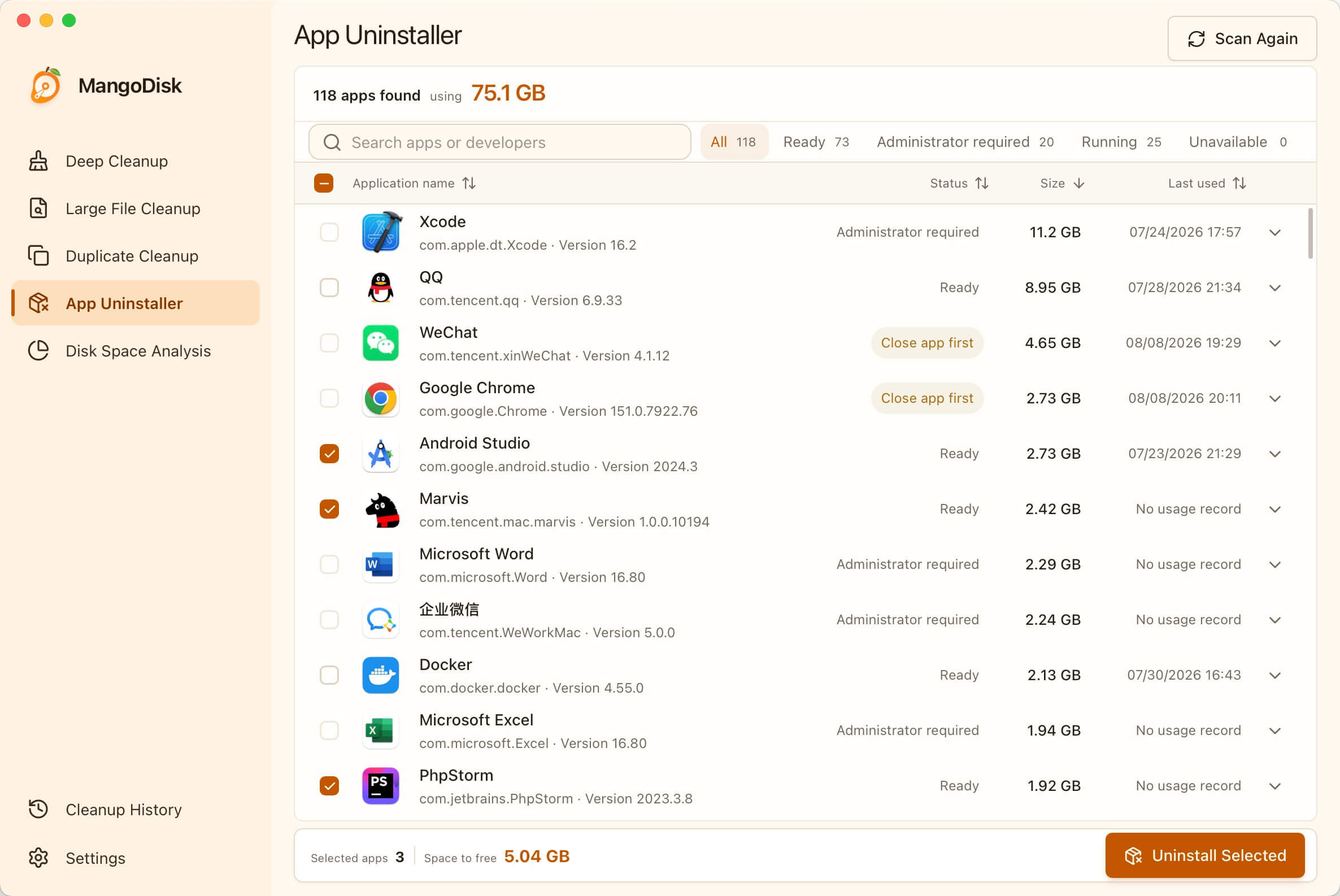
|
Disk Space Analysis Use a treemap and list view to locate the content using the most space. 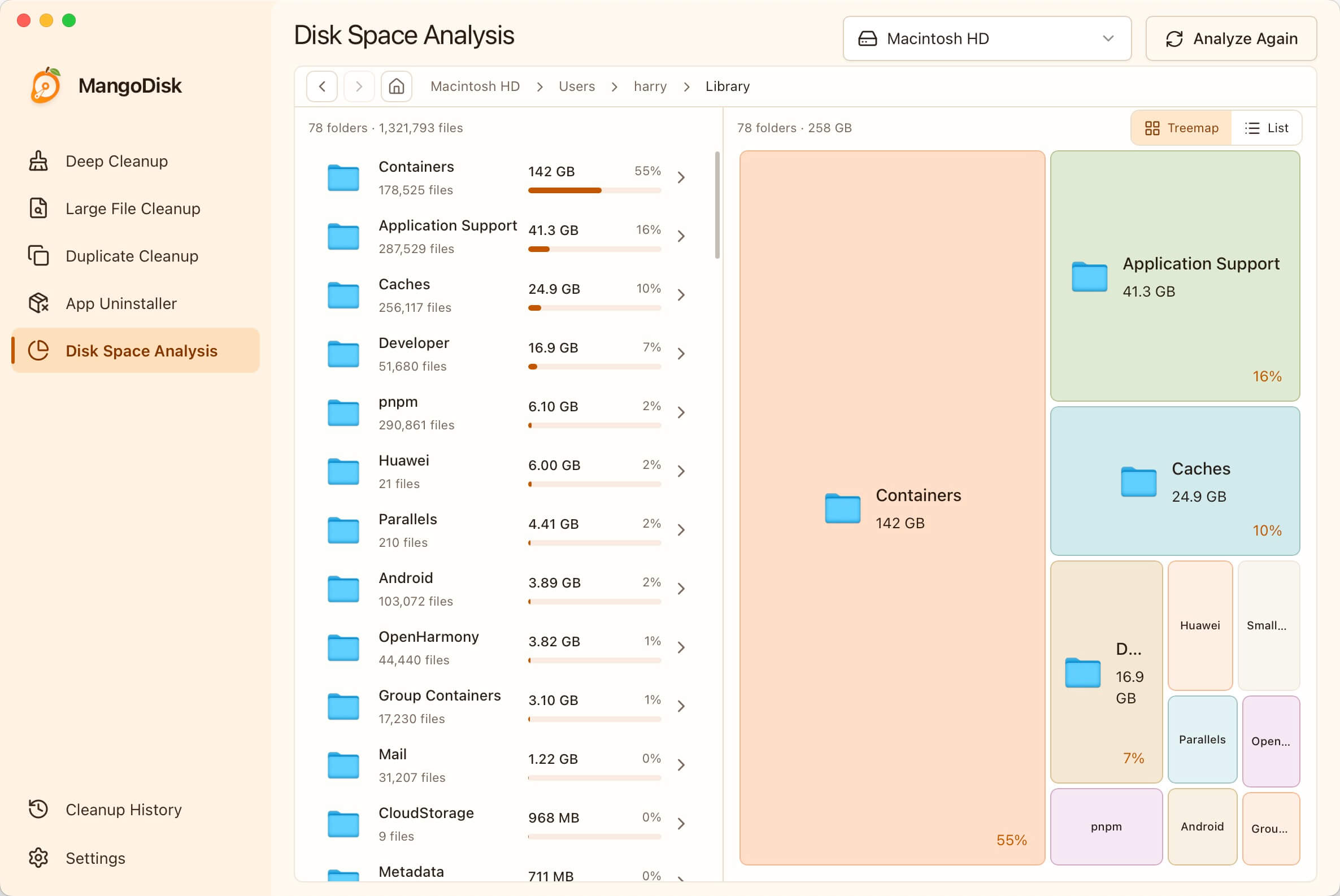
|
Install and Run
Install MangoDisk on macOS with Homebrew:
brew install --cask harry0703/tap/mangodisk
Alternatively, download the latest version from the MangoDisk website or GitHub Releases:
- macOS: Open the DMG and drag MangoDisk into the Applications folder.
- Windows: Run the Windows installer and follow the prompts.
Important
Cleanup and uninstall operations are destructive. Review the selected content before deleting personal files, and keep reliable backups of important data.
CLI Quick Start
Install the standalone CLI on macOS with Homebrew:
brew install harry0703/tap/mangodisk-cli
Install it on Windows with WinGet:
winget install --id MangoDisk.CLI -e
Both package managers add mangodisk to your command path. Open a new terminal if the command is not immediately available, then verify the installation:
mangodisk --version
The CLI uses the same safety-first cleanup engine as the desktop application. Use commands such as:
# Scan and show cleanable content without changing anything
mangodisk clean

# Apply the same smart recommendations as the desktop application
mangodisk clean --apply

# Preview all selectable content without deleting anything
mangodisk clean --apply --selection all --dry-run

# Produce machine-readable JSON output
mangodisk clean --format json --no-progress
The default command only scans. Cleanup in a non-interactive environment also requires an explicit confirmation option. Run the following command for all available options:
mangodisk clean --help
Build from Source
Prerequisites
- Node.js 24 LTS
- pnpm 11.13.1
- Stable Rust
- macOS: Xcode Command Line Tools
- Windows: Visual Studio 2022 Build Tools with Desktop development with C++
- Windows: Microsoft Edge WebView2 Runtime
See the Tauri 2 prerequisites for detailed platform requirements.
Get the Source and Run the Desktop Application
git clone https://github.com/harry0703/MangoDisk.git
cd MangoDisk
pnpm install --frozen-lockfile
pnpm tauri:dev
Run the Required Checks
pnpm check
cargo test --manifest-path src-tauri/Cargo.toml -p mangodisk-core
Build the Desktop Installer
pnpm tauri:build
Build the CLI
pnpm cli:build
Local builds do not include the signing, notarization, or update metadata provided by official MangoDisk releases. Use them for local development and validation only.
Contributing
Issues, cleanup rules, fixes, and new features are welcome. Read CONTRIBUTING.md and AGENTS.md before getting started.
Routine cleanup coverage should use build-validated, declarative TOML rules. See src-tauri/crates/mangodisk-core/rules/README.md for the rule schema, safety constraints, and validation instructions.
Before submitting changes, run at least:
pnpm check
cargo test --manifest-path src-tauri/Cargo.toml -p mangodisk-core
Report security vulnerabilities privately through GitHub Security Advisories as described in SECURITY.md. Do not open a public issue for a security vulnerability.
Technology Stack
- Tauri 2: Desktop runtime and system integration
- Rust: Scanning, filesystem access, safety validation, and cleanup execution
- Vue 3 and TypeScript: Desktop user interface
License
MangoDisk is open source under the GNU General Public License v3.0. Third-party components remain subject to their respective licenses.