HP42S-free42
May 22, 2025 · View on GitHub




Language support for RPN programming language on the HP42S/free42 calculators.
What's new in HP42S-free42:
- refactoring code based parsers, with generated PEG parsers using grammars from peggy.js
- improved log with more details for error analysis
- more commands until free42 v3.3.5
- package updates
- comments only using
//
Usage
Format -> Encode -> Decode -> Encode -> ...
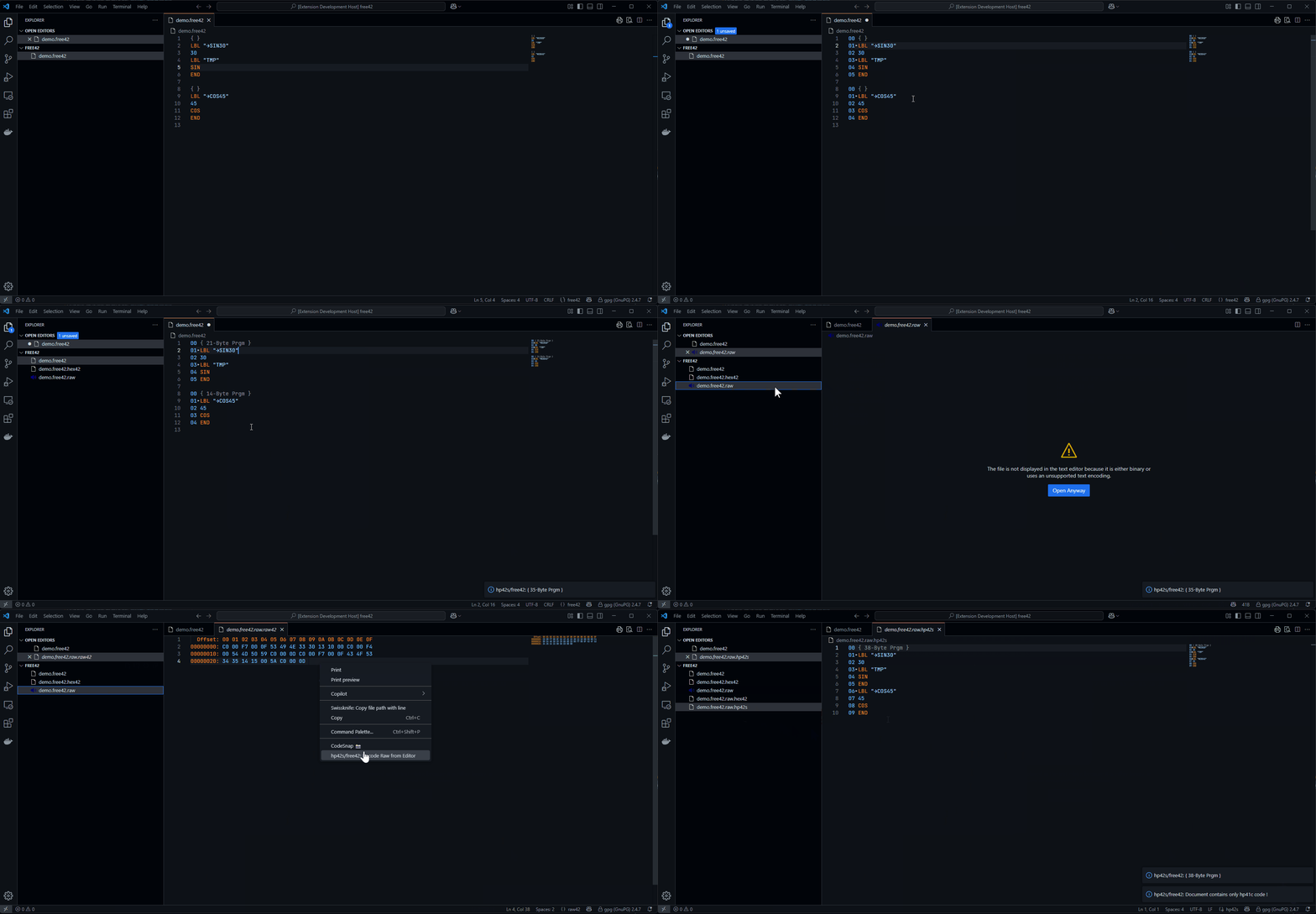
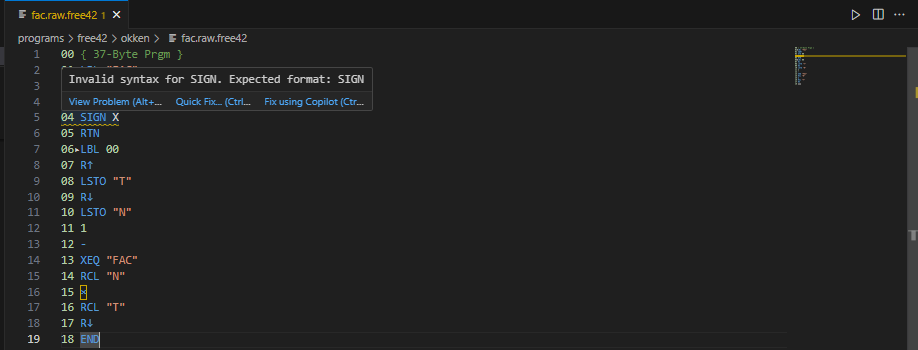
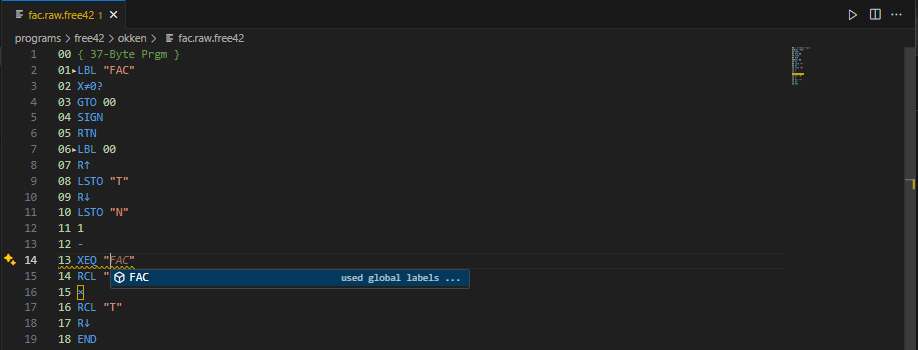
Features
- syntax highlighting
- syntax checking
- string length checking
- label suggestions
- snipptes with description
- comments
- document formatter
- encoding code to raw
- decoding raw to code
- generated parsers from grammars
Supported filetypes:
*.hp42sfor the original operation set of the HP-42S*.free42for the extended operation set of the free42*.hex42with detailed encoding/decoding information*.logwith detailed encoding/decoding progress when error occurs
Limitations
- Line numbers: They are required for the HP42S/free42 code. They are generated by the formatter.
- Single/Double Quotes: The formatter will change outer double quotes to single quotes, when the string contains although double quotes ("ABC"ABC" -> 'ABC"ABC').
- Comments: Comments only starts with
//. Former comments with@or#are not supported anymore.
Encode Code from Editor
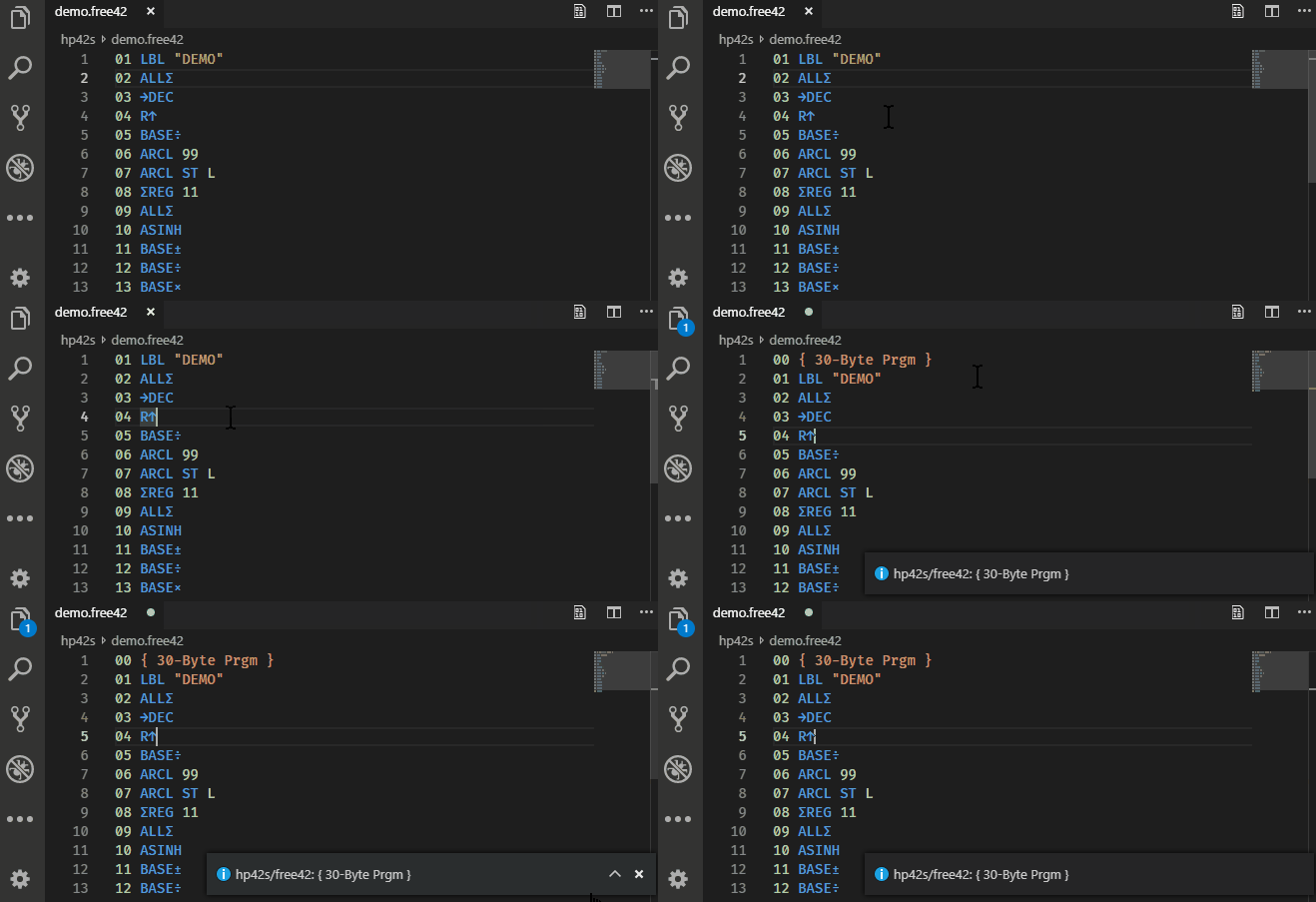
Before encoding, please format the code. This avoids further special cases that would otherwise have to be taken into account.
-
Press Win/Linux:
Ctrl+Shift+P, Mac-OSX:⇧⌘P, then writeHP42Sto get the commandhp42s/free42: Encode Code from Editorin the drop down list. -
The
hp42s/free42: Encode Code from Editorcommand generates a*.hp42s.rawor*.free42.rawfile. These files can be loaded byfree42orDM42. -
Depending on the setting
HP42S/free42.encoderGenerateHexFilesetting, the command will generate a readablehex42file. -
Although the program size will be calculated and shown in the first line (
{ n-Byte Prgm }). For some reason, the last endingENDcommand is ignored. Real program size will be 3 bytes more.That's what the real HP-42S does. It is strange, since the END is, in fact, a part of the program... but that's the way it is.
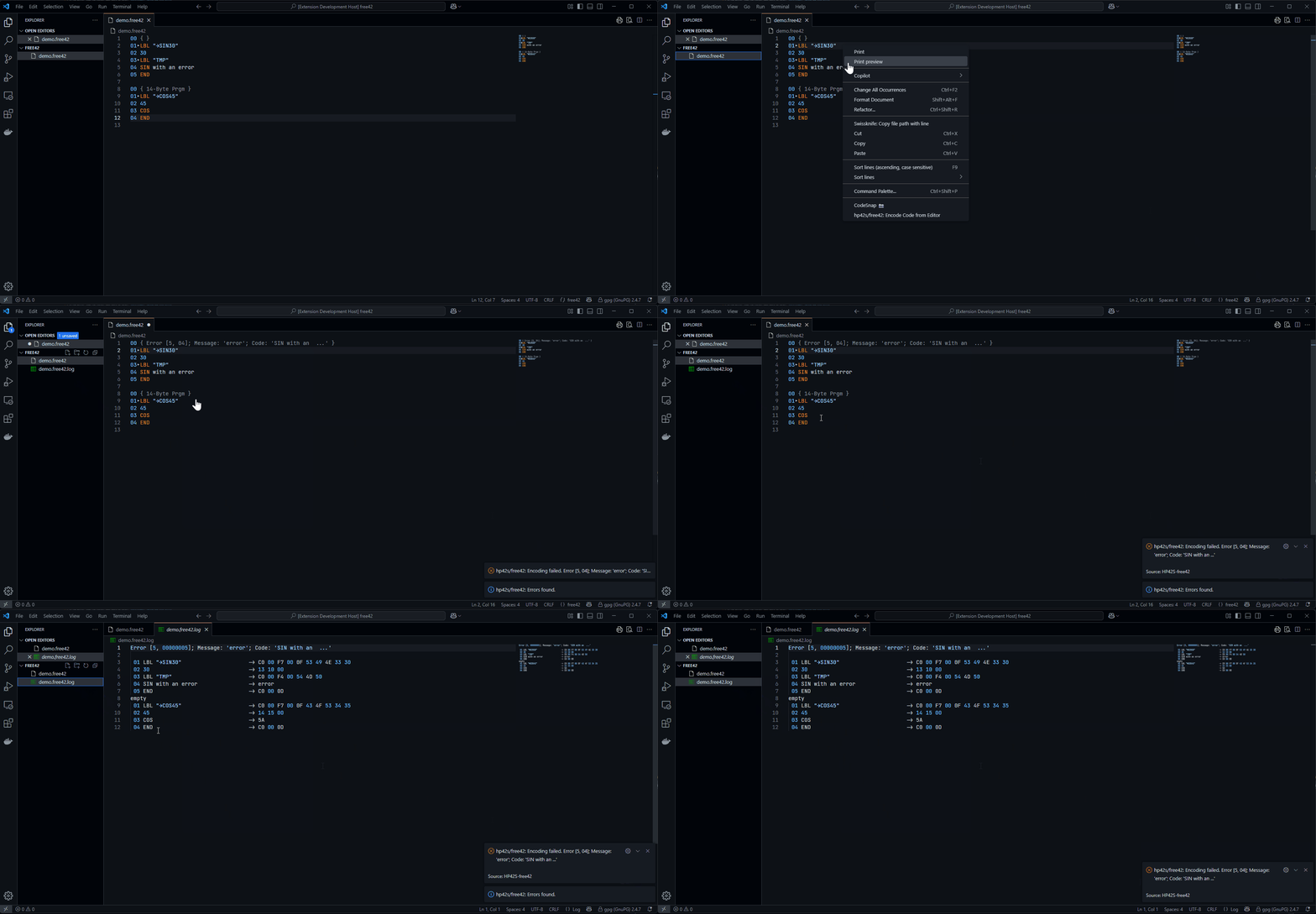
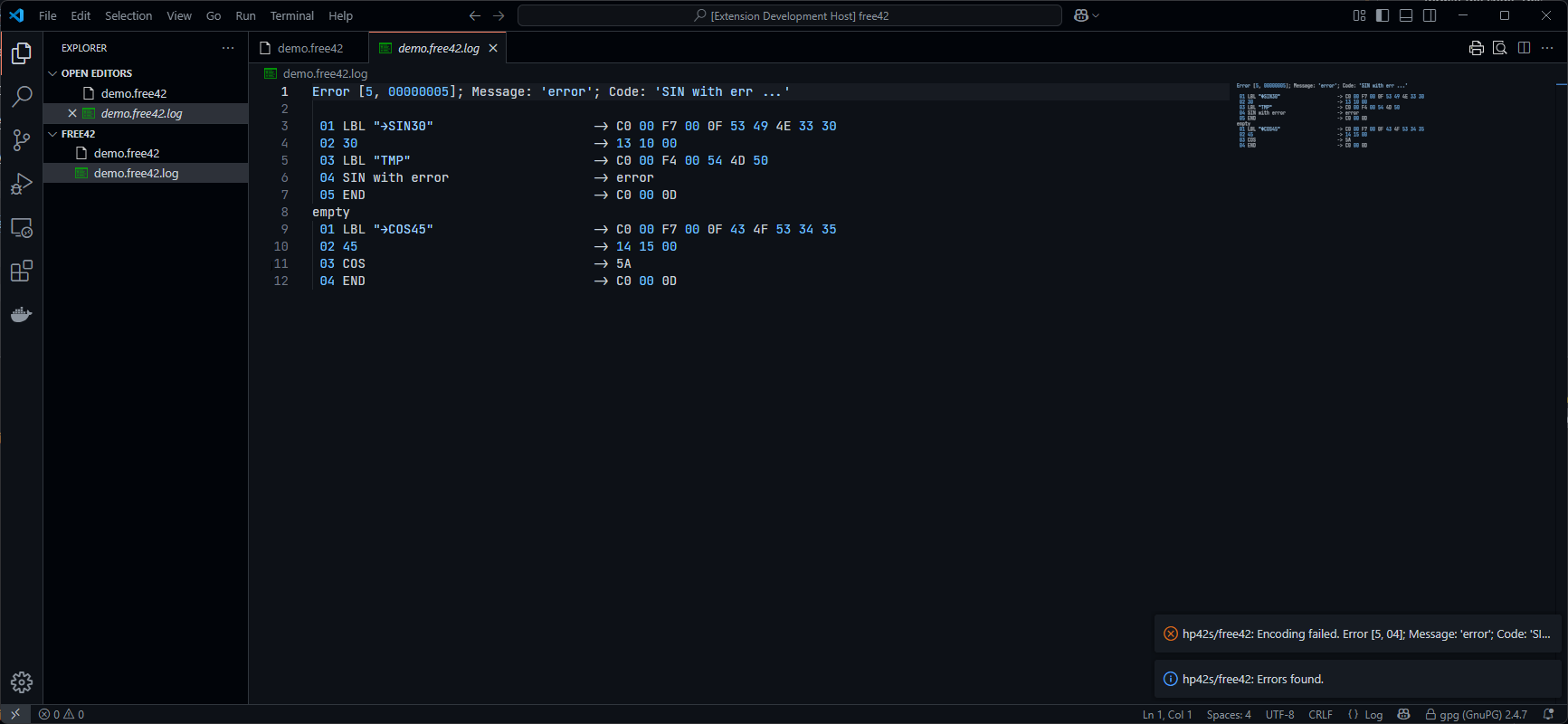
Decode Code from Editor
From a *.raw file the decoder generates the following files
-
*.hex42: The sequence of the command bytes, when settingHP42S/free42.decoderGenerateHexFileis checked. -
*.hp42s: The code file with only pure HP42S commands. -
*.free42: The decode has detected free42 commands. The code will only run on free42 applications.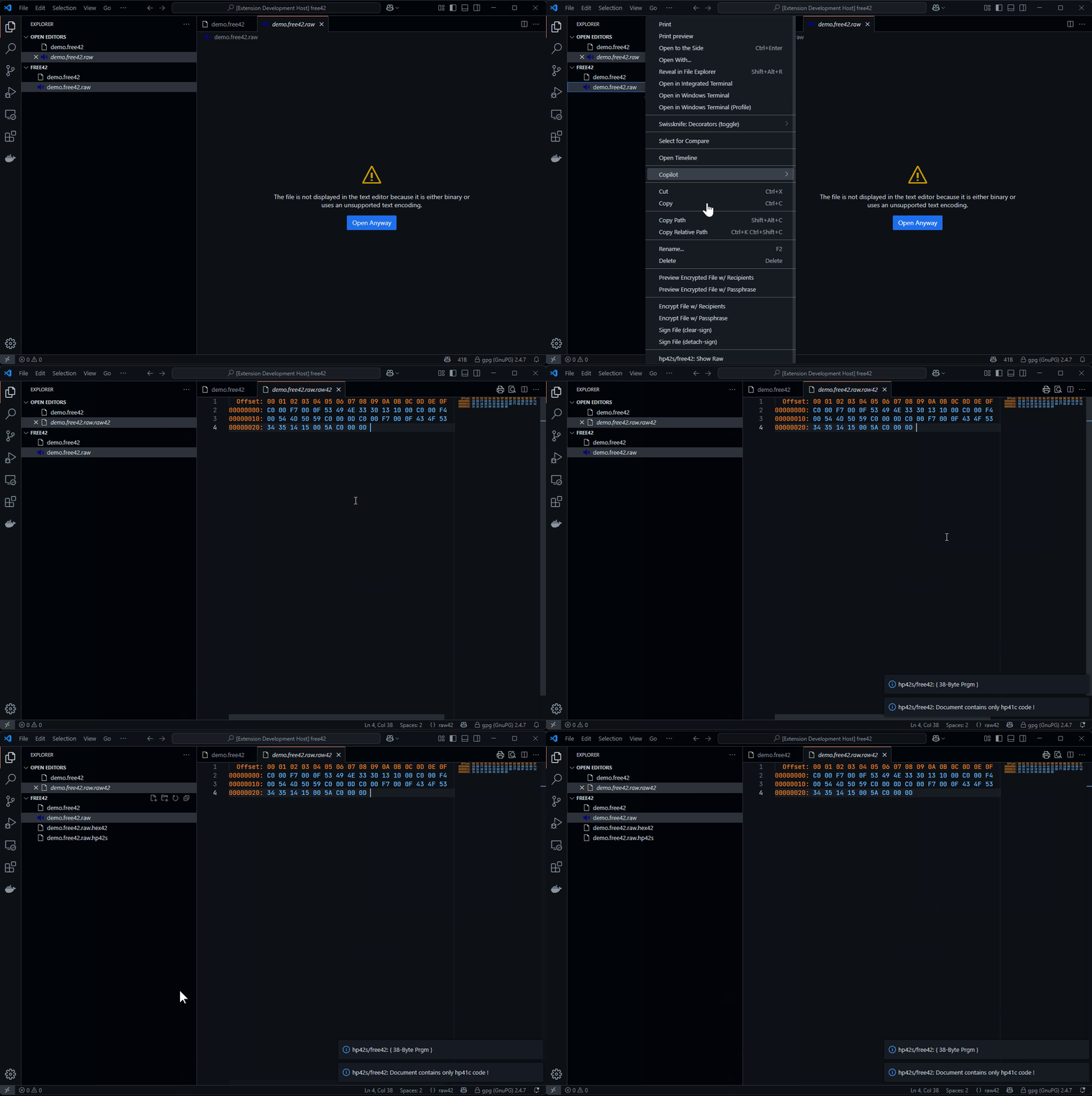
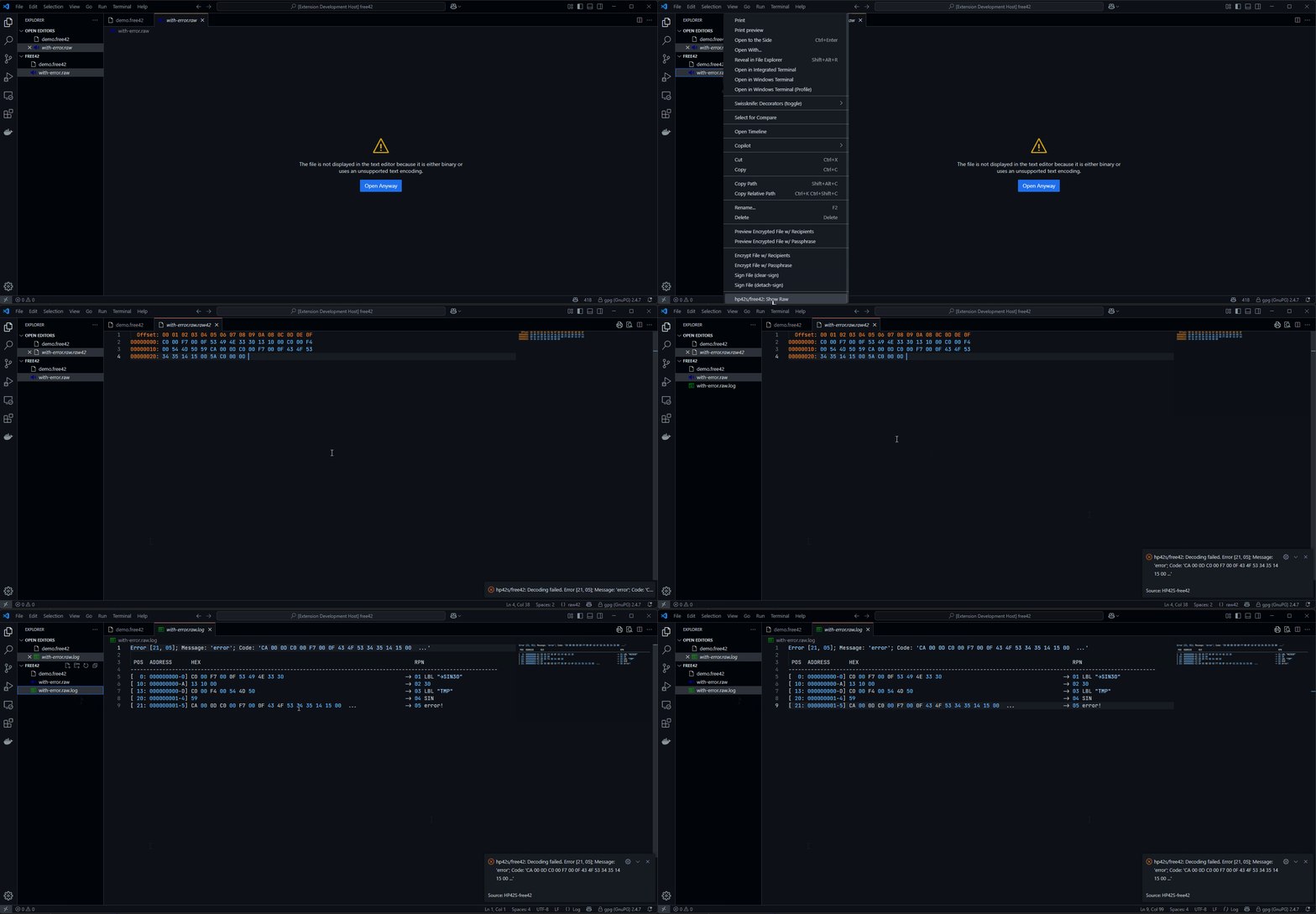
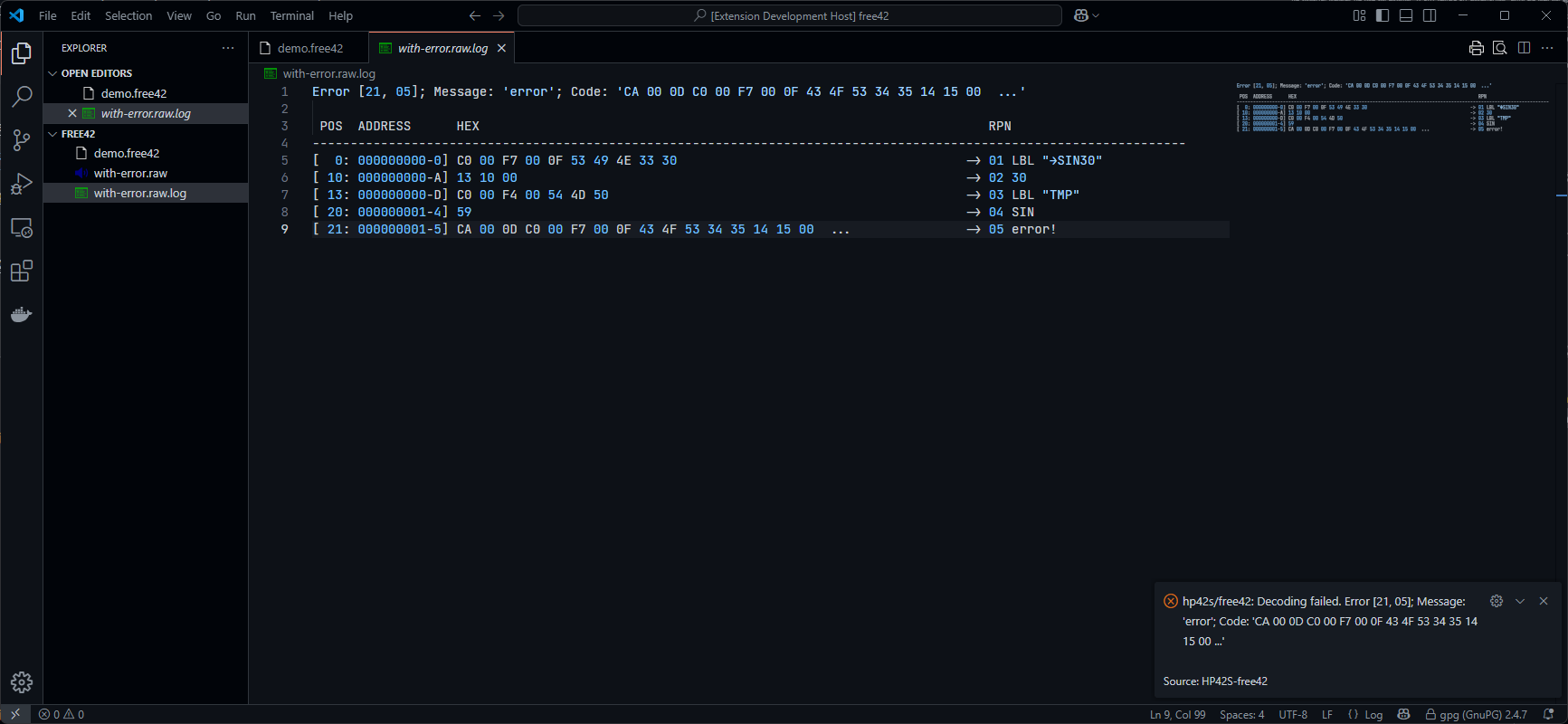
The endless chain of encoding and decoding
Each operation creates new files with additional file extensions appended.
  Format           ->    Encode                        ->    Decode                                  ->    Encode  ...

         '*.hp42s' -> '*.hp42s.hex42' -> '*.hp42s.raw' -> '*.hp42s.raw.hex42' -> '*.hp42s.raw.hp42s' ->            ...
Features
Instruction sets
- HP42S instruction set
- Free42 Extensions to the HP-42S Instruction Set
Syntax Highligthing
-
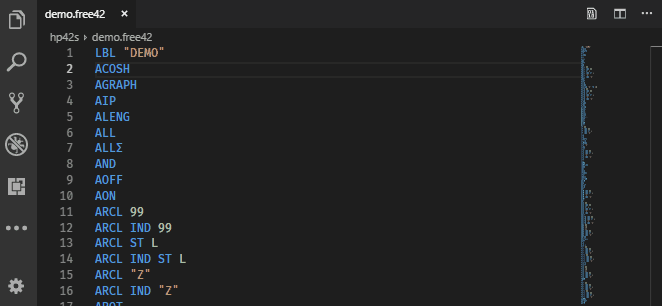
Syntax highlighting for the HP42S and free42 commands
Snippets with description
-
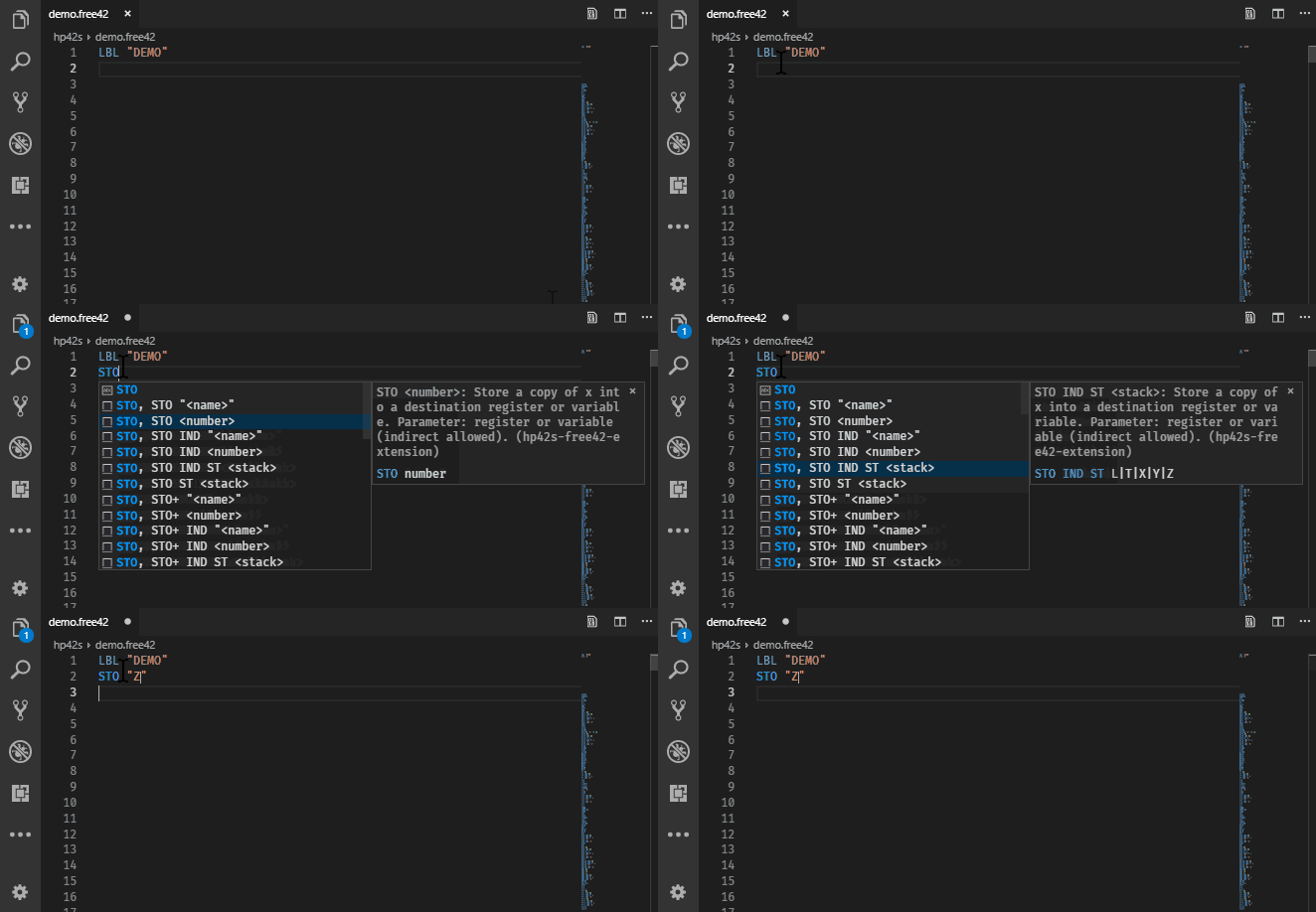
Every keystroke command and its variations with a description.
-
Normal snippets appear when writing the command
-
Snippets for commands with leading special character appear when writing the command name (eg: use
DECfor→DEC, useREGforΣREG) -
Use
e,ᴇorEforᴇin1.2ᴇ-23 -
Use
OPfor×,÷,+/-,Σ+,Σ-,←,↑,↓,→,%,⊢,%CH -
Use
FLAGfor all flags01to99 -
Use
FOCfor√,∫,░,Σ,▶,π,¿,␊,≤,≥,≠,↵,↓,→,←,µ,£,°,Å,Ñ,Ä,∡,ᴇ,Æ,…,␛,Ö,Ü,▒,■ -
Use
[LF]or␊for a line feed in a string. Formatter will replace[LF]to␊.
Comments
-
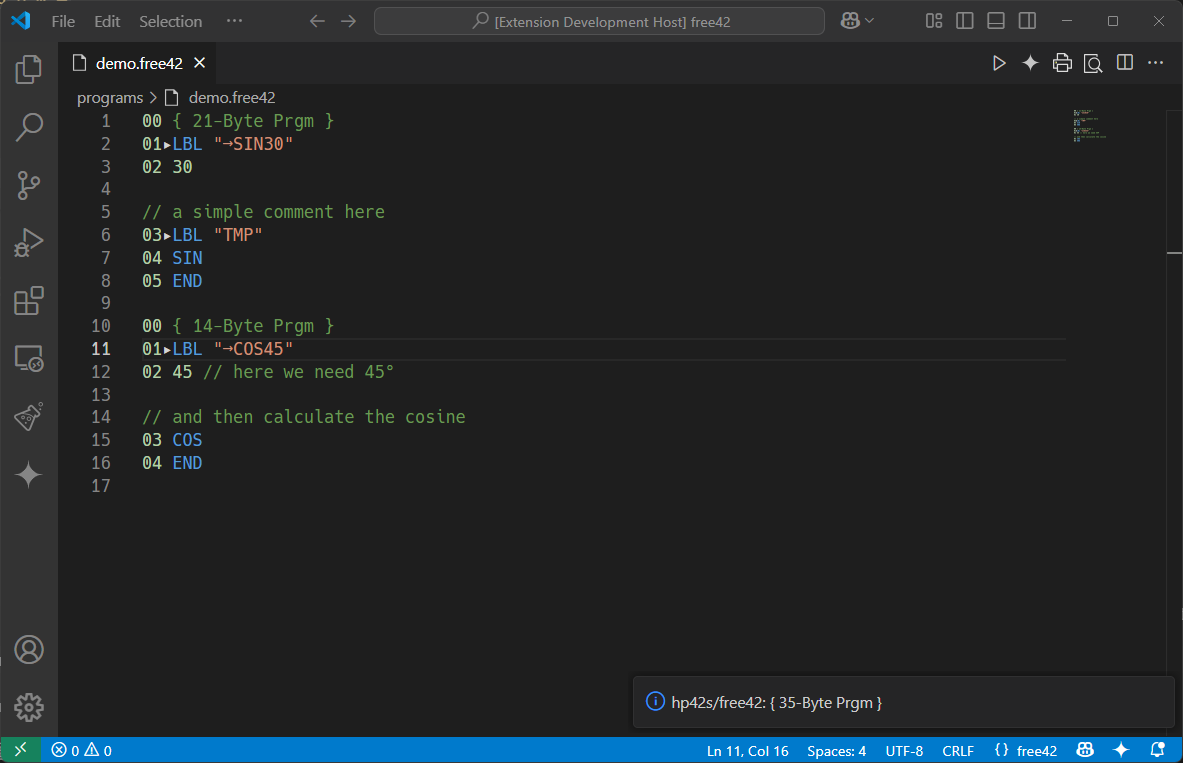
Comments complete line with
// -
Comments at end of line with
//
Document Formatter
-
The formatter prepares the code for encoding.
-
It will replace all abbreviations, which are used for ascii text editing.
-
When using Visual Studio Code, the code is displayed in UTF8, though all original characters of the HP42S/free42 can be displayed correct.
However when I enter a program manually into a real calculator it helps to have line numbers. If I miss a command it helps to find the error.
-
Right-click in the editor to get the context menu, then select menu
Format Documentor press keyboard-shortcut Win:SHIFT+ALT+F/ Linux:SHIFT+ALT+F/ Mac-OSX:⇧⌥F.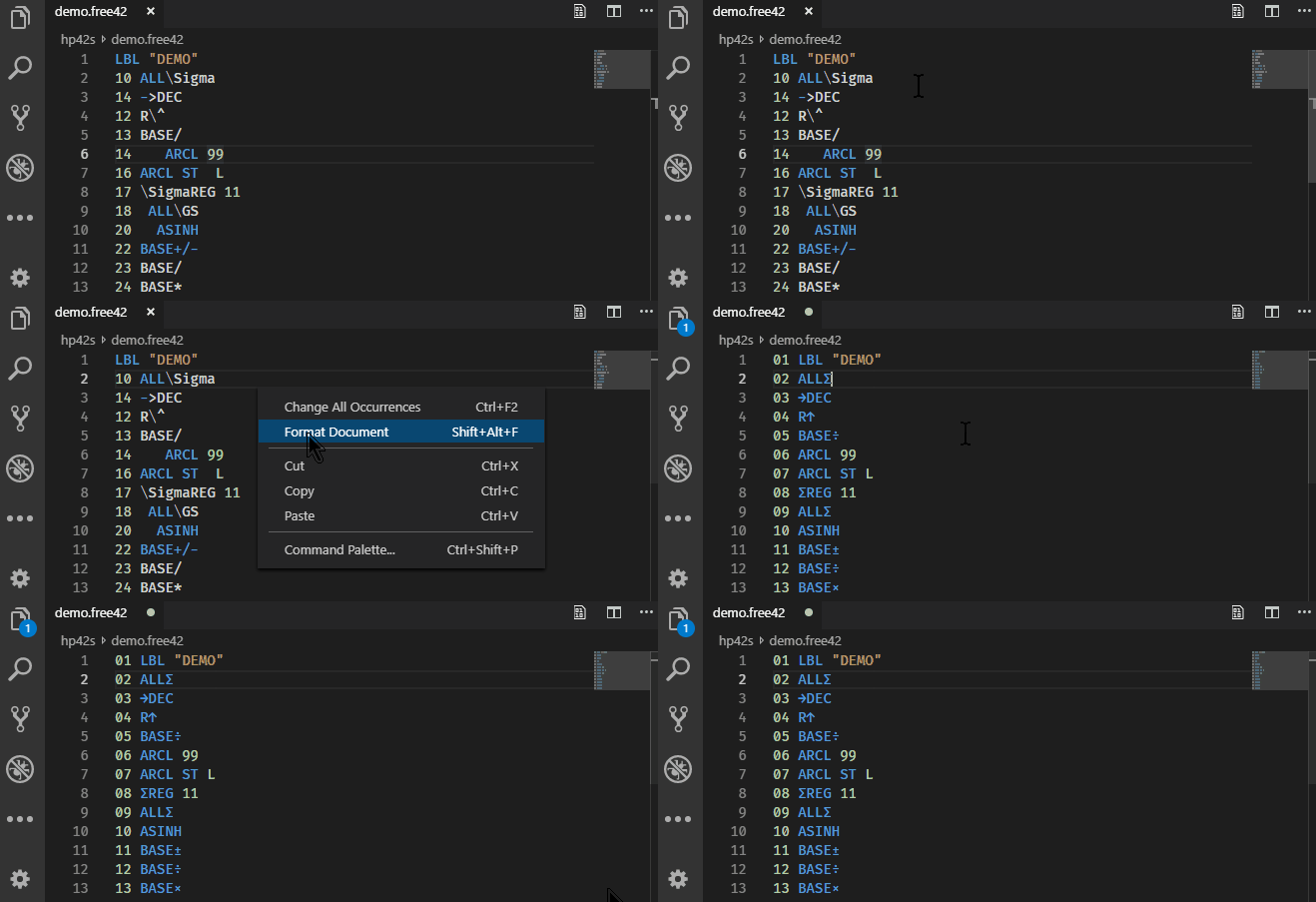
The formatter has several settings:
Remove Too Long Spaces: This will reduce whitespaces in the code.Replace Abbreviations: Abbreviations for special characters will be replaced by the correct intended character.Trim Line: This removes whitespaces at the beginnning and at the end of a code line.
The hex42 files has these additional settings:
Use Line Numbers: This will insert the leading line numbers.
Resources
- Hewlett Packard HP-42S calculators,
- SwissMicros-DM42 calculators
- FREE42 applications.
- Thomas Okken - free42
- SwissMicros
- SwissMicros - Forum
- MoHPC, The Museum of HP Calculators
- MoHPC - Forum
- FOCAL character set
- Hewlett-Packard HP-42S RPN Scientific Calculator Owner´s Manual
- Hewlett-Packard HP-42S RPN Scientific Programming Examples and Techniques
Requirements
None.
Extension Settings
Encoding Settings:
HP42S/free42.encodergenerateHexFile: This will although generate a*.hex42file, to see the correct hex encoding.
Decoding Settings:
HP42S/free42.decodergenerateHexFile: This will although generate a*.hex42file, to see the correct hex encoding.
Document Formatter Settings:
HP42S/free42.formatterReplaceAbreviations: see above Document FormatterHP42S/free42.formatterRemoveTooLongSpaces: see above Document FormatterHP42S/free42.formatterTrimLines: see above Document FormatterHP42S/free42.formatterUseWhitespaceBetweenHex: see generated hex files
Hex42 File Settings:
HP42S/free42.hex42UseLineNumbers: see above Hex42 Formatter