Highcharts React
June 30, 2026 · View on GitHub
Official Highcharts for React

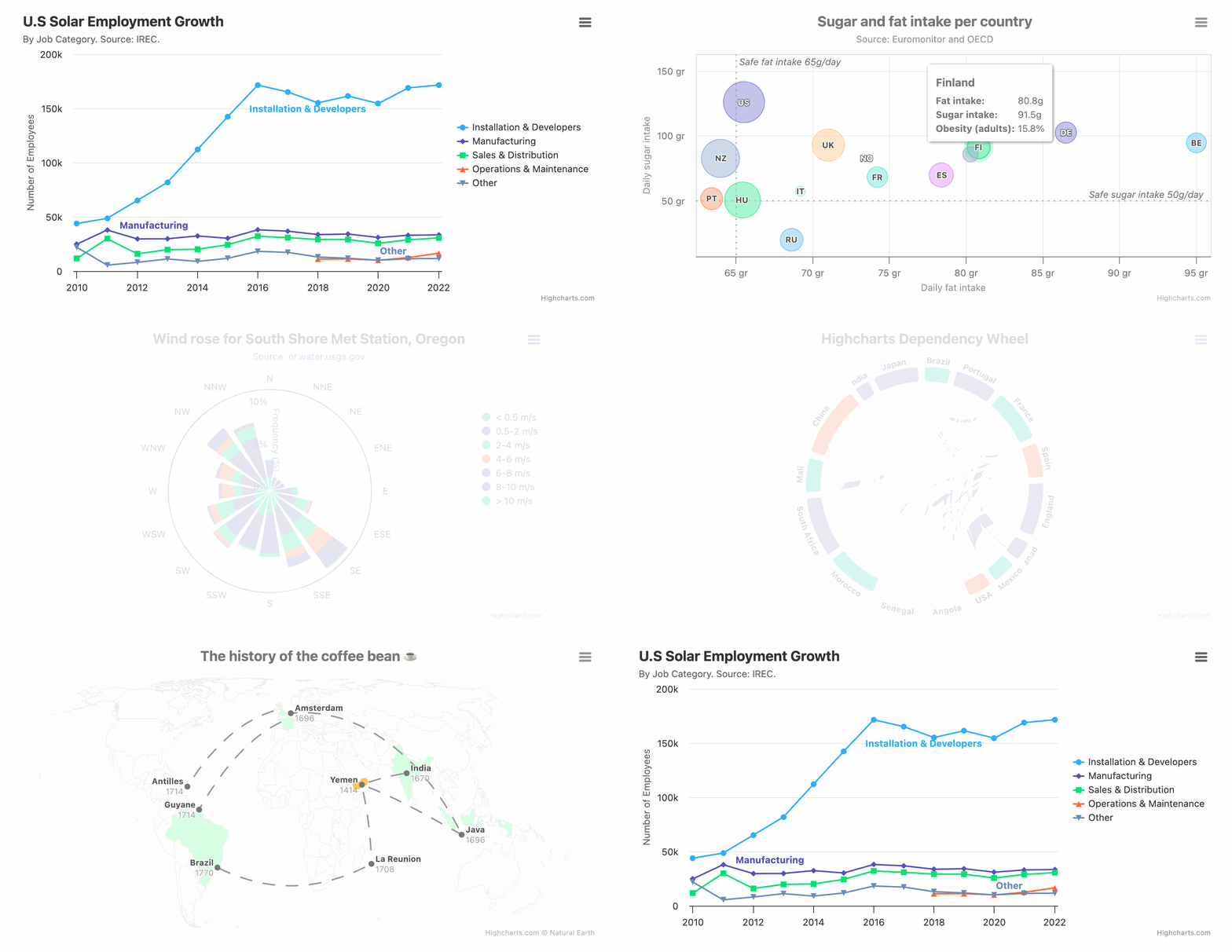
Highcharts for React makes integrating Highcharts data visualizations into your React projects intuitive and aligned with your React workflow, built from the ground up with an API refined for React patterns.



Why Highcharts React?
- JSX-Native API - An API built for React with clean syntax and patterns
- Supports All Chart Types - From basic charts to advanced Stock, Gantt, and Maps: covering a wide range of visualizations
- Custom Component Integration - Easily use custom React components in your charts without workarounds
- Full ES Module Support - Built for ESM and tree shaking
- Big Data Ready - WebGL-powered Boost Module lets you render millions of data points if needed
- Accessibility First - World class accessibility features help you reach the widest audience possible.
- Zero Dependencies - Lightweight, and written from scratch with ZERO external dependencies
License
Getting licensed for commercial use makes you production-ready: license, updates and support for business-critical charts. To learn more, please contact our sales team at sales@highcharts.com. You can also review our Standard License Terms and our Annual License at the links below:
Installation
Install Highcharts from npm:
npm install @highcharts/react
Or using yarn:
yarn add @highcharts/react
Note:
highcharts,react, andreact-domare included as peer dependencies and are installed automatically with npm v7+.
Quick Start
import React from 'react';
import { createRoot } from 'react-dom/client';
import { Chart, Title } from '@highcharts/react';
import { LineSeries } from '@highcharts/react/series/Line';
import { ColumnSeries } from '@highcharts/react/series/Column';
import { AreaSeries } from '@highcharts/react/series/Area';

export function Application() {
  return (
    <Chart>
      <Title>Chart with multiple series types</Title>
      <LineSeries data={[2, 4, 3, 1, 5]} name="Line series" color="red" />
      <ColumnSeries
        data={[3, 5, 1, 2, 4]}
        name="Column series"
        color="yellow"
      />
      <AreaSeries data={[4, 2, 1, 5, 3]} name="Area series" color="blue" />
    </Chart>
  );
}

const root = createRoot(document.getElementById('root'));

root.render(<Application />);
Container props
The chart is rendered inside a <div> container. You can pass props directly to
that container using containerProps (for example, to set width/height, add a
className, or attach data attributes):
<Chart
  containerProps={{
    className: 'chart-shell',
    style: { width: '100%', height: '100%' }
  }}
>
  <Title>Full-width chart</Title>
  <Series data={[1, 2, 3]} />
</Chart>
TypeScript
Use ChartOptions for the Chart component options prop.
import { useState } from 'react';
import { Chart, type ChartOptions } from '@highcharts/react';

export function App() {
  const [options] = useState<ChartOptions>({
    series: [{ type: 'line', data: [1, 2, 3] }]
  });

  return <Chart options={options} />;
}
This is the recommended type over importing Options directly from Highcharts.
Use SeriesOptions<'line'> when you want to type an options object for a specific series component.
import { useState } from 'react';
import { Chart, type SeriesOptions } from '@highcharts/react';
import { LineSeries } from '@highcharts/react/series/Line';

export function App() {
  const [options] = useState<SeriesOptions<'line'>>({
    color: 'red'
  });

  return (
    <Chart>
      <LineSeries options={options} />
    </Chart>
  );
}
Provide the series type as the generic parameter to match the options prop of the corresponding series component.
SeriesProps follows the same pattern and defaults to 'line' when no generic parameter is provided.
import type { SeriesProps } from '@highcharts/react';

const props: SeriesProps = {
  color: 'red'
};
Use SeriesProps<'pie'> to type props for a different series component.
For React-specific typing guidance, see the React TypeScript documentation.
Claude Skill
Highcharts React ships with a Claude skill to help you work properly with Highcharts in React projects. To automatically add it to your .claude/skills/ directory, run:
node node_modules/@highcharts/react/scripts/highcharts-react-skill
Alternatively, you can find the skill at node_modules/@highcharts/react/.claude/skills/highcharts-react/SKILL.md.
Documentation
For comprehensive guides and API documentation, visit the Highcharts React documentation, including the TypeScript guide.
Changelog
See the changelog for the latest features, improvements, and fixes.
Support and feedback
We love to learn how you are using Highcharts, and what you would like to see from us in the future.
Join our vibrant community on GitHub, Stack Overflow, Discord, and the Highcharts Forums.
Commercial support packages are available, see Highcharts Advantage.