echart-ggplot-style
July 31, 2025 · View on GitHub
📊 High-quality, publication-ready charts using Apache ECharts, inspired by the aesthetics of ggplot2.
This project provides a set of reusable ECharts chart templates and themes that mimic the clean, minimal, and publication-ready style popularized by R's ggplot2.
🔥 Why this project?
While ggplot2 is the gold standard in R for beautiful statistical plots, many web-based dashboards and publications require interactive JavaScript visualizations. Apache ECharts is powerful but its default theme is not publication-focused.
This repo bridges that gap by:
- Offering custom ggplot-like themes for ECharts
- Providing reusable ECharts chart components in
TypeScriptorJavaScript - Creating high-resolution, vector-exportable charts suitable for scientific publication
🧰 Features
- 🎨 ggplot-style themes for ECharts
- 📈 Chart templates: line, bar, scatter, boxplot, violin, etc.
- 🧑💻 Written in TypeScript with React & ECharts-for-React
- 📄 Export options: SVG / PNG / PDF (via
html2canvasorsvg-crowbar) - 📊 Beautiful typography, spacing, and grid control
- 🌐 Web-ready, suitable for blog posts, papers, and reports
🔬 Note: Currently works with ECharts v6, which is not released yet. You need to clone and build ECharts locally. See Setup for instructions.
🧪 Available Custom Series
| Violin Plot | Contour Plot |
|---|---|
violin  | contour  |
| Stage View | Segmented Doughnut |
|---|---|
stage  | segmentedDoughnut  |
| Bar Range | Line Range |
|---|---|
barRange  | lineRange  |
🎯 Each chart includes support for ggplot-style themes, hover interactions, and is SVG-friendly for high-quality export.
🎨 ggplot-Inspired Styling
All charts follow these ggplot-style design principles:
- ✅ Minimalist grid and axis lines
- ✅ Balanced white space and layout
- ✅ Scientific typography
- ✅ Publication-friendly color palettes
- ✅ Exportable to SVG for high-resolution reports
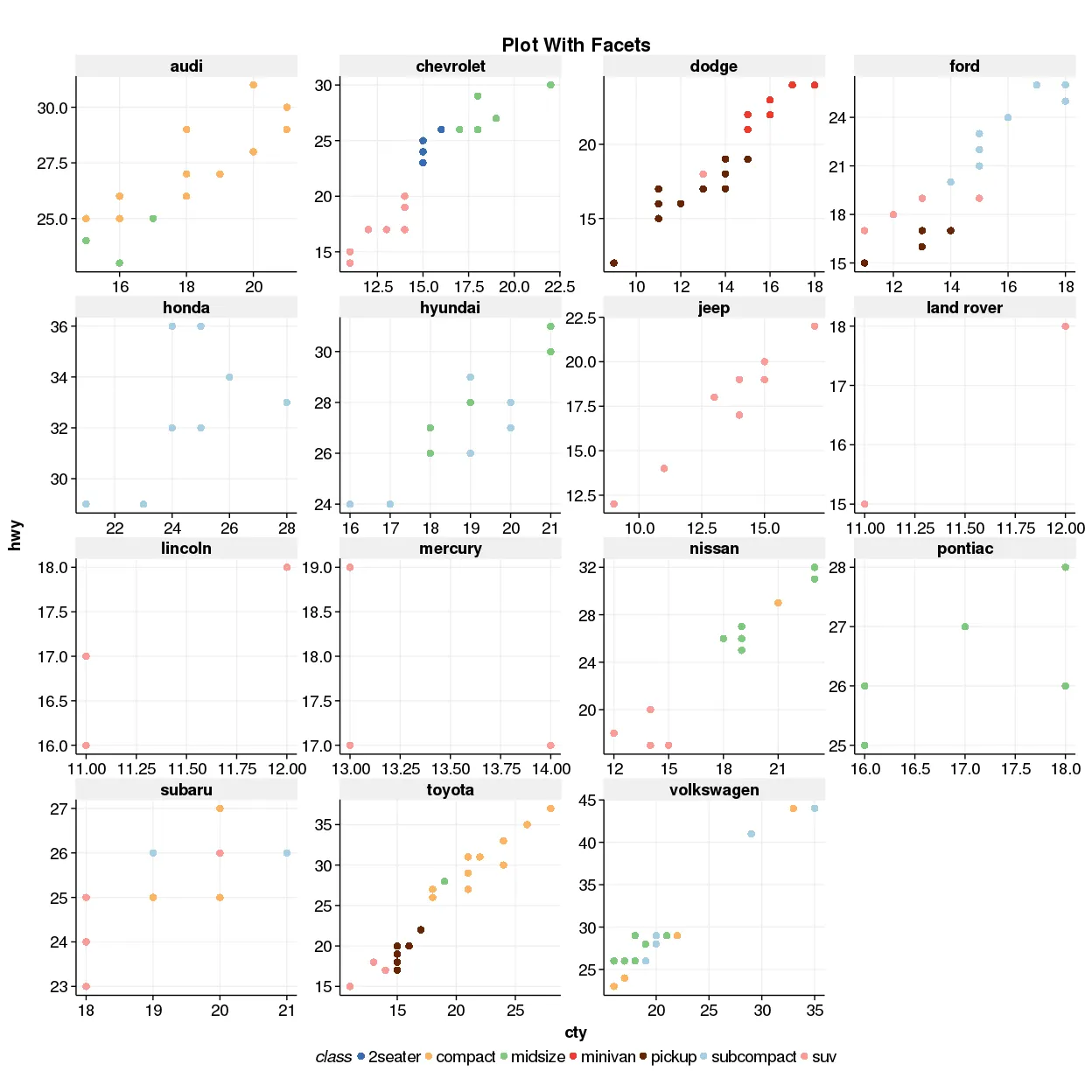
Example of scatter with ggplot-like styling
🚀 Setup
1. Install dependencies
npm install
2. Build & link Apache ECharts v6 locally
Since ECharts v6 is still unreleased, you’ll need to build and link it manually:
# Under apache/zrender
git checkout v6
npm install
npm run prepare
npm link

# Under apache/echarts
git checkout v6
npm install
npm link zrender
npm link
npm run prepare
npm run build

# In echarts-custom-series
cd custom-series/<series-name>
npm link echarts
🛠 Development
Create a new custom series
npm run generate <seriesName>
Use camelCase for multi-word names:
✅barRange| ❌bar-range
🧱 Build
Build all custom series
npm run build
Build one series
npm run build <series-name>
Example:
npm run build violin
🖼️ Generate Thumbnails
npm run thumbnail
# or only one
npm run thumbnail violin
These will appear in /screenshots and update the README preview.
📤 Publish to npm
TODO: Coming soon.
🔭 Roadmap
- Violin and density plots
- Line/Bar with ranges (confidence intervals)
- ggplot-style themes
- Boxplot, Beeswarm, Histogram
- Export helper: SVG / PNG / PDF
- Playground site with live editing
💬 Contributing
Pull requests are welcome! You can contribute new custom series, themes, or export helpers.
🪪 License
MIT © 2025 # echart-ggplot-style