fzf :heart: lua
April 7, 2023 · View on GitHub
fzf :heart: lua

Quickstart •Installation • Usage • Commands • Customization • Wiki
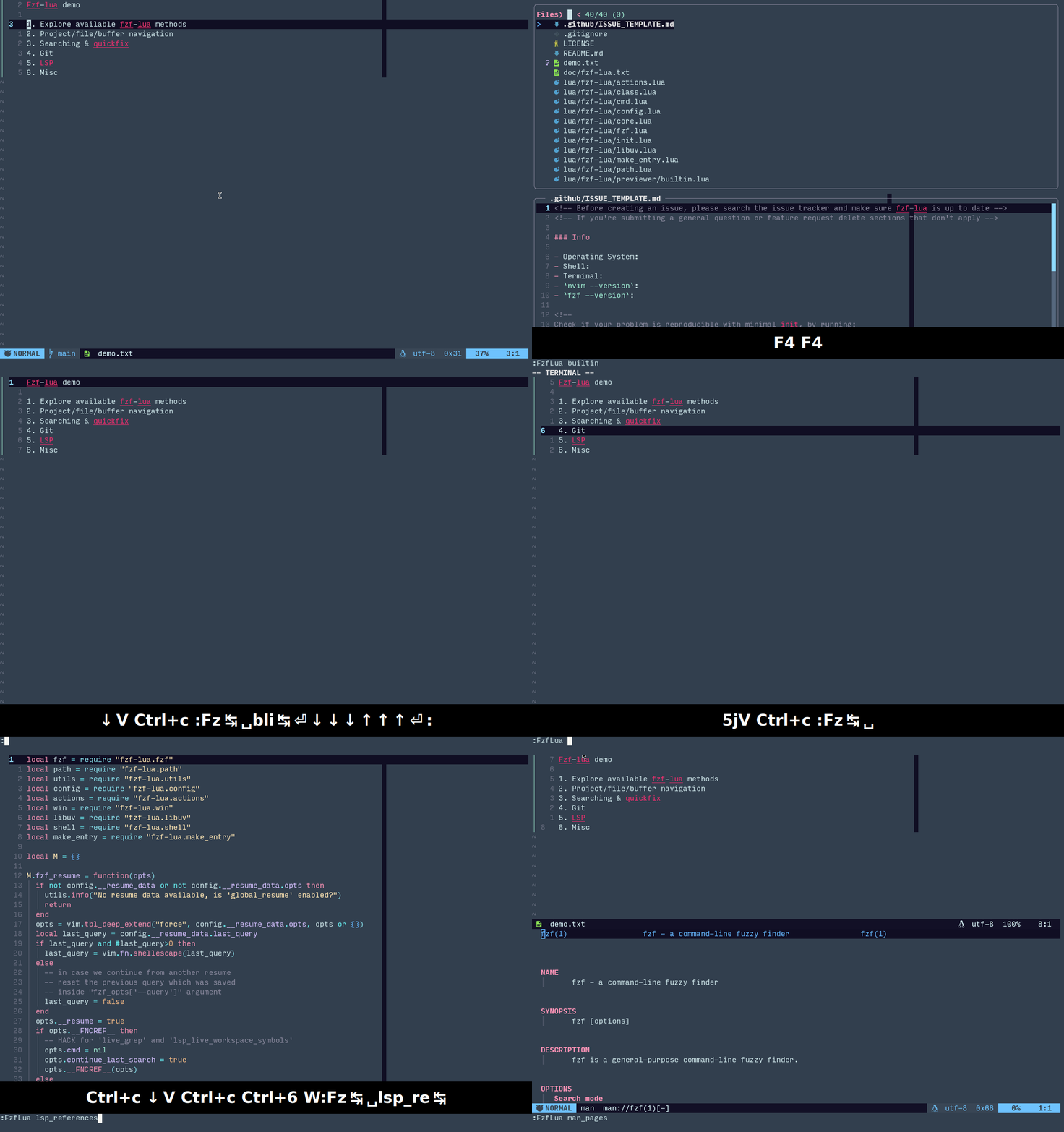
fzf changed my command life, it can change yours too, if you allow it.
Quickstart
To quickly test this plugin without changing your configuration run (will run in it's own sandbox with the default keybinds below):
sh -c "$(curl -s https://raw.githubusercontent.com/ibhagwan/fzf-lua/main/scripts/mini.sh)"
Note: it's good practice to first read the script before running
sh -cdirectly from the web
| Key | Command | Key | Command |
|---|---|---|---|
<C-\> | buffers | <C-p> | files |
<C-g> | grep | <C-l> | live_grep |
<C-k> | builtin commands | <F1> | neovim help |
Rationale
What more can be said about fzf? It is the single most impactful tool for my command line workflow, once I started using fzf I couldn’t see myself living without it.
To understand fzf properly I highly recommended fzf screencast by @samoshkin
This is my take on the original fzf.vim, written in lua for neovim 0.5, it builds on the elegant nvim-fzf as an async interface to create a performant and lightweight fzf client for neovim that rivals any of the new shiny fuzzy finders for neovim.
Why Fzf-Lua
... and not telescope or any other vim/neovim household name?
As @junegunn himself put it, “because you can
and you love fzf”.
If you’re happy with your current setup there is absolutely no reason to switch.
That said, without taking anything away from the greatness of other plugins I
found it more efficient having a uniform experience between my shell and my
nvim. In addition fzf has been a rock for me since I started using it and
hadn’t failed me once, it never hangs and can handle almost anything you throw
at it. That, and colorful file icons and git indicators!.
Dependencies
LinuxorMacOSneovimversion >0.5.0fzfversion >0.27(see note below) orskimbinary installed- nvim-web-devicons (optional)
fzfversion >0.27is recommended but it's still possible to usefzfversion >0.25by settingfzf_opts = { ['--border'] = false }, see Customization.
Optional dependencies
- fd - better
findutility - rg - better
greputility - bat - syntax highlighted previews when using fzf's native previewer
- delta - syntax highlighted git pager for git status previews
- nvim-dap - for Debug Adapter Protocol (DAP) support
Below are a few optional dependencies for viewing media files (which you need
to configure in previewer.builtin.extensions):
- chafa - terminal image previewer (recommended, supports most file formats)
- viu - terminal image previewer
- ueberzug - X11 image previewer
Installation

Using vim-plug
Plug 'ibhagwan/fzf-lua', {'branch': 'main'}
" optional for icon support
Plug 'nvim-tree/nvim-web-devicons'
Using packer.nvim
use { 'ibhagwan/fzf-lua',
  -- optional for icon support
  requires = { 'nvim-tree/nvim-web-devicons' }
}
Note: if you already have fzf installed you do not need to install
fzforfzf.vim, however if you do not have it installed, you only need fzf which can be installed with (fzf.vim is not a requirement nor conflict):Plug 'junegunn/fzf', { 'do': { -> fzf#install() } }or with packer.nvim:
use = { 'junegunn/fzf', run = './install --bin', }
Usage
Fzf-lua aims to be as plug and play as possible with sane defaults, you can run any fzf-lua command like this:
:lua require('fzf-lua').files()
-- or using the `FzfLua` vim command:
:FzfLua files
or with arguments:
:lua require('fzf-lua').files({ cwd = '~/.config' })
-- or using the `FzfLua` vim command:
:FzfLua files cwd=~/.config
which can be easily mapped to:
nnoremap <c-P> <cmd>lua require('fzf-lua').files()<CR>
or if using init.lua:
vim.keymap.set("n", "<c-P>",
  "<cmd>lua require('fzf-lua').files()<CR>", { silent = true })
Commands
Buffers and Files
| Command | List |
|---|---|
buffers | open buffers |
files | find or fd on a path |
oldfiles | opened files history |
quickfix | quickfix list |
quickfix_stack | quickfix stack |
loclist | location list |
loclist_stack | location stack |
lines | open buffers lines |
blines | current buffer lines |
tabs | open tabs |
args | argument list |
Search
| Command | List |
|---|---|
grep | search for a pattern with grep or rg |
grep_last | run search again with the last pattern |
grep_cword | search word under cursor |
grep_cWORD | search WORD under cursor |
grep_visual | search visual selection |
grep_project | search all project lines (fzf.vim's :Rg) |
grep_curbuf | search current buffer lines |
lgrep_curbuf | live grep current buffer |
live_grep | live grep current project |
live_grep_resume | live grep continue last search |
live_grep_glob | live_grep with rg --glob support |
live_grep_native | performant version of live_grep |
Tags
| Command | List |
|---|---|
tags | search project tags |
btags | search buffer tags |
tags_grep | grep project tags |
tags_grep_cword | tags_grep word under cursor |
tags_grep_cWORD | tags_grep WORD under cursor |
tags_grep_visual | tags_grep visual selection |
tags_live_grep | live grep project tags |
Git
| Command | List |
|---|---|
git_files | git ls-files |
git_status | git status |
git_commits | git commit log (project) |
git_bcommits | git commit log (buffer) |
git_branches | git branches |
git_stash | git stash |
LSP/Diagnostics
| Command | List |
|---|---|
lsp_references | References |
lsp_definitions | Definitions |
lsp_declarations | Declarations |
lsp_typedefs | Type Definitions |
lsp_implementations | Implementations |
lsp_document_symbols | Document Symbols |
lsp_workspace_symbols | Workspace Symbols |
lsp_live_workspace_symbols | Workspace Symbols (live query) |
lsp_code_actions | Code Actions |
lsp_incoming_calls | Incoming Calls |
lsp_outgoing_calls | Outgoing Calls |
lsp_finder | All LSP locations, combined view |
diagnostics_document | Document Diagnostics |
diagnostics_workspace | Workspace Diagnostics |
lsp_document_diagnostics | alias to diagnostics_document |
lsp_workspace_diagnostics | alias to diagnostics_workspace |
Misc
| Command | List |
|---|---|
resume | resume last command/query |
builtin | fzf-lua builtin commands |
profiles | fzf-lua configuration profiles |
help_tags | help tags |
man_pages | man pages |
colorschemes | color schemes |
highlights | highlight groups |
commands | neovim commands |
command_history | command history |
search_history | search history |
marks | :marks |
jumps | :jumps |
changes | :changes |
registers | :registers |
tagstack | :tags |
autocmds | :autocmd |
keymaps | key mappings |
filetypes | filetypes |
menus | menus |
spell_suggest | spelling suggestions |
packadd | :packadd |
Neovim API
:help vim.ui.selectfor more info
| Command | List |
|---|---|
register_ui_select | register fzf-lua as the UI interface for vim.ui.select |
deregister_ui_select | de-register fzf-lua with vim.ui.select |
nvim-dap
Requires
nvim-dap
| Command | List |
|---|---|
dap_commands | list,run nvim-dap builtin commands |
dap_configurations | list,run debug configurations |
dap_breakpoints | list,delete breakpoints |
dap_variables | active session variables |
dap_frames | active session jump to frame |
tmux
| Command | List |
|---|---|
tmux_buffers | list tmux paste buffers |
Completion functions
| Command | List |
|---|---|
fzf_complete | custom completion (see below) |
complete_path | complete path under cursor (incl dirs) |
complete_file | complete file under cursor (excl dirs) |
complete_line | complete line (all open buffers) |
complete_bline | complete line (current buffer only) |
Customization
ADVANCED CUSTOMIZATION : to create your own fzf-lua commands see Wiki/ADVANCED
Customization can be achieved by calling the setup() function (optional) or
individually sending parameters to a builtin command, A few examples below:
Different
fzflayout:
:lua require('fzf-lua').files({ fzf_opts = {['--layout'] = 'reverse-list'} })
Using
fileswith a different command and working directory:
:lua require'fzf-lua'.files({ prompt="LS> ", cmd = "ls", cwd="~/<folder>" })
Using
live_grepwithgit grep:
:lua require'fzf-lua'.live_grep({ cmd = "git grep --line-number --column --color=always" })
colorschemeswith non-default window size:
:lua require'fzf-lua'.colorschemes({ winopts = { height=0.33, width=0.33 } })
Use setup() If you wish for a setting to persist and not have to send it using the call
arguments, e.g:
require('fzf-lua').setup{
  winopts = {
    ...
  }
}
Can also be called from a .vim file:
lua << EOF
require('fzf-lua').setup{
  ...
}
EOF
Profiles
Conviniently, fzf-lua comes with a set of preconfigured profiles, notably:
| Profile | Details |
|---|---|
default | fzf-lua defaults, uses neovim "builtin" previewer and devicons (if available) for git/files/buffers |
fzf-native | utilizes fzf's native previewing ability in the terminal where possible using bat for previews |
fzf-tmux | similar to fzf-native and opens in a tmux popup (requires tmux > 3.2) |
max-perf | similar to fzf-native and disables icons globally for max performance |
telescope | closest match to telescope defaults in look and feel and keybinds |
skim | uses skim as an fzf alternative, (requires the sk binary) |
Use :FzfLua profiles to experiment with the different profiles, once you've found what
you like and wish to make the profile persist, send a string argument at the first index
of the table sent to the setup function:
require('fzf-lua').setup({'fzf-native'})
Note:
setupcan be called multiple times for profile "live" switching
You can also start with a profile as "baseline" and customize it, for example,
telescope defaults with bat previewer:
:lua require"fzf-lua".setup({"telescope",winopts={preview={default="bat"}}})
See profiles for more info.
Insert-mode completion
Fzf-lua comes with a set of completion functions for paths/files and lines from open buffers as
well as custom completion, for example, set path/completion using <C-x><C-f>:
inoremap <c-x><c-f> <cmd>lua require("fzf-lua").complete_path()<cr>
Or in all modes using lua:
vim.keymap.set({ "n", "v", "i" }, "<C-x><C-f>",
  function() require("fzf-lua").complete_path() end,
  { silent = true, desc = "Fuzzy complete path" })
Or with a custom command and preview:
vim.keymap.set({ "i" }, "<C-x><C-f>",
  function()
    require("fzf-lua").complete_file({
      cmd = "rg --files",
      winopts = { preview = { hidden = "nohidden" } }
    })
  end, { silent = true, desc = "Fuzzy complete file" })
Note: only
complete_filesupports a previewer
Custom completion
Custom completion is also possible using fzf_complete, the signature for fzf_complete is
equivalent to fzf_exec = function(contents, [opts]), for more info how to use the API, please refer to Wiki/ADVANCED.
Default Options
Below is a list of most (still, not all default settings), please also consult the issues if there's something you need and you can't find as there have been many obscure requests which have been fulfilled and are yet to be documented. If you're still having issues and/or questions do not hesitate to open an issue and I'll be more than happy to help.
CLICK HERE TO EXPLORE THE DEFAULT OPTIONS
local actions = require "fzf-lua.actions"
require'fzf-lua'.setup {
-- fzf_bin = 'sk', -- use skim instead of fzf?
-- https://github.com/lotabout/skim
-- can also be set to 'fzf-tmux'
winopts = {
-- split = "belowright new",-- open in a split instead?
-- "belowright new" : split below
-- "aboveleft new" : split above
-- "belowright vnew" : split right
-- "aboveleft vnew : split left
-- Only valid when using a float window
-- (i.e. when 'split' is not defined, default)
height = 0.85, -- window height
width = 0.80, -- window width
row = 0.35, -- window row position (0=top, 1=bottom)
col = 0.50, -- window col position (0=left, 1=right)
-- border argument passthrough to nvim_open_win(), also used
-- to manually draw the border characters around the preview
-- window, can be set to 'false' to remove all borders or to
-- 'none', 'single', 'double', 'thicc' or 'rounded' (default)
border = { '╭', '─', '╮', '│', '╯', '─', '╰', '│' },
fullscreen = false, -- start fullscreen?
-- highlights should optimally be set by the colorscheme using
-- FzfLuaXXX highlights. If your colorscheme doesn't set these
-- or you wish to override its defaults use these:
--[[ hl = {
normal = 'Normal', -- window normal color (fg+bg)
border = 'FloatBorder', -- border color
help_normal = 'Normal', -- <F1> window normal
help_border = 'FloatBorder', -- <F1> window border
-- Only used with the builtin previewer:
cursor = 'Cursor', -- cursor highlight (grep/LSP matches)
cursorline = 'CursorLine', -- cursor line
cursorlinenr = 'CursorLineNr', -- cursor line number
search = 'IncSearch', -- search matches (ctags|help)
title = 'Normal', -- preview border title (file/buffer)
-- Only used with 'winopts.preview.scrollbar = 'float'
scrollfloat_e = 'PmenuSbar', -- scrollbar "empty" section highlight
scrollfloat_f = 'PmenuThumb', -- scrollbar "full" section highlight
-- Only used with 'winopts.preview.scrollbar = 'border'
scrollborder_e = 'FloatBorder', -- scrollbar "empty" section highlight
scrollborder_f = 'FloatBorder', -- scrollbar "full" section highlight
}, ]]
preview = {
-- default = 'bat', -- override the default previewer?
-- default uses the 'builtin' previewer
border = 'border', -- border|noborder, applies only to
-- native fzf previewers (bat/cat/git/etc)
wrap = 'nowrap', -- wrap|nowrap
hidden = 'nohidden', -- hidden|nohidden
vertical = 'down:45%', -- up|down:size
horizontal = 'right:60%', -- right|left:size
layout = 'flex', -- horizontal|vertical|flex
flip_columns = 120, -- #cols to switch to horizontal on flex
-- Only used with the builtin previewer:
title = true, -- preview border title (file/buf)?
title_align = "left", -- left|center|right, title alignment
scrollbar = 'float', -- `false` or string:'float|border'
-- float: in-window floating border
-- border: in-border chars (see below)
scrolloff = '-2', -- float scrollbar offset from right
-- applies only when scrollbar = 'float'
scrollchars = {'█', '' }, -- scrollbar chars ({ <full>, <empty> }
-- applies only when scrollbar = 'border'
delay = 100, -- delay(ms) displaying the preview
-- prevents lag on fast scrolling
winopts = { -- builtin previewer window options
number = true,
relativenumber = false,
cursorline = true,
cursorlineopt = 'both',
cursorcolumn = false,
signcolumn = 'no',
list = false,
foldenable = false,
foldmethod = 'manual',
},
},
on_create = function()
-- called once upon creation of the fzf main window
-- can be used to add custom fzf-lua mappings, e.g:
-- vim.keymap.set("t", "<C-j>", "<Down>", { silent = true, buffer = true })
end,
},
keymap = {
-- These override the default tables completely
-- no need to set to `false` to disable a bind
-- delete or modify is sufficient
builtin = {
-- neovim `:tmap` mappings for the fzf win
["<F1>"] = "toggle-help",
["<F2>"] = "toggle-fullscreen",
-- Only valid with the 'builtin' previewer
["<F3>"] = "toggle-preview-wrap",
["<F4>"] = "toggle-preview",
-- Rotate preview clockwise/counter-clockwise
["<F5>"] = "toggle-preview-ccw",
["<F6>"] = "toggle-preview-cw",
["<S-down>"] = "preview-page-down",
["<S-up>"] = "preview-page-up",
["<S-left>"] = "preview-page-reset",
},
fzf = {
-- fzf '--bind=' options
["ctrl-z"] = "abort",
["ctrl-u"] = "unix-line-discard",
["ctrl-f"] = "half-page-down",
["ctrl-b"] = "half-page-up",
["ctrl-a"] = "beginning-of-line",
["ctrl-e"] = "end-of-line",
["alt-a"] = "toggle-all",
-- Only valid with fzf previewers (bat/cat/git/etc)
["f3"] = "toggle-preview-wrap",
["f4"] = "toggle-preview",
["shift-down"] = "preview-page-down",
["shift-up"] = "preview-page-up",
},
},
actions = {
-- These override the default tables completely
-- no need to set to `false` to disable an action
-- delete or modify is sufficient
files = {
-- providers that inherit these actions:
-- files, git_files, git_status, grep, lsp
-- oldfiles, quickfix, loclist, tags, btags
-- args
-- default action opens a single selection
-- or sends multiple selection to quickfix
-- replace the default action with the below
-- to open all files whether single or multiple
-- ["default"] = actions.file_edit,
["default"] = actions.file_edit_or_qf,
["ctrl-s"] = actions.file_split,
["ctrl-v"] = actions.file_vsplit,
["ctrl-t"] = actions.file_tabedit,
["alt-q"] = actions.file_sel_to_qf,
["alt-l"] = actions.file_sel_to_ll,
},
buffers = {
-- providers that inherit these actions:
-- buffers, tabs, lines, blines
["default"] = actions.buf_edit,
["ctrl-s"] = actions.buf_split,
["ctrl-v"] = actions.buf_vsplit,
["ctrl-t"] = actions.buf_tabedit,
}
},
fzf_opts = {
-- options are sent as `<left>=<right>`
-- set to `false` to remove a flag
-- set to '' for a non-value flag
-- for raw args use `fzf_args` instead
['--ansi'] = '',
['--info'] = 'inline',
['--height'] = '100%',
['--layout'] = 'reverse',
['--border'] = 'none',
},
-- Only used when fzf_bin = "fzf-tmux", by default opens as a
-- popup 80% width, 80% height (note `-p` requires tmux > 3.2)
-- and removes the sides margin added by `fzf-tmux` (fzf#3162)
-- for more options run `fzf-tmux --help`
fzf_tmux_opts = { ["-p"] = "80%,80%", ["--margin"] = "0,0" },
-- fzf '--color=' options (optional)
--[[ fzf_colors = {
["fg"] = { "fg", "CursorLine" },
["bg"] = { "bg", "Normal" },
["hl"] = { "fg", "Comment" },
["fg+"] = { "fg", "Normal" },
["bg+"] = { "bg", "CursorLine" },
["hl+"] = { "fg", "Statement" },
["info"] = { "fg", "PreProc" },
["prompt"] = { "fg", "Conditional" },
["pointer"] = { "fg", "Exception" },
["marker"] = { "fg", "Keyword" },
["spinner"] = { "fg", "Label" },
["header"] = { "fg", "Comment" },
["gutter"] = { "bg", "Normal" },
}, ]]
previewers = {
cat = {
cmd = "cat",
args = "--number",
},
bat = {
cmd = "bat",
args = "--style=numbers,changes --color always",
theme = 'Coldark-Dark', -- bat preview theme (bat --list-themes)
config = nil, -- nil uses $BAT_CONFIG_PATH
},
head = {
cmd = "head",
args = nil,
},
git_diff = {
cmd_deleted = "git diff --color HEAD --",
cmd_modified = "git diff --color HEAD",
cmd_untracked = "git diff --color --no-index /dev/null",
-- uncomment if you wish to use git-delta as pager
-- can also be set under 'git.status.preview_pager'
-- pager = "delta --width=$FZF_PREVIEW_COLUMNS",
},
man = {
-- NOTE: remove the `-c` flag when using man-db
-- replace with `man -P cat %s | col -bx` on OSX
cmd = "man -c %s | col -bx",
},
builtin = {
syntax = true, -- preview syntax highlight?
syntax_limit_l = 0, -- syntax limit (lines), 0=nolimit
syntax_limit_b = 1024*1024, -- syntax limit (bytes), 0=nolimit
limit_b = 1024*1024*10, -- preview limit (bytes), 0=nolimit
-- previewer treesitter options:
-- enable specific filetypes with: `{ enable = { "lua" } }
-- exclude specific filetypes with: `{ disable = { "lua" } }
-- disable fully with: `{ enable = false }`
treesitter = { enable = true, disable = {} },
-- By default, the main window dimensions are calculted as if the
-- preview is visible, when hidden the main window will extend to
-- full size. Set the below to "extend" to prevent the main window
-- from being modified when toggling the preview.
toggle_behavior = "default",
-- preview extensions using a custom shell command:
-- for example, use `viu` for image previews
-- will do nothing if `viu` isn't executable
extensions = {
-- neovim terminal only supports `viu` block output
["png"] = { "viu", "-b" },
["svg"] = { "chafa" },
["jpg"] = { "ueberzug" },
},
-- if using `ueberzug` in the above extensions map
-- set the default image scaler, possible scalers:
-- false (none), "crop", "distort", "fit_contain",
-- "contain", "forced_cover", "cover"
-- https://github.com/seebye/ueberzug
ueberzug_scaler = "cover",
},
},
-- provider setup
files = {
-- previewer = "bat", -- uncomment to override previewer
-- (name from 'previewers' table)
-- set to 'false' to disable
prompt = 'Files❯ ',
multiprocess = true, -- run command in a separate process
git_icons = true, -- show git icons?
file_icons = true, -- show file icons?
color_icons = true, -- colorize file|git icons
-- path_shorten = 1, -- 'true' or number, shorten path?
-- executed command priority is 'cmd' (if exists)
-- otherwise auto-detect prioritizes `fd`:`rg`:`find`
-- default options are controlled by 'fd|rg|find|_opts'
-- NOTE: 'find -printf' requires GNU find
-- cmd = "find . -type f -printf '%P\n'",
find_opts = [[-type f -not -path '*/\.git/*' -printf '%P\n']],
rg_opts = "--color=never --files --hidden --follow -g '!.git'",
fd_opts = "--color=never --type f --hidden --follow --exclude .git",
-- by default, cwd appears in the header only if {opts} contain a cwd
-- parameter to a different folder than the current working directory
-- uncomment if you wish to force display of the cwd as part of the
-- query prompt string (fzf.vim style), header line or both
-- show_cwd_prompt = true,
-- show_cwd_header = true,
actions = {
-- inherits from 'actions.files', here we can override
-- or set bind to 'false' to disable a default action
["default"] = actions.file_edit,
-- custom actions are available too
["ctrl-y"] = function(selected) print(selected[1]) end,
}
},
git = {
files = {
prompt = 'GitFiles❯ ',
cmd = 'git ls-files --exclude-standard',
multiprocess = true, -- run command in a separate process
git_icons = true, -- show git icons?
file_icons = true, -- show file icons?
color_icons = true, -- colorize file|git icons
-- force display the cwd header line regardles of your current working
-- directory can also be used to hide the header when not wanted
-- show_cwd_header = true
},
status = {
prompt = 'GitStatus❯ ',
-- consider using `git status -su` if you wish to see
-- untracked files individually under their subfolders
cmd = "git -c color.status=false status -s",
file_icons = true,
git_icons = true,
color_icons = true,
previewer = "git_diff",
-- uncomment if you wish to use git-delta as pager
--preview_pager = "delta --width=$FZF_PREVIEW_COLUMNS",
actions = {
-- actions inherit from 'actions.files' and merge
["right"] = { actions.git_unstage, actions.resume },
["left"] = { actions.git_stage, actions.resume },
},
},
commits = {
prompt = 'Commits❯ ',
cmd = "git log --color --pretty=format:'%C(yellow)%h%Creset %Cgreen(%><(12)%cr%><|(12))%Creset %s %C(blue)<%an>%Creset'",
preview = "git show --pretty='%Cred%H%n%Cblue%an <%ae>%n%C(yellow)%cD%n%Cgreen%s' --color {1}",
-- uncomment if you wish to use git-delta as pager
--preview_pager = "delta --width=$FZF_PREVIEW_COLUMNS",
actions = {
["default"] = actions.git_checkout,
},
},
bcommits = {
prompt = 'BCommits❯ ',
-- default preview shows a git diff vs the previous commit
-- if you prefer to see the entire commit you can use:
-- git show --color {1} --rotate-to=<file>
-- {1} : commit SHA (fzf field index expression)
-- <file> : filepath placement within the commands
cmd = "git log --color --pretty=format:'%C(yellow)%h%Creset %Cgreen(%><(12)%cr%><|(12))%Creset %s %C(blue)<%an>%Creset' <file>",
preview = "git diff --color {1}~1 {1} -- <file>",
-- uncomment if you wish to use git-delta as pager
--preview_pager = "delta --width=$FZF_PREVIEW_COLUMNS",
actions = {
["default"] = actions.git_buf_edit,
["ctrl-s"] = actions.git_buf_split,
["ctrl-v"] = actions.git_buf_vsplit,
["ctrl-t"] = actions.git_buf_tabedit,
},
},
branches = {
prompt = 'Branches❯ ',
cmd = "git branch --all --color",
preview = "git log --graph --pretty=oneline --abbrev-commit --color {1}",
actions = {
["default"] = actions.git_switch,
},
},
stash = {
prompt = 'Stash> ',
cmd = "git --no-pager stash list",
preview = "git --no-pager stash show --patch --color {1}",
actions = {
["default"] = actions.git_stash_apply,
["ctrl-x"] = { actions.git_stash_drop, actions.resume },
},
fzf_opts = {
["--no-multi"] = '',
['--delimiter'] = "'[:]'",
},
},
icons = {
["M"] = { icon = "M", color = "yellow" },
["D"] = { icon = "D", color = "red" },
["A"] = { icon = "A", color = "green" },
["R"] = { icon = "R", color = "yellow" },
["C"] = { icon = "C", color = "yellow" },
["T"] = { icon = "T", color = "magenta" },
["?"] = { icon = "?", color = "magenta" },
-- override git icons?
-- ["M"] = { icon = "★", color = "red" },
-- ["D"] = { icon = "✗", color = "red" },
-- ["A"] = { icon = "+", color = "green" },
},
},
grep = {
prompt = 'Rg❯ ',
input_prompt = 'Grep For❯ ',
multiprocess = true, -- run command in a separate process
git_icons = true, -- show git icons?
file_icons = true, -- show file icons?
color_icons = true, -- colorize file|git icons
-- executed command priority is 'cmd' (if exists)
-- otherwise auto-detect prioritizes `rg` over `grep`
-- default options are controlled by 'rg|grep_opts'
-- cmd = "rg --vimgrep",
grep_opts = "--binary-files=without-match --line-number --recursive --color=auto --perl-regexp",
rg_opts = "--column --line-number --no-heading --color=always --smart-case --max-columns=4096",
-- set to 'true' to always parse globs in both 'grep' and 'live_grep'
-- search strings will be split using the 'glob_separator' and translated
-- to '--iglob=' arguments, requires 'rg'
-- can still be used when 'false' by calling 'live_grep_glob' directly
rg_glob = false, -- default to glob parsing?
glob_flag = "--iglob", -- for case sensitive globs use '--glob'
glob_separator = "%s%-%-", -- query separator pattern (lua): ' --'
-- advanced usage: for custom argument parsing define
-- 'rg_glob_fn' to return a pair:
-- first returned argument is the new search query
-- second returned argument are addtional rg flags
-- rg_glob_fn = function(query, opts)
-- ...
-- return new_query, flags
-- end,
actions = {
-- actions inherit from 'actions.files' and merge
-- this action toggles between 'grep' and 'live_grep'
["ctrl-g"] = { actions.grep_lgrep }
},
no_header = false, -- hide grep|cwd header?
no_header_i = false, -- hide interactive header?
},
args = {
prompt = 'Args❯ ',
files_only = true,
-- actions inherit from 'actions.files' and merge
actions = { ["ctrl-x"] = { actions.arg_del, actions.resume } }
},
oldfiles = {
prompt = 'History❯ ',
cwd_only = false,
stat_file = true, -- verify files exist on disk
include_current_session = false, -- include bufs from current session
},
buffers = {
prompt = 'Buffers❯ ',
file_icons = true, -- show file icons?
color_icons = true, -- colorize file|git icons
sort_lastused = true, -- sort buffers() by last used
cwd_only = false, -- buffers for the cwd only
cwd = nil, -- buffers list for a given dir
actions = {
-- actions inherit from 'actions.buffers' and merge
-- by supplying a table of functions we're telling
-- fzf-lua to not close the fzf window, this way we
-- can resume the buffers picker on the same window
-- eliminating an otherwise unaesthetic win "flash"
["ctrl-x"] = { actions.buf_del, actions.resume },
}
},
tabs = {
prompt = 'Tabs❯ ',
tab_title = "Tab",
tab_marker = "<<",
file_icons = true, -- show file icons?
color_icons = true, -- colorize file|git icons
actions = {
-- actions inherit from 'actions.buffers' and merge
["default"] = actions.buf_switch,
["ctrl-x"] = { actions.buf_del, actions.resume },
},
fzf_opts = {
-- hide tabnr
['--delimiter'] = "'[\\):]'",
["--with-nth"] = '2..',
},
},
lines = {
previewer = "builtin", -- set to 'false' to disable
prompt = 'Lines❯ ',
show_unlisted = false, -- exclude 'help' buffers
no_term_buffers = true, -- exclude 'term' buffers
fzf_opts = {
-- do not include bufnr in fuzzy matching
-- tiebreak by line no.
['--delimiter'] = "'[\\]:]'",
["--nth"] = '2..',
["--tiebreak"] = 'index',
["--tabstop"] = "1",
},
-- actions inherit from 'actions.buffers' and merge
actions = {
["default"] = actions.buf_edit_or_qf,
["alt-q"] = actions.buf_sel_to_qf,
["alt-l"] = actions.buf_sel_to_ll
},
},
blines = {
previewer = "builtin", -- set to 'false' to disable
prompt = 'BLines❯ ',
show_unlisted = true, -- include 'help' buffers
no_term_buffers = false, -- include 'term' buffers
fzf_opts = {
-- hide filename, tiebreak by line no.
['--delimiter'] = "'[\\]:]'",
["--with-nth"] = '2..',
["--tiebreak"] = 'index',
["--tabstop"] = "1",
},
-- actions inherit from 'actions.buffers' and merge
actions = {
["default"] = actions.buf_edit_or_qf,
["alt-q"] = actions.buf_sel_to_qf,
["alt-l"] = actions.buf_sel_to_ll
},
},
tags = {
prompt = 'Tags❯ ',
ctags_file = nil, -- auto-detect from tags-option
multiprocess = true,
file_icons = true,
git_icons = true,
color_icons = true,
-- 'tags_live_grep' options, `rg` prioritizes over `grep`
rg_opts = "--no-heading --color=always --smart-case",
grep_opts = "--color=auto --perl-regexp",
actions = {
-- actions inherit from 'actions.files' and merge
-- this action toggles between 'grep' and 'live_grep'
["ctrl-g"] = { actions.grep_lgrep }
},
no_header = false, -- hide grep|cwd header?
no_header_i = false, -- hide interactive header?
},
btags = {
prompt = 'BTags❯ ',
ctags_file = nil, -- auto-detect from tags-option
ctags_autogen = false, -- dynamically generate ctags each call
multiprocess = true,
file_icons = true,
git_icons = true,
color_icons = true,
rg_opts = "--no-heading --color=always",
grep_opts = "--color=auto --perl-regexp",
fzf_opts = {
['--delimiter'] = "'[\\]:]'",
["--with-nth"] = '2..',
["--tiebreak"] = 'index',
},
-- actions inherit from 'actions.files'
},
colorschemes = {
prompt = 'Colorschemes❯ ',
live_preview = true, -- apply the colorscheme on preview?
actions = { ["default"] = actions.colorscheme, },
winopts = { height = 0.55, width = 0.30, },
post_reset_cb = function()
-- reset statusline highlights after
-- a live_preview of the colorscheme
-- require('feline').reset_highlights()
end,
},
quickfix = {
file_icons = true,
git_icons = true,
},
quickfix_stack = {
prompt = "Quickfix Stack> ",
marker = ">", -- current list marker
},
lsp = {
prompt_postfix = '❯ ', -- will be appended to the LSP label
-- to override use 'prompt' instead
cwd_only = false, -- LSP/diagnostics for cwd only?
async_or_timeout = 5000, -- timeout(ms) or 'true' for async calls
file_icons = true,
git_icons = false,
-- The equivalent of using `includeDeclaration` in lsp buf calls, e.g:
-- :lua vim.lsp.buf.references({includeDeclaration = false})
includeDeclaration = true, -- include current declaration in LSP context
-- settings for 'lsp_{document|workspace|lsp_live_workspace}_symbols'
symbols = {
async_or_timeout = true, -- symbols are async by default
symbol_style = 1, -- style for document/workspace symbols
-- false: disable, 1: icon+kind
-- 2: icon only, 3: kind only
-- NOTE: icons are extracted from
-- vim.lsp.protocol.CompletionItemKind
-- icons for symbol kind
-- see https://microsoft.github.io/language-server-protocol/specifications/lsp/3.17/specification/#symbolKind
-- see https://github.com/neovim/neovim/blob/829d92eca3d72a701adc6e6aa17ccd9fe2082479/runtime/lua/vim/lsp/protocol.lua#L117
symbol_icons = {
File = "",
Module = "",
Namespace = "",
Package = "",
Class = "",
Method = "",
Property = "",
Field = "",
Constructor = "",
Enum = "",
Interface = "",
Function = "",
Variable = "",
Constant = "",
String = "",
Number = "",
Boolean = "",
Array = "",
Object = "",
Key = "",
Null = "",
EnumMember = "",
Struct = "",
Event = "",
Operator = "",
TypeParameter = "",
},
-- colorize using Treesitter '@' highlight groups ("@function", etc).
-- or 'false' to disable highlighting
symbol_hl = function(s) return "@" .. s:lower() end,
-- additional symbol formatting, works with or without style
symbol_fmt = function(s, opts) return "[" .. s .. "]" end,
-- prefix child symbols. set to any string or `false` to disable
child_prefix = true,
},
code_actions = {
prompt = 'Code Actions> ',
async_or_timeout = 5000,
winopts = {
row = 0.40,
height = 0.35,
width = 0.60,
},
},
finder = {
prompt = "LSP Finder> ",
file_icons = true,
color_icons = true,
git_icons = false,
async = true, -- async by default
silent = true, -- suppress "not found"
separator = "| ", -- separator after provider prefix, `false` to disable
includeDeclaration = true, -- include current declaration in LSP context
-- by default display all LSP locations
-- to customize, duplicate table and delete unwanted providers
providers = {
{ "references", prefix = require("fzf-lua").utils.ansi_codes.blue("ref ") },
{ "definitions", prefix = require("fzf-lua").utils.ansi_codes.green("def ") },
{ "declarations", prefix = require("fzf-lua").utils.ansi_codes.magenta("decl") },
{ "typedefs", prefix = require("fzf-lua").utils.ansi_codes.red("tdef") },
{ "implementations", prefix = require("fzf-lua").utils.ansi_codes.green("impl") },
{ "incoming_calls", prefix = require("fzf-lua").utils.ansi_codes.cyan("in ") },
{ "outgoing_calls", prefix = require("fzf-lua").utils.ansi_codes.yellow("out ") },
},
}
},
diagnostics ={
prompt = 'Diagnostics❯ ',
cwd_only = false,
file_icons = true,
git_icons = false,
diag_icons = true,
icon_padding = '', -- add padding for wide diagnostics signs
-- by default icons and highlights are extracted from 'DiagnosticSignXXX'
-- and highlighted by a highlight group of the same name (which is usually
-- set by your colorscheme, for more info see:
-- :help DiagnosticSignHint'
-- :help hl-DiagnosticSignHint'
-- only uncomment below if you wish to override the signs/highlights
-- define only text, texthl or both (':help sign_define()' for more info)
-- signs = {
-- ["Error"] = { text = "", texthl = "DiagnosticError" },
-- ["Warn"] = { text = "", texthl = "DiagnosticWarn" },
-- ["Info"] = { text = "", texthl = "DiagnosticInfo" },
-- ["Hint"] = { text = "", texthl = "DiagnosticHint" },
-- },
-- limit to specific severity, use either a string or num:
-- 1 or "hint"
-- 2 or "information"
-- 3 or "warning"
-- 4 or "error"
-- severity_only: keep any matching exact severity
-- severity_limit: keep any equal or more severe (lower)
-- severity_bound: keep any equal or less severe (higher)
},
complete_path = {
cmd = nil, -- default: auto detect fd|rg|find
actions = { ["default"] = actions.complete_insert },
},
complete_file = {
cmd = nil, -- default: auto detect rg|fd|find
file_icons = true,
color_icons = true,
git_icons = false,
-- actions inherit from 'actions.files' and merge
actions = { ["default"] = actions.complete_insert },
-- previewer hidden by default
winopts = { preview = { hidden = "hidden" } },
},
-- uncomment to use the old help previewer which used a
-- minimized help window to generate the help tag preview
-- helptags = { previewer = "help_tags" },
-- uncomment to use `man` command as native fzf previewer
-- (instead of using a neovim floating window)
-- manpages = { previewer = "man_native" },
--
-- optional override of file extension icon colors
-- available colors (terminal):
-- clear, bold, black, red, green, yellow
-- blue, magenta, cyan, grey, dark_grey, white
file_icon_colors = {
["sh"] = "green",
},
-- padding can help kitty term users with
-- double-width icon rendering
file_icon_padding = '',
-- uncomment if your terminal/font does not support unicode character
-- 'EN SPACE' (U+2002), the below sets it to 'NBSP' (U+00A0) instead
-- nbsp = '\xc2\xa0',
}
Customizing Highlights
FzfLua conviniently creates the below highlights:
  -- key is the highlight group name
  -- value[1] is the setup/call arg option name
  -- value[2] is the default link if value[1] is undefined
  FzfLuaNormal = { 'winopts.hl.normal', "Normal" },
  FzfLuaBorder = { 'winopts.hl.border', "Normal" },
  FzfLuaCursor = { 'winopts.hl.cursor', "Cursor" },
  FzfLuaCursorLine = { 'winopts.hl.cursorline', "CursorLine" },
  FzfLuaCursorLineNr = { 'winopts.hl.cursornr', "CursorLineNr" },
  FzfLuaSearch = { 'winopts.hl.search', "IncSearch" },
  FzfLuaTitle = { 'winopts.hl.title', "FzfLuaNormal" },
  FzfLuaScrollBorderEmpty = { 'winopts.hl.scrollborder_e', "FzfLuaBorder" },
  FzfLuaScrollBorderFull  = { 'winopts.hl.scrollborder_f', "FzfLuaBorder" },
  FzfLuaScrollFloatEmpty  = { 'winopts.hl.scrollfloat_e', "PmenuSbar" },
  FzfLuaScrollFloatFull   = { 'winopts.hl.scrollfloat_f', "PmenuThumb" },
  FzfLuaHelpNormal = { 'winopts.hl.help_normal', "FzfLuaNormal" },
  FzfLuaHelpBorder = { 'winopts.hl.help_border', "FzfLuaBorder" },
These can be easily customized either via the lua API:
:lua vim.api.nvim_set_hl(0, "FzfLuaBorder", { link = "FloatBorder" })
Or vimscript:
:hi! link FzfLuaBorder FloatBorder
If you wish to further customize these highlights without having to
modify your preset colorscheme highlight links you can define the corresponding
winopts.hl option or even send it directly via a call argument:
:lua require'fzf-lua'.files({ winopts={hl={normal="IncSearch"}} })
Or via setup:
require('fzf-lua').setup{
  winopts = {
    hl = { border = "FloatBorder", }
  }
}
Credits
Big thank you to all those I borrowed code/ideas from, I read so many configs and plugin codes that I probably forgot where I found some samples from so if I missed your name feel free to contact me and I'll add it below:
- @vijaymarupudi for his wonderful nvim-fzf plugin which is at the core of this plugin
- @tjdevries for too many great things to list here and for borrowing some of his nvim-telescope provider code
- @lukas-reineke for inspiring the solution after browsing his dotfiles and coming across his fuzzy.lua , and while we're, also here for his great lua plugin indent-blankline
- @sindrets for borrowing utilities from his fantastic lua plugin diffview.nvim
- @kevinhwang91 for using his previewer code as baseline for the builtin previewer and his must have plugin nvim-bqf