MTUI - Modbus Terminal User Interface
July 9, 2026 · View on GitHub
A very extensive Modbus client available in pretty much any terminal.
Made in pure safe Rust, based on tokio-modbus and ratatui (with ratzilla for the web demo).
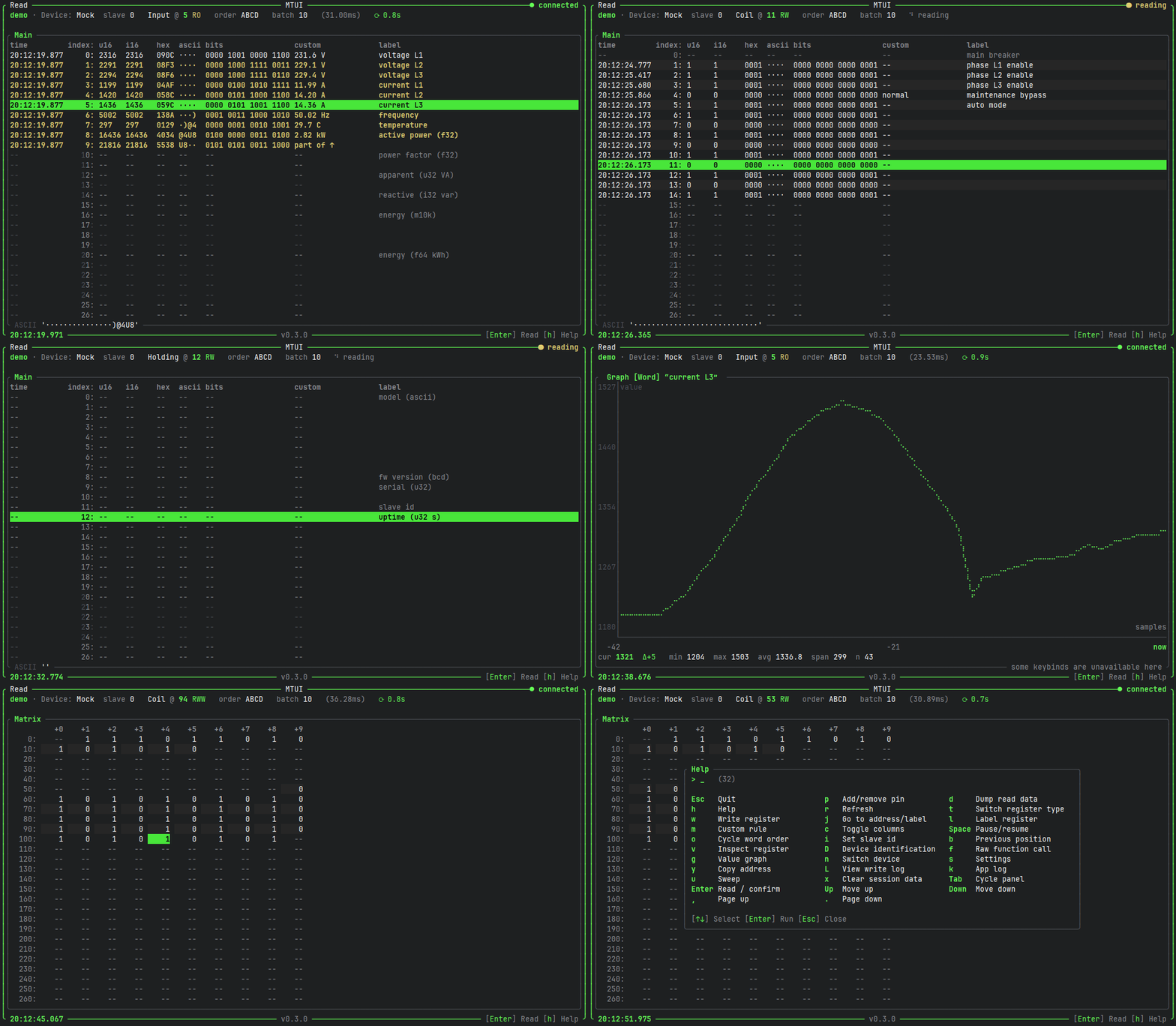
Play the GIF to see a quick tour, or better yet, try it in your browser (mock device only): https://inowattio.github.io/MTUI/
Features
- Modbus TCP and RTU, plus a built-in mock device for playing around
- Live register reading with auto-refresh, pause/resume and slave id selection
- Interpretation columns with configurable word order: u16, i16, hex, binary, ASCII, u32, i32, f32, f64, M10K (and more!)
- Panels: main view, pinned, labeled, custom rules and an address matrix
- Pin, label and custom-rule registers; jump to address or label
- Value graph for a register over time
- Register writes, with a write log and an optional read-only mode
- HTTP API (
POST /read,POST /write,GET /health, see openapi.yaml, can run standalone with--headless) - Dump read data to a file, copy addresses to the clipboard, paste pins/labels/custom rules to import them
- Configurable via files, a user-located
config.jsonfile will be created on the first startup (~/.config/mtui/on Linux,%APPDATA%\inowattio\mtui\config\on Windows,~/Library/Application Support/io.inowattio.mtui/on macOS), overridable with--config <path>and can also be modified in-app, the config can also be switched on the fly.
Press h inside the app for all available keybinds.
Running
Multiple options are available:
- (Linux) install via
snap install mtui - download a binary from releases
- with cargo via
cargo install mtui - clone the repository and then
cargo run