Unity Agent Skills
March 20, 2026 · View on GitHub
Unity Agent Skills
Your AI coding assistant becomes a Unity debugging expert.
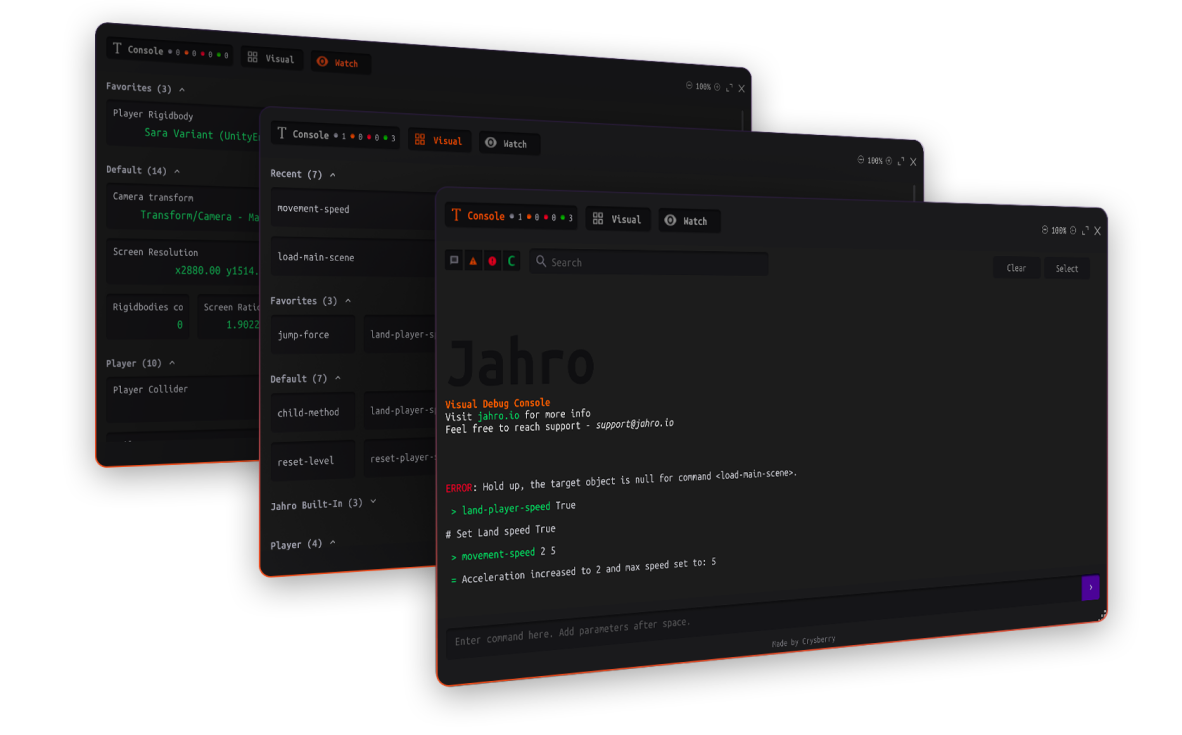
8 skills that teach Claude Code, Cursor, and other AI assistants how to generate correct Jahro and Unity debugging code — commands, watchers, snapshots, structured logging, production config, migration, and troubleshooting.



What is this?
Jahro is an in-game debugging console for Unity — runtime commands, variable watching, and log capture.
Agent skills are markdown files that give AI coding assistants domain-specific knowledge. Instead of your AI guessing at Unity debugging APIs, these skills provide exact attribute syntax, registration patterns, lifecycle rules, and diagnostic decision trees — so the generated code works on the first try.
Install the skills, then talk to your AI naturally:
- "Review the logging in my SaveManager" — AI detects antipatterns, classifies system criticality, adds structured
[Tag] Action — key=valuelogs at every boundary - "Set up logging conventions for our project" — AI generates LogTag constants, a lightweight formatting helper, and a team reference doc
- "Add debug commands to my PlayerController" — AI generates
[JahroCommand]attributes with correct naming, groups, parameter types, andRegisterObject/UnregisterObjectlifecycle - "Monitor these variables at runtime" — AI generates
[JahroWatch]attributes with supported types and performance-safe patterns - "My commands aren't showing up" — AI walks a diagnostic decision tree: assembly scanning → registration → method visibility → lifecycle timing
Skills
| Skill | What Your AI Can Do |
|---|---|
| jahro-logging | Review and improve Debug.Log usage: structured format, context tags, severity contracts, criticality tiers, boundary-based placement, and antipattern detection |
| jahro-setup | Detect Jahro in your project, guide installation, configure API keys, recommend which features to adopt first |
| jahro-commands | Generate [JahroCommand] attributes with correct syntax, RegisterObject boilerplate, group organization, and Visual/Text Mode guidance |
| jahro-watcher | Generate [JahroWatch] attributes with supported types, group strategies, and performance implications |
| jahro-snapshots | Configure snapshot capture modes (Recording vs Streaming), QA workflows, team sharing, and web console setup |
| jahro-production | Set up production safety: JAHRO_DISABLE define, auto-disable in release builds, lifecycle controls, and build validation |
| jahro-troubleshooting | Diagnose common issues using decision trees — commands missing, watcher not updating, console not opening, snapshots failing |
| jahro-migration | Analyze existing debug systems (IMGUI menus, custom loggers, cheat frameworks) and generate incremental migration plans |
Each skill is a self-contained SKILL.md file (~300-450 lines). Most skills are backed by shared reference files with the complete Jahro API and common code patterns. The jahro-logging skill is principle-driven and tool-agnostic — it works with raw Debug.Log and doesn't require Jahro.
Quick Start
git clone https://github.com/jahro-console/unity-agent-skills.git .agents/skills/jahro
Then ask your AI: "Help me add Jahro commands to my PlayerController"
That's it. Claude Code discovers skills automatically. For Cursor and other assistants, see detailed installation below.
Installation
Claude Code
Clone into your project's skills directory:
git clone https://github.com/jahro-console/unity-agent-skills.git .agents/skills/jahro
Or clone to a shared location and symlink into each project:
git clone https://github.com/jahro-console/unity-agent-skills.git ~/jahro-agent-skills
ln -s ~/jahro-agent-skills .agents/skills/jahro
Claude Code automatically discovers skills in .agents/skills/ and activates them based on each skill's description field.
Cursor
Copy skill files into Cursor's rules directory:
git clone https://github.com/jahro-console/unity-agent-skills.git /tmp/jahro-skills

# Copy each skill as a rule
for skill in /tmp/jahro-skills/skills/*/SKILL.md; do
  name=$(basename $(dirname "$skill"))
  cp "$skill" ".cursor/rules/${name}.md"
done

# Copy reference files
mkdir -p .cursor/rules/jahro-references
cp /tmp/jahro-skills/references/*.md .cursor/rules/jahro-references/

rm -rf /tmp/jahro-skills
In Cursor Settings, mark jahro-setup.md as Always so it provides context for all Jahro-related queries. Other skill rules can be left as Auto.
Other AI Assistants
Place the skills/ and references/ directories in your project root or any location your AI assistant scans for markdown context files. Most assistants that support project-level context will pick up the SKILL.md files automatically.
Updating
cd .agents/skills/jahro   # or wherever you cloned
git pull
Skills are versioned alongside Jahro releases. See CHANGELOG.md for details.
Jahro at a Glance
If you're new to Jahro — here's what the skills help you set up:
- In-Game Logs — Intercepts
Debug.Logcalls automatically. Filter, search, and read stack traces on-device. - Runtime Commands — Mark any method with
[JahroCommand]to call it from an in-game console with parameter support and autocomplete. - Variable Watcher — Add
[JahroWatch]to fields for a real-time monitoring dashboard with near-zero overhead. - Shareable Snapshots — Capture logs, screenshots, and device metadata in a single session. Share via URL or stream live.
Works on PC, Mac, Android, and iOS. Unity 2021.3+, zero external dependencies.
Links
- Website — jahro.io
- Unity Package — github.com/jahro-console/unity-package
- Getting Started — jahro.io/docs/getting-started
- Documentation — jahro.io/docs
- Discord — discord.gg/txcHFRDeV4
Requirements
- Unity: 2021.3.0f1 or later
- Jahro: 1.0.0-beta6+ (skills target current stable)
- AI Assistant: Any assistant that supports markdown context files (Claude Code, Cursor, Windsurf, etc.)
Contributing
Issues and PRs are welcome. If you find a case where the AI generates incorrect code with skills loaded, open an issue.
License
MIT