Skills Manager
August 22, 2026 · View on GitHub
A unified desktop application for managing AI coding assistant skills. Seamlessly organize, sync, and share skills for Claude Code, Codex, Opencode and other AI tools.




📖 Introduction
Skills Manager is a modern desktop application designed to solve the fragmentation of AI assistant skills configurations. Instead of managing skills and prompts separately for different tools, Skills Manager provides a central hub.
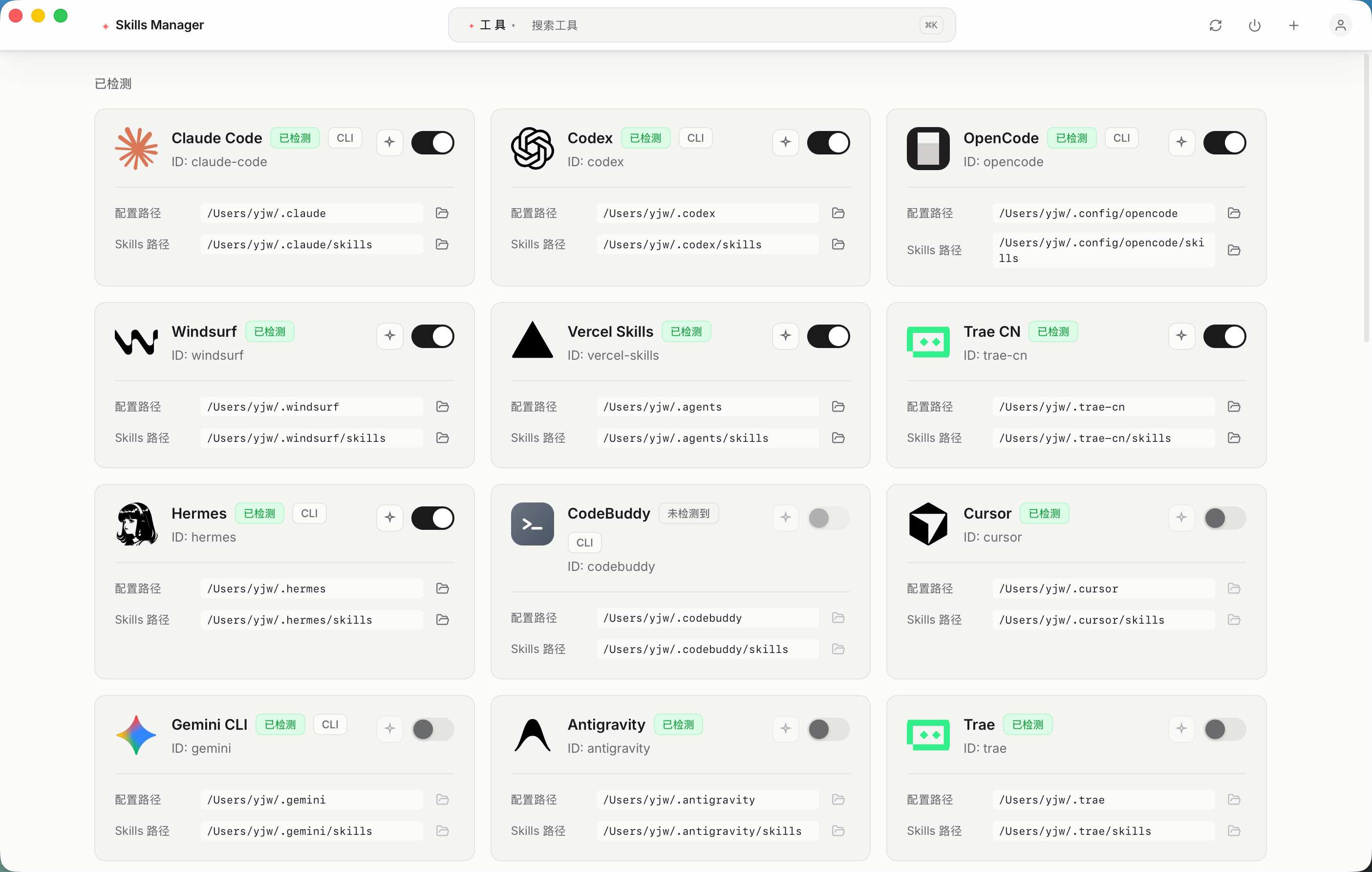
It uses a powerful symlink synchronization mechanism, allowing you to write a skill once and instantly use it across 32 supported AI tools including Claude Code, Codex, Cursor, Gemini CLI, Windsurf, Trae, and more.
✨ Key Features
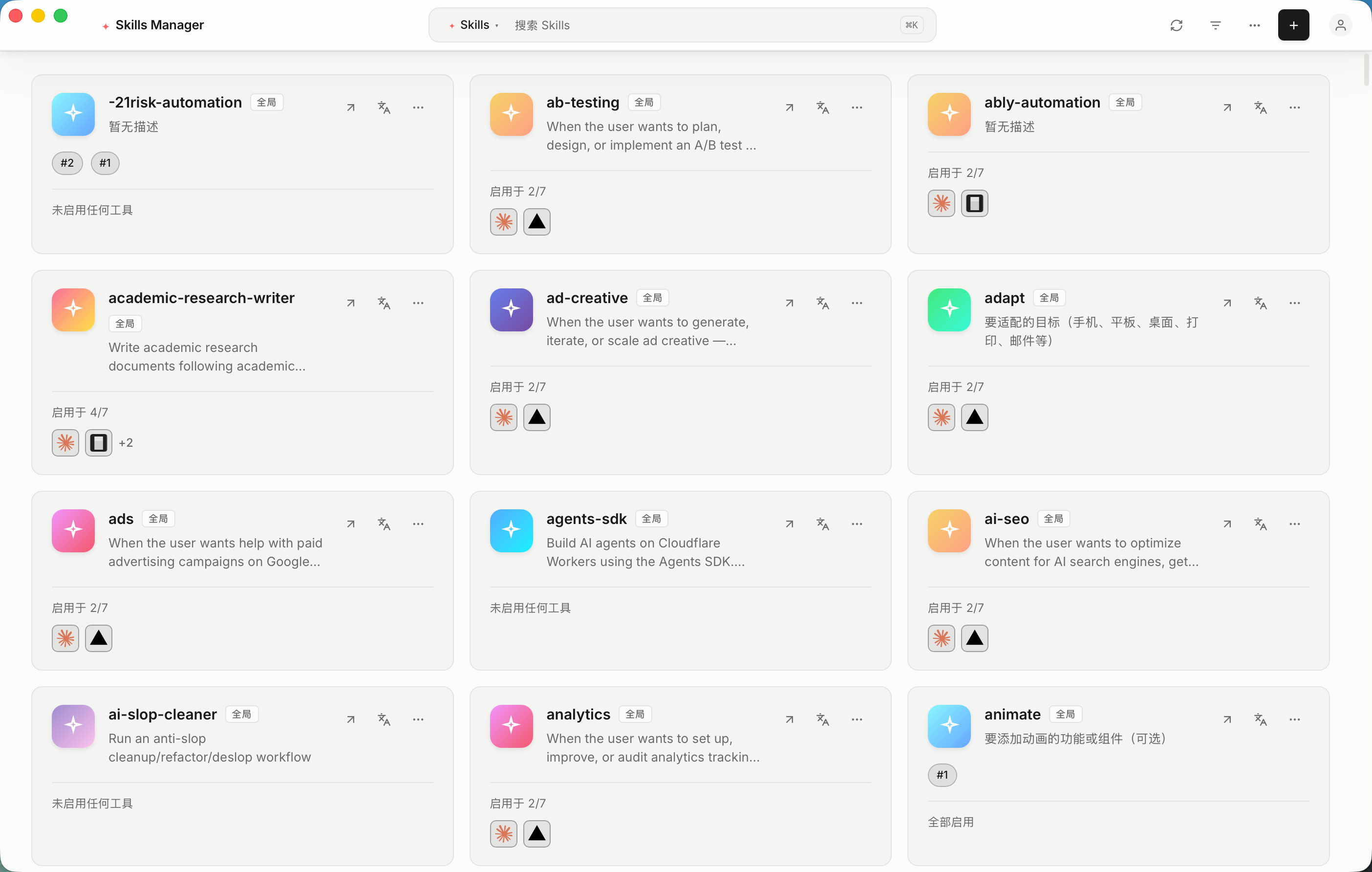
- 🎯 Unified Management: Centralize all your AI skills in one secure location.
- 🔄 Smart Synchronization: Automatic symlink management ensures your tools always have the latest version of your skills without file duplication.
- 🎛️ Granular Control: Enable or disable specific skills for individual tools without deleting the original files.
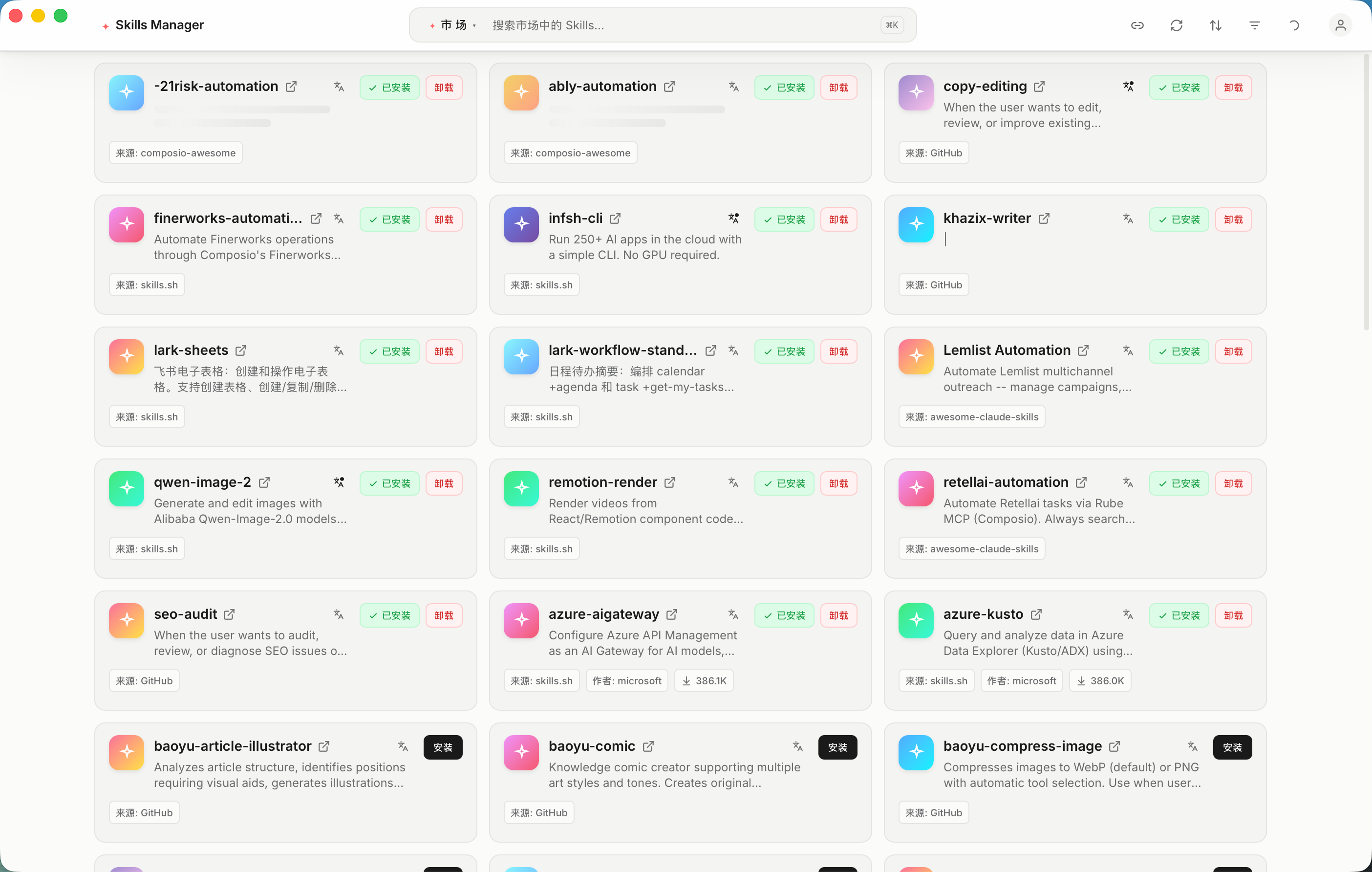
- 🛒 Marketplace: Browse, install, and share community-contributed skills directly within the app.
- 🌐 AI Translation: Translate skill names, descriptions, and content into your preferred language using LLM.
- ⌨️ Command Palette: Quick navigation and actions via
⌘K/Ctrl+K. - 🌍 Bilingual UI: Full English and Chinese interface support.
- ⚡ High Performance: Built with Rust and Tauri 2.0 for a lightweight, blazing-fast experience.
- 🛡️ Cross-Platform: Native support for macOS, Windows, and Linux.
- 🔌 Multi-Tool Support: Out-of-the-box support for 32 AI tools (Claude Code, Codex, Cursor, Gemini CLI, Windsurf, Trae, Cline, Augment, Goose, and many more), extensible via custom tools.
- 🧩 Custom Tools: Add your own tools with custom paths and optional icons.
- 🎨 Modern UI: Beautiful Raycast-style interface built with React 19, Tailwind CSS v4, and Radix UI.
📸 Screenshots
📥 Download
Get the build for your platform from the official website, which detects your OS and architecture automatically, or pick a file yourself on the Releases Page.
| OS | Installer Type |
|---|---|
| macOS | .dmg (Universal) |
| Windows | .msi / .exe |
| Linux | .deb / .AppImage / .rpm |
🪟 Windows Notes
You do not need Administrator rights. When a skill is enabled for a tool, Skills Manager tries three strategies in order:
- Directory symlink — used when Developer Mode is enabled (or when the app happens to run elevated).
- Directory junction (
mklink /J) — the normal path on a standard account. It needs no special permission. - Tracked copy — if junctions are blocked as well, the folder is copied and its source path is recorded in
.skills-manager-source.json, so the copy stays traceable and can still be disabled from the app.
A standard, non-elevated Windows account is enough for all three.
If a tool is not detected, elevation will not help either: the tool's own config directory has to exist on this machine. Check the tool compatibility matrix for the exact path each tool reads, or add it manually as a custom tool.
🚀 Getting Started
- Install: Run the installer for your platform.
- Setup: On first launch, the app will guide you to select your skills storage directory.
- Sync: The app automatically detects installed AI tools (like Claude Code) and links your skills.
❗ Linux Troubleshooting
If you encounter a blank white screen when launching the .AppImage on Linux (especially in virtual machines like VMware/VirtualBox), it is likely a WebKitGTK hardware acceleration issue.
Please run the application from the terminal with the following command:
WEBKIT_DISABLE_COMPOSITING_MODE=1 ./Skills-Manager_<version>_amd64.AppImage
🛠️ Technology Stack
Designed for developers who care about performance and stability:
- Core: Tauri 2.0 (Rust)
- Frontend: React 19 + TypeScript
- Styling: Tailwind CSS v4
- UI Components: Radix UI
- Editor: Monaco Editor
📅 Roadmap
We are actively working on making Skills Manager better. Here is what we are planning:
- Core features (e.g., soft link synchronization, multi-tool support).
- Marketplace – Browse, install, and share community-contributed skills.
- AI translation for skill content.
- Plugin system to support more AI tool extensions.
- Integrated AI chat interface for testing Skills directly within the application.
🤝 Contributing & Feedback
We welcome all forms of contribution!
- Found a bug? Please submit an issue on our Issues page.
- Have a feature request? We'd love to hear your ideas! Feel free to open an issue to discuss new features.
💝 Support
If this project helps you, feel free to support via QR code.
| WeChat Support QR | Alipay Support QR |
|---|---|
 |  |
Or support via Ko-fi: ko-fi.com/yeheboo
📈 Star History
Made with ❤️ for the AI developer community.